Upgrade & Secure Your Future with DevOps, SRE, DevSecOps, MLOps!
We spend hours scrolling social media and waste money on things we forget, but won’t spend 30 minutes a day earning certifications that can change our lives.
Master in DevOps, SRE, DevSecOps & MLOps by DevOps School!
Learn from Guru Rajesh Kumar and double your salary in just one year.
Introduction
Archiving tools help organizations store, preserve, search, manage, and retrieve important business records for long-term use. These records may include emails, files, chat messages, documents, customer communications, legal records, financial data, and compliance evidence. In simple words, archiving tools keep business information safe, organized, and available when needed.
Archiving matters because companies are creating more digital data than ever. Without a proper archive, teams may lose important records, struggle during audits, fail compliance checks, or spend too much time searching old information. A good archiving platform helps reduce storage pressure, support legal discovery, improve governance, and protect business history.
Common use cases include email archiving, compliance retention, legal hold, eDiscovery, records management, SaaS data archiving, file archiving, and secure long-term storage.
Buyers should evaluate retention policies, search quality, legal hold, eDiscovery, storage scalability, security controls, audit logs, compliance support, integrations, user permissions, data export, and cost predictability.
Best for: IT teams, compliance officers, legal teams, finance teams, healthcare organizations, government agencies, enterprises, regulated industries, and any business that must retain records for audit, legal, or operational reasons.
Not ideal for: very small teams with low data volume, companies that only need basic file backup, or businesses that do not have retention, compliance, legal, or long-term record needs.
Key Trends in Archiving Tools
- Compliance-first archiving is becoming more important: Businesses need strong retention policies, audit trails, legal hold, and data governance controls.
- Email archiving is expanding into collaboration data: Modern archives increasingly cover email, chat, shared files, cloud documents, and business communication platforms.
- AI-assisted search is becoming more useful: Some platforms use smarter search, classification, and review workflows to help teams find records faster.
- Cloud-based archiving is now common: Many organizations prefer cloud archives because they reduce infrastructure work and make scaling easier.
- Data privacy requirements are shaping archive design: Companies need tools that help manage retention, deletion, access control, and privacy requests.
- Legal discovery workflows are becoming more integrated: Legal teams want archives that support search, hold, review, export, and chain-of-custody workflows.
- Storage optimization remains a major driver: Archiving helps reduce pressure on active systems by moving older records into lower-cost, controlled storage.
- Immutable and tamper-resistant records are gaining value: Regulated organizations need confidence that archived data cannot be silently changed or deleted.
- SaaS data archiving is becoming a priority: Businesses now need to retain data from cloud email, collaboration platforms, CRM systems, and productivity apps.
- Role-based access is essential: Not every user should access every archive. Strong permissions, audit logs, and admin controls are now expected.
How We Selected These Tools
The tools in this list were selected using practical buyer-focused evaluation logic:
- Recognition in archiving, compliance, eDiscovery, information governance, or records management.
- Ability to archive email, files, communications, SaaS data, or enterprise records.
- Support for retention policies, legal hold, search, export, and audit workflows.
- Security posture, including access controls, encryption, audit logs, and governance features.
- Fit for different buyer segments, including SMBs, mid-market companies, enterprises, legal teams, and regulated industries.
- Integration with productivity suites, email platforms, storage systems, and compliance workflows.
- Scalability for growing data volumes and long retention periods.
- Ease of administration for IT, legal, and compliance users.
- Reporting, policy visibility, and defensible data handling.
- Practical value based on features, usability, support, and long-term operational needs.
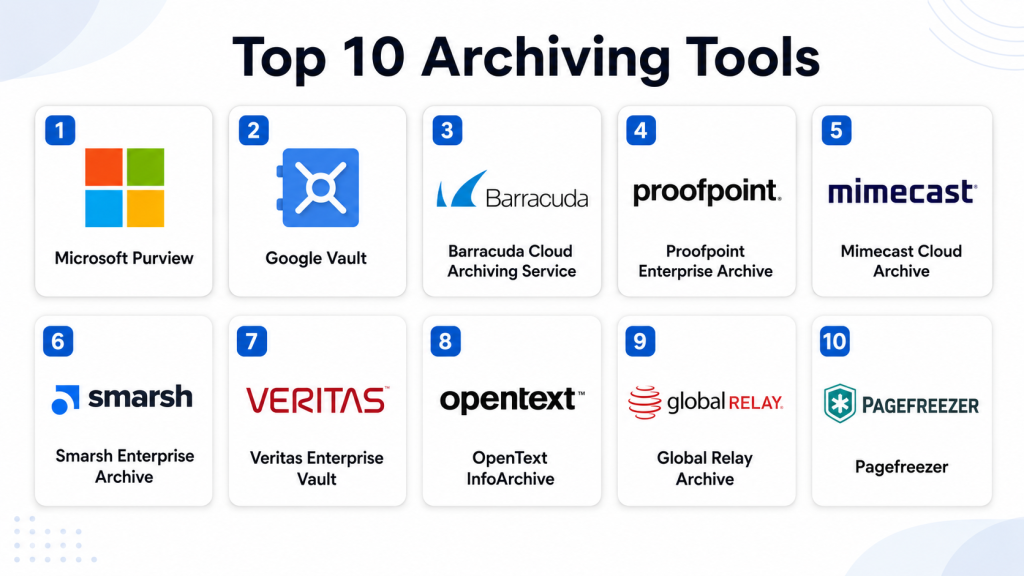
Top 10 Archiving Tools
#1 — Microsoft Purview
Short description: Microsoft Purview is a data governance, compliance, eDiscovery, and information protection platform for Microsoft-centered environments. It is best for organizations that use Microsoft email, collaboration, file storage, and productivity tools.
Key Features
- Email and collaboration data retention.
- eDiscovery and legal hold workflows.
- Data lifecycle and retention policy management.
- Information protection and sensitivity labeling.
- Audit and compliance reporting.
- Insider risk and data governance features.
- Integration with Microsoft productivity and security ecosystem.
Pros
- Strong fit for Microsoft-first organizations.
- Combines archiving, compliance, governance, and eDiscovery.
- Useful for enterprise legal and compliance teams.
Cons
- Can be complex for smaller teams.
- Advanced capabilities may depend on licensing.
- Requires Microsoft administration knowledge for best results.
Platforms / Deployment
Web / Windows / macOS / iOS / Android
Cloud
Security & Compliance
Supports RBAC, MFA through Microsoft identity, audit logs, encryption, retention controls, eDiscovery, legal hold, and information governance capabilities. Specific compliance requirements should be validated based on the organization’s Microsoft environment and licensing.
Integrations & Ecosystem
Microsoft Purview is deeply connected with the Microsoft ecosystem, making it useful for organizations already using Microsoft services.
- Microsoft 365
- Exchange Online
- SharePoint
- OneDrive
- Teams
- Microsoft Entra ID
- Microsoft security and compliance workflows
Support & Community
Microsoft provides extensive documentation, enterprise support, partner services, and a large administrator community. However, organizations may need trained compliance and Microsoft administrators to configure it properly.
#2 — Google Vault
Short description: Google Vault is an archiving, retention, legal hold, and eDiscovery tool for Google Workspace data. It is best for organizations using Gmail, Google Drive, Google Chat, and other Google Workspace services.
Key Features
- Gmail retention and search.
- Google Drive and shared file retention.
- Legal hold for supported Google Workspace data.
- eDiscovery search and export.
- Retention rules for organizational units.
- Audit and investigation support.
- Cloud-based administration.
Pros
- Strong fit for Google Workspace customers.
- Simple cloud-based setup for supported services.
- Useful for legal hold and basic eDiscovery workflows.
Cons
- Best suited for Google Workspace data only.
- Not a full enterprise archive for every external system.
- Advanced review workflows may require additional tools.
Platforms / Deployment
Web / Windows / macOS / Linux / iOS / Android
Cloud
Security & Compliance
Supports Google Workspace access controls, retention rules, legal hold, eDiscovery export, and audit-related capabilities. Specific compliance requirements should be validated based on the Google Workspace edition and configuration.
Integrations & Ecosystem
Google Vault works naturally inside the Google Workspace ecosystem and is useful for teams that rely heavily on Google productivity tools.
- Gmail
- Google Drive
- Google Chat
- Google Meet data where applicable
- Google Groups
- Google Workspace admin controls
Support & Community
Google provides documentation, support options, administrator help resources, and partner assistance. Community strength is high among Google Workspace administrators.
#3 — Barracuda Cloud Archiving Service
Short description: Barracuda Cloud Archiving Service helps organizations archive email and related communications for compliance, search, and legal discovery. It is useful for businesses that need cloud-based email archiving with practical administration.
Key Features
- Cloud-based email archiving.
- Retention policy management.
- Search and discovery workflows.
- Legal hold support.
- User access to archived messages.
- Compliance-focused reporting.
- Integration with common email systems.
Pros
- Practical option for email archiving.
- Easier to manage than many enterprise-heavy platforms.
- Useful for compliance and legal search needs.
Cons
- Mainly focused on email and related archiving use cases.
- Buyers should validate support for broader data sources.
- Advanced enterprise governance may require additional tools.
Platforms / Deployment
Web / Windows / macOS / iOS / Android
Cloud
Security & Compliance
Supports access controls, retention policies, legal hold, search, and compliance-oriented archive features. Specific certifications and regulatory mappings should be validated directly with the vendor.
Integrations & Ecosystem
Barracuda Cloud Archiving Service fits well into email security, compliance, and productivity environments.
- Microsoft 365
- Exchange environments
- Email security workflows
- Compliance reporting
- Legal discovery processes
- User archive access
Support & Community
Barracuda provides documentation, support resources, partner assistance, and onboarding guidance. It is suitable for IT teams that want managed cloud archiving without heavy infrastructure work.
#4 — Proofpoint Enterprise Archive
Short description: Proofpoint Enterprise Archive is an enterprise-grade archiving platform focused on email, compliance, supervision, eDiscovery, and information governance. It is suitable for regulated industries and large organizations with strict communication retention needs.
Key Features
- Enterprise email archiving.
- Advanced search and eDiscovery workflows.
- Legal hold and retention management.
- Compliance supervision support.
- User archive access.
- Policy-based data governance.
- Reporting and audit support.
Pros
- Strong fit for regulated organizations.
- Mature enterprise archive and discovery capabilities.
- Useful for legal, compliance, and security teams.
Cons
- May be more advanced than small businesses need.
- Implementation and policy setup require planning.
- Pricing and packaging should be reviewed carefully.
Platforms / Deployment
Web / Windows / macOS / iOS / Android
Cloud / Hybrid
Security & Compliance
Supports retention policies, legal hold, audit workflows, role-based access, and compliance-focused controls. Specific certifications and regulatory compliance details should be validated directly during procurement.
Integrations & Ecosystem
Proofpoint Enterprise Archive fits into email security, compliance, legal, and governance ecosystems.
- Microsoft 365
- Exchange environments
- Compliance supervision workflows
- Legal discovery tools
- Security and information governance processes
- Enterprise identity workflows
Support & Community
Proofpoint provides enterprise support, documentation, professional services, and partner resources. It is best suited for organizations with formal legal, compliance, and governance teams.
#5 — Mimecast Cloud Archive
Short description: Mimecast Cloud Archive provides email archiving, retention, search, continuity, and compliance support. It is useful for organizations that want email security and archiving capabilities from a single cloud-based ecosystem.
Key Features
- Cloud email archiving.
- Fast archive search and retrieval.
- Retention policy management.
- eDiscovery and legal hold support.
- User self-service archive access.
- Email continuity support.
- Compliance and audit-related reporting.
Pros
- Strong email archiving and security ecosystem.
- Useful self-service access for users.
- Good fit for organizations focused on email resilience and governance.
Cons
- Primarily focused on email and communication archiving.
- Broader records management may require other systems.
- Buyers should validate exact supported data sources.
Platforms / Deployment
Web / Windows / macOS / iOS / Android
Cloud
Security & Compliance
Supports retention policies, access controls, encryption-related protections, legal hold, and audit-related capabilities. Specific certifications and compliance mappings should be validated directly.
Integrations & Ecosystem
Mimecast Cloud Archive works well in email security, compliance, continuity, and governance environments.
- Microsoft 365
- Exchange environments
- Email security tools
- Legal discovery workflows
- User archive access
- Compliance reporting
Support & Community
Mimecast provides documentation, enterprise support, onboarding resources, and customer success options. It is commonly used by organizations that want email archive and email security in one ecosystem.
#6 — Smarsh Enterprise Archive
Short description: Smarsh Enterprise Archive is built for compliance-focused communications archiving across email, collaboration, social, mobile, and messaging channels. It is especially relevant for financial services, legal, and regulated industries.
Key Features
- Multi-channel communications archiving.
- Email, chat, social, and messaging data capture.
- Retention and legal hold controls.
- eDiscovery and supervision workflows.
- Compliance review capabilities.
- Search and export functionality.
- Policy-based governance.
Pros
- Strong fit for regulated communications.
- Supports broader communication channels beyond email.
- Useful for supervision and compliance review.
Cons**
- May be too specialized for basic archiving needs.
- Implementation can require compliance planning.
- Buyers should validate exact channel coverage.
Platforms / Deployment
Web / Windows / macOS / iOS / Android
Cloud
Security & Compliance
Supports retention, legal hold, audit workflows, access control, compliance review, and supervision capabilities. Specific certifications and regulatory coverage should be validated directly.
Integrations & Ecosystem
Smarsh is designed for regulated communication ecosystems where many channels must be captured and reviewed.
- Email platforms
- Collaboration tools
- Social media channels
- Mobile messaging sources
- Compliance review workflows
- Legal discovery processes
Support & Community
Smarsh provides documentation, enterprise support, onboarding assistance, and compliance-focused resources. It is best suited for organizations with formal regulatory communication requirements.
#7 — Veritas Enterprise Vault
Short description: Veritas Enterprise Vault is a mature archiving platform for email, files, and enterprise information governance. It is suitable for organizations needing long-term archiving, storage optimization, retention, and discovery workflows.
Key Features
- Email and file archiving.
- Retention and classification policies.
- eDiscovery and legal hold support.
- Storage optimization through archiving.
- Search and retrieval workflows.
- On-premises and hybrid deployment options.
- Enterprise information governance capabilities.
Pros
- Mature platform for enterprise archiving.
- Useful for complex legacy and hybrid environments.
- Strong fit for long-term governance needs.
Cons
- May require experienced administrators.
- Deployment and maintenance can be more complex than cloud-only tools.
- Smaller organizations may find it too heavy.
Platforms / Deployment
Web / Windows
Self-hosted / Hybrid
Security & Compliance
Supports retention policies, legal hold, access controls, audit-related features, and enterprise governance workflows. Specific compliance certifications should be validated directly.
Integrations & Ecosystem
Veritas Enterprise Vault fits enterprise email, file, storage, and governance environments.
- Microsoft Exchange
- Microsoft 365 environments
- File servers
- Enterprise storage systems
- eDiscovery workflows
- Information governance tools
Support & Community
Veritas provides documentation, enterprise support, professional services, and a long-standing administrator ecosystem. It is well suited for organizations with legacy archive requirements and formal IT operations.
#8 — OpenText InfoArchive
Short description: OpenText InfoArchive is an enterprise information archiving platform designed for long-term application data retention, compliance, and decommissioning legacy systems. It is best for large organizations with complex data governance requirements.
Key Features
- Long-term enterprise information archiving.
- Application data archiving.
- Legacy system decommissioning support.
- Retention and governance controls.
- Search and access to archived records.
- Compliance-focused storage and management.
- Structured and unstructured data support depending on use case.
Pros
- Strong fit for enterprise records and application archiving.
- Useful for reducing legacy system maintenance costs.
- Good for complex governance and retention programs.
Cons
- Not designed for simple email-only archiving.
- Implementation can be complex.
- Best suited for large organizations with clear information governance goals.
Platforms / Deployment
Web / Windows / Linux
Cloud / Self-hosted / Hybrid
Security & Compliance
Supports role-based access, retention controls, audit-related workflows, governance policies, and secure archive management. Specific certifications and regulatory alignment should be validated directly.
Integrations & Ecosystem
OpenText InfoArchive fits enterprise content, records, compliance, and legacy system modernization ecosystems.
- Enterprise content management systems
- Legacy business applications
- Records management workflows
- Compliance systems
- Database and application data sources
- Enterprise search and governance processes
Support & Community
OpenText provides enterprise support, professional services, documentation, and partner-led implementation resources. It is best for organizations with mature governance and records management teams.
#9 — Global Relay Archive
Short description: Global Relay Archive is a communications archiving and compliance platform used by organizations that need message capture, supervision, search, and regulatory retention. It is especially relevant for financial services and compliance-heavy environments.
Key Features
- Communications archiving.
- Email, messaging, and collaboration data retention.
- Compliance supervision workflows.
- Search and eDiscovery capabilities.
- Legal hold and retention policies.
- Audit and review support.
- Secure archive access.
Pros
- Strong fit for regulated communications.
- Useful for compliance review and supervision.
- Supports multi-channel communication archive needs.
Cons
- May be too specialized for general file archiving.
- Buyers should validate supported channels and data sources.
- Best suited for formal compliance teams.
Platforms / Deployment
Web / Windows / macOS / iOS / Android
Cloud
Security & Compliance
Supports retention policies, legal hold, access control, audit workflows, and compliance supervision. Specific certifications and regulatory details should be validated directly.
Integrations & Ecosystem
Global Relay fits communication compliance ecosystems, especially where regulatory review and supervision matter.
- Email platforms
- Messaging tools
- Collaboration tools
- Compliance review workflows
- Legal discovery processes
- Financial services communication systems
Support & Community
Global Relay provides customer support, documentation, onboarding resources, and compliance-focused service assistance. It is best for industries where communication governance is a core requirement.
#10 — Pagefreezer
Short description: Pagefreezer is an archiving platform focused on websites, social media, collaboration tools, and digital communications. It is useful for legal, compliance, public sector, and regulated teams that need defensible web and social archives.
Key Features
- Website archiving.
- Social media archiving.
- Collaboration and communication capture.
- Legal hold and evidence preservation.
- Search and export workflows.
- Compliance-focused recordkeeping.
- Tamper-evident archive support.
Pros
- Strong for web and social media archiving.
- Useful for public records and legal evidence needs.
- Good fit for organizations with digital communication compliance requirements.
Cons
- Not a full replacement for email or file archiving tools.
- Buyers should validate supported platforms.
- May be specialized for specific compliance and legal use cases.
Platforms / Deployment
Web / Windows / macOS / iOS / Android
Cloud
Security & Compliance
Supports access control, evidence preservation, audit-related workflows, legal hold, and tamper-evident recordkeeping features. Specific compliance certifications should be validated directly.
Integrations & Ecosystem
Pagefreezer supports archiving needs across web, social, collaboration, and legal evidence workflows.
- Websites
- Social media platforms
- Collaboration tools
- Legal discovery workflows
- Public records processes
- Compliance review systems
Support & Community
Pagefreezer provides documentation, customer support, onboarding assistance, and compliance-oriented guidance. It is suitable for teams that need defensible web and digital communications archiving.
Comparison Table
| Tool Name | Best For | Platform(s) Supported | Deployment | Standout Feature | Public Rating |
|---|---|---|---|---|---|
| Microsoft Purview | Microsoft-first compliance and governance | Web, Windows, macOS, iOS, Android | Cloud | Deep Microsoft compliance and retention ecosystem | N/A |
| Google Vault | Google Workspace retention and eDiscovery | Web, Windows, macOS, Linux, iOS, Android | Cloud | Native Google Workspace archiving and legal hold | N/A |
| Barracuda Cloud Archiving Service | Cloud-based email archiving | Web, Windows, macOS, iOS, Android | Cloud | Practical email retention and discovery | N/A |
| Proofpoint Enterprise Archive | Enterprise email compliance | Web, Windows, macOS, iOS, Android | Cloud / Hybrid | Enterprise archiving with legal and compliance workflows | N/A |
| Mimecast Cloud Archive | Email archive and continuity | Web, Windows, macOS, iOS, Android | Cloud | Email archive with resilience and user access | N/A |
| Smarsh Enterprise Archive | Regulated communications archiving | Web, Windows, macOS, iOS, Android | Cloud | Multi-channel compliance archiving | N/A |
| Veritas Enterprise Vault | Enterprise email and file archiving | Web, Windows | Self-hosted / Hybrid | Mature governance for email and file archives | N/A |
| OpenText InfoArchive | Application and legacy data archiving | Web, Windows, Linux | Cloud / Self-hosted / Hybrid | Long-term enterprise information archiving | N/A |
| Global Relay Archive | Financial services communication compliance | Web, Windows, macOS, iOS, Android | Cloud | Communications supervision and retention | N/A |
| Pagefreezer | Website and social media archiving | Web, Windows, macOS, iOS, Android | Cloud | Defensible web and social archive capture | N/A |
Evaluation & Scoring of Archiving Tools
The scoring below is comparative and based on common archiving buyer needs. It does not mean one platform is the best for every organization. A tool may score lower overall but still be the strongest choice for a specific use case, such as Google Workspace retention, web archiving, financial communication supervision, or legacy application decommissioning.
| Tool Name | Core (25%) | Ease (15%) | Integrations (15%) | Security (10%) | Performance (10%) | Support (10%) | Value (15%) | Weighted Total (0–10) |
|---|---|---|---|---|---|---|---|---|
| Microsoft Purview | 9 | 7 | 9 | 9 | 8 | 8 | 8 | 8.25 |
| Google Vault | 8 | 8 | 8 | 8 | 8 | 8 | 8 | 8.00 |
| Barracuda Cloud Archiving Service | 8 | 8 | 7 | 8 | 8 | 8 | 8 | 7.85 |
| Proofpoint Enterprise Archive | 9 | 7 | 8 | 9 | 8 | 8 | 7 | 8.10 |
| Mimecast Cloud Archive | 8 | 8 | 8 | 8 | 8 | 8 | 8 | 8.00 |
| Smarsh Enterprise Archive | 9 | 7 | 8 | 9 | 8 | 8 | 7 | 8.10 |
| Veritas Enterprise Vault | 8 | 6 | 8 | 8 | 8 | 8 | 7 | 7.55 |
| OpenText InfoArchive | 9 | 6 | 8 | 9 | 8 | 8 | 7 | 7.95 |
| Global Relay Archive | 8 | 7 | 8 | 9 | 8 | 8 | 7 | 7.85 |
| Pagefreezer | 8 | 8 | 7 | 8 | 8 | 8 | 7 | 7.75 |
These scores should be used as a starting point. Microsoft Purview is strong for Microsoft-centered governance. Google Vault is a natural choice for Google Workspace retention. Proofpoint, Mimecast, Smarsh, and Global Relay are strong for communication archiving. Veritas and OpenText fit complex enterprise governance needs. Pagefreezer is specialized for web, social, and digital evidence archiving.
Which Archiving Tool Is Right for You?
Solo / Freelancer
Solo professionals usually do not need a complex enterprise archiving system. Basic cloud storage, organized folders, email retention settings, and secure backups may be enough.
However, freelancers working with legal, finance, healthcare, or government clients may need stronger recordkeeping. In that case, a simple cloud archive or platform-native option like Google Vault or Microsoft Purview may be useful if already included in the current workspace setup.
SMB
Small and mid-sized businesses should focus on simple retention, easy search, email archiving, user access, and predictable pricing. Barracuda Cloud Archiving Service, Mimecast Cloud Archive, Google Vault, and Microsoft Purview can be practical options depending on the email platform.
SMBs should avoid buying a complex enterprise governance platform unless they have real compliance, legal, or retention requirements. The best tool should reduce risk without overwhelming the IT team.
Mid-Market
Mid-market organizations often need more structured retention policies, legal hold, eDiscovery support, admin controls, and reporting. Microsoft Purview, Proofpoint Enterprise Archive, Mimecast Cloud Archive, Smarsh Enterprise Archive, and Barracuda Cloud Archiving Service are strong candidates.
If the business uses many communication channels, Smarsh or Global Relay may be better suited. If the focus is mainly email, Mimecast, Proofpoint, Barracuda, Microsoft, or Google may be enough.
Enterprise
Enterprises need scalable archiving, strict access controls, legal workflows, compliance reporting, retention automation, audit logs, and integration with multiple data sources. Microsoft Purview, Proofpoint Enterprise Archive, Smarsh Enterprise Archive, Veritas Enterprise Vault, OpenText InfoArchive, and Global Relay Archive should be reviewed.
Large organizations should also consider whether the goal is email archiving, enterprise records management, application decommissioning, web archiving, or regulated communications supervision. These are different needs, and one tool may not cover every archive type equally well.
Budget vs Premium
Budget-conscious teams should start with platform-native tools if they already use Microsoft or Google productivity suites. Google Vault and Microsoft Purview may be practical choices when available through existing subscriptions.
Premium buyers with complex compliance needs may prefer Proofpoint, Smarsh, Global Relay, OpenText, Veritas, or Mimecast, especially when legal hold, supervision, multi-channel capture, and enterprise governance are required.
Feature Depth vs Ease of Use
Feature-rich platforms like Microsoft Purview, Proofpoint Enterprise Archive, Smarsh Enterprise Archive, OpenText InfoArchive, and Veritas Enterprise Vault provide deep control but require more planning.
Ease-focused tools like Google Vault, Barracuda Cloud Archiving Service, Mimecast Cloud Archive, and Pagefreezer may be faster to adopt when the use case is clear and focused.
Integrations & Scalability
Integration needs should guide the shortlist. Microsoft-heavy organizations should evaluate Microsoft Purview. Google Workspace customers should evaluate Google Vault. Email-security-focused buyers may prefer Barracuda, Mimecast, or Proofpoint.
Organizations in regulated industries should evaluate Smarsh and Global Relay for multi-channel communications archiving. Enterprises with legacy application data should review OpenText InfoArchive. Web and social media archive needs should include Pagefreezer.
Security & Compliance Needs
Security-focused buyers should prioritize encryption, RBAC, MFA, audit logs, retention enforcement, legal hold, tamper resistance, and export controls.
Compliance-focused teams should validate retention rules, deletion controls, supervision workflows, search accuracy, archive completeness, data residency, and audit evidence before choosing a platform.
Frequently Asked Questions
What is an archiving tool?
An archiving tool stores business records for long-term retention, search, compliance, and legal needs. It helps preserve emails, files, communications, documents, and other important data.
How is archiving different from backup?
Backup is mainly used for recovery after data loss or system failure. Archiving is used for long-term retention, compliance, legal discovery, and organized recordkeeping.
What types of data can archiving tools store?
Archiving tools can store emails, files, chat messages, social media content, website records, collaboration data, application data, and business documents depending on the platform.
Why do companies need email archiving?
Email archiving helps businesses retain communication records, support legal discovery, reduce mailbox storage pressure, and meet regulatory or internal retention policies.
What is legal hold in archiving?
Legal hold prevents selected records from being deleted or modified during legal investigations, audits, disputes, or compliance reviews.
How do archiving tools usually charge?
Pricing often depends on users, storage volume, retained data, data sources, compliance features, and selected support level. Some tools are included in broader productivity or compliance suites.
What are common archiving mistakes?
Common mistakes include unclear retention policies, weak access controls, poor search setup, no legal hold process, ignoring non-email data, and keeping data longer than needed without governance.
Are archiving tools secure?
Many archiving tools include encryption, access controls, audit logs, and retention enforcement. Buyers should validate security features, certifications, and compliance details before purchase.
Can archiving tools help with audits?
Yes, archiving tools can help provide searchable records, retention evidence, access logs, legal hold status, and exportable data for audit or compliance review.
Can archiving tools support eDiscovery?
Many archiving tools support eDiscovery search, legal hold, export, and review workflows. Advanced legal teams may still need specialized eDiscovery platforms for complex matters.
Should small businesses use archiving tools?
Small businesses should use archiving tools if they have compliance, legal, customer communication, or long-term recordkeeping needs. Otherwise, basic backup and organized storage may be enough.
When should a company switch archiving tools?
A company should consider switching when search is poor, retention policies are hard to manage, compliance needs are not met, storage costs are high, or important data sources are not supported.
Conclusion
Archiving tools help organizations protect business records, meet compliance needs, support legal discovery, and keep long-term information searchable and secure. The best tool depends on what you need to archive. Microsoft Purview is strong for Microsoft-centered environments, while Google Vault is a natural fit for Google Workspace. Barracuda, Mimecast, and Proofpoint are strong for email archiving. Smarsh and Global Relay are valuable for regulated communications. Veritas and OpenText support complex enterprise governance, while Pagefreezer is useful for web and social media archiving.
