Upgrade & Secure Your Future with DevOps, SRE, DevSecOps, MLOps!
We spend hours scrolling social media and waste money on things we forget, but won’t spend 30 minutes a day earning certifications that can change our lives.
Master in DevOps, SRE, DevSecOps & MLOps by DevOps School!
Learn from Guru Rajesh Kumar and double your salary in just one year.
Introduction
Software Asset Management, commonly called SAM, is the practice of tracking, managing, optimizing, and controlling software licenses, subscriptions, entitlements, usage, contracts, renewals, and compliance risks. In simple words, SAM tools help organizations understand what software they own, what software is installed, who is using it, how much it costs, and whether the company is compliant with vendor licensing rules.
SAM tools matter because modern organizations use a mix of desktop software, SaaS applications, cloud services, enterprise licenses, open-source packages, and department-owned tools. Without proper software visibility, companies can waste money on unused licenses, miss renewal risks, face vendor audit issues, and expose themselves to security or compliance gaps.
Common use cases include software license tracking, SaaS spend optimization, vendor audit preparation, unused license removal, contract renewal planning, software usage monitoring, compliance reporting, and technology cost control.
Buyers should evaluate:
- Software discovery and inventory depth
- License entitlement tracking
- SaaS subscription visibility
- Usage metering and optimization
- Vendor audit readiness
- Contract and renewal management
- Integration with ITAM, ITSM, procurement, and finance tools
- Reporting and compliance dashboards
- Security and access controls
- Pricing, scalability, and implementation effort
Best for: IT asset managers, software asset managers, procurement teams, finance teams, IT operations teams, compliance teams, security teams, enterprises, managed service providers, and organizations with complex software estates.
Not ideal for: very small teams with only a few software subscriptions and simple license tracking needs. In such cases, spreadsheets, basic SaaS tracking tools, or accounting records may be enough until software usage becomes more complex.
Key Trends in Software Asset Management Tools
- SaaS spend control: Companies are paying closer attention to unused SaaS seats, duplicate tools, shadow IT, renewal waste, and department-level subscription sprawl.
- Cloud and hybrid software visibility: SAM is expanding beyond traditional installed software to include cloud services, virtualized environments, containers, and usage-based technology costs.
- AI-assisted license optimization: Some SAM platforms are adding AI-driven recommendations for unused licenses, risky entitlements, contract gaps, and software cost savings.
- Audit readiness: Vendor audits remain a major concern for large organizations, making entitlement records, usage evidence, and compliance dashboards important.
- Integration with ITAM and ITSM: SAM data becomes more valuable when connected with assets, service requests, procurement workflows, employee onboarding, and offboarding.
- Security and software risk alignment: Security teams need software visibility to identify unauthorized tools, outdated versions, vulnerable applications, and unmanaged installations.
- Renewal and contract governance: SAM platforms increasingly support renewal calendars, vendor contracts, license terms, and cost ownership to prevent surprise renewals.
- Employee lifecycle software control: Companies are linking software access with employee joiner, mover, and leaver workflows to reduce waste and access risk.
- Usage-based optimization: Software decisions are moving from “licenses purchased” to “licenses actually used,” helping teams reduce cost without hurting productivity.
- Executive reporting: CIOs, CFOs, and procurement leaders want clear dashboards showing spend, compliance exposure, utilization, renewal risk, and savings opportunities.
How We Selected These Tools
The top Software Asset Management tools in this guide were selected using a practical evaluation model focused on license visibility, cost control, compliance, and enterprise usability. The selection considered:
- Market adoption and recognition among SAM, ITAM, procurement, and enterprise IT teams
- Feature completeness across software discovery, license tracking, SaaS management, contracts, and reporting
- Fit for SMBs, mid-market organizations, enterprises, and managed service providers
- Ability to manage complex software vendors, entitlements, and usage rules
- Integration ecosystem with ITAM, ITSM, endpoint management, finance, procurement, and identity tools
- Reporting quality for audits, renewals, license position, and optimization
- Security posture signals such as role-based access, audit logs, identity controls, and data protection
- Automation capabilities for license reclamation, renewals, and lifecycle workflows
- Support for SaaS, on-premise software, cloud, and hybrid environments
- Practical trade-offs such as pricing, implementation complexity, data quality needs, and support model
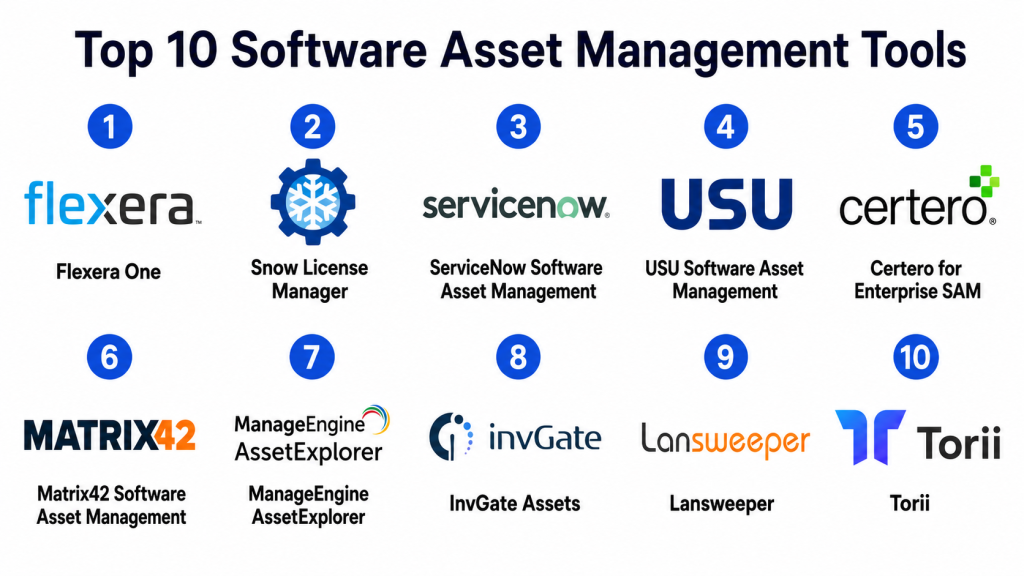
Top 10 Software Asset Management Tools
#1 — Flexera One
Short description: Flexera One is a technology intelligence and software asset management platform for managing software licenses, SaaS usage, cloud spend, and hybrid IT assets. It is best suited for enterprises with complex software contracts, vendor relationships, and optimization needs.
Key Features
- Software asset management
- SaaS management and usage visibility
- Cloud cost and consumption insights
- License optimization and compliance reporting
- Vendor and contract intelligence
- Technology inventory normalization
- Spend and risk dashboards
Pros
- Strong for complex software license optimization.
- Useful for enterprise software, SaaS, and cloud cost visibility.
- Helps IT, procurement, and finance teams align around technology spend.
Cons
- May require specialist SAM knowledge to use deeply.
- Implementation can be complex for organizations with poor data quality.
- May be too advanced for small teams with simple software needs.
Platforms / Deployment
Web
Cloud
Security & Compliance
Supports common enterprise security expectations such as user permissions, access controls, data protection, and governance features. Specific compliance details should be validated during procurement.
Integrations & Ecosystem
Flexera One integrates with cloud, SaaS, discovery, procurement, finance, and IT operations data sources to provide software and technology visibility.
- Cloud platforms
- SaaS applications
- Procurement systems
- Finance tools
- Discovery and inventory systems
- IT operations workflows
Support & Community
Flexera provides enterprise support, documentation, implementation guidance, customer success resources, and strong expertise around software asset management and technology cost optimization.
#2 — Snow License Manager
Short description: Snow License Manager is a software asset management platform focused on license compliance, software usage, SaaS visibility, and vendor audit readiness. It is suitable for organizations that need clear insight into software installations, entitlements, and usage.
Key Features
- Software license management
- Entitlement and contract tracking
- Software usage monitoring
- SaaS application visibility
- Audit preparation reporting
- License compliance dashboards
- Cost optimization insights
Pros
- Strong focus on software compliance and usage visibility.
- Useful for reducing audit risk and unused license waste.
- Good fit for organizations with complex software estates.
Cons
- Requires clean inventory, entitlement, and usage data.
- Advanced optimization may require SAM expertise.
- Smaller teams may find the platform more detailed than needed.
Platforms / Deployment
Web
Cloud / Hybrid options may vary
Security & Compliance
Supports common enterprise security controls such as user permissions, access management, and data protection features. Specific compliance details should be validated with the vendor.
Integrations & Ecosystem
Snow License Manager integrates with discovery, endpoint, SaaS, procurement, and IT operations data sources.
- Endpoint inventory systems
- SaaS platforms
- Procurement tools
- ITSM systems
- Finance workflows
- Reporting platforms
Support & Community
Snow provides documentation, customer support, onboarding resources, professional services, and SAM-focused expertise for license compliance and optimization.
#3 — ServiceNow Software Asset Management
Short description: ServiceNow Software Asset Management helps organizations manage software licenses, entitlements, usage, contracts, compliance, and optimization inside the broader ServiceNow ecosystem. It is best suited for enterprises already using ServiceNow for ITSM, ITAM, or workflow automation.
Key Features
- Software license tracking
- Entitlement and contract management
- Software normalization
- Compliance and audit reporting
- License optimization workflows
- Integration with ITSM and ITAM
- Renewal and lifecycle tracking
Pros
- Strong fit for organizations already using ServiceNow.
- Connects SAM with ITSM, ITAM, procurement, and workflow automation.
- Useful for enterprise-grade governance and audit visibility.
Cons
- Implementation can be complex and resource-intensive.
- Best value depends on broader ServiceNow adoption.
- May be too advanced for smaller teams.
Platforms / Deployment
Web / iOS / Android
Cloud
Security & Compliance
Supports common enterprise security expectations such as SSO, role-based access, audit logs, encryption, identity integrations, and admin controls. Specific compliance details should be validated during procurement.
Integrations & Ecosystem
ServiceNow Software Asset Management integrates deeply with the broader ServiceNow platform and enterprise IT systems.
- ServiceNow ITSM
- ServiceNow ITAM
- Discovery tools
- Procurement systems
- Finance systems
- Endpoint and security tools
Support & Community
ServiceNow provides enterprise support, training, documentation, partner implementation services, and a large professional ecosystem of administrators and consultants.
#4 — USU Software Asset Management
Short description: USU Software Asset Management is an enterprise SAM platform focused on software license optimization, compliance, SaaS management, and cost control. It is useful for large organizations with complex vendor contracts and audit requirements.
Key Features
- Software license management
- Vendor compliance tracking
- SaaS usage and subscription insights
- Contract and entitlement management
- Software cost optimization
- Audit support dashboards
- Reporting and analytics
Pros
- Strong for enterprise license optimization.
- Useful for complex vendor and contract environments.
- Helps procurement and IT teams identify savings opportunities.
Cons
- May require dedicated SAM expertise.
- Implementation depends heavily on accurate data sources.
- Smaller organizations may not need the full platform depth.
Platforms / Deployment
Web
Cloud / Hybrid options may vary
Security & Compliance
Supports common enterprise security expectations such as permissions, access controls, data protection, and audit-related features. Specific compliance details should be validated with the vendor.
Integrations & Ecosystem
USU SAM connects with software discovery, procurement, finance, SaaS, and IT operations environments.
- Discovery and inventory tools
- Procurement systems
- Finance and ERP workflows
- SaaS applications
- ITSM tools
- Reporting systems
Support & Community
USU provides enterprise support, documentation, consulting resources, implementation guidance, and SAM expertise for large organizations.
#5 — Certero for Enterprise SAM
Short description: Certero for Enterprise SAM is a software asset management platform that helps organizations manage software inventory, license compliance, usage, SaaS visibility, and vendor optimization. It is suitable for enterprises needing broad SAM coverage.
Key Features
- Software inventory and discovery
- License entitlement management
- Usage metering and optimization
- SaaS management
- Compliance reporting
- Contract and vendor insights
- Dashboards and analytics
Pros
- Strong SAM functionality across software and SaaS environments.
- Useful for reducing license waste and improving audit readiness.
- Supports enterprise visibility across complex technology estates.
Cons
- May require careful deployment and data onboarding.
- Buyers should validate coverage for specific vendors.
- Smaller teams may find the platform more detailed than required.
Platforms / Deployment
Web
Cloud / Hybrid options may vary
Security & Compliance
Supports common enterprise security features such as user permissions, access controls, and data protection. Specific compliance details should be confirmed during procurement.
Integrations & Ecosystem
Certero integrates with discovery, ITAM, SaaS, procurement, and reporting workflows.
- Discovery systems
- ITAM tools
- SaaS applications
- Procurement workflows
- Finance systems
- Reporting dashboards
Support & Community
Certero provides documentation, customer support, onboarding resources, and SAM guidance for organizations managing software license complexity.
#6 — Matrix42 Software Asset Management
Short description: Matrix42 Software Asset Management helps organizations manage software licenses, contracts, usage, and compliance as part of a broader IT and enterprise service management ecosystem. It is useful for organizations that want SAM connected with service and endpoint workflows.
Key Features
- Software license management
- Contract and entitlement tracking
- Software usage visibility
- Compliance reporting
- IT asset integration
- Workflow automation
- Service management alignment
Pros
- Strong connection between SAM, ITSM, and endpoint workflows.
- Useful for organizations wanting integrated IT management.
- Helps improve software compliance and cost visibility.
Cons
- Best value depends on broader Matrix42 ecosystem fit.
- Setup may require process and data planning.
- Buyers should validate software vendor coverage and integrations.
Platforms / Deployment
Web
Cloud / Hybrid options may vary
Security & Compliance
Supports common enterprise security controls such as permissions, role-based access, and data protection features. Specific compliance details should be verified during vendor review.
Integrations & Ecosystem
Matrix42 SAM integrates with ITSM, endpoint, asset, and enterprise service workflows.
- ITSM tools
- Endpoint management systems
- Asset management workflows
- Identity providers
- Procurement systems
- Reporting tools
Support & Community
Matrix42 provides documentation, customer support, implementation resources, and guidance for service and asset management programs.
#7 — ManageEngine AssetExplorer
Short description: ManageEngine AssetExplorer is an IT asset and software license management tool that helps teams track hardware, software, licenses, contracts, and asset lifecycle details. It is suitable for SMB and mid-market IT teams that need practical SAM and ITAM functionality.
Key Features
- Software inventory tracking
- License compliance management
- Hardware and software asset tracking
- Contract and purchase order management
- Audit and compliance reports
- Asset lifecycle management
- Integration with ManageEngine tools
Pros
- Practical SAM features for growing IT teams.
- Good balance of software tracking and broader asset management.
- Flexible for teams already using ManageEngine products.
Cons
- Advanced enterprise license optimization may be limited.
- Interface and configuration may require learning.
- Best results require clean procurement and license data.
Platforms / Deployment
Web / Windows / Linux
Self-hosted / Cloud options may vary
Security & Compliance
Supports common access controls, user permissions, and administrative features. Specific compliance details should be validated based on deployment model.
Integrations & Ecosystem
ManageEngine AssetExplorer works well with ITSM, endpoint, procurement, and IT operations workflows.
- ManageEngine ServiceDesk Plus
- Endpoint management tools
- Active Directory and identity systems
- Procurement workflows
- Reporting tools
- IT operations systems
Support & Community
ManageEngine provides documentation, support resources, product training, community forums, and implementation guidance for IT operations teams.
#8 — InvGate Assets
Short description: InvGate Assets is an IT asset management platform with software inventory, license tracking, contract management, and lifecycle visibility. It is useful for IT teams that want SAM features connected with asset and service management workflows.
Key Features
- Software inventory
- License tracking
- Hardware and software asset management
- Contract tracking
- Asset lifecycle workflows
- Reporting and dashboards
- Service management alignment
Pros
- Practical option for IT teams needing software and asset visibility.
- Good fit for organizations connecting ITAM with service management.
- Easier to adopt than some enterprise-heavy SAM platforms.
Cons
- May not match specialized enterprise SAM suites for complex vendor optimization.
- Advanced licensing scenarios should be validated.
- Reporting accuracy depends on discovery and asset data quality.
Platforms / Deployment
Web
Cloud / Self-hosted options may vary
Security & Compliance
Supports common access control, user permissions, and data protection features. Specific compliance details should be validated based on deployment and plan.
Integrations & Ecosystem
InvGate Assets works with service management, discovery, and IT operations workflows.
- InvGate Service Management
- Discovery tools
- ITSM workflows
- Reporting platforms
- Procurement processes
- Asset lifecycle workflows
Support & Community
InvGate provides documentation, support resources, onboarding assistance, and ITAM implementation guidance for IT operations teams.
#9 — Lansweeper
Short description: Lansweeper is an IT asset discovery and inventory platform that helps teams discover software installations, devices, users, network assets, and technology inventory. It is especially useful for organizations that need accurate discovery data to support SAM and ITAM programs.
Key Features
- Software discovery and inventory
- Device and network scanning
- User and asset relationship tracking
- Software version visibility
- Custom reporting
- Risk and lifecycle insights
- ITSM and security tool integrations
Pros
- Strong discovery and inventory capabilities.
- Useful for identifying installed software and unmanaged assets.
- Practical for IT teams needing better visibility before deeper SAM work.
Cons
- Not a full enterprise license optimization platform by itself.
- Advanced entitlement and contract management may require other tools.
- Data quality depends on scanning coverage and configuration.
Platforms / Deployment
Web / Windows / Linux
Cloud / Self-hosted / Hybrid
Security & Compliance
Security depends on deployment and configuration. Supports common access controls and administrative settings. Specific compliance details should be validated based on implementation.
Integrations & Ecosystem
Lansweeper integrates with ITSM, cybersecurity, endpoint, and reporting workflows to help teams use inventory data across operations.
- ITSM platforms
- Security tools
- Endpoint systems
- Reporting dashboards
- Network management workflows
- Automation tools
Support & Community
Lansweeper provides documentation, support resources, community forums, implementation guidance, and broad adoption among IT infrastructure teams.
#10 — Torii
Short description: Torii is a SaaS management platform focused on discovering, managing, and optimizing SaaS applications, subscriptions, renewals, and usage. While not a traditional enterprise SAM platform, it is valuable for organizations where SaaS visibility and subscription control are the biggest software management challenges.
Key Features
- SaaS discovery and inventory
- App usage visibility
- Renewal and contract tracking
- License optimization
- Workflow automation
- Employee app lifecycle management
- SaaS spend insights
Pros
- Strong fit for SaaS-heavy organizations.
- Useful for reducing unused subscriptions and shadow IT.
- Helps connect app access with employee lifecycle workflows.
Cons
- Not a full traditional SAM solution for complex on-premise licenses.
- Best value depends on SaaS adoption and identity integrations.
- Enterprise software license optimization may require another tool.
Platforms / Deployment
Web
Cloud
Security & Compliance
Supports common SaaS platform security expectations such as access controls, permissions, and data protection features. Specific compliance details should be validated during procurement.
Integrations & Ecosystem
Torii connects with SaaS, identity, finance, HR, and collaboration systems to manage application usage and spend.
- Identity providers
- SaaS applications
- Finance systems
- HR systems
- Collaboration tools
- Workflow automation tools
Support & Community
Torii provides documentation, onboarding guidance, support resources, and SaaS management best-practice materials for IT and operations teams.
Comparison Table
| Tool Name | Best For | Platform(s) Supported | Deployment | Standout Feature | Public Rating |
|---|---|---|---|---|---|
| Flexera One | Enterprise software, SaaS, and cloud optimization | Web | Cloud | Technology intelligence and license optimization | N/A |
| Snow License Manager | Software compliance and audit readiness | Web | Cloud / Hybrid options vary | License compliance and usage visibility | N/A |
| ServiceNow Software Asset Management | Enterprises using ServiceNow workflows | Web, iOS, Android | Cloud | SAM connected with ITSM and ITAM workflows | N/A |
| USU Software Asset Management | Complex vendor and license optimization | Web | Cloud / Hybrid options vary | Enterprise software cost and compliance control | N/A |
| Certero for Enterprise SAM | Broad enterprise software and SaaS management | Web | Cloud / Hybrid options vary | SAM coverage across software and SaaS | N/A |
| Matrix42 Software Asset Management | SAM connected with IT and endpoint workflows | Web | Cloud / Hybrid options vary | Integrated service and software asset management | N/A |
| ManageEngine AssetExplorer | SMB and mid-market SAM with ITAM | Web, Windows, Linux | Self-hosted / Cloud options vary | Software licenses with asset lifecycle tracking | N/A |
| InvGate Assets | Practical software and asset visibility | Web | Cloud / Self-hosted options vary | SAM features aligned with ITAM workflows | N/A |
| Lansweeper | Software discovery and inventory visibility | Web, Windows, Linux | Cloud / Self-hosted / Hybrid | Strong software and device discovery | N/A |
| Torii | SaaS management and subscription optimization | Web | Cloud | SaaS discovery, renewals, and app lifecycle control | N/A |
Evaluation & Scoring of Software Asset Management Tools
| Tool Name | Core (25%) | Ease (15%) | Integrations (15%) | Security (10%) | Performance (10%) | Support (10%) | Value (15%) | Weighted Total (0–10) |
|---|---|---|---|---|---|---|---|---|
| Flexera One | 9.5 | 7.4 | 9.2 | 8.8 | 8.8 | 8.7 | 7.5 | 8.58 |
| Snow License Manager | 9.2 | 7.5 | 8.8 | 8.7 | 8.6 | 8.5 | 7.7 | 8.46 |
| ServiceNow Software Asset Management | 9.3 | 7.2 | 9.4 | 9.2 | 9.0 | 9.0 | 7.2 | 8.55 |
| USU Software Asset Management | 9.0 | 7.3 | 8.7 | 8.6 | 8.6 | 8.5 | 7.6 | 8.37 |
| Certero for Enterprise SAM | 8.8 | 7.6 | 8.5 | 8.5 | 8.5 | 8.3 | 7.8 | 8.32 |
| Matrix42 Software Asset Management | 8.5 | 7.8 | 8.4 | 8.5 | 8.4 | 8.2 | 7.8 | 8.24 |
| ManageEngine AssetExplorer | 8.0 | 8.0 | 8.1 | 8.0 | 8.3 | 8.2 | 8.7 | 8.19 |
| InvGate Assets | 8.0 | 8.3 | 8.0 | 8.1 | 8.3 | 8.1 | 8.3 | 8.16 |
| Lansweeper | 8.2 | 8.3 | 8.6 | 8.2 | 8.7 | 8.2 | 8.5 | 8.38 |
| Torii | 8.3 | 8.5 | 8.7 | 8.3 | 8.5 | 8.2 | 8.2 | 8.40 |
These scores are comparative and should be used as a shortlisting guide. A higher score does not mean the tool is best for every organization. Flexera, Snow, ServiceNow, and USU are strong for enterprise software license optimization, while Lansweeper is stronger for discovery visibility and Torii is stronger for SaaS management. Buyers should validate vendor coverage, data sources, entitlement rules, SaaS needs, integrations, and reporting requirements before making a final decision.
Which Software Asset Management Tool Is Right for You?
Solo / Freelancer
Solo professionals usually do not need a full SAM platform. A simple spreadsheet, accounting record, password manager inventory, or SaaS subscription tracker may be enough.
If a freelancer manages multiple SaaS subscriptions or client tools, a lightweight SaaS tracking approach may work better than an enterprise SAM suite. Torii may be considered only if SaaS management becomes more complex.
SMB
Small and medium businesses should focus on software inventory, SaaS visibility, renewal reminders, license tracking, and cost control. ManageEngine AssetExplorer, InvGate Assets, Lansweeper, and Torii can be practical options depending on the software environment.
If installed software discovery is the main need, Lansweeper is useful. If SaaS subscription visibility is the main challenge, Torii is worth evaluating. If software tracking needs to connect with broader asset management, ManageEngine or InvGate may fit well.
Mid-Market
Mid-market organizations usually need discovery, usage tracking, license compliance, contracts, renewals, ITSM integration, and procurement visibility. Lansweeper, ManageEngine AssetExplorer, InvGate Assets, Matrix42, and Certero are strong options.
If the organization is growing into more complex vendor management, Certero or Matrix42 may be useful. If discovery and inventory quality are weak, Lansweeper can help create the data foundation.
Enterprise
Enterprise organizations need advanced license optimization, entitlement management, vendor audit readiness, SaaS management, cloud cost visibility, contract governance, and integration with ITSM, finance, procurement, and security tools. Flexera One, Snow License Manager, ServiceNow Software Asset Management, USU Software Asset Management, and Certero are strong starting points.
Flexera is strong for software, SaaS, cloud, and technology intelligence. Snow is strong for license compliance and software usage visibility. ServiceNow is useful when SAM needs to connect deeply with enterprise workflow automation.
Budget vs Premium
Budget-conscious teams should consider Lansweeper, ManageEngine AssetExplorer, InvGate Assets, or SaaS-focused tools depending on their main challenge. These tools can help build visibility without jumping immediately into complex enterprise SAM programs.
Premium buyers should evaluate Flexera One, Snow License Manager, ServiceNow Software Asset Management, USU, and Certero when they need advanced compliance, optimization, vendor coverage, and audit readiness.
Feature Depth vs Ease of Use
Enterprise SAM platforms offer stronger license intelligence, audit support, and complex vendor optimization, but they require more process maturity and SAM knowledge. Simpler tools are easier to adopt but may not handle complex licensing rules.
The right choice depends on whether the organization mainly needs software inventory, SaaS cleanup, cost reduction, vendor audit support, or full enterprise SAM governance.
Integrations & Scalability
SAM tools become more valuable when connected with ITAM, ITSM, endpoint management, identity providers, procurement systems, finance tools, SaaS platforms, and cloud billing data. Without integrations, SAM data can become incomplete or outdated.
Before choosing a platform, map your data sources: software installations, license entitlements, contracts, invoices, SaaS login data, employee records, procurement history, and support tickets.
Security & Compliance Needs
SAM platforms store sensitive information about software usage, contracts, employee access, license ownership, vendor agreements, cost data, and compliance exposure. Buyers should review role-based access, audit logs, encryption, identity integration, data retention, and export controls.
For regulated or large organizations, IT, procurement, finance, legal, compliance, and security teams should be involved in platform evaluation. SAM data often supports audit evidence and financial decision-making.
Frequently Asked Questions
1. What is Software Asset Management software?
Software Asset Management software helps organizations track, manage, optimize, and control software licenses, SaaS subscriptions, entitlements, usage, renewals, contracts, and compliance risks.
2. What is the difference between SAM and ITAM?
SAM focuses specifically on software assets, licenses, usage, and compliance. ITAM covers broader technology assets, including hardware, software, contracts, devices, and asset lifecycle management.
3. Who uses SAM tools?
Software asset managers, IT asset managers, procurement teams, finance teams, IT operations, compliance teams, security teams, and enterprise technology leaders use SAM tools.
4. How much do SAM tools cost?
Pricing varies by vendor, asset count, software estate size, modules, SaaS coverage, cloud visibility, implementation support, and contract complexity. Enterprise SAM platforms often use custom pricing.
5. What features should I look for first?
Start with software discovery, license entitlement tracking, usage visibility, SaaS management, contract tracking, renewal alerts, compliance reporting, and integrations with ITAM, ITSM, procurement, and finance tools.
6. Can SAM tools reduce software spending?
Yes. SAM tools can identify unused licenses, duplicate subscriptions, over-purchasing, underused applications, and renewal waste. Actual savings depend on data quality and whether teams act on the insights.
7. What are common SAM implementation mistakes?
Common mistakes include poor data cleanup, incomplete discovery, missing entitlement records, lack of procurement involvement, ignoring SaaS usage, and not defining ownership for license decisions.
8. Are SAM tools useful for SaaS management?
Yes, but not all SAM tools handle SaaS equally well. SaaS-heavy organizations should evaluate SaaS discovery, usage tracking, renewal management, and identity integration carefully.
9. Which SAM tool is best for enterprises?
Flexera One, Snow License Manager, ServiceNow Software Asset Management, USU Software Asset Management, and Certero are strong enterprise options. The best choice depends on vendor complexity, SaaS needs, integrations, and audit requirements.
10. Which SAM tool is best for smaller teams?
ManageEngine AssetExplorer, InvGate Assets, Lansweeper, and SaaS-focused tools such as Torii can be practical for smaller teams. The best option depends on whether the main need is inventory, license tracking, or SaaS optimization.
Conclusion
Software Asset Management Tools help organizations gain control over software licenses, SaaS subscriptions, vendor contracts, usage data, renewal risks, and compliance exposure. The right SAM platform can reduce wasted software spend, improve audit readiness, strengthen procurement decisions, support security visibility, and give IT leaders a clearer view of the software estate.Flexera One, Snow License Manager, ServiceNow Software Asset Management, USU, and Certero are strong for enterprise SAM and complex license optimization. Matrix42 is useful when SAM needs to connect with service and endpoint workflows. ManageEngine AssetExplorer and InvGate Assets are practical for SMB and mid-market teams that need software tracking connected with ITAM. Lansweeper is strong for software discovery and inventory visibility, while Torii is especially useful for SaaS-heavy environments.
