Upgrade & Secure Your Future with DevOps, SRE, DevSecOps, MLOps!
We spend hours scrolling social media and waste money on things we forget, but won’t spend 30 minutes a day earning certifications that can change our lives.
Master in DevOps, SRE, DevSecOps & MLOps by DevOps School!
Learn from Guru Rajesh Kumar and double your salary in just one year.
Introduction
Configuration Management Databases, commonly called CMDB tools, help organizations store, manage, and understand information about IT assets, services, applications, infrastructure, cloud resources, endpoints, and their relationships. In simple English, a CMDB shows what technology assets a company has, how they are connected, who owns them, and how changes or incidents may affect business services.
CMDB tools matter because IT environments are no longer simple. Companies use cloud platforms, SaaS tools, virtual machines, containers, endpoints, networks, databases, security tools, and business applications across many teams. Without a clear system of record, IT teams may struggle with incidents, change impact, compliance, asset ownership, service mapping, and risk analysis.
Common real-world use cases include IT asset discovery, incident impact analysis, change management, service mapping, dependency tracking, audit readiness, cloud inventory, risk management, and IT service management.
Buyers should evaluate:
- Asset discovery and inventory accuracy
- Relationship and dependency mapping
- ITSM and service desk integration
- Cloud and hybrid infrastructure visibility
- Data quality and normalization
- Automation and reconciliation rules
- Reporting and dashboards
- Security and role-based permissions
- Scalability across teams and assets
- Ease of administration and maintenance
Best for: IT service management teams, enterprise IT teams, infrastructure teams, cloud operations teams, security teams, compliance teams, service desk teams, DevOps teams, and organizations that need reliable asset and service relationship visibility.
Not ideal for: very small teams with a limited number of assets may not need a full CMDB immediately. In such cases, an IT asset inventory tool, spreadsheet, endpoint management system, or basic service desk asset module may be enough until complexity increases.
Key Trends in Configuration Management Databases CMDB Tools
- Automated discovery over manual inventory: Organizations are moving away from manual asset records and using automated discovery to keep configuration data more accurate.
- Cloud and hybrid visibility: CMDB tools now need to track cloud resources, SaaS platforms, virtual machines, containers, networks, endpoints, and traditional infrastructure together.
- Service dependency mapping: IT teams want to understand how servers, databases, APIs, applications, cloud resources, and business services depend on one another.
- Data quality and reconciliation: A CMDB is only useful when data is accurate, so tools are improving duplicate detection, normalization, reconciliation, and ownership mapping.
- ITSM integration: CMDB tools are increasingly connected with incident, problem, change, request, and service management workflows.
- Security and risk context: Security teams use CMDB data to understand asset exposure, ownership, vulnerabilities, patch status, and business impact.
- AI-assisted operations: Some platforms use AI or smart automation to identify relationships, recommend actions, detect anomalies, and improve incident analysis.
- Business service mapping: IT leaders want CMDBs to show business services, not just technical assets, so they can prioritize incidents and changes based on real business impact.
- Compliance and audit readiness: CMDB tools help organizations prove asset ownership, change history, control coverage, and service dependencies during audits.
- Integration-first architecture: CMDB data becomes more valuable when connected with monitoring tools, cloud platforms, endpoint management, security tools, ITSM, DevOps tools, and asset management systems.
How We Selected These Tools
The following CMDB tools were selected using practical buyer-focused evaluation logic:
- Market adoption and recognition: Tools widely used by ITSM, enterprise IT, service management, and infrastructure teams were prioritized.
- Feature completeness: Platforms with asset discovery, relationship mapping, service mapping, reconciliation, reporting, and ITSM integration were considered stronger.
- ITSM alignment: Since CMDB is often tied to incident, change, and service management, strong ITSM integration was a major selection factor.
- Discovery capability: Tools with automated discovery, dependency mapping, cloud visibility, and endpoint inventory received stronger consideration.
- Data quality controls: Normalization, deduplication, reconciliation, ownership mapping, and lifecycle controls were evaluated.
- Enterprise scalability: Tools that can handle large asset volumes, complex relationships, and multi-team workflows were prioritized.
- Security posture: CMDBs store sensitive infrastructure and service data, so access control, auditability, and governance were important.
- Integration ecosystem: Monitoring, cloud, endpoint, service desk, security, asset management, and DevOps integrations were considered.
- Reporting and visibility: Dashboards, impact maps, dependency views, audit reports, and service health context were evaluated.
- Practical value: The final list balances enterprise CMDB platforms, ITSM-integrated tools, asset management tools, and flexible discovery-focused options.
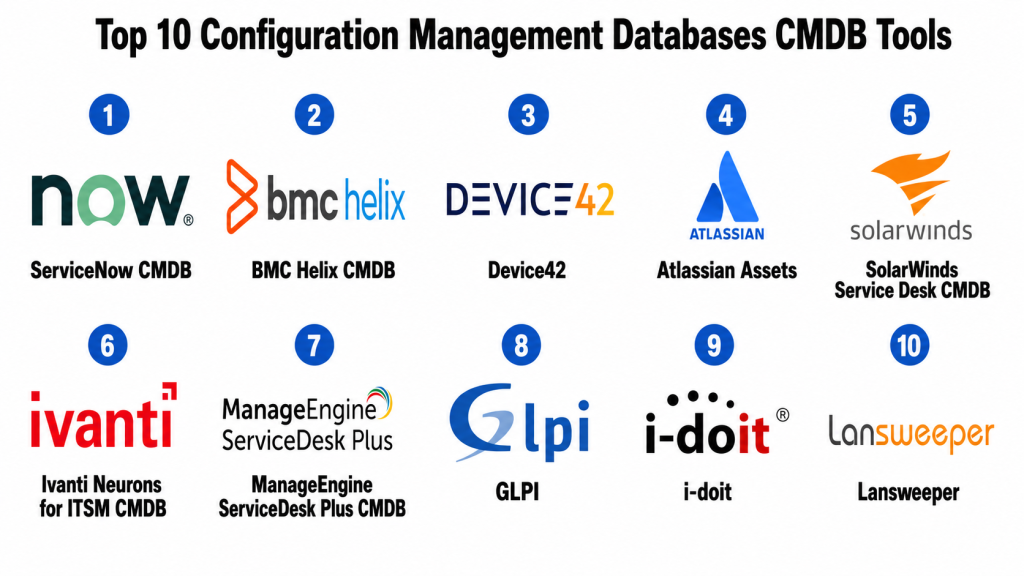
Top 10 Configuration Management Databases CMDB Tools
#1 — ServiceNow CMDB
Short description: ServiceNow CMDB is an enterprise-grade configuration management database within the ServiceNow platform. It helps organizations manage configuration items, relationships, service maps, discovery data, and ITSM workflows in one connected environment.
Key Features
- Configuration item management
- Automated discovery support
- Service mapping and dependency views
- Incident, problem, and change management integration
- Data normalization and reconciliation
- Relationship and impact analysis
- Reporting and governance workflows
Pros
- Strong fit for large enterprises with mature ITSM processes.
- Deep integration with ServiceNow ITSM and workflow modules.
- Useful for service mapping, change impact, and operational visibility.
Cons
- Implementation can be complex and resource-heavy.
- Requires strong data governance to stay accurate.
- May be too advanced for smaller IT teams.
Platforms / Deployment
Web / iOS / Android
Cloud
Security & Compliance
ServiceNow CMDB supports enterprise access controls, role-based permissions, workflow governance, and audit-ready administration. Specific details such as SSO/SAML, MFA, encryption, audit logs, RBAC, SOC 2, ISO 27001, GDPR, or HIPAA should be confirmed during vendor review.
SOC 2 / ISO 27001 / GDPR / HIPAA: Not publicly stated.
Integrations & Ecosystem
ServiceNow CMDB fits deeply into enterprise ITSM, IT operations, security, cloud, asset, and workflow ecosystems.
- ITSM workflows
- Discovery and service mapping tools
- Monitoring platforms
- Cloud platforms
- Security tools
- Asset management systems
Support & Community
ServiceNow provides enterprise support, documentation, training, implementation partners, professional services, and a large practitioner ecosystem. Support depth depends on contract, platform maturity, and implementation scope.
#2 — BMC Helix CMDB
Short description: BMC Helix CMDB is an enterprise configuration management database designed for IT service management, asset relationships, service impact analysis, and operational visibility. It is best for organizations using BMC Helix ITSM or mature service management workflows.
Key Features
- Configuration item and relationship management
- Discovery and dependency mapping support
- Service impact analysis
- ITSM and change management integration
- Data reconciliation and normalization
- Asset and service relationship modeling
- Reporting and governance support
Pros
- Strong enterprise ITSM and CMDB capabilities.
- Useful for service impact and change risk analysis.
- Good fit for organizations already using BMC Helix.
Cons
- May be complex for smaller teams.
- Implementation needs experienced ownership.
- Best value depends on broader BMC ecosystem usage.
Platforms / Deployment
Web
Cloud / Hybrid
Security & Compliance
BMC Helix CMDB supports enterprise IT service workflows, access controls, and administrative governance. Specific certifications and compliance details should be validated directly during procurement.
SOC 2 / ISO 27001 / GDPR / HIPAA: Not publicly stated.
Integrations & Ecosystem
BMC Helix CMDB connects with BMC service management, discovery, monitoring, asset, and operations tools.
- BMC Helix ITSM
- Discovery tools
- Monitoring platforms
- Asset management workflows
- Cloud systems
- Security and operations tools
Support & Community
BMC provides enterprise documentation, customer support, professional services, training, and partner resources. Support experience may vary by contract and deployment model.
#3 — Device42
Short description: Device42 is an IT infrastructure management and CMDB platform focused on discovery, asset inventory, dependency mapping, IP address management, and data center visibility. It is useful for IT operations teams that need accurate infrastructure and service relationship data.
Key Features
- Automated IT asset discovery
- Application dependency mapping
- Hardware and software inventory
- IP address management
- Data center infrastructure visibility
- Cloud and hybrid environment discovery
- Reporting and audit support
Pros
- Strong discovery and dependency mapping capabilities.
- Useful for infrastructure teams and data center operations.
- Good for asset visibility, migration planning, and audit support.
Cons
- May require setup effort for discovery accuracy.
- ITSM workflows may depend on integrations.
- Best value comes when discovery and inventory are core needs.
Platforms / Deployment
Web
Cloud / Self-hosted / Hybrid
Security & Compliance
Device42 supports infrastructure inventory, access controls, and administrative management. Specific security certifications and compliance details should be confirmed with the vendor.
SOC 2 / ISO 27001 / GDPR / HIPAA: Not publicly stated.
Integrations & Ecosystem
Device42 integrates with ITSM, monitoring, cloud, automation, and infrastructure management systems.
- ITSM platforms
- Monitoring tools
- Cloud platforms
- Automation tools
- Data center systems
- Security tools
Support & Community
Device42 provides documentation, customer support, onboarding resources, and implementation guidance. It is commonly used by infrastructure and IT operations teams.
#4 — Atlassian Assets
Short description: Atlassian Assets is an asset and configuration management capability used with Jira Service Management. It helps IT teams track assets, configuration items, services, dependencies, owners, and support relationships inside the Atlassian ecosystem.
Key Features
- Asset and configuration item tracking
- Relationship modeling
- Integration with Jira Service Management
- Service request and incident context
- Custom object schemas
- Automation and workflow rules
- Reporting and asset visibility
Pros
- Strong fit for Jira Service Management users.
- Flexible object modeling for assets and services.
- Useful for IT, DevOps, and service teams already using Atlassian tools.
Cons
- Best value depends on Atlassian ecosystem usage.
- Advanced discovery may require integrations or add-ons.
- Data modeling needs planning to avoid messy schemas.
Platforms / Deployment
Web / iOS / Android
Cloud / Self-hosted options may vary by Atlassian product model
Security & Compliance
Atlassian Assets uses Atlassian account, organization, and admin security controls. Specific certifications and compliance coverage should be confirmed based on deployment model and plan.
SOC 2 / ISO 27001 / GDPR / HIPAA: Not publicly stated.
Integrations & Ecosystem
Atlassian Assets works naturally with Jira Service Management, Jira Software, Confluence, and Atlassian Marketplace apps.
- Jira Service Management
- Jira Software
- Confluence
- Monitoring tools
- Automation tools
- Marketplace integrations
Support & Community
Atlassian provides documentation, community support, marketplace partners, learning resources, and support options. It has a strong community among ITSM, DevOps, and agile teams.
#5 — SolarWinds Service Desk CMDB
Short description: SolarWinds Service Desk includes IT service management features with asset and configuration management capabilities. It is useful for IT teams that want service desk, asset visibility, incident workflows, and configuration context in one platform.
Key Features
- IT asset and configuration tracking
- Incident and service request management
- Change and release management support
- Knowledge base
- Automation workflows
- Service portal
- Reporting and dashboards
Pros
- Practical for IT teams needing service desk plus asset context.
- Easier to adopt than some large enterprise ITSM platforms.
- Useful for connecting support tickets with assets.
Cons
- May not offer the same CMDB depth as enterprise CMDB platforms.
- Advanced relationship mapping should be validated.
- Best fit depends on ITSM process maturity.
Platforms / Deployment
Web / iOS / Android
Cloud
Security & Compliance
SolarWinds Service Desk supports IT service management workflows, user permissions, and administrative controls. Specific certifications and compliance details should be confirmed during vendor review.
SOC 2 / ISO 27001 / GDPR / HIPAA: Not publicly stated.
Integrations & Ecosystem
SolarWinds Service Desk can connect ITSM, asset management, monitoring, and service operations workflows.
- Monitoring tools
- IT asset systems
- Identity providers
- Collaboration tools
- Email systems
- Reporting workflows
Support & Community
SolarWinds provides documentation, support resources, customer community, onboarding guidance, and technical help. Support experience may vary by plan and product scope.
#6 — Ivanti Neurons for ITSM CMDB
Short description: Ivanti Neurons for ITSM includes service management and CMDB capabilities for IT teams managing incidents, changes, assets, services, and configuration relationships. It is suitable for organizations that need ITSM, automation, and asset context together.
Key Features
- CMDB and configuration item management
- Incident, problem, and change workflows
- Service request management
- Asset and endpoint context
- Automation and workflow tools
- Reporting and dashboards
- ITSM process support
Pros
- Strong fit for ITSM and asset-aware service workflows.
- Useful for teams connecting endpoint data with service management.
- Good option for organizations using Ivanti ecosystem products.
Cons
- Implementation requires ITSM process planning.
- CMDB depth should be validated for complex environments.
- Best value depends on broader Ivanti ecosystem fit.
Platforms / Deployment
Web / iOS / Android
Cloud / Hybrid
Security & Compliance
Ivanti Neurons for ITSM supports IT service workflows, access controls, and administrative security settings. Specific certifications and compliance details should be confirmed directly with the vendor.
SOC 2 / ISO 27001 / GDPR / HIPAA: Not publicly stated.
Integrations & Ecosystem
Ivanti connects service management, endpoint management, asset management, automation, and IT operations workflows.
- Endpoint management tools
- Asset management systems
- ITSM workflows
- Identity providers
- Monitoring platforms
- Automation systems
Support & Community
Ivanti provides documentation, customer support, implementation resources, partner support, and training options. Support quality may vary by contract and deployment scope.
#7 — ManageEngine ServiceDesk Plus CMDB
Short description: ManageEngine ServiceDesk Plus includes CMDB, IT asset management, incident management, change management, and service desk workflows. It is useful for IT teams that need practical ITSM and configuration management without heavy enterprise complexity.
Key Features
- Configuration item management
- IT asset management
- Incident and request management
- Change and problem management
- Relationship mapping
- Service catalog
- Reporting and dashboards
Pros
- Practical ITSM and CMDB features for IT teams.
- Flexible cloud and self-hosted options.
- Good value for organizations needing asset and service desk alignment.
Cons
- Advanced enterprise CMDB needs should be validated carefully.
- Data model design still requires governance.
- Some workflows may need configuration effort.
Platforms / Deployment
Web / Windows / Linux / iOS / Android
Cloud / Self-hosted / Hybrid
Security & Compliance
ManageEngine ServiceDesk Plus supports ITSM administration, roles, access controls, and deployment flexibility. Specific compliance coverage should be confirmed based on deployment model and vendor documentation.
SOC 2 / ISO 27001 / GDPR / HIPAA: Not publicly stated.
Integrations & Ecosystem
ManageEngine ServiceDesk Plus connects with IT operations, endpoint, identity, monitoring, and asset management tools.
- Endpoint management systems
- Active Directory and identity tools
- Monitoring platforms
- Email and collaboration tools
- Asset management workflows
- IT operations systems
Support & Community
ManageEngine provides documentation, community resources, support options, implementation guidance, and product learning materials. Support depth may depend on plan and deployment model.
#8 — GLPI
Short description: GLPI is an open-source IT asset management and service desk platform with CMDB-style capabilities. It is useful for teams that need asset tracking, ticketing, inventory, and configuration relationships with more control over deployment.
Key Features
- IT asset inventory
- Ticketing and service desk workflows
- Configuration item management
- Relationship tracking
- Software and hardware inventory
- Knowledge base
- Plugin ecosystem
Pros
- Open-source and flexible for technical teams.
- Useful for IT asset and service desk management.
- Good option when control and customization matter.
Cons
- Requires technical ownership for deployment and maintenance.
- User experience may depend on configuration and plugins.
- Enterprise support may require third-party services or paid options.
Platforms / Deployment
Web
Self-hosted / Cloud options may vary by provider
Security & Compliance
GLPI supports user roles, permissions, authentication options, and administrative controls. Specific compliance depends on deployment, hosting, configuration, and support provider.
SOC 2 / ISO 27001 / GDPR / HIPAA: Not publicly stated.
Integrations & Ecosystem
GLPI can be extended through plugins and integrations for IT inventory, monitoring, authentication, and service workflows.
- Inventory tools
- Directory services
- Monitoring tools
- Email systems
- Plugin-based integrations
- Reporting workflows
Support & Community
GLPI has open-source community resources, documentation, plugins, and service providers. Support depth depends on whether the organization uses community support or paid professional services.
#9 — i-doit
Short description: i-doit is an IT documentation and CMDB tool focused on documenting IT infrastructure, relationships, services, assets, and technical dependencies. It is useful for organizations that need structured IT documentation and configuration management.
Key Features
- IT documentation and CMDB
- Configuration item modeling
- Relationship and dependency mapping
- Asset and service documentation
- Network and infrastructure documentation
- Reporting and export options
- Integration and API support
Pros
- Strong for structured IT documentation.
- Useful for mapping assets, services, and dependencies.
- Good fit for teams that want documentation-driven CMDB control.
Cons
- Requires disciplined data maintenance.
- Automated discovery may depend on integrations or add-ons.
- May be less suitable for teams wanting full ITSM out of the box.
Platforms / Deployment
Web
Self-hosted / Cloud options may vary by provider
Security & Compliance
i-doit supports user management, permissions, and IT documentation controls. Specific security certifications and compliance coverage should be verified based on deployment and provider.
SOC 2 / ISO 27001 / GDPR / HIPAA: Not publicly stated.
Integrations & Ecosystem
i-doit connects with monitoring, inventory, documentation, and IT operations workflows.
- Monitoring tools
- Inventory tools
- ITSM systems
- Reporting tools
- Automation workflows
- API-based integrations
Support & Community
i-doit provides documentation, community resources, professional support options, and implementation help depending on edition and provider.
#10 — Lansweeper
Short description: Lansweeper is an IT asset discovery and inventory platform that helps teams discover hardware, software, users, devices, and network assets. While it is not only a traditional CMDB, it is useful as a strong discovery and inventory source for CMDB and IT asset management workflows.
Key Features
- Automated IT asset discovery
- Hardware and software inventory
- Network device visibility
- User and device relationship data
- Reporting and dashboards
- Vulnerability and risk visibility support
- Integration with ITSM and security tools
Pros
- Strong asset discovery and inventory capabilities.
- Useful for improving CMDB data accuracy.
- Good for IT teams needing visibility across endpoints and networks.
Cons
- Not a full ITSM CMDB by itself.
- Relationship and service mapping depth should be validated.
- May need integration with service desk or CMDB platforms.
Platforms / Deployment
Web / Windows / Linux
Cloud / Self-hosted / Hybrid
Security & Compliance
Lansweeper supports IT asset discovery, user access controls, and administrative settings. Specific certifications and compliance details should be confirmed directly with the vendor.
SOC 2 / ISO 27001 / GDPR / HIPAA: Not publicly stated.
Integrations & Ecosystem
Lansweeper is commonly used as an asset discovery and inventory source connected to ITSM, security, reporting, and operations tools.
- ITSM platforms
- Security tools
- Reporting platforms
- Endpoint systems
- Network discovery workflows
- Asset management systems
Support & Community
Lansweeper provides documentation, customer support, community resources, and implementation guidance. It is widely used by IT operations teams needing asset visibility.
Comparison Table
| Tool Name | Best For | Platform(s) Supported | Deployment | Standout Feature | Public Rating |
|---|---|---|---|---|---|
| ServiceNow CMDB | Enterprise ITSM and service mapping | Web, iOS, Android | Cloud | Deep ITSM and service relationship mapping | N/A |
| BMC Helix CMDB | Enterprise service impact analysis | Web | Cloud / Hybrid | CMDB aligned with BMC ITSM workflows | N/A |
| Device42 | Infrastructure discovery and dependency mapping | Web | Cloud / Self-hosted / Hybrid | Automated infrastructure discovery | N/A |
| Atlassian Assets | Jira Service Management users | Web, iOS, Android | Cloud / Self-hosted options vary | Flexible asset and object modeling | N/A |
| SolarWinds Service Desk CMDB | IT service desk with asset context | Web, iOS, Android | Cloud | Service desk plus asset visibility | N/A |
| Ivanti Neurons for ITSM CMDB | ITSM and asset-aware service workflows | Web, iOS, Android | Cloud / Hybrid | ITSM with endpoint and asset context | N/A |
| ManageEngine ServiceDesk Plus CMDB | Practical ITSM and CMDB management | Web, Windows, Linux, iOS, Android | Cloud / Self-hosted / Hybrid | ITSM plus CMDB and asset management | N/A |
| GLPI | Open-source IT asset and service desk teams | Web | Self-hosted / Cloud options vary | Open-source asset and CMDB flexibility | N/A |
| i-doit | IT documentation and dependency mapping | Web | Self-hosted / Cloud options vary | Documentation-driven CMDB | N/A |
| Lansweeper | IT asset discovery and inventory | Web, Windows, Linux | Cloud / Self-hosted / Hybrid | Strong automated asset discovery | N/A |
Evaluation & Scoring of Configuration Management Databases CMDB Tools
The scoring below is comparative and based on practical CMDB evaluation criteria. A higher score does not mean one tool is best for every organization. It means the platform performs strongly against this model for core CMDB features, ease of use, integrations, security expectations, reliability, support, and value.
| Tool Name | Core (25%) | Ease (15%) | Integrations (15%) | Security (10%) | Performance (10%) | Support (10%) | Value (15%) | Weighted Total (0–10) |
|---|---|---|---|---|---|---|---|---|
| ServiceNow CMDB | 9.6 | 7.0 | 9.2 | 8.9 | 8.8 | 8.6 | 7.2 | 8.50 |
| BMC Helix CMDB | 9.2 | 7.2 | 8.8 | 8.7 | 8.7 | 8.4 | 7.3 | 8.35 |
| Device42 | 8.9 | 7.8 | 8.5 | 8.3 | 8.6 | 8.2 | 8.0 | 8.42 |
| Atlassian Assets | 8.3 | 8.0 | 8.8 | 8.4 | 8.5 | 8.2 | 8.1 | 8.34 |
| SolarWinds Service Desk CMDB | 8.0 | 8.3 | 8.0 | 8.1 | 8.3 | 8.0 | 8.2 | 8.14 |
| Ivanti Neurons for ITSM CMDB | 8.4 | 7.8 | 8.4 | 8.3 | 8.4 | 8.1 | 7.9 | 8.23 |
| ManageEngine ServiceDesk Plus CMDB | 8.2 | 8.0 | 8.1 | 8.1 | 8.3 | 8.0 | 8.5 | 8.19 |
| GLPI | 7.7 | 7.5 | 7.6 | 7.8 | 8.0 | 7.6 | 8.8 | 7.85 |
| i-doit | 8.0 | 7.6 | 7.8 | 7.9 | 8.1 | 7.7 | 8.2 | 7.94 |
| Lansweeper | 8.2 | 8.2 | 8.2 | 8.0 | 8.4 | 8.0 | 8.4 | 8.22 |
Use these scores as a practical comparison guide, not as a final buying decision. ServiceNow CMDB and BMC Helix CMDB are stronger for large enterprise ITSM environments. Device42 and Lansweeper are strong for discovery and infrastructure visibility. Atlassian Assets is useful for Jira Service Management teams. ManageEngine and SolarWinds are practical for service desk and asset-centered IT operations. GLPI and i-doit are useful when open-source, self-hosted, or documentation-focused control matters.
Which Configuration Management Databases CMDB Tool Is Right for You?
Solo / Freelancer
Solo IT consultants usually do not need a full enterprise CMDB. If you manage only a few systems or clients, a structured spreadsheet, IT documentation tool, inventory scanner, or lightweight asset database may be enough.
If you provide recurring IT services, tools like GLPI, i-doit, Lansweeper, or a service desk with asset tracking can help you document assets and dependencies more professionally.
SMB
Small businesses should focus on asset inventory, ownership tracking, basic relationships, service desk integration, and simple reporting. ManageEngine ServiceDesk Plus, SolarWinds Service Desk, Lansweeper, GLPI, and Atlassian Assets can be practical depending on the existing tool stack.
SMBs should avoid building an overly complex CMDB before they define what assets, services, owners, and relationships they truly need to track.
Mid-Market
Mid-market organizations usually need stronger discovery, dependency mapping, ITSM integration, change impact analysis, cloud inventory, and reporting. Device42, Lansweeper, Atlassian Assets, Ivanti Neurons for ITSM, and ManageEngine ServiceDesk Plus can be strong choices.
At this stage, CMDB data should support incident resolution, change approvals, compliance reporting, and service ownership.
Enterprise
Enterprises need governance, service mapping, automated discovery, reconciliation, dependency modeling, auditability, security controls, workflow integration, and large-scale data management. ServiceNow CMDB, BMC Helix CMDB, Device42, Ivanti Neurons for ITSM, and enterprise ITSM-connected CMDB platforms may be suitable.
Enterprise buyers should involve ITSM leaders, infrastructure teams, cloud operations, security, compliance, enterprise architecture, and service owners before rollout.
Budget vs Premium
Budget-focused teams should start with discovery, inventory, basic relationships, and service desk integration. GLPI, i-doit, Lansweeper, ManageEngine ServiceDesk Plus, or Atlassian Assets may be practical depending on technical skills and existing tools.
Premium CMDB platforms make sense when organizations need enterprise service mapping, advanced reconciliation, change impact analysis, governance, compliance reporting, and multi-system integration.
Feature Depth vs Ease of Use
Feature-rich CMDB tools provide deeper relationship mapping, automated discovery, service modeling, governance, reconciliation, and enterprise workflow integration. However, they require more planning and data ownership.
Simpler tools are easier to adopt but may not support complex dependency mapping. Choose depth when business services, risk, change control, and incident impact analysis depend on accurate configuration data.
Integrations & Scalability
CMDB tools should integrate with ITSM, monitoring, discovery, endpoint management, cloud platforms, security tools, DevOps systems, asset management, and reporting platforms.
Scalability matters when the organization has many services, cloud accounts, endpoints, applications, databases, locations, owners, and dependencies. Choose a CMDB that can grow without becoming unreliable or difficult to maintain.
Security & Compliance Needs
CMDBs can expose sensitive information about infrastructure, applications, dependencies, ownership, cloud assets, and critical services. This data must be protected carefully.
Look for role-based access, SSO, MFA, audit logs, encryption, data retention controls, API permissions, administrative approvals, and change history. Security and compliance teams should review CMDB access before rollout.
Frequently Asked Questions
1. What is a CMDB tool?
A CMDB tool stores and manages information about IT assets, configuration items, services, applications, infrastructure, and their relationships. It helps IT teams understand what exists and how everything is connected.
2. What is a configuration item?
A configuration item is any asset or component that needs to be tracked in a CMDB. Examples include servers, laptops, applications, databases, network devices, cloud resources, services, and software licenses.
3. Who should use CMDB tools?
CMDB tools are useful for ITSM teams, infrastructure teams, cloud operations teams, security teams, service desk teams, compliance teams, enterprise architecture teams, and organizations with complex IT environments.
4. How is a CMDB different from an asset inventory?
An asset inventory usually tracks what assets exist. A CMDB goes further by tracking relationships, dependencies, services, owners, and how changes or incidents may affect business operations.
5. How much do CMDB tools cost?
Pricing varies by vendor, number of assets, users, modules, discovery features, integrations, support level, and deployment model. Some tools are open-source or self-hosted, while enterprise platforms use custom pricing.
6. What is the biggest mistake when implementing a CMDB?
The biggest mistake is trying to track everything without a clear purpose. Teams should start with important services, critical assets, ownership, and relationships that support incident, change, and risk decisions.
7. Can CMDB tools support change management?
Yes, CMDB tools can support change management by showing which systems, applications, services, and users may be impacted by a planned change.
8. Do CMDB tools need automated discovery?
Automated discovery is very useful because manual CMDB updates are hard to maintain. Discovery helps keep assets, configurations, and relationships more accurate.
9. Are CMDB tools secure?
Business-grade CMDB tools usually include access controls and administrative security features. Buyers should review SSO, MFA, RBAC, audit logs, encryption, and data governance before rollout.
10. What are alternatives to CMDB tools?
Alternatives include asset management tools, spreadsheets, IT documentation platforms, endpoint management systems, monitoring tools, cloud inventory tools, and service desk asset modules.
Conclusion
Configuration Management Databases CMDB Tools help organizations understand their IT environment with more clarity and control. A good CMDB can show what assets exist, how they are connected, who owns them, which services depend on them, and how incidents or changes may affect the business. This visibility is valuable for ITSM, incident response, change management, compliance, cloud operations, security, and service ownership.There is no single best CMDB tool for every organization. ServiceNow CMDB and BMC Helix CMDB are strong for enterprise ITSM environments. Device42 and Lansweeper are strong for discovery and infrastructure visibility. Atlassian Assets is practical for Jira Service Management users. SolarWinds, Ivanti, and ManageEngine are useful for IT service desk and asset-centered operations. GLPI and i-doit are good options when open-source, documentation, or self-hosted flexibility matters.
