Upgrade & Secure Your Future with DevOps, SRE, DevSecOps, MLOps!
We spend hours scrolling social media and waste money on things we forget, but won’t spend 30 minutes a day earning certifications that can change our lives.
Master in DevOps, SRE, DevSecOps & MLOps by DevOps School!
Learn from Guru Rajesh Kumar and double your salary in just one year.
Introduction
Web design software tools help designers, developers, marketers, agencies, and business teams create websites, landing pages, prototypes, visual layouts, and responsive digital experiences. In plain English, these tools make it easier to plan, design, build, test, and publish websites without starting from a blank code editor every time.
Web design software matters because every business now needs a fast, professional, mobile-friendly, accessible, and conversion-focused online presence. Whether the goal is branding, lead generation, eCommerce, SaaS onboarding, portfolio building, or content publishing, the right design tool can reduce production time and improve design consistency.
Common use cases include building marketing websites, creating landing pages, designing UI mockups, developing responsive layouts, managing design systems, launching client websites, and collaborating between designers and developers.
Buyers should evaluate ease of use, design flexibility, responsive controls, collaboration features, CMS support, integrations, export options, hosting, security, scalability, pricing, and learning curve.
Best for: UI/UX designers, web designers, developers, marketing teams, agencies, freelancers, startups, SaaS companies, eCommerce brands, and businesses that need professional websites or design workflows.
Not ideal for: teams that only need a simple one-page profile, businesses with no design or content plan, users who only need basic social media pages, or organizations that already have a fully custom engineering-led web platform.
Key Trends in Web Design Software Tools
- AI-assisted design is becoming more common: Many tools now help generate layouts, copy suggestions, wireframes, design variations, and website structures faster.
- No-code and low-code website building is growing: Marketers, founders, and agencies increasingly want to build professional websites without depending fully on developers.
- Design-to-code workflows are improving: Tools are making it easier to move from mockups to production-ready websites, reusable components, and developer handoff.
- Responsive design is now expected by default: Modern web design tools must support desktop, tablet, and mobile layouts with strong breakpoint controls.
- Design systems are becoming central: Teams want shared colors, typography, components, buttons, icons, and layout rules to maintain brand consistency.
- Collaboration is a core requirement: Real-time comments, version history, team libraries, approval workflows, and shared workspaces are important for agencies and product teams.
- Performance and SEO are part of web design: Website builders are now judged not only by appearance, but also by speed, accessibility, structured content, and search-readiness.
- Security expectations are stronger: Businesses want access controls, SSO, MFA, encryption, role management, and safer publishing workflows.
- CMS and content workflows matter more: Teams need to update blogs, landing pages, resources, product pages, and campaign pages without breaking the design.
- Templates are becoming smarter: Pre-built templates now include better structure, responsive layouts, style systems, forms, animations, and conversion-focused sections.
How We Selected These Tools
The tools in this list were selected based on practical web design use cases, broad market recognition, feature depth, and suitability for different user types.
- Market adoption and recognition among designers, agencies, developers, marketers, and business teams.
- Core web design capabilities such as layout control, responsive design, typography, components, and publishing workflows.
- Ease of use for non-technical users, designers, and developer-led teams.
- Collaboration features for teams, clients, and cross-functional workflows.
- Integration ecosystem with CMS, analytics, eCommerce, CRM, design systems, and developer tools.
- Flexibility for different website types, including portfolios, landing pages, blogs, SaaS sites, business websites, and eCommerce pages.
- Security and compliance posture where details are clearly available.
- Performance and reliability signals based on practical website-building needs.
- Suitability across solo users, SMBs, mid-market teams, and enterprise teams.
- Long-term value based on scalability, workflow fit, support, and maintainability.
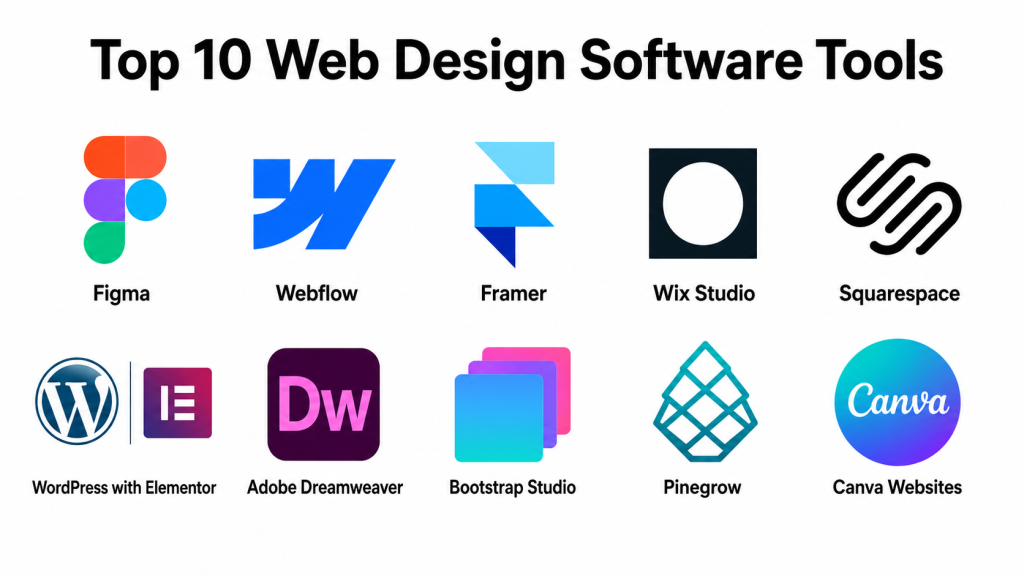
Top 10 Web Design Software Tools
#1 — Figma
Short description: Figma is a collaborative interface design and prototyping tool used by designers, product teams, developers, and agencies. It is best for UI design, wireframing, design systems, prototyping, and team-based web design planning before development.
Key Features
- Real-time collaborative design workspace.
- UI design, wireframing, and prototyping tools.
- Shared design systems and component libraries.
- Developer handoff with inspect-style workflows.
- Team comments, version history, and design reviews.
- Plugin ecosystem for icons, accessibility, content, and workflow automation.
- Browser-based access with desktop app support.
Pros
- Excellent for collaboration between designers, developers, and stakeholders.
- Strong design system support for consistent web experiences.
- Large ecosystem of templates, plugins, and community resources.
Cons
- Does not publish full websites by itself in the same way as website builders.
- Advanced design systems require planning and governance.
- Non-designers may need time to learn interface design concepts.
Platforms / Deployment
Web / Windows / macOS / iOS / Android.
Cloud.
Security & Compliance
SSO/SAML, advanced admin controls, and enterprise security features may be available depending on plan. Confirm MFA, RBAC, audit logs, encryption, SOC 2, ISO 27001, GDPR, and data residency requirements directly with the vendor.
Integrations & Ecosystem
Figma has a strong design and product ecosystem. It works well for teams that need design collaboration before website development or website builder implementation.
- Developer handoff workflows.
- Design system plugins.
- Icon and asset libraries.
- Project management tools.
- Prototyping and testing workflows.
- Collaboration and review tools.
Support & Community
Figma has strong documentation, learning resources, templates, plugins, and a large design community. Support options vary by plan, with stronger admin and enterprise support for larger teams.
#2 — Webflow
Short description: Webflow is a visual web design and website-building platform for designers, agencies, startups, and marketing teams. It allows users to design responsive websites visually while controlling layout, styling, CMS content, and publishing.
Key Features
- Visual web design with strong layout and styling control.
- Responsive design across multiple breakpoints.
- Built-in CMS for blogs, collections, and dynamic pages.
- Hosting and publishing workflows.
- Interactions and animations.
- SEO controls and structured page settings.
- Design-to-live-site workflow for marketing websites.
Pros
- Strong balance of design flexibility and no-code publishing.
- Good for agencies and marketing teams building professional websites.
- CMS support makes it useful for scalable content-driven sites.
Cons
- Learning curve is higher than basic drag-and-drop builders.
- Complex projects may still require development knowledge.
- Pricing can increase with hosting, CMS, and team needs.
Platforms / Deployment
Web.
Cloud.
Security & Compliance
Enterprise security features may be available depending on plan. Confirm SSO, MFA, RBAC, audit logs, encryption, GDPR, SOC 2, and hosting-related security controls directly with the vendor.
Integrations & Ecosystem
Webflow integrates well with marketing, analytics, form, CRM, automation, and content workflows. It is useful for teams that want design control without fully custom development.
- Analytics tools.
- CRM and lead capture tools.
- Marketing automation systems.
- Form and automation platforms.
- CMS and content workflows.
- Custom code and API-based extensions.
Support & Community
Webflow has strong documentation, tutorials, templates, marketplace resources, and an active community. Agencies and designers also benefit from a large ecosystem of education and implementation partners.
#3 — Framer
Short description: Framer is a modern web design and website-building tool focused on fast visual design, responsive websites, animations, and publishing. It is useful for designers, startups, product marketers, and teams that want polished web experiences quickly.
Key Features
- Visual website design and publishing.
- Responsive layout controls.
- Built-in animations and interactions.
- CMS support for content-driven pages.
- Templates and reusable sections.
- Collaboration features for teams.
- Fast site publishing workflow.
Pros
- Strong for visually polished marketing websites.
- Easier for designers who want quick publishing.
- Good animation and interaction capabilities.
Cons
- May not fit very complex enterprise CMS needs.
- Advanced customization can require learning tool-specific workflows.
- Developer extensibility may be less flexible than fully custom stacks.
Platforms / Deployment
Web.
Cloud.
Security & Compliance
Not publicly stated in full detail for all plans. Confirm SSO, MFA, RBAC, encryption, GDPR, audit logs, and enterprise security requirements with the vendor.
Integrations & Ecosystem
Framer is useful for design-led teams that want to move from visual concept to live website quickly. It supports modern website workflows and integrates with common design and marketing processes.
- Design imports and assets.
- Analytics tools.
- Form and lead capture workflows.
- CMS content workflows.
- Custom code embeds.
- Team collaboration workflows.
Support & Community
Framer has documentation, templates, tutorials, and an active design-focused community. Support depth may vary by plan and business size.
#4 — Wix Studio
Short description: Wix Studio is a website creation platform designed for agencies, freelancers, and professional teams that need visual building, responsive design, client management, and business website features. It offers more advanced design control than basic website builders.
Key Features
- Visual website builder with responsive controls.
- Templates and layout tools.
- Business, booking, form, and eCommerce features.
- Client and agency workflows.
- Built-in hosting and publishing.
- App marketplace for extensions.
- Developer-friendly options for custom functionality.
Pros
- Good for agencies and SMB websites.
- Easier than fully custom development.
- Strong all-in-one business website features.
Cons
- Less flexible than custom-coded websites for complex systems.
- Platform lock-in may be a concern for some teams.
- Advanced customization may require deeper platform knowledge.
Platforms / Deployment
Web.
Cloud.
Security & Compliance
Security features may vary by plan. Confirm SSO, MFA, RBAC, encryption, GDPR, audit logs, and enterprise controls with the vendor.
Integrations & Ecosystem
Wix Studio works well for business websites, service websites, stores, booking pages, portfolios, and agency-managed client sites.
- App marketplace extensions.
- CRM and contact management.
- Email marketing tools.
- Booking and scheduling tools.
- eCommerce workflows.
- Analytics and tracking integrations.
Support & Community
Wix Studio provides documentation, templates, learning resources, and support options. It also has a large user base and agency ecosystem.
#5 — Squarespace
Short description: Squarespace is an all-in-one website builder known for polished templates, simple editing, content pages, portfolios, business websites, and eCommerce-ready layouts. It is useful for small businesses, creators, consultants, and service providers.
Key Features
- Professionally designed templates.
- Drag-and-drop website editing.
- Responsive layouts.
- Blogging and content management.
- eCommerce and payment features.
- Built-in design styling for fonts, colors, and sections.
- Hosting and domain-related workflows.
Pros
- Simple and polished for non-technical users.
- Strong template quality for visual brands.
- Good for portfolios, service sites, and small business websites.
Cons
- Less flexible than Webflow or custom development.
- Advanced design customization can be limited.
- Not ideal for highly complex web applications.
Platforms / Deployment
Web / iOS / Android.
Cloud.
Security & Compliance
Not publicly stated in full detail for all plans. Confirm MFA, encryption, GDPR, access controls, data handling, and business security requirements with the vendor.
Integrations & Ecosystem
Squarespace works well as an all-in-one website and business presence platform. It is especially practical for users who want design, hosting, content, and commerce in one place.
- Email marketing workflows.
- Analytics tools.
- Payment and commerce systems.
- Scheduling and booking workflows.
- Social media integrations.
- Domain and hosting workflows.
Support & Community
Squarespace has strong help resources, templates, guides, and customer support options. It is beginner-friendly and widely used by creators and small businesses.
#6 — WordPress with Elementor
Short description: WordPress with Elementor is a flexible website design setup that combines WordPress content management with Elementor’s visual page-building experience. It is suitable for blogs, business websites, landing pages, portfolios, agencies, and content-heavy sites.
Key Features
- Visual page building on WordPress.
- Templates, sections, and widgets.
- Responsive design controls.
- Theme and plugin ecosystem.
- CMS flexibility for blogs and dynamic content.
- WooCommerce compatibility for eCommerce.
- Custom styling and layout options.
Pros
- Very flexible and widely adopted.
- Strong ecosystem of themes, plugins, and hosting options.
- Good for content-heavy websites and SEO-focused sites.
Cons
- Maintenance is more involved than fully hosted builders.
- Plugin conflicts and performance issues can happen if poorly managed.
- Security depends heavily on hosting, updates, and site management.
Platforms / Deployment
Web.
Cloud / Self-hosted / Hybrid depending on hosting setup.
Security & Compliance
Varies / N/A. Security depends on WordPress hosting, plugins, themes, user roles, updates, firewalls, backups, and admin practices. Confirm SSO, MFA, encryption, audit logs, GDPR, and compliance based on chosen hosting and plugin stack.
Integrations & Ecosystem
WordPress with Elementor has one of the broadest website ecosystems. It is useful when teams need content flexibility, plugin choice, and control over hosting.
- WordPress plugins.
- WooCommerce.
- SEO tools.
- Analytics and tag managers.
- CRM and form tools.
- Hosting and performance plugins.
Support & Community
WordPress and Elementor both have large communities, tutorials, documentation, marketplace resources, and professional service providers. Support depends on the hosting provider, Elementor plan, theme, and plugin vendors.
#7 — Adobe Dreamweaver
Short description: Adobe Dreamweaver is a web design and development tool for users who want visual editing along with code-level control. It is suitable for designers and developers who prefer working with HTML, CSS, JavaScript, and traditional web project files.
Key Features
- Code editor for HTML, CSS, and JavaScript.
- Visual design and live preview workflows.
- Responsive website development support.
- File-based website management.
- Integration with Adobe creative tools.
- Support for custom-coded websites.
- Useful for designers who understand front-end basics.
Pros
- Good for users who want visual and code workflows together.
- Helpful for custom website files and traditional web development.
- Integrates with Adobe’s creative ecosystem.
Cons
- Less modern for collaborative cloud-first design workflows.
- Not as beginner-friendly as no-code builders.
- Requires web development knowledge for best results.
Platforms / Deployment
Windows / macOS.
Desktop software.
Security & Compliance
Not publicly stated as a standalone web hosting security platform. Security depends on where the final website is hosted and how the code is deployed.
Integrations & Ecosystem
Dreamweaver fits best in an Adobe-centered creative workflow or a traditional front-end development process.
- Adobe creative tools.
- Local project files.
- Code-based workflows.
- FTP/SFTP-style deployment workflows.
- Custom hosting environments.
- Front-end development stacks.
Support & Community
Adobe provides documentation and support resources. Community usage exists, though many modern teams now prefer collaborative design tools, no-code builders, or developer-first code editors.
#8 — Bootstrap Studio
Short description: Bootstrap Studio is a desktop web design tool for building responsive websites using Bootstrap components. It is useful for designers and developers who want a visual builder while still working close to front-end structure.
Key Features
- Drag-and-drop Bootstrap components.
- Responsive design support.
- Reusable components and templates.
- HTML, CSS, and JavaScript editing.
- Preview and export workflows.
- Useful for Bootstrap-based websites.
- Desktop-based design environment.
Pros
- Good for Bootstrap-based responsive websites.
- Useful for developers who want visual speed with code export.
- One-time software-style workflow may appeal to some users.
Cons
- Best suited for Bootstrap projects, not every design system.
- Collaboration features may be less advanced than cloud tools.
- Requires some understanding of front-end concepts.
Platforms / Deployment
Windows / macOS / Linux.
Desktop software.
Security & Compliance
Not publicly stated. Security depends on final hosting, code practices, and deployment environment.
Integrations & Ecosystem
Bootstrap Studio fits well for front-end teams building responsive layouts with Bootstrap. It is useful when exportable code and desktop control matter.
- Bootstrap framework.
- Custom HTML/CSS/JavaScript.
- Static website workflows.
- Hosting and deployment tools.
- Code editors.
- Template and component libraries.
Support & Community
Bootstrap Studio provides documentation and learning resources. The broader Bootstrap community is large, which helps users find layout patterns, components, and examples.
#9 — Pinegrow
Short description: Pinegrow is a professional web editor for designers and developers who want visual editing, code control, responsive design, and support for HTML, CSS, Bootstrap, Tailwind-style workflows, and WordPress theme development.
Key Features
- Visual editing for HTML and CSS.
- Responsive design tools.
- Multi-page website editing.
- WordPress theme development support.
- Code editing and live preview.
- Support for common front-end frameworks.
- Desktop-based workflow.
Pros
- Strong for developers who want visual control plus code ownership.
- Useful for WordPress theme and static website work.
- Good for users who do not want full platform lock-in.
Cons
- Learning curve can be higher for non-technical users.
- Less beginner-friendly than hosted website builders.
- Collaboration may require external tools.
Platforms / Deployment
Windows / macOS / Linux.
Desktop software.
Security & Compliance
Not publicly stated. Security depends on the final website code, hosting environment, CMS setup, and deployment practices.
Integrations & Ecosystem
Pinegrow is useful for professional front-end workflows where users want control over code, responsive layouts, and reusable site structures.
- HTML/CSS workflows.
- WordPress theme development.
- Bootstrap-style workflows.
- Front-end frameworks.
- Local development tools.
- Custom hosting environments.
Support & Community
Pinegrow has documentation, tutorials, and a focused community of developers and advanced web designers. It is best for users comfortable with web fundamentals.
#10 — Canva Websites
Short description: Canva Websites is a simple web design option inside Canva for creating basic websites, landing pages, portfolios, event pages, and promotional pages. It is useful for marketers, creators, educators, and small teams that need quick visual publishing.
Key Features
- Easy drag-and-drop design interface.
- Website templates.
- Brand kits and design assets.
- Simple publishing workflow.
- Visual content creation for non-designers.
- Good for simple landing pages and promotional pages.
- Collaboration features for teams.
Pros
- Very easy for beginners.
- Strong visual asset library and brand kit support.
- Good for quick pages and lightweight web presence.
Cons
- Not suitable for complex websites or web apps.
- Limited advanced CMS and developer control.
- Not ideal for large-scale business websites.
Platforms / Deployment
Web / Windows / macOS / iOS / Android.
Cloud.
Security & Compliance
Security features may vary by plan. Confirm MFA, SSO, access controls, team permissions, data handling, and compliance needs directly with the vendor.
Integrations & Ecosystem
Canva Websites fits well when teams already use Canva for marketing, branding, presentations, and social media assets.
- Brand kits.
- Design templates.
- Media asset libraries.
- Team collaboration.
- Social content workflows.
- Lightweight publishing workflows.
Support & Community
Canva has a large user community, many templates, learning resources, and support options. It is especially beginner-friendly for marketing and visual content teams.
Comparison Table: Top 10
| Tool Name | Best For | Platform(s) Supported | Deployment | Standout Feature | Public Rating |
|---|---|---|---|---|---|
| Figma | UI design, prototyping, and design systems | Web, Windows, macOS, iOS, Android | Cloud | Real-time collaborative interface design | N/A |
| Webflow | Professional no-code website design | Web | Cloud | Visual design with CMS and publishing | N/A |
| Framer | Fast visual websites and interactive pages | Web | Cloud | Modern animated website publishing | N/A |
| Wix Studio | Agencies and business websites | Web | Cloud | Visual builder with agency workflows | N/A |
| Squarespace | Small business and portfolio websites | Web, iOS, Android | Cloud | Polished templates and simple editing | N/A |
| WordPress with Elementor | Flexible CMS-based website design | Web | Cloud / Self-hosted / Hybrid | WordPress flexibility with visual building | N/A |
| Adobe Dreamweaver | Code-based web design workflows | Windows, macOS | Desktop software | Visual and code editing together | N/A |
| Bootstrap Studio | Bootstrap-based responsive websites | Windows, macOS, Linux | Desktop software | Visual Bootstrap component building | N/A |
| Pinegrow | Advanced visual coding and WordPress themes | Windows, macOS, Linux | Desktop software | Visual editing with code ownership | N/A |
| Canva Websites | Simple visual websites and landing pages | Web, Windows, macOS, iOS, Android | Cloud | Easy design-led website creation | N/A |
Evaluation & Scoring of Web Design Software Tools
| Tool Name | Core (25%) | Ease (15%) | Integrations (15%) | Security (10%) | Performance (10%) | Support (10%) | Value (15%) | Weighted Total (0–10) |
|---|---|---|---|---|---|---|---|---|
| Figma | 9 | 9 | 9 | 8 | 8 | 9 | 9 | 8.75 |
| Webflow | 9 | 8 | 8 | 8 | 8 | 8 | 8 | 8.30 |
| Framer | 8 | 9 | 7 | 7 | 8 | 8 | 8 | 8.00 |
| Wix Studio | 8 | 9 | 8 | 7 | 8 | 8 | 8 | 8.10 |
| Squarespace | 7 | 9 | 7 | 7 | 8 | 8 | 8 | 7.75 |
| WordPress with Elementor | 9 | 7 | 10 | 7 | 7 | 8 | 9 | 8.25 |
| Adobe Dreamweaver | 7 | 6 | 7 | 6 | 8 | 7 | 7 | 6.95 |
| Bootstrap Studio | 7 | 7 | 7 | 6 | 8 | 7 | 8 | 7.15 |
| Pinegrow | 8 | 6 | 7 | 6 | 8 | 7 | 8 | 7.30 |
| Canva Websites | 6 | 10 | 7 | 7 | 7 | 8 | 9 | 7.60 |
These scores are comparative and should not be treated as a universal ranking. A high score means the tool performs well across multiple evaluation areas, but the right choice depends on your workflow. A designer may prefer Figma, an agency may prefer Webflow or Wix Studio, a developer may prefer Pinegrow or Bootstrap Studio, and a small business may prefer Squarespace or Canva Websites. Always test the tool with your real website use case before making a final decision.
Which Web Design Software Tool Is Right for You?
Solo / Freelancer
Solo designers, freelancers, creators, and consultants should choose tools that are easy to use, affordable, and quick to publish. Figma is ideal for designing layouts, wireframes, and prototypes before development. Canva Websites is useful for simple landing pages, portfolios, and promotional pages.
If you want to build professional client websites without heavy coding, Webflow, Framer, or Wix Studio can be strong choices. For users who work with WordPress clients, WordPress with Elementor is practical because many businesses already use WordPress.
Recommended tools: Figma, Webflow, Framer, Canva Websites, WordPress with Elementor.
SMB
Small and mid-sized businesses usually need a website tool that balances speed, design quality, content updates, and business features. Squarespace is a good fit for service businesses, creators, and portfolio sites. Wix Studio is useful when the business needs booking, forms, simple eCommerce, and marketing features in one place.
Webflow is stronger when the business needs more design control, CMS flexibility, and a polished brand website. WordPress with Elementor is useful when content, SEO workflows, and plugin flexibility are important.
Recommended tools: Webflow, Wix Studio, Squarespace, WordPress with Elementor, Framer.
Mid-Market
Mid-market companies usually need stronger collaboration, brand consistency, CMS control, landing page speed, and integration with marketing systems. Figma is important for design planning and approval. Webflow can support professional marketing websites and content workflows. WordPress with Elementor can work well if the company has a WordPress ecosystem.
Framer is useful for fast-moving product marketing teams that want visually strong websites. Wix Studio can work for teams managing multiple brand or campaign websites with less development effort.
Recommended tools: Figma, Webflow, WordPress with Elementor, Framer, Wix Studio.
Enterprise
Enterprise teams need governance, design systems, role management, security reviews, scalable content workflows, and strong collaboration. Figma is a strong choice for enterprise design systems and product design collaboration. Webflow can be considered for marketing websites when teams need visual development and CMS workflows.
For enterprise WordPress environments, WordPress with Elementor may work when supported by strong hosting, security, governance, and development practices. Adobe Dreamweaver, Pinegrow, and Bootstrap Studio may be useful for specialized developer-led workflows but are less likely to be the central enterprise design platform.
Recommended tools: Figma, Webflow, WordPress with Elementor.
Budget vs Premium
For budget-conscious users, Canva Websites, WordPress with Elementor, Bootstrap Studio, and Pinegrow can offer strong value depending on the workflow. Canva Websites is easiest for simple needs, while WordPress with Elementor gives more flexibility if you can manage hosting and maintenance.
Premium buyers should consider Figma for team design, Webflow for professional visual development, Wix Studio for business website workflows, and Framer for fast modern website publishing.
Feature Depth vs Ease of Use
If ease of use is most important, Canva Websites, Squarespace, Wix Studio, and Framer are strong choices. These tools reduce setup complexity and help users publish faster.
If feature depth matters more, Figma, Webflow, WordPress with Elementor, Pinegrow, and Bootstrap Studio provide more control. However, they also require stronger understanding of layout, design systems, CMS, or front-end development.
Integrations & Scalability
For design collaboration, Figma has one of the strongest ecosystems. For website publishing and CMS workflows, Webflow and WordPress with Elementor are strong choices. For business websites with built-in tools, Wix Studio and Squarespace are practical.
If your website must connect with CRM, analytics, forms, eCommerce, automation, and marketing systems, evaluate integrations before choosing. The more your website connects to business workflows, the more important ecosystem depth becomes.
Security & Compliance Needs
Security requirements depend on the type of website and the data you collect. A simple portfolio has different needs than a healthcare, finance, SaaS, or eCommerce website. Teams should check SSO, MFA, RBAC, audit logs, encryption, data storage, form security, consent controls, and compliance documentation.
For self-hosted setups like WordPress, security depends heavily on hosting quality, updates, plugins, backups, firewalls, and admin practices. For cloud tools, security depends on the vendor’s platform controls and the plan selected.
Frequently Asked Questions (FAQs)
What is web design software?
Web design software helps users create website layouts, visual designs, prototypes, landing pages, and complete websites. Some tools focus on design only, while others include hosting, CMS, and publishing.
What is the difference between web design software and website builders?
Web design software can include design, prototyping, coding, and layout planning tools. Website builders usually focus on creating and publishing websites with visual editing, templates, hosting, and business features.
Which web design tool is best for beginners?
Canva Websites, Squarespace, Wix Studio, and Framer are beginner-friendly options. They provide templates, visual editing, and faster publishing without requiring deep coding knowledge.
Which web design software is best for professional designers?
Figma is one of the strongest choices for professional design collaboration, UI layouts, prototypes, and design systems. Webflow and Framer are also useful for designers who want to publish live websites visually.
Which tool is best for agencies?
Webflow, Wix Studio, Figma, and WordPress with Elementor are strong agency options. The right choice depends on whether the agency focuses on custom design, fast client delivery, WordPress sites, or ongoing website management.
Do I need coding skills to use web design software?
Not always. Tools like Squarespace, Wix Studio, Canva Websites, Framer, and Webflow can be used visually. However, coding knowledge helps with advanced customization, performance tuning, integrations, and complex layouts.
Which web design tool is best for WordPress websites?
WordPress with Elementor is a strong option for visual WordPress design. Pinegrow may also be useful for users who want more technical control over WordPress theme development.
Can web design software help with SEO?
Many website builders include SEO settings such as page titles, descriptions, image alt text, redirects, and structured content options. However, SEO success also depends on content quality, site speed, technical setup, and search strategy.
Are cloud-based web design tools secure?
Cloud-based tools can be secure, but buyers should verify access controls, MFA, SSO, encryption, data handling, audit logs, and compliance documentation. Security also depends on how the team manages users and permissions.
What are common mistakes when choosing web design software?
Common mistakes include choosing based only on templates, ignoring scalability, underestimating maintenance, skipping security review, not testing mobile layouts, and selecting a tool without checking integrations.
When should a business switch web design tools?
A business should consider switching when the current tool limits design flexibility, slows content updates, lacks integrations, creates performance issues, or cannot support future website needs.
What are alternatives to web design software?
Alternatives include hiring a custom development team, using a CMS with a custom theme, building with front-end frameworks, or using landing page platforms for campaign-specific pages.
Conclusion
Web design software tools help teams create better websites faster, but the best choice depends on your goals, skills, budget, and workflow. Figma is excellent for design collaboration and prototypes. Webflow is strong for professional visual website building. Framer is useful for modern and fast design-led websites. Wix Studio and Squarespace are practical for business websites. WordPress with Elementor offers flexibility and a large ecosystem. Adobe Dreamweaver, Bootstrap Studio, and Pinegrow are better for users who want more code control. Canva Websites is ideal for simple, fast, visual pages.
