Upgrade & Secure Your Future with DevOps, SRE, DevSecOps, MLOps!
We spend hours scrolling social media and waste money on things we forget, but won’t spend 30 minutes a day earning certifications that can change our lives.
Master in DevOps, SRE, DevSecOps & MLOps by DevOps School!
Learn from Guru Rajesh Kumar and double your salary in just one year.
Introduction
3D scan and photogrammetry software helps users turn real-world objects, spaces, buildings, land areas, products, and environments into digital 3D models. In simple terms, these tools use photos, laser scans, LiDAR data, drone images, or mobile scans to create accurate 3D meshes, point clouds, textured models, maps, and measurements.
This category matters more in the 2026+ market because many industries now need faster digital capture of physical spaces. Construction teams want accurate site documentation. Game studios need real-world assets. Museums need digital preservation. Manufacturers need reverse engineering. Real estate teams need immersive property visuals. Drones, LiDAR phones, AI cleanup, cloud processing, and digital twin workflows are making 3D scanning more practical for both professionals and small teams.
Common real-world use cases include:
- Architecture, engineering, and construction site capture
- Drone-based mapping and land surveying
- Product scanning and reverse engineering
- Cultural heritage and museum preservation
- Game, AR, VR, and digital asset creation
- Insurance, inspection, and forensic documentation
Buyers should evaluate:
- Scan accuracy and reconstruction quality
- Photo, LiDAR, drone, and laser scan support
- Mesh, texture, and point cloud output quality
- Cloud processing vs local processing
- File format support and export options
- Ease of use and onboarding time
- Hardware compatibility
- Collaboration and project sharing
- Security and data control
- Pricing, credits, and licensing flexibility
Best for: surveyors, architects, engineers, construction teams, drone operators, 3D artists, game developers, digital twin teams, cultural heritage teams, manufacturers, product designers, and inspection professionals.
Not ideal for: users who only need simple photos, basic 2D floor plans, casual social media visuals, or rough visual references. In those cases, normal camera apps, CAD viewers, or lightweight design tools may be simpler and more affordable.
Key Trends in 3D Scan & Photogrammetry Software
- AI-assisted reconstruction is improving speed: Modern tools are using smarter image alignment, object cleanup, noise reduction, texture generation, and mesh refinement to reduce manual work.
- Mobile LiDAR is becoming more useful: iPhone, iPad, and Android-based scanning workflows are making basic 3D capture easier for creators, real estate teams, and field workers.
- Drone mapping is moving into daily operations: Construction, agriculture, mining, utilities, and surveying teams increasingly use drone imagery to create maps, 3D models, and progress reports.
- Cloud processing is growing: Large projects can require heavy compute power, so many teams prefer cloud processing, shared dashboards, and remote collaboration.
- Local processing still matters: Some industries prefer desktop or self-managed workflows because of privacy, data size, security, or offline field conditions.
- Digital twin workflows are expanding: Scanned spaces are now used for facility management, smart infrastructure, engineering analysis, and long-term asset monitoring.
- Interoperability is a major buying factor: Support for OBJ, FBX, STL, LAS, LAZ, E57, PLY, DXF, and other formats helps teams move data into CAD, BIM, GIS, game engines, and rendering tools.
- Accuracy expectations are rising: Buyers want better ground control point support, scale accuracy, measurement tools, and professional-grade outputs.
- Subscription and usage-based pricing are common: Many platforms use subscriptions, cloud credits, device-based plans, or project-based pricing, so total cost should be reviewed carefully.
- Security review is becoming standard: Enterprise buyers now ask about access control, encryption, project permissions, cloud storage, audit logs, and compliance documentation.
How We Selected These Tools
The top tools below were selected using a practical product evaluation method:
- Strong recognition in 3D scanning, photogrammetry, drone mapping, or point cloud workflows
- Feature completeness across image alignment, reconstruction, mesh generation, texture creation, mapping, and export
- Fit for different users, including freelancers, creators, surveyors, AEC teams, studios, SMBs, and enterprises
- Support for modern input types such as photos, drone imagery, LiDAR, laser scans, or mobile capture
- Performance and reliability signals for small and large projects
- Strength of integrations with CAD, BIM, GIS, 3D modeling, and visualization workflows
- Availability of documentation, learning content, support, and professional community
- Flexibility across desktop, cloud, mobile, and hybrid deployment models
- Practical value for real-world production, mapping, inspection, and asset creation
- Conservative treatment of security, compliance, and public rating information
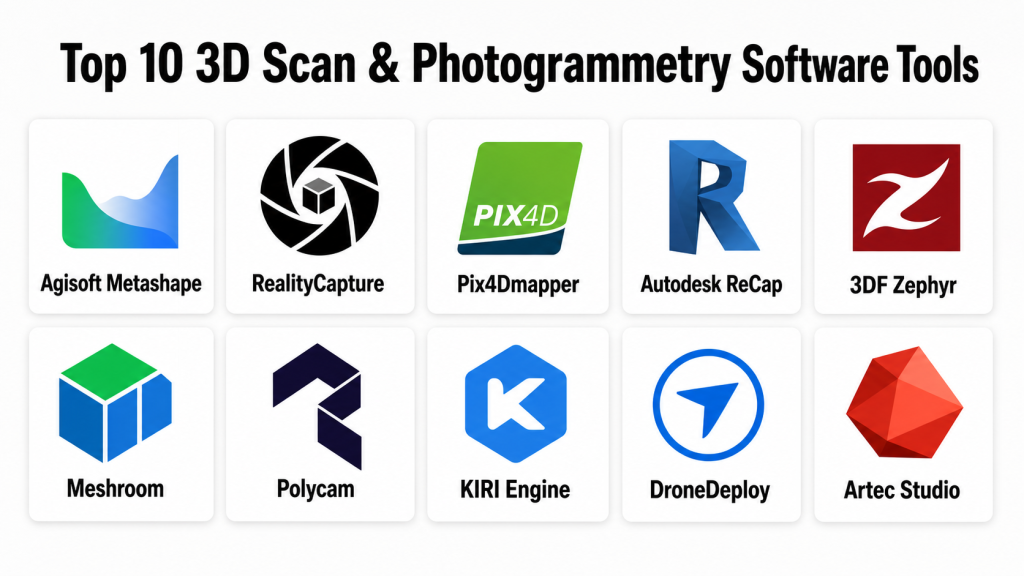
Top 10 3D Scan & Photogrammetry Software Tools
#1 — Agisoft Metashape
Short description: Agisoft Metashape is professional photogrammetry software used to process images into 3D models, point clouds, orthomosaics, digital elevation models, and textured meshes. It is widely used by surveyors, researchers, drone operators, cultural heritage teams, and 3D professionals.
Key Features
- Photo-based 3D reconstruction
- Dense point cloud generation
- Textured mesh creation
- Orthomosaic and digital elevation model generation
- Ground control point support
- Batch processing and automation options
- Export support for common 3D, GIS, and point cloud formats
Pros
- Strong professional photogrammetry feature set
- Useful for both object scanning and aerial mapping
- Desktop processing gives teams more data control
Cons
- Requires learning for accurate professional outputs
- Processing large datasets can demand strong hardware
- Collaboration features are less cloud-native than some platforms
Platforms / Deployment
Windows / macOS / Linux
Deployment: Desktop / Self-managed
Security & Compliance
For the desktop software itself, enterprise cloud security features such as SSO, SAML, RBAC, audit logs, SOC 2, ISO 27001, GDPR, and HIPAA are Not publicly stated. Data security depends heavily on how the organization manages local devices, storage, and file sharing.
Integrations & Ecosystem
Agisoft Metashape fits well into survey, research, GIS, 3D modeling, and digital preservation workflows. It is often used where local processing and file export flexibility are important.
- GIS export workflows
- Point cloud exports
- Mesh exports
- Orthomosaic workflows
- Drone image processing
- Scripting and automation options
Support & Community
Agisoft Metashape has documentation, tutorials, user forums, and an experienced professional user base. Support and onboarding depth may vary depending on license type and region.
#2 — RealityCapture
Short description: RealityCapture is a high-performance photogrammetry tool used to create 3D models, meshes, textures, and scan outputs from photos and laser scan data. It is popular with game artists, VFX teams, cultural heritage professionals, and scanning studios.
Key Features
- Fast photogrammetry reconstruction
- Photo and laser scan alignment workflows
- High-quality textured mesh generation
- Support for large image datasets
- Useful for game asset creation and digital twins
- Strong mesh and texture output capabilities
- Export support for professional 3D pipelines
Pros
- Known for fast processing compared with many traditional workflows
- Strong output quality for visual asset creation
- Useful for both creative and technical scanning workflows
Cons
- Advanced workflows may require experience
- Hardware planning is important for large datasets
- Pricing and licensing should be reviewed based on usage needs
Platforms / Deployment
Windows
Deployment: Desktop / Cloud-connected licensing may vary
Security & Compliance
Security and compliance details such as SSO, SAML, MFA, RBAC, audit logs, SOC 2, ISO 27001, GDPR, and HIPAA are Not publicly stated for standard usage unless confirmed by the vendor or enterprise agreement.
Integrations & Ecosystem
RealityCapture is often used by teams that need high-quality scan output for 3D content, games, VFX, and visualization workflows.
- Game engine workflows
- OBJ, FBX, and mesh export workflows
- Laser scan and photo workflows
- Texture generation workflows
- Digital twin and asset creation pipelines
- 3D modeling tool handoff
Support & Community
RealityCapture has professional documentation, learning resources, and a strong user community among artists, scanning specialists, and technical visualization teams. Support options may vary by licensing arrangement.
#3 — Pix4Dmapper
Short description: Pix4Dmapper is photogrammetry software focused on drone mapping, surveying, and geospatial workflows. It helps users convert aerial images into maps, point clouds, 3D models, and measurement-ready outputs.
Key Features
- Drone image processing
- Orthomosaic generation
- 3D point cloud creation
- Digital surface and terrain model support
- Ground control point workflows
- Measurement and mapping tools
- Export support for GIS and CAD workflows
Pros
- Strong fit for drone mapping and surveying
- Useful for construction, agriculture, mining, and inspection
- Professional outputs for geospatial use cases
Cons
- May be more than needed for simple object scanning
- Professional mapping workflows require training
- Licensing cost can be important for smaller teams
Platforms / Deployment
Windows / macOS depending on product version
Deployment: Desktop / Cloud options vary by Pix4D product
Security & Compliance
Security and compliance information such as SOC 2, ISO 27001, HIPAA, SSO, SAML, RBAC, audit logs, and encryption is Not publicly stated unless confirmed for the specific product and plan.
Integrations & Ecosystem
Pix4Dmapper is built around drone, mapping, and geospatial workflows. It is commonly used with survey data, CAD systems, GIS platforms, and field capture processes.
- Drone image workflows
- GIS exports
- CAD exports
- Ground control point workflows
- Point cloud workflows
- Mapping and measurement pipelines
Support & Community
Pix4D has documentation, training content, support resources, and an active drone mapping community. Support depth may vary by product, plan, and region.
#4 — Autodesk ReCap
Short description: Autodesk ReCap is a reality capture tool used to process scan data and create point clouds for design, engineering, construction, and BIM workflows. It is commonly used by AEC professionals working with laser scans and site documentation.
Key Features
- Point cloud processing
- Laser scan registration workflows
- Reality capture data preparation
- Integration with Autodesk design tools
- Support for AEC and BIM workflows
- Measurement and visualization features
- Useful for scan-to-BIM projects
Pros
- Strong fit for Autodesk-based AEC workflows
- Useful for construction site documentation and scan-to-BIM
- Good for teams already using Autodesk design software
Cons
- Less focused on creative photogrammetry asset generation
- Best value is often within Autodesk-centered workflows
- Advanced scan workflows may require specialist knowledge
Platforms / Deployment
Windows
Deployment: Desktop / Cloud-connected options may vary
Security & Compliance
Autodesk account and admin features may include identity and access controls depending on plan. Product-specific compliance such as SOC 2, ISO 27001, HIPAA, GDPR, SSO, SAML, RBAC, and audit logs should be verified directly. If not confirmed, write Not publicly stated.
Integrations & Ecosystem
Autodesk ReCap is strongest when used inside Autodesk design, construction, and BIM workflows.
- AutoCAD workflows
- Revit workflows
- Civil and infrastructure workflows
- Point cloud export workflows
- Scan-to-BIM workflows
- Construction documentation workflows
Support & Community
Autodesk ReCap benefits from Autodesk documentation, learning content, support channels, and a large AEC user base. Support availability depends on subscription and enterprise plan.
#5 — 3DF Zephyr
Short description: 3DF Zephyr is photogrammetry software used to create 3D models from photos. It is used by surveyors, 3D artists, educators, cultural heritage teams, and professionals who need flexible reconstruction workflows.
Key Features
- Photo-based 3D reconstruction
- Mesh and texture generation
- Point cloud creation
- Camera alignment tools
- Support for aerial and close-range photogrammetry
- Measurement and editing features
- Export support for common 3D formats
Pros
- Good balance between professional features and usability
- Useful for object scanning and mapping workflows
- Offers a practical path for learning photogrammetry
Cons
- Large projects may require strong hardware
- Advanced outputs require good capture discipline
- Collaboration and enterprise admin features are limited compared with cloud platforms
Platforms / Deployment
Windows
Deployment: Desktop / Self-managed
Security & Compliance
Security and compliance details such as SSO, SAML, MFA, RBAC, audit logs, SOC 2, ISO 27001, GDPR, and HIPAA are Not publicly stated for standard desktop usage.
Integrations & Ecosystem
3DF Zephyr works well in workflows where users need to export reconstructed models, point clouds, and textures to other 3D or measurement tools.
- Mesh exports
- Point cloud exports
- Texture workflows
- Drone image workflows
- Measurement workflows
- 3D modeling handoff
Support & Community
3DF Zephyr has documentation, tutorials, and a helpful user community. Support options may depend on edition, license, and region.
#6 — Meshroom
Short description: Meshroom is an open-source photogrammetry tool built around the AliceVision framework. It is useful for students, researchers, technical users, and creators who want a no-cost desktop photogrammetry workflow.
Key Features
- Photo-based reconstruction
- Node-based photogrammetry workflow
- Camera alignment
- Dense reconstruction
- Mesh generation
- Texturing workflow
- Open-source framework orientation
Pros
- Free and open-source
- Good for learning photogrammetry concepts
- Useful for technical users who want workflow visibility
Cons
- Less beginner-friendly than polished commercial tools
- Hardware and GPU compatibility can affect performance
- Support depends mainly on community resources
Platforms / Deployment
Windows / Linux
Deployment: Desktop / Self-managed / Open-source
Security & Compliance
As an open-source desktop tool, enterprise security features such as SSO, SAML, RBAC, audit logs, SOC 2, ISO 27001, GDPR, and HIPAA are Not publicly stated for the core application.
Integrations & Ecosystem
Meshroom is useful for users who want open photogrammetry workflows and exportable assets for downstream tools.
- AliceVision framework
- Mesh exports
- Texture output
- Research workflows
- Open-source customization
- 3D modeling handoff
Support & Community
Meshroom relies mostly on community support, documentation, tutorials, and open-source contributors. It may not be ideal for teams that need guaranteed vendor support.
#7 — Polycam
Short description: Polycam is a mobile and web-oriented 3D capture platform used for LiDAR scanning, photogrammetry, room capture, and quick 3D asset creation. It is popular with creators, designers, real estate users, and field teams.
Key Features
- Mobile 3D scanning
- LiDAR capture on supported devices
- Photo-based capture workflows
- Room and space capture
- Web viewing and sharing options
- Export support for common 3D formats
- Useful for quick field documentation
Pros
- Easy to use for quick scans
- Strong fit for mobile creators and field teams
- Useful for spaces, objects, and simple asset capture
Cons
- Professional accuracy may not match survey-grade workflows
- Output quality depends heavily on device and capture technique
- Enterprise controls may vary by plan
Platforms / Deployment
iOS / Android / Web
Deployment: Cloud / Mobile / Hybrid depending on workflow
Security & Compliance
Security and compliance details such as SOC 2, ISO 27001, HIPAA, SSO, SAML, audit logs, RBAC, and enterprise encryption are Not publicly stated unless confirmed for the selected plan.
Integrations & Ecosystem
Polycam is useful when users need fast capture and easy export into 3D, design, or web workflows.
- Mobile capture workflows
- 3D export formats
- Web sharing
- LiDAR scan workflows
- Photogrammetry workflows
- Design and visualization handoff
Support & Community
Polycam has user guides, community content, and creator-focused learning resources. Support and onboarding depth may vary by plan.
#8 — KIRI Engine
Short description: KIRI Engine is a 3D scanning and photogrammetry platform focused on mobile capture, cloud processing, and accessible 3D model creation. It is suitable for creators, educators, designers, and small teams.
Key Features
- Mobile photo-based 3D scanning
- Cloud processing
- Object scanning workflows
- Texture and mesh output
- Export options for 3D workflows
- User-friendly capture process
- Useful for quick asset creation
Pros
- Easy entry point for beginners
- Useful for mobile-first scanning workflows
- Good for creators who need fast object scans
Cons
- May not fit high-precision survey or engineering needs
- Cloud processing may raise data control questions
- Output quality depends on capture conditions
Platforms / Deployment
iOS / Android / Web
Deployment: Cloud / Mobile
Security & Compliance
Security and compliance details such as SSO, SAML, RBAC, audit logs, SOC 2, ISO 27001, HIPAA, and detailed enterprise encryption are Not publicly stated unless confirmed by the vendor.
Integrations & Ecosystem
KIRI Engine supports simple capture-to-export workflows for creators and design users.
- Mobile capture
- Cloud processing
- Mesh export
- Texture output
- 3D modeling handoff
- Creator workflows
Support & Community
KIRI Engine provides user-facing learning resources and community-oriented support. Enterprise-grade support details are Varies / Not publicly stated.
#9 — DroneDeploy
Short description: DroneDeploy is a drone data and reality capture platform used for mapping, inspection, construction progress tracking, agriculture, energy, and site documentation. It is more than a basic photogrammetry tool because it focuses on operational field data and collaboration.
Key Features
- Drone mapping workflows
- Site documentation and progress tracking
- 2D maps and 3D model outputs
- Cloud-based processing and sharing
- Inspection and measurement workflows
- Team collaboration features
- Useful for construction, agriculture, and industrial teams
Pros
- Strong fit for field operations and drone data management
- Useful collaboration features for distributed teams
- Practical for construction and enterprise site monitoring
Cons
- May be too advanced or costly for casual users
- Best value depends on drone operations and team workflows
- Cloud-based workflows may require security review
Platforms / Deployment
Web / iOS / Android
Deployment: Cloud / Mobile
Security & Compliance
Enterprise security details may vary by plan. Specific claims around SOC 2, ISO 27001, HIPAA, SSO, SAML, RBAC, audit logs, and encryption should be verified with the vendor. If not confirmed for a buyer’s plan, write Not publicly stated.
Integrations & Ecosystem
DroneDeploy is useful for teams that need drone data to connect with project management, inspection, construction, and geospatial workflows.
- Drone capture workflows
- Cloud project sharing
- Construction progress workflows
- Map and model outputs
- Measurement workflows
- Field team collaboration
Support & Community
DroneDeploy has onboarding resources, documentation, and professional support options. Support level may vary by plan, industry, and enterprise agreement.
#10 — Artec Studio
Short description: Artec Studio is 3D scanning software designed for use with Artec 3D scanners. It is used for professional 3D scanning, reverse engineering, quality inspection, healthcare-related modeling, cultural heritage, and product digitization.
Key Features
- Professional scanner data processing
- Mesh editing and cleanup
- Texture capture and processing
- Scan alignment and registration
- Reverse engineering workflow support
- Export support for CAD and 3D tools
- Suitable for high-detail object scanning
Pros
- Strong fit for professional handheld 3D scanning
- Useful for product, industrial, heritage, and inspection workflows
- Good scanner-to-model workflow when using supported hardware
Cons
- Best value depends on compatible scanner hardware
- Not a general low-cost mobile photogrammetry tool
- Advanced workflows may require training
Platforms / Deployment
Windows
Deployment: Desktop / Scanner-connected workflow
Security & Compliance
Security and compliance details such as SOC 2, ISO 27001, HIPAA, SSO, SAML, RBAC, audit logs, and encryption are Not publicly stated unless confirmed directly for the selected product and enterprise arrangement.
Integrations & Ecosystem
Artec Studio is designed around professional 3D scanner workflows and downstream CAD or 3D modeling use.
- Artec scanner ecosystem
- CAD export workflows
- Mesh editing workflows
- Reverse engineering workflows
- Inspection workflows
- 3D modeling exports
Support & Community
Artec Studio has vendor documentation, training resources, reseller support, and professional onboarding options. Support quality may vary by region, reseller, and license arrangement.
Comparison Table
| Tool Name | Best For | Platform(s) Supported | Deployment | Standout Feature | Public Rating |
|---|---|---|---|---|---|
| Agisoft Metashape | Surveying, research, drone mapping, cultural heritage | Windows, macOS, Linux | Desktop / Self-managed | Professional photogrammetry and local processing | N/A |
| RealityCapture | Game assets, VFX, scanning studios, cultural heritage | Windows | Desktop | Fast high-quality photogrammetry reconstruction | N/A |
| Pix4Dmapper | Drone mapping, surveying, agriculture, construction | Windows, macOS depending on version | Desktop / Cloud options vary | Drone mapping and geospatial outputs | N/A |
| Autodesk ReCap | AEC, scan-to-BIM, point cloud processing | Windows | Desktop / Cloud-connected options vary | Autodesk AEC and point cloud workflow | N/A |
| 3DF Zephyr | Object scanning, photogrammetry learning, professional reconstruction | Windows | Desktop / Self-managed | Balanced desktop photogrammetry workflow | N/A |
| Meshroom | Open-source photogrammetry, education, research | Windows, Linux | Desktop / Open-source | Node-based open-source reconstruction | N/A |
| Polycam | Mobile scanning, real estate, creators, field capture | iOS, Android, Web | Cloud / Mobile / Hybrid | Easy LiDAR and mobile capture | N/A |
| KIRI Engine | Mobile photogrammetry, creators, educators | iOS, Android, Web | Cloud / Mobile | Accessible mobile object scanning | N/A |
| DroneDeploy | Drone operations, construction, agriculture, inspections | Web, iOS, Android | Cloud / Mobile | Drone data management and site documentation | N/A |
| Artec Studio | Professional handheld scanning and reverse engineering | Windows | Desktop / Scanner-connected | Professional scanner data processing | N/A |
Evaluation & Scoring of 3D Scan & Photogrammetry Software
| Tool Name | Core (25%) | Ease (15%) | Integrations (15%) | Security (10%) | Performance (10%) | Support (10%) | Value (15%) | Weighted Total (0–10) |
|---|---|---|---|---|---|---|---|---|
| Agisoft Metashape | 9 | 7 | 8 | 6 | 8 | 8 | 8 | 8.00 |
| RealityCapture | 9 | 7 | 8 | 6 | 9 | 8 | 8 | 8.10 |
| Pix4Dmapper | 9 | 7 | 9 | 6 | 8 | 8 | 7 | 7.95 |
| Autodesk ReCap | 8 | 7 | 9 | 7 | 8 | 8 | 7 | 7.90 |
| 3DF Zephyr | 8 | 7 | 7 | 5 | 8 | 7 | 8 | 7.35 |
| Meshroom | 7 | 5 | 6 | 5 | 7 | 6 | 10 | 6.85 |
| Polycam | 7 | 9 | 7 | 5 | 7 | 7 | 8 | 7.30 |
| KIRI Engine | 7 | 9 | 6 | 5 | 7 | 7 | 8 | 7.15 |
| DroneDeploy | 8 | 8 | 8 | 7 | 8 | 8 | 6 | 7.65 |
| Artec Studio | 9 | 7 | 8 | 6 | 8 | 8 | 6 | 7.70 |
These scores are comparative and should be used as a starting point, not a final answer for every buyer. A drone mapping company may rank Pix4Dmapper or DroneDeploy higher. A game asset team may prefer RealityCapture. A professional scanning studio may prefer Artec Studio. A beginner may value Polycam, KIRI Engine, or Meshroom more because of cost and ease of access. Always test the software with your own photos, scans, hardware, and export requirements.
Which 3D Scan & Photogrammetry Software Tool Is Right for You?
Solo / Freelancer
Solo users usually need affordable tools, simple workflows, and good export options.
Good choices:
- Polycam for quick mobile scanning and simple field capture
- KIRI Engine for mobile object scans and beginner-friendly workflows
- Meshroom for free open-source photogrammetry learning
- 3DF Zephyr for desktop photogrammetry with a practical learning path
- Agisoft Metashape for serious independent photogrammetry work
If you are a freelancer creating 3D assets, RealityCapture and Agisoft Metashape are strong options. If you are new to scanning, mobile tools may help you learn faster.
SMB
Small and mid-sized businesses should focus on repeatable workflows, team usability, and output reliability.
Good choices:
- Agisoft Metashape for local processing and professional photogrammetry
- Pix4Dmapper for drone mapping and survey-style workflows
- DroneDeploy for cloud-based drone operations and site tracking
- Autodesk ReCap for AEC teams using Autodesk workflows
- Artec Studio for product scanning with compatible hardware
SMBs should avoid buying a tool only because it looks advanced. The better choice is the one that matches capture devices, project type, staff skills, and deliverable format.
Mid-Market
Mid-market teams often need stronger file management, collaboration, repeatable capture standards, and integration with existing systems.
Recommended options:
- Pix4Dmapper for professional drone mapping
- DroneDeploy for multi-site drone operations and reporting
- Autodesk ReCap for scan-to-BIM and construction documentation
- Agisoft Metashape for flexible desktop photogrammetry
- RealityCapture for high-quality visual and production assets
At this level, teams should create capture standards, naming rules, output templates, quality checks, and integration workflows with CAD, GIS, BIM, or asset libraries.
Enterprise
Enterprise buyers need governance, security review, vendor support, data control, and workflow scalability.
Strong enterprise-fit options:
- DroneDeploy for operational drone data across teams and sites
- Autodesk ReCap for Autodesk-centered AEC and BIM workflows
- Pix4Dmapper for professional mapping and surveying outputs
- Artec Studio for hardware-connected professional scanning
- Agisoft Metashape for local processing where data control matters
Enterprise teams should validate security, access controls, storage location, user permissions, support terms, and integration requirements before rollout.
Budget vs Premium
For budget-sensitive users, Meshroom is attractive because it is open-source. Polycam and KIRI Engine can also be practical for low-cost mobile scanning, depending on plan and usage.
Premium tools such as Pix4Dmapper, DroneDeploy, Artec Studio, Autodesk ReCap, RealityCapture, and Agisoft Metashape can be worth the investment when accuracy, professional output, speed, support, or workflow reliability matters.
Feature Depth vs Ease of Use
If you need deep control, use Agisoft Metashape, RealityCapture, Pix4Dmapper, Artec Studio, or Autodesk ReCap. These tools are better for professional reconstruction, mapping, point clouds, or scan-to-BIM workflows.
If ease of use matters more, Polycam, KIRI Engine, and DroneDeploy are easier entry points depending on use case. They reduce setup complexity and support faster field-to-output workflows.
Integrations & Scalability
AEC teams should check compatibility with BIM, CAD, and point cloud tools. Surveying teams should check GIS exports, ground control point workflows, and mapping outputs. Creative teams should check OBJ, FBX, PLY, texture exports, and game engine workflows.
Scalability depends on more than file export. Teams should also consider cloud processing, project sharing, hardware requirements, naming standards, storage, and review workflows.
Security & Compliance Needs
Security is especially important when scans include construction sites, factories, infrastructure, private homes, public assets, industrial equipment, or sensitive locations.
Important questions include:
- Is the processing local, cloud-based, or hybrid?
- Does the platform support MFA?
- Is SSO or SAML available?
- Are role-based permissions available?
- Are audit logs available?
- Where is scan data stored?
- Is data encrypted in transit and at rest?
- Are SOC 2, ISO 27001, GDPR, or HIPAA details clearly documented?
- Can data be deleted, exported, or archived according to company policy?
If these details are not clearly provided, treat them as Not publicly stated and confirm with the vendor before enterprise use.
Frequently Asked Questions
What is 3D scan and photogrammetry software?
3D scan and photogrammetry software turns photos, LiDAR scans, laser scans, or drone images into digital 3D models, point clouds, maps, or textured meshes. It helps users capture real-world objects and spaces in digital form.
What is the difference between 3D scanning and photogrammetry?
3D scanning usually uses devices like LiDAR, structured light, or laser scanners. Photogrammetry uses multiple photos taken from different angles to calculate shape, depth, and texture.
Which software is best for beginners?
Polycam, KIRI Engine, and Meshroom are good starting points. Polycam and KIRI Engine are easier for mobile capture, while Meshroom is useful for learning open-source photogrammetry workflows.
Which tool is best for professional photogrammetry?
Agisoft Metashape, RealityCapture, Pix4Dmapper, and 3DF Zephyr are strong options for professional photogrammetry. The best choice depends on whether the work is object scanning, drone mapping, research, or production asset creation.
Which software is best for drone mapping?
Pix4Dmapper and DroneDeploy are strong choices for drone mapping. Pix4Dmapper is well suited for professional photogrammetry processing, while DroneDeploy is useful for cloud-based operations and site documentation.
Which tool is best for scan-to-BIM workflows?
Autodesk ReCap is a strong option for scan-to-BIM workflows, especially for teams already using Autodesk design and construction software. It is commonly used with point cloud data in AEC workflows.
Can mobile apps replace professional 3D scanning software?
Mobile apps can be excellent for quick scans, simple spaces, and creator workflows. However, professional scanning, surveying, reverse engineering, and high-accuracy projects usually need stronger software and better capture hardware.
What are common mistakes in photogrammetry?
Common mistakes include taking too few photos, poor lighting, reflective surfaces, blurry images, weak overlap, inconsistent camera angles, and ignoring scale or control points. Good capture technique is as important as software choice.
Is cloud processing safe for sensitive scan data?
Cloud processing can be convenient, but sensitive projects require security review. Teams should check encryption, storage location, user access, deletion policy, compliance claims, and contract terms before uploading sensitive scans.
What file formats should buyers check?
Common formats include OBJ, FBX, STL, PLY, LAS, LAZ, E57, DXF, and textured mesh formats. The right format depends on whether the output goes to CAD, BIM, GIS, 3D printing, game engines, or rendering tools.
How much does photogrammetry software cost?
Pricing varies widely. Some tools are free or open-source, while professional desktop, cloud, mobile, drone, or scanner-connected platforms may use subscriptions, credits, hardware bundles, or enterprise pricing.
Can I use photogrammetry for 3D printing?
Yes, but the model may need cleanup. Scanned meshes often require repair, scale adjustment, hole filling, smoothing, and conversion into a watertight model before reliable 3D printing.
Is LiDAR better than photogrammetry?
LiDAR is often better for fast depth capture and spaces, while photogrammetry can produce high-detail textures when photos are captured well. Many teams use both depending on accuracy, texture, speed, and project needs.
How should a company choose the right tool?
Start with your use case: drone mapping, object scanning, scan-to-BIM, mobile capture, reverse engineering, or 3D asset creation. Then test two or three tools using real project data before committing.
Conclusion
3D scan and photogrammetry software is now a practical part of modern design, mapping, construction, manufacturing, inspection, and content creation workflows. The best tool depends on what you need to capture, how accurate the output must be, what hardware you use, and where the final model will go. Agisoft Metashape and RealityCapture are strong for professional photogrammetry. Pix4Dmapper and DroneDeploy are better for drone mapping and field operations. Autodesk ReCap is useful for AEC and scan-to-BIM workflows. Polycam and KIRI Engine are easy entry points for mobile capture. Meshroom is valuable for open-source learning, while Artec Studio is strong for professional scanner-based workflows.
