Upgrade & Secure Your Future with DevOps, SRE, DevSecOps, MLOps!
We spend hours scrolling social media and waste money on things we forget, but won’t spend 30 minutes a day earning certifications that can change our lives.
Master in DevOps, SRE, DevSecOps & MLOps by DevOps School!
Learn from Guru Rajesh Kumar and double your salary in just one year.
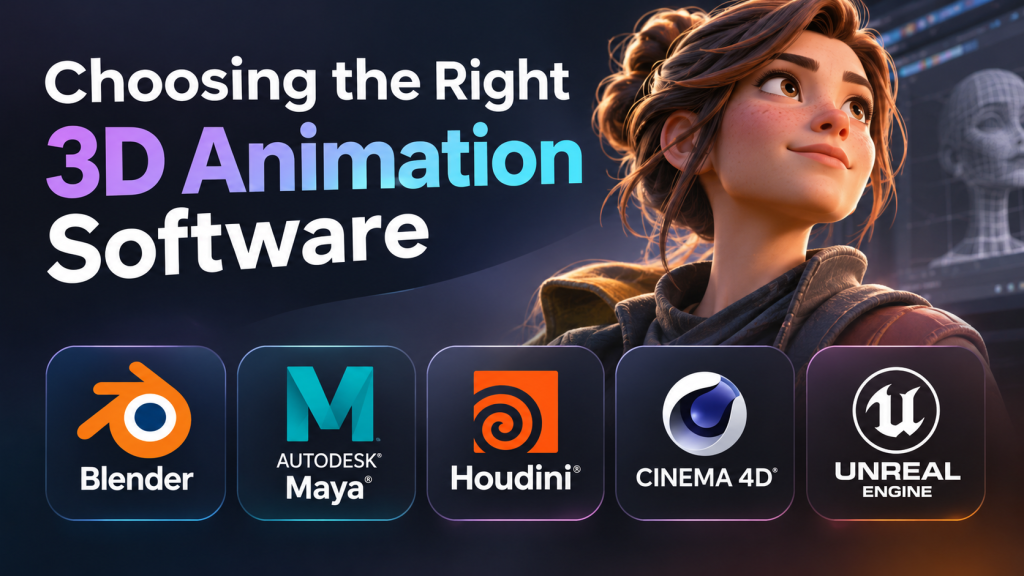
The right 3D animation software depends less on how realistic its renders look in a promotional video and more on what you need to create, how you prefer to work, and where the finished animation will be used. A character animator producing expressive performances faces different challenges from a motion designer building animated brand graphics or a visual effects artist simulating explosions, smoke, and destruction.
The category includes everything from free, all-purpose 3D creation suites to specialist applications designed for demanding studio pipelines. Some prioritize character rigging and keyframe animation; others excel at procedural effects, motion graphics, or real-time production.
Understanding these differences before committing to a tool can prevent a costly mistake: investing months in a workflow that does not match your intended work.
What separates one 3D animation application from another?
Most 3D animation workflows combine several stages: modeling, materials, rigging, animation, lighting, rendering, and compositing. A single application may cover nearly all of them, but the depth and convenience of each capability vary considerably.
Three distinctions are particularly important.
Artist-directed animation versus procedural animation. Traditional keyframe workflows let artists define poses and control motion over time. Procedural workflows generate or modify results through rules, parameters, node graphs, or reusable systems. Keyframes provide precise artistic control, while procedural techniques can make complex scenes easier to modify and reproduce.
Offline rendering versus real-time production. Offline rendering calculates images individually and can support computationally intensive lighting and visual effects. Real-time engines render interactively, making them useful for rapid iteration, virtual production, and interactive experiences. The practical choice depends on visual requirements, iteration speed, and hardware.
General-purpose production versus specialization. Broad applications can manage multiple stages of a project in one environment. Specialist tools may offer a more efficient approach to a particular task, but can introduce additional software, file transfers, licensing, and pipeline maintenance.
These distinctions matter more than a simple feature count. An application with fewer specialized capabilities may be the more productive choice if it matches the work you actually do.
5 3D animation tools with distinctly different strengths
These applications are better understood as different production approaches than as entries in a universal ranking. The right shortlist depends on whether your priority is creative flexibility, character animation, procedural effects, motion design, or real-time output.
Blender: A complete starting point without software licensing fees
Blender İndir – Ücretsiz İndir – Tamindir
General-purpose 3D creation
Blender
Blender brings modeling, rigging, animation, simulation, rendering, compositing, and motion tracking into one application. Its open-source licensing makes it an accessible starting point for independent artists, students, freelancers, and small studios. Blender+1
Its main advantage is the ability to build an entire project without purchasing a separate core application for each production stage. Artists can create a character, construct a scene, animate a camera, light the environment, and render the result within the same workflow.
Blender also supports Python scripting, which is useful for automating repetitive work and creating custom tools. Its animation editors, armatures, constraints, and shape keys provide a foundation for both object and character animation. Blender Documentation+1
The trade-off is that a free license does not eliminate production costs. Learning the interface, developing reliable rigs, managing large scenes, and configuring rendering can all require substantial time. Some professional pipelines also depend on specific third-party tools or established studio conventions that must be checked before adopting Blender.
Consider it when: you want to learn 3D animation, produce independent films, create social media visuals, build game assets, or explore a complete creative workflow without a mandatory software subscription.
Official information: Blender features.
Autodesk Maya: Character animation and studio production
脱「CGくさい」動き! 神央薬品が教える違和感を取り除くためのアニメーション基本技術 | 特集 | CGWORLD.jp
Character-focused production
Autodesk Maya
Maya offers extensive modeling, rigging, keyframe animation, effects, and rendering tools. Autodesk positions it for complex character work and production in film, television, and games. Download & Buy Official Maya+1
Maya is particularly relevant when character performance is central to the project. Its animation curves, non-linear animation tools, and detailed rigging workflows support fine control over timing, posing, and movement. Bifrost adds a procedural environment for effects such as fluids, smoke, and destruction.
The larger consideration is the production environment around the application. A studio may already have established character rigs, asset conventions, scripts, and pipeline integrations built around Maya. In that situation, compatibility and continuity can matter more than the initial license price.
For an individual learner, however, a commercial subscription is a meaningful expense. The software can also feel unnecessarily complex if the goal is limited to simple product animations or short social media clips.
Consider it when: your career goal involves character animation, studio-based production, technical rigging, or joining a pipeline that specifically uses Maya.
Official information: Autodesk Maya.
SideFX Houdini: When the scene needs to remain procedural
Pyro | Omar Zarifi | H18 Masterclass | SideFX
Procedural effects and simulation
Houdini
Houdini is built around node-based workflows that describe how geometry, animation, and effects are generated. Artists can revise earlier operations and propagate those changes through a network rather than repeatedly rebuilding the scene. SideFX+1
This approach is valuable when a project requires many variations, intricate simulations, or repeatable effects. An artist might create a building-destruction setup, adjust its parameters, and generate different outcomes without manually recreating every piece of debris.
Houdini is also useful for procedural environments, particles, fluid simulations, cloth, and other effects-heavy work. Its node networks can make complicated processes more inspectable and reusable, although building those networks requires technical understanding.
The learning curve is the principal trade-off. Procedural thinking can initially be slower than direct modeling or straightforward keyframe animation. It becomes more valuable as the need for control, iteration, and reuse increases.
Licensing also deserves attention. SideFX provides different editions for commercial studios, independent creators, education, and non-commercial learning. Their permissions and limitations differ, so a free learning edition should not automatically be assumed suitable for paid production. SideFX+1
Consider it when: your work involves visual effects, complex simulations, procedural modeling, technical artistry, or repeatable content generation.
Official information: SideFX Houdini.
Maxon Cinema 4D: Motion graphics and design-led animation
Buy Maxon Cinema 4D – Official UK Reseller
Motion design and branded visuals
Cinema 4D
Cinema 4D is particularly well suited to motion design, advertising, broadcast graphics, product visualization, and design-oriented animation. Its MoGraph system uses tools such as cloners, effectors, and fields to control large groups of objects. maxon.net+1
Imagine animating hundreds of product shapes into a brand logo, arranging geometric objects into a moving pattern, or creating a polished 3D title sequence. MoGraph can make these tasks more manageable than animating every element independently.
Cinema 4D also supports traditional animation, simulation, and rendering. Its integration with Adobe After Effects through Cineware can be particularly useful for motion designers who combine 3D scenes with 2D graphics, typography, and compositing.
The key consideration is cost and workflow fit. Cinema 4D is commercially licensed, and its subscription packaging includes specific rendering and team-rendering benefits. Verify the current plan, regional price, and included components before budgeting. maxon.net+1
Consider it when: you create animated brand identities, product advertisements, title sequences, abstract motion graphics, or design-focused 3D content.
Official information: Maxon Cinema 4D.
Unreal Engine: Real-time animation and interactive worlds
How to Animate with Sequencer | Unreal Engine 5.7 Documentation | Epic Developer Community
Real-time scenes and cinematics
Unreal Engine
Unreal Engine combines real-time rendering with tools for cameras, sequencing, character animation, visual effects, and interactive environments. Its Control Rig and Sequencer systems allow artists to create and refine animation within the engine. Unreal Engine+1
The defining advantage is iteration. Lighting, camera positions, materials, and animation can be evaluated in the scene without relying entirely on a traditional frame-by-frame offline rendering process. This makes Unreal Engine relevant to game cinematics, virtual production, architectural walkthroughs, and interactive experiences.
However, a real-time engine does not remove the need for animation skills or suitable assets. Character models may need rigging in another application, and advanced scenes still require careful lighting, optimization, materials, and rendering configuration. Unreal Engine’s own animation guidance discusses workflows that use external content-creation tools such as Maya and Blender alongside its built-in capabilities. Unreal Engine+1
Consider it when: you need interactive 3D, game animation, virtual production, real-time cinematics, or environments that benefit from rapid visual feedback.
Official information: Unreal Engine animation.
How these tools compare in practical production
| Application | Strongest workflow | Licensing approach | Main trade-off |
|---|---|---|---|
| Blender | All-purpose 3D creation and independent animation | Free and open source | Requires time to master its broad toolset |
| Maya | Character animation, rigging, and studio pipelines | Commercial subscription; eligible education access | Ongoing cost and a demanding learning curve |
| Houdini | Procedural modeling, simulations, and visual effects | Multiple commercial and learning editions | Procedural workflows require technical skill |
| Cinema 4D | Motion graphics and product animation | Commercial subscription | Subscription cost and workflow-specific fit |
| Unreal Engine | Real-time animation, games, and cinematics | Licensing depends on the use case | Asset preparation and real-time optimization |
These are workflow distinctions, not a measured performance ranking. Each application can support more than its primary use case, and actual results depend on the artist, project complexity, hardware, and production pipeline.
How to choose software for your first project
A practical selection process starts with the deliverable rather than the software’s reputation.
If you want to animate characters
Begin by comparing Blender and Maya. Both support character rigs, keyframes, posing, and animation editing. Blender offers a no-cost entry point, while Maya deserves closer consideration if your intended workplace already uses it.
Your first exercise should be a simple character performing a walk cycle, turning its head, and reacting to an object. This reveals whether you enjoy character animation before you invest heavily in specialist tools.
If you want to create animated advertisements
Compare Cinema 4D and Blender. Both can create product animations and stylized brand visuals, but Cinema 4D’s MoGraph workflow can be particularly useful when a design involves many repeated objects, procedural patterns, and frequent client revisions.
Build a short product advertisement with a rotating object, changing camera angles, controlled lighting, and animated typography. Assess how quickly you can make revisions rather than judging only the final render.
If you want to specialize in visual effects
Consider Houdini alongside a general-purpose application such as Blender or Maya. Houdini becomes especially relevant when the effect needs to be procedural, adjustable, and reusable.
A useful test is to create a simple particle effect or a simulated object breaking apart. Experiment with changing the timing, scale, and intensity without rebuilding the entire setup.
If you want real-time or interactive animation
Explore Unreal Engine, particularly if your intended output is a game, interactive walkthrough, or cinematic environment that benefits from real-time lighting and playback.
Start with an animation-ready character or a prepared environment. This lets you focus on cameras, movement, sequencing, and lighting instead of trying to learn modeling, rigging, and engine workflows simultaneously.
Hardware and rendering: what buyers often underestimate
Software compatibility is only one part of the decision. A scene that runs smoothly while modeling can become difficult to work with once detailed geometry, high-resolution textures, complex simulations, and final rendering are introduced.
Before choosing a workstation or upgrading a computer, consider the following:
- GPU: Important for GPU rendering and many real-time workflows. Check the application’s supported graphics APIs and the renderer’s specific hardware requirements.
- RAM: Large scenes, complex simulations, and high-resolution assets can consume substantial memory. Insufficient RAM can interrupt work or force you to simplify scenes.
- CPU: Still important for many modeling operations, simulations, and rendering tasks, depending on the software and chosen renderer.
- Storage: Fast SSD storage helps with application loading, asset access, caches, and large project files. Simulation caches can require considerable additional space.
- Rendering time: A short animation can contain thousands of frames. At 24 frames per second, a 60-second video contains 1,440 frames. If each frame takes one minute to render, the total is 24 hours of rendering before accounting for retries or compositing.
The last example illustrates why rendering strategy matters. Actual render times vary widely with scene complexity, resolution, hardware, and renderer settings.
For freelance work, budget for more than a software subscription. Training, asset purchases, storage, render capacity, plugins, and time spent on revisions can all influence profitability.
Building a reliable workflow across applications
A production pipeline does not necessarily need to rely on a single program. In some projects, using a specialist tool at the appropriate stage is more effective than forcing every task into one application.
A typical workflow might look like this:
- Model and prepare assets: Create objects, environments, or characters in Blender, Maya, or another suitable modeling application.
- Rig and animate: Establish the controls, poses, timing, and motion required for the scene.
- Create specialized effects: Use Houdini where procedural generation or complex simulation offers a meaningful advantage.
- Render or assemble the scene: Use an appropriate offline renderer or bring prepared assets into Unreal Engine for real-time production.
- Composite and edit: Combine rendered elements, titles, sound, and footage in suitable post-production software.
Not every project requires every stage. A short product animation may be completed entirely in Blender or Cinema 4D, while a large cinematic project may involve several departments and applications.
When transferring assets between tools, test the interchange workflow early. Geometry, textures, skeletons, animation curves, materials, and scene hierarchy do not always transfer identically. File formats such as FBX, Alembic, and USD support different aspects of 3D interchange, and compatibility depends on how each application implements them.
For team production, agree on units, frame rates, naming conventions, color management, file formats, and asset ownership before creating large numbers of scenes. Establishing these standards early reduces avoidable rework.
A sensible way to evaluate software before paying
A product demonstration can make any application look capable. A short, consistent pilot project provides more useful evidence about whether the tool suits your needs.
Use the following evaluation checklist:
- Complete one representative animation from beginning to end.
- Measure how easily you can make changes after the first version.
- Check whether playback remains responsive with realistic scene complexity.
- Confirm that your required file formats and integrations work.
- Test the workflow on the hardware you actually have.
- Review licensing terms for your intended commercial or educational use.
- Estimate total cost, including training, plugins, rendering, and storage.
- Confirm that collaborators or prospective employers can work with the resulting files.
For an individual learner, the ability to finish several small projects is often more valuable than buying an expensive tool with features you will not use for months.
For a studio, the evaluation should also cover pipeline automation, asset versioning, collaboration, technical support, and the cost of migrating existing projects. A change that looks attractive at the application level may be expensive across an entire production team.
Frequently asked questions
Is free 3D animation software good enough for professional work?
Yes. Blender is a free, open-source application that covers modeling, rigging, animation, rendering, and other stages of 3D production. Its licensing model makes it viable for many independent and commercial workflows. Professional suitability still depends on the project’s requirements, delivery standards, team pipeline, and available technical support.
Which software should a complete beginner learn first?
Blender is a sensible starting point if you want to explore general-purpose 3D animation without paying for a core software license. If you already know that you want to specialize in a studio environment, motion graphics, or procedural effects, you can instead choose software aligned with that goal.
Can one application handle an entire 3D animation project?
Often, yes. General-purpose applications such as Blender and Maya support multiple production stages. Specialist applications may still be useful when a particular task requires more efficient procedural effects, motion design, or real-time rendering.
Is a powerful computer necessary for learning 3D animation?
Not for every introductory exercise. Simple models, basic keyframe animations, and low-resolution previews can be manageable on modest hardware. Complex simulations, detailed scenes, and high-quality rendering place greater demands on system resources. Check official system requirements before buying software or hardware.
Should freelancers pay for several 3D applications?
Only when the work justifies the additional cost. Start with the application that covers the majority of your deliverables. Add specialist tools when they solve a recurring problem, improve production efficiency, or are required by clients.
Make the project, not the feature list, the deciding factor
There is no single 3D animation application that is the right choice for every artist. Blender provides broad capabilities without a mandatory software subscription; Maya is worth considering for character-focused and established studio workflows; Houdini offers a procedural approach to effects and simulations; Cinema 4D is especially relevant to motion design; and Unreal Engine supports real-time and interactive production.
The most useful next step is to choose a small project that resembles the work you ultimately want to produce. Complete it, revise it, and export the finished result. That experience will reveal far more about workflow suitability, learning demands, and practical limitations than a long feature comparison ever could.
