Upgrade & Secure Your Future with DevOps, SRE, DevSecOps, MLOps!
We spend hours scrolling social media and waste money on things we forget, but won’t spend 30 minutes a day earning certifications that can change our lives.
Master in DevOps, SRE, DevSecOps & MLOps by DevOps School!
Learn from Guru Rajesh Kumar and double your salary in just one year.
Introduction
3D animation software helps teams create, rig, animate, simulate, and render digital objects, characters, and environments. It is used across film, television, gaming, advertising, architecture, education, product visualization, and training. As pipelines become more real-time and AI-assisted, buyers are no longer choosing only for modeling or rendering quality. They are also evaluating interoperability, performance, motion workflows, automation, collaboration, and long-term production fit.
Common real-world use cases include:
- Character animation for films, series, and short-form content
- Game asset creation and real-time cinematic production
- Motion graphics, commercials, and branded visuals
- Product demos, explainer videos, and industrial visualization
- Virtual production, previs, and simulation-heavy VFX work
Evaluation Criteria for Buyers
When comparing 3D animation software, buyers should usually evaluate:
- Animation tool depth and rigging quality
- Ease of use and learning curve
- Simulation, physics, and procedural capabilities
- Rendering options and real-time preview quality
- File compatibility and pipeline interoperability
- Plugin ecosystem and third-party integrations
- Hardware performance and stability
- Cost, licensing model, and long-term value
- Team collaboration, support, and community strength
Best for: animation studios, VFX teams, game developers, creative agencies, product designers, educators, and freelancers who need strong 3D workflows from concept to final delivery.
Not ideal for: teams that only need basic video editing, simple 2D motion design, or lightweight social content creation. In those cases, easier and cheaper motion graphics or video tools may be a better fit.
Key Trends in 3D Animation Software
- AI-assisted animation workflows are becoming practical. Auto-rigging, pose prediction, motion cleanup, lip-sync support, and in-between generation are helping artists reduce repetitive manual work.
- Real-time production is now mainstream. More teams are using real-time engines and live previews to shorten iteration cycles for cinematics, previs, and virtual production.
- Procedural workflows are expanding beyond VFX. Node-based and rules-driven systems are increasingly used for motion design, crowd work, environment generation, and reusable animation setups.
- Interoperability matters more than standalone power. Formats such as FBX, Alembic, USD, and glTF are central to modern pipelines, especially where multiple tools are used together.
- GPU acceleration and viewport performance are decision-makers. Buyers increasingly care about how quickly they can animate, simulate, and preview scenes on real production hardware.
- Hybrid pipelines are common. Many teams animate in one tool, simulate in another, and render or finalize inside a game engine or compositor.
- Motion capture and facial animation are more accessible. What used to be enterprise-only is now available to smaller studios through more affordable capture workflows and live-link style integrations.
- Open-source adoption continues to rise. Buyers are increasingly comfortable mixing commercial tools with open-source software when the ecosystem and plugin support are strong.
- Asset marketplaces and extensibility affect ROI. A healthy ecosystem of plugins, scripts, character systems, and ready-made assets can materially reduce production time.
- Enterprise buyers are asking harder questions about governance. Even creative software is now being reviewed for user management, licensing control, collaboration practices, and broader workflow security.
How We Selected These Tools (Methodology)
We selected the following tools using a practical, buyer-oriented lens rather than a single “best overall” standard.
- We prioritized market adoption and industry mindshare across film, VFX, games, motion graphics, and freelance use cases.
- We evaluated feature completeness across rigging, animation, simulation, rendering, procedural tools, and character workflows.
- We considered reliability and performance signals, including viewport responsiveness, pipeline stability, and suitability for production-scale scenes.
- We reviewed ecosystem depth, including plugins, scriptability, file compatibility, tutorials, and community resources.
- We looked for a balanced mix of enterprise and accessible tools, so the list works for freelancers, SMBs, and larger studios.
- We considered workflow specialization, such as motion graphics, VFX simulation, real-time animation, and character-focused production.
- We weighed support and community strength, because onboarding speed and troubleshooting matter in real production settings.
- We factored in price-to-value considerations, especially for buyers comparing open-source options with premium commercial suites.
- We also assessed security posture signals where publicly visible, though many creative tools disclose less in this area than enterprise SaaS platforms.
- Finally, we favored tools with strong interoperability, because modern 3D teams rarely rely on a single application end to end.
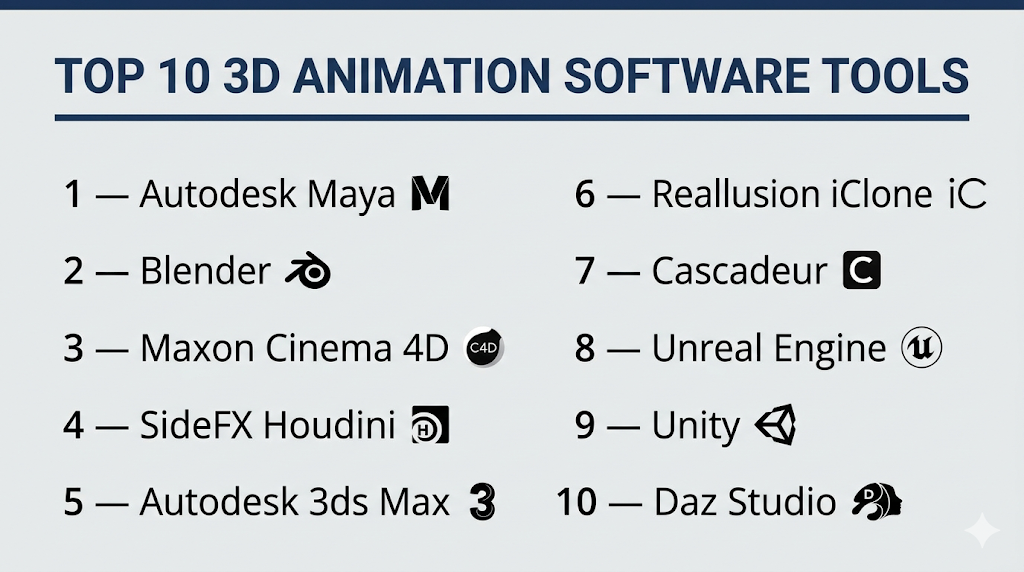
Top 10 3D Animation Software Tools
#1 — Autodesk Maya
Short description (2–3 lines): Autodesk Maya is one of the most established 3D animation platforms for film, television, and game production. It is especially strong for character animation, rigging, and high-end studio workflows.
Key Features
- Advanced character rigging and animation toolsets
- Graph Editor, Dope Sheet, and nonlinear animation tools
- Bifrost for procedural effects and simulation workflows
- Integrated modeling, UV, and basic surfacing workflows
- Arnold rendering support for high-quality output
- Strong scripting and pipeline customization via Python and MEL
- Broad compatibility with studio production pipelines
Pros
- Industry-standard tool for character animation and rigging
- Mature ecosystem with strong studio adoption
- Deep customization for technical artists and pipeline teams
Cons
- Steeper learning curve for beginners
- Subscription cost can be significant for individuals
- Can feel complex for teams needing only basic animation
Platforms / Deployment
- Windows / macOS / Linux
- Self-hosted desktop
Security & Compliance
Not publicly stated.
Integrations & Ecosystem
Maya fits well into larger studio pipelines and is commonly used alongside renderers, compositing tools, game engines, and asset management systems. Its scripting support and long-standing market position make it highly extensible.
- Supports common exchange formats such as FBX and Alembic
- Frequently used with Arnold and third-party renderers
- Integrates into custom pipelines through Python and MEL
- Commonly paired with Unreal Engine and Unity in game workflows
- Large third-party plugin ecosystem
Support & Community
Maya has strong documentation, extensive training content, and a large global user base. Enterprise and professional support options are widely available, and community knowledge is deep.
#2 — Blender
Short description (2–3 lines): Blender is a powerful open-source 3D creation suite used for animation, modeling, rendering, simulation, and more. It is a top choice for freelancers, indie studios, educators, and teams that want flexibility without licensing cost.
Key Features
- Full 3D pipeline including animation, rigging, modeling, and rendering
- Eevee for real-time rendering and Cycles for physically based rendering
- Grease Pencil for hybrid 2D and 3D workflows
- Geometry Nodes for procedural content creation
- Video editing and compositing included in the same application
- Python scripting and extensive add-on support
- Strong community-driven development cadence
Pros
- Very high value with no software license cost
- Broad capability across multiple production needs
- Huge community, training ecosystem, and add-on market
Cons
- Interface depth can still be overwhelming for new users
- Some enterprise pipelines may prefer established commercial standards
- Team governance and formal vendor support are less structured than premium suites
Platforms / Deployment
- Windows / macOS / Linux
- Self-hosted desktop
Security & Compliance
Not publicly stated.
Integrations & Ecosystem
Blender works well in mixed pipelines and is increasingly accepted in professional production contexts. Its open architecture and large add-on ecosystem make it one of the most flexible options in the market.
- Supports FBX, Alembic, USD, glTF, and more
- Large add-on ecosystem for rigging, rendering, and asset creation
- Python API for custom tooling and automation
- Commonly used alongside game engines and compositing tools
- Strong community asset and tutorial ecosystem
Support & Community
Blender has one of the strongest communities in 3D software. Documentation, forums, tutorials, and third-party courses are abundant, though official enterprise-style support is more limited than with commercial vendors.
#3 — Maxon Cinema 4D
Short description (2–3 lines): Cinema 4D is a well-regarded 3D animation and motion graphics platform known for usability and fast creative workflows. It is particularly popular with motion designers, broadcast teams, and creative studios.
Key Features
- MoGraph toolset for procedural motion graphics
- Strong animation workflow with intuitive timeline tools
- Integrated modeling, text, and spline-based design tools
- Redshift ecosystem alignment for modern rendering workflows
- Fields and effectors for highly controllable animation systems
- Character and rigging tools for stylized work
- Smooth onboarding for designers moving into 3D
Pros
- Easier to learn than many high-end 3D suites
- Excellent for motion graphics and branded content
- Well-suited to fast-turnaround production work
Cons
- Less dominant for heavy VFX and advanced simulation than Houdini
- Premium pricing may be high for some individuals
- Some teams may still need other tools for deeper pipeline specialization
Platforms / Deployment
- Windows / macOS
- Self-hosted desktop
Security & Compliance
Not publicly stated.
Integrations & Ecosystem
Cinema 4D benefits from a mature creative ecosystem and is often used in mixed design and post-production environments. It is especially attractive for teams who need to move efficiently between 3D animation and motion graphics workflows.
- Strong plugin and renderer ecosystem
- Frequently used with Redshift-based workflows
- Supports common file exchange formats
- Commonly used in motion design and post-production pipelines
- Broad compatibility with Adobe-centric creative workflows
Support & Community
Cinema 4D has a strong professional user base, solid training resources, and a loyal motion design community. Vendor documentation and onboarding materials are generally good.
#4 — SideFX Houdini
Short description (2–3 lines): Houdini is a leading choice for procedural animation, VFX, and simulation-heavy production. It is ideal for advanced technical artists, VFX studios, and teams that need scalable, rules-based workflows.
Key Features
- Node-based procedural workflow
- Powerful simulations for particles, fluids, destruction, and crowds
- Advanced FX pipeline capabilities
- Solaris and USD-based scene assembly workflows
- Strong tool-building framework for technical artists
- Character tools and animation support
- Scalable for highly complex production tasks
Pros
- Exceptional for procedural workflows and high-end effects
- Highly flexible and automation-friendly
- Excellent fit for technical animation and reusable setups
Cons
- One of the steepest learning curves in the category
- Can be overkill for simple animation needs
- Productivity may depend on technical expertise
Platforms / Deployment
- Windows / macOS / Linux
- Self-hosted desktop
Security & Compliance
Not publicly stated.
Integrations & Ecosystem
Houdini is widely respected in professional VFX environments and works especially well in studios that value custom tools, simulation depth, and USD-based interoperability.
- Strong USD and pipeline-oriented workflow support
- Commonly used with renderers and VFX toolchains
- Scriptable and extensible for custom production systems
- Supports Alembic and other standard interchange formats
- Frequently connected to Maya, Unreal Engine, and compositing pipelines
Support & Community
Houdini has a knowledgeable and technically strong community. Documentation is solid, and advanced users benefit from a wealth of procedural and simulation-focused learning material.
#5 — Autodesk 3ds Max
Short description (2–3 lines): 3ds Max is a long-standing 3D platform widely used for animation, visualization, and game asset creation. It remains especially relevant in architecture, design visualization, and certain game production pipelines.
Key Features
- Solid modeling and animation toolset
- Character animation tools including CAT and Biped
- Strong viewport and scene handling for design workflows
- Broad plugin ecosystem for rendering and production
- Scripting and automation via MAXScript
- Useful for architectural and product visualization
- Integrated rendering support
Pros
- Strong legacy adoption in design and visualization markets
- Good plugin ecosystem and extensibility
- Effective for many modeling and animation workflows
Cons
- More Windows-centric than many alternatives
- Less commonly chosen than Maya for high-end character animation
- UI and workflow style may feel older to some users
Platforms / Deployment
- Windows
- Self-hosted desktop
Security & Compliance
Not publicly stated.
Integrations & Ecosystem
3ds Max is deeply connected to visualization and design ecosystems and is often used with rendering, CAD-adjacent, and game-oriented workflows.
- Large ecosystem of third-party plugins and scripts
- Supports common interchange formats such as FBX and Alembic
- Often used in design visualization pipelines
- Integrates with Autodesk-centered workflows
- MAXScript supports automation and customization
Support & Community
3ds Max has a mature user base and extensive historical documentation. Community strength remains solid, particularly in visualization and design-focused segments.
#6 — Reallusion iClone
Short description (2–3 lines): Reallusion iClone is a real-time 3D animation platform focused on character animation, facial animation, motion capture, and fast content production. It works well for studios and creators who want speed over complex manual setup.
Key Features
- Real-time character animation workflow
- Motion capture support and motion editing tools
- Facial animation and lip-sync capabilities
- Integration with Reallusion character ecosystem
- Live-link style workflows into external engines
- Timeline-based editing for fast scene assembly
- Useful for rapid previz and content production
Pros
- Fast production workflow for character-centric content
- More approachable than many high-end animation suites
- Strong for creators working with mocap and facial animation
Cons
- Less broad as a full-spectrum 3D suite than Maya or Blender
- Often strongest when used with the wider Reallusion ecosystem
- Advanced VFX and procedural capabilities are more limited
Platforms / Deployment
- Windows
- Self-hosted desktop
Security & Compliance
Not publicly stated.
Integrations & Ecosystem
iClone is particularly attractive to teams that want fast animation results and strong character workflows. Its broader value often increases when used together with other Reallusion products and real-time engines.
- Works closely with Character Creator workflows
- Supports real-time pipeline connections to engines such as Unreal
- Motion and facial animation ecosystem is a core strength
- Useful for previz, virtual production, and character-focused scenes
- Asset and content ecosystem supports fast iteration
Support & Community
Reallusion provides training content, documentation, and a focused community. Support is generally good for customers in its ecosystem, especially for character animation use cases.
#7 — Cascadeur
Short description (2–3 lines): Cascadeur is a specialized 3D animation tool known for AI-assisted posing and physically aware character motion workflows. It is especially useful for animators who want faster keyframing and better motion realism.
Key Features
- AI-assisted pose creation and animation support
- Physics-aware motion workflow
- Tools for character movement refinement
- Keyframe animation with motion cleanup support
- Focus on believable body dynamics
- Useful for stunt, action, and movement-heavy animation
- Designed to accelerate animator productivity
Pros
- Distinctive strength in pose assistance and motion realism
- Helpful for reducing manual posing effort
- Good complement to broader 3D animation pipelines
Cons
- More specialized than full-suite 3D applications
- Not a complete replacement for full production pipelines
- Smaller ecosystem than long-established platforms
Platforms / Deployment
- Windows / macOS / Linux
- Self-hosted desktop
Security & Compliance
Not publicly stated.
Integrations & Ecosystem
Cascadeur is often best used as part of a broader workflow rather than as a standalone end-to-end platform. Its value is strongest where teams need faster character motion iteration.
- Supports export to broader 3D and game workflows
- Useful in character animation and action-sequence pipelines
- Can complement Maya, Blender, and game engines
- Helpful for motion refinement before final integration
Support & Community
Cascadeur has a growing community and a more focused learning ecosystem. Documentation is improving, though the support footprint is naturally smaller than major legacy vendors.
#8 — Unreal Engine
Short description (2–3 lines): Unreal Engine is a real-time 3D creation platform increasingly used for animation, virtual production, cinematics, and interactive content. It is a strong choice for teams prioritizing real-time rendering and final-pixel iteration speed.
Key Features
- Real-time rendering for cinematics and animation
- Sequencer for timeline-based shot creation
- Control Rig for in-engine rigging and animation
- MetaHuman ecosystem for digital human workflows
- Virtual production and live visualization capabilities
- Strong environment and lighting toolset
- Powerful for interactive and non-interactive content
Pros
- Excellent for real-time production and fast iteration
- Strong bridge between animation and interactive experiences
- Valuable for virtual production and cinematic pipelines
Cons
- Can require significant hardware resources
- Full production setup can be complex
- Not always the simplest first tool for beginners
Platforms / Deployment
- Windows / macOS / Linux
- Self-hosted desktop
Security & Compliance
Not publicly stated.
Integrations & Ecosystem
Unreal Engine has one of the broadest ecosystems in real-time 3D. It is especially compelling for teams unifying animation, environment creation, cinematic production, and deployment workflows.
- Large plugin and marketplace ecosystem
- Commonly integrated with DCC tools such as Maya and Blender
- Supports real-time collaboration and virtual production workflows
- Strong ecosystem around digital humans and mocap
- Frequently used with film, broadcast, and game pipelines
Support & Community
Unreal has strong documentation, a large global community, and substantial learning resources. Community strength is a major advantage, especially for teams moving into real-time production.
#9 — Unity
Short description (2–3 lines): Unity is a real-time 3D platform widely used for games, simulation, interactive content, and visualization. For animation teams, it is most relevant when real-time deployment and interactive output are key priorities.
Key Features
- Real-time 3D engine for animation and interactive delivery
- Animation system for character and scene workflows
- Timeline and cinematic tooling
- Strong deployment flexibility across platforms
- Asset Store ecosystem
- C# extensibility for custom tool development
- Useful for simulation, training, and interactive visualization
Pros
- Strong fit for interactive animation and deployment use cases
- Flexible ecosystem for developers and technical teams
- Good choice for training, simulation, and app-style experiences
Cons
- Less of a traditional DCC suite than Maya or Blender
- Animation teams may still need external content creation tools
- Workflow complexity can increase for non-technical users
Platforms / Deployment
- Windows / macOS / Linux
- Self-hosted desktop
Security & Compliance
Not publicly stated.
Integrations & Ecosystem
Unity is best understood as part of a larger production stack. It is often paired with DCC tools for asset creation and then used for real-time delivery, interactivity, and simulation.
- Extensive Asset Store ecosystem
- Supports integrations with external DCC tools
- Strong for app, simulation, and training workflows
- C# scripting enables custom runtime and editor tooling
- Broad export and deployment flexibility
Support & Community
Unity has a large community, broad documentation, and many third-party learning resources. Support quality can vary by plan and deployment context, but the community footprint is substantial.
#10 — Daz Studio
Short description (2–3 lines): Daz Studio is a character-focused 3D creation and animation tool known for accessible figure posing, scene building, and content libraries. It is a practical choice for creators who prioritize character content and easier scene assembly.
Key Features
- Character-centric workflow with ready-made content
- Pose and animation tools for figure-based storytelling
- Large ecosystem of assets and characters
- Useful for concept scenes and stylized character production
- Supports facial and body posing workflows
- Scene composition tools for image and animation creation
- Good entry point for creators focused on digital figures
Pros
- Accessible for creators focused on character scenes
- Strong content ecosystem speeds up production
- Lower barrier to entry for certain workflows
Cons
- Less suitable for full-scale professional studio pipelines
- Broader animation and pipeline depth is limited
- Workflow may feel constrained for highly custom production needs
Platforms / Deployment
- Windows / macOS
- Self-hosted desktop
Security & Compliance
Not publicly stated.
Integrations & Ecosystem
Daz Studio’s main strength is its content ecosystem and accessibility for character-driven creative work. It is often used by individual creators, illustrators, and niche content producers.
- Strong marketplace for characters, outfits, and environments
- Useful for stills, short animations, and figure-based scenes
- Can export assets into broader 3D workflows
- Integrates best where character content reuse is important
Support & Community
Daz Studio has an active creator community and a well-known content ecosystem. Support is more creator-focused than enterprise-oriented, but learning materials are widely available.
Comparison Table (Top 10)
| Tool Name | Best For | Platform(s) Supported | Deployment | Standout Feature | Public Rating |
|---|---|---|---|---|---|
| Autodesk Maya | High-end character animation and studio pipelines | Windows, macOS, Linux | Self-hosted desktop | Industry-standard rigging and animation workflow | N/A |
| Blender | Freelancers, indie teams, and budget-conscious studios | Windows, macOS, Linux | Self-hosted desktop | Broad all-in-one open-source 3D suite | N/A |
| Maxon Cinema 4D | Motion graphics and fast creative production | Windows, macOS | Self-hosted desktop | MoGraph workflow | N/A |
| SideFX Houdini | Procedural VFX and simulation-heavy production | Windows, macOS, Linux | Self-hosted desktop | Procedural and simulation depth | N/A |
| Autodesk 3ds Max | Visualization, design, and game asset workflows | Windows | Self-hosted desktop | Strong modeling and visualization ecosystem | N/A |
| Reallusion iClone | Real-time character animation and mocap workflows | Windows | Self-hosted desktop | Fast real-time character animation | N/A |
| Cascadeur | AI-assisted character motion refinement | Windows, macOS, Linux | Self-hosted desktop | AI-assisted posing and physics-aware motion | N/A |
| Unreal Engine | Real-time cinematics and virtual production | Windows, macOS, Linux | Self-hosted desktop | Real-time cinematic production | N/A |
| Unity | Interactive animation, simulation, and deployment | Windows, macOS, Linux | Self-hosted desktop | Real-time deployment flexibility | N/A |
| Daz Studio | Character-based creator workflows | Windows, macOS | Self-hosted desktop | Ready-made character content ecosystem | N/A |
Evaluation & Scoring of 3D Animation Software
The scoring below uses a comparative 1–10 scale across the criteria that matter most to typical buyers. Weighted totals help show balance, not absolute truth.
| Tool Name | Core (25%) | Ease (15%) | Integrations (15%) | Security (10%) | Performance (10%) | Support (10%) | Value (15%) | Weighted Total (0–10) |
|---|---|---|---|---|---|---|---|---|
| Autodesk Maya | 9.5 | 7.0 | 9.0 | 7.0 | 9.0 | 9.0 | 6.0 | 8.2 |
| Blender | 9.0 | 7.5 | 8.5 | 6.0 | 8.0 | 10.0 | 10.0 | 8.6 |
| Maxon Cinema 4D | 8.5 | 8.5 | 8.0 | 6.5 | 8.5 | 8.5 | 6.5 | 7.9 |
| SideFX Houdini | 10.0 | 6.0 | 8.5 | 6.5 | 9.5 | 8.0 | 6.0 | 8.0 |
| Autodesk 3ds Max | 8.5 | 7.5 | 8.5 | 6.5 | 8.5 | 8.5 | 6.5 | 7.9 |
| Reallusion iClone | 8.0 | 8.0 | 8.0 | 6.0 | 8.0 | 8.0 | 7.5 | 7.7 |
| Cascadeur | 7.5 | 8.0 | 7.0 | 5.5 | 7.5 | 7.0 | 8.5 | 7.4 |
| Unreal Engine | 9.0 | 7.0 | 9.0 | 6.5 | 9.0 | 9.0 | 8.5 | 8.4 |
| Unity | 8.0 | 7.5 | 8.5 | 6.5 | 8.5 | 8.5 | 8.0 | 8.0 |
| Daz Studio | 7.0 | 8.0 | 6.5 | 5.5 | 7.0 | 7.0 | 8.0 | 7.1 |
These scores are comparative, meaning they are intended to help shortlist tools relative to each other. A lower score does not mean a tool is weak overall; it may simply be more specialized. For example, Cascadeur scores lower on breadth but can be highly valuable for character motion. Likewise, Houdini scores lower on ease of use but exceptionally high on technical depth. Buyers should weigh these numbers against their own workflow, team skill level, and budget.
Which 3D Animation Software Tool Is Right for You?
Solo / Freelancer
If you work alone or in a very small team, Blender is usually the safest starting point because it offers excellent breadth and strong value. Daz Studio can be appealing if your work is more character-content driven and you prefer ready-made assets. Cascadeur is also worth considering if character movement is central to your work and you want help with posing and physics-aware motion.
SMB
Small and growing studios often need a balance of output quality, speed, and budget discipline. Cinema 4D is a strong fit for motion design and branded animation. Blender remains attractive for cost efficiency and team flexibility. Reallusion iClone is a practical option for SMBs focused on fast character animation, previz, or mocap-driven workflows.
Mid-Market
Mid-market teams usually care more about workflow specialization and interoperability. Maya is a strong pick when character animation quality and broader production pipeline compatibility matter. 3ds Max still makes sense for design visualization and some content production contexts. Unreal Engine also becomes increasingly important when teams want real-time review, cinematic production, or interactive output.
Enterprise
Larger studios and enterprise production environments typically need mature pipelines, specialized roles, and scalable tooling. Maya and Houdini are top-tier choices for studio-grade animation and procedural VFX. Unreal Engine is increasingly important for real-time production and virtual production workflows. Unity can also be a strong fit for training, simulation, and interactive enterprise use cases.
Budget vs Premium
If budget is your main constraint, Blender is the obvious leader due to its no-license-cost model and broad capability. Cascadeur may also offer good value when used as a focused complement rather than a full suite. On the premium side, Maya, Cinema 4D, and Houdini are justified when production complexity, team specialization, or output demands are high.
Feature Depth vs Ease of Use
For maximum depth, Houdini and Maya lead, but they demand more training. For faster onboarding and smoother day-to-day usability, Cinema 4D and iClone are often easier to adopt. Blender sits in the middle: deep and highly capable, though still complex at advanced levels.
Integrations & Scalability
If your workflow spans several tools, prioritize Maya, Blender, Houdini, and Unreal Engine. These tools are commonly used in mixed pipelines and support common exchange formats. Teams with pipeline engineers or technical artists will often get more long-term value from tools with strong extensibility and scripting.
Security & Compliance Needs
Security is not always the headline factor in creative software buying, but it still matters. Enterprise teams should evaluate user access practices, licensing governance, plugin risk, file-sharing workflows, and how project assets are stored and moved. Since many vendors do not publicly emphasize deep compliance details at the product level, buyers with strict requirements should validate these points directly during procurement and pilot phases.
Frequently Asked Questions (FAQs)
1. Which 3D animation software is best for beginners?
For many beginners, Blender is the best starting point because it is widely available, feature-rich, and backed by a huge learning community. If your focus is motion graphics, Cinema 4D may feel more approachable.
2. What is the best software for professional character animation?
Autodesk Maya remains one of the strongest choices for professional character animation due to its rigging, animation controls, and studio adoption. iClone is also strong if speed and mocap workflows matter more than deep pipeline complexity.
3. Is Blender good enough for professional work?
Yes, Blender is good enough for many professional use cases, especially in freelance, indie, education, and some studio environments. Its suitability depends more on your workflow, team skills, and pipeline compatibility than on raw capability alone.
4. Which tool is best for VFX and simulation-heavy projects?
SideFX Houdini is usually the leading choice for procedural VFX, destruction, particles, fluids, and simulation-heavy work. It is best for teams with technical depth and complex production requirements.
5. Are real-time engines replacing traditional 3D animation tools?
Not entirely. Tools like Unreal Engine and Unity are expanding what real-time production can do, but most teams still rely on traditional DCC tools for modeling, rigging, and asset authoring before moving into engine-based workflows.
6. How do pricing models usually work in this category?
Pricing varies widely. Some tools are subscription-based, some are tied to broader product ecosystems, and open-source options like Blender have no license fee. Total cost should include plugins, training, hardware needs, and pipeline maintenance.
7. How long does onboarding usually take?
Basic onboarding can take days or weeks, but real proficiency often takes much longer. Simpler tools such as iClone or Daz Studio may ramp faster, while Maya and Houdini typically require more structured learning.
8. What common mistake do buyers make when choosing 3D animation software?
A common mistake is choosing based only on popularity instead of workflow fit. Teams should assess project type, artist skill level, render needs, interoperability, and the cost of switching or supporting the tool over time.
9. How important are integrations in 3D animation workflows?
They are very important. Most production teams use more than one application, so compatibility with formats, engines, renderers, and asset pipelines often matters as much as the tool’s standalone features.
10. Is switching from one 3D animation tool to another difficult?
It can be, especially when teams have existing assets, scripts, rigs, or pipeline habits. Switching is easier when common interchange formats are supported, but retraining time and workflow disruption should always be expected.
Conclusion
There is no single best 3D animation software for every buyer. Maya remains a leading choice for high-end character animation, Houdini stands out for procedural and simulation-heavy work, Cinema 4D is highly effective for motion graphics, Blender delivers outstanding value and breadth, and Unreal Engine continues to reshape real-time animation and cinematic production. The right choice depends on your production style, team expertise, integration needs, and budget tolerance. A freelancer, a motion design studio, and a large VFX team will often reach very different conclusions for valid reasons.The most practical path forward is to focus on workflow fit rather than brand reputation alone. Look at how the software handles animation depth, scene performance, collaboration, extensibility, and compatibility with the rest of your stack. Also weigh training time, plugin requirements, and how much technical overhead your team can realistically support.
