Upgrade & Secure Your Future with DevOps, SRE, DevSecOps, MLOps!
We spend hours scrolling social media and waste money on things we forget, but won’t spend 30 minutes a day earning certifications that can change our lives.
Master in DevOps, SRE, DevSecOps & MLOps by DevOps School!
Learn from Guru Rajesh Kumar and double your salary in just one year.
Introduction
3D CAD software helps engineers, product designers, architects, manufacturers, and technical teams create precise digital models of physical objects. Instead of relying only on 2D drawings, teams use 3D CAD platforms to design parts, assemblies, surfaces, tooling, layouts, prototypes, and production-ready documentation. These tools matter because modern product development now demands faster iteration, better collaboration, simulation-ready models, manufacturing integration, and stronger data control.
Common use cases include mechanical product design, industrial equipment modeling, architecture and interior design, manufacturing preparation, 3D printing, simulation workflows, and design collaboration across distributed teams. Buyers should evaluate modeling depth, ease of use, file compatibility, collaboration features, simulation support, CAM or manufacturing workflows, performance with large assemblies, security controls, pricing structure, and ecosystem strength.
Best for: engineers, product designers, industrial designers, manufacturers, architecture teams, startups, SMBs, and enterprises that need accurate 3D design workflows.
Not ideal for: teams that only need simple visual mockups, basic image-based design, lightweight diagramming, or non-technical 3D art where animation-first tools may be better.
Key Trends in 3D CAD Software
- Cloud-based CAD adoption is growing as teams want browser access, real-time collaboration, version control, and easier IT administration.
- AI-assisted design and generative design are becoming more practical for shape exploration, topology optimization, part suggestions, and design automation.
- Simulation-driven design is moving earlier in the workflow, helping teams validate stress, motion, thermal behavior, and manufacturability before prototyping.
- CAD, CAM, CAE, and PLM are converging so teams can move from concept to manufacturing with fewer handoffs.
- Interoperability remains a major buying factor because teams often need STEP, IGES, DWG, DXF, STL, OBJ, Parasolid, and native CAD exchange.
- Large assembly performance matters more as manufacturers manage complex products with thousands of parts and suppliers.
- Security expectations are rising, especially for IP-heavy industries such as aerospace, medical devices, automotive, industrial machinery, and defense.
- Subscription pricing is common, but buyers still compare it against perpetual licensing, open-source options, and total cost of ownership.
- Browser and mobile access are becoming valuable for review, markup, inspection, sales engineering, and field collaboration.
- Additive manufacturing support is increasingly important as more teams design parts for 3D printing, lightweight structures, and rapid prototyping.
How We Selected These Tools
The tools below were selected using practical buyer-focused evaluation logic:
- Market adoption and recognition across engineering, manufacturing, design, architecture, and education.
- Feature completeness, including parametric modeling, assemblies, drawings, surfaces, rendering, simulation, and manufacturing readiness.
- Fit across company sizes, from freelancers and startups to global engineering enterprises.
- Collaboration and data management capabilities, including version control, PDM, cloud workspaces, and design review.
- Interoperability, including common CAD file import/export and ecosystem compatibility.
- Performance and reliability signals, especially for large assemblies and complex models.
- Security posture signals, such as access control, cloud security options, and admin capabilities where confidently known.
- Learning curve and onboarding, including documentation, tutorials, training, and community support.
- Value for money, considering free, open-source, mid-market, and enterprise-grade options.
- Modern relevance, including AI, automation, cloud deployment, and integrated engineering workflows.
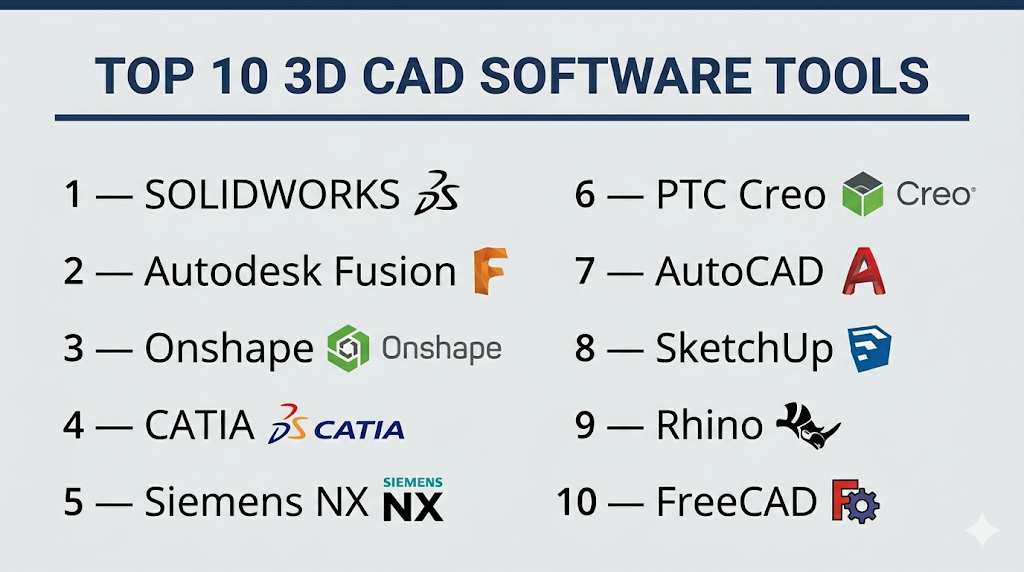
Top 10 3D CAD Software Tools
#1 — SOLIDWORKS
Short description: SOLIDWORKS is a widely used professional 3D CAD platform for mechanical design, product development, assemblies, drawings, simulation, and manufacturing workflows. It is especially strong for engineering teams, product designers, and manufacturers that need reliable parametric modeling and a large ecosystem.
Key Features
- Parametric part and assembly modeling for mechanical design.
- 2D drawing generation from 3D models.
- Large assembly support for complex products.
- Simulation, rendering, and product validation options.
- PDM and cloud collaboration capabilities through the broader SOLIDWORKS ecosystem.
- Sheet metal, weldments, mold design, routing, and manufacturing-focused workflows.
- Strong third-party ecosystem for CAM, simulation, data management, and add-ons.
Pros
- Mature and familiar interface for mechanical engineers.
- Strong ecosystem, training resources, and partner network.
- Excellent fit for SMB and mid-market manufacturing teams.
Cons
- Can become expensive when advanced modules are added.
- Best performance usually requires capable workstation hardware.
- Collaboration may require additional cloud or PDM configuration.
Platforms / Deployment
Windows / Cloud-enabled options / Hybrid depending on package and ecosystem setup.
Security & Compliance
SSO, access controls, secure file management, and cloud collaboration capabilities may be available depending on plan and deployment. Specific certifications vary by product and package.
Integrations & Ecosystem
SOLIDWORKS has one of the strongest ecosystems in mechanical CAD. It connects with PDM, PLM, CAM, simulation, rendering, 3D printing, and manufacturing systems through native tools and third-party partners.
- SOLIDWORKS PDM and cloud collaboration options.
- CAM and manufacturing add-ons.
- Simulation and validation tools.
- Export support for common CAD and manufacturing formats.
- Integration with the broader Dassault Systèmes ecosystem.
- Strong reseller, training, and implementation partner network.
Support & Community
SOLIDWORKS has extensive documentation, certification programs, reseller support, training partners, user forums, and a large professional community. Support quality may vary by reseller, region, and subscription package.
#2 — Autodesk Fusion
Short description: Autodesk Fusion is a cloud-connected 3D CAD, CAM, CAE, and PCB design platform for product development teams, startups, makers, and manufacturers. It combines modeling, simulation, manufacturing preparation, and collaboration in one connected environment.
Key Features
- Parametric, direct, freeform, and surface modeling.
- Integrated CAM for machining workflows.
- Simulation and generative design capabilities.
- Cloud project storage and collaboration.
- Electronics and PCB design support.
- Rendering, animation, and documentation tools.
- Strong integration with Autodesk’s design and manufacturing ecosystem.
Pros
- Broad CAD-to-manufacturing workflow in one platform.
- Good fit for startups, makers, product designers, and small manufacturers.
- Cloud-connected collaboration makes remote work easier.
Cons
- Requires adjustment for users coming from traditional desktop-only CAD.
- Advanced capabilities may depend on extensions or paid plans.
- Cloud dependence may not suit every regulated or offline workflow.
Platforms / Deployment
Windows / macOS / Web collaboration capabilities / Cloud-connected deployment.
Security & Compliance
Autodesk account administration, access management, and cloud security controls are available depending on plan. Specific compliance details vary by Autodesk service and customer agreement.
Integrations & Ecosystem
Fusion connects well with design, manufacturing, and Autodesk workflows. It is particularly useful where CAD, CAM, simulation, and electronics need to work together.
- Autodesk ecosystem integrations.
- CAM and CNC workflows.
- Electronics and PCB workflows.
- Common CAD file import/export.
- 3D printing and additive manufacturing workflows.
- API and extension capabilities.
Support & Community
Fusion has strong documentation, learning resources, community forums, tutorials, and Autodesk support options. It is also popular among educators, makers, and early-stage product teams.
#3 — Onshape
Short description: Onshape is a cloud-native 3D CAD and product development platform built for real-time collaboration, version control, and browser-based access. It is ideal for distributed engineering teams that want professional CAD without traditional file-based CAD management.
Key Features
- Full cloud-native CAD with browser-based access.
- Real-time collaboration and simultaneous editing.
- Built-in version control and branching.
- Product data management built into the platform.
- Works across web-connected devices.
- FeatureScript customization for custom modeling features.
- Strong permissions and team collaboration workflows.
Pros
- Excellent collaboration and version control.
- No traditional file check-in/check-out complexity.
- Works well for distributed teams, startups, and education.
Cons
- Requires internet access for the main workflow.
- Some users may need time to adapt from desktop CAD.
- Advanced enterprise capabilities depend on plan.
Platforms / Deployment
Web / Windows through browser / macOS through browser / Linux through browser / iOS / Android / Cloud.
Security & Compliance
Onshape offers cloud-based access control and administrative features. Enterprise security details such as SSO and audit controls may depend on plan. Specific certifications should be verified during procurement.
Integrations & Ecosystem
Onshape is designed around cloud collaboration and product development workflows. It supports integrations through its app ecosystem and APIs.
- Built-in cloud PDM.
- API and app integrations.
- Import/export for common CAD formats.
- Collaboration with suppliers and reviewers.
- Custom features through FeatureScript.
- Connections with simulation, rendering, and manufacturing partners.
Support & Community
Onshape has strong learning resources, documentation, webinars, forums, and education-focused content. Community strength is high among cloud CAD users and modern engineering teams.
#4 — CATIA
Short description: CATIA is an advanced enterprise-grade CAD, engineering, and systems design platform from Dassault Systèmes. It is widely associated with complex product design, aerospace, automotive, industrial equipment, advanced surfacing, and model-based engineering.
Key Features
- Advanced surface modeling and complex shape design.
- Large-scale assembly and systems engineering workflows.
- Mechanical, electrical, and multidisciplinary engineering support.
- Integration with the 3DEXPERIENCE platform.
- Strong capabilities for aerospace, automotive, and industrial design.
- Simulation and model-based engineering ecosystem.
- Support for enterprise collaboration and product lifecycle workflows.
Pros
- Excellent for complex, high-end engineering environments.
- Strong fit for aerospace, automotive, and regulated product development.
- Powerful surface modeling and systems design capabilities.
Cons
- Higher learning curve than many mid-market CAD tools.
- Enterprise implementation can be complex.
- Cost and administration may be heavy for small teams.
Platforms / Deployment
Windows / Cloud and platform-based options through 3DEXPERIENCE / Hybrid depending on configuration.
Security & Compliance
Enterprise access control, platform governance, and collaboration controls may be available through Dassault Systèmes environments. Specific compliance certifications vary by deployment and should be verified.
Integrations & Ecosystem
CATIA fits into a broad engineering and PLM ecosystem. It is especially valuable when CAD must connect with simulation, systems engineering, manufacturing, and lifecycle governance.
- 3DEXPERIENCE platform integration.
- PLM and lifecycle workflows.
- Simulation and systems engineering tools.
- Manufacturing and digital mockup workflows.
- Enterprise collaboration capabilities.
- Data exchange for complex CAD environments.
Support & Community
CATIA has enterprise support channels, partner-led implementation, training programs, documentation, and a strong presence in advanced engineering industries. Community support is strong but often more specialized than mainstream SMB tools.
#5 — Siemens NX
Short description: Siemens NX is a high-end CAD, CAM, and CAE platform for advanced product engineering. It is built for organizations that need deep design, simulation, manufacturing, and lifecycle integration in complex engineering environments.
Key Features
- Parametric and direct modeling.
- Advanced surfacing and complex assembly design.
- Integrated CAD, CAM, and CAE workflows.
- Design validation and manufacturability analysis.
- Strong support for enterprise product engineering.
- Integration with Siemens Teamcenter and broader Siemens ecosystem.
- Advanced tools for manufacturing, tooling, and digital product development.
Pros
- Strong end-to-end product engineering capability.
- Excellent for complex mechanical and manufacturing workflows.
- Deep integration with PLM and enterprise engineering systems.
Cons
- Steeper learning curve for new users.
- Enterprise cost and configuration can be significant.
- More than many small teams need.
Platforms / Deployment
Windows / Enterprise deployment / Hybrid depending on Siemens environment and configuration.
Security & Compliance
Enterprise access controls and governance are commonly handled through Siemens ecosystem tools such as PLM environments. Specific security and compliance details vary by deployment.
Integrations & Ecosystem
NX is designed for deep integration with enterprise product development systems. It is particularly strong where CAD, CAE, CAM, and PLM must operate as one connected workflow.
- Siemens Teamcenter integration.
- CAD/CAM/CAE workflow integration.
- Manufacturing and machining workflows.
- Digital twin and simulation ecosystem.
- Common CAD data exchange.
- Enterprise automation and process integration.
Support & Community
Siemens NX has enterprise-grade support, training, partner services, documentation, and professional implementation resources. Its community is strong in manufacturing, automotive, aerospace, and advanced engineering sectors.
#6 — PTC Creo
Short description: PTC Creo is a professional 3D CAD platform for product design, engineering, simulation, and manufacturing preparation. It is known for parametric modeling, direct modeling, generative design, real-time simulation, and integration with PTC’s PLM ecosystem.
Key Features
- Parametric and direct modeling workflows.
- Generative design and topology optimization capabilities.
- Real-time simulation and design validation.
- Additive and subtractive manufacturing support.
- Sheet metal, surfacing, cabling, and advanced assembly tools.
- Integration with PTC Windchill and enterprise product lifecycle workflows.
- Model-based definition and manufacturing documentation.
Pros
- Strong engineering depth for mechanical product design.
- Good fit for enterprises using PTC PLM workflows.
- Modern design exploration capabilities through simulation and generative design.
Cons
- Can require training for efficient use.
- Advanced capabilities may involve additional modules.
- May be more complex than needed for simple design teams.
Platforms / Deployment
Windows / Enterprise deployment / Hybrid through connected PTC ecosystem.
Security & Compliance
Security and governance capabilities may be available through PTC’s enterprise ecosystem, including PLM and access control workflows. Specific certifications vary by product and deployment.
Integrations & Ecosystem
Creo is strongest when paired with PTC’s lifecycle, simulation, manufacturing, and connected product ecosystem. It supports engineering workflows from early design to production readiness.
- PTC Windchill integration.
- Simulation and generative design modules.
- Manufacturing and additive workflows.
- CAD data exchange.
- Model-based definition workflows.
- Enterprise product development integration.
Support & Community
PTC provides documentation, enterprise support, training, partner services, and professional implementation resources. Creo also has a long-standing engineering user base and strong enterprise adoption.
#7 — AutoCAD
Short description: AutoCAD is a widely recognized CAD platform used for 2D drafting and 3D design across architecture, engineering, construction, manufacturing, and technical documentation. While not always the deepest mechanical 3D modeler, it remains highly important for drafting, layouts, and DWG-based workflows.
Key Features
- Precise 2D drafting and technical documentation.
- 3D modeling tools for solids, surfaces, and meshes.
- DWG-based workflows and broad file compatibility.
- Industry toolsets depending on plan.
- Automation through scripts, macros, and APIs.
- Annotation, dimensioning, layout, and plotting tools.
- Strong ecosystem for architecture, engineering, and construction documentation.
Pros
- Industry-standard drafting tool with broad recognition.
- Strong DWG compatibility and documentation workflows.
- Flexible across many technical disciplines.
Cons
- Not as specialized for advanced mechanical assemblies as dedicated MCAD tools.
- 3D workflows may feel less modern than product-focused CAD platforms.
- Can require customization for specialized workflows.
Platforms / Deployment
Windows / macOS / Web / Mobile / Cloud-connected options.
Security & Compliance
Autodesk account management, SSO options, admin controls, and cloud security capabilities may be available depending on plan and organization setup. Specific compliance details vary.
Integrations & Ecosystem
AutoCAD has a very broad ecosystem because DWG workflows are deeply embedded across industries. It integrates with Autodesk tools, third-party plugins, documentation workflows, and automation systems.
- Autodesk ecosystem integrations.
- DWG, DXF, and common CAD exchange.
- APIs and scripting support.
- Industry-specific toolsets.
- Cloud storage and review workflows.
- Integration with construction and design documentation processes.
Support & Community
AutoCAD has extensive documentation, tutorials, certification paths, training providers, forums, and a massive professional user community. Support options depend on Autodesk plan and reseller arrangements.
#8 — SketchUp
Short description: SketchUp is an intuitive 3D modeling platform popular with architects, interior designers, builders, planners, and creative professionals. It is not the deepest mechanical CAD system, but it is excellent for fast conceptual modeling, spatial design, and presentation-ready 3D work.
Key Features
- Easy-to-learn 3D modeling interface.
- Strong conceptual design and architectural modeling workflows.
- Web and desktop modeling options depending on plan.
- 3D Warehouse for reusable models.
- Layout and documentation features in professional plans.
- Extension ecosystem for rendering, analysis, and productivity.
- Useful for architecture, interiors, construction planning, and visualization.
Pros
- Very approachable for non-CAD specialists.
- Fast for early-stage design and client communication.
- Strong ecosystem for architecture and visualization.
Cons
- Not ideal for advanced mechanical parametric design.
- Complex precision engineering workflows may require another CAD tool.
- Extension dependence can increase workflow complexity.
Platforms / Deployment
Web / Windows / macOS / Cloud-connected options.
Security & Compliance
Account and cloud storage controls vary by plan. Enterprise security and compliance details should be verified for larger deployments.
Integrations & Ecosystem
SketchUp has a strong design ecosystem, especially in architecture, interiors, rendering, and construction visualization. Its value often increases through extensions and model libraries.
- 3D Warehouse.
- Extension Warehouse.
- Rendering plugins.
- DWG/DXF and common design file workflows depending on plan.
- Integration with Trimble Connect.
- Layout documentation workflows.
Support & Community
SketchUp has strong documentation, learning content, forums, tutorials, and a large creative user community. It is especially accessible for beginners and design professionals outside heavy engineering.
#9 — Rhino
Short description: Rhino is a powerful 3D modeling and CAD tool known for NURBS modeling, advanced surface design, freeform shapes, and design flexibility. It is popular in industrial design, architecture, jewelry, marine design, product concepting, and computational design.
Key Features
- NURBS curve, surface, and solid modeling.
- SubD, mesh, point cloud, and freeform geometry workflows.
- Grasshopper visual programming for computational design.
- Strong file import/export compatibility.
- Precision modeling for complex shapes.
- Rendering, drafting, and documentation tools.
- Large plugin ecosystem for architecture, fabrication, and design automation.
Pros
- Excellent for complex surfaces and creative design exploration.
- Strong computational design workflow through Grasshopper.
- Flexible across architecture, product design, jewelry, and fabrication.
Cons
- Parametric mechanical assembly workflows are not its strongest area.
- Requires discipline for engineering-style model management.
- Some workflows depend on plugins.
Platforms / Deployment
Windows / macOS / Local desktop deployment.
Security & Compliance
Not publicly stated.
Integrations & Ecosystem
Rhino’s ecosystem is broad and flexible. It is particularly strong where design teams need interoperability, computational design, fabrication workflows, and plugin-based customization.
- Grasshopper visual scripting.
- Rendering and visualization plugins.
- Architecture and BIM workflow plugins.
- Fabrication and CNC workflows.
- Broad CAD file import/export.
- Custom scripting and automation options.
Support & Community
Rhino has strong documentation, active forums, training resources, and a passionate global community. Grasshopper also has a large ecosystem of tutorials, plugins, and design automation resources.
#10 — FreeCAD
Short description: FreeCAD is a free, open-source parametric 3D CAD modeler for designing real-world objects, mechanical parts, prototypes, and engineering models. It is a strong option for learners, hobbyists, makers, open-source teams, and budget-conscious technical users.
Key Features
- Open-source parametric modeling.
- Part design and assembly-related workflows.
- Sketch-based modeling and constraint tools.
- Addon manager for community modules.
- Support for mechanical design, BIM, FEM, and CAM-related workflows.
- Python scripting and customization.
- Cross-platform availability.
Pros
- Free and open-source with strong flexibility.
- Good for learning parametric CAD concepts.
- Extensible through community add-ons and Python scripting.
Cons
- Interface and workflow can feel less polished than commercial tools.
- Assembly and enterprise collaboration workflows may require add-ons or workarounds.
- Support depends heavily on community resources.
Platforms / Deployment
Windows / macOS / Linux / Local desktop deployment / Open-source.
Security & Compliance
Not publicly stated.
Integrations & Ecosystem
FreeCAD is extensible and community-driven. It supports many CAD and manufacturing-adjacent workflows, especially for users comfortable with open-source tools and customization.
- Python scripting.
- Community workbenches and add-ons.
- STEP, STL, DXF, and common file workflows.
- FEM and CAM-related extensions.
- Open-source development ecosystem.
- Useful for 3D printing and maker workflows.
Support & Community
FreeCAD has active community documentation, forums, tutorials, GitHub development activity, and user-contributed workbenches. Formal vendor-style support is not the main model.
Comparison Table: Top 10 3D CAD Software
| Tool Name | Best For | Platform(s) Supported | Deployment | Standout Feature | Public Rating |
|---|---|---|---|---|---|
| SOLIDWORKS | Mechanical design and manufacturing teams | Windows, cloud-enabled options | Hybrid | Mature mechanical CAD ecosystem | N/A |
| Autodesk Fusion | Startups, makers, product teams, CAD/CAM users | Windows, macOS, cloud-connected | Cloud-connected | CAD, CAM, CAE, and electronics in one platform | N/A |
| Onshape | Distributed engineering teams | Web, iOS, Android | Cloud | Real-time collaboration and built-in version control | N/A |
| CATIA | Aerospace, automotive, and complex enterprise engineering | Windows, platform-based options | Hybrid | Advanced surfacing and systems engineering | N/A |
| Siemens NX | Enterprise product engineering and manufacturing | Windows, enterprise environments | Hybrid | Integrated CAD/CAM/CAE workflows | N/A |
| PTC Creo | Mechanical engineering and PLM-connected teams | Windows | Hybrid | Generative design and real-time simulation capabilities | N/A |
| AutoCAD | 2D drafting and general CAD documentation | Windows, macOS, web, mobile | Cloud-connected | DWG-based drafting standard | N/A |
| SketchUp | Architecture, interiors, and conceptual 3D design | Web, Windows, macOS | Cloud-connected | Fast, intuitive conceptual modeling | N/A |
| Rhino | Surface modeling and computational design | Windows, macOS | Local desktop | NURBS modeling and Grasshopper ecosystem | N/A |
| FreeCAD | Open-source CAD, learning, makers, budget users | Windows, macOS, Linux | Local desktop | Free open-source parametric modeling | N/A |
Evaluation & Scoring of 3D CAD Software
| Tool Name | Core (25%) | Ease (15%) | Integrations (15%) | Security (10%) | Performance (10%) | Support (10%) | Value (15%) | Weighted Total (0–10) |
|---|---|---|---|---|---|---|---|---|
| SOLIDWORKS | 9.3 | 8.0 | 9.0 | 8.0 | 8.7 | 9.0 | 7.8 | 8.6 |
| Autodesk Fusion | 8.7 | 8.5 | 8.6 | 8.0 | 8.2 | 8.3 | 8.6 | 8.5 |
| Onshape | 8.4 | 8.8 | 8.2 | 8.2 | 8.4 | 8.2 | 8.4 | 8.4 |
| CATIA | 9.8 | 6.8 | 9.2 | 8.5 | 9.2 | 8.7 | 7.0 | 8.6 |
| Siemens NX | 9.7 | 7.0 | 9.3 | 8.5 | 9.4 | 8.7 | 7.2 | 8.7 |
| PTC Creo | 9.1 | 7.3 | 8.7 | 8.2 | 8.8 | 8.3 | 7.6 | 8.4 |
| AutoCAD | 7.7 | 8.0 | 8.8 | 8.0 | 8.2 | 9.0 | 7.7 | 8.1 |
| SketchUp | 6.8 | 9.4 | 7.8 | 7.2 | 7.7 | 8.4 | 8.2 | 7.9 |
| Rhino | 8.0 | 7.8 | 8.7 | 6.8 | 8.2 | 8.3 | 8.5 | 8.1 |
| FreeCAD | 6.9 | 6.8 | 7.0 | 6.2 | 7.0 | 7.2 | 9.5 | 7.2 |
These scores are comparative, not absolute. A high score does not mean the tool is best for every organization. Enterprise platforms score strongly on depth and integration, while simpler or open-source tools may score better for accessibility and value. Buyers should treat the table as a shortlist guide, then validate with real projects, file compatibility tests, user feedback, and security review.
Which 3D CAD Software Tool Is Right for You?
Solo / Freelancer
Freelancers usually need fast onboarding, predictable cost, good file compatibility, and enough modeling depth for client work. Autodesk Fusion is a strong choice for product designers, makers, and freelancers who need CAD, CAM, and cloud collaboration together. SketchUp is better for architects, interiors, and conceptual spatial design. Rhino is excellent for industrial designers, jewelry designers, and surface-heavy work. FreeCAD is a good option if budget is the top priority and you are comfortable with open-source workflows.
SMB
Small and mid-sized businesses often need a balance of professional features, team collaboration, support, and manageable cost. SOLIDWORKS is a strong fit for mechanical product design and manufacturing teams. Autodesk Fusion works well for smaller product development teams that want integrated design and manufacturing workflows. Onshape is especially attractive for SMBs with remote teams because version control and collaboration are built in.
Mid-Market
Mid-market teams usually need stronger governance, repeatable workflows, supplier collaboration, and data management. SOLIDWORKS with PDM or cloud services is a practical choice for many mechanical design teams. Onshape can reduce file management complexity for distributed teams. PTC Creo becomes attractive when engineering depth, simulation, and PLM alignment matter. AutoCAD remains useful when documentation, layouts, and DWG workflows are central.
Enterprise
Enterprises should focus on scalability, security, PLM integration, supplier collaboration, model-based engineering, and long-term data governance. CATIA is a top option for aerospace, automotive, and complex systems engineering. Siemens NX is strong for integrated CAD, CAM, CAE, and manufacturing-heavy organizations. PTC Creo is a strong enterprise choice where PTC Windchill and product lifecycle workflows are important. SOLIDWORKS can also work well in enterprise departments, especially where mechanical design teams already rely on its ecosystem.
Budget vs Premium
If budget is limited, FreeCAD offers the best cost advantage, while Autodesk Fusion and SketchUp may provide accessible entry points depending on plan and use case. Premium tools such as CATIA, Siemens NX, and PTC Creo are better justified when the design complexity, compliance requirements, manufacturing integration, and enterprise governance needs are high.
Feature Depth vs Ease of Use
For maximum engineering depth, shortlist Siemens NX, CATIA, PTC Creo, and SOLIDWORKS. For easier onboarding, consider SketchUp, Autodesk Fusion, and Onshape. For surface-heavy creative modeling, Rhino is often more flexible than traditional mechanical CAD. The right choice depends on whether your team values deep control or faster adoption.
Integrations & Scalability
For CAD-to-manufacturing workflows, Autodesk Fusion, SOLIDWORKS, Siemens NX, and PTC Creo are strong candidates. For PLM-heavy enterprise workflows, consider CATIA, Siemens NX, and PTC Creo. For cloud collaboration and version control, Onshape stands out. For architecture and visualization ecosystems, SketchUp and Rhino are highly practical.
Security & Compliance Needs
If your organization designs sensitive intellectual property, regulated products, medical devices, aerospace parts, or defense-related components, security review should happen before purchase. Evaluate SSO, MFA, RBAC, audit logs, encryption, data residency, access control, supplier permissions, backup policies, and admin reporting. Enterprise-grade tools may offer stronger governance, but actual controls depend on deployment, plan, and contract.
Frequently Asked Questions
1. What is 3D CAD software used for?
3D CAD software is used to create precise digital models of products, parts, buildings, machines, tools, and assemblies. Teams use it for design, engineering validation, documentation, manufacturing preparation, and prototyping.
2. Which 3D CAD software is best for beginners?
SketchUp, Autodesk Fusion, and Onshape are often easier for beginners compared with high-end enterprise CAD systems. FreeCAD is also useful for learners, but its interface may require more patience.
3. Which 3D CAD software is best for mechanical engineering?
SOLIDWORKS, Siemens NX, PTC Creo, CATIA, and Autodesk Fusion are strong options for mechanical engineering. The best choice depends on assembly complexity, manufacturing needs, PLM integration, and team skill level.
4. Is cloud CAD better than desktop CAD?
Cloud CAD is better for collaboration, version control, remote access, and simplified IT management. Desktop CAD may be better for offline work, workstation-heavy performance, and organizations with strict local data requirements.
5. What pricing models are common for 3D CAD software?
Most commercial CAD platforms use subscription pricing, while some may offer perpetual or enterprise licensing depending on region and plan. Open-source tools like FreeCAD are free, but support and productivity costs should still be considered.
6. What common mistakes do buyers make when choosing CAD software?
Common mistakes include focusing only on license price, ignoring file compatibility, skipping pilot testing, underestimating training needs, and failing to evaluate PDM, collaboration, and security requirements early.
7. How important is file compatibility in 3D CAD?
File compatibility is very important because design teams often exchange models with suppliers, customers, manufacturers, and simulation teams. Buyers should test STEP, IGES, STL, DXF, DWG, and native file workflows before committing.
8. Can 3D CAD software support 3D printing?
Yes, many 3D CAD tools support 3D printing workflows through STL, 3MF, mesh tools, export settings, and additive manufacturing preparation. However, print validation and slicing may require dedicated tools.
9. Which CAD tool is best for architecture?
SketchUp, AutoCAD, Rhino, and certain Autodesk or BIM-focused tools are commonly used in architecture and spatial design. For architecture-specific BIM workflows, a dedicated BIM platform may be better than general 3D CAD.
10. How long does onboarding usually take?
Simple tools can be learned for basic work within days or weeks, while professional mechanical CAD may take weeks or months to use confidently. Enterprise CAD platforms often require structured training and workflow planning.
Conclusion
The best 3D CAD software depends on your design complexity, team size, industry, collaboration needs, manufacturing workflow, budget, and security expectations. SOLIDWORKS remains a strong choice for professional mechanical design, Autodesk Fusion is practical for connected CAD/CAM workflows, and Onshape is excellent for cloud-native collaboration. CATIA, Siemens NX, and PTC Creo are powerful enterprise options for advanced engineering, while AutoCAD, SketchUp, Rhino, and FreeCAD serve important use cases across drafting, architecture, surface modeling, and open-source design.
