Upgrade & Secure Your Future with DevOps, SRE, DevSecOps, MLOps!
We spend hours scrolling social media and waste money on things we forget, but won’t spend 30 minutes a day earning certifications that can change our lives.
Master in DevOps, SRE, DevSecOps & MLOps by DevOps School!
Learn from Guru Rajesh Kumar and double your salary in just one year.
Introduction
HRIS Platforms, or Human Resource Information System Platforms, help companies manage employee data, HR workflows, payroll-related records, onboarding, time tracking, compliance, performance, benefits, reporting, and workforce planning from one central system. In simple words, an HRIS becomes the main digital record for people operations.
For modern organizations, HRIS software is no longer just an admin tool. It helps HR teams reduce manual work, improve employee experience, maintain cleaner data, and support better decisions across hiring, payroll, compliance, engagement, and workforce planning. As companies manage hybrid teams, global hiring, stricter compliance, and fast-changing employee expectations, the need for reliable HRIS platforms continues to grow.
Common real-world use cases include employee database management, onboarding automation, leave and attendance tracking, payroll data preparation, compliance reporting, employee self-service, org charts, analytics, and integration with finance, IT, recruiting, and learning systems.
Buyers should evaluate:
- Core HR data management
- Payroll and benefits support
- Onboarding and offboarding workflows
- Time, leave, and attendance features
- Reporting and analytics
- Integration ecosystem
- Security and access control
- Employee self-service experience
- Scalability across locations
- Implementation effort and support quality
Best for: HR teams, people operations leaders, founders, finance teams, IT teams, and growing companies that need a structured system to manage employee data, processes, and compliance. HRIS platforms are especially useful for SMBs, mid-market companies, enterprises, and distributed teams.
Not ideal for: Very small teams with only a few employees and simple HR needs may not need a full HRIS immediately. In some cases, spreadsheets, payroll-only tools, or basic HR apps may be enough until employee count, compliance needs, and HR workflows become more complex.
Key Trends in HRIS Platforms
AI-assisted HR workflows: HRIS platforms are increasingly using AI for employee search, policy answers, workflow suggestions, workforce insights, and automated admin support.
- Employee self-service as default: Employees now expect to update personal details, download documents, request leave, view policies, and complete onboarding tasks without depending on HR for every small request.
- Global workforce support: More companies are hiring across regions, so HRIS platforms are improving support for multi-country employee records, local compliance, payroll coordination, and global contractor management.
- Integrated HR, payroll, IT, and finance workflows: HRIS platforms are becoming part of broader workforce operating systems where employee data connects with payroll, identity access, device management, expenses, and finance approvals.
- Stronger security expectations: Buyers now expect role-based access control, audit logs, SSO, MFA, encryption, and strict data permissions because HR systems store sensitive personal and payroll-related data.
- People analytics and workforce planning: HR leaders want more than static reports. They need dashboards for headcount, turnover, hiring pipeline, compensation planning, engagement, and workforce cost visibility.
- Flexible pricing models: Many platforms offer modular pricing based on employee count, selected features, payroll add-ons, support levels, or geographic coverage.
- Better integrations: Modern HRIS platforms are expected to connect with ATS, payroll, learning management, identity management, accounting, productivity tools, benefits providers, and data warehouses.
- Mobile-first HR experience: Employees and managers increasingly expect mobile access for approvals, schedules, documents, time-off requests, and notifications.
- Compliance automation: HRIS platforms are adding better tools for document management, policy acknowledgement, leave rules, audit trails, and employee lifecycle compliance.
How We Selected These Tools
The following HRIS platforms were selected using practical buyer-focused evaluation logic:
- Market adoption and mindshare: Tools widely recognized by HR, payroll, people operations, and enterprise technology teams were prioritized.
- Feature completeness: Platforms with strong coverage across core HR, employee records, workflows, reporting, payroll support, onboarding, and integrations received stronger consideration.
- Segment fit: The list includes options for SMBs, mid-market companies, global teams, and large enterprises.
- Reliability and scalability signals: Platforms known for serving growing or complex organizations were given priority.
- Security posture: Tools with visible enterprise-grade security patterns such as access controls, SSO, permissions, and audit capabilities were considered stronger.
- Integration ecosystem: Platforms with strong connectivity to payroll, ATS, finance, identity, productivity, and learning tools were favored.
- Employee experience: Ease of use, self-service, mobile support, and manager workflows were considered important.
- Implementation flexibility: Tools were assessed based on whether they are better suited for quick rollout, structured enterprise implementation, or modular expansion.
- Global and compliance needs: Platforms supporting multi-location or international workforce management were included where relevant.
- Balanced category coverage: The final list includes enterprise HCM suites, SMB-friendly HRIS tools, global HR platforms, and modern workforce management systems.
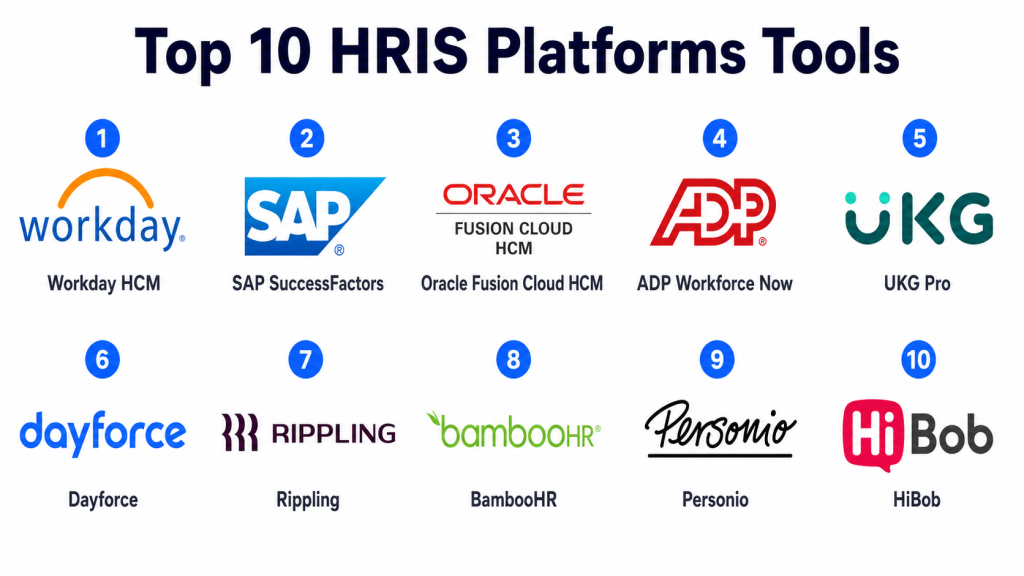
Top 10 HRIS Platforms Tools
#1 — Workday HCM
Short description: Workday HCM is an enterprise-grade human capital management platform built for large and complex organizations. It supports core HR, workforce planning, talent management, reporting, compensation, and broader people operations.
Key Features
- Core HR and employee data management
- Workforce planning and analytics
- Talent, performance, and compensation management
- Manager and employee self-service workflows
- Global organization and workforce visibility
- Strong reporting and dashboard capabilities
- Broad enterprise ecosystem
Pros
- Strong fit for large enterprises with complex HR structures.
- Deep analytics and workforce planning capabilities.
- Broad HCM coverage beyond basic HR records.
Cons
- Implementation can be complex and resource-heavy.
- May be more than what smaller companies need.
- Configuration and administration usually require trained internal owners.
Platforms / Deployment
Web / iOS / Android
Cloud
Security & Compliance
Workday is commonly used in enterprise environments and supports enterprise security patterns such as role-based access, auditability, and identity integrations. Specific certifications and controls should be validated directly during procurement.
SOC 2 / ISO 27001 / GDPR / HIPAA: Not publicly stated here.
Integrations & Ecosystem
Workday has a broad enterprise ecosystem and is often integrated with finance, payroll, identity, recruiting, learning, analytics, and workforce planning systems.
- Payroll and finance systems
- Identity and access management tools
- Learning platforms
- Recruiting and ATS systems
- Data warehouses and analytics tools
- Benefits and workforce planning tools
Support & Community
Workday typically supports enterprise customers through implementation partners, documentation, customer success programs, and professional services. Community and partner ecosystem strength is high, but support experience can vary by contract and implementation model.
#2 — SAP SuccessFactors
Short description: SAP SuccessFactors is a cloud-based HCM suite designed for enterprises and large organizations. It supports core HR, employee experience, performance, learning, recruiting, workforce analytics, and global HR processes.
Key Features
- Core HR and employee profile management
- Talent management and succession planning
- Learning and performance management
- Recruiting and onboarding workflows
- Workforce analytics and planning
- Global HR process support
- Strong connection with SAP enterprise ecosystem
Pros
- Strong option for organizations already using SAP systems.
- Good depth across talent, learning, performance, and HR operations.
- Suitable for complex global workforce environments.
Cons
- Can feel complex for smaller teams.
- Implementation and customization may require specialist support.
- User experience depends heavily on configuration quality.
Platforms / Deployment
Web / iOS / Android
Cloud
Security & Compliance
SAP SuccessFactors supports enterprise access control and compliance-oriented HR workflows. Specific security certifications and compliance coverage should be confirmed during vendor review.
SOC 2 / ISO 27001 / GDPR / HIPAA: Not publicly stated here.
Integrations & Ecosystem
SAP SuccessFactors connects well with SAP ERP, finance, payroll, learning, and workforce systems. It is commonly used as part of a broader enterprise technology landscape.
- SAP ERP and finance systems
- Payroll platforms
- Learning tools
- Recruiting tools
- Identity management platforms
- Analytics and reporting systems
Support & Community
SAP has a large global support, partner, and consulting ecosystem. Support quality depends on licensing, service tier, region, and implementation partner.
#3 — Oracle Fusion Cloud HCM
Short description: Oracle Fusion Cloud HCM is an enterprise HR platform built for organizations that need strong HR, talent, payroll, workforce management, analytics, and enterprise-grade process control.
Key Features
- Core HR and employee lifecycle management
- Workforce management and absence tracking
- Talent, learning, and performance modules
- Payroll and compensation support
- HR help desk and employee experience features
- Workforce analytics and reporting
- Strong enterprise system connectivity
Pros
- Strong fit for large companies using Oracle ecosystem.
- Broad HCM coverage across HR, payroll, talent, and workforce management.
- Good for organizations needing structured governance and reporting.
Cons
- Can require careful implementation planning.
- May be complex for small and simple HR teams.
- Configuration choices can affect usability.
Platforms / Deployment
Web / iOS / Android
Cloud
Security & Compliance
Oracle Fusion Cloud HCM supports enterprise security controls, access management, and compliance-focused workflows. Buyers should validate exact compliance certifications based on region and deployment needs.
SOC 2 / ISO 27001 / GDPR / HIPAA: Not publicly stated here.
Integrations & Ecosystem
Oracle Fusion Cloud HCM integrates strongly with Oracle ERP, finance, payroll, analytics, identity, and enterprise applications.
- Oracle ERP and finance tools
- Payroll and benefits systems
- Identity and access tools
- Analytics platforms
- Recruiting and learning systems
- Enterprise workflow tools
Support & Community
Oracle provides enterprise documentation, implementation resources, support tiers, and a large partner ecosystem. The support experience may vary depending on contract, region, and partner involvement.
#4 — ADP Workforce Now
Short description: ADP Workforce Now is a widely used HR, payroll, benefits, time, talent, and compliance platform for small and mid-sized businesses as well as growing organizations.
Key Features
- Core HR and employee records
- Payroll processing support
- Benefits administration
- Time and attendance tracking
- Talent management features
- Compliance-related HR tools
- Reporting and analytics
Pros
- Strong payroll and HR administration capabilities.
- Good fit for companies that want HR and payroll in one system.
- Recognized vendor with broad market presence.
Cons
- Some advanced workflows may require add-ons or configuration.
- User experience can vary by module and setup.
- Pricing may depend heavily on selected services.
Platforms / Deployment
Web / iOS / Android
Cloud
Security & Compliance
ADP Workforce Now supports common HR security needs such as permissions, account controls, and payroll-sensitive data handling. Exact certifications and compliance details should be confirmed during evaluation.
SOC 2 / ISO 27001 / GDPR / HIPAA: Not publicly stated here.
Integrations & Ecosystem
ADP has a strong payroll and HR ecosystem, with integrations across accounting, benefits, time tracking, retirement, recruiting, and business software.
- Accounting platforms
- Benefits providers
- Time and attendance systems
- Recruiting tools
- Retirement and insurance providers
- HR reporting tools
Support & Community
ADP offers customer support, documentation, service teams, and implementation assistance. Support quality may depend on package, region, and account size.
#5 — UKG Pro
Short description: UKG Pro is a human capital management platform focused on HR, payroll, workforce management, talent, employee experience, and people analytics. It is often used by mid-market and enterprise organizations.
Key Features
- Core HR and employee records
- Payroll and tax support
- Workforce management and scheduling
- Talent and performance management
- Employee engagement tools
- Reporting and people analytics
- Mobile employee access
Pros
- Strong workforce management and payroll capabilities.
- Good fit for organizations with hourly, shift-based, or distributed teams.
- Broad HCM coverage for mid-sized and large companies.
Cons
- May need structured implementation support.
- Advanced configuration can take time.
- Smaller teams may find it more complex than needed.
Platforms / Deployment
Web / iOS / Android
Cloud
Security & Compliance
UKG Pro supports enterprise HR security practices such as access controls, user permissions, and audit-friendly workflows. Specific certifications should be confirmed directly during procurement.
SOC 2 / ISO 27001 / GDPR / HIPAA: Not publicly stated here.
Integrations & Ecosystem
UKG Pro connects with payroll, benefits, scheduling, analytics, recruiting, learning, and workforce tools. It is commonly used in environments where workforce management is a key requirement.
- Payroll and benefits systems
- Scheduling tools
- Recruiting systems
- Learning platforms
- Time and attendance devices
- Analytics and reporting tools
Support & Community
UKG provides product documentation, customer support, implementation resources, and customer community options. Support experience can vary by plan and organization size.
#6 — Dayforce
Short description: Dayforce is a unified HCM platform covering HR, payroll, workforce management, benefits, talent, and analytics. It is often selected by organizations that need strong payroll and workforce management in one platform.
Key Features
- Core HR data management
- Payroll and tax support
- Workforce scheduling and time tracking
- Benefits administration
- Talent management features
- Compliance-oriented workflows
- Workforce analytics and reporting
Pros
- Strong for companies with complex payroll and workforce management needs.
- Unified data model can reduce duplicate HR and payroll records.
- Good fit for mid-market and enterprise teams.
Cons
- Implementation can require planning and internal ownership.
- Some workflows may feel complex for smaller organizations.
- Pricing and modules can vary by requirement.
Platforms / Deployment
Web / iOS / Android
Cloud
Security & Compliance
Dayforce supports enterprise HR access control and payroll-sensitive data handling. Exact compliance certifications should be confirmed in the vendor security review.
SOC 2 / ISO 27001 / GDPR / HIPAA: Not publicly stated here.
Integrations & Ecosystem
Dayforce integrates with HR, payroll, benefits, time, talent, finance, and workforce systems. It is commonly used where payroll accuracy and workforce planning are central.
- Payroll and tax systems
- Benefits platforms
- Time clocks and attendance tools
- Recruiting systems
- Finance and accounting tools
- Analytics platforms
Support & Community
Dayforce offers documentation, support resources, implementation services, and customer success options. Support depth may vary by customer size and plan.
#7 — Rippling
Short description: Rippling is a modern workforce management platform that combines HR, payroll, IT, identity, devices, apps, and finance workflows. It is especially useful for companies that want employee data to trigger actions across multiple business systems.
Key Features
- Core HR and employee records
- Payroll and benefits support
- Onboarding and offboarding automation
- App and device management support
- Identity and access workflows
- Workflow automation
- Strong integration marketplace
Pros
- Strong automation across HR, IT, and finance workflows.
- Useful for fast-growing and distributed teams.
- Modern interface and strong system connectivity.
Cons
- Broad platform scope may feel too large for simple HR needs.
- Some features may depend on additional modules.
- Requires careful setup to get full value from automation.
Platforms / Deployment
Web / iOS / Android
Cloud
Security & Compliance
Rippling supports modern access control, permissions, identity-related workflows, and security-focused administration. Specific certifications and compliance coverage should be validated during buyer review.
SOC 2 / ISO 27001 / GDPR / HIPAA: Not publicly stated here.
Integrations & Ecosystem
Rippling has a strong ecosystem across HR, payroll, IT, finance, identity, and productivity systems. It is designed for workflow automation across departments.
- Payroll and benefits tools
- Identity and access platforms
- Device management systems
- Productivity tools
- Finance and expense tools
- Recruiting and onboarding apps
Support & Community
Rippling provides onboarding support, product documentation, and customer support options. Community strength is growing, and support experience may depend on package and customer size.
#8 — BambooHR
Short description: BambooHR is an HRIS platform designed mainly for small and mid-sized businesses that want a clean, employee-friendly system for core HR, onboarding, employee records, time off, performance, and reporting.
Key Features
- Employee database management
- Onboarding and offboarding workflows
- Time-off tracking
- Employee self-service
- Performance management features
- HR reporting and analytics
- Mobile access
Pros
- Simple and user-friendly for HR teams and employees.
- Good fit for SMBs moving away from spreadsheets.
- Strong core HR and employee experience focus.
Cons
- May not fit very complex enterprise requirements.
- Some payroll or advanced features may depend on region or add-ons.
- Less suitable for companies needing deep workforce management.
Platforms / Deployment
Web / iOS / Android
Cloud
Security & Compliance
BambooHR supports common HR security needs such as access permissions and employee data controls. Buyers should verify exact compliance certifications and regional requirements.
SOC 2 / ISO 27001 / GDPR / HIPAA: Not publicly stated here.
Integrations & Ecosystem
BambooHR integrates with payroll, recruiting, benefits, learning, performance, and productivity tools. Its ecosystem is useful for SMBs that want a simple HR core connected to other systems.
- Payroll platforms
- ATS and recruiting tools
- Benefits providers
- Performance management apps
- Learning tools
- Productivity platforms
Support & Community
BambooHR is known for accessible documentation and customer support for SMB HR teams. Support tiers and onboarding depth may vary by plan.
#9 — Personio
Short description: Personio is an HR platform built mainly for small and mid-sized companies, especially in European markets. It supports core HR, recruiting, onboarding, payroll-related workflows, time tracking, performance, and people operations.
Key Features
- Core HR employee records
- Recruiting and applicant tracking
- Onboarding workflows
- Time tracking and absence management
- Performance and development support
- Payroll-related data workflows
- HR reporting and analytics
Pros
- Strong fit for European SMB and mid-market companies.
- Combines HR, recruiting, and people workflows in one system.
- Useful for teams that need structured HR processes without heavy enterprise complexity.
Cons
- May not be ideal for very large global enterprises.
- Regional payroll and compliance fit should be checked carefully.
- Advanced customization may be limited compared with enterprise suites.
Platforms / Deployment
Web / iOS / Android
Cloud
Security & Compliance
Personio supports HR data security, user permissions, and compliance-oriented workflows. Exact certifications and country-specific compliance capabilities should be validated during selection.
SOC 2 / ISO 27001 / GDPR / HIPAA: Not publicly stated here.
Integrations & Ecosystem
Personio connects with recruiting, payroll, productivity, identity, learning, and analytics tools. It is useful for companies that want HR workflows to connect across the employee lifecycle.
- Recruiting platforms
- Payroll and accounting tools
- Productivity systems
- Identity management tools
- Learning tools
- Analytics platforms
Support & Community
Personio provides documentation, onboarding support, and customer service options. Community and partner strength may vary by region and customer segment.
#10 — HiBob
Short description: HiBob, also known as Bob, is a modern HR platform focused on employee experience, culture, engagement, people analytics, onboarding, and core HR for growing companies and distributed teams.
Key Features
- Core HR and employee profiles
- Onboarding and lifecycle workflows
- Employee engagement features
- People analytics and dashboards
- Performance and compensation support
- Time-off and attendance workflows
- Culture and team visibility tools
Pros
- Strong employee experience and engagement focus.
- Good fit for modern, distributed, and fast-growing teams.
- Clean interface with people analytics capabilities.
Cons
- May not be the best fit for organizations needing deep payroll-first functionality.
- Some advanced features may depend on plan or configuration.
- Enterprise-level complexity should be evaluated carefully.
Platforms / Deployment
Web / iOS / Android
Cloud
Security & Compliance
HiBob supports common HR security features such as permissions, access controls, and employee data management. Specific certifications and compliance details should be confirmed during vendor review.
SOC 2 / ISO 27001 / GDPR / HIPAA: Not publicly stated here.
Integrations & Ecosystem
HiBob integrates with HR, payroll, productivity, identity, finance, performance, and collaboration tools. Its ecosystem is useful for people teams that prioritize culture and employee engagement.
- Payroll systems
- Productivity and collaboration tools
- Identity providers
- Performance management tools
- Finance and expense tools
- Analytics platforms
Support & Community
HiBob provides customer support, onboarding resources, documentation, and customer success options. Support depth may vary by contract and company size.
Comparison Table
| Tool Name | Best For | Platform(s) Supported | Deployment | Standout Feature | Public Rating |
|---|---|---|---|---|---|
| Workday HCM | Large enterprises and complex global HR teams | Web, iOS, Android | Cloud | Enterprise workforce planning and analytics | N/A |
| SAP SuccessFactors | SAP-centered enterprise HR environments | Web, iOS, Android | Cloud | Strong talent, learning, and global HR suite | N/A |
| Oracle Fusion Cloud HCM | Large organizations using Oracle ecosystem | Web, iOS, Android | Cloud | Broad HCM and enterprise process control | N/A |
| ADP Workforce Now | SMB and mid-market HR plus payroll needs | Web, iOS, Android | Cloud | Payroll and HR administration strength | N/A |
| UKG Pro | Workforce-heavy mid-market and enterprise teams | Web, iOS, Android | Cloud | Workforce management and payroll depth | N/A |
| Dayforce | Complex payroll and workforce management | Web, iOS, Android | Cloud | Unified HR, payroll, and workforce data | N/A |
| Rippling | Fast-growing teams connecting HR, IT, and finance | Web, iOS, Android | Cloud | Cross-functional automation | N/A |
| BambooHR | SMBs needing simple core HR | Web, iOS, Android | Cloud | User-friendly employee records and onboarding | N/A |
| Personio | European SMB and mid-market HR teams | Web, iOS, Android | Cloud | HR, recruiting, and people workflow coverage | N/A |
| HiBob | Modern distributed teams and people-first HR | Web, iOS, Android | Cloud | Employee experience and engagement focus | N/A |
Evaluation & Scoring of HRIS Platforms
The scoring below is comparative, not absolute. A higher score does not mean a tool is universally better. It means the tool is stronger against this specific HRIS evaluation model. Your final choice should depend on company size, region, payroll needs, implementation capacity, integrations, compliance requirements, and employee experience goals.
| Tool Name | Core (25%) | Ease (15%) | Integrations (15%) | Security (10%) | Performance (10%) | Support (10%) | Value (15%) | Weighted Total (0–10) |
|---|---|---|---|---|---|---|---|---|
| Workday HCM | 9.5 | 7.5 | 9.0 | 9.0 | 9.0 | 8.5 | 7.5 | 8.55 |
| SAP SuccessFactors | 9.0 | 7.2 | 8.8 | 8.8 | 8.8 | 8.3 | 7.4 | 8.33 |
| Oracle Fusion Cloud HCM | 9.0 | 7.0 | 8.7 | 8.8 | 8.7 | 8.2 | 7.3 | 8.25 |
| ADP Workforce Now | 8.4 | 7.8 | 8.0 | 8.3 | 8.4 | 8.0 | 8.0 | 8.14 |
| UKG Pro | 8.8 | 7.4 | 8.1 | 8.4 | 8.6 | 8.0 | 7.7 | 8.16 |
| Dayforce | 8.7 | 7.3 | 8.0 | 8.4 | 8.6 | 7.9 | 7.6 | 8.08 |
| Rippling | 8.5 | 8.4 | 9.0 | 8.5 | 8.5 | 7.8 | 8.1 | 8.48 |
| BambooHR | 7.8 | 9.0 | 7.8 | 8.0 | 8.2 | 8.3 | 8.5 | 8.21 |
| Personio | 8.0 | 8.4 | 7.8 | 8.0 | 8.1 | 7.8 | 8.0 | 8.02 |
| HiBob | 8.1 | 8.5 | 8.0 | 8.0 | 8.2 | 7.9 | 8.0 | 8.11 |
These scores should be used as a starting point, not as a final buying decision. For example, Workday may score higher for enterprise depth, while BambooHR may be better for a smaller team that values simplicity. Rippling may be stronger when HR needs to connect with IT and finance, while Dayforce or UKG may be better when workforce management and payroll are central. Always validate integrations, pricing, implementation effort, security documents, and support quality before final selection.
Which HRIS Platforms Tool Is Right for You?
Solo / Freelancer
A solo professional usually does not need a full HRIS platform. If you only manage your own work, invoices, contracts, and basic documents, a payroll tool, accounting system, or simple document management workflow may be enough.
However, if you are preparing to hire employees or contractors, choose a lightweight platform that can grow with you. BambooHR, Gusto-style HR tools, or simple payroll-connected HR systems may be more practical than enterprise HCM suites.
SMB
Small and growing businesses usually need simplicity, quick setup, employee records, onboarding, time-off tracking, basic reporting, and payroll coordination. BambooHR, Personio, HiBob, ADP Workforce Now, and Rippling can be strong options depending on region and requirements.
For SMBs, the biggest mistake is buying a platform that is too complex. Choose a system your HR team and employees will actually use every week.
Mid-Market
Mid-market companies usually need stronger workflows, role-based permissions, reporting, compliance support, payroll coordination, integrations, and manager self-service. ADP Workforce Now, UKG Pro, Dayforce, Rippling, HiBob, and Personio can be strong fits depending on workforce type.
If your company has multiple offices, shift workers, international teams, or complex approval workflows, prioritize scalability and integration depth over only interface design.
Enterprise
Enterprises usually need global HR processes, advanced permissions, auditability, complex reporting, workforce planning, compensation management, talent processes, and enterprise integrations. Workday HCM, SAP SuccessFactors, Oracle Fusion Cloud HCM, UKG Pro, and Dayforce are commonly stronger fits for this segment.
Enterprise buyers should plan for implementation governance, internal system owners, change management, data migration, and integration architecture.
Budget vs Premium
Budget-focused buyers should avoid overbuying. A simple HRIS with strong core HR, onboarding, time off, and employee self-service may be enough.
Premium platforms usually make sense when the organization needs advanced analytics, global compliance, multi-country processes, payroll complexity, workforce management, or deep integrations. The higher cost may be justified if it reduces manual work and improves control.
Feature Depth vs Ease of Use
Feature-rich platforms are powerful but may require more training, setup, and administration. Easier platforms are faster to adopt but may have limits as the business grows.
Choose feature depth if your HR processes are complex. Choose ease of use if adoption, speed, and employee experience are your main priorities.
Integrations & Scalability
If HRIS data needs to connect with payroll, ATS, finance, IT, identity, learning, benefits, and analytics tools, integration quality becomes a major decision factor.
Rippling is strong for HR plus IT workflows. Workday, SAP SuccessFactors, and Oracle are strong in enterprise ecosystems. BambooHR, Personio, and HiBob are often strong for growing companies that need practical HR integrations.
Security & Compliance Needs
HRIS platforms store sensitive personal, employment, compensation, and sometimes payroll-related data. Security should never be treated as optional.
Prioritize platforms with role-based access, MFA, SSO, audit logs, data encryption, admin controls, employee data privacy support, and clear compliance documentation. Always ask vendors for updated security documents before signing.
Frequently Asked Questions
1. What is an HRIS platform?
An HRIS platform is software that helps organizations manage employee records, HR workflows, onboarding, leave, reporting, payroll-related data, and compliance processes. It acts as a central system for people operations.
2. How is HRIS different from HCM?
HRIS usually focuses on core HR data and processes. HCM is broader and may include talent management, workforce planning, performance, compensation, learning, and advanced analytics. Many modern platforms combine both.
3. How much does an HRIS platform cost?
Pricing varies by vendor, employee count, selected modules, payroll needs, support level, and region. Some platforms charge per employee per month, while others use custom enterprise pricing.
4. How long does HRIS implementation take?
Implementation time depends on company size, data quality, integrations, payroll complexity, and workflow customization. Simple SMB systems may be faster, while enterprise systems can require a structured project plan.
5. What is the biggest mistake when buying HRIS software?
The biggest mistake is choosing a tool based only on brand name or feature count. Buyers should match the platform to company size, HR maturity, payroll needs, integrations, compliance requirements, and employee experience.
6. Is HRIS software secure?
HRIS software can be secure when configured properly and supported by strong vendor controls. Buyers should check access permissions, MFA, SSO, audit logs, encryption, compliance documentation, and admin governance.
7. Can HRIS platforms integrate with payroll software?
Yes, many HRIS platforms integrate with payroll tools or include payroll-related modules. The level of payroll support depends on the vendor, region, and selected package.
8. Can a small business use an HRIS platform?
Yes. Many small businesses use HRIS platforms to move away from spreadsheets and manual HR work. BambooHR, Personio, HiBob, and similar tools can be practical for growing teams.
9. When should a company switch HRIS platforms?
A company should consider switching when the current system creates manual work, poor reporting, weak integrations, compliance risk, bad employee experience, or limited scalability.
10. What are alternatives to HRIS platforms?
Alternatives include payroll-only tools, spreadsheets, document management systems, ATS platforms, workforce management tools, or full HCM suites. The right alternative depends on the company’s size and HR complexity.
Conclusion
Choosing the right HRIS platform is not about finding one universal winner. It is about selecting the system that fits your company’s size, HR maturity, workforce structure, compliance needs, integration requirements, and budget. A small business may get the best value from a simple and user-friendly HRIS, while a global enterprise may need a powerful HCM suite with advanced analytics, governance, and workforce planning. Companies with strong payroll or scheduling needs should look closely at payroll and workforce management depth, while fast-growing teams may benefit from automation and strong integrations across HR, IT, and finance.
