Upgrade & Secure Your Future with DevOps, SRE, DevSecOps, MLOps!
We spend hours scrolling social media and waste money on things we forget, but won’t spend 30 minutes a day earning certifications that can change our lives.
Master in DevOps, SRE, DevSecOps & MLOps by DevOps School!
Learn from Guru Rajesh Kumar and double your salary in just one year.
Introduction
Restaurant Menu Engineering Tools help restaurants understand which menu items are profitable, popular, costly, slow-moving, or underpriced. In simple terms, these tools help restaurant owners decide what to keep, remove, reprice, promote, or redesign on the menu.
They matter now because food costs, labor pressure, delivery commissions, ingredient price changes, and customer expectations are making menu profitability harder to manage manually. Modern restaurants need better recipe costing, ingredient tracking, POS data, inventory visibility, and sales analytics.
Common use cases include:
- Calculating food cost per dish.
- Identifying high-profit and low-profit menu items.
- Adjusting pricing based on ingredient cost changes.
- Comparing sales volume with margin.
- Improving menu layout and item placement.
Buyers should evaluate:
- Recipe costing
- Ingredient-level cost tracking
- POS integration
- Inventory management
- Menu profitability reports
- Vendor invoice processing
- Multi-location support
- Ease of use
- Reporting quality
- Pricing scalability
Best for: restaurants, cafes, cloud kitchens, multi-location restaurant groups, food-service operators, chefs, finance teams, operations managers, and owners who want better control over food cost and menu profitability.
Not ideal for: very small restaurants with a fixed menu, businesses that do not track ingredient costs, or teams that only need a simple spreadsheet for basic pricing.
Key Trends in Restaurant Menu Engineering Tools
- AI-assisted menu analysis: More platforms are using automation to highlight margin risks, pricing gaps, and sales trends.
- Real-time food cost tracking: Restaurants want ingredient cost updates connected to vendor invoices and recipe costing.
- POS-driven menu decisions: Menu engineering is becoming more data-led, using actual sales mix, contribution margin, and item popularity.
- Inventory and recipe integration: Recipe costing is more useful when connected with inventory depletion, purchasing, and vendor pricing.
- Multi-location menu governance: Restaurant groups need consistent menu pricing, recipe standards, and profitability controls across branches.
- Delivery menu optimization: Restaurants are analyzing which items perform well on delivery channels versus dine-in menus.
- Waste and portion control: Better recipe tools help reduce over-portioning, spoilage, and uncontrolled ingredient usage.
- Finance and operations alignment: Menu engineering is now connected with accounting, purchasing, labor, and margin reporting.
- Cloud-based collaboration: Chefs, owners, managers, and finance teams increasingly work from shared dashboards.
- Dynamic pricing awareness: Restaurants are becoming more open to price testing, limited-time offers, and menu segmentation.
How We Selected These Tools
The tools below were selected using practical restaurant operations and profitability criteria:
- Recognition in restaurant operations, recipe costing, inventory, and menu analytics.
- Ability to support food costing and menu profitability decisions.
- POS, accounting, inventory, and vendor integration capabilities.
- Fit for independent restaurants, growing brands, and enterprise groups.
- Reporting quality for sales mix, margin, and item performance.
- Support for recipe management, ingredient pricing, and purchasing workflows.
- Ease of use for chefs, managers, finance teams, and operators.
- Multi-location scalability.
- Support and onboarding availability.
- Overall value for improving menu decisions and cost control.
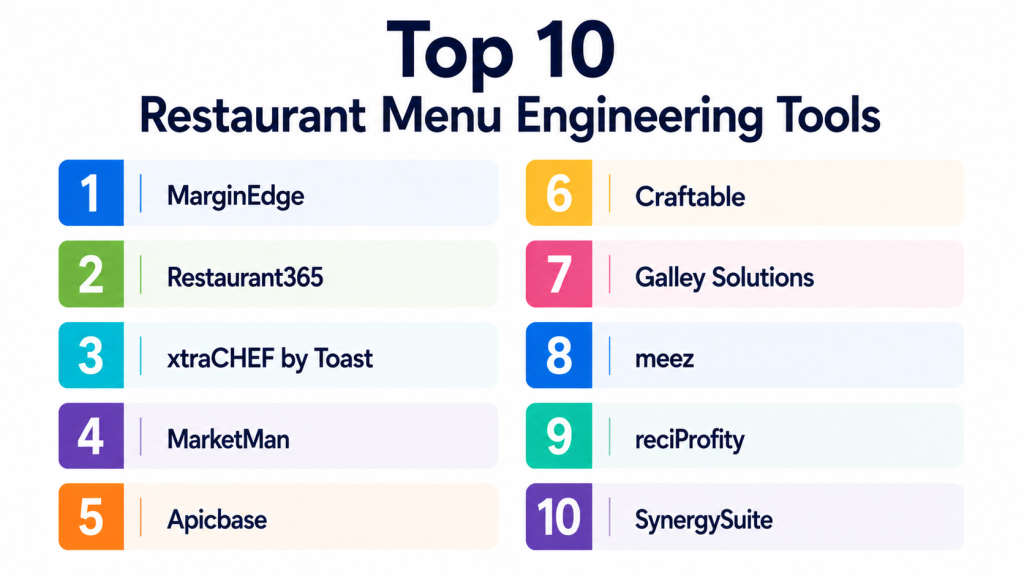
Top 10 Restaurant Menu Engineering Tools
#1 — MarginEdge
Short description:
MarginEdge is a restaurant management and back-office platform that helps operators track food costs, invoices, recipes, inventory, and menu profitability. It is useful for restaurants that want better visibility into ingredient costs and how those costs affect menu margins. The platform connects purchasing, inventory, accounting, and POS data to help teams make smarter pricing and menu decisions. MarginEdge is especially useful for restaurants that want to reduce manual invoice work and improve food cost control. It fits independent restaurants and multi-location groups.
Key Features
- Recipe costing.
- Invoice processing.
- Inventory tracking.
- Food cost reporting.
- POS sales integration.
- Accounting system connection.
- Menu profitability insights.
Pros
- Strong for food cost visibility.
- Helps reduce manual back-office work.
- Useful for operators who want sales and cost data together.
Cons
- Requires clean recipe and inventory setup.
- May be more than very small restaurants need.
- Value depends on accurate vendor and POS data.
Platforms / Deployment
Web-based platform; Cloud deployment.
Security & Compliance
SSO/SAML, MFA, encryption, audit logs, RBAC, SOC 2, ISO 27001, GDPR, HIPAA: Not publicly stated.
Integrations & Ecosystem
MarginEdge connects restaurant financial, purchasing, and sales workflows.
- POS systems
- Accounting software
- Vendor invoices
- Inventory workflows
- Recipe management
- Restaurant reporting tools
Support & Community
MarginEdge provides onboarding, documentation, and customer support. Community strength is strong among restaurant operators focused on cost control.
#2 — Restaurant365
Short description:
Restaurant365 is a restaurant management platform that combines accounting, operations, inventory, workforce, and reporting tools. It helps restaurants understand food costs, recipe margins, purchasing patterns, and item-level profitability. Restaurant365 is especially useful for multi-location restaurants and growing groups that need stronger financial and operational control. It supports menu engineering by connecting sales, costs, inventory, and accounting data. The platform is best for operators who want a more complete restaurant back-office system.
Key Features
- Recipe costing.
- Inventory management.
- Accounting integration.
- Food cost analysis.
- Sales and margin reporting.
- Purchasing workflows.
- Multi-location management.
Pros
- Strong all-in-one restaurant operations platform.
- Good for growing and multi-location restaurants.
- Helps connect finance and operations data.
Cons
- More complex than simple recipe costing tools.
- Implementation may require planning.
- Smaller restaurants may not need full platform depth.
Platforms / Deployment
Web-based platform; Cloud deployment.
Security & Compliance
SSO/SAML, MFA, encryption, audit logs, RBAC, SOC 2, ISO 27001, GDPR, HIPAA: Not publicly stated.
Integrations & Ecosystem
Restaurant365 connects with many restaurant business systems.
- POS systems
- Accounting workflows
- Payroll-related tools
- Inventory systems
- Vendor management
- Reporting dashboards
Support & Community
Restaurant365 provides onboarding, support, and educational resources. Community strength is strong among restaurant finance and operations teams.
#3 — xtraCHEF by Toast
Short description:
xtraCHEF by Toast helps restaurants manage invoices, food costs, recipes, inventory, and profitability insights. It is useful for restaurants that want to digitize vendor invoices and connect cost data with sales performance. The platform supports menu engineering by helping teams understand actual ingredient costs and how those costs affect item margins. xtraCHEF is especially relevant for restaurants already using Toast or operators that want better back-office visibility. It helps chefs and managers make better decisions about pricing, purchasing, and menu design.
Key Features
- Invoice automation.
- Recipe costing.
- Food cost reporting.
- Inventory support.
- Vendor price tracking.
- POS integration.
- Menu margin insights.
Pros
- Good fit for Toast-connected restaurant operations.
- Helps improve cost visibility.
- Useful for reducing manual invoice handling.
Cons
- Best value may be inside the Toast ecosystem.
- Requires accurate recipes and vendor data.
- May not suit restaurants looking for only basic menu design.
Platforms / Deployment
Web-based platform; Cloud deployment.
Security & Compliance
SSO/SAML, MFA, encryption, audit logs, RBAC, SOC 2, ISO 27001, GDPR, HIPAA: Not publicly stated.
Integrations & Ecosystem
xtraCHEF works with restaurant operations and cost workflows.
- Toast ecosystem
- POS systems
- Vendor invoices
- Recipe tools
- Inventory processes
- Reporting workflows
Support & Community
Support and onboarding resources are available. Community strength is good among restaurants using Toast and cost-management tools.
#4 — MarketMan
Short description:
MarketMan is a restaurant inventory, purchasing, and food cost management platform. It helps restaurants manage suppliers, purchase orders, stock levels, recipes, and food cost reporting. Menu engineering teams can use MarketMan to understand ingredient costs, control waste, and evaluate menu item profitability. It is especially useful for restaurants that need purchasing and inventory connected with recipe costing. MarketMan fits independent restaurants, cafes, bars, and multi-location operators.
Key Features
- Inventory management.
- Recipe costing.
- Purchase order management.
- Supplier management.
- Food cost reporting.
- Waste tracking support.
- POS and accounting integrations.
Pros
- Strong inventory and purchasing features.
- Useful for food cost and waste control.
- Good fit for restaurants needing supplier visibility.
Cons
- Requires disciplined inventory usage.
- Setup can take time if recipes are not documented.
- Advanced analytics may depend on configuration.
Platforms / Deployment
Web / iOS / Android; Cloud deployment.
Security & Compliance
SSO/SAML, MFA, encryption, audit logs, RBAC, SOC 2, ISO 27001, GDPR, HIPAA: Not publicly stated.
Integrations & Ecosystem
MarketMan connects purchasing, inventory, and restaurant operations.
- POS systems
- Accounting tools
- Supplier workflows
- Inventory counts
- Recipe databases
- Cost reporting
Support & Community
MarketMan provides support and onboarding resources. Community strength is good among restaurant operators focused on inventory control.
#5 — Apicbase
Short description:
Apicbase is a food management platform for restaurants, food-service groups, catering businesses, and multi-site hospitality operators. It supports recipe management, menu engineering, inventory, procurement, production planning, and food cost control. Apicbase is especially useful for businesses that need recipe consistency and margin visibility across locations. It helps teams standardize recipes, calculate costs, and manage menu performance. The platform is a good fit for scaling food businesses that need operational structure.
Key Features
- Recipe management.
- Menu engineering tools.
- Food cost calculation.
- Inventory management.
- Procurement workflows.
- Multi-location recipe control.
- Production planning support.
Pros
- Strong recipe and menu management depth.
- Good for multi-site food operations.
- Helps standardize food production and costing.
Cons
- May be more complex than small restaurants need.
- Requires strong recipe and ingredient data.
- Implementation planning is important.
Platforms / Deployment
Web-based platform; Cloud deployment.
Security & Compliance
SSO/SAML, MFA, encryption, audit logs, RBAC, SOC 2, ISO 27001, GDPR, HIPAA: Not publicly stated.
Integrations & Ecosystem
Apicbase supports structured food-service operations.
- POS systems
- Inventory workflows
- Procurement tools
- Supplier systems
- Recipe databases
- Reporting dashboards
Support & Community
Support and onboarding resources are available. Community strength is stronger among multi-location and professional food-service teams.
#6 — Craftable
Short description:
Craftable is a restaurant and hospitality cost-control platform focused on inventory, purchasing, recipes, bar management, and food cost visibility. It is useful for restaurants, bars, hotels, and hospitality groups that need stronger control over ingredients, beverages, and margins. Craftable supports menu engineering by helping operators understand recipe costs, supplier pricing, stock usage, and profitability. It is especially valuable for businesses with both food and beverage programs. The platform fits operators who want purchasing and costing in one system.
Key Features
- Inventory management.
- Recipe costing.
- Purchasing workflows.
- Beverage and bar cost control.
- Supplier management.
- Food cost reporting.
- Multi-location support.
Pros
- Strong fit for restaurants and bars.
- Useful for both food and beverage costing.
- Helps improve purchasing and margin visibility.
Cons
- Requires disciplined inventory and recipe setup.
- May be too detailed for simple operations.
- Integration availability should be checked.
Platforms / Deployment
Web-based platform; Cloud deployment.
Security & Compliance
SSO/SAML, MFA, encryption, audit logs, RBAC, SOC 2, ISO 27001, GDPR, HIPAA: Not publicly stated.
Integrations & Ecosystem
Craftable connects restaurant purchasing and cost workflows.
- POS systems
- Accounting systems
- Supplier workflows
- Inventory counts
- Recipe costing
- Bar management tools
Support & Community
Craftable provides support and onboarding resources. Community strength is good among restaurants, bars, and hospitality operators.
#7 — Galley Solutions
Short description:
Galley Solutions is a culinary operating system focused on recipe management, menu planning, production, purchasing, and food data. It is useful for food-service teams that need structured recipe data and scalable menu operations. Galley supports menu engineering by helping teams understand ingredient usage, recipe structure, production needs, and cost-related decisions. It is especially relevant for enterprise food-service, meal production, catering, and complex culinary operations. The platform is best suited for teams that want strong recipe infrastructure.
Key Features
- Recipe management.
- Menu planning.
- Ingredient and food data management.
- Production planning.
- Costing support.
- Procurement workflow support.
- Culinary operations tools.
Pros
- Strong recipe and food data foundation.
- Good for complex culinary operations.
- Useful for standardized production workflows.
Cons
- May be too advanced for small restaurants.
- Requires strong implementation discipline.
- Menu profitability depth depends on connected data.
Platforms / Deployment
Web-based platform; Cloud deployment.
Security & Compliance
SSO/SAML, MFA, encryption, audit logs, RBAC, SOC 2, ISO 27001, GDPR, HIPAA: Not publicly stated.
Integrations & Ecosystem
Galley supports food production and culinary data workflows.
- Recipe databases
- Procurement systems
- Inventory workflows
- Production planning
- Food-service platforms
- Reporting tools
Support & Community
Support and onboarding resources are available. Community strength is stronger among enterprise culinary and food-service teams.
#8 — meez
Short description:
meez is a recipe and culinary management platform designed for chefs, restaurants, culinary teams, and food businesses. It helps teams document recipes, scale batches, manage procedures, share culinary knowledge, and standardize preparation. While it is not only a menu engineering tool, it supports better menu decisions by improving recipe accuracy and consistency. meez is useful for chef-led restaurants and culinary teams that need stronger recipe organization. It is especially valuable when menu quality and operational consistency matter.
Key Features
- Recipe documentation.
- Recipe scaling.
- Culinary procedure management.
- Team collaboration.
- Recipe organization.
- Prep and production guidance.
- Knowledge sharing for kitchens.
Pros
- Strong for chef-led recipe management.
- Helps improve consistency and training.
- Easier than manual recipe binders or spreadsheets.
Cons
- May not provide full financial menu engineering by itself.
- POS and accounting integrations should be reviewed.
- Best used with accurate cost and sales data.
Platforms / Deployment
Web-based platform; Cloud deployment.
Security & Compliance
SSO/SAML, MFA, encryption, audit logs, RBAC, SOC 2, ISO 27001, GDPR, HIPAA: Not publicly stated.
Integrations & Ecosystem
meez fits culinary documentation and team workflows.
- Recipe libraries
- Kitchen training workflows
- Culinary team collaboration
- Production planning
- Ingredient organization
- Food-service operations
Support & Community
Support resources are available. Community strength is strong among chefs and culinary professionals.
#9 — reciProfity
Short description:
reciProfity is a recipe costing, inventory, and menu profitability platform for restaurants, caterers, hotels, and food-service operations. It helps teams calculate recipe costs, manage inventory, analyze menu profitability, and control food cost. The platform is useful for operators who need detailed cost calculations without relying only on spreadsheets. reciProfity supports menu engineering by helping compare item cost, selling price, and margin. It is a practical option for businesses that want focused recipe costing and food cost management.
Key Features
- Recipe costing.
- Menu profitability analysis.
- Inventory management.
- Ingredient cost tracking.
- Food cost reporting.
- Nutritional information support where applicable.
- Purchasing and stock control support.
Pros
- Strong focus on recipe and menu costing.
- Useful for restaurants, caterers, and hotels.
- Helps replace manual costing spreadsheets.
Cons
- Interface and workflow should be tested by users.
- May require manual setup of ingredients and recipes.
- Integration ecosystem may vary.
Platforms / Deployment
Windows / Web options may vary; Deployment varies / N/A.
Security & Compliance
SSO/SAML, MFA, encryption, audit logs, RBAC, SOC 2, ISO 27001, GDPR, HIPAA: Not publicly stated.
Integrations & Ecosystem
reciProfity supports costing and food-service management workflows.
- Recipe databases
- Inventory workflows
- Purchasing processes
- Menu pricing analysis
- Food cost reports
- Operational reporting
Support & Community
Support availability varies by plan and implementation. Community strength is more niche compared with larger restaurant platforms.
#10 — SynergySuite
Short description:
SynergySuite is a restaurant back-office platform focused on inventory, purchasing, food safety, operations, and reporting. It helps restaurant teams manage recipes, costs, suppliers, stock levels, and operational processes. Menu engineering teams can use SynergySuite to connect menu performance with inventory and cost control. It is especially useful for multi-location restaurants that need standardized operations and better visibility. The platform fits growing restaurant groups and enterprise food-service businesses.
Key Features
- Inventory management.
- Recipe and food cost support.
- Purchasing workflows.
- Supplier management.
- Operations management.
- Reporting and analytics.
- Multi-location controls.
Pros
- Strong for restaurant group operations.
- Useful for inventory and purchasing control.
- Supports standardized workflows across locations.
Cons
- May be more than single-location restaurants need.
- Implementation requires operational planning.
- Menu engineering depth depends on data quality.
Platforms / Deployment
Web-based platform; Cloud deployment.
Security & Compliance
SSO/SAML, MFA, encryption, audit logs, RBAC, SOC 2, ISO 27001, GDPR, HIPAA: Not publicly stated.
Integrations & Ecosystem
SynergySuite connects restaurant operations with cost and control workflows.
- POS systems
- Inventory systems
- Supplier workflows
- Food safety processes
- Operations reporting
- Multi-location dashboards
Support & Community
Support and onboarding resources are available. Community strength is strong among growing restaurant groups and operators.
Comparison Table
| Tool Name | Best For | Platform(s) Supported | Deployment | Standout Feature | Public Rating |
|---|---|---|---|---|---|
| MarginEdge | Food cost and invoice visibility | Web | Cloud | Invoice-driven cost insights | N/A |
| Restaurant365 | Multi-location restaurant operations | Web | Cloud | Accounting plus operations data | N/A |
| xtraCHEF by Toast | Toast-connected cost control | Web | Cloud | Invoice automation and recipe costing | N/A |
| MarketMan | Inventory and purchasing control | Web / iOS / Android | Cloud | Supplier and inventory visibility | N/A |
| Apicbase | Multi-site recipe and menu control | Web | Cloud | Recipe standardization and menu engineering | N/A |
| Craftable | Restaurants and bars | Web | Cloud | Food and beverage cost control | N/A |
| Galley Solutions | Enterprise culinary operations | Web | Cloud | Culinary data and production planning | N/A |
| meez | Chef-led recipe management | Web | Cloud | Recipe documentation and scaling | N/A |
| reciProfity | Focused recipe costing | Windows / Web varies | Varies / N/A | Detailed recipe and menu costing | N/A |
| SynergySuite | Restaurant group back-office control | Web | Cloud | Inventory and operations standardization | N/A |
Evaluation & Scoring of Restaurant Menu Engineering Tools
| Tool Name | Core (25%) | Ease (15%) | Integrations (15%) | Security (10%) | Performance (10%) | Support (10%) | Value (15%) | Weighted Total (0–10) |
|---|---|---|---|---|---|---|---|---|
| MarginEdge | 9 | 8 | 9 | 7 | 8 | 8 | 8 | 8.25 |
| Restaurant365 | 9 | 7 | 9 | 8 | 8 | 8 | 7 | 8.10 |
| xtraCHEF by Toast | 8 | 8 | 8 | 7 | 8 | 8 | 8 | 7.85 |
| MarketMan | 8 | 8 | 8 | 7 | 8 | 8 | 8 | 7.85 |
| Apicbase | 9 | 7 | 8 | 7 | 8 | 8 | 7 | 7.85 |
| Craftable | 8 | 7 | 8 | 7 | 8 | 8 | 7 | 7.60 |
| Galley Solutions | 8 | 7 | 7 | 7 | 8 | 7 | 7 | 7.35 |
| meez | 7 | 9 | 6 | 7 | 8 | 8 | 8 | 7.55 |
| reciProfity | 8 | 7 | 6 | 6 | 7 | 7 | 8 | 7.20 |
| SynergySuite | 8 | 7 | 8 | 7 | 8 | 8 | 7 | 7.60 |
These scores are comparative and should not be treated as universal rankings. A chef-led restaurant may prefer meez for recipe management, while a finance-driven restaurant group may prefer Restaurant365 or MarginEdge. A bar-heavy business may find Craftable valuable because beverage costing matters. Always validate tools against your menu size, POS stack, recipe complexity, inventory process, and reporting needs.
Which Restaurant Menu Engineering Tool Is Right for You?
Solo / Freelancer
Solo chefs, pop-up operators, food consultants, and small food businesses usually need simple recipe costing and recipe organization. meez or reciProfity may be practical starting points because they focus on recipes and costing without requiring a large back-office system.
The goal should be to document recipes, calculate basic food costs, and understand which items are profitable. A large enterprise platform may be unnecessary at this stage.
SMB
Small and mid-sized restaurants need better visibility into food cost, vendor pricing, and menu profitability. MarginEdge, MarketMan, xtraCHEF by Toast, and Craftable are strong options depending on inventory and POS needs.
SMBs should focus on recipe costing, invoice tracking, purchase visibility, waste control, and item-level margin reporting.
Mid-Market
Mid-market restaurant groups need structured workflows across purchasing, inventory, recipes, and reporting. Restaurant365, MarginEdge, Apicbase, Craftable, and SynergySuite are good candidates.
At this stage, menu engineering should be connected to real sales and cost data. Operators should monitor contribution margin, sales mix, ingredient inflation, and location-level performance.
Enterprise
Enterprise restaurant groups, hospitality operators, catering organizations, and food-service brands need governance, scale, integrations, and standardized recipe control. Restaurant365, Apicbase, Galley Solutions, and SynergySuite are strong enterprise-oriented options.
Enterprises should evaluate permissions, multi-location controls, recipe versioning, procurement integrations, reporting depth, and implementation support.
Budget vs Premium
Budget-friendly tools work well when the main need is recipe costing and basic margin visibility. Premium platforms are better when a restaurant needs invoice automation, inventory control, accounting integration, procurement, and multi-location reporting.
Do not judge value only by subscription price. Consider labor savings, food cost reduction, waste control, better pricing decisions, and improved margin protection.
Feature Depth vs Ease of Use
Simple tools are easier to launch and use but may lack deep financial or inventory features. Advanced tools offer more insight but require better data discipline.
Choose ease of use if your restaurant is small and menu changes are limited. Choose feature depth if your food costs move often, your menu is large, or your team manages multiple locations.
Integrations & Scalability
Menu engineering tools become more powerful when they connect with POS, accounting, inventory, vendor invoices, purchasing, and reporting systems. Without integrations, teams may still spend too much time manually entering data.
Before choosing a platform, confirm whether it supports your POS, accounting software, suppliers, and reporting needs.
Security & Compliance Needs
Menu engineering tools may process vendor data, financial records, recipes, employee access, sales data, and operational information. Restaurants should check how vendor and financial data is protected.
Ask vendors about permissions, MFA, encryption, audit logs, data export, backup, and compliance documentation. If security details are not clearly confirmed, treat them as not publicly stated.
Frequently Asked Questions
1. What is Restaurant Menu Engineering software?
Restaurant Menu Engineering software helps restaurants analyze menu items based on sales volume, ingredient cost, profit margin, and customer demand. It helps owners decide which dishes to promote, reprice, improve, or remove.
2. How is menu engineering different from recipe costing?
Recipe costing calculates how much a dish costs to make. Menu engineering goes further by comparing cost with sales popularity, contribution margin, pricing, and menu performance.
3. What pricing models are common?
Common pricing models include monthly subscriptions, per-location pricing, user-based pricing, setup fees, add-on modules, and custom enterprise pricing. Some tools may charge differently based on features such as inventory, invoices, or accounting.
4. How long does implementation take?
Basic recipe costing can start quickly if recipes and ingredient costs are ready. Full implementation with POS, inventory, accounting, vendor invoices, and multi-location controls may take more planning.
5. What are common mistakes in menu engineering?
Common mistakes include using outdated ingredient costs, ignoring portion sizes, pricing only by competitor menus, not reviewing sales mix, and failing to connect menu decisions with actual profit margin.
6. Can menu engineering tools help reduce food waste?
Yes, many tools help reduce waste by improving purchasing, inventory tracking, portion control, and recipe accuracy. Better visibility helps restaurants avoid over-ordering and identify costly items.
7. Do these tools integrate with POS systems?
Many menu engineering tools integrate with POS systems, but integration depth varies. POS integration is important because sales data is needed to understand item popularity and contribution margin.
8. Are menu engineering tools secure?
Security varies by vendor. Restaurants should ask about user permissions, encryption, MFA, audit logs, data backups, and access controls because these platforms may store sales, supplier, recipe, and financial data.
9. Can I use spreadsheets instead of menu engineering software?
Yes, small restaurants can start with spreadsheets. However, spreadsheets become difficult to maintain when ingredient prices change often, menu size grows, or multiple locations need consistent reporting.
10. What are alternatives to Restaurant Menu Engineering Tools?
Alternatives include spreadsheets, POS reports, inventory software, accounting reports, recipe binders, consultant-led menu analysis, or manual food cost calculations. Dedicated tools are better when restaurants need repeatable, data-driven decisions.
Conclusion
Restaurant Menu Engineering Tools help restaurants protect margins, understand food costs, improve pricing, reduce waste, and make smarter menu decisions. The best tool depends on your restaurant size, menu complexity, POS system, inventory discipline, and reporting needs. Small operators may prefer meez or reciProfity for recipe organization and costing. Restaurants focused on food cost visibility may choose MarginEdge, MarketMan, xtraCHEF by Toast, or Craftable. Growing groups and enterprise teams may need Restaurant365, Apicbase, Galley Solutions, or SynergySuite for deeper control and scalability.
