Upgrade & Secure Your Future with DevOps, SRE, DevSecOps, MLOps!
We spend hours scrolling social media and waste money on things we forget, but won’t spend 30 minutes a day earning certifications that can change our lives.
Master in DevOps, SRE, DevSecOps & MLOps by DevOps School!
Learn from Guru Rajesh Kumar and double your salary in just one year.
Introduction
Restaurant Delivery Dispatch Tools help restaurants manage delivery orders, assign drivers, track deliveries, optimize routes, and keep customers updated. In simple words, these tools help restaurants move food from the kitchen to the customer faster, with fewer mistakes and better visibility.
They matter now because delivery is no longer just an extra service. Restaurants must manage direct delivery, third-party delivery, pickup, curbside, and high customer expectations around speed and tracking.
Common use cases include:
- Assigning delivery orders to in-house drivers.
- Tracking driver location and delivery status.
- Managing delivery zones and fees.
- Coordinating orders from POS, online ordering, and delivery apps.
- Sending delivery updates to customers.
Buyers should evaluate:
- Driver dispatch automation
- Route optimization
- Real-time tracking
- POS and online ordering integrations
- Customer notifications
- Delivery zone management
- Driver app usability
- Reporting and analytics
- Multi-location support
- Pricing and scalability
Best for: restaurants, cloud kitchens, pizza shops, QSR brands, food delivery operators, ghost kitchens, franchise groups, and restaurants running in-house or hybrid delivery.
Not ideal for: restaurants that only use third-party marketplaces and do not manage drivers, very small outlets with occasional delivery, or businesses that only need manual phone-order delivery tracking.
Key Trends in Restaurant Delivery Dispatch Tools
- AI-assisted dispatching: Delivery tools are becoming smarter at assigning orders based on driver location, order readiness, traffic, distance, and delivery time.
- Hybrid delivery models: Restaurants are combining in-house drivers with third-party fleets to improve coverage and reduce dependency.
- Real-time customer tracking: Customers now expect live delivery status, driver updates, and accurate arrival estimates.
- POS and online ordering integration: Dispatch tools must connect directly with order sources to avoid duplicate entry and delays.
- Cloud kitchen optimization: Multi-brand and ghost kitchen operators need smarter routing, driver batching, and order coordination.
- Delivery cost visibility: Restaurants want to understand delivery cost per order, driver efficiency, late orders, and zone profitability.
- Driver app improvements: Driver-facing apps are becoming easier to use, with route guidance, order details, proof of delivery, and status updates.
- Automated customer communication: SMS, email, and app notifications are reducing customer calls and support workload.
- Multi-location dispatch control: Restaurant groups need centralized visibility across branches, drivers, and delivery zones.
- Compliance and safety focus: Driver data, customer addresses, payment data, and delivery records require stronger access control and privacy handling.
How We Selected These Tools
The tools below were selected using practical restaurant delivery and dispatch evaluation criteria:
- Market recognition in restaurant delivery, dispatch, logistics, and last-mile operations.
- Strength of dispatching, routing, driver tracking, and customer notification features.
- Fit for independent restaurants, cloud kitchens, franchises, and enterprise delivery teams.
- POS, online ordering, delivery aggregator, and API integration capability.
- Support for in-house delivery, third-party delivery, or hybrid delivery models.
- Ease of use for dispatchers, managers, drivers, and kitchen teams.
- Reporting quality for delivery time, driver performance, and order status.
- Scalability across locations, brands, and delivery zones.
- Reliability under high order volume.
- Overall value for improving delivery speed, control, and customer experience.
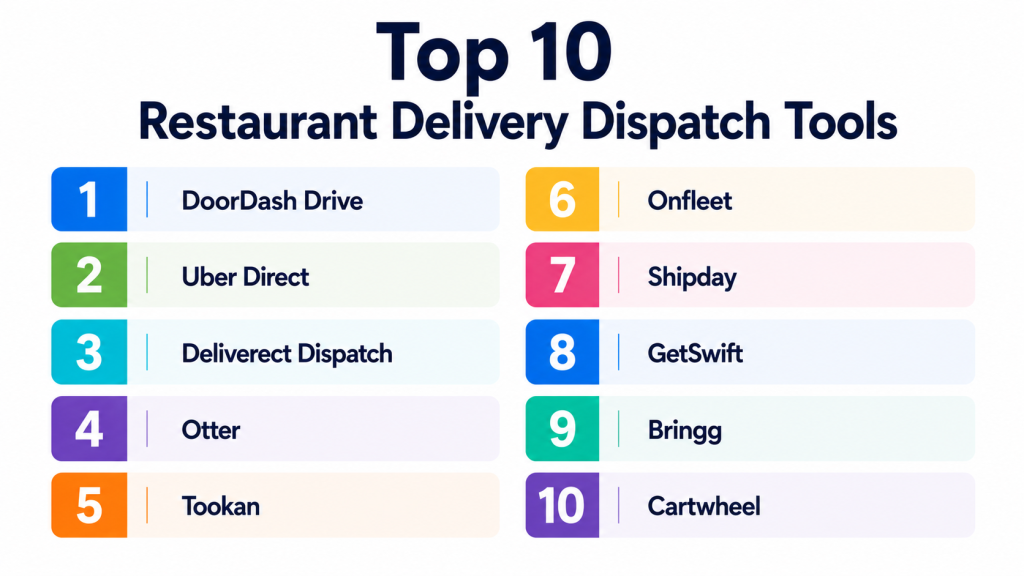
Top 10 Restaurant Delivery Dispatch Tools
#1 — DoorDash Drive
Short description:
DoorDash Drive is a white-label delivery fulfillment option for businesses that want delivery support without relying only on marketplace orders. Restaurants can use it to fulfill direct orders through DoorDash’s driver network while maintaining more control over customer ordering channels. It is useful for restaurants that want delivery coverage without hiring their own full driver fleet. DoorDash Drive fits restaurants, convenience stores, retailers, and food brands needing flexible delivery fulfillment. It is especially useful for businesses that already have online ordering but need third-party delivery execution.
Key Features
- White-label delivery fulfillment.
- Access to third-party driver network.
- Delivery tracking.
- Direct order delivery support.
- Customer status updates.
- Integration options.
- Multi-location delivery support.
Pros
- Useful when restaurants do not want to manage drivers.
- Helps extend delivery coverage quickly.
- Works well for direct ordering fulfillment.
Cons
- Less control than fully in-house delivery.
- Delivery experience depends on external driver network.
- Costs and service availability should be reviewed carefully.
Platforms / Deployment
Web / API-supported workflows; Cloud deployment.
Security & Compliance
SSO/SAML, MFA, encryption, audit logs, RBAC, SOC 2, ISO 27001, GDPR, HIPAA: Not publicly stated.
Integrations & Ecosystem
DoorDash Drive connects delivery fulfillment with restaurant ordering workflows.
- Online ordering systems
- POS workflows
- API integrations
- Customer tracking
- Delivery status updates
- Multi-location restaurant operations
Support & Community
Support and onboarding resources are available. Community strength is high because of DoorDash’s broad delivery ecosystem.
#2 — Uber Direct
Short description:
Uber Direct is a delivery fulfillment solution that helps businesses offer local delivery using Uber’s logistics network. Restaurants can use it to deliver direct orders while keeping customer ordering outside the marketplace model. It is useful for restaurants that want flexible delivery coverage without building a large internal driver team. Uber Direct fits restaurants, retailers, grocery, convenience, and local commerce use cases. For restaurants, it can support direct delivery programs, overflow delivery, and hybrid delivery strategies.
Key Features
- On-demand delivery fulfillment.
- Third-party courier network access.
- Real-time tracking.
- Direct order support.
- API-based delivery workflows.
- Delivery status notifications.
- Multi-location support.
Pros
- Good for restaurants needing fast courier coverage.
- Helps support direct ordering without in-house drivers.
- Useful for overflow and peak-time delivery.
Cons
- Less operational control than in-house delivery.
- Pricing and availability can vary by market.
- Driver experience depends on external network quality.
Platforms / Deployment
Web / API-supported workflows; Cloud deployment.
Security & Compliance
SSO/SAML, MFA, encryption, audit logs, RBAC, SOC 2, ISO 27001, GDPR, HIPAA: Not publicly stated.
Integrations & Ecosystem
Uber Direct works with digital ordering and logistics workflows.
- Online ordering systems
- Custom apps
- API integrations
- Delivery tracking
- Customer notifications
- Restaurant delivery operations
Support & Community
Business support and technical resources are available. Community strength is high due to Uber’s broad delivery infrastructure.
#3 — Deliverect Dispatch
Short description:
Deliverect Dispatch helps restaurants manage delivery orders and assign them to different delivery providers or in-house fleets. It is useful for restaurants that receive orders from multiple online channels and need better control over delivery execution. Deliverect is especially relevant for restaurants managing third-party delivery apps, direct ordering, and kitchen workflows together. Its dispatch features can help automate delivery allocation and reduce manual coordination. It fits cloud kitchens, restaurant groups, and delivery-heavy food businesses.
Key Features
- Delivery dispatch automation.
- Aggregator and direct order coordination.
- Driver and provider assignment.
- Order status visibility.
- POS integration support.
- Multi-location management.
- Delivery performance reporting.
Pros
- Strong fit for restaurants using multiple delivery channels.
- Helps reduce manual order and delivery coordination.
- Useful for cloud kitchens and multi-brand operations.
Cons
- Best value comes when delivery volume is meaningful.
- Setup may require integration planning.
- Smaller restaurants may not need the full platform.
Platforms / Deployment
Web-based platform; Cloud deployment; API support.
Security & Compliance
SSO/SAML, MFA, encryption, audit logs, RBAC, SOC 2, ISO 27001, GDPR, HIPAA: Not publicly stated.
Integrations & Ecosystem
Deliverect Dispatch works well in connected restaurant delivery environments.
- POS systems
- Online ordering platforms
- Delivery marketplaces
- Direct ordering channels
- Kitchen operations
- Reporting tools
Support & Community
Deliverect provides onboarding, documentation, and support. Community strength is strong among delivery-focused restaurants and cloud kitchens.
#4 — Otter
Short description:
Otter is a restaurant order management platform that helps restaurants manage delivery orders from multiple platforms in one place. While it is not only a dispatch tool, it is highly useful for delivery-heavy restaurants that need centralized order visibility and smoother delivery coordination. Otter helps reduce tablet overload, organize incoming orders, and improve operational control. It is suitable for restaurants, cloud kitchens, and multi-location brands handling multiple delivery apps. Its value is strongest when delivery order management and dispatch coordination need to be simplified.
Key Features
- Centralized delivery order management.
- Multi-platform order aggregation.
- POS integration support.
- Menu management.
- Operational reporting.
- Delivery workflow visibility.
- Multi-location support.
Pros
- Helps reduce delivery tablet chaos.
- Good for restaurants using multiple marketplaces.
- Useful for improving delivery order visibility.
Cons
- Not a full in-house driver management platform by itself.
- Dispatch depth depends on connected workflows.
- May not be necessary for restaurants using one delivery channel.
Platforms / Deployment
Web-based platform; Cloud deployment.
Security & Compliance
SSO/SAML, MFA, encryption, audit logs, RBAC, SOC 2, ISO 27001, GDPR, HIPAA: Not publicly stated.
Integrations & Ecosystem
Otter connects restaurant ordering and delivery operations.
- Delivery marketplaces
- POS systems
- Online ordering tools
- Menu management
- Reporting dashboards
- Multi-location restaurant systems
Support & Community
Support and onboarding resources are available. Community strength is strong among restaurants managing multiple delivery channels.
#5 — Tookan
Short description:
Tookan is a delivery management and dispatch platform for businesses that manage field teams, drivers, and local delivery operations. Restaurants can use it for in-house delivery, driver assignment, real-time tracking, route planning, and customer updates. It is suitable for restaurants, cloud kitchens, grocery delivery, and local delivery businesses. Tookan is useful when operators want more control over their own delivery fleet instead of relying only on third-party marketplaces. It supports dispatchers, drivers, and customers through connected dashboards and apps.
Key Features
- Driver dispatch management.
- Real-time delivery tracking.
- Route optimization.
- Driver mobile app.
- Customer notifications.
- Proof of delivery support.
- Reporting and analytics.
Pros
- Strong for in-house delivery operations.
- Useful for restaurants managing their own drivers.
- Flexible across many local delivery use cases.
Cons
- Requires managing drivers and delivery operations.
- Setup may require workflow planning.
- Not restaurant-specific in every feature.
Platforms / Deployment
Web / iOS / Android; Cloud deployment.
Security & Compliance
SSO/SAML, MFA, encryption, audit logs, RBAC, SOC 2, ISO 27001, GDPR, HIPAA: Not publicly stated.
Integrations & Ecosystem
Tookan supports delivery and last-mile workflows.
- Online ordering systems
- Custom APIs
- Driver apps
- Customer notifications
- Dispatch dashboards
- Route management tools
Support & Community
Support resources and documentation are available. Community strength is broad across delivery and logistics businesses.
#6 — Onfleet
Short description:
Onfleet is a last-mile delivery management platform used by businesses that need dispatching, routing, tracking, and delivery analytics. Restaurants and food delivery businesses can use Onfleet to manage in-house delivery fleets and improve customer visibility. It supports driver apps, route optimization, proof of delivery, and real-time tracking. Onfleet is especially useful for businesses that want a mature last-mile delivery platform rather than a restaurant-only tool. It fits multi-location restaurants, meal delivery brands, grocery delivery, and local commerce operators.
Key Features
- Delivery dispatching.
- Route optimization.
- Driver mobile app.
- Live tracking.
- Proof of delivery.
- Customer notifications.
- Delivery analytics.
Pros
- Strong last-mile delivery functionality.
- Good for businesses managing their own drivers.
- Scales beyond simple restaurant delivery.
Cons
- Not built only for restaurants.
- Requires operational discipline for fleet management.
- Pricing may be more than small restaurants need.
Platforms / Deployment
Web / iOS / Android; Cloud deployment; API support.
Security & Compliance
SSO/SAML, MFA, encryption, audit logs, RBAC, SOC 2, ISO 27001, GDPR, HIPAA: Not publicly stated.
Integrations & Ecosystem
Onfleet fits advanced delivery operations.
- API integrations
- Online ordering systems
- Driver apps
- Customer notifications
- Route planning
- Delivery analytics
Support & Community
Onfleet provides documentation, technical resources, and support. Community strength is strong in last-mile delivery and logistics operations.
#7 — Shipday
Short description:
Shipday is a local delivery dispatch and tracking platform used by restaurants, grocery stores, and small delivery businesses. It helps manage drivers, dispatch orders, track deliveries, and send customer notifications. Shipday is especially practical for restaurants that want a simple in-house delivery management tool. It is useful for businesses that need driver apps, delivery tracking, and order assignment without heavy enterprise complexity. Shipday fits small and growing restaurants that want to control their delivery experience.
Key Features
- Local delivery dispatch.
- Driver tracking.
- Driver mobile app.
- Customer delivery notifications.
- Route and delivery visibility.
- Order management.
- Reporting dashboard.
Pros
- Practical for small and mid-sized restaurants.
- Easier to use than many enterprise logistics platforms.
- Good fit for in-house delivery teams.
Cons
- Advanced enterprise controls may be limited.
- Best for local delivery rather than complex logistics.
- Integration depth should be checked before purchase.
Platforms / Deployment
Web / iOS / Android; Cloud deployment.
Security & Compliance
SSO/SAML, MFA, encryption, audit logs, RBAC, SOC 2, ISO 27001, GDPR, HIPAA: Not publicly stated.
Integrations & Ecosystem
Shipday supports simple restaurant delivery operations.
- Online ordering tools
- POS integrations where available
- Driver app workflows
- Customer notifications
- Delivery tracking
- Local delivery dashboards
Support & Community
Support and onboarding resources are available. Community strength is good among restaurants and local delivery operators.
#8 — GetSwift
Short description:
GetSwift is a delivery management platform that helps businesses dispatch, track, and manage delivery operations. Restaurants can use it for order assignment, driver tracking, route visibility, and customer communication. It is suitable for restaurants, retailers, logistics providers, and delivery-focused businesses that need operational control over last-mile delivery. GetSwift is more of a broad dispatch platform than a restaurant-only system. It is useful for operators who need flexible delivery management across different order types.
Key Features
- Dispatch management.
- Driver tracking.
- Route visibility.
- Customer notifications.
- Delivery status updates.
- Operational dashboard.
- Delivery reporting.
Pros
- Flexible for different delivery use cases.
- Useful for businesses with in-house delivery fleets.
- Supports real-time delivery visibility.
Cons
- Not restaurant-specific in every workflow.
- Setup and integrations should be tested.
- Smaller restaurants may prefer simpler tools.
Platforms / Deployment
Web / iOS / Android; Cloud deployment.
Security & Compliance
SSO/SAML, MFA, encryption, audit logs, RBAC, SOC 2, ISO 27001, GDPR, HIPAA: Not publicly stated.
Integrations & Ecosystem
GetSwift supports broad dispatch and delivery operations.
- Online ordering systems
- Driver apps
- Customer messaging
- Delivery tracking
- API workflows
- Business dashboards
Support & Community
Support availability varies by plan and implementation. Community strength is broader in delivery management than restaurant-only operations.
#9 — Bringg
Short description:
Bringg is an enterprise delivery management platform for companies that need advanced last-mile orchestration, carrier management, dispatch, and delivery visibility. Restaurants and food-service enterprises can use it for complex delivery operations, especially when managing multiple fleets, locations, and delivery partners. Bringg is best suited for large operators rather than small independent restaurants. It supports delivery orchestration, automation, route optimization, and customer delivery experience. The platform is strong for enterprises that view delivery as a strategic operation.
Key Features
- Enterprise delivery orchestration.
- Carrier and fleet management.
- Dispatch automation.
- Route optimization.
- Real-time tracking.
- Customer notifications.
- Delivery analytics and reporting.
Pros
- Strong fit for enterprise delivery operations.
- Supports complex multi-fleet delivery models.
- Useful for large brands with advanced delivery needs.
Cons
- Too complex for most small restaurants.
- Implementation may require significant planning.
- Pricing is likely enterprise-oriented.
Platforms / Deployment
Web-based platform; Cloud deployment; API support.
Security & Compliance
SSO/SAML, MFA, encryption, audit logs, RBAC, SOC 2, ISO 27001, GDPR, HIPAA: Not publicly stated.
Integrations & Ecosystem
Bringg connects with enterprise delivery and commerce systems.
- POS and order systems
- Carrier networks
- Driver fleets
- Customer notification tools
- API integrations
- Enterprise reporting systems
Support & Community
Enterprise support and implementation resources are available. Community strength is high among large delivery and logistics teams.
#10 — Cartwheel
Short description:
Cartwheel is a delivery management platform focused on restaurants and local delivery operations. It helps businesses manage delivery dispatch, driver tracking, customer notifications, and delivery logistics. Cartwheel is especially relevant for restaurants that want to run or improve their own delivery program. It supports in-house delivery workflows and can help operators reduce reliance on third-party marketplaces. The platform is a good fit for restaurant groups, pizza shops, cloud kitchens, and brands that need more direct delivery control.
Key Features
- Restaurant delivery dispatch.
- Driver management.
- Real-time tracking.
- Customer notifications.
- Delivery analytics.
- In-house delivery support.
- Multi-location workflow support.
Pros
- Restaurant-focused delivery management.
- Useful for improving in-house delivery control.
- Good fit for brands reducing third-party dependency.
Cons
- May not be necessary for restaurants using only marketplace delivery.
- Integration requirements should be checked.
- Best value depends on delivery volume.
Platforms / Deployment
Web / iOS / Android; Cloud deployment.
Security & Compliance
SSO/SAML, MFA, encryption, audit logs, RBAC, SOC 2, ISO 27001, GDPR, HIPAA: Not publicly stated.
Integrations & Ecosystem
Cartwheel supports restaurant-owned delivery operations.
- POS systems
- Online ordering tools
- Driver apps
- Customer tracking
- Delivery dashboards
- Multi-location restaurant workflows
Support & Community
Support and onboarding resources are available. Community strength is strongest among restaurant delivery operators.
Comparison Table
| Tool Name | Best For | Platform(s) Supported | Deployment | Standout Feature | Public Rating |
|---|---|---|---|---|---|
| DoorDash Drive | Restaurants needing third-party delivery fulfillment | Web / API | Cloud | White-label delivery network access | N/A |
| Uber Direct | Direct orders needing courier fulfillment | Web / API | Cloud | On-demand courier delivery | N/A |
| Deliverect Dispatch | Multi-channel restaurant delivery | Web / API | Cloud | Delivery provider coordination | N/A |
| Otter | Delivery order aggregation | Web | Cloud | Centralized delivery order management | N/A |
| Tookan | In-house delivery teams | Web / iOS / Android | Cloud | Driver dispatch and tracking | N/A |
| Onfleet | Advanced last-mile delivery operations | Web / iOS / Android | Cloud | Route optimization and delivery analytics | N/A |
| Shipday | Small restaurant delivery teams | Web / iOS / Android | Cloud | Simple local delivery dispatch | N/A |
| GetSwift | Flexible dispatch operations | Web / iOS / Android | Cloud | Real-time delivery management | N/A |
| Bringg | Enterprise delivery orchestration | Web / API | Cloud | Multi-fleet delivery control | N/A |
| Cartwheel | Restaurant-owned delivery programs | Web / iOS / Android | Cloud | Restaurant-focused driver management | N/A |
Evaluation & Scoring of Restaurant Delivery Dispatch Tools
| Tool Name | Core (25%) | Ease (15%) | Integrations (15%) | Security (10%) | Performance (10%) | Support (10%) | Value (15%) | Weighted Total (0–10) |
|---|---|---|---|---|---|---|---|---|
| DoorDash Drive | 8 | 8 | 8 | 7 | 8 | 8 | 7 | 7.75 |
| Uber Direct | 8 | 8 | 8 | 7 | 8 | 8 | 7 | 7.75 |
| Deliverect Dispatch | 9 | 7 | 9 | 7 | 8 | 8 | 7 | 8.00 |
| Otter | 8 | 8 | 8 | 7 | 8 | 8 | 8 | 7.90 |
| Tookan | 8 | 8 | 8 | 7 | 8 | 7 | 8 | 7.75 |
| Onfleet | 9 | 7 | 9 | 8 | 9 | 8 | 7 | 8.25 |
| Shipday | 7 | 9 | 7 | 7 | 8 | 7 | 9 | 7.75 |
| GetSwift | 8 | 7 | 7 | 7 | 8 | 7 | 7 | 7.40 |
| Bringg | 10 | 6 | 9 | 8 | 9 | 8 | 6 | 8.15 |
| Cartwheel | 8 | 8 | 8 | 7 | 8 | 8 | 8 | 7.90 |
These scores are comparative and should not be treated as universal rankings. A small restaurant may prefer Shipday because it is easier to manage. A delivery-heavy restaurant group may prefer Cartwheel, Deliverect Dispatch, or Onfleet. Large enterprise operators may need Bringg. If you do not want to manage drivers, DoorDash Drive or Uber Direct may be more practical than an in-house dispatch platform.
Which Restaurant Delivery Dispatch Tool Is Right for You?
Solo / Freelancer
Solo food operators, small kitchens, and pop-up food businesses should avoid overly complex dispatch systems. If delivery volume is low, third-party fulfillment through DoorDash Drive or Uber Direct may be easier than managing drivers.
If the business has one or two drivers, Shipday can be a practical lightweight option for tracking and assigning deliveries.
SMB
Small and mid-sized restaurants need simple dispatching, driver tracking, customer updates, and clear delivery visibility. Shipday, Cartwheel, Tookan, and Otter are strong options depending on whether the restaurant manages drivers or mainly handles marketplace orders.
SMBs should focus on reducing late deliveries, avoiding missed orders, and keeping customers informed.
Mid-Market
Mid-market restaurant groups often need multi-location visibility, hybrid delivery, driver management, and delivery performance reporting. Deliverect Dispatch, Cartwheel, Onfleet, and Tookan are worth evaluating.
At this stage, delivery should be managed as an operational system, not just a side task.
Enterprise
Enterprise restaurants, cloud kitchen networks, and large food brands need delivery orchestration, API integrations, multi-fleet control, reporting, and strong support. Bringg, Onfleet, Deliverect Dispatch, and Cartwheel are strong candidates.
Enterprises should evaluate scalability, API performance, support model, data control, driver workflows, and integration architecture.
Budget vs Premium
Budget-friendly tools are best for local delivery, simple driver assignment, and basic tracking. Premium platforms are better for high-volume delivery, routing optimization, carrier management, and multi-location operations.
Do not compare only monthly price. Review delivery cost per order, failed delivery rate, driver efficiency, support workload, and customer satisfaction impact.
Feature Depth vs Ease of Use
Simple tools are easier to launch and train drivers on. Advanced tools provide better routing, automation, tracking, analytics, and multi-fleet control.
Choose ease of use when delivery operations are small. Choose feature depth when delivery volume, complexity, and customer expectations are high.
Integrations & Scalability
Delivery dispatch tools should connect with POS, online ordering, delivery marketplaces, kitchen systems, driver apps, SMS tools, and customer support workflows. Poor integration can create duplicate entry and delivery delays.
Before choosing a platform, test how orders move from kitchen to driver to customer.
Security & Compliance Needs
Delivery tools handle customer names, addresses, phone numbers, order details, driver location, and operational data. Restaurants should review privacy and access controls carefully.
Ask vendors about encryption, role-based access, MFA, driver app security, audit logs, data retention, and compliance documentation. If details are not clearly confirmed, treat them as not publicly stated.
Frequently Asked Questions
1. What is a Restaurant Delivery Dispatch Tool?
A Restaurant Delivery Dispatch Tool helps restaurants assign delivery orders to drivers, track order status, optimize routes, and update customers. It improves control over the delivery process.
2. How is dispatch software different from online ordering software?
Online ordering software collects customer orders, while dispatch software manages how those orders are delivered. Many restaurants need both systems connected for smooth delivery operations.
3. What pricing models are common?
Common pricing models include monthly subscriptions, per-delivery fees, usage-based pricing, location-based pricing, API pricing, and enterprise custom contracts. Restaurants should calculate total cost per order.
4. How long does implementation take?
Simple tools can be launched quickly if the restaurant already has drivers and clear delivery zones. Larger setups with POS integration, routing rules, multiple locations, and driver training may take more planning.
5. What are common mistakes when choosing a dispatch tool?
Common mistakes include ignoring POS integration, not testing driver apps, choosing a tool without customer notifications, and failing to define delivery zones. Restaurants should test dispatch workflows during real service conditions.
6. Can dispatch tools reduce delivery delays?
Yes, dispatch tools can reduce delays by assigning drivers faster, improving route visibility, tracking order status, and helping managers identify bottlenecks. However, kitchen speed and driver availability also matter.
7. Do these tools support in-house drivers?
Many dispatch tools support in-house drivers through driver apps, assignment dashboards, route tracking, and delivery status updates. Tools like Onfleet, Tookan, Shipday, and Cartwheel are often useful for this model.
8. Can restaurants use both in-house and third-party delivery?
Yes, many restaurants use hybrid delivery. They may use in-house drivers for nearby orders and third-party delivery partners for overflow, peak demand, or extended delivery zones.
9. Are delivery dispatch tools secure?
Security varies by vendor. Since these tools process customer addresses, phone numbers, driver location, and order data, restaurants should ask about encryption, access controls, driver permissions, and data retention.
10. What are alternatives to Restaurant Delivery Dispatch Tools?
Alternatives include manual phone coordination, spreadsheets, POS notes, delivery marketplace dashboards, WhatsApp groups, or basic driver calls. Dedicated dispatch tools are better when delivery volume, timing, and customer tracking become important.
Conclusion
Restaurant Delivery Dispatch Tools help restaurants control delivery operations, reduce delays, improve driver coordination, and give customers better order visibility. The best tool depends on your delivery model, order volume, driver strategy, locations, budget, and integration needs. Small restaurants may choose Shipday, Tookan, or third-party fulfillment options like DoorDash Drive and Uber Direct. Delivery-heavy restaurants may prefer Cartwheel, Deliverect Dispatch, Otter, or Onfleet. Enterprise brands may need Bringg for advanced orchestration. There is no single best tool for every restaurant.
