Upgrade & Secure Your Future with DevOps, SRE, DevSecOps, MLOps!
We spend hours scrolling social media and waste money on things we forget, but won’t spend 30 minutes a day earning certifications that can change our lives.
Master in DevOps, SRE, DevSecOps & MLOps by DevOps School!
Learn from Guru Rajesh Kumar and double your salary in just one year.
Introduction
Event Ticketing Platforms help organizers create event pages, sell tickets, manage registrations, accept payments, scan tickets, track attendees, and analyze event sales. In simple terms, these tools help event teams sell access to concerts, workshops, conferences, festivals, webinars, community events, sports events, and paid experiences.
They matter now because audiences expect simple online booking, mobile tickets, secure payments, instant confirmations, refunds, waitlists, QR check-ins, and better event communication. Organizers also need better control over pricing, capacity, promotions, attendee data, and reporting.
Common use cases include:
- Selling paid or free event tickets online.
- Managing attendee registrations and check-ins.
- Creating early-bird, VIP, group, and promo-code tickets.
- Tracking revenue, attendance, and sales channels.
- Supporting virtual, hybrid, and in-person events.
Buyers should evaluate:
- Ticket creation flexibility
- Payment processing
- Check-in and QR scanning
- Event page customization
- Attendee management
- Marketing and promo tools
- Refund and cancellation handling
- Integrations and APIs
- Reporting and analytics
- Pricing and platform fees
Best for: event organizers, creators, venues, schools, nonprofits, conference teams, festival organizers, entertainment companies, sports clubs, training providers, and community managers.
Not ideal for: very small private gatherings with no registration needs, businesses that only need a simple RSVP form, or teams that require a full enterprise event management suite instead of ticketing-first software.
Key Trends in Event Ticketing Platforms
- Mobile-first ticketing: Attendees expect QR tickets, mobile wallets, instant confirmations, and smooth phone-based check-in.
- AI-assisted event promotion: Platforms are increasingly supporting smarter audience targeting, campaign suggestions, and sales insights.
- Hybrid event support: Many organizers need ticketing that works for in-person, online, and mixed-format events.
- Flexible ticket types: VIP, group, early-bird, donation-based, reserved seating, add-ons, and timed-entry tickets are becoming standard.
- Fraud and resale control: Larger events need stronger controls for duplicate tickets, fake tickets, scalping, and unauthorized resale.
- Embedded payments: Organizers want secure payment processing, refunds, tax handling, payouts, and financial reporting in one place.
- Data ownership focus: Event teams want better access to attendee data, marketing consent, and post-event engagement opportunities.
- Reserved seating and capacity control: Venues need better maps, zones, ticket holds, and real-time capacity management.
- CRM and marketing integrations: Ticketing is now connected with email tools, CRM systems, social ads, and audience segmentation.
- Self-service analytics: Organizers want dashboards showing sales pace, conversion, attendance, revenue, and promotional performance.
How We Selected These Tools
The following tools were selected using practical event ticketing and registration criteria:
- Market adoption and recognition across event types.
- Strength of ticket sales, payment, registration, and attendee management features.
- Support for in-person, virtual, and hybrid event formats.
- Ability to handle simple events, conferences, venues, and high-volume ticketing.
- Check-in, QR scanning, and mobile ticket capabilities.
- Marketing, promotion, promo code, and audience engagement features.
- Reserved seating, capacity control, and ticket tier support where relevant.
- Reporting quality for sales, attendance, revenue, and campaign performance.
- Integration ecosystem with CRM, email, payment, analytics, and event tools.
- Overall fit for solo creators, SMB organizers, mid-market teams, and enterprise venues.
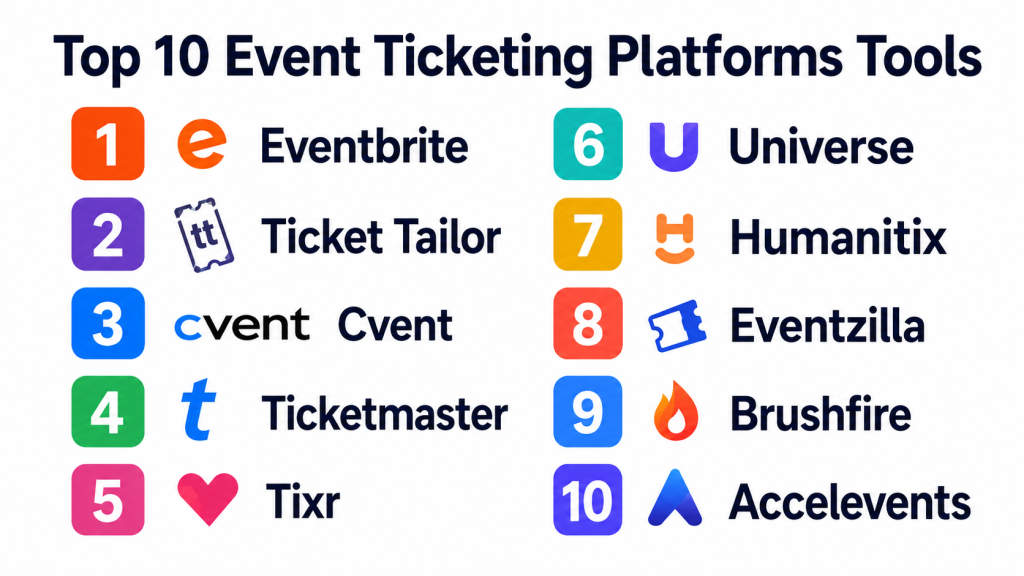
Top 10 Event Ticketing Platforms Tools
#1 — Eventbrite
Short description:
Eventbrite is one of the most widely recognized event ticketing platforms for creators, community organizers, nonprofits, workshops, conferences, and live events. It helps users create event pages, sell tickets, manage registrations, promote events, and check in attendees. Eventbrite is especially useful for public events where discoverability and simple setup matter. It supports free and paid events, different ticket types, promo codes, and attendee communication. The platform is a strong fit for organizers who want a familiar, easy-to-use ticketing system.
Key Features
- Event page creation.
- Free and paid ticketing.
- Promo codes and ticket tiers.
- Attendee registration management.
- Mobile check-in and QR scanning.
- Event discovery and promotion tools.
- Sales and attendance reporting.
Pros
- Easy setup for many event types.
- Strong name recognition among attendees.
- Good for public events and community discovery.
Cons
- Platform fees should be reviewed carefully.
- Advanced branding control may be limited.
- Not always ideal for complex enterprise venue ticketing.
Platforms / Deployment
Web / iOS / Android; Cloud deployment.
Security & Compliance
SSO/SAML, MFA, encryption, audit logs, RBAC, SOC 2, ISO 27001, GDPR, HIPAA: Not publicly stated.
Integrations & Ecosystem
Eventbrite connects ticketing with marketing, payments, and attendee workflows.
- Email marketing tools
- Social media promotion
- Payment processing
- CRM workflows
- Analytics tools
- Check-in apps
Support & Community
Eventbrite provides help resources, documentation, and support options. Community strength is high because of its broad global adoption.
#2 — Ticket Tailor
Short description:
Ticket Tailor is an event ticketing platform designed for organizers who want simple ticket sales, flexible event pages, and transparent ticketing workflows. It is used by small businesses, community groups, festivals, workshops, schools, and independent event creators. Ticket Tailor is especially useful for organizers who want more control over branding and ticketing costs. It supports paid and free events, check-in tools, ticket types, promo codes, and embedded checkout. The platform is a practical option for teams that want a clean ticketing experience without heavy complexity.
Key Features
- Online ticket sales.
- Custom event pages.
- Embedded ticket checkout.
- Promo codes and ticket types.
- QR code tickets.
- Check-in app support.
- Sales and attendee reporting.
Pros
- Easy to use for small and mid-sized events.
- Good branding and checkout flexibility.
- Useful for organizers seeking a simple ticketing workflow.
Cons
- Not as marketplace-driven as some large platforms.
- Enterprise venue features may be limited.
- Advanced event management features may require other tools.
Platforms / Deployment
Web / iOS / Android; Cloud deployment.
Security & Compliance
SSO/SAML, MFA, encryption, audit logs, RBAC, SOC 2, ISO 27001, GDPR, HIPAA: Not publicly stated.
Integrations & Ecosystem
Ticket Tailor supports event sales and organizer workflows.
- Payment processors
- Website embeds
- Email marketing tools
- Analytics tools
- Check-in apps
- CRM workflows
Support & Community
Support resources and documentation are available. Community strength is good among independent event organizers and small teams.
#3 — Cvent
Short description:
Cvent is an enterprise event management and registration platform used by corporations, associations, universities, conferences, and large event teams. It supports event registration, ticketing, attendee management, event marketing, check-in, reporting, and broader event operations. Cvent is best suited for complex events where registration, agenda management, sponsors, exhibitors, hotels, and event data matter. It is more powerful than a simple ticketing platform. The platform fits enterprise teams that need scale, compliance, integrations, and detailed event workflows.
Key Features
- Event registration and ticketing.
- Attendee management.
- Event marketing tools.
- Check-in and badge support.
- Agenda and session management.
- Reporting and analytics.
- Enterprise integrations.
Pros
- Strong for large and complex events.
- Good enterprise event management depth.
- Useful for conferences, associations, and corporate events.
Cons
- May be too complex for small events.
- Implementation and training may require planning.
- Pricing is likely more enterprise-oriented.
Platforms / Deployment
Web / mobile event app support; Cloud deployment.
Security & Compliance
SSO/SAML, MFA, encryption, audit logs, RBAC, SOC 2, ISO 27001, GDPR, HIPAA: Not publicly stated.
Integrations & Ecosystem
Cvent connects ticketing with broader enterprise event operations.
- CRM systems
- Marketing automation tools
- Event apps
- Badge printing tools
- Payment systems
- Reporting and analytics platforms
Support & Community
Cvent provides enterprise support, onboarding, training, and implementation resources. Community strength is high among enterprise event professionals.
#4 — Ticketmaster
Short description:
Ticketmaster is a major ticketing platform used for concerts, sports, theaters, venues, festivals, and large entertainment events. It supports ticket sales, reserved seating, event discovery, mobile tickets, access control, and high-volume ticketing operations. Ticketmaster is especially relevant for major venues and event promoters that need scale, security, and broad consumer reach. It is not usually the first choice for small workshops or local classes. The platform is strongest for entertainment, sports, and venue-based ticketing.
Key Features
- Large-scale ticket sales.
- Reserved seating support.
- Mobile ticketing.
- Venue and access control tools.
- Event discovery marketplace.
- Ticket transfer workflows.
- Sales and performance reporting.
Pros
- Strong for large venues and entertainment events.
- Broad consumer recognition.
- Good for high-volume ticketing and reserved seating.
Cons
- Not ideal for small or simple events.
- Fees and commercial terms should be reviewed carefully.
- Customization flexibility may vary by event model.
Platforms / Deployment
Web / iOS / Android; Cloud deployment.
Security & Compliance
SSO/SAML, MFA, encryption, audit logs, RBAC, SOC 2, ISO 27001, GDPR, HIPAA: Not publicly stated.
Integrations & Ecosystem
Ticketmaster supports venue and entertainment ticketing workflows.
- Venue systems
- Access control
- Mobile ticketing
- Event promotion
- Payment systems
- Reporting tools
Support & Community
Support and enterprise resources are available. Community strength is very high in entertainment and venue ticketing.
#5 — Tixr
Short description:
Tixr is an event ticketing platform focused on live events, festivals, sports, attractions, entertainment, and experience-based events. It supports ticket sales, reserved seating, memberships, packages, marketing tools, and event operations. Tixr is useful for organizers who need modern ticketing with brand control and sales flexibility. It is especially relevant for event producers and venues that want a stronger direct relationship with attendees. The platform fits mid-market and large event teams seeking flexible ticketing workflows.
Key Features
- Event ticketing.
- Reserved seating support.
- Packages and memberships.
- Marketing and promotion tools.
- Mobile ticketing.
- Attendee management.
- Reporting and analytics.
Pros
- Strong for live events and experiences.
- Good branding and ticket package flexibility.
- Useful for venues and event producers.
Cons
- May be more than small events need.
- Commercial terms should be reviewed.
- Advanced setup may require onboarding support.
Platforms / Deployment
Web / iOS / Android; Cloud deployment.
Security & Compliance
SSO/SAML, MFA, encryption, audit logs, RBAC, SOC 2, ISO 27001, GDPR, HIPAA: Not publicly stated.
Integrations & Ecosystem
Tixr supports modern event commerce and attendee workflows.
- Payment systems
- Marketing tools
- Access control workflows
- Mobile ticketing
- Event websites
- Reporting dashboards
Support & Community
Support and onboarding resources are available. Community strength is strong among live event and venue operators.
#6 — Universe
Short description:
Universe is an event ticketing platform used by organizers for concerts, parties, classes, festivals, nightlife, community events, and cultural experiences. It helps teams create event pages, sell tickets, manage attendees, scan tickets, and promote events. Universe is especially useful for event creators who want a straightforward ticketing tool with a modern attendee experience. It supports different ticket types, promo codes, and online sales workflows. The platform is a good fit for small and mid-sized public events.
Key Features
- Event page creation.
- Online ticket sales.
- Promo codes and ticket tiers.
- Attendee management.
- Mobile ticket scanning.
- Event discovery support.
- Reporting dashboards.
Pros
- Good for entertainment and community events.
- Easy ticketing workflow for organizers.
- Supports public event promotion.
Cons
- May not fit complex enterprise conferences.
- Advanced customization may be limited.
- Marketplace visibility depends on audience and event type.
Platforms / Deployment
Web / mobile check-in support; Cloud deployment.
Security & Compliance
SSO/SAML, MFA, encryption, audit logs, RBAC, SOC 2, ISO 27001, GDPR, HIPAA: Not publicly stated.
Integrations & Ecosystem
Universe supports event promotion and ticketing workflows.
- Payment processing
- Social promotion
- Check-in tools
- Event pages
- Email workflows
- Sales reporting
Support & Community
Support and help resources are available. Community strength is good among entertainment and public event organizers.
#7 — Humanitix
Short description:
Humanitix is an event ticketing platform used by nonprofits, communities, schools, workshops, festivals, conferences, and social impact organizers. It helps users create event pages, sell tickets, manage registrations, process payments, and check in attendees. Humanitix is especially attractive for mission-driven organizations and community events. It supports free and paid events, donation options, ticket types, and attendee management. The platform is a practical choice for organizers who want simple ticketing with a social-good positioning.
Key Features
- Free and paid event ticketing.
- Registration management.
- Donation and fundraising support.
- Promo codes and ticket types.
- Attendee check-in.
- Event page customization.
- Reporting and sales tracking.
Pros
- Good fit for nonprofits and community events.
- Easy ticketing and registration workflow.
- Useful for events with donation or social impact elements.
Cons
- May not fit large venue ticketing needs.
- Advanced enterprise controls may be limited.
- Feature depth should be evaluated for complex events.
Platforms / Deployment
Web / mobile check-in support; Cloud deployment.
Security & Compliance
SSO/SAML, MFA, encryption, audit logs, RBAC, SOC 2, ISO 27001, GDPR, HIPAA: Not publicly stated.
Integrations & Ecosystem
Humanitix supports community event and fundraising workflows.
- Payment processing
- Donation workflows
- Email tools
- Website embeds
- Attendee check-in
- Reporting dashboards
Support & Community
Support resources are available. Community strength is strong among nonprofits, schools, and community organizers.
#8 — Eventzilla
Short description:
Eventzilla is an event registration and ticketing platform for conferences, webinars, training sessions, classes, workshops, and business events. It helps organizers create event pages, sell tickets, manage registrations, send attendee communication, and track event performance. Eventzilla is useful for teams that need a practical balance between ticketing and registration management. It supports virtual, hybrid, and in-person event formats. The platform fits SMB event organizers, training providers, and business event teams.
Key Features
- Event registration.
- Ticket sales.
- Webinar and virtual event support.
- Attendee management.
- Custom registration forms.
- Payment processing.
- Event reporting.
Pros
- Good for business events and training programs.
- Supports virtual and in-person formats.
- Practical registration form flexibility.
Cons
- May not be ideal for large entertainment venues.
- Advanced event marketing depth may be limited.
- Integration needs should be validated.
Platforms / Deployment
Web-based platform; Cloud deployment.
Security & Compliance
SSO/SAML, MFA, encryption, audit logs, RBAC, SOC 2, ISO 27001, GDPR, HIPAA: Not publicly stated.
Integrations & Ecosystem
Eventzilla supports business event and registration workflows.
- Payment tools
- Webinar platforms
- Email communication
- Attendee registration
- Website embeds
- Reporting dashboards
Support & Community
Support and documentation are available. Community strength is good among SMB event and training organizers.
#9 — Brushfire
Short description:
Brushfire is an event ticketing and registration platform used by churches, nonprofits, conferences, camps, ministries, schools, and community organizations. It helps manage ticket sales, registrations, check-ins, reserved seating, and group event workflows. Brushfire is useful for organizations that need simple ticketing plus event administration. It is especially relevant for faith-based organizations and nonprofit communities. The platform supports both public and private event registration needs.
Key Features
- Event ticketing.
- Registration forms.
- Reserved seating support.
- Group registration.
- Check-in tools.
- Payment workflows.
- Event reporting.
Pros
- Good for churches, nonprofits, and community events.
- Supports reserved seating and group registration.
- Practical for recurring organization-led events.
Cons
- May not fit large commercial entertainment events.
- Advanced marketing automation may require other tools.
- Brand fit depends on event type.
Platforms / Deployment
Web / mobile check-in support; Cloud deployment.
Security & Compliance
SSO/SAML, MFA, encryption, audit logs, RBAC, SOC 2, ISO 27001, GDPR, HIPAA: Not publicly stated.
Integrations & Ecosystem
Brushfire supports nonprofit and community event workflows.
- Payment tools
- Check-in systems
- Registration forms
- Reserved seating
- Group management
- Reporting tools
Support & Community
Support and onboarding resources are available. Community strength is good among churches, nonprofits, and community organizations.
#10 — Accelevents
Short description:
Accelevents is an event management and ticketing platform for conferences, trade shows, webinars, fundraisers, and hybrid events. It supports ticketing, registration, attendee engagement, exhibitor management, virtual event tools, check-in, and reporting. Accelevents is useful for organizers who need more than basic ticket sales and want broader event management capabilities. It is especially relevant for business events and hybrid event programs. The platform fits mid-market and enterprise teams that need ticketing plus engagement tools.
Key Features
- Event registration and ticketing.
- Virtual and hybrid event support.
- Attendee engagement tools.
- Exhibitor and sponsor features.
- Check-in and badge workflows.
- Event analytics.
- CRM and marketing integrations.
Pros
- Strong for business, hybrid, and conference events.
- More complete than simple ticketing tools.
- Useful for attendee engagement and event analytics.
Cons
- May be too advanced for simple community events.
- Setup requires event planning and configuration.
- Pricing and package fit should be reviewed.
Platforms / Deployment
Web / mobile event support; Cloud deployment.
Security & Compliance
SSO/SAML, MFA, encryption, audit logs, RBAC, SOC 2, ISO 27001, GDPR, HIPAA: Not publicly stated.
Integrations & Ecosystem
Accelevents supports event marketing, registration, and engagement workflows.
- CRM platforms
- Marketing automation tools
- Webinar tools
- Payment systems
- Badge and check-in workflows
- Reporting dashboards
Support & Community
Support and onboarding resources are available. Community strength is strong among business event and hybrid event teams.
Comparison Table
| Tool Name | Best For | Platform(s) Supported | Deployment | Standout Feature | Public Rating |
|---|---|---|---|---|---|
| Eventbrite | Public events and creator-led ticketing | Web / iOS / Android | Cloud | Event discovery and easy setup | N/A |
| Ticket Tailor | Independent organizers | Web / iOS / Android | Cloud | Flexible branded ticket checkout | N/A |
| Cvent | Enterprise conferences and corporate events | Web / mobile app support | Cloud | Full enterprise event management | N/A |
| Ticketmaster | Large venues and entertainment events | Web / iOS / Android | Cloud | High-volume venue ticketing | N/A |
| Tixr | Live events and experience brands | Web / iOS / Android | Cloud | Packages, memberships, and live event commerce | N/A |
| Universe | Entertainment and community events | Web / mobile check-in | Cloud | Simple public event ticketing | N/A |
| Humanitix | Nonprofits and community events | Web / mobile check-in | Cloud | Ticketing with donation-friendly workflows | N/A |
| Eventzilla | Business events and training programs | Web | Cloud | Registration forms and hybrid event support | N/A |
| Brushfire | Churches, nonprofits, and community groups | Web / mobile check-in | Cloud | Group registration and reserved seating | N/A |
| Accelevents | Conferences and hybrid events | Web / mobile event support | Cloud | Ticketing plus attendee engagement | N/A |
Evaluation & Scoring of Event Ticketing Platforms
| Tool Name | Core (25%) | Ease (15%) | Integrations (15%) | Security (10%) | Performance (10%) | Support (10%) | Value (15%) | Weighted Total (0–10) |
|---|---|---|---|---|---|---|---|---|
| Eventbrite | 9 | 9 | 8 | 7 | 8 | 8 | 8 | 8.25 |
| Ticket Tailor | 8 | 9 | 8 | 7 | 8 | 8 | 9 | 8.25 |
| Cvent | 10 | 6 | 9 | 8 | 9 | 9 | 6 | 8.20 |
| Ticketmaster | 10 | 7 | 8 | 8 | 9 | 8 | 6 | 8.10 |
| Tixr | 9 | 8 | 8 | 7 | 8 | 8 | 7 | 7.95 |
| Universe | 8 | 8 | 7 | 7 | 8 | 7 | 8 | 7.65 |
| Humanitix | 8 | 9 | 7 | 7 | 8 | 8 | 8 | 7.95 |
| Eventzilla | 8 | 8 | 8 | 7 | 8 | 7 | 8 | 7.80 |
| Brushfire | 8 | 8 | 7 | 7 | 8 | 8 | 8 | 7.75 |
| Accelevents | 9 | 7 | 9 | 8 | 8 | 8 | 7 | 8.05 |
These scores are comparative and should not be treated as universal rankings. A small workshop may prefer Ticket Tailor or Eventbrite because ease matters most. A large conference may need Cvent or Accelevents. A stadium, concert, or sports venue may require Ticketmaster or Tixr. Nonprofits and community groups may prefer Humanitix or Brushfire. Always test platforms against your event size, ticketing model, attendee journey, payment needs, and check-in workflow.
Which Event Ticketing Platform Tool Is Right for You?
Solo / Freelancer
Solo creators, trainers, coaches, artists, and small event hosts should prioritize simple setup, low friction, mobile tickets, and easy payments. Eventbrite, Ticket Tailor, Universe, or Humanitix may be practical options.
The goal should be to launch quickly, collect payments securely, manage attendees, and scan tickets without needing a complex event operations team.
SMB
Small and mid-sized event organizers need more control over branding, promo codes, registration forms, attendee communication, and reporting. Ticket Tailor, Eventzilla, Humanitix, Brushfire, and Accelevents are strong options depending on event type.
SMBs should focus on pricing transparency, attendee data access, check-in speed, payment handling, and marketing integrations.
Mid-Market
Mid-market event teams often manage larger audiences, sponsors, multiple ticket types, hybrid access, and more complex check-in workflows. Accelevents, Tixr, Cvent, Ticketmaster, and Eventbrite may be worth evaluating.
At this stage, ticketing should support operations, marketing, analytics, and attendee experience together.
Enterprise
Enterprise conferences, venues, sports organizations, universities, associations, and large event brands need advanced registration, reserved seating, security, access control, integrations, and support. Cvent, Ticketmaster, Tixr, and Accelevents are stronger enterprise candidates.
Enterprises should review data security, payment flows, access control, API integrations, reporting, uptime expectations, and implementation support.
Budget vs Premium
Budget-friendly platforms are better for workshops, classes, meetups, local events, and smaller paid events. Premium platforms are better when events require reserved seating, sponsor management, enterprise registration, advanced analytics, or large-scale access control.
Do not compare only ticket fees. Also consider attendee trust, payment reliability, refund handling, fraud control, check-in speed, and organizer workload.
Feature Depth vs Ease of Use
Simple platforms are faster to launch and easier for small teams. Deeper platforms provide more control over ticket tiers, reserved seating, attendee segments, sponsors, exhibitors, hybrid sessions, and enterprise reporting.
Choose ease of use when your event is simple. Choose feature depth when your event has many ticket types, high attendance, sponsors, or operational complexity.
Integrations & Scalability
Ticketing platforms should connect with payment processors, email marketing, CRM, analytics, webinar tools, badge systems, mobile apps, and access control tools. Weak integrations can create duplicate work and poor attendee experiences.
Before choosing a platform, test the full workflow: event page, payment, confirmation email, QR ticket, check-in, refund, and attendee export.
Security & Compliance Needs
Event ticketing platforms handle attendee names, emails, phone numbers, payment details, ticket records, and sometimes identity or organization data. Security should be reviewed carefully.
Ask vendors about encryption, MFA, role-based access, audit logs, payment security, data export, refund controls, privacy settings, and compliance documentation. If details are not clearly confirmed, treat them as not publicly stated.
Frequently Asked Questions
1. What is an Event Ticketing Platform?
An Event Ticketing Platform is software that helps organizers sell tickets, manage registrations, collect payments, send confirmations, scan attendees, and track event performance from one system.
2. How is ticketing different from event management software?
Ticketing focuses on selling and validating access to an event. Event management software may also include agendas, speakers, sponsors, exhibitors, attendee networking, event apps, and hybrid event tools.
3. What pricing models are common?
Common pricing models include per-ticket fees, percentage-based fees, monthly subscriptions, payment processing fees, setup fees, and enterprise custom pricing. Some platforms allow organizers to absorb or pass fees to attendees.
4. How long does implementation take?
A simple event can be created quickly if ticket types, pricing, and payment setup are ready. Larger events with reserved seating, sponsors, badge printing, integrations, and custom registration workflows need more planning.
5. What are common mistakes when choosing a ticketing platform?
Common mistakes include ignoring total fees, not testing check-in, overlooking refund rules, choosing a platform with limited attendee data access, and failing to review payment payout timelines.
6. Can event ticketing platforms handle free events?
Yes, most event ticketing platforms support free events, paid events, donation-based events, and mixed ticket types. Free events still benefit from registration tracking, QR check-in, and attendee communication.
7. Do ticketing tools support QR code check-in?
Many platforms support QR code tickets and mobile scanning. This helps organizers speed up entry, reduce duplicate tickets, and track actual attendance compared with ticket sales.
8. Are event ticketing platforms secure?
Security varies by vendor. Since these platforms handle attendee and payment data, organizers should ask about encryption, payment security, access controls, MFA, audit logs, and privacy policies.
9. Can I switch ticketing platforms later?
Yes, but switching requires planning. You may need to migrate attendee data, ticket types, payment settings, event pages, promo codes, seating maps, and check-in workflows. It is easier to switch before ticket sales begin.
10. What are alternatives to Event Ticketing Platforms?
Alternatives include basic RSVP forms, payment links, spreadsheets, social media event pages, manual registrations, or generic form builders. Dedicated ticketing platforms are better when payments, capacity, check-in, and attendee data matter.
Conclusion
Event Ticketing Platforms help organizers sell tickets, manage attendees, collect payments, prevent entry confusion, and understand event performance. The best platform depends on event size, audience type, ticket complexity, budget, branding needs, and operational workflow. Small creators may prefer Eventbrite, Ticket Tailor, Universe, or Humanitix. Nonprofits and community organizers may choose Humanitix or Brushfire. Business event teams may need Eventzilla, Accelevents, or Cvent. Large venues and entertainment brands may require Ticketmaster or Tixr. There is no single best ticketing platform for every event.
