Upgrade & Secure Your Future with DevOps, SRE, DevSecOps, MLOps!
We spend hours scrolling social media and waste money on things we forget, but won’t spend 30 minutes a day earning certifications that can change our lives.
Master in DevOps, SRE, DevSecOps & MLOps by DevOps School!
Learn from Guru Rajesh Kumar and double your salary in just one year.
Introduction
Work Order Management Software helps teams create, assign, track, complete, and report on maintenance or service tasks from one central system. In simple words, it replaces scattered emails, phone calls, paper forms, spreadsheets, and WhatsApp-style task tracking with a structured workflow where every request has an owner, status, priority, due date, and history.
Work order management matters now because organizations are handling more assets, more service requests, more compliance pressure, and more distributed teams. Maintenance teams, facility teams, field service teams, IT operations, property managers, and manufacturing units need better visibility into what work is pending, who is responsible, and how quickly issues are resolved.
Real-world use cases include maintenance requests, preventive maintenance tasks, equipment repairs, facility service tickets, inspection follow-ups, safety checks, vendor assignments, and asset-related service history.
Buyers should evaluate ease of use, mobile access, automation, asset management, preventive maintenance, reporting, integrations, security controls, scalability, implementation effort, and total cost.
Best for: Maintenance managers, facility managers, operations teams, field service teams, manufacturing plants, schools, hospitals, hotels, retail chains, property managers, and businesses managing recurring repair or service tasks.
Not ideal for: Very small teams with only occasional tasks, companies that only need simple to-do lists, or organizations already using a full ERP/EAM system with strong built-in work order workflows.
Key Trends in Work Order Management Software
- AI-assisted work prioritization is becoming more important as teams look for smarter ways to rank urgent tasks, detect repeated failures, and reduce manual planning.
- Mobile-first technician workflows are now expected because maintenance workers, field teams, and facility staff usually work away from desks.
- Preventive maintenance automation is becoming a core requirement as businesses try to reduce emergency repairs and extend asset life.
- IoT-based work order triggers are growing in importance as sensors and connected equipment can automatically create service tasks when abnormal conditions appear.
- Better vendor and contractor workflows are becoming necessary for businesses that outsource repair, inspection, cleaning, and service work.
- Compliance-ready documentation is becoming a buying factor, especially for healthcare, manufacturing, education, food service, and regulated environments.
- Integration with ERP, finance, inventory, procurement, and facility systems is now expected because work order data affects cost, asset value, and operational planning.
- Self-service request portals are becoming common so employees, tenants, customers, or site managers can submit requests without calling or emailing.
- Analytics and performance dashboards are helping teams track backlog, response time, completion rate, technician productivity, asset downtime, and recurring issues.
- Flexible pricing models are becoming more common, with tools offering different packages based on users, assets, locations, modules, and enterprise needs.
How We Selected These Tools
- We selected tools that are widely recognized in work order management, CMMS, EAM, facility operations, and maintenance management.
- We prioritized platforms that support complete work order lifecycles, including request creation, assignment, status tracking, completion notes, and reporting.
- We considered preventive maintenance, asset tracking, mobile execution, technician usability, and request portal quality.
- We included tools suitable for different company sizes, from SMBs to large enterprises.
- We considered industry fit across manufacturing, facilities, property management, healthcare, education, hospitality, retail, and field operations.
- We reviewed integration potential, including ERP, finance, inventory, IoT, procurement, and reporting systems.
- We considered security posture signals such as user roles, permissions, audit trails, and enterprise access controls where confidently known.
- We avoided guessing certifications, compliance claims, public ratings, or pricing where details are not clearly known.
- We balanced ease of use with depth because some buyers need simple daily execution while others need enterprise-grade asset control.
- We treated the final scoring as a practical comparison model, not as an official rating or absolute ranking.
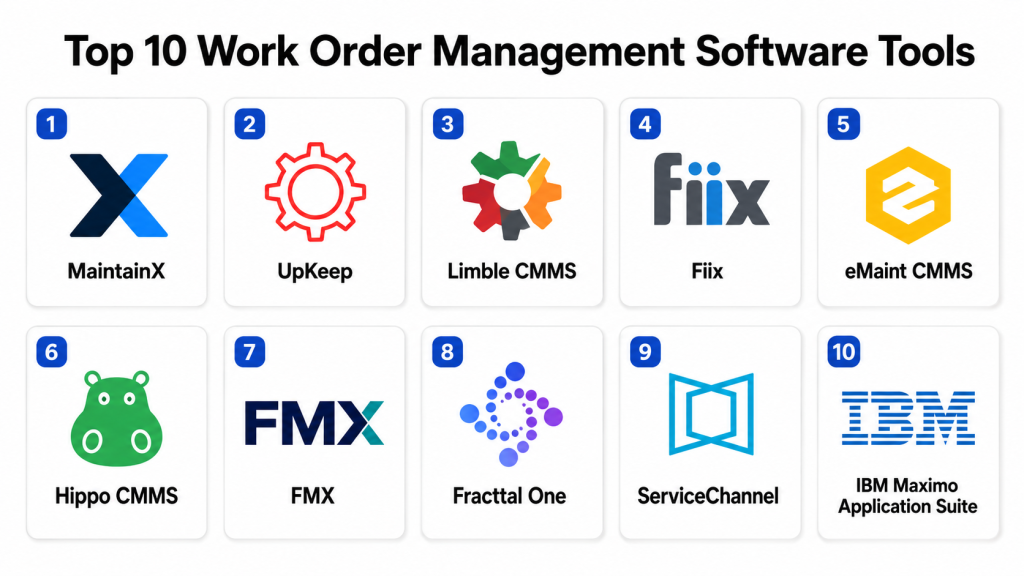
Top 10 Work Order Management Software Tools
#1 — MaintainX
Short description:
MaintainX is a modern work order management and maintenance operations platform built for frontline teams. It helps users create work orders, assign tasks, track assets, manage procedures, and communicate with technicians from a mobile-friendly interface. It is popular with maintenance teams, facility teams, manufacturing operations, hospitality teams, restaurants, and property operators. MaintainX is useful for companies moving away from paper forms, spreadsheets, and informal messaging. It is best for teams that want fast adoption, simple workflows, and strong mobile execution.
Key Features
- Work order creation, assignment, and tracking
- Preventive maintenance scheduling
- Digital checklists and procedures
- Asset and equipment management
- Mobile technician workflows
- Team communication and updates
- Reporting and operational dashboards
Pros
- Strong mobile experience for technicians and frontline teams
- Easy to adopt compared with heavier enterprise platforms
- Useful for replacing paper checklists and manual maintenance tracking
Cons
- May not replace a full enterprise EAM platform for complex asset operations
- Advanced integrations may depend on plan and configuration
- Large organizations may need careful workflow planning before rollout
Platforms / Deployment
Web / iOS / Android
Cloud
Security & Compliance
Role-based access and business security controls may be available depending on plan. Specific certifications such as SOC 2, ISO 27001, GDPR, or HIPAA should be verified directly with the vendor.
Integrations & Ecosystem
MaintainX supports daily maintenance and operations workflows where work orders, procedures, assets, and communication need to stay connected.
- Asset and maintenance workflows
- Team communication tools
- Reporting exports
- ERP and operations integrations may vary
- API availability may vary by plan
- Mobile-first workflow ecosystem
Support & Community
MaintainX provides product documentation, onboarding resources, training content, and customer support. Its community and usage are strong among maintenance, operations, and frontline teams.
#2 — UpKeep
Short description:
UpKeep is a work order and maintenance management platform designed for teams that need simple request intake, preventive maintenance, asset tracking, inventory, and mobile task execution. It is suitable for facility teams, property managers, manufacturers, restaurants, schools, and distributed maintenance teams. UpKeep helps organizations move from reactive repairs to more organized maintenance processes. It works well for small and mid-sized teams that want a clean CMMS-style system. It is especially useful where mobile work order completion and technician visibility matter.
Key Features
- Work order request and tracking
- Preventive maintenance scheduling
- Asset and equipment records
- Inventory and parts management
- Mobile technician app
- Request portals and task updates
- Reports and dashboards
Pros
- Easy for maintenance teams to understand
- Good mobile access for technicians
- Practical for SMB and mid-market operations
Cons
- May not be deep enough for highly complex enterprise asset management
- Space planning and broader facility portfolio features are limited
- Advanced customization may depend on package selection
Platforms / Deployment
Web / iOS / Android
Cloud
Security & Compliance
User permissions and administrative controls may be available. Specific certifications such as SOC 2, ISO 27001, GDPR, or HIPAA are not publicly stated unless confirmed directly with the vendor.
Integrations & Ecosystem
UpKeep supports maintenance teams that need work requests, assets, inventory, and reporting in one workflow.
- Asset and equipment records
- Parts and inventory workflows
- Reporting exports
- ERP and operations integrations may vary
- API availability may vary
- Mobile maintenance ecosystem
Support & Community
UpKeep provides documentation, onboarding support, training resources, and customer success options. Support levels may vary by plan and implementation needs.
#3 — Limble CMMS
Short description:
Limble CMMS is a maintenance and work order management platform focused on helping teams plan, assign, execute, and report maintenance work. It supports preventive maintenance, asset tracking, parts inventory, inspection tasks, and request management. Limble is suitable for facilities, manufacturing, healthcare, education, property operations, and asset-heavy teams. It helps reduce reactive maintenance by giving teams better visibility into scheduled work and equipment history. It is a strong choice for organizations that want a practical CMMS with clear workflows.
Key Features
- Work order management
- Preventive maintenance scheduling
- Asset and equipment tracking
- Parts and inventory control
- Maintenance request portals
- Mobile work execution
- Custom reports and dashboards
Pros
- Strong fit for maintenance-focused teams
- User-friendly for technicians and supervisors
- Good for preventive maintenance and asset history tracking
Cons
- Not a full workplace or real estate management suite
- Advanced enterprise integrations should be validated early
- Some complex workflows may require careful setup
Platforms / Deployment
Web / iOS / Android
Cloud
Security & Compliance
Role-based access and account controls may be available. Specific certifications such as SOC 2, ISO 27001, GDPR, or HIPAA should be verified directly with the vendor.
Integrations & Ecosystem
Limble connects work orders, assets, parts, request portals, and reports for maintenance teams that need better daily control.
- Asset and equipment data
- Maintenance requests
- Inventory and parts workflows
- Reporting exports
- Mobile work execution
- API and integrations may vary by plan
Support & Community
Limble provides documentation, onboarding resources, support, and training materials. Support strength should be reviewed based on plan, region, and implementation scope.
#4 — Fiix
Short description:
Fiix is a CMMS and maintenance management platform used for work orders, preventive maintenance, asset management, parts, reporting, and maintenance performance improvement. It is suitable for manufacturing, facilities, food and beverage, utilities, and asset-intensive environments. Fiix helps teams centralize maintenance requests, track equipment history, and improve planning. It is useful for organizations that want structured maintenance workflows with stronger reporting and asset visibility. It can support teams moving from reactive maintenance to more planned and data-driven operations.
Key Features
- Work order creation and assignment
- Preventive maintenance planning
- Asset and equipment management
- Parts and inventory tracking
- Maintenance reporting and analytics
- Mobile maintenance workflows
- Maintenance request management
Pros
- Strong CMMS functionality for asset-heavy teams
- Good for preventive maintenance and performance tracking
- Useful for teams that need structured maintenance reporting
Cons
- May require setup effort for asset hierarchy and workflows
- Some advanced functionality may depend on plan
- Not mainly designed for broad workplace or space management
Platforms / Deployment
Web / Mobile access
Cloud
Security & Compliance
User permissions and enterprise security controls may be available depending on plan and configuration. Specific certifications such as SOC 2, ISO 27001, GDPR, or HIPAA should be verified directly.
Integrations & Ecosystem
Fiix can support maintenance operations where work orders, assets, parts, and reporting need to connect with business systems.
- Asset and maintenance records
- Inventory and parts workflows
- Reporting and analytics exports
- ERP integration options may vary
- API availability may vary
- Operational maintenance ecosystem
Support & Community
Fiix provides documentation, onboarding resources, customer support, and training materials. Support options may vary based on customer size and plan.
#5 — eMaint CMMS
Short description:
eMaint CMMS is a computerized maintenance management system used for managing work orders, preventive maintenance, assets, inventory, inspections, and reliability programs. It is suitable for facilities, manufacturing plants, utilities, healthcare, education, and maintenance-heavy environments. eMaint helps maintenance teams standardize task planning, improve asset visibility, and track work history. It is useful for organizations that want more discipline around maintenance scheduling and reporting. The platform is a strong option for teams with asset-intensive operations and structured maintenance requirements.
Key Features
- Work order management
- Preventive maintenance scheduling
- Asset and equipment records
- Inventory and spare parts tracking
- Maintenance dashboards and reporting
- Mobile maintenance workflows
- Configurable forms and processes
Pros
- Strong maintenance management depth
- Good fit for asset-heavy teams
- Supports preventive maintenance and reliability improvement
Cons
- May be more maintenance-focused than general workplace-focused
- Setup effort is needed for asset records and workflows
- Advanced use cases may require configuration support
Platforms / Deployment
Web / Mobile access
Cloud / Deployment may vary by offering
Security & Compliance
User permissions and administrative controls may be available. Specific certifications such as SOC 2, ISO 27001, GDPR, or HIPAA should be confirmed directly with the vendor.
Integrations & Ecosystem
eMaint fits environments where maintenance data, asset history, parts inventory, and reporting need to be centralized.
- ERP and asset systems
- Inventory and parts workflows
- Reporting exports
- Mobile maintenance workflows
- Reliability and inspection workflows
- API and integration options may vary
Support & Community
eMaint offers documentation, training, onboarding, and support resources. Support levels may vary by package, region, and implementation requirements.
#6 — Hippo CMMS
Short description:
Hippo CMMS is a work order and maintenance management platform designed for teams that want a simple way to manage repairs, preventive maintenance, assets, and maintenance requests. It is commonly used by facilities, healthcare, education, hospitality, manufacturing, and property management teams. Hippo CMMS focuses on ease of use and practical maintenance workflows. It is a good option for teams that want to move away from paper-based work orders and spreadsheets. It is best suited for organizations that need clear maintenance visibility without unnecessary complexity.
Key Features
- Work order tracking
- Preventive maintenance scheduling
- Asset and equipment management
- Maintenance request submission
- Inventory and parts tracking
- Reporting and dashboards
- Mobile-friendly maintenance workflows
Pros
- Easy to understand for maintenance teams
- Good for organizations replacing manual tracking
- Practical for facilities and property operations
Cons
- May not be as deep as enterprise EAM platforms
- Advanced integrations may require validation
- Large-scale customization may be limited compared with heavier systems
Platforms / Deployment
Web / Mobile access may vary
Cloud
Security & Compliance
Administrative controls and user permissions may be available. Specific certifications such as SOC 2, ISO 27001, GDPR, or HIPAA are not publicly stated unless confirmed directly.
Integrations & Ecosystem
Hippo CMMS is built around practical maintenance execution, asset tracking, and request workflows.
- Work order and request management
- Asset and maintenance records
- Inventory workflows
- Reporting exports
- Operational integrations may vary
- API availability may vary
Support & Community
Hippo CMMS provides support, onboarding resources, training materials, and documentation. Support quality and tiers should be reviewed during vendor evaluation.
#7 — FMX
Short description:
FMX is a facility and work order management platform used by schools, public facilities, property teams, and operations groups. It helps teams manage maintenance requests, work orders, preventive maintenance, facility scheduling, assets, and inventory. FMX is especially useful where requestors, administrators, and technicians need a simple shared system. It is easier to adopt than many heavy enterprise tools and works well for practical facility operations. It is a strong choice for teams that need both work order tracking and facility scheduling.
Key Features
- Work order management
- Preventive maintenance scheduling
- Facility scheduling and reservations
- Asset tracking
- Inventory and parts management
- Request portals
- Reporting and dashboards
Pros
- Strong fit for education and public facilities
- Easy for non-technical users to submit requests
- Combines facility scheduling with maintenance workflows
Cons
- Not as deep as enterprise IWMS platforms
- Advanced customization may be limited
- Best value depends on facility workflow needs
Platforms / Deployment
Web / Mobile-friendly access
Cloud
Security & Compliance
Role-based access and administrative controls may be available. Specific certifications such as SOC 2, ISO 27001, GDPR, or HIPAA should be verified directly.
Integrations & Ecosystem
FMX supports practical facility workflows where requests, maintenance tasks, assets, and scheduling need to be connected.
- Calendar and scheduling workflows
- User request portals
- Asset and maintenance records
- Reporting exports
- Operational system connections may vary
- API availability may vary
Support & Community
FMX provides onboarding resources, documentation, customer support, and training assistance. It has strong relevance among education, public-sector, and facility operations teams.
#8 — Fracttal One
Short description:
Fracttal One is a maintenance and work order management platform focused on asset management, preventive maintenance, inspections, field execution, and operational visibility. It is suitable for maintenance teams, facility operations, manufacturing, energy, healthcare, and service companies. Fracttal One supports digital work orders, asset records, maintenance planning, and mobile work execution. It is useful for organizations that want a modern maintenance platform with connected operations. It can support teams that need better visibility across sites, assets, and service teams.
Key Features
- Work order management
- Asset and equipment management
- Preventive maintenance scheduling
- Mobile maintenance execution
- Inspection and checklist workflows
- Analytics and maintenance reports
- Multi-location operational visibility
Pros
- Good fit for asset and maintenance-focused teams
- Useful mobile workflows for field execution
- Supports preventive maintenance and operational reporting
Cons
- Advanced integrations should be validated before purchase
- May require process setup for best results
- Some details may vary by region and plan
Platforms / Deployment
Web / Mobile access
Cloud
Security & Compliance
User permissions and administrative controls may be available. Specific certifications such as SOC 2, ISO 27001, GDPR, or HIPAA should be verified directly with the vendor.
Integrations & Ecosystem
Fracttal One supports maintenance environments where assets, work orders, mobile execution, and reporting need to work together.
- Asset and equipment workflows
- Preventive maintenance planning
- Mobile technician workflows
- Reporting and dashboards
- Operational system integrations may vary
- API availability may vary
Support & Community
Fracttal One provides vendor-led support, documentation, onboarding resources, and training. Support availability may vary by region and plan.
#9 — ServiceChannel
Short description:
ServiceChannel is a work order and facility service management platform focused on multi-location businesses, vendor coordination, contractor management, and service automation. It is useful for retail chains, restaurants, healthcare networks, convenience stores, and distributed property operations. The platform helps teams create work orders, dispatch vendors, track service quality, manage invoices, and monitor contractor performance. ServiceChannel is especially strong where outside vendors perform a large amount of facility work. It is best for organizations that need control over service delivery across many locations.
Key Features
- Work order and service request management
- Vendor and contractor management
- Multi-location service tracking
- Preventive maintenance workflows
- Invoice and cost management
- Asset and service history
- Vendor performance analytics
Pros
- Strong for businesses with many locations
- Useful for managing external vendors and contractors
- Helps standardize service delivery and cost visibility
Cons
- Not ideal for teams that only need simple internal work orders
- Vendor workflow complexity may require setup discipline
- May be more suitable for mid-market and enterprise buyers
Platforms / Deployment
Web / Mobile access
Cloud
Security & Compliance
User permissions and administrative controls may be available. Specific certifications such as SOC 2, ISO 27001, GDPR, or HIPAA should be verified directly with the vendor.
Integrations & Ecosystem
ServiceChannel connects work orders with vendor networks, contractor workflows, finance processes, and service performance reporting.
- Vendor and contractor networks
- Finance and invoice workflows
- Asset service history
- Multi-location reporting
- Procurement-related workflows
- API and integration options may vary
Support & Community
ServiceChannel offers onboarding, customer support, documentation, and customer success resources. Its ecosystem is strong among distributed facility service teams and vendor networks.
#10 — IBM Maximo Application Suite
Short description:
IBM Maximo Application Suite is an enterprise asset management and operations platform used by large organizations to manage assets, maintenance, inspections, reliability, and work orders. It is suitable for utilities, manufacturing, transportation, energy, facilities, government, and asset-intensive industries. Maximo is designed for complex environments where work orders are closely connected with asset performance, reliability, safety, and long-term maintenance planning. It is more advanced than simple work order tools and is best for organizations with mature maintenance operations. It is a strong fit for enterprises that need scale, governance, and deep asset control.
Key Features
- Enterprise work order management
- Asset lifecycle management
- Preventive and predictive maintenance support
- Inspection and reliability workflows
- Inventory and spare parts management
- Analytics and operational reporting
- Enterprise workflow and role management
Pros
- Strong fit for large asset-intensive organizations
- Deep maintenance, reliability, and asset management capabilities
- Suitable for complex enterprise operations
Cons
- May be too complex for small teams
- Implementation can require significant planning
- Cost and configuration effort may be higher than lightweight tools
Platforms / Deployment
Web / Enterprise access options may vary
Cloud / Hybrid / Deployment options may vary
Security & Compliance
Enterprise security controls, identity integrations, user roles, and administrative governance may be available depending on deployment and configuration. Specific certifications such as SOC 2, ISO 27001, GDPR, or HIPAA should be verified directly during procurement.
Integrations & Ecosystem
IBM Maximo is built for enterprise environments where maintenance, assets, operations, finance, reliability, and reporting systems must work together.
- ERP and finance systems
- Asset and reliability systems
- Inventory and procurement workflows
- IoT and condition monitoring systems
- Reporting and analytics platforms
- Enterprise integration options
Support & Community
IBM provides enterprise support, professional services, documentation, implementation partners, and training resources. Community strength is more enterprise and partner-led than open community-driven.
Comparison Table
| Tool Name | Best For | Platform(s) Supported | Deployment | Standout Feature | Public Rating |
|---|---|---|---|---|---|
| MaintainX | Frontline maintenance and operations teams | Web / iOS / Android | Cloud | Mobile-first work order execution | N/A |
| UpKeep | SMB and mid-market maintenance teams | Web / iOS / Android | Cloud | Simple mobile CMMS workflows | N/A |
| Limble CMMS | Maintenance-focused facility teams | Web / iOS / Android | Cloud | Preventive maintenance and asset tracking | N/A |
| Fiix | Asset-heavy maintenance teams | Web / Mobile access | Cloud | Maintenance analytics and CMMS depth | N/A |
| eMaint CMMS | Structured maintenance and reliability teams | Web / Mobile access | Cloud / Varies | Deep preventive maintenance workflows | N/A |
| Hippo CMMS | Facilities moving from manual tracking | Web / Mobile access varies | Cloud | Simple work order and maintenance management | N/A |
| FMX | Schools, public facilities, and operations teams | Web / Mobile-friendly | Cloud | Work orders plus facility scheduling | N/A |
| Fracttal One | Multi-site maintenance and asset teams | Web / Mobile access | Cloud | Connected maintenance operations | N/A |
| ServiceChannel | Distributed businesses and vendor-heavy operations | Web / Mobile access | Cloud | Vendor and contractor work order control | N/A |
| IBM Maximo Application Suite | Enterprise asset-intensive operations | Web / Varies | Cloud / Hybrid / Varies | Enterprise asset and work management depth | N/A |
Evaluation & Scoring of Work Order Management Software
| Tool Name | Core (25%) | Ease (15%) | Integrations (15%) | Security (10%) | Performance (10%) | Support (10%) | Value (15%) | Weighted Total (0–10) |
|---|---|---|---|---|---|---|---|---|
| MaintainX | 8 | 9 | 7 | 7 | 8 | 8 | 9 | 8.00 |
| UpKeep | 8 | 9 | 7 | 7 | 8 | 8 | 8 | 7.85 |
| Limble CMMS | 8 | 8 | 7 | 7 | 8 | 8 | 8 | 7.75 |
| Fiix | 8 | 8 | 8 | 7 | 8 | 8 | 8 | 7.90 |
| eMaint CMMS | 9 | 7 | 8 | 7 | 8 | 8 | 7 | 7.90 |
| Hippo CMMS | 7 | 8 | 6 | 7 | 7 | 8 | 8 | 7.25 |
| FMX | 8 | 9 | 7 | 7 | 8 | 8 | 8 | 7.95 |
| Fracttal One | 8 | 8 | 7 | 7 | 8 | 8 | 8 | 7.75 |
| ServiceChannel | 8 | 8 | 8 | 7 | 8 | 8 | 8 | 7.90 |
| IBM Maximo Application Suite | 10 | 6 | 9 | 8 | 9 | 8 | 7 | 8.25 |
These scores are comparative and based on practical buyer fit across the listed criteria. A higher score does not automatically mean a tool is best for every organization. Enterprise platforms score higher in depth, scalability, and integration potential, while modern cloud tools often score higher in ease of use and adoption speed. Buyers should adjust the score based on team size, asset complexity, workflow maturity, budget, and security requirements.
Which Work Order Management Software Tool Is Right for You?
Solo / Freelancer
Solo operators, independent contractors, small property managers, and freelance facility consultants usually do not need a heavy enterprise platform. They need simple work order creation, task tracking, mobile access, and basic reporting.
Good options include MaintainX, UpKeep, Hippo CMMS, and Limble CMMS. These tools can help organize requests, track repairs, and avoid missed tasks without creating unnecessary process overhead.
SMB
Small and medium-sized businesses often need work orders, preventive maintenance, assets, basic inventory, request portals, and mobile technician workflows. Ease of use matters because smaller teams may not have a dedicated system administrator.
Good options include MaintainX, UpKeep, Limble CMMS, FMX, Hippo CMMS, and Fiix. SMB buyers should focus on technician adoption, simple setup, reporting, and cost control.
Mid-Market
Mid-market organizations usually manage more locations, more users, more assets, and more recurring maintenance work. They may need stronger role control, integrations, vendor workflows, dashboards, and preventive maintenance planning.
Good options include Fiix, eMaint CMMS, FMX, Fracttal One, ServiceChannel, and Limble CMMS. These tools can support growing operational needs without always requiring a full enterprise EAM rollout.
Enterprise
Enterprises often need work orders connected with asset lifecycle management, compliance, procurement, inventory, finance, safety, reliability, and multi-site governance. They also need stronger integrations, access control, reporting, and implementation support.
Good options include IBM Maximo Application Suite, eMaint CMMS, ServiceChannel, Fiix, and Fracttal One. Enterprise buyers should evaluate data migration, security documentation, integration architecture, vendor support, and long-term scalability.
Budget vs Premium
Budget-conscious teams should focus on tools that are easy to deploy, easy to use, and strong enough for core work order workflows. MaintainX, UpKeep, Hippo CMMS, Limble CMMS, and FMX are practical options.
Premium buyers with advanced asset, vendor, compliance, and integration needs may prefer IBM Maximo Application Suite, eMaint CMMS, ServiceChannel, Fiix, or Fracttal One.
Feature Depth vs Ease of Use
If your team needs simple work order tracking, mobile updates, checklists, and request handling, choose a tool with strong usability. MaintainX, UpKeep, FMX, Hippo CMMS, and Limble CMMS are good examples.
If your organization needs deep asset management, reliability workflows, enterprise reporting, and complex maintenance planning, consider IBM Maximo, eMaint CMMS, Fiix, or ServiceChannel.
Integrations & Scalability
If work order data must connect with ERP, finance, inventory, procurement, IoT, HR, or building systems, integration depth becomes very important. Enterprise and mid-market platforms usually provide stronger options.
For smaller teams, integrations may be less urgent. A good request portal, mobile app, asset list, and reporting dashboard may deliver enough value in the beginning.
Security & Compliance Needs
Security-focused buyers should review SSO, MFA, role-based access, audit logs, encryption, backup processes, data hosting, and compliance documentation. Do not assume certifications unless the vendor confirms them.
Healthcare, manufacturing, government, education, and enterprise buyers should involve IT, security, and compliance teams early in the evaluation process.
Frequently Asked Questions
1. What is Work Order Management Software?
Work Order Management Software helps teams create, assign, track, complete, and report on maintenance or service tasks. It gives every task a clear owner, priority, status, deadline, and history.
2. How is Work Order Management Software different from CMMS?
Work order management focuses mainly on task tracking and execution. CMMS is broader and usually includes preventive maintenance, asset management, inventory, maintenance planning, and reporting.
3. How much does Work Order Management Software cost?
Pricing varies based on users, assets, locations, modules, support, and deployment needs. Some tools use subscription pricing, while enterprise platforms usually require custom pricing.
4. How long does implementation take?
Simple tools can be set up faster if workflows and asset data are ready. Larger platforms may take longer because of data migration, integrations, user training, reporting setup, and process design.
5. What are common mistakes when choosing a tool?
Common mistakes include ignoring technician usability, buying too many features, skipping data cleanup, not defining workflows, and failing to involve actual users during evaluation.
6. Is Work Order Management Software secure?
Most serious tools provide basic user controls, but buyers should verify security details directly. Ask about SSO, MFA, RBAC, audit logs, encryption, backups, data hosting, and compliance documentation.
7. Can work orders be automated?
Yes, many tools support automated recurring work orders, preventive maintenance schedules, priority rules, notifications, and reminders. Some platforms can also create tasks from IoT or equipment alerts.
8. Can it support multiple locations?
Yes, many platforms support multiple sites, buildings, departments, and teams. Buyers should check whether the tool supports location-based permissions, reporting, asset grouping, and multi-site dashboards.
9. What integrations should I look for?
Useful integrations may include ERP, inventory, procurement, finance, IoT systems, building management systems, calendars, identity providers, and reporting tools. The right integrations depend on your operating model.
10. Is it hard to switch from spreadsheets to work order software?
The switch is manageable if you start with clean data, simple categories, clear request workflows, and proper user training. The biggest challenge is usually adoption, not the software itself.
Conclusion
Work Order Management Software helps organizations bring structure, speed, and accountability to maintenance and service operations. The best tool depends on your team size, industry, asset complexity, number of locations, vendor involvement, security needs, and budget. MaintainX and UpKeep are strong for mobile-first teams that need simple adoption. Limble CMMS, Fiix, eMaint CMMS, Hippo CMMS, and FMX are practical for maintenance and facility teams that want stronger workflows. ServiceChannel is useful for vendor-heavy, multi-location operations. IBM Maximo Application Suite is best suited for enterprises with complex assets and mature maintenance processes.
