Upgrade & Secure Your Future with DevOps, SRE, DevSecOps, MLOps!
We spend hours scrolling social media and waste money on things we forget, but won’t spend 30 minutes a day earning certifications that can change our lives.
Master in DevOps, SRE, DevSecOps & MLOps by DevOps School!
Learn from Guru Rajesh Kumar and double your salary in just one year.
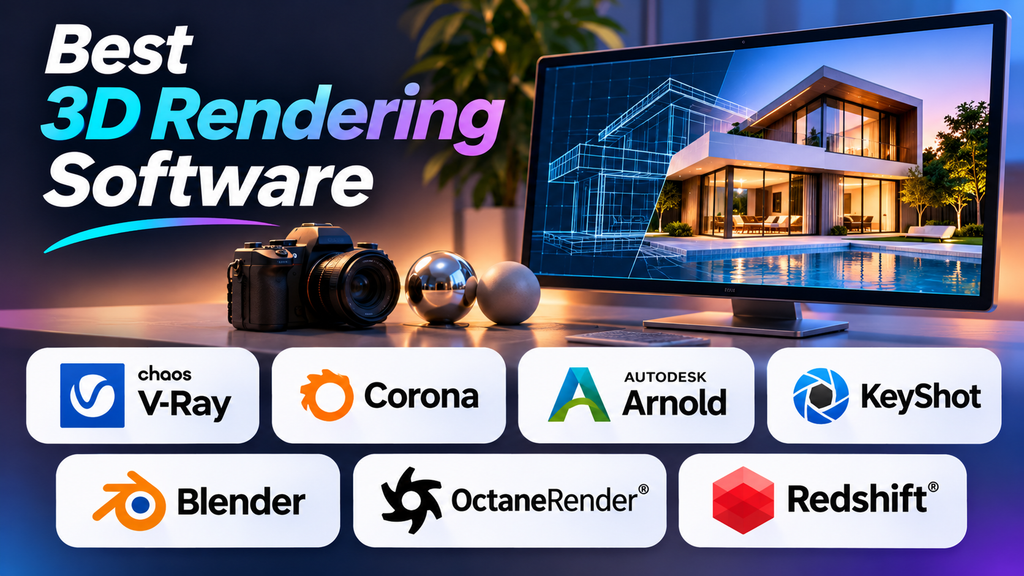
3D Rendering Software: Choose the Right Tool for Realistic Visuals
Introduction
3D rendering software plays an important role in transforming digital models into realistic images, animations, and visual presentations. From architectural designs and interior spaces to product advertisements and animated films, rendering tools help artists visualize ideas with detailed materials, lighting, shadows, and textures.
Choosing the right rendering software can improve image quality, reduce production time, and make creative workflows more efficient. However, the best option depends on your project requirements, hardware capabilities, budget, and experience level.
In this article, we explore popular 3D rendering software, compare their key features, and explain how to select the right tool for your workflow.
What Is 3D Rendering Software?
3D rendering software converts a three-dimensional scene into a two-dimensional image or animation. It processes elements such as geometry, lighting, cameras, materials, reflections, and shadows to create the final output.
Rendering tools are widely used in architecture and interior design, product design, animation and visual effects, gaming, and marketing and advertising.
Best 3D Rendering Software Options
- Blender
Blender is a versatile 3D creation application that includes two popular rendering engines: Cycles and Eevee. Cycles supports physically based rendering for realistic lighting and materials, while Eevee is designed for faster, real-time rendering workflows. Blender also includes tools for modeling, sculpting, animation, compositing, and video editing.
Best for: Beginners, independent artists, animation, and general 3D production. - V-Ray
V-Ray is a professional rendering solution known for its lighting controls, material capabilities, and photorealistic output. It is commonly used in architectural visualization, interior design, product rendering, and visual effects.
Best for: Architectural visualization and high-quality photorealistic rendering. - Corona Renderer
Corona Renderer is particularly popular among architectural and interior visualization professionals. Its workflow focuses on making lighting, materials, and scene adjustments accessible while producing realistic images.
Best for: Interior design, architecture, and visualization projects. - Autodesk Arnold
Autodesk Arnold is a physically based renderer designed for demanding production environments. It is used in animation and visual effects workflows where complex scenes, realistic shading, and consistent output are important.
Best for: Animation, visual effects, and professional production rendering. - KeyShot
KeyShot focuses on product visualization and helps designers create polished images of products, materials, and prototypes. Its workflow is designed to simplify material selection, lighting, and scene presentation.
Best for: Industrial design, product development, and product marketing. - OctaneRender
OctaneRender is a GPU-based rendering solution designed to provide interactive rendering and physically based visual results. Its performance depends on graphics hardware, available GPU memory, scene complexity, and supported features.
Best for: GPU-based rendering and motion graphics. - Redshift
Redshift is a GPU-accelerated renderer designed for professional creative production. It provides controls that help artists balance rendering quality, performance, and scene complexity.
Best for: Motion graphics, animation, and production workflows.
Comparison of Popular 3D Rendering Software
Blender Cycles — Realistic rendering and flexibility; general 3D and animation.
Blender Eevee — Fast, real-time rendering; previews and interactive scenes.
V-Ray — Detailed lighting and materials; architecture and product visuals.
Corona Renderer — Visualization-focused workflow; interiors and architecture.
Autodesk Arnold — Production rendering; animation and visual effects.
KeyShot — Accessible product visualization; product design and marketing.
OctaneRender — GPU-based rendering; motion graphics and creative visuals.
Redshift — GPU-accelerated production; animation and motion design.
How to Choose the Right 3D Rendering Software
- Identify your project requirements. Architectural artists may prioritize realistic lighting, while product designers may need fast studio-style renders. Animation professionals may focus on production efficiency.
- Check compatibility with your current 3D application and workflow.
- Evaluate hardware requirements, including CPU or GPU support and available graphics memory.
- Consider licensing costs, subscriptions, hardware requirements, and training expenses.
- Test rendering speed and quality using a representative project. Compare image quality, render time, noise, and ease of making changes.
Tips for Achieving Better 3D Renders
- Use appropriate lighting and begin with a simple setup.
- Create realistic materials and pay attention to roughness, reflections, and textures.
- Optimize models and keep scenes organized.
- Use low-quality test renders before producing final output.
- Adjust render settings where they visibly improve results.
- Maintain consistent color management.
- Save project versions before major changes.
Common Mistakes to Avoid
Selecting a renderer without checking hardware compatibility can lead to disappointing performance. Other mistakes include excessive lighting, unrealistic materials, increasing render quality too early, and ignoring the time required for animation frames. Beginners should focus on mastering one renderer before exploring several tools.
Conclusion
The best 3D rendering software depends on your creative goals, project type, hardware, and budget. Blender is a flexible starting point, V-Ray and Corona are popular options for architectural visualization, Arnold supports professional animation and visual effects, and KeyShot focuses on product presentation. OctaneRender and Redshift offer GPU-oriented workflows for creative production.
Compare features, compatibility, learning requirements, and performance using a real project. The right renderer is the one that helps you achieve your desired visual quality while fitting efficiently into your workflow.
