Upgrade & Secure Your Future with DevOps, SRE, DevSecOps, MLOps!
We spend hours scrolling social media and waste money on things we forget, but won’t spend 30 minutes a day earning certifications that can change our lives.
Master in DevOps, SRE, DevSecOps & MLOps by DevOps School!
Learn from Guru Rajesh Kumar and double your salary in just one year.
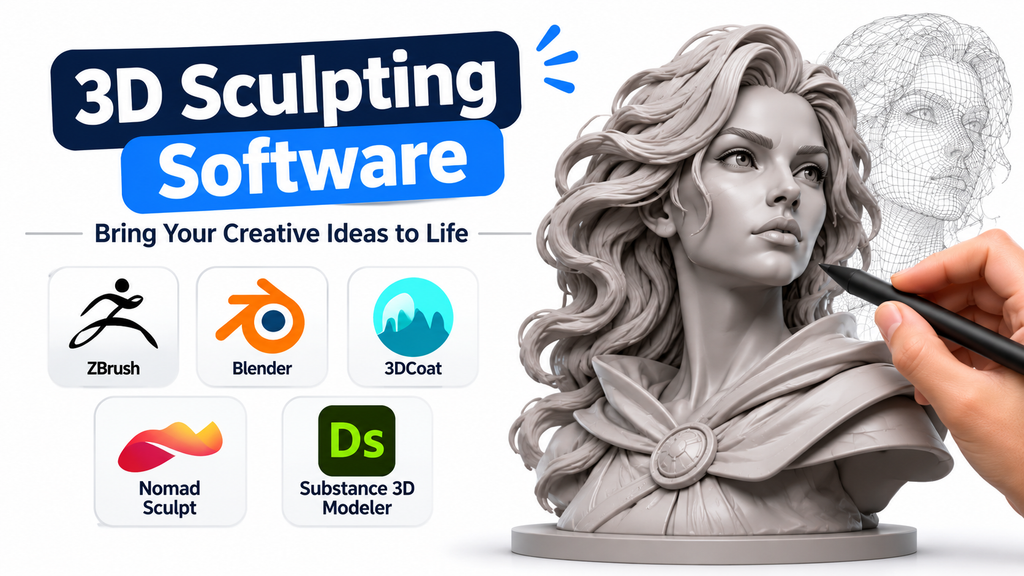
Creating a convincing 3D character, creature, collectible, or organic environment requires more than conventional polygon modeling. Artists need the freedom to push, pull, carve, smooth, and reshape digital surfaces while preserving the details that bring a model to life. This is where 3D sculpting software becomes essential.
Digital sculpting transforms the traditional clay-modeling process into an interactive computer-based workflow. Artists can work with millions of polygons, create intricate surface details, experiment with proportions, and prepare models for animation, games, visual effects, or 3D printing.
However, not every sculpting application approaches this process in the same way. Some prioritize extremely detailed character creation, while others combine sculpting with complete 3D production environments or provide portable workflows on tablets.
Understanding these differences makes it easier to select software that supports both an artist’s creative process and the technical requirements of a finished project.
What Makes 3D Sculpting Software Different?
Traditional 3D modeling often involves manipulating vertices, edges, and polygon faces individually. Sculpting software provides a more intuitive approach by allowing artists to modify surfaces using brushes.
Common sculpting operations include:
- Clay building: Adding digital material to develop volume and shape.
- Smoothing: Removing unwanted bumps and irregularities.
- Creasing: Creating sharp folds, wrinkles, and defined surface details.
- Masking: Protecting selected areas while working on other parts.
- Dynamic topology: Adding or adjusting geometry as more detail is introduced.
- Multiresolution sculpting: Switching between different mesh detail levels.
- Surface painting: Applying colors and material properties directly to models.
These capabilities are particularly useful for character artists, concept designers, game developers, digital illustrators, and 3D printing professionals.
Five Sculpting Applications Worth Understanding
The most useful software choice depends on how an artist works, the complexity of the model, and the destination of the finished asset.
ZBrush: Specialized Sculpting for Highly Detailed Models
ZBrush is one of the most established applications for professional digital sculpting. Its workflow is designed around manipulating virtual clay, making it particularly suitable for detailed character models, creatures, collectibles, and organic surfaces.
Its extensive brush system allows artists to build anatomy, create skin textures, define clothing folds, and develop complex surface details. Artists can also combine multiple sculpted elements and work with specialized remeshing tools.
A major advantage is that ZBrush focuses heavily on sculpting rather than attempting to serve as an all-purpose 3D production application. This specialization makes it attractive to professionals who spend much of their time developing high-detail models.
Where it fits: Character development, creature design, digital collectibles, film production, and detailed organic modeling.
Important consideration: Its extensive interface and specialized workflow can require considerable learning. Artists who also need a complete animation and rendering environment may need additional software.
Blender: Sculpting Within a Complete 3D Production Environment
Blender offers an integrated approach to digital sculpting. Instead of treating sculpting as an isolated activity, it combines sculpting with modeling, texturing, rigging, animation, rendering, and other production capabilities.
Its sculpting workspace includes brushes for building forms, smoothing surfaces, creating creases, masking regions, and modifying geometry. Dynamic topology and multiresolution workflows provide different approaches to handling mesh detail.
One particularly useful advantage is the ability to move directly from sculpting into other production stages without constantly transferring assets between applications.
Blender is also free and open-source, making it accessible to independent artists, students, small studios, and larger production teams.
Where it fits: Beginners, independent creators, game asset development, character modeling, animation, and complete 3D projects.
Important consideration: Although Blender’s sculpting tools are capable, artists accustomed to dedicated sculpting applications may prefer a specialized interface for certain advanced workflows.
3DCoat: Flexible Voxel and Surface Sculpting
3DCoat approaches digital sculpting through two important methods: voxel sculpting and surface sculpting.
Voxel sculpting works with volumetric digital material rather than relying exclusively on an existing polygon surface. This makes it useful during early creative exploration because artists can add, remove, combine, and reshape forms without immediately worrying about stretching an underlying mesh.
Surface sculpting operates directly on polygon geometry. It is more suitable when refining an established model and introducing smaller details.
This distinction gives artists flexibility throughout the modeling process. They can begin with broad shapes, develop the silhouette, and then move toward detailed surface refinement.
3DCoat also includes painting and retopology capabilities, which can help connect sculpting with subsequent asset-production tasks.
Where it fits: Organic modeling, concept development, character creation, surface detailing, and workflows that require sculpting alongside retopology and painting.
Important consideration: Understanding when to use voxel mode and when to switch to surface mode is important. Complex projects also require attention to geometry density and hardware resources.
Nomad Sculpt: Portable Digital Sculpting
Nomad Sculpt brings digital clay modeling to touchscreen devices, including iPads, iPhones, and Android devices. Desktop versions are also available.
Its brush-based interface makes it possible to develop characters, creatures, decorative objects, and small 3D concepts without relying exclusively on a traditional desktop workstation.
The application supports sculpting brushes, masking, multiresolution workflows, painting, and layers. These features allow artists to experiment with shapes and refine their models through an accessible interface.
For artists who prefer drawing and sculpting directly on a screen, its touchscreen-oriented approach can make creative exploration more convenient.
Where it fits: Mobile artists, beginners, concept sculptors, digital hobbyists, and professionals who want a portable sculpting workflow.
Important consideration: Device performance, memory, and screen size can influence how comfortably artists work with dense models. Large production assets may require additional optimization or transfer to desktop software.
Adobe Substance 3D Modeler: Sculpting Through Desktop and VR Workflows
Adobe Substance 3D Modeler offers a different approach to digital sculpting by supporting both desktop and virtual reality workflows.
Rather than focusing entirely on conventional brush-based polygon editing, the application uses digital clay and intuitive spatial interactions to develop objects and scenes.
Artists can switch between desktop and VR workflows, making it possible to create forms through either traditional computer interaction or a more immersive sculpting experience.
The software supports organic sculpting, hard-surface form creation, symmetry, and scene organization. This makes it particularly interesting for artists who want to explore spatial modeling and develop concepts through a more physical approach.
Where it fits: Concept artists, VR creators, industrial design exploration, organic modeling, and artists interested in immersive 3D workflows.
Important consideration: It is a specialized application rather than a replacement for every stage of a conventional character-production pipeline. Windows compatibility, hardware requirements, subscription costs, and supported VR equipment should be checked before adoption.
Comparing the Applications by Workflow
| Software | Main strength | Suitable workflow |
|---|---|---|
| ZBrush | Advanced digital sculpting | High-detail professional assets |
| Blender | Integrated 3D production | Modeling, sculpting, animation |
| 3DCoat | Voxel and surface sculpting | Organic modeling and retopology |
| Nomad Sculpt | Portable sculpting | Tablet-based creative work |
| Substance 3D Modeler | Desktop and VR sculpting | Spatial concept development |
These applications are not interchangeable in every situation. Their value comes from how well their individual workflows match the intended project.
How to Choose Software for Different Creative Projects
The best selection process starts with the final output rather than the number of available brushes.
Character and Creature Development
Character artists frequently need precise control over anatomy, facial proportions, clothing, and surface details.
ZBrush is a strong candidate when sculpting is the central activity. Blender is also worth considering when the project requires an integrated path from modeling through animation and rendering.
For detailed production work, evaluate how easily the application supports high-density geometry, symmetry, sculpt layers, and retopology.
Game Asset Creation
Game development introduces additional technical requirements beyond visual quality.
A detailed sculpt may contain far more geometry than a real-time game engine can efficiently display. Artists therefore need a process for generating optimized meshes, creating normal maps, managing UVs, and preparing textures.
Blender and 3DCoat are useful options to evaluate for workflows involving sculpting and subsequent asset preparation. ZBrush can also play an important role in developing detailed source models.
Digital Collectibles and 3D Printing
Artists creating collectible figures or printable objects must consider the physical structure of their models.
A visually attractive sculpt is not automatically suitable for manufacturing. The model may need sufficient wall thickness, closed geometry, appropriate dimensions, and removal of unintended intersections.
ZBrush, Blender, 3DCoat, and Nomad Sculpt can all contribute to sculpting workflows, but the final mesh should be checked with suitable mesh-repair and slicing software before printing.
Mobile Concept Creation
Artists who want to sketch and develop ideas away from a desktop workstation can consider Nomad Sculpt.
Its tablet-oriented interaction makes it convenient for experimenting with proportions, basic anatomy, and organic forms.
The important decision is whether the application can comfortably handle the complexity of the intended project on the available device.
Immersive Spatial Modeling
For artists interested in creating forms through physical movements and spatial interaction, Substance 3D Modeler offers an alternative to conventional desktop sculpting.
Its desktop and VR support makes it worth evaluating for concept development and immersive creative workflows.
Technical Factors That Matter Before Purchasing
A sculpting application can appear impressive in demonstrations but still be unsuitable for a particular workstation or production pipeline.
Several practical considerations deserve attention.
Hardware requirements: High-density sculpting places demands on memory, processing resources, and graphics hardware. Check the software’s system requirements and test it with models similar to those planned for production.
Graphics tablet compatibility: Pressure-sensitive tablets can improve control over brush size, intensity, and sculpting strokes. Artists should check compatibility with their preferred hardware.
Topology management: Detailed sculpting can produce extremely dense geometry. Tools for remeshing, retopology, subdivision, and mesh optimization become important when models must move into animation or real-time environments.
File compatibility: Check whether the application supports the required interchange formats and preserves the necessary geometry, texture, and material information when exporting.
Learning requirements: A specialist application may provide advanced controls but require more time to learn. An integrated application may reduce software switching but offer a different sculpting experience.
Licensing and long-term availability: Compare subscription models, perpetual licensing where available, device-specific purchases, update policies, and commercial-use conditions before committing.
One additional consideration is Autodesk Mudbox. Although it has historically been used for digital sculpting and painting, Autodesk has discontinued new and renewal subscriptions. Existing users should review their access and support arrangements before planning a new production workflow around it.
Common Mistakes When Selecting Sculpting Software
Several avoidable mistakes can make software selection unnecessarily expensive or complicated.
- Choosing based on popularity alone: A widely recognized application may not suit a particular production workflow.
- Ignoring mesh optimization: Creating highly detailed models without considering the final polygon budget can introduce problems later.
- Overlooking export requirements: A sculpting application must work with the modeling, texturing, animation, or printing tools used downstream.
- Underestimating hardware requirements: Dense models can become difficult to manipulate on systems with limited resources.
- Purchasing too many applications: Artists should establish whether one capable application can handle most requirements before building a complicated software collection.
- Ignoring the learning curve: A feature-rich application is only valuable when its tools can be used effectively.
A Practical Way to Evaluate Your Options
Before making a long-term decision, complete the same small sculpting exercise in the applications being considered.
For example, create a stylized creature head containing basic anatomy, facial features, surface wrinkles, and a few fine details.
Evaluate each application against the following requirements:
- How naturally can you build the initial shape?
- How easy is it to refine proportions and anatomy?
- Can you introduce fine details without slowing down excessively?
- How effectively can you manage mesh density?
- Can you export the finished model in the required format?
- Does the software work comfortably with your hardware and preferred input device?
This exercise provides a more meaningful comparison than relying on feature lists alone. It also reveals whether an application’s interface and sculpting behavior suit your working style.
Making the Right Sculpting Software Decision
The most appropriate 3D sculpting application depends on the balance between creative freedom, technical control, hardware compatibility, and production requirements.
ZBrush deserves consideration when advanced digital sculpting is the primary focus. Blender offers broader production capabilities without a software purchase cost. 3DCoat provides a distinctive combination of voxel and surface sculpting. Nomad Sculpt makes portable digital modeling accessible, while Adobe Substance 3D Modeler introduces an immersive desktop and VR approach.
Rather than selecting software based on the largest feature list, consider the models you intend to create and how those models will be used after sculpting. Testing a representative project before committing to a platform is one of the most reliable ways to find a solution that supports both artistic expression and practical production needs.
