Upgrade & Secure Your Future with DevOps, SRE, DevSecOps, MLOps!
We spend hours scrolling social media and waste money on things we forget, but won’t spend 30 minutes a day earning certifications that can change our lives.
Master in DevOps, SRE, DevSecOps & MLOps by DevOps School!
Learn from Guru Rajesh Kumar and double your salary in just one year.
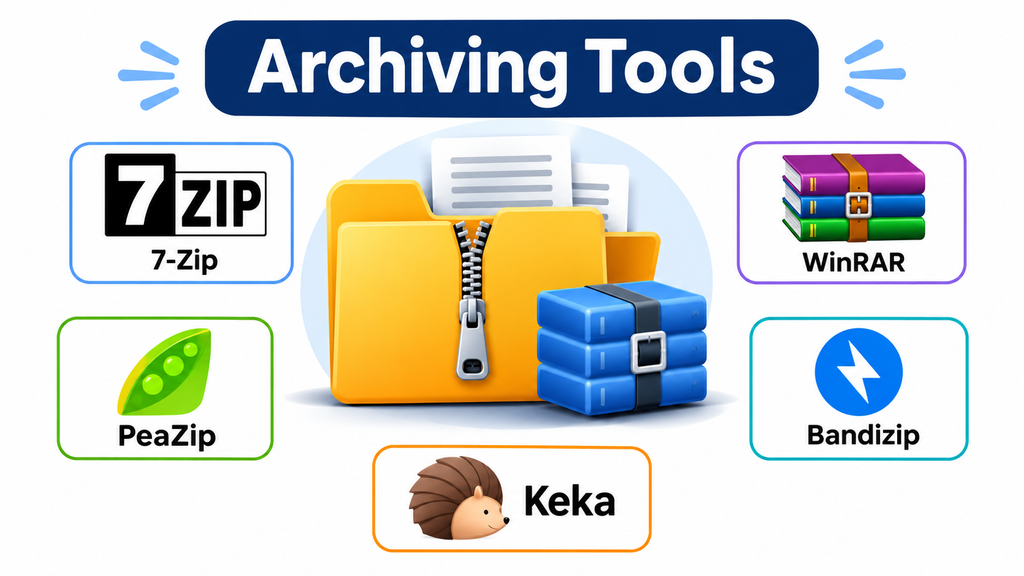
File archives are an essential part of everyday digital work. Whether someone is sharing large project folders, storing important documents, distributing software packages, or organizing years of accumulated files, archiving tools make file management considerably easier.
These applications combine multiple files into a single archive, reduce storage requirements through compression, and provide ways to extract or protect archived content. However, not all archiving software works in the same way. Some applications prioritize compression efficiency, while others focus on compatibility, security, batch processing, or convenient desktop integration.
Choosing the right application depends on the file formats being handled, the operating system, the size of the archives, and how frequently files need to be transferred or recovered.
What Archiving Software Actually Does
Archiving software packages files and directories into a single container that can be stored, transferred, or distributed more conveniently.
Compression is often included, but archiving and compression are not identical operations. An archive can combine files without significantly reducing their size, while compression algorithms attempt to represent the same information using less storage.
Common archive formats include ZIP, 7Z, RAR, TAR, GZIP, and XZ. Each has different compatibility, compression, and workflow characteristics.
Modern archiving applications commonly support:
- Creating and extracting compressed archives.
- Managing multiple archive formats.
- Splitting large archives into smaller volumes.
- Password protection and encryption.
- Testing archive integrity.
- Browsing archive contents without extracting everything.
- Batch compression and extraction.
Archiving Applications Worth Considering
7-Zip
7-Zip is a popular open-source archiving application known for its 7z format and high compression capabilities.
Its LZMA and LZMA2 compression methods make it particularly useful when storage efficiency matters. It also supports creating ZIP and several other formats while extracting a much broader selection of archive types.
One important advantage is its support for AES-256 encryption in 7z and ZIP archives. Its command-line functionality also makes it useful for automated file-processing workflows.
Where it fits: Users who want a free, lightweight archiver with strong compression capabilities and extensive format support.
WinRAR
WinRAR is particularly associated with the RAR archive format and offers features designed for handling large or potentially damaged archives.
Its recovery record functionality can add redundant information to an archive, helping recover data when portions become corrupted. It also supports splitting archives into multiple volumes, which is useful when transferring large files through systems with upload-size restrictions.
WinRAR can extract several common formats beyond RAR, including ZIP, 7Z, TAR, and ISO.
Its commercial licensing model is an important consideration for organizations evaluating software for regular use.
Where it fits: Users who frequently handle RAR archives, multipart files, and recovery-sensitive archive workflows.
PeaZip
PeaZip is an open-source archive manager available across Windows, Linux, macOS, and BSD environments.
Its strength is its broad archive-management functionality. It supports numerous archive formats and includes tools for converting archives, splitting files, calculating hashes, and managing multiple compression tasks.
It also provides a portable version, making it useful when installing software on a computer is inconvenient or restricted.
PeaZip is particularly interesting for users who need more than basic ZIP extraction but do not want to depend on proprietary software.
Where it fits: Cross-platform users, technical professionals, and people who need advanced archive-management capabilities.
Bandizip
Bandizip focuses on making everyday compression and extraction tasks convenient and efficient.
It supports multi-core compression, archive browsing, split archives, and direct editing of archive contents. Its Windows integration also makes routine extraction and compression accessible through context menus.
Some advanced capabilities, including archive repair and image previews, are associated with its paid Professional edition.
The distinction between free and paid features should be reviewed before selecting it for a business environment.
Where it fits: Windows users who value fast archive handling and convenient desktop workflows.
Keka
Keka is a macOS-focused archiving application designed around a straightforward drag-and-drop experience.
It supports creating archives in formats such as 7Z, ZIP, TAR, GZIP, XZ, and Zstandard, while extracting numerous additional formats.
Its encryption options make it useful for preparing password-protected archives, and its ability to split large archives can help when files need to be transferred in smaller parts.
Keka is a particularly practical option for Mac users who want a dedicated archive utility rather than relying exclusively on built-in extraction features.
Where it fits: Mac users who regularly compress, extract, encrypt, or split files.
Comparing the Different Approaches
| Software | Main strength | Platform focus | Licensing approach |
|---|---|---|---|
| 7-Zip | Compression efficiency | Windows | Open source |
| WinRAR | RAR archives and recovery records | Windows and other supported platforms | Commercial |
| PeaZip | Broad format and archive management | Cross-platform | Open source |
| Bandizip | Convenient desktop workflows | Windows and macOS | Free and paid editions |
| Keka | Mac-oriented compression and extraction | macOS | Free download and paid App Store option |
What Matters When Selecting an Archiving Tool?
Compression Efficiency
Compression performance depends on the algorithm, file type, compression settings, and available hardware.
Already-compressed files, such as JPEG images, MP4 videos, and many software packages, may experience little additional size reduction.
By contrast, text files, logs, and certain uncompressed datasets can often benefit substantially from compression.
For users managing large collections, it is worth testing representative files rather than assuming that one format will always produce the smallest archive.
Archive Format Compatibility
Compatibility is particularly important when files are shared between different operating systems or organizations.
ZIP is widely supported and is generally a practical choice for routine file exchange. Formats such as 7Z may offer different compression and encryption capabilities but can require compatible extraction software.
Before choosing a format, consider what the recipient will use to open the archive.
Encryption and Password Protection
Sensitive files may require encryption before being transferred or stored.
Look for support for modern encryption methods, clear password-handling options, and protection for archive filenames when confidentiality is important.
Password protection is only as effective as the password and the encryption configuration. A lost password may make an archive permanently inaccessible.
Large Archive Management
Some workflows involve files too large for a single transfer or storage location.
Multi-volume archives divide content into smaller parts. This is useful for managing upload limits, removable storage, and certain distribution workflows.
However, all required archive volumes must remain available for successful extraction.
Integrity and Recovery
An archive that cannot be extracted is of little practical value.
Integrity testing helps identify damaged or incomplete archives. Recovery records, where supported, can provide additional protection against certain types of corruption.
For important business documents, archive testing should be part of the storage workflow rather than an occasional troubleshooting activity.
Archiving Is Not the Same as Backup
One important distinction is that archiving software does not automatically provide a complete backup strategy.
An archive is generally a packaged collection of files. A backup system maintains recoverable copies of data and may include version history, automated scheduling, retention policies, and restoration capabilities.
For example, compressing a company’s project folder into a ZIP file does not protect the organization if that archive is stored only on the same hard drive.
A more reliable approach is to combine archiving tools with independent backup storage and regularly test restoration.
Practical Security Considerations
Archive files can contain executable programs, scripts, documents, and other potentially dangerous content.
Organizations should establish basic precautions when handling archives received from external sources:
- Scan unfamiliar archives using appropriate security software.
- Avoid executing files directly from untrusted archives.
- Verify the source before extracting sensitive content.
- Use strong, unique passwords for encrypted archives.
- Keep important archive passwords in an approved password manager.
- Retain original files until the resulting archive has been tested.
- Store critical archives in locations separate from the original data.
Encryption also does not guarantee protection against every threat. It protects data according to the selected format and implementation, but does not prevent an infected file from remaining infected after extraction.
Common Mistakes to Avoid
Choosing a format based only on compression size: A smaller archive is not necessarily the best choice if recipients cannot open it.
Deleting original files too early: Always test archive integrity and confirm that important files can be extracted before removing originals.
Ignoring multipart archive dependencies: Losing one volume can prevent successful extraction of the entire collection.
Treating compression as backup: A single archive stored on one device remains vulnerable to device failure, accidental deletion, and ransomware.
Using weak passwords: Password-protected archives should use strong credentials, particularly when they contain confidential information.
Making the Right Choice
The most suitable archiving application depends on the operating environment and the complexity of the file-management workflow.
7-Zip is a strong starting point for users who prioritize free software and compression efficiency. WinRAR is worth considering for workflows involving RAR files and recovery records. PeaZip offers extensive cross-platform archive management, while Bandizip emphasizes desktop convenience. Keka provides a dedicated option for macOS users.
Before adopting an application for regular business use, test it with representative files, confirm compatibility with recipients, review encryption settings, and establish a reliable process for storing and recovering important archives.
The real value of archiving software is not simply making files smaller. It is making digital information easier to organize, transfer, protect, and access when it is needed.
