Upgrade & Secure Your Future with DevOps, SRE, DevSecOps, MLOps!
We spend hours scrolling social media and waste money on things we forget, but won’t spend 30 minutes a day earning certifications that can change our lives.
Master in DevOps, SRE, DevSecOps & MLOps by DevOps School!
Learn from Guru Rajesh Kumar and double your salary in just one year.
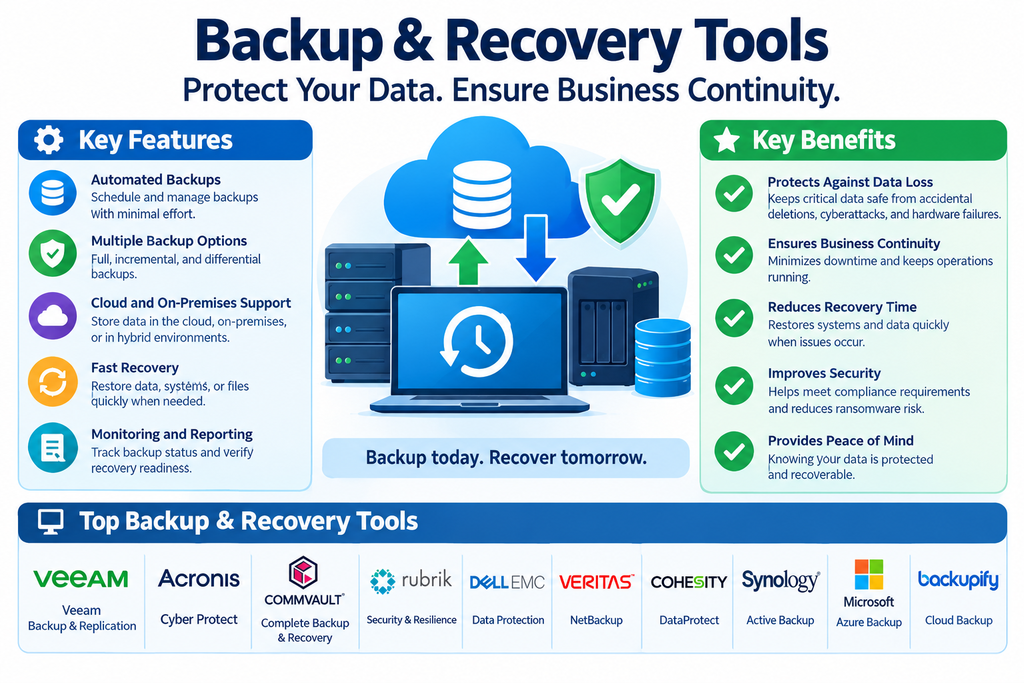
Backup & Recovery Tools: Features, Benefits, and Top Platforms
Business data is one of the most valuable assets an organization owns. Customer records, financial documents, employee information, application data, and operational files all play an important role in daily business activities. Losing access to this information because of hardware failures, accidental deletion, cyberattacks, or natural disasters can disrupt operations and create significant financial and reputational damage.
Backup and recovery tools help organizations protect important information by creating secure copies of data and restoring it when needed. These solutions support automated backups, centralized data protection, recovery testing, and business continuity planning.
As businesses rely increasingly on cloud services, virtual machines, databases, and distributed IT environments, reliable backup and recovery strategies have become essential.
What Are Backup & Recovery Tools?
Backup and recovery tools are software platforms designed to create copies of digital information and restore those copies after data loss, corruption, system failure, or a security incident.
A backup is a separate copy of files, databases, applications, or entire systems. Recovery is the process of bringing that information back into a usable state when the original data becomes unavailable or damaged.
Depending on the platform, organizations can back up individual files, complete computers, virtual machines, databases, cloud workloads, and enterprise applications. Backups may be stored on local storage, dedicated backup appliances, remote data centers, or cloud platforms.
Key Features of Backup & Recovery Software
1. Automated Backup Scheduling
Automated scheduling allows organizations to create backups at regular intervals without relying on employees to perform manual copies. Administrators can define backup frequency based on the importance and rate of change of the data.
2. Incremental and Full Backups
Full backups copy all selected data, while incremental backups capture changes made since a previous backup. Some solutions also support differential backups. These methods help organizations balance storage requirements, backup speed, and recovery needs.
3. Disaster Recovery Support
Advanced platforms can help restore entire systems, virtual machines, or workloads after major disruptions. Some provide replication and recovery orchestration to reduce downtime.
4. Cloud Backup Integration
Cloud backup features allow organizations to store protected data in remote cloud environments. This can provide additional resilience if local systems or facilities become unavailable.
5. Encryption and Access Controls
Encryption helps protect backup data while it is being transferred and stored. Role-based access controls and authentication policies can limit who is permitted to view, modify, or restore sensitive information.
6. Ransomware Protection
Some backup platforms offer immutable storage, anomaly detection, protected backup copies, and restricted deletion controls. These capabilities can make it harder for attackers to compromise recovery data.
7. Centralized Monitoring and Reporting
Dashboards help administrators monitor backup jobs, storage usage, failures, recovery points, and policy compliance. Alerts can notify IT teams when a backup does not complete successfully.
8. Granular Recovery
Granular recovery allows administrators to restore selected files, folders, application objects, or database records instead of recovering an entire system. Availability depends on the workload and platform.
Popular Backup & Recovery Tools
Organizations can choose from enterprise backup platforms, cloud-native services, and specialized solutions for different workloads.
Veeam Data Platform
Veeam Data Platform provides backup, recovery, and data resilience capabilities for virtual, physical, and cloud environments. It supports workload protection, replication, recovery orchestration, and security features designed to help organizations maintain data availability.
Acronis Cyber Protect
Acronis Cyber Protect combines backup and recovery capabilities with cybersecurity features. It helps organizations protect endpoints, servers, and workloads while providing recovery options and security monitoring in supported environments.
Commvault Cloud
Commvault Cloud provides enterprise data protection, backup, recovery, and cyber resilience capabilities. It supports a variety of workloads and storage environments, helping organizations manage data protection across complex IT infrastructures.
Rubrik Security Cloud
Rubrik Security Cloud focuses on data security, backup, and recovery. Its capabilities include protected backups, recovery workflows, data monitoring, and cyber resilience features that help organizations respond to data loss and ransomware incidents.
Veritas NetBackup
Veritas NetBackup is an enterprise data protection platform designed for large and complex IT environments. It supports backup and recovery across different workloads, storage systems, and infrastructure environments.
Cohesity DataProtect
Cohesity DataProtect provides backup and recovery capabilities for enterprise workloads, including virtual, physical, and cloud-based environments. It supports centralized data protection and recovery management.
Druva Data Security Cloud
Druva provides cloud-based data protection and recovery services. Its platform helps organizations protect supported endpoints, applications, cloud workloads, and enterprise information without maintaining traditional backup infrastructure for every workload.
Nakivo Backup & Replication
Nakivo Backup & Replication supports backup, replication, and recovery for virtual, physical, cloud, and other supported environments. It is used by organizations seeking centralized protection for business workloads.
Backblaze Business Backup
Backblaze offers cloud backup services for computers and business data. Its solutions can help organizations protect important files and maintain off-site copies without managing a large traditional backup infrastructure.
MSP360 Backup
MSP360 Backup provides centralized backup and recovery management for servers, workstations, and supported cloud storage environments. It offers flexible backup workflows for businesses and managed service providers.
Benefits of Using Backup & Recovery Tools
Reduced Data Loss: Regular backups provide additional copies of important information, helping organizations recover files and systems after unexpected incidents.
Business Continuity: Recovery capabilities help businesses resume operations more quickly after system failures, cyber incidents, or infrastructure disruptions.
Protection Against Ransomware: Secure and isolated backup copies can provide recovery options if production data is encrypted or damaged by malicious software.
Lower Operational Risk: Automated backup processes reduce dependence on manual activities and help maintain consistent data protection.
Regulatory and Audit Support: Backup policies, retention settings, and activity reports can help organizations meet applicable data protection and audit requirements.
Flexible Storage Options: Organizations can combine local, remote, and cloud storage to build a backup strategy that fits their infrastructure and recovery needs.
Types of Backup Methods
Full Backup: Copies all selected data. It provides a complete backup set but generally requires more storage and time.
Incremental Backup: Copies only changes made since the most recent backup. It can reduce storage usage and backup duration.
Differential Backup: Copies changes made since the last full backup. It can simplify some recovery processes but may require more storage than incremental backups over time.
Image-Based Backup: Captures a system or disk image so that an entire machine can be restored, including its operating system and configuration.
Cloud Backup: Stores copies of data in a cloud environment, helping protect against local hardware failures and site-level incidents.
Continuous Data Protection: Captures data changes frequently or continuously, depending on the solution, to support more recent recovery points.
How to Choose the Right Backup & Recovery Platform
Begin by identifying what needs protection. This may include employee computers, servers, databases, virtual machines, cloud applications, file storage, and business-critical systems.
Next, define recovery requirements. Recovery Point Objective (RPO) describes how much data loss, measured in time, the business can tolerate. Recovery Time Objective (RTO) describes how quickly a system or service needs to be restored.
Evaluate platform compatibility, automation, storage options, encryption, access controls, ransomware protection, and granular recovery capabilities. Check whether the platform supports the organization’s existing cloud providers, hypervisors, databases, and business applications.
Consider total cost of ownership, including software licensing, cloud storage, data transfer, retention, support, and administration. A proof-of-concept deployment can help confirm performance and recovery reliability before committing to a platform.
Backup & Recovery Best Practices
A reliable strategy should follow the 3-2-1 backup principle: maintain at least three copies of important data, store them on two different types of media or storage, and keep one copy off-site. Organizations can strengthen this approach with immutable or offline backup copies.
Define backup schedules according to business importance and data-change rates. Encrypt backup information, restrict administrative permissions, and separate backup management credentials from ordinary production accounts.
Monitor backup jobs and investigate failures promptly. Most importantly, test restoration procedures regularly. A backup is only useful if the organization can successfully recover the required data within its operational targets.
Document recovery responsibilities, escalation procedures, and communication plans. Review the strategy as systems, applications, and business requirements change.
Conclusion
Backup and recovery tools help organizations protect critical information and maintain operations when unexpected data loss or system disruptions occur. Automated backups, secure storage, flexible recovery options, and centralized monitoring make these platforms essential components of modern IT infrastructure.
Solutions such as Veeam Data Platform, Acronis Cyber Protect, Commvault Cloud, Rubrik Security Cloud, Veritas NetBackup, Cohesity DataProtect, Druva, Nakivo, Backblaze, and MSP360 provide different approaches to business data protection.
The right platform depends on workload requirements, recovery objectives, security needs, infrastructure, and budget. With regular backups, secure storage, and tested recovery procedures, organizations can improve resilience and reduce the impact of unexpected incidents.
