Upgrade & Secure Your Future with DevOps, SRE, DevSecOps, MLOps!
We spend hours scrolling social media and waste money on things we forget, but won’t spend 30 minutes a day earning certifications that can change our lives.
Master in DevOps, SRE, DevSecOps & MLOps by DevOps School!
Learn from Guru Rajesh Kumar and double your salary in just one year.
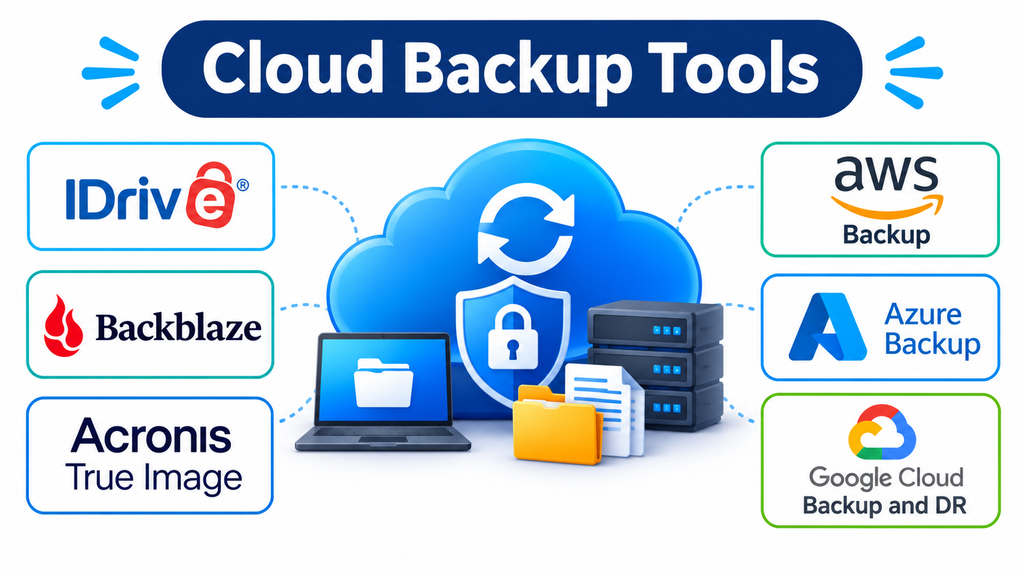
Understanding Cloud Backup Software
Cloud backup applications create copies of data and transfer them to remote storage infrastructure. Depending on the service, they can protect individual files, entire computers, external drives, virtual machines, databases, and business applications.
Unlike ordinary file synchronization, backup software is designed to preserve recovery points. This distinction is important because synchronization can replicate accidental deletions or unwanted file changes, whereas a properly configured backup system may retain earlier versions.
Most cloud backup solutions include several core capabilities:
- Automated scheduling: Runs backups at predefined intervals or continuously.
- Incremental backups: Transfers changed data rather than repeatedly uploading everything.
- Version history: Retains previous versions of files for recovery.
- Encryption: Protects data during transfer and storage.
- Retention policies: Determines how long backup copies remain available.
- Remote recovery: Allows authorized users to restore files or workloads through an internet connection.
- Centralized administration: Helps administrators monitor backup activity across multiple devices or systems.
Cloud Backup Platforms for Different Workloads
The following products address different requirements. Some are designed for personal computers, while others protect enterprise infrastructure. They should not all be treated as direct competitors.
IDrive
IDrive is a cloud backup service designed to protect multiple devices through a centralized account.
It supports computers, mobile devices, external drives, and supported server workloads. This makes it useful for households and smaller organizations that want to manage backups without maintaining separate accounts for every device.
An important capability is its combination of backup and synchronization. IDrive provides separate functionality for protecting existing data and synchronizing files between connected devices.
Its Snapshot and versioning features provide historical recovery options. IDrive also offers IDrive Express, which uses physical storage shipment for certain large-scale initial backups or data retrieval workflows.
Practical consideration: Review the storage allowance, device limits, and applicable retention conditions of the selected plan. A multi-device account is useful only when its capacity matches the combined data requirements.
Backblaze Computer Backup
Backblaze Computer Backup emphasizes straightforward protection for individual Windows and macOS computers.
Its approach is different from services that require users to select and manage numerous backup sets manually. It is designed to back up computer data and connected drives, subject to supported-drive and operating-system conditions.
One of its important capabilities is version history, which allows users to recover earlier or deleted files within the configured retention period.
Backblaze is particularly attractive for individuals and professionals who want an uncomplicated off-site copy of their computer data.
However, Computer Backup should not be confused with an archival storage service. Its design follows the current state of the protected computer and drives, rather than serving as an independent repository for files deliberately removed from the source device.
Practical consideration: Check external-drive requirements and version-history settings before relying on the service for long-term retention.
Acronis True Image
Acronis True Image combines backup, system imaging, disk cloning, and cybersecurity functionality in one application.
Its full-image backup capability is particularly useful when protecting an entire computer rather than just selected folders. A system image can include the operating system, applications, settings, and personal files.
The application also supports local and cloud backup options, depending on the subscription selected.
This combination makes it useful for people who want to recover individual files as well as restore a complete computer after serious hardware or software failure.
Acronis also integrates anti-ransomware and malware-protection capabilities into its broader protection offering.
Practical consideration: Cloud storage is plan-dependent. Compare the included capacity and recovery features rather than assuming every edition provides cloud backup.
AWS Backup
AWS Backup is designed for organizations operating workloads within Amazon Web Services and supported hybrid environments.
Rather than focusing on individual desktop folders, it provides centralized backup management for supported cloud resources, including storage, databases, and compute workloads.
Administrators can define backup plans, automate scheduling, configure retention, and manage backup copies through backup vaults.
Its integration with AWS Identity and Access Management and AWS Key Management Service is particularly relevant to organizations with established cloud governance requirements.
AWS Backup also supports cross-account and cross-Region backup workflows for supported resources. Vault Lock can help enforce retention protections by preventing specified backup deletion or modification actions.
Practical consideration: AWS Backup is most appropriate when the organization already operates supported AWS workloads. Resource coverage, storage consumption, recovery requirements, and regional transfer charges should be evaluated before deployment.
Microsoft Azure Backup
Microsoft Azure Backup provides centralized backup and recovery for supported workloads across Azure and on-premises environments.
It is particularly relevant to businesses that use Microsoft infrastructure and want to manage data protection through Azure services.
Its capabilities include scheduled backups, retention management, recovery options, and centralized administration through Azure backup management tools.
Organizations can use it to protect supported virtual machines, files, databases, and other workloads.
Azure Backup also provides security controls and recovery protections designed to help organizations address accidental deletion, corruption, and ransomware-related incidents.
One important distinction is that Azure Backup focuses on backup and restoration. Organizations requiring coordinated application failover and disaster recovery orchestration may also need Azure Site Recovery.
Practical consideration: Workload compatibility, vault configuration, storage redundancy, and retention policies should be reviewed before implementing protection across a large Azure environment.
Google Cloud Backup and DR
Google Cloud Backup and DR is designed for organizations that need managed backup and recovery for supported Google Cloud and hybrid workloads.
Its capabilities cover supported virtual machines, databases, file systems, and enterprise infrastructure.
The service uses backup plans and rules to define scheduling, storage destinations, and retention requirements. Administrators can manage protection policies through centralized cloud management interfaces.
A notable feature is its use of backup vaults with immutability and retention protections. These controls can help prevent backup data from being modified or deleted prematurely.
The platform also supports application-consistent and crash-consistent backup approaches for applicable workloads.
Practical consideration: Organizations should confirm workload support, backup-vault location compatibility, recovery requirements, and storage costs before designing their protection architecture.
Comparing Cloud Backup Solutions
| Platform | Primary audience | Main specialization |
|---|---|---|
| IDrive | Individuals and small businesses | Multiple-device backup |
| Backblaze | Individuals and professionals | Computer and external-drive backup |
| Acronis True Image | Home users and professionals | System imaging and cloud backup |
| AWS Backup | AWS organizations | Centralized cloud workload protection |
| Microsoft Azure Backup | Azure organizations | Cloud and hybrid workload recovery |
| Google Cloud Backup and DR | Google Cloud organizations | Enterprise backup and disaster recovery |
The most important comparison is not simply how much storage each service provides. It is whether the software protects the correct workloads and can restore them within the required timeframe.
How to Evaluate Cloud Backup Costs
Cloud backup pricing can become complicated when an organization protects large amounts of data or maintains multiple recovery copies.
Several cost components deserve attention.
Storage consumption: The amount of retained backup data directly affects many usage-based services. Version history and long retention periods can increase storage requirements.
Data retrieval: Some cloud infrastructure providers charge for transferring data out of their platforms. Large restoration operations may therefore have additional costs.
Protected-device licensing: Endpoint backup products may charge per computer, user, or subscription tier.
Advanced functionality: Features such as extended retention, centralized reporting, additional cloud capacity, and specialized workload protection may require higher-tier plans.
Operational requirements: Backup administration, monitoring, testing, and recovery preparation also consume staff time.
A meaningful cost comparison should estimate the total expense of storing, maintaining, and restoring protected data rather than focusing exclusively on the advertised subscription price.
Building a Reliable Cloud Backup Strategy
Selecting backup software is only one part of data protection. The configuration determines how useful the service will be during an actual recovery incident.
Apply the 3-2-1 Backup Principle
The traditional 3-2-1 approach recommends maintaining:
- Three copies of important data.
- Two different storage types or media.
- One copy stored off-site.
For example, a business might maintain its working files on local storage, another copy on a separate backup device, and an additional copy in cloud backup infrastructure.
This reduces dependence on a single storage location.
Define Recovery Requirements
Two important measurements help determine whether a backup configuration is suitable.
Recovery Point Objective (RPO) describes how much data loss an organization can tolerate, measured in time.
Recovery Time Objective (RTO) describes how quickly a system or service must be restored after an interruption.
A business that processes transactions continuously may need more frequent backups and faster recovery than an organization storing relatively static documents.
These requirements should influence backup frequency, storage design, and restoration procedures.
Protect Backup Copies from Ransomware
Backup systems should not be treated as automatically immune to cyberattacks.
If attackers gain administrative access to backup infrastructure, they may attempt to delete recovery copies or weaken retention protections.
Useful safeguards include:
- Multifactor authentication for administrative accounts.
- Separate permissions for backup management and ordinary users.
- Immutable or deletion-protected backup storage where available.
- Independent backup credentials.
- Monitoring for unusual deletion or configuration activity.
- Regular restoration tests.
Test Recovery Instead of Assuming It Works
A successful backup notification does not necessarily prove that the data can be restored correctly.
Organizations should periodically test individual file recovery, complete system restoration, and application-level recovery where applicable.
Testing should also confirm that encryption keys, account credentials, and required recovery documentation remain accessible.
Common Cloud Backup Implementation Mistakes
Confusing synchronization with backup: Synchronization keeps files aligned between locations, but it does not necessarily preserve independent historical recovery points.
Selecting insufficient retention: Short retention periods may leave organizations unable to recover files discovered missing or corrupted much later.
Ignoring recovery bandwidth: Uploading data may be manageable over time, but restoring several terabytes can create substantial network and operational demands.
Keeping backups in the same security boundary: Backup accounts controlled by the same compromised administrator may not provide adequate protection.
Overlooking application consistency: Database and business application backups may require workload-aware processes to ensure that recovered data is usable.
Failing to monitor backup jobs: Automated systems still require monitoring for missed schedules, authentication failures, storage limits, and unsuccessful recovery operations.
Which Cloud Backup Approach Makes Sense?
The best choice depends on what needs protection and how recovery will be performed.
- For multiple personal devices: IDrive provides centralized backup across supported computers and mobile devices.
- For straightforward computer protection: Backblaze Computer Backup offers a focused approach to protecting personal computers and connected drives.
- For complete system recovery: Acronis True Image combines disk imaging, cloning, and backup capabilities.
- For AWS infrastructure: AWS Backup provides policy-based protection across supported cloud workloads.
- For Microsoft environments: Azure Backup provides centralized protection for supported cloud and on-premises workloads.
- For Google Cloud infrastructure: Google Cloud Backup and DR provides managed enterprise backup and recovery capabilities.
Cloud backup software should ultimately be judged by the quality of its recovery process, not simply the amount of data it can store. A well-designed solution protects the right information, retains usable recovery points, restricts unauthorized access, and allows systems to return to operation when data loss occurs.
Before committing to a platform, conduct a pilot using representative workloads and perform an actual restoration test. The ability to recover important information reliably is the real measure of a successful cloud backup strategy.
