Upgrade & Secure Your Future with DevOps, SRE, DevSecOps, MLOps!
We spend hours scrolling social media and waste money on things we forget, but won’t spend 30 minutes a day earning certifications that can change our lives.
Master in DevOps, SRE, DevSecOps & MLOps by DevOps School!
Learn from Guru Rajesh Kumar and double your salary in just one year.
Patch Management Tools: Features, Benefits, and Top Platforms
Software updates are essential for keeping business systems secure, stable, and reliable. Operating systems, applications, servers, and network devices regularly receive patches that fix security vulnerabilities, correct software defects, and improve performance. However, managing these updates across hundreds or thousands of devices can become complicated without the right processes and technology.
Patch management tools help IT teams identify missing updates, test patches, schedule deployments, and monitor installation status from a centralized platform. They reduce manual work and help organizations maintain consistent security across their IT environments.
As cyber threats continue to target outdated software and unpatched vulnerabilities, patch management has become a critical part of enterprise IT operations and cybersecurity.
What Is Patch Management?
Patch management is the process of identifying, acquiring, testing, deploying, and verifying software updates across an organization’s technology environment.
A patch may address a security weakness, fix a software bug, improve compatibility, or resolve a performance issue. Organizations need a structured approach to ensure that important updates are applied without disrupting business operations.
Patch management software automates many of these activities. It can scan devices for missing patches, prioritize updates, deploy approved patches, and generate reports showing which systems are updated or still require attention.
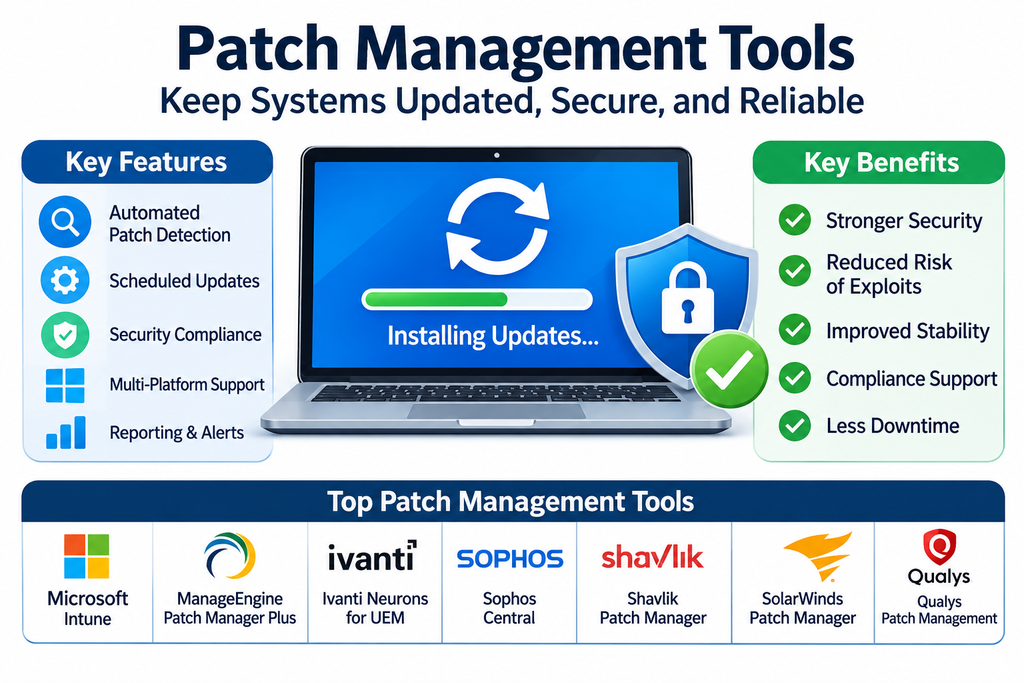
Key Features of Patch Management Tools
1. Automated Patch Detection
Patch management platforms scan supported devices and applications to identify missing updates. This helps IT administrators understand which systems require maintenance.
2. Centralized Patch Deployment
Administrators can deploy updates across multiple computers, servers, and endpoints through a centralized console instead of manually updating each device.
3. Vulnerability Prioritization
Some tools help prioritize patches based on vulnerability severity, known security risks, and the importance of affected systems. This allows IT teams to address critical issues first.
4. Patch Testing and Approval
Testing features and controlled deployment workflows help organizations evaluate updates before applying them broadly. This reduces the risk of compatibility problems and unexpected downtime.
5. Scheduled Updates
IT teams can schedule patch deployments during maintenance windows to reduce disruption to employees and business services.
6. Third-Party Application Patching
Many platforms support updates for commonly used third-party applications, not just operating systems. This is important because outdated browsers, productivity applications, and other software can also create security risks.
7. Compliance Reporting
Dashboards and reports show patch status, deployment results, failed installations, and devices that remain vulnerable. These records help organizations track maintenance activities and demonstrate policy compliance.
8. Rollback and Recovery Support
Depending on the platform and update type, administrators may have options to uninstall problematic patches or restore affected systems. Testing and recovery planning remain important because rollback is not always possible.
Popular Patch Management Tools
Different platforms serve different IT environments, from small businesses to large enterprises with complex infrastructure.
Microsoft Configuration Manager
Microsoft Configuration Manager provides software update management for supported Windows environments. IT teams can synchronize update information, create deployment policies, schedule installations, and monitor update compliance across managed devices.
Microsoft Intune
Microsoft Intune supports cloud-based endpoint management and update policies for supported operating systems. It helps organizations manage update rings, feature updates, quality updates, and device compliance through centralized administration.
ManageEngine Patch Manager Plus
ManageEngine Patch Manager Plus helps organizations automate patching for operating systems and a wide range of third-party applications. It provides patch scanning, deployment scheduling, testing workflows, and compliance reporting.
NinjaOne Patch Management
NinjaOne provides patch management capabilities as part of its endpoint management platform. IT teams can monitor patch status, automate deployments, manage updates, and oversee endpoints through a centralized interface.
Ivanti Neurons for Patch Management
Ivanti Neurons for Patch Management helps organizations identify missing patches, prioritize remediation, and automate patch deployment. Its capabilities can support endpoint security and vulnerability remediation workflows.
Automox
Automox provides cloud-based endpoint management and patch automation. It helps IT teams manage operating system and third-party software updates across distributed devices without depending entirely on traditional on-premises infrastructure.
PDQ Deploy & Inventory
PDQ Deploy and PDQ Inventory help IT administrators manage Windows software deployment and maintain endpoint visibility. They can be used to distribute updates and packages across managed systems, particularly in Windows-focused environments.
Action1
Action1 offers cloud-based patch management and endpoint vulnerability management capabilities. It helps organizations identify missing updates, automate patch deployment, and monitor patch compliance across distributed endpoints.
Tanium
Tanium provides enterprise endpoint management and security capabilities, including patch and vulnerability management workflows. It is designed for organizations that need visibility and control across large and complex IT environments.
GFI LanGuard
GFI LanGuard provides network security scanning and patch management capabilities. It helps organizations identify missing patches, assess vulnerabilities, and manage updates across supported systems and applications.
Benefits of Using Patch Management Software
Stronger Cybersecurity: Applying security updates promptly helps reduce exposure to known software vulnerabilities that attackers may exploit.
Reduced Manual Work: Automation helps IT teams manage updates across large numbers of devices with fewer repetitive tasks.
Improved System Stability: Patches can correct bugs, improve compatibility, and address issues that affect system reliability.
Better Compliance Management: Centralized reports help organizations track patch status and maintain records of update activities.
Lower Operational Risk: Testing, scheduling, and controlled deployment reduce the likelihood of unexpected interruptions caused by poorly managed updates.
Greater IT Visibility: Administrators can identify outdated devices, failed installations, and systems that require additional attention.
Types of Patches Organizations Manage
Security Patches: These address vulnerabilities that could expose systems or data to unauthorized access or malicious activity.
Bug-Fix Patches: These correct software defects that may affect functionality, reliability, or performance.
Feature Updates: These introduce new capabilities or significant improvements to supported software products.
Critical Patches: These address urgent issues that may require rapid deployment based on risk and business impact.
Third-Party Software Updates: These keep applications such as browsers, document tools, media software, and other installed programs current.
How to Choose the Right Patch Management Tool
Start by identifying the systems that need patching. Consider whether the organization manages Windows, macOS, Linux, servers, cloud workloads, or third-party applications. A suitable platform should support the relevant operating systems and software inventory.
Evaluate automation and deployment controls. Look for patch discovery, approval workflows, maintenance scheduling, staged rollouts, and clear reporting. The ability to prioritize critical vulnerabilities can be especially valuable for security teams.
Integration is another important factor. Check whether the tool works with existing endpoint management, vulnerability management, ticketing, and security platforms.
Organizations should also assess scalability, remote-device support, administrative usability, licensing costs, vendor support, and recovery options. A pilot deployment can help confirm compatibility and operational fit before the solution is introduced across the entire organization.
Patch Management Best Practices
A successful patch management program begins with an accurate inventory of devices, operating systems, applications, and servers. Without visibility into the environment, important systems may be overlooked.
Establish clear patching policies that define update priorities, testing requirements, approval responsibilities, and deployment timelines. Prioritize actively exploited vulnerabilities and critical security updates according to risk and business impact.
Use staged deployments where practical. Begin with a small group of representative systems, review the results, and then expand deployment to additional devices. Schedule updates during appropriate maintenance windows and communicate planned interruptions to affected users.
Monitor installation results and investigate failed deployments. Maintain recovery procedures, test backups where relevant, and document exceptions for systems that cannot be patched immediately.
Regular reviews help ensure that patch policies remain effective as the organization’s technology environment changes.
Conclusion
Patch management tools help organizations keep their IT environments updated, secure, and reliable. By automating patch discovery, deployment, scheduling, prioritization, and reporting, these platforms reduce administrative effort and help limit exposure to known software vulnerabilities.
Solutions such as Microsoft Configuration Manager, Microsoft Intune, ManageEngine Patch Manager Plus, NinjaOne, Ivanti Neurons, Automox, PDQ Deploy, Action1, Tanium, and GFI LanGuard offer different approaches to managing updates across business systems.
The right platform depends on the organization’s infrastructure, operating systems, security priorities, and IT management processes. A consistent patch management strategy, supported by automation and regular monitoring, helps businesses maintain a stronger and more resilient technology environment.
