Upgrade & Secure Your Future with DevOps, SRE, DevSecOps, MLOps!
We spend hours scrolling social media and waste money on things we forget, but won’t spend 30 minutes a day earning certifications that can change our lives.
Master in DevOps, SRE, DevSecOps & MLOps by DevOps School!
Learn from Guru Rajesh Kumar and double your salary in just one year.
Introduction
Motion Capture Software helps teams record human, animal, face, hand, or object movement and turn it into usable digital animation data. In simple words, it captures real movement and applies it to 3D characters, avatars, game models, virtual production scenes, training simulations, sports analysis systems, or medical movement studies.
Motion capture matters because modern animation, gaming, AR/VR, film, virtual influencers, digital humans, sports performance, and simulation workflows need faster and more realistic movement. Instead of manually animating every body movement, teams can capture real performance and refine it inside a production pipeline.
Common use cases include:
- Character animation for games and films
- Virtual production and real-time avatars
- Face and body tracking for digital humans
- Sports performance and biomechanics analysis
- AR/VR training and simulation
- Live streaming and VTuber workflows
- Robotics and human movement research
Buyers should evaluate:
- Body, face, hand, and object tracking support
- Marker-based vs markerless capture
- Real-time streaming capability
- Accuracy and cleanup workflow
- Hardware compatibility
- Export formats such as FBX and BVH
- Integration with Unity, Unreal Engine, Maya, Blender, and MotionBuilder
- Multi-actor support
- Collaboration and pipeline fit
- Pricing, setup cost, and support
Best for: Animation studios, game developers, film teams, virtual production teams, VFX studios, AR/VR developers, sports labs, biomechanics researchers, digital human teams, content creators, and enterprise training teams.
Not ideal for: Teams that only need simple character poses, basic keyframe animation, static avatars, or lightweight social media animation. In those cases, simple animation tools, prebuilt animation libraries, or manual keyframing may be enough.
Key Trends in Motion Capture Software
- Markerless motion capture is becoming more practical: Camera-based and AI-assisted capture tools are making mocap more accessible for creators who do not have expensive studio setups.
- Real-time mocap is now expected: Game engines, virtual production stages, livestreaming, and XR experiences increasingly need live character movement with low latency.
- AI cleanup is becoming important: Motion data often needs smoothing, retargeting, foot locking, noise removal, and correction. AI-assisted tools are helping reduce manual cleanup time.
- Face and body capture are merging: Digital humans need body movement, facial expression, eye direction, hand gestures, and voice performance to work together.
- Mobile and webcam capture are growing: Creators and small studios now use phones, webcams, and simple camera setups for early animation drafts and indie production.
- Virtual production workflows are expanding: Motion capture is now connected with LED stages, real-time engines, virtual cameras, and live performance pipelines.
- Biomechanics and sports analysis are becoming more data-driven: Motion capture is used to study movement quality, injury risk, posture, gait, athletic performance, and rehabilitation progress.
- Cloud processing is becoming more common: Some tools use cloud-based AI processing to turn video into motion data, making capture easier for distributed teams.
- Integration with game engines matters more: Teams want direct streaming into Unity, Unreal Engine, MotionBuilder, Blender, Maya, and custom engines.
- Data privacy is a growing concern: Motion capture can include biometric-like movement patterns, face data, body tracking, and performance recordings, so security and consent matter.
How We Selected These Tools
The tools below were selected using a practical buyer-focused evaluation method:
- Strong recognition in motion capture, animation, VFX, virtual production, sports science, or real-time character workflows
- Support for body, face, hand, marker-based, markerless, inertial, optical, or video-based capture
- Fit for different users, including solo creators, indie teams, studios, enterprise teams, labs, and educators
- Integration with popular production tools such as Unity, Unreal Engine, Maya, Blender, MotionBuilder, and FBX pipelines
- Practical usefulness for real-time streaming, cleanup, retargeting, and animation export
- Hardware flexibility, including suits, cameras, mobile devices, webcams, and optical systems
- Documentation, onboarding, training, and support availability
- Performance and reliability for production environments
- Pricing accessibility and total setup cost
- Balanced inclusion of premium studio systems, accessible AI tools, real-time creator tools, and research-focused options
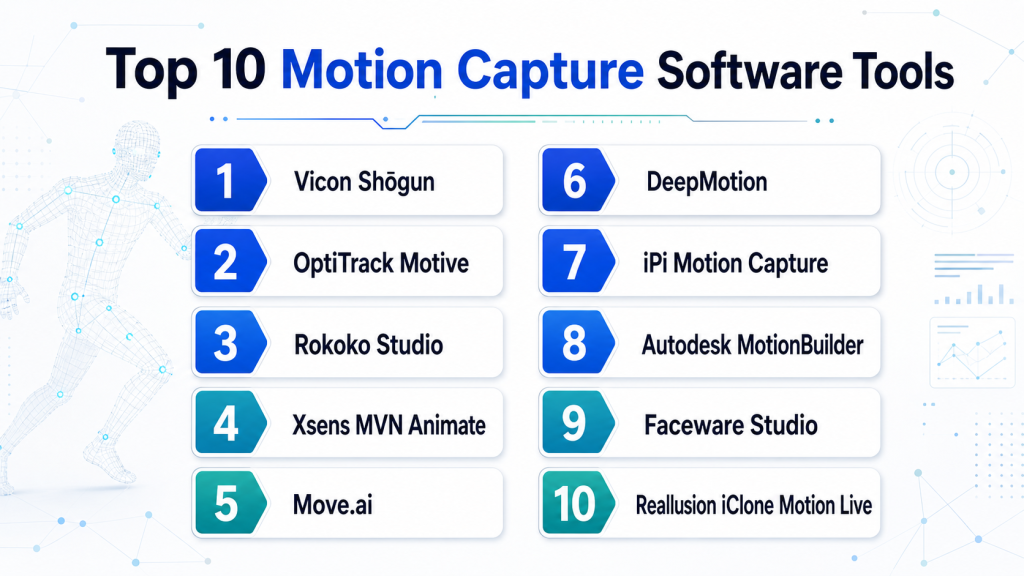
Top 10 Motion Capture Software Tools
#1 — Vicon Shōgun
Short description : Vicon Shōgun is a professional motion capture software platform used with Vicon optical camera systems. It is best for film, games, animation studios, biomechanics labs, and high-end performance capture environments.
Key Features
- Optical motion capture workflow
- Real-time body tracking
- High-quality mocap solving
- Multi-actor capture support
- Retargeting and cleanup workflows
- Integration with production animation tools
- Suitable for studio-grade capture stages
Pros
- Strong fit for professional mocap studios
- High-quality capture when paired with proper hardware
- Useful for film, games, and research environments
Cons
- Requires dedicated camera hardware
- Setup cost can be high
- Not ideal for casual creators or small teams
Platforms / Deployment
Windows
Self-hosted studio deployment
Security & Compliance
SSO/SAML, MFA, encryption, audit logs, RBAC: Not publicly stated.
SOC 2, ISO 27001, GDPR, HIPAA: Not publicly stated.
Integrations & Ecosystem
Vicon Shōgun fits into professional animation, VFX, game, and biomechanics pipelines where accuracy and repeatability matter.
- Unreal Engine workflows
- Unity workflows
- Autodesk MotionBuilder
- Maya animation pipelines
- FBX export workflows
- Vicon camera ecosystem
Support & Community
Vicon provides professional documentation, training resources, support, and hardware/software guidance. Community strength is strongest among professional mocap studios, research labs, and production teams.
#2 — OptiTrack Motive
Short description : OptiTrack Motive is motion capture software used with OptiTrack camera systems for tracking bodies, objects, rigid bodies, and performance data. It is popular in games, VR, robotics, research, sports, and virtual production.
Key Features
- Optical body motion capture
- Rigid body and object tracking
- Real-time streaming
- Multi-camera calibration
- Skeleton solving
- VR and robotics tracking workflows
- Export and live integration options
Pros
- Strong balance of performance and flexibility
- Useful for VR, robotics, research, and animation
- Good real-time tracking workflows
Cons
- Requires camera hardware setup
- Calibration and capture environment matter
- Advanced workflows require technical knowledge
Platforms / Deployment
Windows
Self-hosted studio or lab deployment
Security & Compliance
SSO/SAML, MFA, encryption, audit logs, RBAC: Not publicly stated.
SOC 2, ISO 27001, GDPR, HIPAA: Not publicly stated.
Integrations & Ecosystem
OptiTrack Motive is used in many real-time and research workflows where accurate tracking and streaming are important.
- Unity integration
- Unreal Engine integration
- Robotics systems
- VR tracking workflows
- FBX and BVH exports
- MotionBuilder and custom pipelines
Support & Community
OptiTrack provides documentation, support resources, hardware guidance, and professional assistance. Community strength is good among VR labs, robotics users, studios, and research teams.
#3 — Rokoko Studio
Short description: Rokoko Studio is a motion capture software platform designed for creators, indie teams, animators, and studios using Rokoko suits, gloves, and face capture workflows. It is best for affordable full-body mocap, real-time streaming, and animation export.
Key Features
- Inertial body motion capture
- Face and hand capture support depending on setup
- Real-time preview
- Retargeting tools
- Export to common animation formats
- Live streaming to engines
- Creator-friendly workflow
Pros
- More accessible than high-end optical systems
- Good for indie studios and content creators
- Useful real-time workflow for Unity and Unreal projects
Cons
- Inertial mocap may need cleanup
- Accuracy depends on calibration and capture quality
- Hardware ecosystem should be planned carefully
Platforms / Deployment
Windows / macOS
Cloud-connected and self-hosted workflows vary by plan
Security & Compliance
SSO/SAML, MFA, encryption, audit logs, RBAC: Varies by account and plan configuration.
SOC 2, ISO 27001, GDPR, HIPAA: Not publicly stated.
Integrations & Ecosystem
Rokoko Studio is designed to connect mocap data into common animation and real-time production pipelines.
- Unity
- Unreal Engine
- Blender
- Maya
- MotionBuilder
- FBX and BVH workflows
Support & Community
Rokoko provides documentation, tutorials, learning resources, and community support. It has strong adoption among creators, indie studios, and small animation teams.
#4 — Xsens MVN Animate
Short description: Xsens MVN Animate is inertial motion capture software used with Xsens suits for full-body performance capture. It is best for animation studios, virtual production teams, game developers, sports analysis, and field-based motion capture.
Key Features
- Inertial full-body motion capture
- Real-time motion preview
- Outdoor and non-studio capture support
- Live streaming workflows
- Retargeting and export tools
- Multi-actor capture support depending on setup
- Integration with major 3D tools
Pros
- Does not require optical camera volume
- Good for field capture and fast setup
- Strong fit for real-time animation workflows
Cons
- Hardware cost can be significant
- Motion cleanup may still be needed
- Magnetic interference and calibration must be managed
Platforms / Deployment
Windows
Self-hosted / Hybrid workflows vary by setup
Security & Compliance
SSO/SAML, MFA, encryption, audit logs, RBAC: Varies / N/A.
SOC 2, ISO 27001, GDPR, HIPAA: Not publicly stated.
Integrations & Ecosystem
Xsens MVN Animate fits into animation, game, film, virtual production, and research workflows.
- Unreal Engine
- Unity
- Maya
- MotionBuilder
- Blender workflows
- FBX export
- Live streaming workflows
Support & Community
Xsens provides documentation, support, training resources, and professional guidance. Community use is strong in animation, virtual production, and movement analysis workflows.
#5 — Move.ai
Short description : Move.ai is an AI-driven markerless motion capture platform that uses video footage to generate motion data. It is best for creators, small studios, sports use cases, and teams that want mocap without suits or optical marker systems.
Key Features
- Markerless motion capture
- AI-based video-to-motion processing
- Multi-camera capture support depending on workflow
- Motion data export
- Cloud processing workflow
- Creator-friendly setup
- Useful for fast capture without suits
Pros
- Reduces hardware barrier
- Good for fast content creation
- Useful for teams without dedicated mocap stages
Cons
- Cloud processing and plan limits should be reviewed
- Output quality depends on footage quality
- May need cleanup for production animation
Platforms / Deployment
Web / iOS or camera-based capture workflows vary by plan
Cloud
Security & Compliance
SSO/SAML, MFA, encryption, audit logs, RBAC: Not publicly stated.
SOC 2, ISO 27001, GDPR, HIPAA: Not publicly stated.
Integrations & Ecosystem
Move.ai supports modern animation and creator workflows where video footage is converted into usable motion data.
- FBX export workflows
- Blender
- Unreal Engine
- Unity
- Maya workflows
- Cloud processing pipelines
Support & Community
Support varies by plan. Community interest is strong among creators, indie animators, and teams exploring AI-based markerless motion capture.
#6 — DeepMotion
Short description: DeepMotion is an AI-powered motion capture and animation platform that can generate 3D motion from video. It is best for creators, game developers, educators, indie teams, and teams looking for accessible markerless animation workflows.
Key Features
- AI video-to-animation workflow
- Markerless body capture
- Browser-based processing
- Character animation generation
- Motion export options
- Creator-friendly interface
- Useful for rapid prototyping
Pros
- Easy entry point for motion capture
- No suit or studio required
- Helpful for quick animation drafts and indie projects
Cons
- Advanced production work may require cleanup
- Accuracy depends on video quality
- Cloud-based workflow may not fit every security requirement
Platforms / Deployment
Web
Cloud
Security & Compliance
SSO/SAML, MFA, encryption, audit logs, RBAC: Not publicly stated.
SOC 2, ISO 27001, GDPR, HIPAA: Not publicly stated.
Integrations & Ecosystem
DeepMotion is useful for converting video into animation data for common 3D pipelines.
- FBX workflows
- GLB workflows where supported
- Blender
- Unity
- Unreal Engine
- Character animation pipelines
Support & Community
DeepMotion provides tutorials, documentation, and user resources. Community use is common among indie creators, educators, and rapid animation teams.
#7 — iPi Motion Capture
Short description : iPi Motion Capture is a markerless motion capture software solution that uses depth sensors or cameras to capture body movement. It is best for indie studios, small animation teams, educators, and creators looking for lower-cost mocap setups.
Key Features
- Markerless motion capture
- Multi-camera capture support
- Depth sensor workflows
- Motion tracking and cleanup tools
- FBX and BVH export
- Affordable setup options
- Desktop processing workflow
Pros
- Lower-cost option compared with studio mocap systems
- Useful for indie animation and prototyping
- Flexible camera-based capture options
Cons
- Requires careful camera setup
- Capture quality depends on environment
- Not as polished as premium studio systems
Platforms / Deployment
Windows
Self-hosted desktop
Security & Compliance
SSO/SAML, MFA, encryption, audit logs, RBAC: Not publicly stated.
SOC 2, ISO 27001, GDPR, HIPAA: Not publicly stated.
Integrations & Ecosystem
iPi Motion Capture works with common animation export pipelines and can fit into smaller studio workflows.
- FBX export
- BVH export
- Blender
- Maya
- Unity
- Unreal Engine workflows
Support & Community
iPi provides documentation, support resources, tutorials, and community knowledge. It is known among indie and small-team mocap users.
#8 — Autodesk MotionBuilder
Short description : Autodesk MotionBuilder is a professional 3D character animation tool commonly used for motion capture editing, retargeting, and real-time character workflows. It is best for animation studios, game teams, film pipelines, and mocap cleanup specialists.
Key Features
- Motion capture editing
- Character retargeting
- Real-time animation playback
- Story and take management
- Character rig support
- FBX-centered workflow
- Integration with Autodesk pipelines
Pros
- Strong for mocap cleanup and retargeting
- Mature professional animation workflow
- Good fit for studios using Maya and FBX pipelines
Cons
- Not a capture system by itself
- Learning curve can be significant
- Best used as part of a broader animation pipeline
Platforms / Deployment
Windows / Linux support varies by version and licensing
Self-hosted desktop
Security & Compliance
SSO/SAML, MFA, encryption, audit logs, RBAC: Varies by Autodesk account and enterprise configuration.
SOC 2, ISO 27001, GDPR, HIPAA: Not publicly stated.
Integrations & Ecosystem
MotionBuilder is widely used as a bridge between mocap capture systems, character rigs, and animation production tools.
- Maya
- 3ds Max
- FBX workflows
- Game engines
- Mocap hardware/software pipelines
- Character animation tools
Support & Community
Autodesk provides documentation, learning resources, support plans, and professional training ecosystem support. Community knowledge is strong among character animation and mocap cleanup professionals.
#9 — Faceware Studio
Short description: Faceware Studio is facial motion capture software used to track facial performance and stream animation data to digital characters. It is best for game studios, virtual production teams, digital humans, live avatars, and facial animation pipelines.
Key Features
- Facial performance capture
- Real-time face tracking
- Live streaming to animation tools
- Digital character facial animation
- Camera-based capture workflows
- Blendshape and rig control workflows
- Suitable for live and recorded sessions
Pros
- Strong focus on facial mocap
- Useful for real-time digital humans
- Good for virtual production and character performance
Cons
- Focused on face capture rather than full-body mocap
- Quality depends on camera and actor setup
- Rig preparation is important
Platforms / Deployment
Windows
Self-hosted / Hybrid workflows vary by pipeline
Security & Compliance
SSO/SAML, MFA, encryption, audit logs, RBAC: Not publicly stated.
SOC 2, ISO 27001, GDPR, HIPAA: Not publicly stated.
Integrations & Ecosystem
Faceware Studio connects facial performance data into animation and real-time production pipelines.
- Unreal Engine
- Unity
- Maya
- MotionBuilder
- Digital human rigs
- Live streaming workflows
Support & Community
Faceware provides documentation, support, and professional resources. Community strength is strongest among facial animation, virtual production, and digital human teams.
#10 — Reallusion iClone Motion Live
Short description: Reallusion iClone Motion Live is a real-time animation and motion capture plugin workflow for iClone. It is best for creators, small studios, virtual production teams, and animators who want body, face, and hand capture in a creator-friendly environment.
Key Features
- Real-time motion capture workflows
- Body, face, and hand capture support depending on devices
- Live character animation
- iClone integration
- Retargeting workflows
- Animation cleanup tools
- Creator-friendly character pipeline
Pros
- Good for creators and small studios
- Supports multiple mocap device workflows
- Useful for fast character animation production
Cons
- Best value requires Reallusion ecosystem adoption
- Advanced studio pipelines may need additional tools
- Device compatibility should be checked carefully
Platforms / Deployment
Windows
Self-hosted desktop with connected device workflows
Security & Compliance
SSO/SAML, MFA, encryption, audit logs, RBAC: Varies by Reallusion account and workflow.
SOC 2, ISO 27001, GDPR, HIPAA: Not publicly stated.
Integrations & Ecosystem
iClone Motion Live fits into Reallusion’s character animation and real-time production ecosystem.
- iClone
- Character Creator
- Unreal Engine workflows
- Unity workflows
- FBX export
- Supported mocap devices
Support & Community
Reallusion provides documentation, tutorials, forums, learning resources, and marketplace content. Community support is strong among creators and indie animation teams.
Comparison Table
| Tool Name | Best For | Platform(s) Supported | Deployment (Cloud/Self-hosted/Hybrid) | Standout Feature | Public Rating |
|---|---|---|---|---|---|
| Vicon Shōgun | High-end optical mocap studios | Windows | Self-hosted | Professional optical performance capture | N/A |
| OptiTrack Motive | VR, robotics, research, and studio tracking | Windows | Self-hosted | Real-time optical tracking and rigid body capture | N/A |
| Rokoko Studio | Indie creators and accessible full-body mocap | Windows, macOS | Hybrid options vary | Creator-friendly inertial mocap workflow | N/A |
| Xsens MVN Animate | Field-based inertial full-body capture | Windows | Self-hosted / Hybrid options vary | Full-body inertial capture without optical volume | N/A |
| Move.ai | AI markerless video-based mocap | Web, mobile workflows vary | Cloud | Video-to-motion AI capture | N/A |
| DeepMotion | Browser-based AI motion generation | Web | Cloud | AI video-to-3D animation workflow | N/A |
| iPi Motion Capture | Low-cost markerless desktop mocap | Windows | Self-hosted | Camera and depth-sensor based motion capture | N/A |
| Autodesk MotionBuilder | Mocap editing and retargeting | Windows, Linux varies | Self-hosted | Professional mocap cleanup and retargeting | N/A |
| Faceware Studio | Facial performance capture | Windows | Self-hosted / Hybrid options vary | Real-time facial mocap for digital characters | N/A |
| Reallusion iClone Motion Live | Creator-friendly live character animation | Windows | Self-hosted | Real-time body, face, and hand mocap workflows | N/A |
Evaluation & Scoring of Motion Capture Software
The scoring below is comparative. It reflects core motion capture capability, ease of use, ecosystem strength, security signals, performance, support, and value. It is not a public rating.
| Tool Name | Core (25%) | Ease (15%) | Integrations (15%) | Security (10%) | Performance (10%) | Support (10%) | Value (15%) | Weighted Total (0–10) |
|---|---|---|---|---|---|---|---|---|
| Vicon Shōgun | 10 | 5 | 9 | 6 | 10 | 9 | 5 | 8.00 |
| OptiTrack Motive | 9 | 6 | 9 | 6 | 9 | 8 | 6 | 7.80 |
| Rokoko Studio | 8 | 8 | 8 | 6 | 7 | 8 | 8 | 7.65 |
| Xsens MVN Animate | 9 | 7 | 9 | 6 | 8 | 8 | 6 | 7.75 |
| Move.ai | 7 | 8 | 7 | 5 | 7 | 6 | 8 | 6.95 |
| DeepMotion | 7 | 9 | 7 | 5 | 7 | 7 | 8 | 7.15 |
| iPi Motion Capture | 7 | 6 | 7 | 4 | 6 | 6 | 8 | 6.45 |
| Autodesk MotionBuilder | 8 | 5 | 9 | 7 | 8 | 8 | 6 | 7.35 |
| Faceware Studio | 8 | 7 | 8 | 5 | 8 | 7 | 7 | 7.25 |
| Reallusion iClone Motion Live | 7 | 8 | 8 | 5 | 7 | 8 | 8 | 7.25 |
How to interpret the scores:
- Higher scores show stronger overall fit across the listed criteria, not a universal winner.
- Optical systems score high for professional accuracy but may require expensive hardware and studio setup.
- AI markerless tools score well for ease of use and accessibility, but production cleanup may still be needed.
- Inertial systems are practical when teams need capture outside a traditional camera volume.
- Editing tools like MotionBuilder are valuable even when capture happens in another system.
Which Motion Capture Software Tool Is Right for You?
Solo / Freelancer
Solo creators and freelancers usually need affordable tools that are easy to set up and export usable animation data.
Good choices include:
- DeepMotion for quick AI video-to-animation workflows
- Move.ai for markerless video-based capture
- Rokoko Studio for accessible full-body suit-based mocap
- iPi Motion Capture for lower-cost camera-based mocap
- Reallusion iClone Motion Live for creator-friendly real-time animation
- Faceware Studio if facial capture is the main need
Freelancers should choose based on budget, capture space, hardware access, and target animation software.
SMB
Small and mid-sized teams need repeatable workflows, reasonable setup cost, clean export formats, and integration with production tools.
Good choices include:
- Rokoko Studio for indie studio and small production workflows
- Xsens MVN Animate for stronger inertial full-body capture
- Move.ai for fast markerless capture
- DeepMotion for animation drafts and fast prototypes
- Autodesk MotionBuilder for cleanup and retargeting
- Faceware Studio for facial performance capture
SMBs should test output cleanup time, export quality, retargeting workflow, and integration with Unity, Unreal, Maya, Blender, or MotionBuilder.
Mid-Market
Mid-market studios and production teams usually need multi-actor capture, better accuracy, real-time streaming, retargeting, and reusable pipelines.
Good choices include:
- OptiTrack Motive for optical tracking and real-time applications
- Xsens MVN Animate for flexible inertial capture
- Rokoko Studio for affordable production capture
- Autodesk MotionBuilder for cleanup and retargeting
- Faceware Studio for facial mocap
- Reallusion iClone Motion Live for faster creator-driven workflows
Mid-market buyers should compare capture accuracy, cleanup cost, performer setup time, studio space requirements, and pipeline compatibility.
Enterprise
Enterprise teams may need high accuracy, reliability, support, multi-user workflows, security, and integration with established production pipelines.
Good choices include:
- Vicon Shōgun for high-end optical mocap stages
- OptiTrack Motive for research, robotics, VR, and professional tracking
- Xsens MVN Animate for field-based capture and full-body animation
- Autodesk MotionBuilder for studio cleanup and retargeting
- Faceware Studio for digital human facial performance
- Rokoko Studio for distributed or lower-cost capture workflows
Enterprise buyers should involve animation leads, technical directors, IT, security, procurement, and pipeline engineers before standardizing.
Budget vs Premium
Budget-focused teams should consider DeepMotion, Move.ai, iPi Motion Capture, Rokoko Studio, and Reallusion iClone Motion Live depending on quality needs and hardware availability.
Premium teams should consider Vicon Shōgun, OptiTrack Motive, Xsens MVN Animate, Autodesk MotionBuilder, and Faceware Studio when accuracy, support, multi-actor capture, and pipeline control matter more than starting cost.
Feature Depth vs Ease of Use
If ease of use matters most, consider DeepMotion, Move.ai, Rokoko Studio, or Reallusion iClone Motion Live.
If feature depth and production accuracy matter most, consider Vicon Shōgun, OptiTrack Motive, Xsens MVN Animate, Autodesk MotionBuilder, or Faceware Studio.
The right choice depends on whether the priority is fast capture, professional accuracy, facial performance, full-body animation, or cleanup efficiency.
Integrations & Scalability
Motion capture software must fit into the wider animation and production pipeline. A good mocap tool should export clean data and connect with the software your team already uses.
Important integration areas include:
- Unity
- Unreal Engine
- Blender
- Maya
- MotionBuilder
- Character Creator
- iClone
- FBX and BVH workflows
- Live Link and real-time streaming
- Version control and asset management
Scalability depends on number of actors, capture volume size, camera count, suit count, cleanup time, file organization, performer throughput, and retargeting complexity.
Security & Compliance Needs
Motion capture can include sensitive body movement, facial performance, performer identity, unreleased character data, and proprietary studio content. Security should be reviewed carefully for enterprise, film, game, healthcare, sports, and research use cases.
Important checks include:
- Performer consent process
- Secure storage of motion and video files
- Access control for capture data
- Encryption where available
- Contractor and vendor permissions
- Cloud processing terms
- Data retention rules
- Face and body data privacy
- Project repository security
- Licensed character and rig protection
For cloud-based AI mocap, teams should review upload policies, processing terms, data deletion options, and project confidentiality requirements.
Frequently Asked Questions (FAQs)
What is motion capture software?
Motion capture software records body, face, hand, or object movement and converts it into digital animation data. This data can be applied to 3D characters, avatars, games, films, simulations, and virtual production scenes.
What is the difference between marker-based and markerless mocap?
Marker-based mocap uses suits, markers, or sensors to track movement. Markerless mocap uses video, cameras, and AI to estimate motion without physical markers.
Which motion capture software is best for beginners?
DeepMotion, Move.ai, Rokoko Studio, iPi Motion Capture, and Reallusion iClone Motion Live are good starting points. They are easier to access than high-end optical studio systems.
Which motion capture software is best for professional studios?
Vicon Shōgun, OptiTrack Motive, Xsens MVN Animate, Autodesk MotionBuilder, and Faceware Studio are strong professional options depending on body, face, or editing needs.
Is AI motion capture good enough for production?
AI motion capture can be useful for fast drafts, indie projects, previsualization, and some production workflows. For high-end work, cleanup and manual refinement may still be needed.
What pricing models are common?
Pricing can include subscriptions, hardware bundles, perpetual licenses, cloud processing credits, enterprise contracts, or device-based licensing. Buyers should compare full setup cost, not only software price.
How long does motion capture onboarding take?
Simple AI and video-based tools can be learned quickly. Optical and inertial professional systems may take longer because calibration, actor setup, retargeting, and cleanup workflows need training.
What are common mistakes when choosing mocap software?
Common mistakes include ignoring cleanup time, buying hardware before testing workflow, underestimating calibration needs, skipping export tests, and not checking character retargeting quality.
Can motion capture software work with Unity and Unreal Engine?
Many motion capture tools support Unity and Unreal Engine through live streaming, plugins, FBX export, or animation pipelines. Integration depth varies by tool and setup.
Do I need a mocap suit?
Not always. AI and markerless tools can capture motion from video. However, suits or optical systems may give better control and consistency for professional production.
Can motion capture be used for facial animation?
Yes. Tools like Faceware Studio and iClone Motion Live support facial capture workflows. Some full-body platforms also offer face capture options depending on hardware and plan.
Is motion capture useful for sports and healthcare?
Yes. Motion capture can support sports performance analysis, biomechanics research, gait studies, rehabilitation, posture analysis, and movement quality assessment. Tool choice depends on accuracy and data needs.
Can I switch motion capture tools later?
Switching is possible, but workflows may change. Retargeting, skeleton formats, cleanup tools, capture hardware, and export quality can differ between platforms.
Is cloud-based motion capture secure?
It can be secure when the vendor provides strong data handling and the team follows good governance. Buyers should review upload policies, access controls, storage, deletion terms, and confidentiality requirements.
Conclusion
Motion Capture Software helps teams create realistic movement faster, but the best choice depends on budget, accuracy needs, production pipeline, capture space, and target output. Vicon Shōgun and OptiTrack Motive are strong for professional optical capture. Xsens MVN Animate is useful for flexible inertial capture without a fixed optical volume. Rokoko Studio, Move.ai, DeepMotion, and iPi Motion Capture are practical for creators, indie teams, and smaller studios. Autodesk MotionBuilder remains valuable for cleanup and retargeting, while Faceware Studio is strong for facial performance capture. Reallusion iClone Motion Live is useful for creator-friendly real-time animation workflows.
