Upgrade & Secure Your Future with DevOps, SRE, DevSecOps, MLOps!
We spend hours scrolling social media and waste money on things we forget, but won’t spend 30 minutes a day earning certifications that can change our lives.
Master in DevOps, SRE, DevSecOps & MLOps by DevOps School!
Learn from Guru Rajesh Kumar and double your salary in just one year.
Introduction
Digital Rights Management (DRM) software helps organizations protect digital content from unauthorized access, copying, sharing, downloading, printing, screen capture, or misuse. It is commonly used to secure documents, videos, training content, eBooks, media files, confidential reports, product designs, legal documents, and intellectual property.
DRM matters because businesses now share sensitive content across remote teams, customers, vendors, partners, and global users. Once a file leaves the company environment, basic password protection is often not enough. Modern DRM tools help control who can access content, for how long, from which device, and under what conditions.
Common use cases include secure document sharing, video content protection, e-learning content security, confidential board materials, legal file protection, media licensing, and intellectual property control.
Buyers should evaluate access control, encryption, watermarking, offline protection, device limits, expiry rules, audit logs, user authentication, API support, integrations, ease of use, scalability, and compliance needs.
Best for: media companies, publishers, legal teams, training companies, SaaS vendors, enterprises, education providers, healthcare firms, financial services, government teams, and any business protecting sensitive digital content.
Not ideal for: teams that only need basic cloud storage, simple password-protected files, or internal-only documents with low confidentiality risk.
Key Trends in Digital Rights Management (DRM)
Zero-trust content access: DRM is moving toward stronger identity checks, device control, access expiry, and real-time permission changes.
- Dynamic watermarking: More organizations use visible and invisible watermarks to discourage leaks and trace misuse.
- Video DRM growth: Streaming platforms, training businesses, and media companies need stronger protection for video content.
- Document DRM for remote work: Legal, finance, healthcare, and executive teams need secure sharing beyond company networks.
- AI-driven leak detection: Some content protection workflows are adding AI to identify misuse, abnormal access, and suspicious sharing behavior.
- API-based DRM: SaaS platforms and digital content providers need DRM controls embedded into their own apps and portals.
- Granular usage controls: Buyers expect controls for download, print, copy, edit, screenshot, offline viewing, and expiry.
- Compliance-driven content governance: Regulated industries need audit logs, retention policies, access history, and secure distribution.
- Cloud-first protection: Many DRM platforms now offer cloud delivery, but sensitive industries may still need hybrid or controlled environments.
- User experience balance: Buyers want strong protection without making access too difficult for legitimate users.
How We Selected These Tools
The tools below were selected using practical software evaluation logic:
- Strong relevance to DRM, secure content sharing, media protection, or enterprise document protection.
- Ability to protect documents, videos, files, or digital assets.
- Access control, encryption, watermarking, expiry, and permission management features.
- Fit for SMB, mid-market, enterprise, media, publishing, education, and regulated industries.
- Security posture signals such as authentication, encryption, audit logs, and admin controls.
- Integration options with content platforms, learning systems, cloud storage, websites, and enterprise systems.
- Support for user tracking, reporting, and content usage visibility.
- Scalability for large content libraries or high user volume.
- Practical usability for both admins and end users.
- Support quality, documentation, and ecosystem maturity.
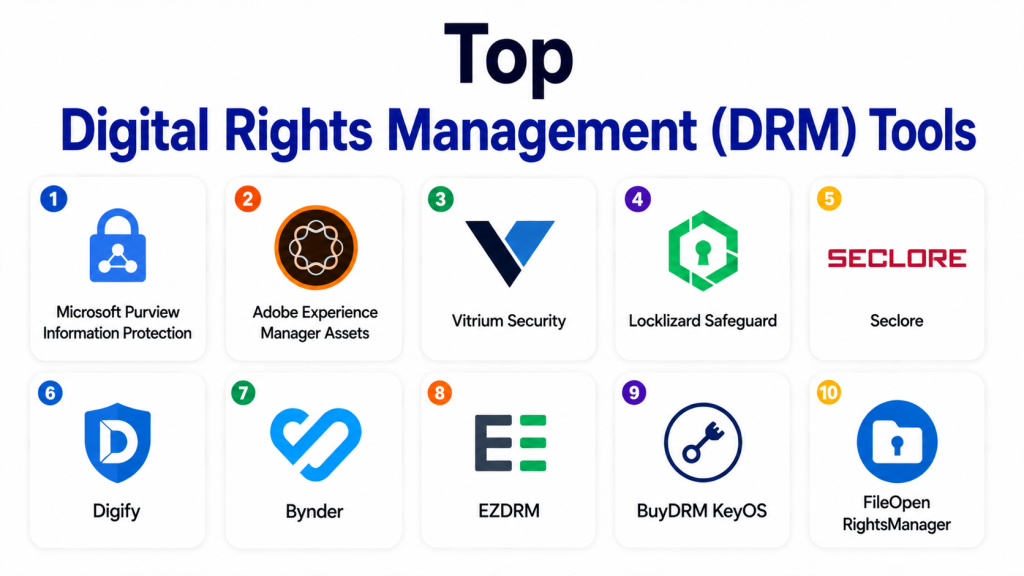
Top Digital Rights Management (DRM) Tools
#1 — Microsoft Purview Information Protection
Short description: Microsoft Purview Information Protection helps organizations classify, label, encrypt, and protect sensitive files and emails. It is best suited for Microsoft-based enterprises that need document-level protection, access control, and data governance.
Key Features
- Sensitivity labels for files and emails.
- Encryption and access restrictions.
- Rights management for documents.
- Integration with Microsoft 365.
- Policy-based protection.
- User and group-based access.
- Audit and compliance support.
Pros
- Strong fit for Microsoft 365 environments.
- Good for enterprise document and email protection.
- Helps combine classification, governance, and access control.
Cons
- Best value is inside the Microsoft ecosystem.
- Requires proper policy planning.
- Advanced configuration may need experienced admins.
Platforms / Deployment
Web / Windows / macOS / iOS / Android
Cloud / Hybrid
Security & Compliance
SSO, MFA, encryption, audit logs, access controls, data classification, retention, and enterprise compliance controls are available through Microsoft business and enterprise environments. Exact capabilities vary by plan and configuration.
Integrations & Ecosystem
Microsoft Purview works deeply with Microsoft productivity and security tools.
- Microsoft 365
- SharePoint
- OneDrive
- Exchange
- Microsoft Teams
- Microsoft security and compliance tools
Support & Community
Microsoft provides extensive documentation, admin training, enterprise support, partner services, and a large professional community.
#2 — Adobe Experience Manager Assets
Short description: Adobe Experience Manager Assets helps enterprises manage, distribute, and protect digital assets such as images, videos, creative files, and branded content. It is useful for marketing teams, media teams, and large organizations managing digital asset libraries.
Key Features
- Digital asset management.
- Asset permissions and access control.
- Metadata and tagging.
- Brand asset governance.
- Content workflows.
- Integration with Adobe Creative Cloud.
- Asset delivery and distribution controls.
Pros
- Strong for enterprise digital asset management.
- Good fit for marketing and creative teams.
- Integrates well with Adobe creative workflows.
Cons
- May be too advanced for small teams.
- Implementation requires planning.
- DRM depth depends on asset workflow and configuration.
Platforms / Deployment
Web
Cloud / Hybrid options vary
Security & Compliance
Access controls, permissions, encryption, admin controls, and enterprise security features are available. Specific compliance details vary by deployment and plan.
Integrations & Ecosystem
Adobe Experience Manager Assets works well for creative and digital asset workflows.
- Adobe Creative Cloud
- Marketing platforms
- Content management systems
- Digital asset workflows
- Brand portals
- Enterprise identity systems
Support & Community
Adobe provides documentation, training, implementation partners, enterprise support, and a large creative technology ecosystem.
#3 — Vitrium Security
Short description: Vitrium Security is a DRM platform designed to protect documents, eBooks, training materials, and digital content from unauthorized sharing. It is useful for publishers, training companies, associations, and businesses that sell or distribute protected content.
Key Features
- Document and eBook protection.
- User access controls.
- Expiry and revocation rules.
- Dynamic watermarking.
- Copy, print, and download controls.
- User activity tracking.
- Secure content distribution.
Pros
- Strong for protected document and training content distribution.
- Useful for publishers and education businesses.
- Provides practical access and usage controls.
Cons
- May be less suitable for broad enterprise content management.
- User experience depends on access setup.
- Advanced integrations may require planning.
Platforms / Deployment
Web / Windows / macOS / iOS / Android
Cloud
Security & Compliance
Encryption, access controls, dynamic watermarking, user tracking, and permission controls are available. Specific compliance details are Not publicly stated.
Integrations & Ecosystem
Vitrium supports protected distribution of digital content and learning materials.
- Learning platforms
- Content portals
- Website workflows
- User access systems
- eBook distribution
- Analytics and reporting workflows
Support & Community
Vitrium provides documentation, customer support, onboarding resources, and implementation guidance.
#4 — Locklizard Safeguard
Short description: Locklizard Safeguard is a DRM solution for protecting PDF documents, reports, manuals, training files, and confidential documents. It is useful for organizations that need strong control over document access, printing, copying, and expiry.
Key Features
- PDF document protection.
- Copy and print controls.
- Dynamic watermarking.
- Expiry and revocation.
- Offline document access control.
- Device locking.
- Usage tracking.
Pros
- Strong for PDF DRM.
- Useful for confidential reports, manuals, and training documents.
- Provides strict usage controls.
Cons
- Focused mainly on protected document workflows.
- May require users to follow specific viewing processes.
- Not ideal for full digital asset management.
Platforms / Deployment
Windows / macOS / iOS / Android
Cloud / Self-hosted options vary
Security & Compliance
Encryption, device controls, watermarking, access revocation, and usage tracking are available. Specific compliance details are Not publicly stated.
Integrations & Ecosystem
Locklizard is focused on secure document access and controlled PDF distribution.
- PDF workflows
- Training content portals
- Document repositories
- Secure viewer workflows
- Licensing workflows
- Manual and report distribution
Support & Community
Locklizard provides product documentation, customer support resources, and setup guidance. Community strength is Varies / Not publicly stated.
#5 — Seclore
Short description: Seclore provides enterprise digital rights management and data-centric security for files shared inside and outside the organization. It is suitable for enterprises, financial services, manufacturing, legal, and government teams that need persistent file protection.
Key Features
- File-level protection.
- Persistent usage controls.
- Access expiry and revocation.
- Watermarking.
- Audit trails and tracking.
- Integration with enterprise systems.
- External sharing protection.
Pros
- Strong for enterprise file protection.
- Useful when files travel outside company systems.
- Good fit for regulated and IP-sensitive industries.
Cons
- Implementation needs planning.
- User adoption requires training.
- May be more than SMBs need.
Platforms / Deployment
Web / Windows / macOS / iOS / Android
Cloud / Hybrid options vary
Security & Compliance
Encryption, access controls, audit logs, watermarking, identity integration, and enterprise security features are available. Specific compliance details vary by deployment and configuration.
Integrations & Ecosystem
Seclore connects file protection with enterprise collaboration and security workflows.
- Email systems
- Cloud storage
- Enterprise content systems
- Data loss prevention tools
- Identity providers
- Business applications
Support & Community
Seclore provides enterprise support, documentation, onboarding resources, implementation services, and customer success support.
#6 — Digify
Short description: Digify is a secure document sharing and virtual data room platform with DRM-style controls such as watermarking, access expiry, download restrictions, and tracking. It is useful for startups, legal teams, finance teams, fundraising teams, and deal rooms.
Key Features
- Secure document sharing.
- Dynamic watermarking.
- Access expiry.
- Download and print controls.
- Document tracking.
- Virtual data rooms.
- Access revocation.
Pros
- Easy to use for secure external sharing.
- Useful for fundraising, legal, and deal workflows.
- Good visibility into document access.
Cons
- Not a full enterprise DRM platform.
- May not fit complex media DRM use cases.
- Advanced governance needs should be validated.
Platforms / Deployment
Web
Cloud
Security & Compliance
Encryption, access controls, watermarking, document tracking, and revocation features are available. Specific compliance details vary by plan.
Integrations & Ecosystem
Digify supports secure file sharing and deal document workflows.
- Virtual data rooms
- Cloud storage workflows
- Email sharing
- Investor document rooms
- Legal file sharing
- Document analytics
Support & Community
Digify provides documentation, customer support resources, onboarding content, and help guides.
#7 — Bynder
Short description: Bynder is a digital asset management platform that helps teams manage, control, distribute, and govern brand assets and creative content. It is useful for marketing, creative, brand, and enterprise content teams.
Key Features
- Digital asset management.
- Brand asset governance.
- User permissions.
- Asset portals.
- Metadata and search.
- Creative workflow support.
- Content distribution controls.
Pros
- Strong for brand and marketing asset governance.
- Useful for large asset libraries.
- Good user experience for creative teams.
Cons
- Not a pure DRM tool for strict file restrictions.
- May be too expensive or broad for small teams.
- Best suited for DAM and brand workflows.
Platforms / Deployment
Web
Cloud
Security & Compliance
Access controls, permissions, encryption, and admin features are available. Specific compliance details vary by plan.
Integrations & Ecosystem
Bynder supports marketing content workflows and brand asset distribution.
- Creative tools
- Content management systems
- Marketing platforms
- Brand portals
- Workflow tools
- Enterprise identity systems
Support & Community
Bynder provides documentation, onboarding resources, customer support, training, and customer success services.
#8 — EZDRM
Short description: EZDRM provides DRM-as-a-service for video streaming and digital media protection. It is useful for streaming platforms, broadcasters, education providers, and media companies that need multi-DRM content protection.
Key Features
- Multi-DRM video protection.
- License delivery.
- Streaming content security.
- Support for major DRM technologies.
- API-based integration.
- Scalable cloud service.
- Media workflow support.
Pros
- Strong for video and streaming DRM.
- Useful for media and e-learning platforms.
- Developer-friendly for streaming workflows.
Cons
- Focused on media DRM, not document protection.
- Requires technical implementation.
- Not ideal for general business file security.
Platforms / Deployment
Web / API
Cloud
Security & Compliance
Content encryption, license management, and media protection workflows are available. Specific compliance details are Not publicly stated.
Integrations & Ecosystem
EZDRM fits digital media, streaming, and content delivery workflows.
- Video platforms
- Content delivery networks
- Streaming players
- Encoding workflows
- Media applications
- API integrations
Support & Community
EZDRM provides technical documentation, implementation support, and customer assistance for media workflows.
#9 — BuyDRM KeyOS
Short description: BuyDRM KeyOS is a multi-DRM platform for protecting premium video, live streaming, and digital media content. It is suited for broadcasters, OTT platforms, media companies, and streaming businesses.
Key Features
- Multi-DRM content protection.
- License key management.
- Live and on-demand video protection.
- Integration with streaming workflows.
- API support.
- Player and platform compatibility.
- Scalable media security.
Pros
- Strong for premium video DRM.
- Suitable for OTT and media businesses.
- Supports large-scale streaming workflows.
Cons
- Not designed for document DRM.
- Technical setup is required.
- Best for media companies, not general enterprises.
Platforms / Deployment
Web / API
Cloud
Security & Compliance
Content encryption, DRM license controls, and media security workflows are available. Specific compliance details are Not publicly stated.
Integrations & Ecosystem
BuyDRM KeyOS works with video delivery and streaming ecosystems.
- OTT platforms
- Streaming players
- CDN workflows
- Encoding systems
- Media applications
- API integrations
Support & Community
BuyDRM provides technical resources, customer support, implementation guidance, and media workflow expertise.
#10 — FileOpen RightsManager
Short description: FileOpen RightsManager is a DRM platform for controlling access to PDFs and other document content. It is used by publishers, standards organizations, training providers, and enterprises that need controlled document access.
Key Features
- Document access control.
- PDF protection.
- User authentication.
- Print and copy restrictions.
- Expiry controls.
- Watermarking.
- Usage tracking.
Pros
- Strong for controlled PDF distribution.
- Useful for publishers and standards content.
- Helps manage document access after distribution.
Cons
- Focused on document DRM rather than broad DAM.
- User experience depends on viewer setup.
- Advanced integrations may require technical work.
Platforms / Deployment
Windows / macOS / iOS / Android
Cloud / Hybrid options vary
Security & Compliance
Encryption, access controls, watermarking, usage tracking, and document permission controls are available. Specific compliance details are Not publicly stated.
Integrations & Ecosystem
FileOpen supports controlled distribution of protected documents and publications.
- PDF workflows
- Publishing platforms
- Standards distribution
- Training content
- Secure document viewers
- Licensing systems
Support & Community
FileOpen provides documentation, technical support, and implementation resources. Community strength is Varies / Not publicly stated.
Comparison Table
| Tool Name | Best For | Platform(s) Supported | Deployment | Standout Feature | Public Rating |
|---|---|---|---|---|---|
| Microsoft Purview Information Protection | Microsoft-based enterprise file protection | Web, Windows, macOS, iOS, Android | Cloud / Hybrid | Sensitivity labels and encryption | N/A |
| Adobe Experience Manager Assets | Enterprise digital asset governance | Web | Cloud / Hybrid options vary | Brand asset management | N/A |
| Vitrium Security | Protected documents and training content | Web, Windows, macOS, iOS, Android | Cloud | Document DRM and watermarking | N/A |
| Locklizard Safeguard | PDF document DRM | Windows, macOS, iOS, Android | Cloud / Self-hosted options vary | Strict PDF usage controls | N/A |
| Seclore | Enterprise file-level protection | Web, Windows, macOS, iOS, Android | Cloud / Hybrid options vary | Persistent data-centric security | N/A |
| Digify | Secure document sharing and data rooms | Web | Cloud | Access expiry and tracking | N/A |
| Bynder | Brand and marketing asset governance | Web | Cloud | Digital asset control | N/A |
| EZDRM | Video streaming DRM | Web / API | Cloud | Multi-DRM video protection | N/A |
| BuyDRM KeyOS | OTT and premium media DRM | Web / API | Cloud | License management for streaming | N/A |
| FileOpen RightsManager | Protected PDF distribution | Windows, macOS, iOS, Android | Cloud / Hybrid options vary | PDF access and print controls | N/A |
Evaluation & Scoring of Digital Rights Management (DRM)
| Tool Name | Core (25%) | Ease (15%) | Integrations (15%) | Security (10%) | Performance (10%) | Support (10%) | Value (15%) | Weighted Total |
|---|---|---|---|---|---|---|---|---|
| Microsoft Purview Information Protection | 9 | 7 | 10 | 9 | 8 | 9 | 8 | 8.60 |
| Adobe Experience Manager Assets | 8 | 7 | 9 | 8 | 8 | 9 | 6 | 7.80 |
| Vitrium Security | 8 | 8 | 7 | 8 | 8 | 8 | 8 | 7.85 |
| Locklizard Safeguard | 8 | 7 | 6 | 8 | 8 | 7 | 8 | 7.45 |
| Seclore | 9 | 7 | 9 | 9 | 8 | 8 | 7 | 8.15 |
| Digify | 7 | 9 | 7 | 8 | 8 | 7 | 8 | 7.70 |
| Bynder | 7 | 8 | 8 | 8 | 8 | 8 | 7 | 7.55 |
| EZDRM | 8 | 6 | 8 | 8 | 9 | 8 | 7 | 7.65 |
| BuyDRM KeyOS | 8 | 6 | 8 | 8 | 9 | 8 | 7 | 7.65 |
| FileOpen RightsManager | 8 | 7 | 6 | 8 | 8 | 7 | 7 | 7.30 |
These scores are comparative and depend heavily on use case. A company protecting PDFs may rank Locklizard, Vitrium, or FileOpen higher. A Microsoft enterprise may prefer Microsoft Purview. A streaming company may prioritize EZDRM or BuyDRM KeyOS. A marketing team may find Adobe Experience Manager Assets or Bynder more relevant than strict DRM tools.
Which Digital Rights Management (DRM) Tool Is Right for You?
Solo / Freelancer
Solo users usually do not need a full enterprise DRM platform. If they need to share protected PDFs, simple secure sharing tools like Digify or PDF-focused DRM tools may be practical. For basic files, password protection and secure cloud sharing may be enough.
SMB
SMBs should focus on ease of use, file type support, watermarking, access expiry, and cost. Digify, Vitrium Security, Locklizard Safeguard, and FileOpen RightsManager are practical options depending on whether the content is documents, training material, or PDFs.
Mid-Market
Mid-market companies often need stronger governance, external sharing controls, tracking, and integrations. Microsoft Purview, Seclore, Vitrium Security, Digify, and Bynder are good options to evaluate. The right tool depends on whether the main content is confidential files, branded assets, training content, or investor documents.
Enterprise
Enterprises should focus on identity integration, policy enforcement, audit logs, persistent protection, encryption, compliance, and scalability. Microsoft Purview, Seclore, Adobe Experience Manager Assets, Bynder, EZDRM, and BuyDRM KeyOS are strong options depending on content type and industry.
Budget vs Premium
Budget-focused teams should avoid overbuying enterprise DRM if secure sharing and watermarking are enough. Premium DRM tools are better when content leakage risk is high, intellectual property is valuable, or usage must be controlled after download.
Feature Depth vs Ease of Use
Digify and Vitrium Security are easier for many business users. Microsoft Purview and Seclore provide deeper enterprise file protection but need governance planning. EZDRM and BuyDRM KeyOS are specialized for media DRM and require technical implementation.
Integrations & Scalability
Microsoft Purview scales well inside Microsoft environments. Seclore integrates with enterprise file and security systems. Adobe Experience Manager Assets and Bynder support content and brand operations. EZDRM and BuyDRM KeyOS are built for streaming platforms and media delivery workflows.
Security & Compliance Needs
Security-focused buyers should review encryption, access controls, identity integration, audit logs, revocation, watermarking, expiry, device restrictions, data residency, and reporting. Regulated organizations should validate compliance requirements directly before choosing a DRM platform.
Frequently Asked Questions (FAQs)
What is Digital Rights Management?
Digital Rights Management is technology that controls how digital content is accessed, used, shared, copied, printed, downloaded, or distributed. It helps protect intellectual property and sensitive files.
Is DRM only for videos and music?
No. DRM is also used for PDFs, business documents, eBooks, training materials, confidential reports, legal files, and enterprise data.
Which DRM tool is best for documents?
Vitrium Security, Locklizard Safeguard, FileOpen RightsManager, Seclore, and Microsoft Purview are useful options for document-focused protection.
Which DRM tool is best for video content?
EZDRM and BuyDRM KeyOS are strong options for video streaming and premium media protection. The best choice depends on streaming workflow and platform needs.
Can DRM stop screenshots?
Some DRM tools can restrict or discourage screenshots, but screenshot prevention may vary by device, operating system, viewer, and configuration. Watermarking is often used as a deterrent.
What is dynamic watermarking?
Dynamic watermarking adds user-specific information, such as name, email, time, or ID, onto content. It helps discourage leaks and trace unauthorized sharing.
Can DRM access be revoked after sharing?
Many DRM tools support access revocation after content has been shared. This depends on the tool, file type, viewer, and whether content access remains controlled.
Is DRM software secure?
DRM tools improve content security through encryption, access control, watermarking, and tracking. Security depends on configuration, user behavior, file type, and platform design.
What are common mistakes when choosing DRM software?
Common mistakes include choosing the wrong DRM type, ignoring user experience, not checking offline access rules, failing to test revocation, and overlooking integrations.
Does DRM work offline?
Some DRM tools support offline access with restrictions, while others require online validation. Buyers should test offline scenarios before choosing a platform.
Can DRM replace data loss prevention tools?
No. DRM and DLP are related but different. DRM protects usage rights for content, while DLP monitors and prevents sensitive data movement across systems.
What are alternatives to DRM software?
Alternatives include secure cloud sharing, data loss prevention, enterprise content management, digital asset management, access management, encryption tools, and virtual data rooms.
Conclusion
Digital Rights Management helps organizations protect valuable digital content after it is created, shared, downloaded, or distributed. The best DRM tool depends on the content type, risk level, user experience needs, compliance requirements, and existing technology stack. Microsoft Purview is strong for Microsoft-based enterprise file protection. Seclore is useful for persistent enterprise file security. Vitrium, Locklizard, and FileOpen are practical for document and PDF protection. Digify is strong for secure sharing and data rooms. Adobe Experience Manager Assets and Bynder are better for digital asset governance. EZDRM and BuyDRM KeyOS are designed for video and streaming DRM
