Upgrade & Secure Your Future with DevOps, SRE, DevSecOps, MLOps!
We spend hours scrolling social media and waste money on things we forget, but won’t spend 30 minutes a day earning certifications that can change our lives.
Master in DevOps, SRE, DevSecOps & MLOps by DevOps School!
Learn from Guru Rajesh Kumar and double your salary in just one year.
Introduction
Document conversion tools help users change files from one format to another. In simple terms, they convert PDFs, Word files, Excel sheets, PowerPoint slides, images, scanned documents, HTML files, and other formats into usable outputs for sharing, editing, archiving, printing, or automation.
This matters in 2026 and beyond because businesses handle documents across many platforms, devices, apps, and workflows. A contract may need to become a PDF, a scanned invoice may need OCR text, a report may need conversion into Word, or a web page may need export as a clean document. Without reliable conversion, teams face formatting issues, broken layouts, poor accessibility, and manual rework.
Common use cases include PDF to Word conversion, scanned document OCR, image to PDF conversion, batch file conversion, document archiving, invoice processing, legal document preparation, and automated document workflows.
Buyers should evaluate conversion accuracy, supported formats, OCR quality, batch processing, security, API access, integrations, file size limits, user experience, and deployment options.
Best for: legal teams, finance teams, HR teams, operations teams, students, freelancers, SMBs, enterprises, developers, and document-heavy organizations.
Not ideal for: users who only convert files occasionally, teams that only need basic PDF viewing, or companies that require full enterprise content management instead of focused file conversion.
Key Trends in Document Conversion Tools
AI-enhanced OCR is improving text extraction from scanned documents, receipts, invoices, forms, and handwritten content.
- Batch conversion workflows are becoming more important for teams handling large document volumes.
- Cloud-based conversion APIs are growing because SaaS platforms need automatic PDF, image, HTML, and Office conversion.
- Security-first conversion is now essential because many files contain contracts, financial records, customer data, or employee information.
- PDF accessibility support is becoming more important for public sector, education, and enterprise compliance needs.
- Format preservation remains a key concern because converted documents must keep layout, tables, fonts, images, and structure.
- Integration with cloud storage is now expected so users can convert files from Google Drive, OneDrive, Dropbox, and Box-like environments.
- Automation and workflow triggers are helping teams convert documents when files are uploaded, approved, signed, or archived.
- Hybrid and offline conversion still matters for regulated industries that do not want sensitive documents processed only in public cloud systems.
- Developer-first conversion tools are growing as applications need reliable document rendering and conversion at scale.
How We Selected These Tools
- Market adoption and recognition across PDF conversion, OCR, document processing, and file transformation use cases.
- Support for common business formats such as PDF, Word, Excel, PowerPoint, images, HTML, and scanned files.
- Quality of conversion output, including layout preservation and OCR accuracy.
- Fit for different users, including individuals, SMBs, enterprises, and developers.
- Availability of batch processing, workflow automation, and API-based conversion.
- Security controls such as permissions, encryption, audit features, and admin controls where known.
- Integration ecosystem with cloud storage, productivity tools, document workflows, and business systems.
- Ease of use for non-technical users.
- Scalability for high-volume conversion.
- Practical value compared with complexity, pricing, and implementation effort.
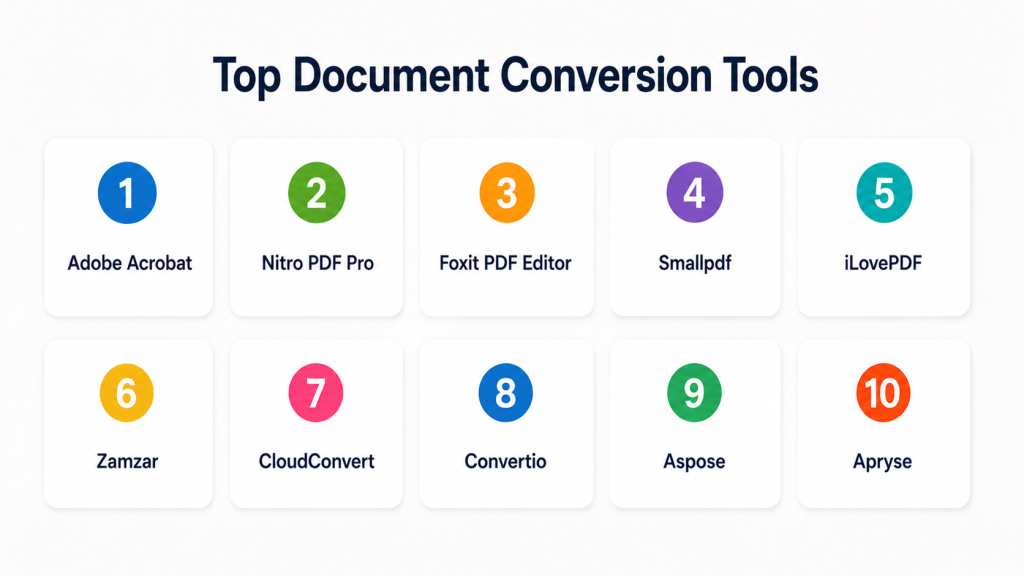
Top Document Conversion Tools
#1 — Adobe Acrobat
Short description: Adobe Acrobat is a widely used PDF and document conversion tool for creating, editing, exporting, combining, compressing, and securing PDFs. It is best for individuals, teams, and enterprises that work heavily with PDF documents.
Key Features
- PDF to Word, Excel, PowerPoint, and image conversion.
- Word, Excel, PowerPoint, and image to PDF conversion.
- OCR for scanned documents.
- PDF editing, combining, splitting, and compression.
- eSignature support through Adobe ecosystem.
- Document protection and permissions.
- Strong PDF creation and formatting reliability.
Pros
- Strong PDF conversion quality.
- Good for professional and business document workflows.
- Broad adoption and familiar user experience.
Cons
- Can be costly for users who only need occasional conversion.
- Advanced tools may feel heavy for simple tasks.
- Best value is for PDF-heavy workflows.
Platforms / Deployment
Web / Windows / macOS / iOS / Android
Cloud / Desktop
Security & Compliance
Supports password protection, permissions, encryption, access controls, and audit-related signing workflows. Specific certifications vary by Adobe service and plan.
Integrations & Ecosystem
Adobe Acrobat fits well into PDF-heavy business environments where documents need editing, signing, sharing, and conversion.
- Microsoft 365
- Google Workspace
- Cloud storage tools
- Adobe ecosystem
- eSignature workflows
- Business productivity tools
Support & Community
Adobe offers documentation, enterprise support options, tutorials, community forums, and broad learning resources. Support strength is high because Acrobat is widely adopted.
#2 — Nitro PDF Pro
Short description: Nitro PDF Pro is a PDF productivity and conversion platform for creating, editing, converting, signing, and managing PDF documents. It is useful for business teams that want a strong Acrobat alternative.
Key Features
- PDF to Word, Excel, PowerPoint, and image conversion.
- Office files to PDF conversion.
- PDF editing and annotation.
- OCR support.
- PDF combining and splitting.
- eSigning features through Nitro ecosystem.
- Admin and business deployment options.
Pros
- Good PDF conversion and editing features.
- Often attractive for business teams comparing PDF platform costs.
- Clean interface for common office workflows.
Cons
- Advanced enterprise workflow features may vary by plan.
- Some complex PDF conversions may still need manual review.
- Best suited for PDF-centric tasks rather than broad file automation.
Platforms / Deployment
Web / Windows / macOS / iOS
Cloud / Desktop
Security & Compliance
Supports encryption, permissions, access controls, and document security features. Specific certifications should be validated during procurement.
Integrations & Ecosystem
Nitro works well for teams that need PDF conversion, editing, signing, and productivity features inside daily document work.
- Microsoft Office
- Cloud storage
- eSignature tools
- Business productivity systems
- PDF workflows
- Admin deployment tools
Support & Community
Nitro provides documentation, business support, knowledge base resources, and customer onboarding options. It is practical for business teams moving from manual PDF handling.
#3 — Foxit PDF Editor
Short description: Foxit PDF Editor helps users create, edit, convert, secure, and manage PDF documents. It is used by individuals, SMBs, and enterprises that need PDF productivity with conversion and collaboration features.
Key Features
- PDF conversion to Office and image formats.
- Office and image to PDF conversion.
- PDF editing and annotation.
- OCR for scanned files.
- PDF compression and organization.
- Security permissions and redaction features.
- Collaboration and commenting tools.
Pros
- Strong balance of PDF features and usability.
- Suitable for both individuals and business teams.
- Good alternative to heavier PDF suites.
Cons
- Some advanced workflow features may require higher plans.
- Conversion quality should be tested on complex documents.
- Mainly focused on PDF workflows.
Platforms / Deployment
Web / Windows / macOS / iOS / Android
Cloud / Desktop
Security & Compliance
Supports encryption, redaction, permissions, access controls, and document protection features. Specific certifications vary by product and plan.
Integrations & Ecosystem
Foxit fits well for organizations that need everyday PDF editing and conversion connected with office and cloud workflows.
- Microsoft Office
- Cloud storage
- PDF collaboration
- eSignature workflows
- Enterprise deployment tools
- Document productivity systems
Support & Community
Foxit provides documentation, support resources, enterprise support options, and product tutorials. It has a strong user base among PDF-focused teams.
#4 — Smallpdf
Short description: Smallpdf is a web-based document conversion and PDF utility platform. It is best for individuals, freelancers, students, and small teams that need fast online conversion without complex setup.
Key Features
- PDF to Word, Excel, PowerPoint, and image conversion.
- Word, Excel, PowerPoint, and image to PDF conversion.
- PDF compression.
- PDF merging and splitting.
- Basic eSignature support.
- Simple web interface.
- Cloud-based access from any browser.
Pros
- Very easy to use.
- Good for quick one-off document conversion.
- No complex installation required.
Cons
- Not ideal for highly sensitive documents unless security is fully reviewed.
- Free usage may have limits.
- Less suited for complex enterprise workflows.
Platforms / Deployment
Web / Windows / macOS / iOS / Android
Cloud
Security & Compliance
Supports secure file handling features and account controls. Specific certifications and compliance details should be validated directly.
Integrations & Ecosystem
Smallpdf is useful for lightweight document conversion and simple PDF tasks, especially for users who want browser-based access.
- Cloud storage
- PDF tools
- Browser-based workflows
- Mobile workflows
- Office file conversion
- Simple sharing workflows
Support & Community
Smallpdf provides help resources, support articles, and user guidance. It is easy to learn because the product is designed for simple conversion tasks.
#5 — iLovePDF
Short description: iLovePDF is an online PDF and document conversion toolkit for converting, compressing, merging, splitting, and editing PDFs. It is best for users who need quick, simple, and frequent PDF-related tasks.
Key Features
- PDF to Word, Excel, PowerPoint, and image conversion.
- Office and image to PDF conversion.
- PDF merge, split, and compress.
- OCR support in selected workflows.
- PDF editing and page organization.
- Browser-based tools.
- Desktop and mobile access options.
Pros
- Simple and fast for common PDF tasks.
- Good for students, freelancers, and small teams.
- Useful for everyday file conversion.
Cons
- Not designed as a deep enterprise content platform.
- Complex documents may need manual checking.
- Security needs should be reviewed for sensitive files.
Platforms / Deployment
Web / Windows / macOS / iOS / Android
Cloud / Desktop
Security & Compliance
Supports secure file processing features. Specific certifications are not publicly stated here and should be confirmed directly.
Integrations & Ecosystem
iLovePDF fits lightweight PDF conversion and productivity workflows across browser, desktop, and mobile environments.
- Cloud storage
- Browser workflows
- Desktop tools
- Mobile apps
- Office file conversion
- PDF utility workflows
Support & Community
iLovePDF provides help resources and product support. Its simple interface makes it easy for non-technical users to adopt quickly.
#6 — Zamzar
Short description: Zamzar is an online file conversion service that supports many file types, including documents, images, audio, video, and compressed formats. It is useful for users who need broad format conversion beyond only PDF.
Key Features
- Document format conversion.
- Image, audio, video, and archive conversion support.
- Web-based upload and conversion.
- Batch conversion options.
- Email-based delivery in some workflows.
- Broad file format coverage.
- Simple user experience.
Pros
- Supports a wide range of file formats.
- Useful when working with uncommon file types.
- Easy for quick online conversions.
Cons
- Not focused only on enterprise document workflows.
- Sensitive files should be evaluated carefully before upload.
- Output quality may vary by file type and complexity.
Platforms / Deployment
Web
Cloud
Security & Compliance
Not publicly stated.
Integrations & Ecosystem
Zamzar is mainly useful as a broad online conversion utility rather than a deep enterprise workflow platform.
- Web upload workflows
- Document conversion
- Image conversion
- Media conversion
- Archive conversion
- General file transformation
Support & Community
Support resources are available, but the platform is more utility-focused than enterprise-service focused. Best suited for broad file conversion needs.
#7 — CloudConvert
Short description: CloudConvert is a cloud-based file conversion platform with broad format support and API access. It is suitable for individuals, businesses, and developers that need flexible document, media, and file conversion workflows.
Key Features
- Document, image, audio, video, and archive conversion.
- API-based file conversion.
- Batch conversion.
- Conversion settings and output control.
- Cloud storage integration.
- Web-based interface.
- Developer-friendly automation.
Pros
- Broad format support.
- Useful for both manual and API-based conversion.
- Good fit for developer workflows.
Cons
- Not a full document management platform.
- Sensitive files require security review.
- Complex enterprise workflows may need custom integration.
Platforms / Deployment
Web
Cloud
Security & Compliance
Supports secure cloud processing features. Specific certifications should be validated directly.
Integrations & Ecosystem
CloudConvert is useful where conversion needs to be built into apps, cloud workflows, or internal systems.
- APIs
- Cloud storage
- SaaS applications
- Workflow automation tools
- Document conversion
- Media conversion
Support & Community
CloudConvert provides documentation and API resources. It is practical for technical users and teams building conversion into software workflows.
#8 — Convertio
Short description: Convertio is an online file conversion platform that supports documents, images, audio, video, fonts, archives, and other file formats. It is useful for quick browser-based conversion across many file types.
Key Features
- Document conversion.
- Image, audio, video, and archive conversion.
- Browser-based interface.
- Cloud file import support.
- OCR support in selected workflows.
- Multi-format coverage.
- Simple conversion process.
Pros
- Easy to use for quick file conversion.
- Supports many file types.
- Useful for non-technical users.
Cons
- Not ideal for enterprise governance workflows.
- Free usage may include limits.
- Sensitive file handling should be reviewed.
Platforms / Deployment
Web
Cloud
Security & Compliance
Not publicly stated.
Integrations & Ecosystem
Convertio works best as a general-purpose online converter for users who need fast file format changes.
- Cloud storage import
- Browser workflows
- OCR workflows
- Document conversion
- Media conversion
- General file conversion
Support & Community
Convertio provides user guidance and online help resources. It is simple enough for casual users and small teams.
#9 — Aspose
Short description: Aspose provides document processing and conversion components for developers. It is useful for software teams that need to convert, create, edit, and render documents programmatically inside applications.
Key Features
- API and SDK-based document conversion.
- Support for Word, Excel, PowerPoint, PDF, email, images, and other formats.
- File rendering and manipulation.
- Batch processing support.
- Cloud and on-premises development options.
- Developer-focused libraries.
- Automation for enterprise applications.
Pros
- Strong for developer-driven document conversion.
- Supports many business document formats.
- Useful for embedding conversion into applications.
Cons
- Requires technical knowledge.
- Not designed mainly for casual end users.
- Licensing and implementation should be reviewed carefully.
Platforms / Deployment
Windows / macOS / Linux / Web
Cloud / Self-hosted / Hybrid
Security & Compliance
Security depends on deployment model and implementation. Specific certifications are not publicly stated here.
Integrations & Ecosystem
Aspose is best for developers who need conversion capabilities inside software, portals, enterprise systems, or automated workflows.
- .NET applications
- Java applications
- Cloud APIs
- Enterprise software
- Document workflows
- Custom platforms
Support & Community
Aspose provides developer documentation, examples, support resources, and technical community discussions. It is strongest for engineering-led document workflows.
#10 — Apryse
Short description: Apryse provides document processing technology for viewing, editing, converting, and working with PDFs and other document formats inside applications. It is best for developers and enterprises building document workflows into software products.
Key Features
- Document viewing and conversion.
- PDF processing and rendering.
- Office document handling.
- SDKs for developers.
- Annotation and editing support.
- Workflow and application embedding.
- Enterprise document infrastructure capabilities.
Pros
- Strong for embedding document conversion in applications.
- Suitable for enterprise and developer use cases.
- Good for advanced document processing workflows.
Cons
- More technical than consumer PDF tools.
- May be unnecessary for simple file conversion.
- Implementation requires developer resources.
Platforms / Deployment
Web / Windows / macOS / Linux / iOS / Android
Cloud / Self-hosted / Hybrid
Security & Compliance
Supports secure deployment patterns and enterprise document processing controls. Specific certifications should be validated directly.
Integrations & Ecosystem
Apryse fits organizations that want document conversion, viewing, editing, and processing inside custom apps or enterprise platforms.
- Web applications
- Mobile applications
- Desktop applications
- Enterprise platforms
- APIs and SDKs
- Document workflow systems
Support & Community
Apryse provides developer documentation, technical support, SDK resources, and enterprise implementation guidance. It is best for technical teams building document workflows.
Comparison Table
| Tool Name | Best For | Platform(s) Supported | Deployment | Standout Feature | Public Rating |
|---|---|---|---|---|---|
| Adobe Acrobat | Professional PDF conversion | Web, Windows, macOS, iOS, Android | Cloud, Desktop | High-quality PDF conversion and editing | N/A |
| Nitro PDF Pro | Business PDF workflows | Web, Windows, macOS, iOS | Cloud, Desktop | PDF conversion with business productivity features | N/A |
| Foxit PDF Editor | PDF editing and conversion | Web, Windows, macOS, iOS, Android | Cloud, Desktop | Balanced PDF editing and conversion suite | N/A |
| Smallpdf | Quick online PDF conversion | Web, Windows, macOS, iOS, Android | Cloud | Simple browser-based PDF tools | N/A |
| iLovePDF | Everyday PDF conversion | Web, Windows, macOS, iOS, Android | Cloud, Desktop | Fast PDF utility toolkit | N/A |
| Zamzar | Broad file format conversion | Web | Cloud | Wide format support beyond documents | N/A |
| CloudConvert | API and cloud file conversion | Web | Cloud | Flexible API-based conversion | N/A |
| Convertio | Quick browser-based conversion | Web | Cloud | General-purpose online file conversion | N/A |
| Aspose | Developer document conversion | Windows, macOS, Linux, Web | Cloud, Self-hosted, Hybrid | SDK-based document processing | N/A |
| Apryse | Embedded document workflows | Web, Windows, macOS, Linux, iOS, Android | Cloud, Self-hosted, Hybrid | Document conversion inside applications | N/A |
Evaluation & Scoring of Document Conversion Tools
| Tool Name | Core (25%) | Ease (15%) | Integrations (15%) | Security (10%) | Performance (10%) | Support (10%) | Value (15%) | Weighted Total |
|---|---|---|---|---|---|---|---|---|
| Adobe Acrobat | 9 | 8 | 9 | 9 | 9 | 9 | 7 | 8.50 |
| Nitro PDF Pro | 8 | 8 | 8 | 8 | 8 | 8 | 8 | 8.00 |
| Foxit PDF Editor | 8 | 8 | 8 | 8 | 8 | 8 | 8 | 8.00 |
| Smallpdf | 7 | 9 | 7 | 7 | 8 | 7 | 8 | 7.60 |
| iLovePDF | 7 | 9 | 7 | 6 | 8 | 7 | 8 | 7.50 |
| Zamzar | 8 | 8 | 6 | 6 | 7 | 6 | 8 | 7.15 |
| CloudConvert | 8 | 8 | 9 | 7 | 8 | 7 | 8 | 7.90 |
| Convertio | 7 | 8 | 6 | 6 | 7 | 6 | 8 | 7.00 |
| Aspose | 9 | 6 | 9 | 8 | 9 | 8 | 7 | 8.15 |
| Apryse | 9 | 6 | 9 | 8 | 9 | 8 | 7 | 8.15 |
These scores are comparative and should be used as a starting point. Adobe Acrobat scores strongly for professional PDF workflows, while Aspose and Apryse are stronger for developer-led application integration. Smallpdf and iLovePDF are easier for quick browser-based tasks, but enterprises should carefully review security, governance, and file handling before using any cloud conversion tool for sensitive documents.
Which Document Conversion Tool Is Right for You?
Solo / Freelancer
Solo users usually need fast conversion, low complexity, and support for common formats such as PDF, Word, Excel, PowerPoint, and images. They may not need APIs, admin controls, or enterprise deployment.
Good options:
- Smallpdf for quick browser-based conversion.
- iLovePDF for everyday PDF tasks.
- Adobe Acrobat for professional PDF editing and conversion.
- Convertio for general file format conversion.
SMB
SMBs need reliable conversion, predictable pricing, easy adoption, and basic security controls. They should choose tools that help teams work faster without heavy setup.
Good options:
- Nitro PDF Pro for business PDF workflows.
- Foxit PDF Editor for PDF editing and conversion.
- Adobe Acrobat for teams that need strong PDF reliability.
- CloudConvert for flexible file conversion needs.
Mid-Market
Mid-market companies need stronger security, team administration, integrations, and repeatable workflows. They should evaluate batch conversion, cloud storage integration, OCR, and support options.
Good options:
- Adobe Acrobat for standard PDF operations.
- Nitro PDF Pro for business teams.
- Foxit PDF Editor for PDF productivity.
- CloudConvert for API and workflow-based conversion.
Enterprise
Enterprises need conversion tools that support governance, security, scalability, automation, and integration with business systems. They should avoid relying only on casual online converters for sensitive documents.
Good options:
- Adobe Acrobat for enterprise PDF workflows.
- Apryse for embedded document conversion in applications.
- Aspose for developer-led document processing.
- Foxit PDF Editor for business PDF productivity.
- Nitro PDF Pro for team-based PDF conversion.
Budget vs Premium
Budget-focused users can start with browser-based tools for occasional conversion. However, premium tools are better when accuracy, security, batch processing, OCR quality, and enterprise administration matter.
Budget-friendly scenarios:
- Simple PDF conversion.
- Student or freelancer use.
- One-off file conversion.
- Low-volume document tasks.
Premium scenarios:
- Legal documents.
- Customer data.
- Financial reports.
- Enterprise workflows.
- High-volume batch processing.
- Application-based conversion.
Feature Depth vs Ease of Use
Ease of use is important for everyday users who need quick results. Feature depth matters for teams handling complex formats, scanned files, automation, and compliance-sensitive documents.
Choose ease of use when:
- You need quick PDF conversion.
- Files are simple.
- Users are non-technical.
- There is no major compliance risk.
Choose feature depth when:
- You need OCR accuracy.
- You process large file volumes.
- You need APIs.
- Layout preservation matters.
- You work with sensitive documents.
Integrations & Scalability
If conversion is part of daily business workflows, integration matters. Teams should check whether the tool connects with cloud storage, office suites, APIs, automation platforms, and internal systems.
Best integration-focused options:
- Adobe Acrobat for PDF and productivity ecosystems.
- CloudConvert for API-based cloud conversion.
- Aspose for developer document processing.
- Apryse for embedded document workflows.
- Nitro PDF Pro and Foxit PDF Editor for business PDF workflows.
Security & Compliance Needs
Security should be a major factor when converting contracts, invoices, employee records, customer files, medical documents, legal files, or financial data.
Important checks include:
- Encryption
- Access controls
- File deletion policy
- Admin controls
- Audit logs
- Offline processing options
- API security
- Data residency
- Role-based permissions
- Vendor compliance documentation
Frequently Asked Questions
What is document conversion software?
Document conversion software changes files from one format to another, such as PDF to Word, Word to PDF, image to PDF, scanned file to searchable text, or HTML to PDF.
How is document conversion different from document editing?
Document conversion changes the file format, while document editing changes the content inside the file. Some tools offer both conversion and editing in one platform.
Which formats do document conversion tools commonly support?
Common formats include PDF, DOCX, XLSX, PPTX, JPG, PNG, TIFF, HTML, TXT, and scanned documents. Some tools also support audio, video, archive, and developer formats.
What is OCR in document conversion?
OCR means optical character recognition. It extracts text from scanned documents or images so users can search, copy, edit, or process the text.
Are online document converters safe?
Some online converters offer secure processing, but sensitive files should be handled carefully. Businesses should review encryption, file deletion policy, data residency, and compliance details.
What pricing models are common?
Pricing may be free, subscription-based, user-based, usage-based, API-based, or enterprise plan-based. Pricing varies widely depending on file volume, features, and support needs.
Can document conversion tools handle batch processing?
Yes, many tools support batch conversion. This is useful when teams need to convert large numbers of documents, images, reports, or scanned files.
What is the biggest mistake when choosing a conversion tool?
The biggest mistake is choosing only by price or convenience. Buyers should also test conversion accuracy, formatting quality, OCR output, security, and integration needs.
Can developers use document conversion APIs?
Yes, developer-focused tools like CloudConvert, Aspose, and Apryse support API or SDK-based conversion. These are useful for SaaS apps, portals, and automated workflows.
What should enterprises look for?
Enterprises should look for security controls, admin management, audit logs, deployment options, API support, batch processing, support quality, and compliance documentation.
Can document conversion tools preserve formatting?
Many tools preserve formatting well, but complex layouts, tables, fonts, images, and scanned files may still need manual checking. Always test with real documents.
What are alternatives to document conversion tools?
Alternatives include office suites, PDF editors, OCR platforms, document management systems, custom scripts, developer libraries, and enterprise content management platforms.
Conclusion
Document conversion tools are essential for modern business workflows because documents move across many formats, platforms, devices, and systems. The best tool depends on how often you convert files, what formats you use, how sensitive your documents are, and whether you need manual conversion or automated workflows. Adobe Acrobat, Nitro PDF Pro, and Foxit PDF Editor are strong for PDF-focused business users. Smallpdf, iLovePDF, Zamzar, and Convertio are useful for quick online conversions. CloudConvert, Aspose, and Apryse are better for API-driven, developer-led, and enterprise application workflows.
