Upgrade & Secure Your Future with DevOps, SRE, DevSecOps, MLOps!
We spend hours scrolling social media and waste money on things we forget, but won’t spend 30 minutes a day earning certifications that can change our lives.
Master in DevOps, SRE, DevSecOps & MLOps by DevOps School!
Learn from Guru Rajesh Kumar and double your salary in just one year.
Introduction
Case management platforms help organizations manage work that does not always follow a fixed step-by-step process. In simple words, they help teams track, assign, investigate, document, resolve, and report on cases from one central system. A case may be a customer complaint, insurance claim, legal matter, HR request, fraud investigation, service ticket, compliance review, healthcare request, or government application.
These platforms matter because many business processes are not simple tasks. They involve documents, approvals, notes, evidence, communication history, decisions, deadlines, and multiple departments. A good case management platform gives teams visibility, control, accountability, and faster resolution.
Common use cases include customer service cases, employee relations cases, legal case tracking, claims processing, compliance investigations, citizen service requests, healthcare coordination, fraud reviews, and IT service cases.
Buyers should evaluate workflow flexibility, case history, document handling, collaboration, automation, analytics, security, integrations, user experience, mobile access, scalability, and support.
Best for: service teams, operations teams, legal teams, HR teams, compliance teams, healthcare providers, insurance companies, government agencies, financial services, IT teams, and large organizations managing complex work.
Not ideal for: very small teams with simple task lists, businesses that only need basic ticketing, projects with fixed linear workflows, or teams that can manage work with a lightweight project management tool.
Key Trends in Case Management Platforms
- AI-assisted case handling is becoming more useful: Platforms are adding AI features for case summaries, suggested next actions, document review, sentiment analysis, routing, and knowledge recommendations.
- Low-code case design is growing: Teams want to build case types, forms, workflows, rules, and dashboards without relying fully on developers.
- Customer and employee experience are becoming central: Case platforms now need clean portals, self-service forms, status tracking, notifications, and faster response workflows.
- Compliance and auditability are stronger buying factors: Organizations need full case history, access controls, approval trails, document records, and clear accountability.
- Omnichannel case intake is important: Cases may come from email, web forms, phone calls, chat, portals, APIs, mobile apps, or partner systems.
- Case management and workflow automation are merging: Modern platforms combine flexible case handling with business rules, approvals, SLAs, escalations, and process automation.
- Integration with enterprise systems is expected: Case platforms must connect with CRM, ERP, HRMS, document management, identity systems, analytics, and communication tools.
- Data privacy is a major concern: Many cases involve sensitive customer, employee, legal, medical, or financial data, so security controls must be strong.
- Analytics are becoming more operational: Leaders want dashboards for backlog, resolution time, case volume, SLA breaches, team workload, and bottlenecks.
- Industry-specific case management is expanding: Vendors are offering specialized solutions for healthcare, insurance, government, banking, legal, HR, and customer support.
How We Selected These Tools
The platforms in this list were selected based on practical case management needs, market recognition, feature depth, and fit for different organization sizes.
- Market adoption and recognition among enterprise, mid-market, government, service, HR, legal, and operations teams.
- Strength of case tracking, case history, document handling, workflow automation, and collaboration.
- Flexibility for structured, semi-structured, and unstructured case workflows.
- Support for low-code configuration, forms, business rules, routing, and case type design.
- Integration ecosystem with CRM, ERP, HR, document management, APIs, identity systems, and communication tools.
- Security posture signals such as role-based access, audit trails, encryption, SSO, MFA, and data governance.
- Reporting and analytics for SLA tracking, workload management, case resolution, and operational improvement.
- Deployment flexibility across cloud, self-hosted, and hybrid models where applicable.
- Suitability for solo consultants, SMBs, mid-market teams, and enterprise-grade environments.
- Support quality, documentation, onboarding, partner ecosystem, and long-term maintainability.
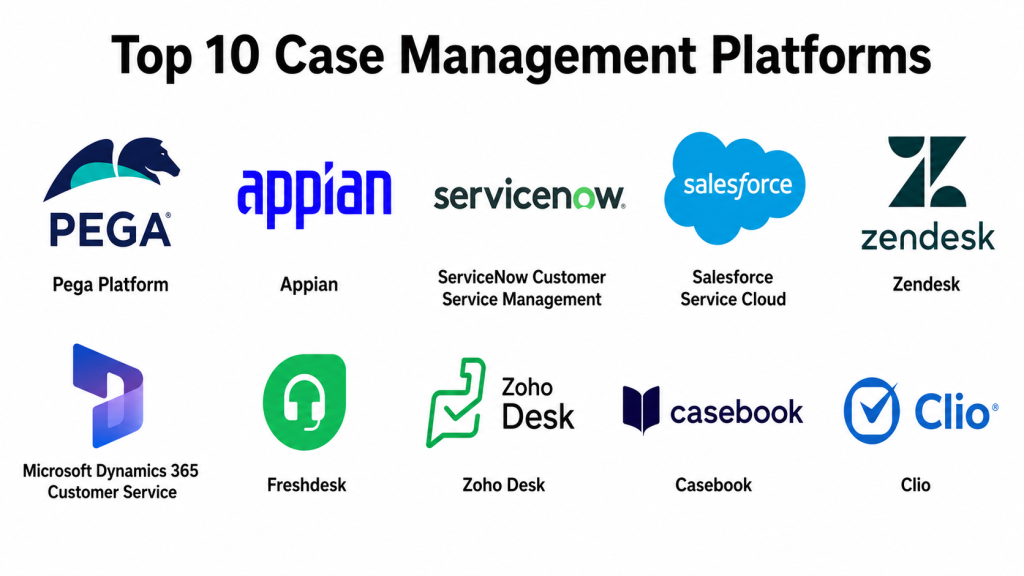
Top 10 Case Management Platforms
#1 — Pega Platform
Short description: Pega Platform is an enterprise case management, workflow automation, decisioning, and customer engagement platform. It is best for large organizations that need complex case handling, business rules, process automation, and enterprise-grade governance.
Key Features
- Advanced case management and workflow automation.
- Business rules and decisioning capabilities.
- Customer service and operational case support.
- Low-code application development.
- AI-assisted case routing and recommendations in some areas.
- SLA tracking, escalation, and process visibility.
- Enterprise governance, security, and integration support.
Pros
- Strong for complex and rule-heavy case workflows.
- Suitable for large enterprises and regulated industries.
- Good fit for customer service, operations, and compliance-heavy use cases.
Cons
- Can be complex for smaller teams.
- Requires skilled implementation and governance.
- Total cost should be reviewed carefully.
Platforms / Deployment
Web / iOS / Android.
Cloud / Self-hosted / Hybrid.
Security & Compliance
Enterprise security features may be available depending on deployment and plan. Confirm SSO/SAML, MFA, RBAC, audit logs, encryption, SOC 2, ISO 27001, GDPR, HIPAA, and industry-specific compliance directly with the vendor.
Integrations & Ecosystem
Pega works well in enterprise environments where case management must connect with customer data, operational systems, and business rules.
- CRM and service platforms.
- Enterprise databases.
- APIs and middleware.
- RPA and automation tools.
- Identity providers.
- Legacy systems.
Support & Community
Pega provides documentation, training, partner support, implementation resources, and enterprise assistance. It is best for organizations with mature process and IT teams.
#2 — Appian
Short description: Appian is a low-code automation and case management platform for building process-driven applications. It is useful for organizations that need workflow automation, case handling, data integration, approvals, and operational visibility.
Key Features
- Low-code case and workflow application design.
- Case management with process automation.
- Data fabric-style access across systems.
- Business rules and approvals.
- AI and automation support in selected capabilities.
- Process analytics and dashboards.
- Enterprise governance and deployment controls.
Pros
- Strong balance of low-code, BPM, and case management.
- Good for regulated and complex operational workflows.
- Useful for building custom case applications quickly.
Cons
- May be too advanced for simple ticketing needs.
- Implementation requires process design discipline.
- Pricing may suit larger organizations better.
Platforms / Deployment
Web / iOS / Android.
Cloud / Hybrid.
Security & Compliance
Enterprise security features may be available depending on plan and deployment. Confirm SSO/SAML, MFA, RBAC, audit logs, encryption, SOC 2, ISO 27001, GDPR, HIPAA, and data residency requirements with the vendor.
Integrations & Ecosystem
Appian is strong when cases need data from multiple systems and workflows across departments.
- APIs and web services.
- Enterprise databases.
- ERP and CRM systems.
- Document management tools.
- RPA platforms.
- Identity providers.
Support & Community
Appian offers documentation, training, professional services, partner ecosystem support, and customer success options. It is suitable for enterprises building formal automation programs.
#3 — ServiceNow Customer Service Management
Short description: ServiceNow Customer Service Management helps organizations manage customer cases, service requests, issue resolution, knowledge workflows, and cross-team collaboration. It is best for enterprises already using ServiceNow or companies that need service operations connected with internal teams.
Key Features
- Customer case management.
- Service request and issue resolution workflows.
- Knowledge base integration.
- SLA tracking and escalation management.
- Self-service portal support.
- Workflow automation across departments.
- Integration with broader ServiceNow platform.
Pros
- Strong for enterprise service operations.
- Good fit for companies already using ServiceNow.
- Helps connect customer cases with internal workflows.
Cons
- Best value is within the ServiceNow ecosystem.
- May be expensive or complex for small teams.
- Requires careful configuration and process design.
Platforms / Deployment
Web / iOS / Android.
Cloud.
Security & Compliance
Enterprise security features may be available depending on configuration and contract. Confirm SSO, MFA, RBAC, audit logs, encryption, SOC 2, ISO 27001, GDPR, HIPAA, and data governance requirements directly with the vendor.
Integrations & Ecosystem
ServiceNow works well when cases need to connect with IT, operations, HR, service teams, and enterprise workflows.
- ServiceNow workflows.
- ITSM and operations tools.
- Customer service systems.
- Knowledge management.
- Identity providers.
- APIs and integration hub.
Support & Community
ServiceNow has extensive documentation, training, partner ecosystem, community resources, and enterprise support. It is best for organizations with platform ownership and governance.
#4 — Salesforce Service Cloud
Short description: Salesforce Service Cloud is a customer service and case management platform for managing support cases, customer interactions, knowledge, service workflows, and agent productivity. It is best for organizations already using Salesforce CRM or needing a strong customer service case platform.
Key Features
- Customer case management.
- Omnichannel service support.
- Knowledge base and self-service tools.
- Agent workspace and customer history.
- Workflow automation and routing.
- AI-assisted service features in selected plans.
- Strong CRM-connected case context.
Pros
- Excellent fit for CRM-driven customer service.
- Strong ecosystem of apps, integrations, and partners.
- Good for support teams needing customer context.
Cons
- Best value comes inside the Salesforce ecosystem.
- Licensing and customization can become complex.
- Requires admin expertise for scalable setup.
Platforms / Deployment
Web / iOS / Android.
Cloud.
Security & Compliance
Enterprise security controls may be available depending on edition and configuration. Confirm SSO/SAML, MFA, RBAC, audit logs, encryption, SOC 2, ISO 27001, GDPR, HIPAA, and industry-specific needs with the vendor.
Integrations & Ecosystem
Salesforce Service Cloud fits well where cases must connect to sales, service, marketing, account history, and customer data.
- Salesforce CRM.
- AppExchange applications.
- Telephony and contact center tools.
- Knowledge management.
- APIs and middleware.
- Analytics and reporting tools.
Support & Community
Salesforce provides documentation, Trailhead learning, partner support, community groups, consultants, and enterprise support options. It is strong for customer-facing case workflows.
#5 — Zendesk
Short description: Zendesk is a customer service and support platform used for ticketing, case handling, knowledge management, customer communication, and service workflows. It is best for support teams that need a practical, scalable, and user-friendly customer case management system.
Key Features
- Ticket and case management.
- Omnichannel customer support.
- Knowledge base and self-service.
- Workflow automation and routing.
- SLA management.
- Reporting and support analytics.
- Marketplace integrations.
Pros
- Easy for support teams to adopt.
- Strong customer support workflow features.
- Good fit for SMBs, mid-market teams, and growing service teams.
Cons
- Complex enterprise case workflows may need customization.
- Advanced features may require higher plans.
- Not always ideal for non-customer-service case types.
Platforms / Deployment
Web / iOS / Android.
Cloud.
Security & Compliance
Security features may vary by plan. Confirm SSO, MFA, RBAC, audit logs, encryption, GDPR, SOC 2, ISO 27001, HIPAA, and data retention needs directly with the vendor.
Integrations & Ecosystem
Zendesk connects well with common support, sales, marketing, communication, and analytics tools.
- CRM systems.
- Chat and messaging tools.
- Telephony platforms.
- Knowledge base workflows.
- Automation tools.
- Reporting and analytics tools.
Support & Community
Zendesk has strong documentation, support resources, partner ecosystem, marketplace apps, and a large customer service community.
#6 — Microsoft Dynamics 365 Customer Service
Short description: Microsoft Dynamics 365 Customer Service is a case management and customer support platform for organizations using Microsoft business applications. It helps teams manage service cases, customer interactions, knowledge, SLAs, and agent productivity.
Key Features
- Customer case management.
- SLA and queue management.
- Knowledge base support.
- Omnichannel engagement options.
- AI-assisted service capabilities in selected areas.
- Integration with Microsoft ecosystem.
- Reporting and analytics.
Pros
- Strong fit for Microsoft-centered organizations.
- Good integration with Microsoft productivity and business tools.
- Useful for customer service and enterprise support workflows.
Cons
- Best value comes inside the Microsoft ecosystem.
- Implementation requires admin and configuration expertise.
- Licensing should be reviewed carefully.
Platforms / Deployment
Web / Windows / iOS / Android.
Cloud.
Security & Compliance
Microsoft enterprise security controls may be available depending on tenant, plan, and configuration. Confirm SSO, MFA, RBAC, audit logs, encryption, GDPR, SOC 2, ISO 27001, HIPAA, and compliance needs with the vendor.
Integrations & Ecosystem
Dynamics 365 Customer Service works well when case handling needs to connect with Microsoft tools and enterprise data.
- Microsoft 365.
- Teams.
- Power Platform.
- Dynamics 365 apps.
- Azure services.
- Dataverse.
Support & Community
Microsoft provides documentation, learning resources, partner support, community forums, and enterprise support options. It is suitable for organizations already invested in Microsoft platforms.
#7 — Freshdesk
Short description: Freshdesk is a customer support and case management platform for ticketing, customer conversations, automation, knowledge management, and service team productivity. It is popular among SMBs and growing support teams that need a user-friendly support case system.
Key Features
- Ticket and case management.
- Email, chat, phone, and social support options.
- SLA and escalation rules.
- Knowledge base and self-service portal.
- Automation and assignment rules.
- Reporting and team dashboards.
- Marketplace integrations.
Pros
- Easy to use and quick to deploy.
- Good for SMBs and growing support teams.
- Practical balance of features and usability.
Cons
- May not fit highly complex enterprise case workflows.
- Advanced automation and analytics may require higher plans.
- Best suited for customer support rather than every case type.
Platforms / Deployment
Web / iOS / Android.
Cloud.
Security & Compliance
Security features may vary by plan. Confirm SSO, MFA, RBAC, audit logs, encryption, GDPR, SOC 2, ISO 27001, HIPAA, and data handling needs directly with the vendor.
Integrations & Ecosystem
Freshdesk integrates with common business, support, and communication tools.
- CRM systems.
- Chat and messaging tools.
- Telephony tools.
- eCommerce platforms.
- Collaboration tools.
- Analytics and reporting tools.
Support & Community
Freshdesk provides documentation, onboarding resources, support, community content, and marketplace apps. It is especially useful for smaller and mid-sized support teams.
#8 — Zoho Desk
Short description: Zoho Desk is a customer service and case management platform for managing tickets, customer conversations, SLAs, knowledge articles, and support workflows. It is a strong fit for SMBs and organizations already using Zoho applications.
Key Features
- Ticket and case management.
- Multi-channel support.
- SLA and escalation management.
- Knowledge base and self-service.
- Workflow automation.
- Customer context from Zoho ecosystem.
- Reporting and dashboards.
Pros
- Good value for SMBs.
- Strong fit for companies already using Zoho tools.
- Practical support case management features.
Cons
- May not match large enterprise platforms for complex case workflows.
- Advanced customization may require Zoho expertise.
- Best value comes inside the Zoho ecosystem.
Platforms / Deployment
Web / iOS / Android.
Cloud.
Security & Compliance
Security features may vary by plan and region. Confirm SSO, MFA, RBAC, audit logs, encryption, GDPR, SOC 2, ISO 27001, HIPAA, and data residency needs directly with the vendor.
Integrations & Ecosystem
Zoho Desk works well when support cases need to connect with sales, marketing, finance, and operations tools in the Zoho ecosystem.
- Zoho CRM.
- Zoho business apps.
- Email and chat tools.
- Telephony platforms.
- APIs.
- Reporting tools.
Support & Community
Zoho provides documentation, support resources, user community content, and broad product ecosystem support. It is practical for cost-conscious teams.
#9 — Casebook
Short description: Casebook is a case management platform focused on human services, nonprofit programs, social services, and community service organizations. It helps teams track clients, cases, notes, services, outcomes, and program activity.
Key Features
- Client and case records.
- Notes, tasks, and service tracking.
- Program and outcome management.
- Reporting and case visibility.
- Human services workflow support.
- Collaboration across service teams.
- Configurable case documentation.
Pros
- Strong fit for human services and nonprofit case work.
- Helps organize client records and service history.
- Useful for teams managing people-centered cases.
Cons
- Not designed for all enterprise case types.
- May not fit customer support or IT service workflows.
- Integration and advanced automation needs should be reviewed.
Platforms / Deployment
Web.
Cloud.
Security & Compliance
Not publicly stated in full detail. Confirm SSO, MFA, RBAC, audit logs, encryption, HIPAA, GDPR, SOC 2, ISO 27001, and data privacy requirements directly with the vendor.
Integrations & Ecosystem
Casebook is most relevant where case work is centered on people, services, programs, and outcomes.
- Client records.
- Reporting workflows.
- Program management.
- Document and note tracking.
- Service coordination.
- External data exports or APIs where available.
Support & Community
Casebook provides support and resources focused on human services and nonprofit case management. Teams should review onboarding, training, and implementation support before adoption.
#10 — Clio
Short description: Clio is a legal case management platform used by law firms and legal professionals to manage matters, clients, documents, calendars, tasks, billing, and practice operations. It is best for legal teams needing structured matter and case tracking.
Key Features
- Legal matter and case management.
- Client contact and communication tracking.
- Document and task management.
- Calendar and deadline tracking.
- Time tracking and billing workflows.
- Client portal support in selected areas.
- Legal practice management features.
Pros
- Strong fit for legal case management.
- Useful for law firms managing matters, documents, and deadlines.
- Combines case tracking with practice operations.
Cons
- Not designed for general enterprise case management.
- Best suited for legal teams and law firms.
- Advanced integrations and features may depend on plan.
Platforms / Deployment
Web / iOS / Android.
Cloud.
Security & Compliance
Security features may vary by plan and configuration. Confirm SSO, MFA, RBAC, audit logs, encryption, GDPR, SOC 2, ISO 27001, HIPAA, and legal data handling needs directly with the vendor.
Integrations & Ecosystem
Clio fits legal workflows where matter management must connect with documents, billing, calendars, and client communications.
- Legal document tools.
- Calendar systems.
- Billing and payments.
- Email workflows.
- Client communication tools.
- Accounting platforms.
Support & Community
Clio provides documentation, onboarding resources, legal practice support content, and customer support options. It is strong within the legal technology ecosystem.
Comparison Table: Top 10
| Tool Name | Best For | Platform(s) Supported | Deployment | Standout Feature | Public Rating |
|---|---|---|---|---|---|
| Pega Platform | Complex enterprise case workflows | Web, iOS, Android | Cloud / Self-hosted / Hybrid | Rules-driven case management and decisioning | N/A |
| Appian | Low-code case and workflow applications | Web, iOS, Android | Cloud / Hybrid | Case management with process automation | N/A |
| ServiceNow Customer Service Management | Enterprise service cases | Web, iOS, Android | Cloud | Service workflows across departments | N/A |
| Salesforce Service Cloud | Customer service case management | Web, iOS, Android | Cloud | CRM-connected customer case history | N/A |
| Zendesk | Support tickets and customer cases | Web, iOS, Android | Cloud | Easy omnichannel support case handling | N/A |
| Microsoft Dynamics 365 Customer Service | Microsoft-based service teams | Web, Windows, iOS, Android | Cloud | Customer service cases inside Microsoft ecosystem | N/A |
| Freshdesk | SMB and mid-market support cases | Web, iOS, Android | Cloud | User-friendly ticket and SLA workflows | N/A |
| Zoho Desk | Cost-conscious support case management | Web, iOS, Android | Cloud | Strong fit with Zoho business apps | N/A |
| Casebook | Human services and nonprofit cases | Web | Cloud | Client-centered social service case tracking | N/A |
| Clio | Legal case and matter management | Web, iOS, Android | Cloud | Legal matter tracking with billing workflows | N/A |
Evaluation & Scoring of Case Management Platforms
| Tool Name | Core (25%) | Ease (15%) | Integrations (15%) | Security (10%) | Performance (10%) | Support (10%) | Value (15%) | Weighted Total (0–10) |
|---|---|---|---|---|---|---|---|---|
| Pega Platform | 10 | 7 | 9 | 9 | 9 | 9 | 7 | 8.60 |
| Appian | 10 | 8 | 9 | 9 | 9 | 9 | 7 | 8.75 |
| ServiceNow Customer Service Management | 9 | 8 | 9 | 9 | 9 | 9 | 7 | 8.60 |
| Salesforce Service Cloud | 9 | 8 | 10 | 9 | 8 | 9 | 8 | 8.70 |
| Zendesk | 8 | 9 | 9 | 8 | 8 | 8 | 8 | 8.30 |
| Microsoft Dynamics 365 Customer Service | 9 | 8 | 10 | 9 | 8 | 9 | 8 | 8.70 |
| Freshdesk | 8 | 9 | 8 | 8 | 8 | 8 | 9 | 8.30 |
| Zoho Desk | 8 | 9 | 8 | 8 | 8 | 8 | 9 | 8.30 |
| Casebook | 7 | 8 | 6 | 7 | 8 | 8 | 8 | 7.40 |
| Clio | 8 | 9 | 8 | 8 | 8 | 8 | 8 | 8.20 |
These scores are comparative and should be used as a shortlist guide. Appian and Pega are stronger for complex enterprise case workflows. Salesforce, Microsoft Dynamics, Zendesk, Freshdesk, and Zoho Desk are stronger for customer service cases. Casebook is better for human services, while Clio is built for legal case and matter management. The best tool depends on your industry, workflow complexity, data sensitivity, and integration needs.
Which Case Management Platform Is Right for You?
Solo / Freelancer
Solo consultants, lawyers, service providers, and independent professionals should focus on ease of use, affordability, and quick setup. Clio is a strong option for legal professionals. Zoho Desk or Freshdesk can work well for solo service businesses handling customer requests.
For consultants helping clients with process improvement, Appian or Pega may be relevant only when working with enterprise customers. For small human service practices, Casebook may be suitable if the work is client-service focused.
Recommended tools: Clio, Zoho Desk, Freshdesk, Casebook.
SMB
Small and mid-sized businesses usually need simple case tracking, customer communication, SLA workflows, and reporting. Zendesk, Freshdesk, and Zoho Desk are practical choices for customer support teams. Clio is a better fit for law firms, while Casebook fits human services organizations.
If an SMB needs more workflow automation and custom case apps, Appian may be considered, but only if the business has enough process complexity to justify it.
Recommended tools: Zendesk, Freshdesk, Zoho Desk, Clio, Casebook.
Mid-Market
Mid-market teams often need stronger automation, integrations, dashboards, and multi-department case handling. Salesforce Service Cloud is strong when customer data lives in Salesforce. Microsoft Dynamics 365 Customer Service is strong for Microsoft-centered organizations. Zendesk and Freshdesk remain practical for support operations.
For more complex operational workflows, Appian and ServiceNow Customer Service Management are worth evaluating.
Recommended tools: Salesforce Service Cloud, Microsoft Dynamics 365 Customer Service, Zendesk, Freshdesk, Appian, ServiceNow Customer Service Management.
Enterprise
Enterprise organizations need governance, scalability, security, analytics, automation, and integration with many systems. Pega and Appian are strong for complex enterprise case workflows. ServiceNow Customer Service Management is strong for enterprise service operations. Salesforce Service Cloud and Microsoft Dynamics 365 Customer Service are strong for CRM-centered customer service cases.
For legal, human services, or industry-specific needs, specialized platforms like Clio or Casebook may still be relevant alongside broader enterprise platforms.
Recommended tools: Pega Platform, Appian, ServiceNow Customer Service Management, Salesforce Service Cloud, Microsoft Dynamics 365 Customer Service.
Budget vs Premium
Budget-conscious teams should evaluate Zoho Desk, Freshdesk, and Clio depending on the type of case work. These platforms can provide practical case tracking without heavy enterprise complexity.
Premium buyers should evaluate Pega, Appian, ServiceNow, Salesforce, and Microsoft Dynamics when they need advanced automation, governance, security, integrations, and enterprise support.
Feature Depth vs Ease of Use
For ease of use, Zendesk, Freshdesk, Zoho Desk, Clio, and Casebook are more approachable. They help teams get started with case tracking, communication, and reporting quickly.
For feature depth, Pega, Appian, ServiceNow, Salesforce, and Microsoft Dynamics offer stronger automation, integrations, governance, and enterprise scalability.
Integrations & Scalability
If your organization is already using Salesforce, Salesforce Service Cloud is a natural fit. If your company is Microsoft-centered, Dynamics 365 Customer Service may be better. If ServiceNow is already used for IT or operations, ServiceNow Customer Service Management is worth evaluating.
For complex custom case workflows across many systems, Pega and Appian provide strong enterprise-grade capabilities. For support-focused teams, Zendesk, Freshdesk, and Zoho Desk are easier to adopt.
Security & Compliance Needs
Case management platforms often store sensitive information, including customer details, employee records, legal documents, medical information, financial data, complaints, and investigation notes. Buyers should review SSO, MFA, RBAC, audit logs, encryption, data retention, data residency, approval history, permission design, and compliance documentation.
Regulated organizations should involve legal, compliance, security, and IT teams before choosing a platform. The best platform should protect data while still helping teams resolve cases faster.
Frequently Asked Questions (FAQs)
What is a case management platform?
A case management platform helps teams manage complex work items called cases. It tracks case details, history, documents, tasks, communication, approvals, deadlines, and resolution steps.
How is case management different from ticketing?
Ticketing is usually simpler and often focused on support requests. Case management is broader and can include investigations, documents, approvals, collaboration, compliance, and flexible workflows.
Which case management platform is best for enterprises?
Pega, Appian, ServiceNow, Salesforce Service Cloud, and Microsoft Dynamics 365 Customer Service are strong enterprise choices. The best fit depends on workflow complexity, integrations, and existing systems.
Which platform is best for customer support cases?
Zendesk, Freshdesk, Zoho Desk, Salesforce Service Cloud, and Microsoft Dynamics 365 Customer Service are strong options for customer support case management.
Which platform is best for legal case management?
Clio is a strong option for law firms and legal professionals because it focuses on matters, clients, documents, calendars, billing, and legal workflows.
Which platform is best for nonprofit or human services cases?
Casebook is relevant for human services, nonprofit programs, and client-centered service coordination. Teams should validate reporting, security, and program management needs before choosing.
Are case management platforms secure?
They can be secure when configured properly. Buyers should review access controls, encryption, MFA, SSO, audit logs, data retention, role permissions, and compliance documentation.
How are case management platforms priced?
Pricing varies by user, case volume, features, storage, automation, support level, integrations, and enterprise plan. Always calculate total cost based on real users and workflows.
What are common mistakes when choosing a case management platform?
Common mistakes include choosing only by price, ignoring integrations, underestimating data security, skipping workflow mapping, not training users, and failing to define case ownership.
Can case management platforms integrate with CRM systems?
Yes, many case management platforms integrate with CRM systems, APIs, email, chat, document systems, identity providers, and analytics tools. Buyers should validate specific integrations before purchase.
When should a company switch case management platforms?
A company should switch when the current platform cannot scale, lacks security controls, has poor reporting, creates manual work, fails integration needs, or does not support modern case workflows.
What are alternatives to case management platforms?
Alternatives include helpdesk software, CRM systems, BPM suites, workflow automation tools, project management software, legal practice platforms, and custom-built internal applications.
Conclusion
Case management platforms help organizations manage complex work with better visibility, accountability, security, and consistency. The best platform depends on the type of cases your team handles. Pega and Appian are strong for complex enterprise case workflows. ServiceNow is useful for service operations. Salesforce Service Cloud and Microsoft Dynamics 365 Customer Service are strong for CRM-connected customer cases. Zendesk, Freshdesk, and Zoho Desk are practical for support teams. Casebook is focused on human services, while Clio is designed for legal case management.
