Upgrade & Secure Your Future with DevOps, SRE, DevSecOps, MLOps!
We spend hours scrolling social media and waste money on things we forget, but won’t spend 30 minutes a day earning certifications that can change our lives.
Master in DevOps, SRE, DevSecOps & MLOps by DevOps School!
Learn from Guru Rajesh Kumar and double your salary in just one year.
Introduction
Live Chat Software helps businesses communicate with website visitors, customers, leads, and users in real time through chat widgets, messaging inboxes, chatbots, and support workflows. In simple English, it allows customers to ask questions instantly instead of waiting for email replies or phone support.
Live chat matters because customers expect quick answers, smooth support, and easy communication before and after purchase. For businesses, live chat can improve lead conversion, reduce support delays, help sales teams qualify prospects, and give customer success teams faster ways to solve problems.
Common real-world use cases include website chat, customer support, sales qualification, product onboarding, order support, technical help, chatbot automation, lead capture, and support ticket deflection.
Buyers should evaluate:
- Real-time chat experience
- Chatbot and automation features
- Shared inbox and agent routing
- CRM and help desk integrations
- Mobile and web support
- Reporting and analytics
- Visitor tracking and lead qualification
- Security and access controls
- Knowledge base integration
- Pricing, scalability, and support quality
Best for: customer support teams, sales teams, SaaS companies, eCommerce businesses, agencies, startups, customer success teams, and organizations that want faster communication with visitors and customers.
Not ideal for: very small teams with low website traffic or limited support volume may not need a dedicated live chat tool immediately. In such cases, email, contact forms, WhatsApp, or simple help desk tools may be enough.
Key Trends in Live Chat Software
- AI chatbots and automation: Live chat tools are adding AI assistants to answer common questions, collect details, route chats, and reduce repetitive work for support teams.
- Human plus bot workflows: Businesses are using bots for first response and human agents for complex, sensitive, or high-value conversations.
- Omnichannel messaging: Live chat is no longer limited to websites. Many tools now support email, social messaging, mobile apps, help desks, and customer portals.
- Sales and support alignment: Live chat is used by both sales and support teams, helping companies qualify leads and resolve customer issues from one platform.
- Better visitor intelligence: Teams want to know where visitors came from, what page they are viewing, what product they use, and whether they are a customer or prospect.
- Self-service support: Live chat tools increasingly connect with knowledge bases, help centers, and automated answers to reduce ticket volume.
- Conversation analytics: Businesses want dashboards for response time, resolution time, chat volume, agent performance, satisfaction, and conversion impact.
- CRM-first workflows: Live chat becomes more valuable when conversations sync with customer records, deal pipelines, support tickets, and user profiles.
- Personalized messaging: Companies are targeting messages based on user behavior, account type, page visited, lifecycle stage, or product usage.
- Security and privacy controls: Live chat tools handle customer data, so businesses need permissions, access control, data retention, encryption, and admin governance.
How We Selected These Tools
The following live chat software tools were selected using practical buyer-focused evaluation logic:
- Market adoption and recognition: Tools widely used by support, sales, SaaS, eCommerce, and customer success teams were prioritized.
- Feature completeness: Platforms with live chat, shared inbox, automation, routing, analytics, chatbots, and integrations were considered stronger.
- Customer fit across segments: The list includes options for startups, SMBs, mid-market teams, enterprises, SaaS companies, and eCommerce businesses.
- Ease of use: Live chat tools must be simple for agents and customers, so usability was an important factor.
- Automation depth: Chatbots, routing rules, saved replies, workflows, and AI assistance were reviewed.
- Integration ecosystem: CRM, help desk, marketing, eCommerce, product analytics, and communication integrations were considered.
- Support and reliability: Tools with strong support resources, documentation, and stable messaging workflows were favored.
- Security posture: Platforms suitable for customer data, user roles, permissions, and privacy needs were prioritized.
- Reporting and analytics: Dashboards for response time, agent performance, customer satisfaction, and conversation volume were considered important.
- Practical business use cases: The final list balances support-first, sales-first, AI-first, SMB-friendly, and enterprise-ready live chat tools.
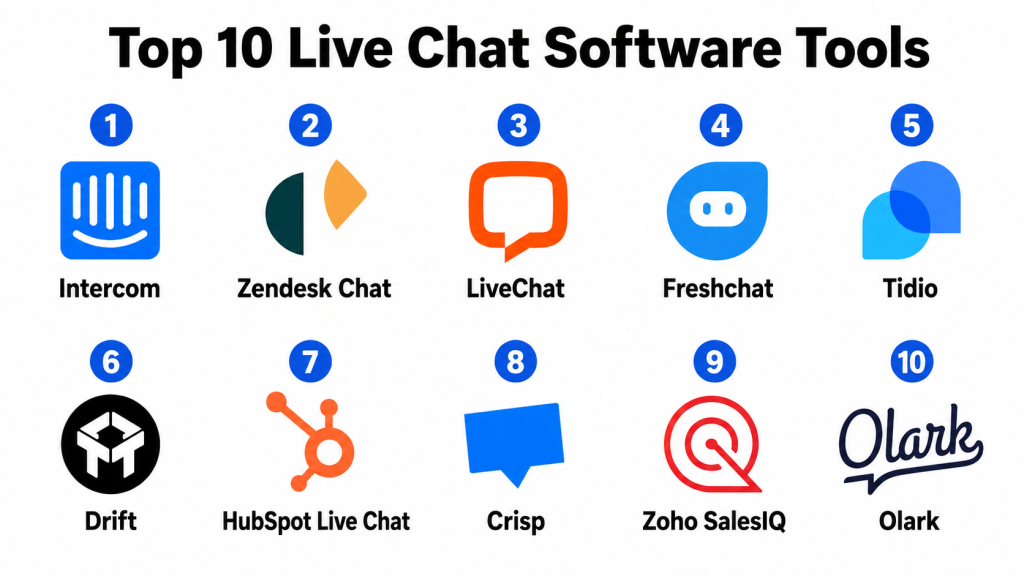
Top 10 Live Chat Software Tools
#1 — Intercom
Short description: Intercom is a customer communication platform that combines live chat, AI support, help center, customer messaging, and automation. It is popular with SaaS companies, product-led teams, customer support teams, and customer success teams.
Key Features
- Live chat and customer messaging
- AI chatbot and automation workflows
- Shared inbox for support teams
- Help center and self-service support
- Targeted in-app and website messages
- Customer segmentation and user data
- Reporting and support analytics
Pros
- Strong for SaaS and product-led customer engagement.
- Combines support, onboarding, and customer messaging in one platform.
- Good automation and self-service support capabilities.
Cons
- Pricing can become expensive as usage grows.
- Setup may require planning for bots, routing, and data quality.
- Smaller teams may not need the full platform depth.
Platforms / Deployment
Web / iOS / Android
Cloud
Security & Compliance
Intercom supports business messaging workflows, user access controls, and customer data management. Specific details such as SSO/SAML, MFA, encryption, audit logs, RBAC, SOC 2, ISO 27001, GDPR, or HIPAA should be confirmed during vendor review.
SOC 2 / ISO 27001 / GDPR / HIPAA: Not publicly stated.
Integrations & Ecosystem
Intercom connects with customer support, CRM, product analytics, marketing, and data tools. It is especially useful when chat needs to connect with user behavior and customer lifecycle data.
- CRM platforms
- Help desk systems
- Product analytics tools
- Marketing automation tools
- Data platforms
- Knowledge base workflows
Support & Community
Intercom provides documentation, onboarding resources, product education, and customer support options. Support depth may vary by plan and company size.
#2 — Zendesk Chat
Short description: Zendesk Chat is part of the Zendesk customer service ecosystem and helps businesses manage real-time conversations with customers. It is a good fit for support teams that already use Zendesk for tickets, help center, and customer service operations.
Key Features
- Website live chat
- Agent workspace support
- Chat routing and assignment
- Conversation history
- Help center and ticketing alignment
- Reporting and analytics
- Automation and bot support through Zendesk ecosystem
Pros
- Strong fit for teams already using Zendesk.
- Connects live chat with ticketing and help center workflows.
- Useful for structured customer support operations.
Cons
- Best value usually comes inside the broader Zendesk ecosystem.
- Setup can feel complex for very small teams.
- Advanced automation may require additional Zendesk features.
Platforms / Deployment
Web / iOS / Android
Cloud
Security & Compliance
Zendesk supports customer service data workflows, access controls, and role-based administration. Specific certifications and compliance details should be verified directly during procurement.
SOC 2 / ISO 27001 / GDPR / HIPAA: Not publicly stated.
Integrations & Ecosystem
Zendesk Chat works strongly with the Zendesk support ecosystem and connects with many business tools used by customer service teams.
- Zendesk Support
- Help center tools
- CRM platforms
- Customer service workflows
- Reporting systems
- Automation tools
Support & Community
Zendesk provides documentation, support resources, training, community forums, and enterprise support options. Support depth depends on plan and contract.
#3 — LiveChat
Short description: LiveChat is a dedicated live chat platform for customer support, sales, and website engagement. It is useful for businesses that want a focused and reliable chat tool with routing, reporting, and team collaboration.
Key Features
- Website live chat widget
- Chat routing and agent assignment
- Canned responses and tags
- Visitor tracking
- Chat transcripts and history
- Reporting and analytics
- Integrations with CRM, help desk, and eCommerce tools
Pros
- Strong dedicated live chat experience.
- Good for support and sales teams.
- Easy to deploy on websites and online stores.
Cons
- May need other tools for full help desk or CRM workflows.
- Advanced automation may require additional setup or connected tools.
- Costs can increase with more agents.
Platforms / Deployment
Web / Windows / macOS / iOS / Android
Cloud
Security & Compliance
LiveChat supports user management, agent permissions, and customer conversation handling. Specific security certifications and compliance controls should be validated during vendor review.
SOC 2 / ISO 27001 / GDPR / HIPAA: Not publicly stated.
Integrations & Ecosystem
LiveChat integrates with many business, sales, support, and eCommerce systems, making it practical for teams that need chat connected with daily workflows.
- CRM tools
- Help desk platforms
- eCommerce systems
- Email marketing tools
- Analytics tools
- Automation platforms
Support & Community
LiveChat provides documentation, support resources, tutorials, and onboarding guidance. It has a strong user base among customer support and eCommerce teams.
#4 — Freshchat
Short description: Freshchat is a modern messaging and live chat tool from Freshworks, designed for customer support, sales, and conversational engagement. It is useful for teams that want chat, bots, campaigns, and support workflows in one ecosystem.
Key Features
- Website and in-app live chat
- AI chatbot and automation support
- Shared team inbox
- Conversation routing
- Customer segmentation
- Integration with Freshworks tools
- Reports and conversation analytics
Pros
- Strong fit for businesses using Freshworks products.
- Good balance of live chat, bots, and support workflows.
- Practical for support and customer engagement teams.
Cons
- Best value may come when used with Freshworks ecosystem.
- Advanced bot setup can require planning.
- Some enterprise needs should be validated carefully.
Platforms / Deployment
Web / iOS / Android
Cloud
Security & Compliance
Freshchat supports customer messaging, role-based access, and business communication workflows. Specific certifications and compliance details should be confirmed during evaluation.
SOC 2 / ISO 27001 / GDPR / HIPAA: Not publicly stated.
Integrations & Ecosystem
Freshchat works well with Freshdesk, Freshsales, CRM tools, support systems, and communication workflows.
- Freshworks products
- CRM platforms
- Help desk tools
- Marketing automation tools
- Messaging channels
- Analytics systems
Support & Community
Freshworks provides documentation, customer support, onboarding resources, and community support. Support experience may vary by plan and product bundle.
#5 — Tidio
Short description: Tidio is a live chat and chatbot platform designed for small businesses, eCommerce stores, and growing teams. It helps companies manage website conversations, automate common replies, and support customers quickly.
Key Features
- Website live chat
- Chatbot automation
- Shared inbox
- Visitor tracking
- Email and messaging support
- eCommerce integrations
- Conversation templates and workflows
Pros
- Good for small businesses and online stores.
- Easy to set up and manage.
- Combines live chat and chatbot features in a simple interface.
Cons
- May not fit complex enterprise support operations.
- Advanced reporting may be limited compared with larger platforms.
- Automation depth should be tested for complex use cases.
Platforms / Deployment
Web / iOS / Android
Cloud
Security & Compliance
Tidio supports business chat workflows and user access controls. Specific security certifications and compliance details should be verified directly.
SOC 2 / ISO 27001 / GDPR / HIPAA: Not publicly stated.
Integrations & Ecosystem
Tidio is practical for eCommerce, small business websites, and basic customer communication workflows.
- eCommerce platforms
- Email tools
- CRM tools
- Website builders
- Automation platforms
- Customer support tools
Support & Community
Tidio provides documentation, templates, onboarding resources, and customer support options. It is approachable for small teams without large technical resources.
#6 — Drift
Short description: Drift is a conversational marketing and sales platform focused on live chat, chatbots, lead qualification, meeting booking, and revenue team workflows. It is useful for B2B companies that want to turn website conversations into sales opportunities.
Key Features
- Live chat for sales conversations
- Conversational bots
- Lead qualification workflows
- Meeting booking automation
- Account-based targeting
- Sales routing
- CRM integration
Pros
- Strong for B2B sales and pipeline generation.
- Useful for qualifying visitors and booking meetings.
- Good fit for revenue teams focused on website conversion.
Cons
- Less support-focused than traditional help desk chat tools.
- May be too advanced for simple website support needs.
- Best value requires strong sales and marketing alignment.
Platforms / Deployment
Web
Cloud
Security & Compliance
Drift supports business messaging, sales workflows, and user access controls. Specific certifications and compliance coverage should be confirmed with the vendor.
SOC 2 / ISO 27001 / GDPR / HIPAA: Not publicly stated.
Integrations & Ecosystem
Drift is commonly used with sales, marketing, CRM, and revenue operations tools.
- CRM platforms
- Marketing automation tools
- Calendar scheduling tools
- Sales engagement systems
- Analytics platforms
- Account-based marketing workflows
Support & Community
Drift provides customer support, onboarding resources, sales playbooks, and documentation. Support depth may vary by plan and sales use case.
#7 — HubSpot Live Chat
Short description: HubSpot Live Chat is part of HubSpot’s CRM platform and helps businesses chat with website visitors, capture leads, route conversations, and connect chat history with customer records. It is useful for teams already using HubSpot for marketing, sales, or service.
Key Features
- Website live chat
- CRM-connected conversations
- Chat routing
- Basic chatbot automation
- Shared inbox
- Contact and lead capture
- Integration with HubSpot marketing, sales, and service tools
Pros
- Strong fit for HubSpot users.
- Connects chat directly with CRM records.
- Useful for lead capture and customer communication.
Cons
- Best value depends on HubSpot ecosystem usage.
- Advanced chat and bot features may require paid tiers.
- May not be as specialized as dedicated live chat tools.
Platforms / Deployment
Web / iOS / Android
Cloud
Security & Compliance
HubSpot Live Chat uses HubSpot account and CRM access controls. Specific certifications, encryption, SSO, audit logs, and compliance details should be confirmed based on the HubSpot plan and requirements.
SOC 2 / ISO 27001 / GDPR / HIPAA: Not publicly stated.
Integrations & Ecosystem
HubSpot Live Chat works naturally inside the HubSpot ecosystem and connects with marketing, sales, service, and CRM workflows.
- HubSpot CRM
- Marketing automation
- Sales pipelines
- Service workflows
- Email tools
- Reporting dashboards
Support & Community
HubSpot offers documentation, learning resources, community forums, and support options. Support depth depends on plan level.
#8 — Crisp
Short description: Crisp is a customer messaging platform that includes live chat, shared inbox, chatbots, help center, campaigns, and customer communication tools. It is popular with startups, SMBs, SaaS teams, and online businesses.
Key Features
- Website live chat
- Shared inbox
- Chatbot support
- Help center tools
- Customer profiles
- Campaign messaging
- Team collaboration features
Pros
- Good all-in-one messaging option for startups and SMBs.
- Simple interface with useful communication features.
- Practical for support, sales, and customer success conversations.
Cons
- May not fit very large enterprise support operations.
- Advanced analytics may be lighter than enterprise tools.
- Some advanced features depend on plan level.
Platforms / Deployment
Web / Windows / macOS / iOS / Android
Cloud
Security & Compliance
Crisp supports customer messaging and team access controls. Specific security certifications, data controls, and compliance coverage should be confirmed directly.
SOC 2 / ISO 27001 / GDPR / HIPAA: Not publicly stated.
Integrations & Ecosystem
Crisp integrates with business tools used by startups, SaaS companies, and online businesses.
- CRM tools
- Email platforms
- Automation tools
- Website platforms
- Help center workflows
- Messaging channels
Support & Community
Crisp provides documentation, support resources, and customer help options. It is accessible for smaller teams that want a broad messaging platform.
#9 — Zoho SalesIQ
Short description: Zoho SalesIQ is a live chat, visitor tracking, and customer engagement tool within the Zoho ecosystem. It helps businesses chat with website visitors, qualify leads, track behavior, and connect conversations with CRM workflows.
Key Features
- Website live chat
- Visitor tracking
- Lead scoring and qualification
- Chatbot support
- CRM integration
- Team routing and assignment
- Conversation analytics
Pros
- Strong fit for businesses already using Zoho.
- Good for lead capture and website visitor engagement.
- Practical value for SMBs and growing sales teams.
Cons
- Best value is stronger within the Zoho ecosystem.
- Interface and setup may require learning for new users.
- Enterprise support needs should be validated carefully.
Platforms / Deployment
Web / iOS / Android
Cloud
Security & Compliance
Zoho SalesIQ uses Zoho account and organization-level access controls. Specific certifications, data protection features, and compliance details should be verified based on vendor documentation and plan.
SOC 2 / ISO 27001 / GDPR / HIPAA: Not publicly stated.
Integrations & Ecosystem
Zoho SalesIQ connects well with Zoho business applications and other customer communication workflows.
- Zoho CRM
- Zoho Desk
- Zoho Campaigns
- Website platforms
- Email tools
- Analytics workflows
Support & Community
Zoho provides documentation, community resources, customer support, and product guides. Support experience may vary by plan and region.
#10 — Olark
Short description: Olark is a live chat tool focused on simple website chat, customer support, sales conversations, and visitor engagement. It is useful for small businesses and teams that want a straightforward live chat experience without heavy complexity.
Key Features
- Website live chat
- Agent chat management
- Visitor insights
- Chat transcripts
- Team assignment
- Basic reporting
- CRM and help desk integrations
Pros
- Simple and focused live chat experience.
- Good for small businesses and support teams.
- Easier to manage than larger customer communication platforms.
Cons
- May not have the same automation depth as larger tools.
- Less suitable for complex omnichannel support.
- Advanced analytics and AI features may be limited.
Platforms / Deployment
Web
Cloud
Security & Compliance
Olark supports website chat workflows and user access management. Specific security certifications and compliance details should be verified directly during vendor evaluation.
SOC 2 / ISO 27001 / GDPR / HIPAA: Not publicly stated.
Integrations & Ecosystem
Olark connects with common CRM, support, and business tools used by small and mid-sized teams.
- CRM platforms
- Help desk systems
- Analytics tools
- Email tools
- Website platforms
- Customer support workflows
Support & Community
Olark provides documentation, support resources, and customer help options. It is generally easy for smaller teams to set up and operate.
Comparison Table
| Tool Name | Best For | Platform(s) Supported | Deployment | Standout Feature | Public Rating |
|---|---|---|---|---|---|
| Intercom | SaaS customer messaging and support automation | Web, iOS, Android | Cloud | AI-assisted customer communication platform | N/A |
| Zendesk Chat | Support teams using Zendesk ecosystem | Web, iOS, Android | Cloud | Live chat connected with support operations | N/A |
| LiveChat | Dedicated website support and sales chat | Web, Windows, macOS, iOS, Android | Cloud | Focused live chat experience | N/A |
| Freshchat | Freshworks users and modern support teams | Web, iOS, Android | Cloud | Messaging plus chatbot workflows | N/A |
| Tidio | Small businesses and eCommerce stores | Web, iOS, Android | Cloud | Simple live chat and chatbot setup | N/A |
| Drift | B2B sales and conversational marketing | Web | Cloud | Lead qualification and meeting booking | N/A |
| HubSpot Live Chat | HubSpot CRM users | Web, iOS, Android | Cloud | CRM-connected website chat | N/A |
| Crisp | Startups and SMB customer messaging | Web, Windows, macOS, iOS, Android | Cloud | Shared inbox and customer messaging | N/A |
| Zoho SalesIQ | Zoho ecosystem and website lead engagement | Web, iOS, Android | Cloud | Visitor tracking with CRM alignment | N/A |
| Olark | Simple live chat for small teams | Web | Cloud | Straightforward website chat | N/A |
Evaluation & Scoring of Live Chat Software
The scoring below is comparative and based on practical live chat software evaluation criteria. A higher score does not mean one tool is the best for every company. It means the platform performs strongly against this model for live chat features, ease of use, integrations, security expectations, reliability, support, and value.
| Tool Name | Core (25%) | Ease (15%) | Integrations (15%) | Security (10%) | Performance (10%) | Support (10%) | Value (15%) | Weighted Total (0–10) |
|---|---|---|---|---|---|---|---|---|
| Intercom | 9.3 | 8.2 | 9.0 | 8.5 | 8.8 | 8.3 | 7.4 | 8.51 |
| Zendesk Chat | 8.8 | 8.0 | 8.8 | 8.5 | 8.7 | 8.5 | 7.7 | 8.43 |
| LiveChat | 8.7 | 8.7 | 8.5 | 8.2 | 8.7 | 8.3 | 8.0 | 8.45 |
| Freshchat | 8.5 | 8.3 | 8.4 | 8.2 | 8.5 | 8.2 | 8.0 | 8.32 |
| Tidio | 8.0 | 8.9 | 8.0 | 7.8 | 8.2 | 8.0 | 8.6 | 8.26 |
| Drift | 8.4 | 8.0 | 8.6 | 8.2 | 8.4 | 8.0 | 7.6 | 8.20 |
| HubSpot Live Chat | 8.0 | 8.6 | 8.8 | 8.2 | 8.4 | 8.2 | 8.4 | 8.37 |
| Crisp | 8.1 | 8.6 | 8.0 | 7.9 | 8.3 | 8.0 | 8.5 | 8.22 |
| Zoho SalesIQ | 8.1 | 8.2 | 8.4 | 8.0 | 8.2 | 7.9 | 8.5 | 8.20 |
| Olark | 7.6 | 8.7 | 7.8 | 7.7 | 8.1 | 7.8 | 8.3 | 7.98 |
These scores are useful for comparison, but they should not be treated as a final buying decision. Intercom is strong for SaaS messaging and automation. Zendesk Chat is strong for customer service teams. LiveChat is a focused and reliable live chat option. Freshchat works well in the Freshworks ecosystem. Tidio, Crisp, Zoho SalesIQ, and Olark are practical for SMBs. Drift is better for sales-led website engagement, while HubSpot Live Chat is useful for HubSpot CRM users.
Which Live Chat Software Tool Is Right for You?
Solo / Freelancer
Solo professionals, consultants, coaches, and small service providers usually do not need a complex live chat platform. A simple chat widget, WhatsApp button, contact form, or email support channel may be enough.
If you want a website chat tool, Tidio, Crisp, Olark, or HubSpot Live Chat can be practical options because they are easier to set up and manage without a large support team.
SMB
Small businesses should focus on ease of use, simple setup, chatbot basics, mobile access, lead capture, and affordable pricing. Tidio, Crisp, LiveChat, Zoho SalesIQ, HubSpot Live Chat, and Olark can be strong options.
SMBs should avoid buying a heavy enterprise platform before they have enough traffic, support volume, or sales complexity to justify the cost.
Mid-Market
Mid-market companies usually need stronger routing, reporting, CRM integration, team inboxes, chatbots, conversation history, support workflows, and customer segmentation. Intercom, Zendesk Chat, Freshchat, LiveChat, HubSpot Live Chat, and Drift can be strong choices.
At this stage, live chat should connect with CRM, help desk, customer success, product analytics, and marketing systems so conversations do not stay isolated.
Enterprise
Enterprises need governance, scale, role-based access, advanced routing, analytics, compliance review, multilingual support, chatbot automation, and integrations with support and CRM systems. Intercom, Zendesk Chat, Freshchat, LiveChat, and Drift can be suitable depending on the use case.
Enterprise buyers should involve support leaders, IT, legal, security, sales operations, and customer success teams before rollout.
Budget vs Premium
Budget-focused teams should start with basic live chat, simple routing, saved replies, mobile app access, and essential integrations. Tidio, Crisp, Zoho SalesIQ, HubSpot Live Chat, and Olark may be practical starting points.
Premium tools make sense when the company needs AI automation, advanced reporting, customer segmentation, enterprise integrations, knowledge base support, chatbot workflows, and stronger governance.
Feature Depth vs Ease of Use
Feature-rich tools can support bots, automation, product messaging, segmentation, help centers, ticketing, CRM sync, and analytics. However, they require setup, process design, and ongoing optimization.
Easy tools are better when the goal is simply to answer visitors quickly. Choose deeper tools when live chat is part of sales, support, onboarding, and customer success strategy.
Integrations & Scalability
Live chat software becomes more valuable when connected with CRM, help desk, marketing automation, analytics, eCommerce, customer success, and knowledge base tools.
Scalability matters when your business has multiple agents, departments, regions, languages, websites, products, or customer segments. Choose a platform that can grow with your support and sales operation.
Security & Compliance Needs
Live chat conversations may include customer names, emails, order details, billing questions, support issues, and sensitive business information. Security should be reviewed carefully.
Look for role-based access, SSO, MFA, encryption, audit logs, data retention options, admin permissions, and privacy controls. Larger teams should involve IT and security before deploying chat across websites or products.
Frequently Asked Questions
1. What is live chat software?
Live chat software is a tool that lets businesses communicate with website visitors or customers in real time through a chat widget, shared inbox, chatbot, or messaging platform.
2. Who uses live chat software?
Customer support teams, sales teams, SaaS companies, eCommerce stores, agencies, service businesses, and customer success teams use live chat software to answer questions faster and improve engagement.
3. How is live chat different from a help desk?
A help desk manages support tickets, email requests, and customer issues over time. Live chat focuses on real-time conversations, although many platforms combine both features.
4. How much does live chat software cost?
Pricing varies by vendor, number of agents, chat volume, automation features, AI tools, integrations, and support level. Some tools are suitable for small teams, while others use custom pricing for larger businesses.
5. What is the biggest mistake when choosing live chat software?
The biggest mistake is choosing a tool without defining whether the main goal is support, sales, lead generation, onboarding, or automation. Different use cases need different features.
6. Can live chat software improve sales?
Yes, live chat can help sales teams answer buyer questions, capture leads, qualify visitors, recommend products, and book meetings. Results depend on response speed and conversation quality.
7. Can live chat software reduce support tickets?
Yes, live chat can reduce tickets when combined with bots, saved replies, knowledge base answers, and proper routing. However, complex issues may still need ticket-based support.
8. Do live chat tools support chatbots?
Many live chat tools support chatbots or automation workflows. Bot depth varies by vendor, so buyers should test common customer questions before choosing a platform.
9. Are live chat tools secure?
Business-grade live chat tools usually provide access controls and data protection features. Buyers should review SSO, MFA, encryption, permissions, audit logs, data retention, and privacy settings.
10. Can live chat integrate with CRM systems?
Yes, many live chat tools integrate with CRM systems so conversations can connect with leads, contacts, deals, customer records, and sales workflows.
Conclusion
Live Chat Software helps businesses communicate faster, support customers better, capture leads, reduce friction, and improve the overall customer experience. A good live chat platform can support sales, service, onboarding, eCommerce support, product questions, and customer success workflows. However, the best tool depends on business size, traffic volume, support needs, sales process, integrations, budget, and security requirements.
There is no single best live chat tool for every company. Intercom is strong for SaaS messaging and automation. Zendesk Chat is practical for support teams already using Zendesk. LiveChat is a focused and reliable live chat platform. Freshchat works well for Freshworks users. Tidio, Crisp, Zoho SalesIQ, and Olark are good options for smaller teams. Drift is stronger for B2B sales conversations, while HubSpot Live Chat is useful for businesses already using HubSpot CRM.
