Upgrade & Secure Your Future with DevOps, SRE, DevSecOps, MLOps!
We spend hours scrolling social media and waste money on things we forget, but won’t spend 30 minutes a day earning certifications that can change our lives.
Master in DevOps, SRE, DevSecOps & MLOps by DevOps School!
Learn from Guru Rajesh Kumar and double your salary in just one year.
Introduction
Unified Communications as a Service, commonly called UCaaS, is a cloud-based communication platform that brings voice calling, video meetings, team messaging, file sharing, collaboration, and business communication tools into one connected system. In simple English, UCaaS helps employees communicate from anywhere using one platform instead of switching between separate phone systems, meeting apps, chat tools, and messaging channels.
UCaaS matters because modern teams are distributed, mobile, hybrid, and highly dependent on fast communication. Businesses need reliable calling, secure meetings, internal collaboration, external communication, and integrations with daily business tools. A good UCaaS platform can reduce communication silos, improve team productivity, simplify IT administration, and support better customer and employee experiences.
Common real-world use cases include business phone systems, video meetings, team chat, remote work collaboration, contact center connectivity, mobile calling, internal communication, branch office communication, and customer-facing voice workflows.
Buyers should evaluate:
- Voice calling quality and reliability
- Video meeting features
- Team messaging and collaboration
- Admin controls and user management
- Security and compliance controls
- CRM and productivity integrations
- Mobile and desktop app experience
- Contact center add-ons or integrations
- Global calling and number availability
- Pricing, support, and scalability
Best for: IT leaders, operations teams, support teams, sales teams, remote teams, distributed companies, contact-heavy businesses, enterprises, SMBs, and organizations replacing legacy phone systems.
Not ideal for: very small teams that only need simple chat or occasional video meetings may not need a full UCaaS platform. In such cases, a basic meeting app, mobile phone plan, or lightweight team messaging tool may be enough.
Key Trends in Unified Communications UCaaS
- AI-powered meeting and call assistance: UCaaS platforms are adding AI summaries, meeting notes, call transcription, action items, and conversation intelligence to reduce manual follow-up work.
- Cloud phone replacing legacy PBX: More businesses are moving away from traditional on-premise phone systems and choosing cloud calling with centralized administration.
- Video, voice, and messaging convergence: Teams want one platform for calling, meetings, chat, file sharing, and collaboration instead of separate disconnected tools.
- Hybrid work communication: UCaaS platforms are designed to support office employees, remote workers, mobile teams, and branch locations with consistent communication experiences.
- Contact center and UCaaS alignment: Many businesses want UCaaS and contact center tools to work together so internal teams and customer-facing teams can collaborate easily.
- Security-first communication: Buyers increasingly evaluate encryption, admin controls, user permissions, audit logs, identity management, data retention, and compliance readiness.
- Better productivity integrations: UCaaS tools are expected to integrate with CRM, calendar, email, help desk, project management, productivity suites, and workflow automation tools.
- Mobile-first communication: Employees expect business calling, meetings, and messaging to work smoothly on mobile devices without losing professional identity or call control.
- Analytics and quality monitoring: IT teams want visibility into call quality, meeting performance, user adoption, device health, and communication usage.
- Flexible pricing and modular plans: Vendors offer different bundles for calling, meetings, messaging, webinars, contact center, AI features, and advanced compliance needs.
How We Selected These Tools
The following UCaaS platforms were selected using practical buyer-focused evaluation logic:
- Market adoption and recognition: Tools widely used by SMBs, mid-market companies, enterprises, remote teams, and IT departments were prioritized.
- Feature completeness: Platforms with business phone, video meetings, messaging, administration, analytics, and integrations were considered stronger.
- Communication reliability: Voice quality, meeting stability, uptime reputation, and admin visibility were important factors.
- Customer fit across segments: The list includes platforms for small businesses, enterprises, global teams, Microsoft-first environments, Google-first environments, and contact center-connected businesses.
- Ease of use: Employees should be able to call, meet, message, and collaborate without complex training.
- Integration ecosystem: CRM, calendar, productivity, identity, contact center, help desk, and workflow integrations were considered.
- Security posture: Tools suitable for business communications, user management, permissions, compliance, and data protection were prioritized.
- Admin and IT management: Centralized provisioning, device management, number management, reporting, and policy controls were evaluated.
- Scalability: Tools that can support multiple locations, departments, users, devices, and communication channels were favored.
- Practical value: The final list balances enterprise depth, SMB affordability, collaboration strength, and real-world communication needs.
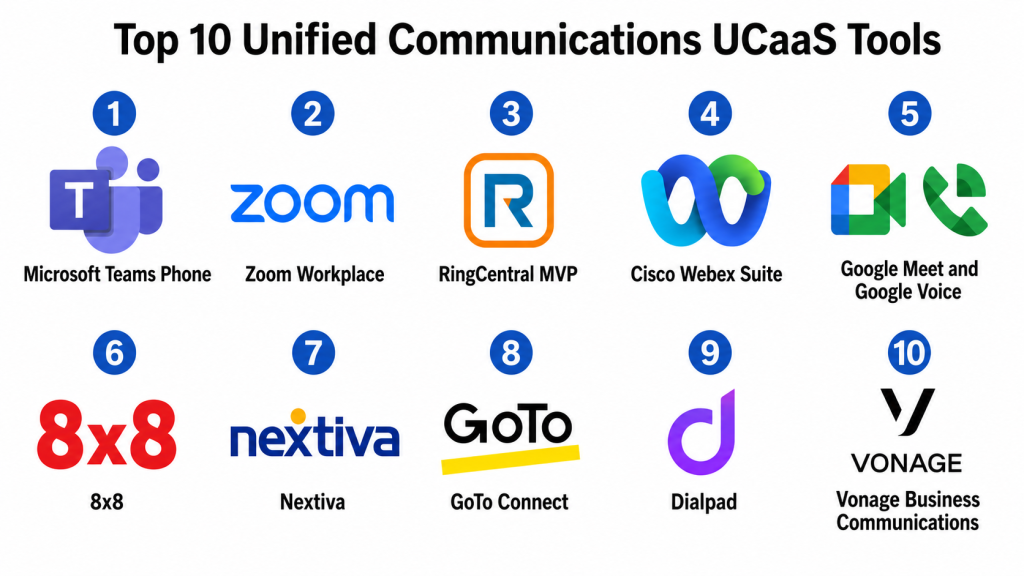
Top 10 Unified Communications UCaaS Tools
#1 — Microsoft Teams Phone
Short description: Microsoft Teams Phone extends Microsoft Teams into a business calling and UCaaS platform. It is best for organizations already using Microsoft Teams and Microsoft 365 for collaboration, meetings, chat, and productivity.
Key Features
- Cloud-based business calling
- Teams meetings and messaging
- Voicemail and call routing
- Auto attendants and call queues
- Microsoft 365 integration
- Mobile and desktop calling
- Admin controls and user management
Pros
- Strong fit for Microsoft 365 organizations.
- Combines calling, meetings, chat, and collaboration in one familiar interface.
- Useful for companies standardizing on Microsoft ecosystem.
Cons
- Best value depends on Microsoft Teams adoption.
- Calling setup and licensing can require careful planning.
- Advanced telephony needs may require additional configuration or partners.
Platforms / Deployment
Web / Windows / macOS / iOS / Android
Cloud / Hybrid
Security & Compliance
Microsoft Teams Phone uses Microsoft identity, admin, and security controls. Specific compliance coverage depends on Microsoft licensing, configuration, region, and organizational setup.
SOC 2 / ISO 27001 / GDPR / HIPAA: Not publicly stated.
Integrations & Ecosystem
Microsoft Teams Phone fits naturally into Microsoft 365 and can connect with broader business systems through Microsoft and partner integrations.
- Microsoft 365
- Microsoft Outlook
- Microsoft Entra ID
- Microsoft Dynamics
- Contact center partners
- Workflow automation tools
Support & Community
Microsoft provides documentation, admin resources, partner support, enterprise support options, and a large user community. Support experience depends on licensing, partner involvement, and internal IT readiness.
#2 — Zoom Workplace
Short description: Zoom Workplace combines video meetings, team chat, phone, whiteboarding, scheduler tools, and AI-assisted collaboration features. It is useful for organizations that want strong video communication with cloud phone and team collaboration options.
Key Features
- Video meetings and webinars
- Cloud phone capabilities
- Team chat and collaboration
- AI meeting summaries and assistance
- Whiteboard and collaboration tools
- Contact center add-on options
- Admin and analytics controls
Pros
- Strong meeting experience and user familiarity.
- Good fit for remote, hybrid, and customer-facing teams.
- Expanding UCaaS features beyond video meetings.
Cons
- Phone-first buyers should validate telephony depth for their needs.
- Advanced features may depend on selected plans.
- Large rollouts require governance and admin planning.
Platforms / Deployment
Web / Windows / macOS / Linux / iOS / Android
Cloud
Security & Compliance
Zoom supports business communication security features such as admin controls, encryption options, user management, and access policies. Specific certifications and compliance coverage should be validated during vendor review.
SOC 2 / ISO 27001 / GDPR / HIPAA: Not publicly stated.
Integrations & Ecosystem
Zoom integrates with productivity, calendar, CRM, learning, contact center, and collaboration tools.
- Calendar platforms
- CRM systems
- Collaboration tools
- Contact center workflows
- Learning platforms
- Productivity systems
Support & Community
Zoom provides documentation, support resources, admin guides, onboarding help, and enterprise support options. It has broad user familiarity and strong community adoption.
#3 — RingCentral MVP
Short description: RingCentral MVP is a UCaaS platform offering business phone, messaging, video meetings, team collaboration, and communication administration. It is suitable for SMBs, mid-market companies, and enterprises that need a complete cloud communications platform.
Key Features
- Cloud business phone
- Team messaging
- Video meetings
- Call routing and voicemail
- Mobile and desktop apps
- Analytics and admin dashboards
- CRM and business integrations
Pros
- Strong all-in-one UCaaS platform.
- Good fit for businesses replacing legacy phone systems.
- Broad integration and partner ecosystem.
Cons
- Full feature setup may require admin planning.
- Pricing can vary by feature and user needs.
- Some advanced workflows may need additional modules.
Platforms / Deployment
Web / Windows / macOS / iOS / Android
Cloud
Security & Compliance
RingCentral supports business communication controls such as user management, admin permissions, and secure communication workflows. Specific certifications and compliance details should be verified directly.
SOC 2 / ISO 27001 / GDPR / HIPAA: Not publicly stated.
Integrations & Ecosystem
RingCentral connects with CRM, help desk, productivity, identity, and workflow tools, making it suitable for communication-heavy business environments.
- CRM platforms
- Help desk systems
- Productivity tools
- Identity providers
- Calendar tools
- Contact center systems
Support & Community
RingCentral provides documentation, onboarding help, customer support, admin resources, and partner services. Support depth may depend on plan and customer size.
#4 — Cisco Webex Suite
Short description: Cisco Webex Suite provides meetings, calling, messaging, webinars, events, and collaboration tools for organizations that need secure enterprise communication. It is well suited for enterprises, IT-managed environments, and companies with Cisco infrastructure.
Key Features
- Video meetings
- Cloud calling
- Team messaging
- Webinars and events
- AI meeting assistance
- Device and room system support
- Enterprise administration and analytics
Pros
- Strong enterprise communication and security focus.
- Good fit for organizations using Cisco networking or collaboration tools.
- Supports meeting rooms, devices, calling, and collaboration.
Cons
- May be more complex than lightweight collaboration tools.
- Best value often comes in Cisco-centered environments.
- Admin setup and device management may require IT expertise.
Platforms / Deployment
Web / Windows / macOS / Linux / iOS / Android
Cloud / Hybrid
Security & Compliance
Cisco Webex supports enterprise security, administration, and identity controls. Specific security certifications and compliance coverage should be confirmed based on deployment and licensing.
SOC 2 / ISO 27001 / GDPR / HIPAA: Not publicly stated.
Integrations & Ecosystem
Cisco Webex fits into enterprise IT, collaboration, meeting room, device, and contact center environments.
- Cisco collaboration tools
- Calendar systems
- CRM platforms
- Contact center tools
- Identity providers
- Productivity suites
Support & Community
Cisco provides enterprise support, documentation, implementation partners, training resources, and a large technical community. Support experience depends on contract and partner model.
#5 — Google Meet and Google Voice
Short description: Google Meet and Google Voice support video meetings and cloud calling for teams using Google Workspace. This combination works well for organizations that already rely on Gmail, Google Calendar, Google Drive, and Google collaboration tools.
Key Features
- Video meetings through Google Meet
- Business calling through Google Voice
- Google Workspace integration
- Calendar-based meeting workflows
- Mobile and web access
- Admin controls through Google Workspace
- Basic calling and collaboration features
Pros
- Strong fit for Google Workspace users.
- Simple user experience for meetings and communication.
- Good for teams that want lightweight cloud communication.
Cons
- May not match full enterprise UCaaS depth in all scenarios.
- Advanced telephony needs should be validated carefully.
- Best value depends on Google Workspace adoption.
Platforms / Deployment
Web / iOS / Android
Cloud
Security & Compliance
Google Meet and Google Voice use Google Workspace security and admin controls. Specific compliance coverage depends on edition, configuration, region, and organizational policies.
SOC 2 / ISO 27001 / GDPR / HIPAA: Not publicly stated.
Integrations & Ecosystem
Google Meet and Google Voice work naturally with Google Workspace and related productivity workflows.
- Gmail
- Google Calendar
- Google Drive
- Google Chat
- Google Admin console
- Google Workspace tools
Support & Community
Google provides documentation, admin resources, community support, and business support options depending on the Google Workspace edition.
#6 — 8×8
Short description: 8×8 is a cloud communications platform offering voice, video, messaging, and contact center capabilities. It is suitable for businesses that want UCaaS and customer communication tools in one broader platform.
Key Features
- Cloud business phone
- Video meetings
- Team messaging
- Contact center options
- Call analytics and reporting
- Global communication support
- Admin and user management
Pros
- Strong for businesses needing both UCaaS and contact center capabilities.
- Useful for distributed teams and communication-heavy operations.
- Good reporting and administrative visibility.
Cons
- Feature setup may require planning.
- Some advanced capabilities may depend on plan or package.
- User experience should be tested for specific workflows.
Platforms / Deployment
Web / Windows / macOS / iOS / Android
Cloud
Security & Compliance
8×8 supports business communication security controls and administrative management. Specific certifications, encryption details, and compliance coverage should be verified during procurement.
SOC 2 / ISO 27001 / GDPR / HIPAA: Not publicly stated.
Integrations & Ecosystem
8×8 integrates with CRM, productivity, help desk, contact center, and workflow systems.
- CRM platforms
- Help desk tools
- Contact center systems
- Productivity suites
- Identity providers
- Analytics tools
Support & Community
8×8 provides documentation, customer support, onboarding resources, and enterprise service options. Support quality may vary by plan and deployment complexity.
#7 — Nextiva
Short description: Nextiva is a business communications platform offering cloud phone, team collaboration, messaging, video meetings, and customer communication tools. It is often a practical option for SMBs and mid-market businesses.
Key Features
- Business VoIP phone system
- Team messaging
- Video meetings
- Call routing and voicemail
- Customer communication tools
- Mobile and desktop apps
- Analytics and reporting
Pros
- Good fit for SMB and mid-market communication needs.
- Practical cloud phone and collaboration features.
- Useful for businesses replacing traditional phone systems.
Cons
- Advanced enterprise needs should be validated carefully.
- Some capabilities may depend on selected package.
- Integrations may not fit every specialized workflow.
Platforms / Deployment
Web / Windows / macOS / iOS / Android
Cloud
Security & Compliance
Nextiva supports business communication controls, user management, and administrative features. Specific compliance certifications and security details should be confirmed directly.
SOC 2 / ISO 27001 / GDPR / HIPAA: Not publicly stated.
Integrations & Ecosystem
Nextiva connects with business communication, CRM, productivity, and support workflows.
- CRM systems
- Productivity tools
- Customer communication workflows
- Help desk platforms
- Calendar tools
- Reporting systems
Support & Community
Nextiva provides customer support, documentation, onboarding help, and implementation guidance. It is commonly used by small and mid-sized businesses seeking practical communication support.
#8 — GoTo Connect
Short description: GoTo Connect combines business phone, meetings, messaging, and cloud communication features. It is useful for SMBs and distributed teams that need a reliable cloud phone and meeting platform.
Key Features
- Cloud phone system
- Video meetings
- Team messaging
- Call routing and extensions
- Mobile and desktop apps
- Admin portal
- Analytics and call reporting
Pros
- Practical for SMBs and distributed teams.
- Good balance of phone and meeting features.
- Useful for businesses moving from legacy phone systems.
Cons
- May not offer the same enterprise depth as larger UCaaS suites.
- Some integrations and advanced features should be validated.
- Contact center needs may require additional options.
Platforms / Deployment
Web / Windows / macOS / iOS / Android
Cloud
Security & Compliance
GoTo Connect supports business communication administration and user access controls. Specific security and compliance details should be confirmed during vendor review.
SOC 2 / ISO 27001 / GDPR / HIPAA: Not publicly stated.
Integrations & Ecosystem
GoTo Connect fits into business communication workflows and can connect with common productivity, CRM, and support systems.
- CRM platforms
- Calendar tools
- Productivity applications
- Help desk systems
- Reporting workflows
- Identity systems
Support & Community
GoTo provides documentation, customer support, onboarding resources, and admin help. Support experience may depend on plan and customer requirements.
#9 — Dialpad
Short description: Dialpad is an AI-powered business communications platform offering voice, meetings, messaging, and contact center capabilities. It is useful for teams that want communication features combined with AI call insights and productivity support.
Key Features
- Cloud business phone
- Messaging and meetings
- AI call transcription
- AI summaries and insights
- Contact center options
- CRM integrations
- Analytics and admin tools
Pros
- Strong AI-powered communication features.
- Good for sales, support, and distributed teams.
- Useful for call insights and conversation intelligence.
Cons
- AI features should be tested for accuracy and workflow fit.
- Advanced capabilities may depend on selected plans.
- Enterprise buyers should validate compliance and governance needs.
Platforms / Deployment
Web / Windows / macOS / iOS / Android
Cloud
Security & Compliance
Dialpad supports business communication workflows and administrative controls. Specific certifications, encryption, audit controls, and compliance details should be verified directly.
SOC 2 / ISO 27001 / GDPR / HIPAA: Not publicly stated.
Integrations & Ecosystem
Dialpad integrates with CRM, productivity, support, and business workflow tools.
- CRM platforms
- Help desk systems
- Productivity suites
- Calendar tools
- Contact center workflows
- Analytics systems
Support & Community
Dialpad provides documentation, customer support, onboarding resources, and business support options. Support experience may vary by plan and company size.
#10 — Vonage Business Communications
Short description: Vonage Business Communications is a UCaaS platform offering business phone, messaging, video, mobility, and communication APIs. It is suitable for businesses that need cloud calling with flexibility for customer engagement and communication workflows.
Key Features
- Cloud business phone
- Team messaging
- Video collaboration
- Mobile and desktop apps
- Call routing and voicemail
- Admin management
- Communication API ecosystem
Pros
- Good for businesses needing flexible cloud communication.
- Useful for voice, messaging, and customer engagement workflows.
- API ecosystem can support custom communication needs.
Cons
- Setup and plan selection may require careful review.
- Advanced collaboration needs should be tested.
- Some features may depend on package and region.
Platforms / Deployment
Web / Windows / macOS / iOS / Android
Cloud
Security & Compliance
Vonage supports business communication workflows, user administration, and security controls. Specific certifications and compliance details should be confirmed during vendor review.
SOC 2 / ISO 27001 / GDPR / HIPAA: Not publicly stated.
Integrations & Ecosystem
Vonage connects with business communication, CRM, customer engagement, and API-driven workflows.
- CRM systems
- Productivity tools
- Contact center workflows
- Communication APIs
- Help desk systems
- Analytics platforms
Support & Community
Vonage provides documentation, support resources, onboarding options, and technical resources. Support quality may vary by plan, region, and implementation model.
Comparison Table
| Tool Name | Best For | Platform(s) Supported | Deployment | Standout Feature | Public Rating |
|---|---|---|---|---|---|
| Microsoft Teams Phone | Microsoft 365 organizations | Web, Windows, macOS, iOS, Android | Cloud / Hybrid | Calling inside Teams collaboration | N/A |
| Zoom Workplace | Video-first communication and collaboration | Web, Windows, macOS, Linux, iOS, Android | Cloud | Meetings plus cloud phone and AI collaboration | N/A |
| RingCentral MVP | Complete UCaaS for SMB to enterprise | Web, Windows, macOS, iOS, Android | Cloud | All-in-one phone, video, and messaging | N/A |
| Cisco Webex Suite | Enterprise secure collaboration | Web, Windows, macOS, Linux, iOS, Android | Cloud / Hybrid | Enterprise meetings, calling, and devices | N/A |
| Google Meet and Google Voice | Google Workspace users | Web, iOS, Android | Cloud | Simple Google-based meetings and calling | N/A |
| 8×8 | UCaaS plus contact center needs | Web, Windows, macOS, iOS, Android | Cloud | Voice, video, messaging, and contact center alignment | N/A |
| Nextiva | SMB and mid-market cloud phone | Web, Windows, macOS, iOS, Android | Cloud | Business phone with collaboration tools | N/A |
| GoTo Connect | Distributed SMB communication | Web, Windows, macOS, iOS, Android | Cloud | Cloud phone and meetings in one platform | N/A |
| Dialpad | AI-powered calling and communication | Web, Windows, macOS, iOS, Android | Cloud | AI transcription and call insights | N/A |
| Vonage Business Communications | Flexible cloud calling and communication workflows | Web, Windows, macOS, iOS, Android | Cloud | UCaaS with communication API ecosystem | N/A |
Evaluation & Scoring of Unified Communications UCaaS
The scoring below is comparative and based on practical UCaaS evaluation criteria. A higher score does not mean one platform is best for every business. It means the tool performs strongly against this model for communication features, ease of use, integrations, security expectations, reliability, support, and value.
| Tool Name | Core (25%) | Ease (15%) | Integrations (15%) | Security (10%) | Performance (10%) | Support (10%) | Value (15%) | Weighted Total (0–10) |
|---|---|---|---|---|---|---|---|---|
| Microsoft Teams Phone | 8.8 | 8.2 | 9.2 | 8.8 | 8.6 | 8.3 | 8.0 | 8.55 |
| Zoom Workplace | 8.7 | 8.8 | 8.7 | 8.5 | 8.8 | 8.3 | 8.0 | 8.56 |
| RingCentral MVP | 9.0 | 8.3 | 8.8 | 8.5 | 8.7 | 8.4 | 7.8 | 8.54 |
| Cisco Webex Suite | 8.8 | 7.8 | 8.7 | 8.8 | 8.8 | 8.5 | 7.6 | 8.39 |
| Google Meet and Google Voice | 7.8 | 8.9 | 8.3 | 8.4 | 8.5 | 8.0 | 8.6 | 8.33 |
| 8×8 | 8.7 | 8.0 | 8.5 | 8.4 | 8.5 | 8.2 | 7.9 | 8.34 |
| Nextiva | 8.3 | 8.5 | 8.0 | 8.1 | 8.4 | 8.2 | 8.3 | 8.29 |
| GoTo Connect | 8.1 | 8.5 | 7.9 | 8.0 | 8.3 | 8.1 | 8.2 | 8.20 |
| Dialpad | 8.5 | 8.4 | 8.5 | 8.2 | 8.4 | 8.0 | 8.0 | 8.35 |
| Vonage Business Communications | 8.2 | 8.1 | 8.4 | 8.1 | 8.3 | 8.0 | 8.0 | 8.18 |
These scores should be used as a practical comparison guide, not a final purchase decision. Microsoft Teams Phone is strong for Microsoft-first organizations. Zoom Workplace is strong for meeting-heavy teams. RingCentral MVP is a balanced UCaaS platform. Cisco Webex Suite fits enterprise and Cisco-centered environments. Google Meet and Google Voice are practical for Google Workspace users. 8×8 and Dialpad are strong when communication and customer-facing workflows overlap. Nextiva, GoTo Connect, and Vonage are practical choices for SMB and mid-market communication needs.
Which Unified Communications UCaaS Tool Is Right for You?
Solo / Freelancer
Solo professionals usually do not need a full UCaaS suite unless they need a business phone number, client calling, call recording, professional voicemail, or meeting workflows. Google Meet, Zoom, Google Voice, or a simple cloud phone plan may be enough.
If you work with clients regularly, choose a tool that gives you a professional business number, reliable meetings, and mobile access.
SMB
Small businesses should focus on affordability, ease of setup, reliable calling, mobile apps, voicemail, basic routing, video meetings, and simple administration. Nextiva, GoTo Connect, RingCentral MVP, Zoom Workplace, Google Voice, and Vonage can be practical options.
SMBs should avoid overbuying enterprise features before defining calling volume, support needs, remote work requirements, and integration priorities.
Mid-Market
Mid-market companies usually need stronger admin controls, call analytics, routing, team messaging, CRM integration, multi-location support, and better security management. RingCentral MVP, Zoom Workplace, Microsoft Teams Phone, 8×8, Dialpad, and Nextiva can be strong choices.
At this stage, UCaaS should connect with CRM, calendar, help desk, identity, and contact center systems so communication data does not stay isolated.
Enterprise
Enterprises need governance, security, scale, compliance review, global calling support, admin dashboards, device management, contact center alignment, and integration with identity and productivity systems. Microsoft Teams Phone, Cisco Webex Suite, RingCentral MVP, Zoom Workplace, 8×8, and Dialpad may be suitable depending on IT environment.
Enterprise buyers should involve IT, security, legal, network teams, operations, HR, support, and business unit leaders before rollout.
Budget vs Premium
Budget-focused teams should start with core needs: business calling, voicemail, meetings, team messaging, mobile apps, and basic admin controls. Google Voice, GoTo Connect, Nextiva, and some Zoom or Microsoft setups may work well depending on existing tools.
Premium UCaaS platforms make sense when organizations need global scale, advanced analytics, AI features, call recording, compliance controls, contact center integration, advanced routing, and enterprise-grade support.
Feature Depth vs Ease of Use
Feature-rich UCaaS tools offer deep calling controls, analytics, integrations, contact center alignment, compliance options, and admin management. But they may require stronger IT ownership.
Ease-of-use tools are better when the main goal is simple calling, meetings, and team communication. Choose depth when communications are mission-critical to sales, support, operations, or customer experience.
Integrations & Scalability
UCaaS platforms should connect with CRM, help desk, calendar, email, identity, productivity, workflow automation, call analytics, and contact center tools.
Scalability matters when the business has many departments, branches, remote workers, call queues, regions, devices, and customer-facing teams. Choose a platform that can grow without forcing a painful migration.
Security & Compliance Needs
UCaaS platforms carry sensitive business conversations, customer calls, meeting content, voicemails, messages, and user data. Security review is important before deployment.
Look for SSO, MFA, RBAC, encryption, audit logs, admin controls, retention policies, data residency options, call recording controls, and privacy settings. Regulated industries should involve IT, legal, and compliance teams early.
Frequently Asked Questions
1. What is UCaaS?
UCaaS stands for Unified Communications as a Service. It is a cloud-based communication platform that combines business calling, video meetings, messaging, collaboration, and administration in one service.
2. How is UCaaS different from VoIP?
VoIP mainly focuses on internet-based voice calling. UCaaS is broader and can include voice, video, messaging, meetings, collaboration, analytics, and admin controls.
3. Who should use UCaaS platforms?
UCaaS platforms are useful for SMBs, enterprises, remote teams, sales teams, support teams, branch offices, distributed companies, and organizations replacing legacy phone systems.
4. How much does UCaaS cost?
Pricing varies by vendor, users, calling plans, regions, features, AI tools, contact center needs, compliance requirements, and support level. Many vendors offer tiered or custom pricing.
5. What is the biggest mistake when choosing UCaaS?
The biggest mistake is choosing a platform without mapping calling needs, user roles, devices, integrations, compliance needs, and support workflows. UCaaS should match real communication patterns.
6. Can UCaaS replace a traditional phone system?
Yes, many organizations use UCaaS to replace legacy PBX or traditional phone systems. Buyers should carefully plan number porting, call routing, emergency calling, devices, and user training.
7. Does UCaaS support remote work?
Yes, UCaaS is well suited for remote and hybrid teams because users can access business calling, meetings, messaging, and voicemail from desktop and mobile apps.
8. Can UCaaS integrate with CRM tools?
Yes, many UCaaS platforms integrate with CRM tools so sales and support teams can connect calls, contacts, notes, customer records, and workflows.
9. Is UCaaS secure?
Business-grade UCaaS platforms usually provide access controls and security features. Buyers should review SSO, MFA, encryption, audit logs, admin permissions, data retention, and compliance documentation.
10. What are alternatives to UCaaS?
Alternatives include traditional PBX systems, standalone VoIP tools, video meeting apps, team messaging tools, contact center platforms, mobile phone plans, and on-premise communication systems.
Conclusion
Unified Communications UCaaS platforms help organizations bring calling, meetings, messaging, collaboration, and communication management into one cloud-based system. A good UCaaS platform can improve remote work, simplify IT administration, reduce communication silos, support mobile teams, and connect communication data with business tools. It can also help companies move away from legacy phone systems and create a more flexible communication environment.There is no single best UCaaS platform for every organization. Microsoft Teams Phone is strong for Microsoft 365 users. Zoom Workplace is strong for video-first collaboration. RingCentral MVP is a balanced UCaaS option. Cisco Webex Suite is useful for enterprise and Cisco-centered environments. Google Meet and Google Voice are practical for Google Workspace users. 8×8 and Dialpad are strong when communications and customer workflows overlap. Nextiva, GoTo Connect, and Vonage are practical for SMB and mid-market communication needs.
