Upgrade & Secure Your Future with DevOps, SRE, DevSecOps, MLOps!
We spend hours scrolling social media and waste money on things we forget, but won’t spend 30 minutes a day earning certifications that can change our lives.
Master in DevOps, SRE, DevSecOps & MLOps by DevOps School!
Learn from Guru Rajesh Kumar and double your salary in just one year.
Introduction
Backup & Recovery Tools help organizations protect important data, systems, applications, databases, endpoints, cloud workloads, and virtual machines from data loss. In simple words, these tools create copies of business data and help restore it when something goes wrong, such as accidental deletion, hardware failure, ransomware, system crash, cloud outage, or human error.
Backup and recovery is important because modern businesses run across cloud apps, remote devices, SaaS platforms, virtual machines, containers, databases, and hybrid infrastructure. A weak backup strategy can lead to downtime, compliance problems, financial loss, and customer trust issues.
Common real-world use cases include ransomware recovery, server backup, endpoint backup, database restore, SaaS data protection, disaster recovery, cloud workload backup, and long-term retention.
Buyers should evaluate recovery speed, backup automation, ransomware protection, immutable storage, cloud support, compliance reporting, workload coverage, pricing model, ease of restore, scalability, and support quality.
Best for: IT teams, security teams, cloud teams, system administrators, MSPs, enterprises, SMBs, healthcare, finance, education, SaaS businesses, and any organization that cannot afford data loss or long downtime.
Not ideal for: Very small users with only basic personal files, teams already using a simple built-in backup feature for non-critical data, or companies that need only file sync instead of full backup and recovery.
Key Trends in Backup & Recovery Tools
- Ransomware-resilient backup is now a core requirement, with immutable backups, clean recovery points, malware detection, and protected restore workflows becoming more important.
- Cloud-native backup is growing fast, especially for workloads running on public cloud platforms, SaaS apps, containers, and distributed infrastructure.
- Automation is reducing manual backup work, including policy-based protection, automated backup scheduling, retention rules, and alerting.
- Disaster recovery planning is becoming more practical, with faster failover, recovery orchestration, and recovery testing gaining buyer attention.
- SaaS backup is now a major need, because many organizations depend heavily on cloud productivity, collaboration, CRM, and communication platforms.
- Hybrid backup strategies are common, where organizations protect on-premises servers, cloud workloads, endpoints, and SaaS data from one platform.
- Security and backup are merging, with backup vendors adding threat detection, anomaly alerts, access controls, and encryption-focused features.
- Recovery time is a major buying factor, because having a backup is not enough if restoration is slow, complex, or unreliable.
- Cost control is becoming important, especially for cloud storage, long-term retention, archive tiers, and high-volume backup environments.
- Compliance reporting is expected, especially in industries where audit trails, retention policies, and data governance are required.
How We Selected These Tools
The tools below were selected using a practical buyer-focused evaluation model:
- Strong market recognition in backup, recovery, disaster recovery, and data protection.
- Broad workload coverage across servers, endpoints, cloud, SaaS, virtual machines, and databases.
- Feature completeness for backup automation, recovery, retention, monitoring, and policy control.
- Security posture signals such as encryption, immutable backup options, access controls, MFA, and audit logs.
- Reliability and performance for backup jobs, recovery workflows, and large-scale environments.
- Ecosystem strength, including integrations with cloud providers, virtualization platforms, storage systems, and identity tools.
- Suitability for different customer sizes, from SMBs to large enterprises.
- Ease of deployment and day-to-day administration.
- Support maturity, documentation quality, and professional service availability.
- Practical value based on pricing flexibility, capability depth, and operational fit.
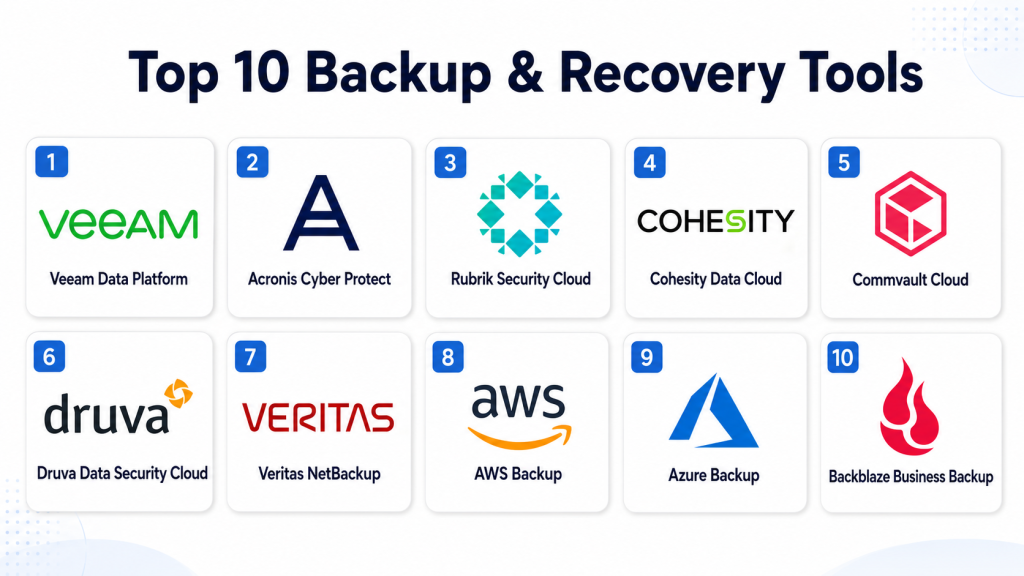
Top 10 Backup & Recovery Tools
#1 — Veeam Data Platform
Short description: Veeam Data Platform is a widely used backup and recovery solution for virtual machines, cloud workloads, physical servers, SaaS data, and enterprise environments. It is known for strong recovery options, broad workload support, and practical administration.
Key Features
- Backup and recovery for virtual, physical, cloud, and SaaS workloads.
- Ransomware protection with immutable backup options.
- Instant recovery for supported workloads.
- Backup monitoring and reporting.
- Replication and disaster recovery support.
- Policy-based backup management.
- Support for hybrid and multi-cloud environments.
Pros
- Strong recovery capabilities for business-critical workloads.
- Good fit for VMware, Hyper-V, cloud, and hybrid infrastructure.
- Large ecosystem and strong administrator familiarity.
Cons
- Licensing and architecture may require careful planning.
- Advanced enterprise features may need skilled administrators.
- Storage design is important for best performance and cost control.
Platforms / Deployment
Web / Windows / Linux
Cloud / Self-hosted / Hybrid
Security & Compliance
Supports encryption, role-based access, immutable backup options, audit logging, MFA options, and ransomware-focused recovery features. Specific compliance certifications should be verified with the vendor.
Integrations & Ecosystem
Veeam has a broad ecosystem for infrastructure, cloud, virtualization, and storage environments. It works well for teams that need flexible backup design across mixed workloads.
- VMware
- Microsoft Hyper-V
- Microsoft cloud services
- Public cloud platforms
- Object storage
- Storage appliances
Support & Community
Veeam has strong documentation, enterprise support plans, partner support, and a large technical community. Many IT administrators are already familiar with its backup and restore workflows.
#2 — Acronis Cyber Protect
Short description: Acronis Cyber Protect combines backup, recovery, endpoint protection, anti-malware, and security management in one platform. It is useful for SMBs, MSPs, and teams that want backup and cyber protection together.
Key Features
- Backup and recovery for endpoints, servers, and cloud workloads.
- Integrated anti-malware and cyber protection features.
- Disk imaging and file-level restore.
- Cloud backup storage options.
- Ransomware protection capabilities.
- Centralized management console.
- Support for MSP and multi-tenant use cases.
Pros
- Combines backup and security in one platform.
- Strong fit for MSPs and SMB environments.
- Useful for endpoint-heavy businesses.
Cons
- Security and backup features may feel broad for teams needing only simple backup.
- Enterprise buyers should validate advanced workload requirements.
- Pricing may vary based on storage and feature packages.
Platforms / Deployment
Web / Windows / macOS / Linux / iOS / Android
Cloud / Hybrid
Security & Compliance
Supports encryption, anti-malware features, access controls, backup protection, and ransomware-related defenses. Specific compliance certifications and regulatory coverage should be verified directly.
Integrations & Ecosystem
Acronis fits well in managed service, endpoint protection, and backup-heavy environments. Its ecosystem is practical for service providers and smaller IT teams.
- MSP management workflows
- Cloud storage
- Endpoint security tools
- Business applications
- Virtualization platforms
- Remote management workflows
Support & Community
Acronis provides documentation, support options, partner resources, and MSP-focused enablement. Community strength is practical, especially among service providers.
#3 — Rubrik Security Cloud
Short description: Rubrik Security Cloud is a data security and backup platform focused on cyber recovery, ransomware resilience, cloud data protection, and enterprise backup. It is suited for organizations that want backup aligned closely with security.
Key Features
- Enterprise backup and recovery.
- Ransomware investigation and recovery workflows.
- Immutable backup architecture.
- Cloud and SaaS workload protection.
- Data visibility and risk insights.
- Policy-based automation.
- Recovery orchestration for critical systems.
Pros
- Strong security-focused backup approach.
- Good fit for ransomware recovery planning.
- Useful for enterprise data protection teams.
Cons
- May be more advanced than smaller teams need.
- Cost and implementation should be evaluated carefully.
- Best value comes in larger or security-focused environments.
Platforms / Deployment
Web / Windows / Linux / Varies by workload
Cloud / Hybrid
Security & Compliance
Supports encryption, RBAC, immutable backups, audit logs, access controls, and ransomware recovery features. Specific compliance certifications should be verified with the vendor.
Integrations & Ecosystem
Rubrik integrates with enterprise infrastructure, cloud platforms, identity tools, and security operations workflows. It is built for organizations that treat backup as part of cyber resilience.
- Virtualization platforms
- Public cloud platforms
- SaaS applications
- Identity providers
- Security operations tools
- Storage systems
Support & Community
Rubrik provides enterprise support, technical documentation, customer success resources, and professional services. It is best suited for teams with mature backup and security needs.
#4 — Cohesity Data Cloud
Short description: Cohesity Data Cloud provides backup, recovery, data security, cyber resilience, and data management across cloud, SaaS, and on-premises workloads. It is designed for organizations that need scalable data protection.
Key Features
- Backup and recovery for enterprise workloads.
- Ransomware detection and recovery capabilities.
- Immutable backup options.
- SaaS and cloud workload protection.
- Centralized data management.
- Policy-based automation.
- Disaster recovery support.
Pros
- Strong for large-scale data protection.
- Good blend of backup, recovery, and security features.
- Useful for hybrid and cloud-first environments.
Cons
- May require planning for complex deployments.
- Smaller teams may not need all capabilities.
- Cost and sizing should be reviewed carefully.
Platforms / Deployment
Web / Windows / Linux / Varies by workload
Cloud / Hybrid
Security & Compliance
Supports encryption, role-based access, immutable backup options, audit logs, and ransomware-focused recovery features. Specific compliance certifications should be verified directly.
Integrations & Ecosystem
Cohesity works with cloud platforms, virtualization environments, SaaS tools, databases, and storage ecosystems. It is useful for teams consolidating data protection.
- Virtualization platforms
- Public cloud providers
- SaaS applications
- Databases
- Object storage
- Security tools
Support & Community
Cohesity provides enterprise support, documentation, partner resources, and customer success options. It is strongest for organizations with larger data environments.
#5 — Commvault Cloud
Short description: Commvault Cloud is an enterprise data protection platform for backup, recovery, cyber resilience, cloud workloads, SaaS apps, and disaster recovery. It is suitable for complex environments with many workloads.
Key Features
- Enterprise backup and recovery.
- Cloud and SaaS data protection.
- Disaster recovery and recovery orchestration.
- Ransomware protection and clean recovery options.
- Policy-based retention and automation.
- Reporting and compliance visibility.
- Broad workload coverage.
Pros
- Strong enterprise feature depth.
- Broad support for complex infrastructure.
- Useful for regulated and large-scale environments.
Cons
- Can be complex for smaller teams.
- Implementation may need skilled planning.
- Licensing and architecture should be reviewed carefully.
Platforms / Deployment
Web / Windows / Linux / Varies by workload
Cloud / Self-hosted / Hybrid
Security & Compliance
Supports encryption, access controls, RBAC, audit logs, ransomware recovery features, and compliance-oriented reporting. Specific compliance certifications should be verified with the vendor.
Integrations & Ecosystem
Commvault has a wide ecosystem across enterprise infrastructure, cloud platforms, databases, SaaS applications, and storage systems.
- Public cloud platforms
- Virtualization platforms
- Databases
- SaaS applications
- Object storage
- Enterprise identity tools
Support & Community
Commvault provides enterprise support, professional services, documentation, and partner expertise. It is well suited for organizations with mature IT operations.
#6 — Druva Data Security Cloud
Short description: Druva Data Security Cloud is a cloud-delivered backup, recovery, and data protection platform. It is useful for organizations that want SaaS-based backup management without maintaining complex backup infrastructure.
Key Features
- Cloud-native backup and recovery.
- SaaS, endpoint, and cloud workload protection.
- Centralized policy management.
- Ransomware recovery support.
- Long-term retention options.
- Data governance and visibility features.
- Simplified administration through a cloud console.
Pros
- Reduces infrastructure management overhead.
- Strong fit for cloud-first and distributed teams.
- Useful for endpoint and SaaS data protection.
Cons
- Not ideal for teams requiring full self-hosted control.
- Internet connectivity and cloud design matter.
- Pricing should be reviewed based on data volume and retention.
Platforms / Deployment
Web / Windows / macOS / Linux / Varies by workload
Cloud
Security & Compliance
Supports encryption, access controls, role-based administration, audit visibility, and cloud-based data protection features. Specific compliance certifications should be verified with the vendor.
Integrations & Ecosystem
Druva fits cloud-first IT environments that need centralized backup without managing hardware-heavy backup infrastructure.
- SaaS applications
- Cloud platforms
- Endpoints
- Identity providers
- Security workflows
- Reporting tools
Support & Community
Druva offers documentation, support options, onboarding resources, and customer success services. It is useful for teams that prefer cloud-delivered backup operations.
#7 — Veritas NetBackup
Short description: Veritas NetBackup is an enterprise backup and recovery platform used by large organizations with complex workloads, strict recovery needs, and large-scale infrastructure. It is known for broad workload coverage and mature enterprise capabilities.
Key Features
- Enterprise backup and recovery.
- Support for physical, virtual, cloud, and database workloads.
- Long-term retention and archive support.
- Disaster recovery capabilities.
- Centralized policy management.
- Automation and reporting.
- Scalable architecture for large environments.
Pros
- Strong fit for large enterprise infrastructure.
- Broad workload support.
- Mature platform for complex backup requirements.
Cons
- Can be complex to manage.
- May require specialized backup administrators.
- Smaller teams may find it too heavy.
Platforms / Deployment
Web / Windows / Linux / UNIX support may vary
Self-hosted / Hybrid / Cloud options may vary
Security & Compliance
Supports encryption, access controls, role-based administration, audit logs, and secure backup workflows. Specific compliance certifications should be verified directly.
Integrations & Ecosystem
Veritas NetBackup works across enterprise infrastructure, databases, storage systems, and cloud platforms. It is often used in environments with diverse workloads.
- Enterprise databases
- Virtualization platforms
- Public cloud platforms
- Storage systems
- Operating systems
- Archive and retention systems
Support & Community
Veritas offers enterprise support, documentation, professional services, and partner expertise. Community knowledge is strong among enterprise backup administrators.
#8 — AWS Backup
Short description: AWS Backup is a managed backup service for protecting workloads running inside Amazon Web Services. It helps teams centralize backup policies, automate retention, and manage recovery for supported AWS services.
Key Features
- Centralized backup policy management for AWS services.
- Automated backup scheduling.
- Cross-account and cross-region backup options.
- Backup vaults and retention controls.
- Audit and reporting capabilities.
- Integration with AWS identity and security controls.
- Recovery support for supported cloud workloads.
Pros
- Strong fit for AWS-native environments.
- Reduces need for third-party tools for supported AWS workloads.
- Integrates naturally with AWS governance and security services.
Cons
- Best suited for AWS workloads only.
- Not a complete replacement for all hybrid backup needs.
- Feature coverage depends on supported AWS services.
Platforms / Deployment
Web
Cloud
Security & Compliance
Supports AWS identity controls, encryption options, audit visibility, access policies, and backup vault controls. Compliance coverage depends on AWS service configuration and regional requirements.
Integrations & Ecosystem
AWS Backup works inside the AWS ecosystem and is useful for cloud teams that want native backup policy control.
- AWS storage services
- AWS databases
- AWS compute services
- AWS identity services
- AWS monitoring tools
- AWS governance tools
Support & Community
AWS provides documentation, support plans, partner services, and a large cloud practitioner community. Teams should still test recovery workflows carefully.
#9 — Azure Backup
Short description: Azure Backup is a cloud-based backup service for protecting Microsoft Azure workloads, on-premises systems, and selected Microsoft environments. It is useful for organizations already using Azure infrastructure.
Key Features
- Backup for Azure virtual machines and supported workloads.
- Centralized backup policy management.
- Long-term retention options.
- Recovery services vaults.
- On-premises backup support through supported agents.
- Integration with Azure security and monitoring.
- Protection against accidental deletion and data loss.
Pros
- Strong fit for Azure-centered organizations.
- Good integration with Microsoft cloud services.
- Useful for hybrid Microsoft environments.
Cons
- Best value comes in Azure-based environments.
- May not cover every workload without additional tools.
- Configuration and cost control require planning.
Platforms / Deployment
Web / Windows / Linux support varies by workload
Cloud / Hybrid
Security & Compliance
Supports encryption, Azure identity controls, RBAC, audit visibility, recovery vault controls, and secure backup configuration options. Specific compliance certifications should be verified within Microsoft cloud documentation.
Integrations & Ecosystem
Azure Backup works well with Microsoft cloud, identity, monitoring, and infrastructure services.
- Azure virtual machines
- Azure storage
- Microsoft identity services
- Azure monitoring
- On-premises backup agents
- Hybrid cloud workflows
Support & Community
Microsoft provides documentation, support plans, partner services, and a large cloud administrator community. It is practical for Azure-first infrastructure teams.
#10 — Backblaze Business Backup
Short description: Backblaze Business Backup is a cloud backup solution designed for simple endpoint and business file backup. It is useful for small businesses, freelancers, and teams needing straightforward cloud backup without heavy complexity.
Key Features
- Cloud backup for business computers.
- Automatic file backup.
- Simple restore options.
- Centralized business administration.
- Storage-focused backup model.
- Support for endpoint backup.
- Easy setup for small teams.
Pros
- Simple and easy to use.
- Good fit for small teams and endpoint backup.
- Lower complexity compared with enterprise backup platforms.
Cons
- Not designed for complex enterprise workload recovery.
- Limited compared with full disaster recovery platforms.
- May not fit database-heavy or highly regulated environments.
Platforms / Deployment
Web / Windows / macOS
Cloud
Security & Compliance
Supports encryption and account-level security features. Advanced enterprise compliance details are not publicly stated in all contexts and should be verified with the vendor.
Integrations & Ecosystem
Backblaze Business Backup is strongest for simple cloud backup rather than deep enterprise ecosystem integration.
- Endpoint backup workflows
- Cloud storage
- Business administration console
- File recovery workflows
- Simple user management
- Storage-focused operations
Support & Community
Backblaze provides documentation, support resources, and a user-friendly knowledge base. It is best suited for teams that want simple backup rather than complex IT architecture.
Comparison Table (Top 10)
| Tool Name | Best For | Platform(s) Supported | Deployment | Standout Feature | Public Rating |
|---|---|---|---|---|---|
| Veeam Data Platform | Hybrid and virtualized environments | Windows, Linux, cloud workloads | Cloud / Self-hosted / Hybrid | Fast recovery and broad workload support | N/A |
| Acronis Cyber Protect | SMBs, MSPs, endpoint-heavy teams | Windows, macOS, Linux, iOS, Android | Cloud / Hybrid | Backup combined with cyber protection | N/A |
| Rubrik Security Cloud | Enterprise cyber recovery | Windows, Linux, cloud workloads | Cloud / Hybrid | Security-focused ransomware recovery | N/A |
| Cohesity Data Cloud | Large-scale data protection | Windows, Linux, cloud workloads | Cloud / Hybrid | Scalable backup and data security | N/A |
| Commvault Cloud | Complex enterprise environments | Windows, Linux, cloud, SaaS | Cloud / Self-hosted / Hybrid | Broad enterprise workload coverage | N/A |
| Druva Data Security Cloud | Cloud-first backup teams | Windows, macOS, Linux, SaaS, cloud | Cloud | SaaS-based backup management | N/A |
| Veritas NetBackup | Large enterprise infrastructure | Windows, Linux, UNIX, cloud workloads | Self-hosted / Hybrid / Varies | Mature enterprise backup platform | N/A |
| AWS Backup | AWS-native workloads | AWS-supported services | Cloud | Native AWS backup policy control | N/A |
| Azure Backup | Azure and Microsoft environments | Azure workloads, Windows, Linux | Cloud / Hybrid | Native Azure backup and recovery | N/A |
| Backblaze Business Backup | Small business endpoint backup | Windows, macOS | Cloud | Simple business cloud backup | N/A |
Evaluation & Scoring of Backup & Recovery Tools
| Tool Name | Core (25%) | Ease (15%) | Integrations (15%) | Security (10%) | Performance (10%) | Support (10%) | Value (15%) | Weighted Total (0–10) |
|---|---|---|---|---|---|---|---|---|
| Veeam Data Platform | 9 | 8 | 9 | 8 | 9 | 9 | 8 | 8.55 |
| Acronis Cyber Protect | 8 | 8 | 7 | 8 | 8 | 8 | 8 | 7.85 |
| Rubrik Security Cloud | 9 | 8 | 8 | 9 | 9 | 8 | 7 | 8.30 |
| Cohesity Data Cloud | 9 | 8 | 8 | 9 | 9 | 8 | 7 | 8.30 |
| Commvault Cloud | 10 | 7 | 9 | 9 | 9 | 9 | 7 | 8.65 |
| Druva Data Security Cloud | 8 | 9 | 8 | 8 | 8 | 8 | 8 | 8.15 |
| Veritas NetBackup | 10 | 6 | 9 | 8 | 9 | 8 | 7 | 8.20 |
| AWS Backup | 8 | 8 | 8 | 8 | 8 | 8 | 8 | 8.00 |
| Azure Backup | 8 | 8 | 8 | 8 | 8 | 8 | 8 | 8.00 |
| Backblaze Business Backup | 6 | 9 | 6 | 7 | 7 | 7 | 9 | 7.10 |
These scores are comparative and should not be treated as a universal ranking for every company. A cloud-native team may prefer AWS Backup or Azure Backup, while an enterprise with complex workloads may prefer Commvault, Veeam, Rubrik, Cohesity, or Veritas. The best tool depends on workload type, recovery goals, storage strategy, security needs, and internal IT skills.
Which Backup & Recovery Tool Is Right for You?
Solo / Freelancer
Solo professionals usually need simple, reliable file and endpoint backup rather than a full enterprise backup platform. Backblaze Business Backup can be a practical choice for simple cloud backup. Acronis Cyber Protect may also be useful if security and endpoint protection are important.
For solo technical users running cloud workloads, native cloud backup tools may be enough. AWS Backup fits AWS-based workloads, while Azure Backup fits Azure-based workloads.
SMB
SMBs should prioritize ease of use, predictable pricing, simple recovery, endpoint coverage, and basic ransomware resilience. Acronis Cyber Protect, Veeam Data Platform, Backblaze Business Backup, Druva, and native cloud backup tools can all fit different SMB needs.
If the SMB uses mostly laptops and desktops, simple endpoint backup may be enough. If it runs servers, databases, or virtual machines, Veeam or Acronis may be more suitable.
Mid-Market
Mid-market companies usually need stronger workload coverage, recovery testing, policy-based automation, cloud support, and ransomware protection. Veeam, Druva, Acronis, Rubrik, Cohesity, and Commvault can be strong options depending on the environment.
Mid-market buyers should test recovery workflows carefully. Backup success does not guarantee fast recovery. The team should validate how quickly it can restore files, virtual machines, databases, and critical applications.
Enterprise
Enterprises should focus on scalability, governance, role-based access, audit logs, immutable backups, disaster recovery, multi-cloud support, long-term retention, and support maturity. Commvault, Veeam, Rubrik, Cohesity, and Veritas NetBackup are strong enterprise choices.
Large organizations should also evaluate recovery orchestration, clean-room recovery, cyber resilience, backup isolation, and support for complex legacy systems.
Budget vs Premium
Budget-focused teams may prefer Backblaze Business Backup, native cloud backup tools, or carefully scoped Acronis and Veeam deployments. Premium buyers with complex recovery, ransomware, compliance, and multi-workload needs may prefer Commvault, Rubrik, Cohesity, Veritas, or enterprise-grade Veeam deployments.
The right budget decision should include storage cost, retention needs, cloud egress cost, admin time, recovery time, and support cost.
Feature Depth vs Ease of Use
For feature depth, Commvault, Veritas NetBackup, Veeam, Rubrik, and Cohesity are strong. For ease of use, Backblaze, Druva, Acronis, AWS Backup, and Azure Backup may be easier depending on the use case.
A simpler tool is not always weaker. If it restores the right data quickly and securely, it may be the best operational fit.
Integrations & Scalability
Veeam is strong across virtualization, cloud, and hybrid environments. Commvault and Veritas fit complex enterprises. Rubrik and Cohesity are strong for data security and cyber recovery. Druva fits cloud-delivered backup needs. AWS Backup and Azure Backup are best when workloads already live inside those cloud ecosystems.
Scalability should be tested with real backup volumes, real restore tasks, and real retention rules.
Security & Compliance Needs
Security-focused buyers should evaluate immutable backups, encryption, MFA, RBAC, audit logs, clean recovery points, malware detection, backup isolation, and retention controls. Regulated industries should request official vendor documentation and validate whether the platform supports internal compliance needs.
A strong backup tool should protect data from both technical failure and malicious activity.
Frequently Asked Questions (FAQs)
1. What is a backup and recovery tool?
A backup and recovery tool creates copies of data, systems, apps, or workloads and helps restore them after data loss, system failure, ransomware, or accidental deletion. It is a core part of business continuity planning.
2. What is the difference between backup and disaster recovery?
Backup focuses on copying and restoring data. Disaster recovery focuses on restoring full business operations, often including systems, applications, infrastructure, and recovery processes.
3. How much do backup and recovery tools cost?
Pricing varies by vendor, workload type, storage volume, number of users, retention period, and support level. Some tools charge by device, user, workload, storage, or custom enterprise agreement.
4. What is ransomware-resilient backup?
Ransomware-resilient backup uses protections such as immutable storage, encryption, access control, clean restore points, and backup isolation. The goal is to prevent attackers from deleting or corrupting backup copies.
5. What is immutable backup?
Immutable backup means backup data cannot be changed or deleted for a defined period. This helps protect backups from accidental deletion, insider risk, and ransomware attacks.
6. Are cloud backups enough for business protection?
Cloud backups can be effective, but they must be configured correctly. Businesses should check recovery speed, retention rules, security controls, cloud storage cost, and whether all critical workloads are covered.
7. What are common backup mistakes?
Common mistakes include not testing restores, backing up only some data, using weak access controls, ignoring retention needs, depending only on file sync, and failing to protect backups from ransomware.
8. How often should businesses back up data?
Backup frequency depends on how much data the business can afford to lose. Critical systems may need frequent backups, while less important data may need less frequent protection.
9. What is recovery time?
Recovery time means how long it takes to restore data, systems, or services after a failure. Buyers should test recovery time before trusting any backup strategy.
10. What is recovery point?
Recovery point means the amount of data a company may lose between the last backup and the failure event. Shorter recovery points usually require more frequent backups.
Conclusion
Backup & Recovery Tools are essential for protecting business continuity, customer trust, and operational stability. The right tool should not only create backups but also restore data quickly, securely, and reliably when something goes wrong. Veeam, Commvault, Rubrik, Cohesity, and Veritas are strong choices for complex enterprise environments. Druva is practical for cloud-delivered backup operations. Acronis works well for SMBs and MSPs that want backup with security features. AWS Backup and Azure Backup are useful for cloud-native workloads, while Backblaze Business Backup is a simple option for endpoint-focused small businesses. The best next step is to shortlist two or three tools, test backup and restore with real workloads, validate security controls, compare storage costs, and confirm that recovery performance matches business expectations.
