Upgrade & Secure Your Future with DevOps, SRE, DevSecOps, MLOps!
We spend hours scrolling social media and waste money on things we forget, but won’t spend 30 minutes a day earning certifications that can change our lives.
Master in DevOps, SRE, DevSecOps & MLOps by DevOps School!
Learn from Guru Rajesh Kumar and double your salary in just one year.
Introduction
Remote access software helps users securely connect to computers, servers, applications, and devices from another location. In simple words, it allows IT teams, support agents, employees, consultants, and managed service providers to access a system without being physically present.
Remote access matters because modern work is no longer limited to one office. Teams support remote employees, manage distributed devices, troubleshoot client systems, access internal applications, and maintain servers from different locations. A reliable remote access tool can reduce downtime, improve support speed, and help businesses manage devices more efficiently.
Common use cases include IT troubleshooting, remote employee support, server administration, unattended device access, customer support, managed service provider operations, software installation, and remote training.
Buyers should evaluate security controls, connection performance, unattended access, multi-device support, file transfer, session recording, user permissions, audit logs, integrations, scalability, pricing, and ease of deployment.
Best for: IT support teams, help desks, managed service providers, system administrators, remote teams, software vendors, education teams, healthcare IT, finance IT, and businesses managing distributed devices.
Not ideal for: users who only need basic video meetings, teams that only need file sharing, or businesses that require full virtual desktop infrastructure instead of direct device access.
Key Trends in Remote Access Software Tools
- Security-first remote access is now essential: Businesses want MFA, SSO, session logging, device verification, permission controls, and secure unattended access.
- Zero trust access is becoming more common: Remote access tools are increasingly expected to validate users, devices, roles, and session context before allowing access.
- Unattended access is growing in importance: IT teams and MSPs need to access systems even when the end user is not present, especially for updates, maintenance, and troubleshooting.
- Remote support is connecting with endpoint management: Many remote access platforms now integrate with patching, monitoring, asset inventory, ticketing, and endpoint security tools.
- Cloud-based deployment is becoming popular: Businesses prefer remote access platforms that are fast to deploy and do not require complex VPN or server infrastructure.
- Session recording and audit logs are more important: Regulated organizations need proof of who accessed which device, what happened during the session, and when the activity occurred.
- Cross-platform support is expected: Teams need support for Windows, macOS, Linux, iOS, Android, browsers, servers, and sometimes unattended kiosks or point-of-sale systems.
- Performance and low-latency access matter more: Support teams need smooth screen sharing, keyboard control, file transfer, and stable sessions across different network conditions.
- MSP-friendly features are becoming stronger: Multi-tenant dashboards, client grouping, branding, remote monitoring, scripting, and billing-aligned access models are increasingly valuable.
- User privacy and consent controls are becoming important: Organizations want to balance support speed with employee privacy, especially for remote and personal-device environments.
How We Selected These Tools
The tools in this list were selected using practical buyer-focused evaluation criteria:
- Strong recognition in remote access, remote support, endpoint administration, or managed IT operations.
- Ability to support attended and unattended remote access where relevant.
- Cross-platform coverage across Windows, macOS, Linux, mobile devices, and browsers.
- Security controls such as MFA, SSO, RBAC, encryption, session permissions, and audit logs.
- Fit for different users, including solo professionals, SMBs, MSPs, mid-market teams, and enterprises.
- Integration with ticketing, service desk, monitoring, identity, and endpoint management tools.
- Performance quality for real-time screen access, file transfer, and troubleshooting.
- Ease of deployment for both internal IT and external customer support.
- Support resources, documentation quality, onboarding, and customer service availability.
- Overall value based on capability depth, usability, reliability, scalability, and operational fit.
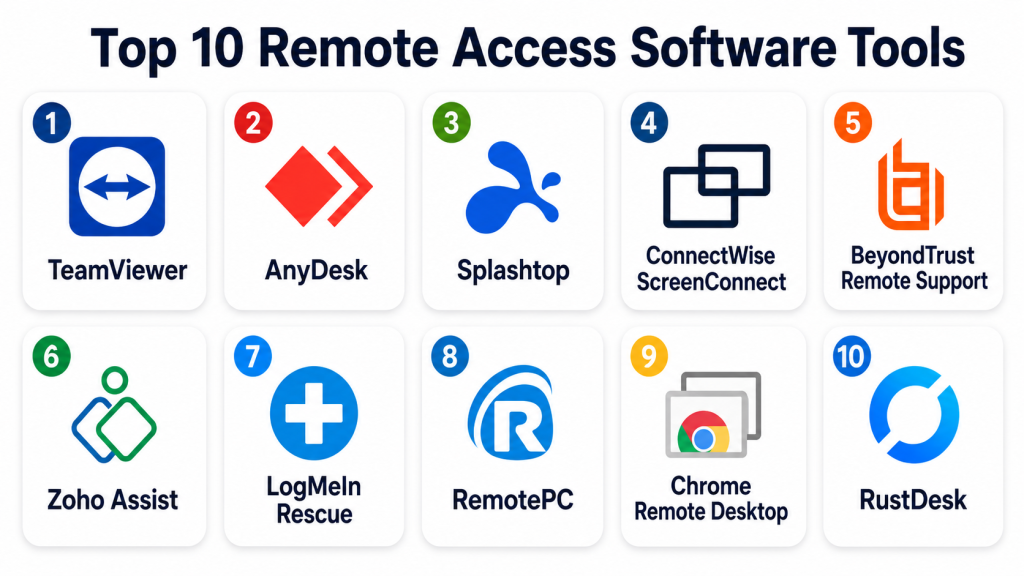
Top 10 Remote Access Software Tools
#1 — TeamViewer
Short description: TeamViewer is a widely used remote access and remote support platform for IT teams, businesses, and individual users. It supports attended and unattended access across multiple device types and is often used for troubleshooting, administration, and support.
Key Features
- Remote desktop access across major operating systems.
- Attended and unattended remote support.
- File transfer during remote sessions.
- Multi-monitor support.
- Session recording and activity visibility.
- Mobile device support.
- Enterprise controls for users, devices, and permissions.
Pros
- Easy to start and widely recognized.
- Strong cross-platform support.
- Useful for both internal IT and external customer support.
Cons
- Pricing may feel high for smaller teams.
- Security settings must be configured carefully.
- Some businesses may prefer tools built into broader IT management suites.
Platforms / Deployment
Web / Windows / macOS / Linux / iOS / Android
Cloud
Security & Compliance
Supports encryption, MFA, SSO on business plans, device authorization, user permissions, access controls, and session-related security features. Specific compliance certifications should be validated directly based on the selected plan.
Integrations & Ecosystem
TeamViewer integrates with service desk, CRM, endpoint management, and business support workflows.
- IT service management tools
- CRM platforms
- Endpoint management workflows
- Mobile device support workflows
- Help desk processes
- API-based integrations
Support & Community
TeamViewer provides documentation, customer support, business support options, and a large user community. It is suitable for teams that need quick remote support with broad device coverage.
#2 — AnyDesk
Short description: AnyDesk is a remote desktop and remote support tool known for lightweight performance and fast connections. It is suitable for IT support, remote work, personal access, and small to mid-sized business use.
Key Features
- Remote desktop access.
- Unattended access.
- File transfer.
- Session permissions and access control.
- Cross-platform support.
- Lightweight client application.
- Custom client options for business use.
Pros
- Fast and lightweight remote access experience.
- Good for small teams and distributed users.
- Easy to deploy for common support needs.
Cons
- Enterprise governance depth should be validated for complex environments.
- Admin controls may require higher-tier plans.
- Larger teams should review reporting and integration needs carefully.
Platforms / Deployment
Web / Windows / macOS / Linux / iOS / Android
Cloud / Self-hosted options may vary by plan
Security & Compliance
Supports encryption, access permissions, unattended access controls, and authentication options. Specific SSO, audit, and compliance details should be validated directly based on plan and deployment.
Integrations & Ecosystem
AnyDesk fits remote support, IT troubleshooting, and lightweight remote work scenarios.
- Help desk workflows
- Device support processes
- File transfer workflows
- Remote employee support
- Custom client deployment
- API options depending on plan
Support & Community
AnyDesk provides documentation, support resources, and business support options. It is commonly used by individuals, SMBs, and IT teams that need fast remote access.
#3 — Splashtop
Short description: Splashtop is a remote access and remote support platform for businesses, education, IT teams, and managed service providers. It is known for practical remote desktop performance and flexible plans for different use cases.
Key Features
- Remote desktop access.
- Attended and unattended support.
- File transfer and remote printing.
- Multi-monitor support.
- User and device management.
- Session logging.
- Remote access for education, business, and MSP use cases.
Pros
- Good performance for remote desktop sessions.
- Flexible options for support, business access, and MSPs.
- Often practical for cost-conscious teams.
Cons
- Advanced security and admin features may depend on plan.
- Some enterprise workflows may need additional integrations.
- Buyers should validate mobile and device-specific requirements.
Platforms / Deployment
Web / Windows / macOS / Linux / iOS / Android
Cloud
Security & Compliance
Supports encryption, MFA, SSO on supported plans, device authentication, user permissions, session logging, and admin controls. Specific compliance details should be validated directly.
Integrations & Ecosystem
Splashtop fits IT support, MSP, education, and remote work environments.
- Service desk tools
- Remote support workflows
- Endpoint management processes
- Education labs
- MSP operations
- User and device administration
Support & Community
Splashtop provides documentation, help resources, onboarding support, and business support options. It is useful for teams that want strong remote access without unnecessary complexity.
#4 — ConnectWise ScreenConnect
Short description: ConnectWise ScreenConnect is a remote support and remote access platform built strongly for IT teams and managed service providers. It supports attended support, unattended access, session management, and technician workflows.
Key Features
- Attended and unattended remote access.
- Remote support session management.
- File transfer and remote command execution.
- Multi-session technician support.
- Session recording and auditing.
- Role-based access controls.
- MSP and help desk workflow alignment.
Pros
- Strong fit for MSPs and IT service teams.
- Flexible remote support controls.
- Good technician-focused workflow design.
Cons
- May require configuration for secure and efficient use.
- Best suited for support teams rather than casual users.
- Smaller teams may find some features more than needed.
Platforms / Deployment
Web / Windows / macOS / Linux / iOS / Android
Cloud / Self-hosted / Hybrid
Security & Compliance
Supports encryption, MFA, role-based access, session auditing, technician permissions, and access controls. Specific certifications and compliance details should be validated directly.
Integrations & Ecosystem
ConnectWise ScreenConnect works well inside IT service and managed service provider ecosystems.
- PSA tools
- RMM tools
- Ticketing systems
- Endpoint management platforms
- Technician workflows
- Client support operations
Support & Community
ConnectWise provides documentation, support options, training resources, and partner ecosystem support. It is best for MSPs and IT support teams with structured service operations.
#5 — BeyondTrust Remote Support
Short description: BeyondTrust Remote Support is an enterprise-grade remote support platform focused on secure privileged access, support workflows, and compliance needs. It is best for organizations that require strong control over remote support sessions.
Key Features
- Secure attended and unattended support.
- Privileged remote access controls.
- Session recording and audit logs.
- Role-based technician permissions.
- Credential handling and access workflows.
- Support for multiple platforms and devices.
- Integration with enterprise security and ITSM tools.
Pros
- Strong security and enterprise governance.
- Good fit for regulated organizations.
- Useful for privileged support scenarios.
Cons
- May be more advanced than small teams need.
- Implementation and policy setup require planning.
- Pricing and packaging should be reviewed carefully.
Platforms / Deployment
Web / Windows / macOS / Linux / iOS / Android
Cloud / Self-hosted / Hybrid
Security & Compliance
Supports encryption, MFA, SSO/SAML, RBAC, session recording, audit logs, privileged access workflows, and enterprise access controls. Specific certifications and regulatory mappings should be validated directly.
Integrations & Ecosystem
BeyondTrust fits enterprise security, privileged access, help desk, and compliance workflows.
- ITSM platforms
- Identity providers
- Privileged access management
- Security operations workflows
- Endpoint support tools
- Audit and compliance systems
Support & Community
BeyondTrust provides enterprise documentation, support plans, professional services, and security-focused implementation resources. It is strongest for organizations with mature IT security requirements.
#6 — Zoho Assist
Short description: Zoho Assist is a cloud-based remote support and unattended access tool for IT teams, help desks, and customer support teams. It is suitable for SMBs and organizations already using Zoho’s business software ecosystem.
Key Features
- On-demand remote support.
- Unattended remote access.
- File transfer and chat support.
- Multi-monitor navigation.
- Session recording on supported plans.
- Technician and customer management.
- Browser-based session initiation.
Pros
- Easy to use and quick to deploy.
- Good value for SMBs and support teams.
- Fits well with Zoho ecosystem users.
Cons
- Advanced enterprise governance may be limited compared with larger platforms.
- Performance can depend on network conditions and endpoint setup.
- Large IT teams should validate reporting and integration needs.
Platforms / Deployment
Web / Windows / macOS / Linux / iOS / Android
Cloud
Security & Compliance
Supports encryption, MFA, role-based controls, session permissions, and audit-related features depending on plan. Specific compliance certifications should be validated directly.
Integrations & Ecosystem
Zoho Assist integrates well with Zoho applications and common support workflows.
- Zoho Desk
- Zoho CRM
- Help desk workflows
- Customer support processes
- Remote troubleshooting
- Business application ecosystem
Support & Community
Zoho provides documentation, support resources, product guides, and community forums. It is practical for SMBs and support teams that want simple remote assistance.
#7 — LogMeIn Rescue
Short description: LogMeIn Rescue is a remote support platform designed for professional support teams, help desks, and customer service organizations. It focuses on attended support, technician workflows, and customer troubleshooting.
Key Features
- Attended remote support.
- Technician console for support sessions.
- Multi-platform device support.
- File transfer and diagnostics.
- Session recording and reporting.
- Mobile device support.
- Support workflow management.
Pros
- Strong fit for professional support teams.
- Useful for customer-facing remote troubleshooting.
- Good session management and reporting capabilities.
Cons
- May be less suitable for basic personal remote access.
- Pricing may be higher than lightweight alternatives.
- Unattended access requirements should be validated carefully.
Platforms / Deployment
Web / Windows / macOS / iOS / Android
Cloud
Security & Compliance
Supports encryption, access controls, technician permissions, session logging, and authentication controls. Specific compliance certifications and enterprise security details should be validated directly.
Integrations & Ecosystem
LogMeIn Rescue fits customer support, help desk, and enterprise service workflows.
- CRM workflows
- Help desk processes
- Customer service platforms
- Mobile support operations
- Remote diagnostics
- Support reporting
Support & Community
LogMeIn Rescue provides documentation, business support, onboarding resources, and enterprise customer assistance. It is suitable for teams that deliver structured remote customer support.
#8 — RemotePC
Short description: RemotePC is a remote access platform for individuals, small businesses, and teams that need reliable access to computers from another location. It is often used for personal systems, small office systems, and business remote access.
Key Features
- Remote computer access.
- Always-on unattended access.
- File transfer.
- Remote printing.
- Multi-user access options.
- Web-based access.
- Mobile access support.
Pros
- Practical for individuals and small businesses.
- Easy to set up for always-on access.
- Cost-friendly compared with many enterprise tools.
Cons
- Advanced enterprise controls may be limited.
- Not designed as a full ITSM or MSP platform.
- Larger teams should validate reporting and admin features.
Platforms / Deployment
Web / Windows / macOS / Linux / iOS / Android
Cloud
Security & Compliance
Supports encryption, access credentials, remote access controls, and account security features. Specific SSO, audit, and compliance details should be validated directly.
Integrations & Ecosystem
RemotePC is focused mainly on remote access rather than broad enterprise integration.
- Desktop remote access
- File transfer
- Remote printing
- Browser-based access
- Mobile access
- Small business support workflows
Support & Community
RemotePC provides documentation, support resources, and customer service options. It is a good choice for users who need simple remote access without large enterprise overhead.
#9 — Chrome Remote Desktop
Short description: Chrome Remote Desktop is a simple remote access tool from Google that allows users to access another computer through a browser or mobile app. It is useful for personal use, basic support, and lightweight remote access needs.
Key Features
- Browser-based remote access.
- Remote desktop control.
- Simple setup using Google account access.
- Cross-platform support.
- Mobile access.
- Unattended access setup.
- No complex infrastructure required.
Pros
- Simple and easy to start.
- Useful for personal and basic remote access.
- No heavy setup needed.
Cons
- Limited enterprise administration features.
- Not ideal for regulated or high-security environments.
- Lacks advanced help desk, audit, and technician controls.
Platforms / Deployment
Web / Windows / macOS / Linux / iOS / Android
Cloud
Security & Compliance
Uses Google account authentication and encrypted remote sessions. Advanced enterprise controls, audit logs, RBAC, and compliance features are limited compared with business-grade remote support platforms.
Integrations & Ecosystem
Chrome Remote Desktop is simple and browser-focused rather than integration-heavy.
- Google account access
- Chrome browser workflows
- Personal device access
- Basic remote support
- Mobile access
- Lightweight troubleshooting
Support & Community
Google provides help documentation and community support resources. It is best for basic use, not professional remote support operations.
#10 — RustDesk
Short description: RustDesk is a remote desktop tool known for offering open-source and self-hosting options. It is suitable for technical users and teams that want more control over remote access infrastructure.
Key Features
- Remote desktop access.
- Self-hosting options.
- Cross-platform support.
- File transfer.
- Unattended access capabilities.
- Open-source availability.
- Custom relay and server control options.
Pros
- Useful for teams wanting more control.
- Self-hosting option can support privacy-focused deployments.
- Good fit for technical users and smaller IT teams.
Cons
- Requires technical knowledge for self-hosting and hardening.
- Enterprise support and governance should be validated.
- Not as polished for large support operations as mature commercial tools.
Platforms / Deployment
Web / Windows / macOS / Linux / iOS / Android
Cloud / Self-hosted / Hybrid
Security & Compliance
Supports encrypted remote sessions and access controls. For self-hosted deployments, security depends strongly on configuration, infrastructure hardening, identity setup, and operational practices. Specific certifications are not publicly stated.
Integrations & Ecosystem
RustDesk is more technical and flexible, with a focus on remote desktop access and self-hosted control.
- Self-hosted relay servers
- Remote desktop workflows
- File transfer
- Technical support operations
- Private infrastructure setups
- Open-source community workflows
Support & Community
RustDesk has community resources and support options depending on edition or deployment. It is best for technical teams that can manage configuration, hosting, and security practices.
Comparison Table
| Tool Name | Best For | Platform(s) Supported | Deployment | Standout Feature | Public Rating |
|---|---|---|---|---|---|
| TeamViewer | Broad remote support needs | Web, Windows, macOS, Linux, iOS, Android | Cloud | Strong cross-platform remote access | N/A |
| AnyDesk | Fast lightweight remote access | Web, Windows, macOS, Linux, iOS, Android | Cloud / Self-hosted options vary | Lightweight remote desktop performance | N/A |
| Splashtop | Business and education remote access | Web, Windows, macOS, Linux, iOS, Android | Cloud | Practical remote desktop performance | N/A |
| ConnectWise ScreenConnect | MSP and IT support teams | Web, Windows, macOS, Linux, iOS, Android | Cloud / Self-hosted / Hybrid | Technician-focused remote support workflows | N/A |
| BeyondTrust Remote Support | Secure enterprise support | Web, Windows, macOS, Linux, iOS, Android | Cloud / Self-hosted / Hybrid | Privileged remote support controls | N/A |
| Zoho Assist | SMB help desk support | Web, Windows, macOS, Linux, iOS, Android | Cloud | Simple cloud-based remote support | N/A |
| LogMeIn Rescue | Professional customer support | Web, Windows, macOS, iOS, Android | Cloud | Customer-facing support session management | N/A |
| RemotePC | Individuals and small businesses | Web, Windows, macOS, Linux, iOS, Android | Cloud | Cost-friendly unattended access | N/A |
| Chrome Remote Desktop | Basic personal remote access | Web, Windows, macOS, Linux, iOS, Android | Cloud | Simple browser-based access | N/A |
| RustDesk | Self-hosted remote access control | Web, Windows, macOS, Linux, iOS, Android | Cloud / Self-hosted / Hybrid | Open-source and self-hosting flexibility | N/A |
Evaluation & Scoring of Remote Access Software Tools
The scoring below is comparative and based on common remote access needs such as session quality, security, device support, integrations, ease of use, support, and value. A higher score does not mean the tool is best for every organization. The right choice depends on your support model, compliance needs, device mix, budget, and internal IT maturity.
| Tool Name | Core (25%) | Ease (15%) | Integrations (15%) | Security (10%) | Performance (10%) | Support (10%) | Value (15%) | Weighted Total (0–10) |
|---|---|---|---|---|---|---|---|---|
| TeamViewer | 9 | 8 | 8 | 8 | 8 | 8 | 7 | 8.10 |
| AnyDesk | 8 | 9 | 7 | 7 | 9 | 7 | 8 | 7.95 |
| Splashtop | 8 | 9 | 7 | 8 | 9 | 8 | 8 | 8.15 |
| ConnectWise ScreenConnect | 9 | 7 | 9 | 8 | 8 | 8 | 8 | 8.25 |
| BeyondTrust Remote Support | 9 | 7 | 9 | 10 | 8 | 9 | 7 | 8.45 |
| Zoho Assist | 8 | 9 | 7 | 8 | 8 | 8 | 9 | 8.15 |
| LogMeIn Rescue | 8 | 8 | 8 | 8 | 8 | 8 | 7 | 7.85 |
| RemotePC | 7 | 9 | 6 | 7 | 8 | 7 | 9 | 7.55 |
| Chrome Remote Desktop | 6 | 9 | 5 | 6 | 7 | 6 | 10 | 6.95 |
| RustDesk | 7 | 7 | 6 | 7 | 8 | 6 | 9 | 7.15 |
BeyondTrust scores strongly for enterprise security and governance. ConnectWise ScreenConnect is strong for MSP and technician workflows. Splashtop, Zoho Assist, TeamViewer, and AnyDesk provide a good balance of usability and remote access depth. Chrome Remote Desktop and RemotePC are better for simpler needs, while RustDesk is attractive for technical teams that want self-hosting flexibility.
Which Remote Access Software Tool Is Right for You?
Solo / Freelancer
Solo users usually need simple access to their own computer or quick help for a client. RemotePC, Chrome Remote Desktop, AnyDesk, TeamViewer, and RustDesk can be practical options.
If the work involves sensitive client systems, a tool with stronger access control, session history, and authentication should be preferred over basic personal-use remote access.
SMB
Small and mid-sized businesses should focus on ease of use, unattended access, secure login, technician management, and predictable pricing. Zoho Assist, Splashtop, AnyDesk, TeamViewer, and RemotePC are good options.
SMBs should avoid choosing only based on low cost. Security settings, user permissions, file transfer controls, and offboarding processes matter a lot when employees or vendors access business systems remotely.
Mid-Market
Mid-market companies usually need remote support workflows, device grouping, user roles, audit logs, session recording, ticketing integrations, and better admin controls. ConnectWise ScreenConnect, Splashtop, TeamViewer, Zoho Assist, and LogMeIn Rescue are strong candidates.
The right choice depends on whether the main use case is internal IT support, external customer support, remote employee access, or managed service operations.
Enterprise
Enterprises need strong access governance, privileged access controls, SSO, MFA, RBAC, audit logs, session recording, ITSM integration, and compliance-ready reporting. BeyondTrust Remote Support, ConnectWise ScreenConnect, TeamViewer, LogMeIn Rescue, and Splashtop should be reviewed.
Large organizations should test the platform with real support workflows, security policies, multiple technician roles, restricted access scenarios, and audit reporting before purchase.
Budget vs Premium
Budget-conscious users may prefer Chrome Remote Desktop, RemotePC, RustDesk, Zoho Assist, or AnyDesk depending on their security and support needs.
Premium buyers with stronger governance, audit, support, and integration requirements should evaluate BeyondTrust Remote Support, ConnectWise ScreenConnect, TeamViewer, LogMeIn Rescue, and Splashtop.
Feature Depth vs Ease of Use
Feature-rich platforms like BeyondTrust, ConnectWise ScreenConnect, TeamViewer, and LogMeIn Rescue provide deeper controls but require more planning and administration.
Ease-focused tools like Zoho Assist, Splashtop, AnyDesk, RemotePC, and Chrome Remote Desktop are faster to adopt but may not cover every enterprise governance need.
Integrations & Scalability
MSPs should review ConnectWise ScreenConnect because it fits well with service provider workflows. Teams using Zoho products may prefer Zoho Assist. Enterprises with privileged access concerns should evaluate BeyondTrust.
Scalability should include not only the number of devices but also technician roles, concurrent sessions, reporting, access rules, user management, and security controls.
Security & Compliance Needs
Security-focused buyers should prioritize MFA, SSO, RBAC, encryption, session approval, session recording, audit logs, device authorization, and least-privilege access.
Regulated organizations should also validate data handling, activity logs, retention, access history, vendor security documentation, and administrator controls before choosing a platform.
Frequently Asked Questions
What is remote access software?
Remote access software lets a user connect to and control another computer, server, or device from a different location. It is commonly used for IT support, troubleshooting, and remote work.
How is remote access different from screen sharing?
Screen sharing usually allows people to view or present a screen during a meeting. Remote access allows a user to control another device, transfer files, troubleshoot issues, and perform administrative tasks.
What is unattended remote access?
Unattended remote access allows an authorized user to connect to a device even when no one is physically present at that device. It is useful for servers, office desktops, kiosks, and managed endpoints.
Is remote access software secure?
Remote access software can be secure if configured properly. Buyers should use MFA, strong passwords, access permissions, session logging, encryption, and regular access reviews.
What pricing models do remote access tools use?
Pricing often depends on technicians, users, devices, concurrent sessions, unattended endpoints, feature tiers, or business plans. Some tools offer personal-use options, while enterprise tools use commercial licensing.
What are common remote access mistakes?
Common mistakes include sharing credentials, leaving unattended access open, skipping MFA, giving too much permission, not reviewing session logs, and failing to remove former users.
Can remote access software support mobile devices?
Many remote access tools support mobile access from iOS and Android devices. Some also allow support teams to view or control mobile devices depending on platform permissions and tool capabilities.
Can remote access tools replace VPN?
Sometimes, remote access tools can reduce the need for VPN-based desktop access. However, VPN and remote access solve different problems, so the right choice depends on application access, security, and infrastructure needs.
What integrations matter most?
Important integrations include ITSM, ticketing, identity providers, endpoint management, RMM tools, CRM systems, security tools, and audit reporting systems.
Should small businesses use remote access software?
Yes, small businesses can benefit from remote access software if they support remote employees, manage office computers, or need quick IT troubleshooting. They should choose a tool that is secure and easy to manage.
When should a company switch remote access tools?
A company should consider switching when the current tool lacks MFA, audit logs, unattended access control, performance, integrations, admin visibility, or reliable support.
What is the best remote access tool for MSPs?
MSPs should look for multi-tenant management, unattended access, technician permissions, session logs, ticketing integration, and scalable pricing. ConnectWise ScreenConnect, Splashtop, TeamViewer, and Zoho Assist are commonly considered options.
Conclusion
Remote access software is essential for IT support, remote work, managed services, troubleshooting, server administration, and customer assistance. The best tool depends on your team size, security needs, support model, device mix, and budget. TeamViewer and AnyDesk are strong general-purpose options. Splashtop and Zoho Assist offer practical value for businesses and support teams. ConnectWise ScreenConnect is strong for MSPs and technician workflows. BeyondTrust Remote Support is best suited for security-focused enterprises. LogMeIn Rescue works well for professional customer support, while RemotePC, Chrome Remote Desktop, and RustDesk are useful for simpler or more technical use cases.
