Upgrade & Secure Your Future with DevOps, SRE, DevSecOps, MLOps!
We spend hours scrolling social media and waste money on things we forget, but won’t spend 30 minutes a day earning certifications that can change our lives.
Master in DevOps, SRE, DevSecOps & MLOps by DevOps School!
Learn from Guru Rajesh Kumar and double your salary in just one year.
Introduction
Incident Management Tools help organizations detect, track, and resolve IT and application issues quickly and efficiently. They streamline the process of incident reporting, prioritization, escalation, and resolution, ensuring that downtime and service disruptions are minimized.
These tools are essential in modern IT operations due to increasingly complex multi-cloud infrastructures, distributed systems, and continuous deployment pipelines. They provide visibility into system health, automate alerts, coordinate incident response, and improve post-incident analysis.
Common use cases include monitoring critical IT systems, automating incident detection, managing incident response workflows, providing real-time notifications to stakeholders, integrating with DevOps pipelines, and tracking historical incidents for root cause analysis.
Buyers should evaluate features such as real-time monitoring, automated alerts, escalation policies, integration with ITSM and DevOps tools, reporting and analytics, multi-channel notifications, SLA tracking, scalability, user experience, and security controls.
Best for: IT operations teams, DevOps engineers, SREs, service desk teams, enterprises, SaaS providers, and organizations with critical IT infrastructure.
Not ideal for: teams without complex IT systems, small-scale projects, or environments with minimal incident volume.
Key Trends in Incident Management Tools
- AI-assisted incident detection for anomaly identification and predictive alerts.
- Integration with DevOps and CI/CD pipelines to automatically trigger incidents based on deployment failures.
- Automated escalation and response workflows to reduce mean time to resolution (MTTR).
- Cloud-native and multi-cloud support for monitoring complex environments.
- Unified dashboards and analytics to correlate incidents across systems.
- Collaboration and communication integrations with Slack, Teams, and email.
- Mobile notifications and on-call management for real-time incident awareness.
- SLA tracking and compliance reporting for enterprise governance.
- Incident retrospectives and knowledge base integration for continuous improvement.
- Flexible pricing models including subscription-based and enterprise licensing.
How We Selected These Tools
- Evaluated market adoption and enterprise recognition.
- Reviewed completeness of incident detection, escalation, and reporting features.
- Assessed reliability, scalability, and performance under high-incident volume.
- Checked security posture including encryption, access control, and audit logs.
- Examined integration capabilities with monitoring, DevOps, and ITSM platforms.
- Considered support for multi-cloud, hybrid, and on-prem environments.
- Evaluated dashboards, analytics, and incident tracking features.
- Reviewed vendor support, community activity, and documentation quality.
- Balanced feature depth with usability for different organization sizes.
- Focused on practical value rather than marketing hype.
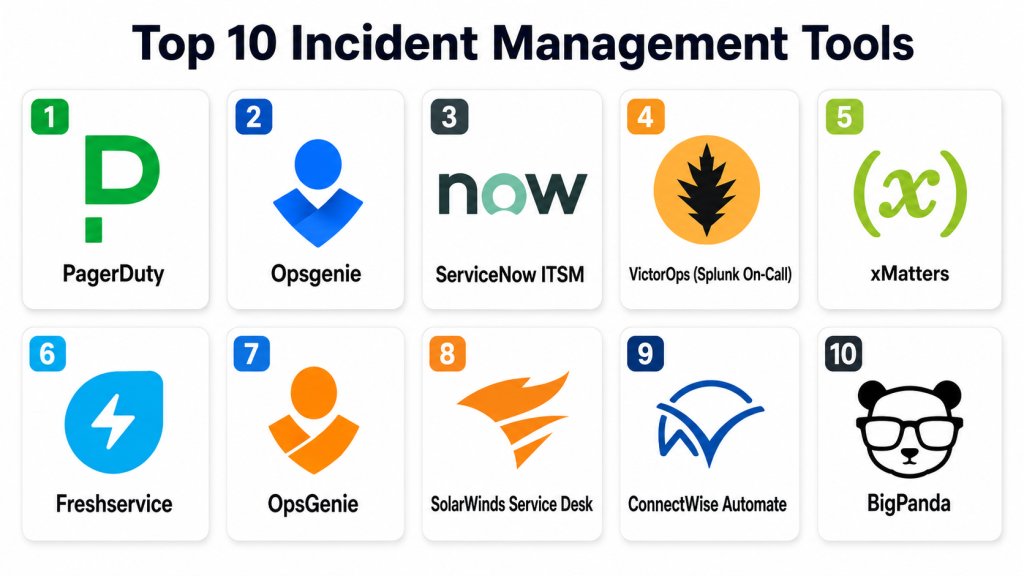
Top 10 Incident Management Tools
#1 — PagerDuty
Short description: PagerDuty automates incident response workflows and alerts for IT and DevOps teams, enabling rapid detection and resolution.
Key Features
- Real-time alerting and notifications.
- Automated escalation policies.
- On-call scheduling and rotation management.
- Incident timeline and activity tracking.
- Analytics and reporting dashboards.
- Integration with monitoring and collaboration tools.
- Multi-cloud environment support.
Pros
- Fast, automated incident response.
- Strong integrations across DevOps and ITSM tools.
- Scales well for enterprises.
Cons
- Can be expensive for small teams.
- Learning curve for configuration and policies.
- Advanced features require premium plans.
Platforms / Deployment
Web / iOS / Android
Cloud
Security & Compliance
Supports RBAC, MFA, encrypted communication. SOC 2 and ISO certifications available.
Integrations & Ecosystem
- Slack, Microsoft Teams
- AWS, Azure, GCP
- Datadog, New Relic
- Jira, ServiceNow
- CI/CD pipelines
Support & Community
Vendor support with documentation, community forums, and onboarding resources.
#2 — Opsgenie
Short description: Opsgenie provides incident alerting, on-call management, and response orchestration for IT and DevOps teams.
Key Features
- Alerting and notification routing.
- On-call scheduling and rotations.
- Escalation policies for critical incidents.
- Incident tracking and reporting.
- Integration with monitoring and ticketing systems.
- Mobile alerts and push notifications.
- Multi-team collaboration features.
Pros
- Flexible on-call and escalation configurations.
- Good mobile and real-time alerts.
- Integrates with multiple DevOps tools.
Cons
- Complexity in initial setup.
- Premium features require higher-tier plans.
- UI may require training for new users.
Platforms / Deployment
Web / iOS / Android
Cloud
Security & Compliance
RBAC, encryption, and audit logs supported. Enterprise certifications vary.
Integrations & Ecosystem
- Jira, ServiceNow, Zendesk
- Datadog, New Relic
- AWS, Azure, GCP
- Slack, Teams
- CI/CD pipelines
Support & Community
Vendor documentation and enterprise support available; community active.
#3 — ServiceNow ITSM
Short description: ServiceNow ITSM offers comprehensive incident management as part of its enterprise IT service management suite, suitable for large organizations.
Key Features
- Incident logging and prioritization.
- Automated escalation and workflows.
- SLA tracking and reporting.
- Integration with IT monitoring tools.
- Knowledge base and resolution recommendations.
- Analytics and dashboards.
- Mobile and collaboration support.
Pros
- Enterprise-grade ITSM integration.
- Automates complex workflows.
- Strong reporting and analytics.
Cons
- Expensive for smaller teams.
- Complex configuration.
- Steeper learning curve.
Platforms / Deployment
Web / iOS / Android
Cloud / On-premise
Security & Compliance
Supports RBAC, encryption, audit logs; enterprise certifications available.
Integrations & Ecosystem
- Slack, Teams
- Datadog, New Relic
- AWS, Azure
- CI/CD pipelines
- Jira
Support & Community
Enterprise support with documentation, training, and community forums.
#4 — VictorOps (Splunk On-Call)
Short description: VictorOps centralizes incident alerts and team collaboration for DevOps and IT operations, now part of Splunk On-Call.
Key Features
- Real-time alerting and notifications.
- On-call scheduling and rotations.
- Incident timeline and logging.
- Chat and collaboration features.
- Integration with monitoring and CI/CD.
- Escalation policies.
- Analytics and post-incident reports.
Pros
- Real-time collaboration improves response times.
- Strong integration with DevOps tools.
- Mobile-friendly alerts.
Cons
- Premium pricing for enterprise features.
- Initial setup may be complex.
- Limited offline capabilities.
Platforms / Deployment
Web / iOS / Android
Cloud
Security & Compliance
Encrypted communication, RBAC, audit logging. Enterprise certifications vary.
Integrations & Ecosystem
- Slack, Teams
- Datadog, New Relic
- Jira, ServiceNow
- AWS, Azure
- CI/CD pipelines
Support & Community
Vendor support with documentation and community forums.
#5 — xMatters
Short description: xMatters automates incident response and communications across teams for IT operations and DevOps.
Key Features
- Incident alerting and escalation.
- On-call management.
- Multi-channel notifications.
- Integration with monitoring and ticketing tools.
- Collaboration and workflow automation.
- Analytics and reporting.
- SLA tracking.
Pros
- Automates communication during incidents.
- Multi-channel notifications.
- Scalable for mid-market and enterprises.
Cons
- Learning curve for workflow setup.
- Premium plans may be costly.
- Limited for small-scale projects.
Platforms / Deployment
Web / iOS / Android
Cloud
Security & Compliance
RBAC, MFA, encrypted data; certifications vary.
Integrations & Ecosystem
- Jira, ServiceNow
- Slack, Teams
- AWS, Azure
- CI/CD pipelines
- Monitoring tools
Support & Community
Vendor documentation and professional support available.
#6 — Freshservice
Short description: Freshservice offers cloud-based IT service management including incident management for SMBs and mid-market companies.
Key Features
- Incident logging and tracking.
- SLA management.
- Automated alerts and notifications.
- Knowledge base integration.
- Multi-channel support (email, chat).
- Analytics dashboards.
- Workflow automation.
Pros
- Easy to set up and use.
- Affordable for SMBs.
- Integrates with multiple channels.
Cons
- Limited enterprise-grade features.
- Advanced automation may require higher tiers.
- Customization options limited.
Platforms / Deployment
Web / iOS / Android
Cloud
Security & Compliance
Supports RBAC, encryption, audit logs. Certifications vary.
Integrations & Ecosystem
- Slack, Teams
- Jira
- CI/CD pipelines
- Monitoring tools
- Email and chat
Support & Community
Vendor support and documentation available; active user community.
#7 — OpsGenie
Short description: OpsGenie is designed for alert management and incident response across IT and DevOps teams.
Key Features
- Alerting and notification routing.
- Escalation policies.
- On-call scheduling.
- Multi-channel communication.
- Analytics and reporting.
- CI/CD and monitoring integration.
- Mobile alerts.
Pros
- Reliable notifications and escalation.
- Integrates with multiple DevOps tools.
- Supports enterprise-scale operations.
Cons
- Requires configuration for complex workflows.
- Premium pricing for full feature set.
- Learning curve for new users.
Platforms / Deployment
Web / iOS / Android
Cloud
Security & Compliance
Encrypted communication, RBAC, audit logs. Certifications vary.
Integrations & Ecosystem
- Slack, Teams
- Jira, ServiceNow
- AWS, Azure, GCP
- CI/CD pipelines
- Monitoring tools
Support & Community
Vendor support, documentation, and active enterprise community.
#8 — SolarWinds Service Desk
Short description: SolarWinds Service Desk provides ITSM and incident management for SMB and mid-market IT operations.
Key Features
- Incident tracking and prioritization.
- SLA management.
- Knowledge base and self-service portals.
- Alerts and notifications.
- Analytics and dashboards.
- Workflow automation.
- Integration with monitoring tools.
Pros
- Affordable and easy to use.
- Supports SMB and mid-market teams.
- Workflow automation improves efficiency.
Cons
- Limited enterprise-grade features.
- Advanced customization may require higher plans.
- Integration complexity with some tools.
Platforms / Deployment
Web / iOS / Android
Cloud
Security & Compliance
Supports RBAC, encrypted storage, audit logs. Certifications vary.
Integrations & Ecosystem
- Slack, Teams
- Jira, GitHub
- Monitoring tools
- CI/CD pipelines
Support & Community
Vendor support and documentation available.
#9 — ConnectWise Automate
Short description: ConnectWise Automate offers incident management and IT automation for MSPs and enterprise IT teams.
Key Features
- Incident tracking and alerts.
- Automated remediation workflows.
- SLA monitoring.
- Integration with ITSM tools.
- Analytics and dashboards.
- Multi-platform support.
- Mobile alerts.
Pros
- Strong for managed services providers.
- Workflow automation reduces manual intervention.
- Scalable for enterprises.
Cons
- Setup complexity for new users.
- Premium pricing for advanced features.
- Requires training.
Platforms / Deployment
Web / iOS / Android
Cloud / On-premise
Security & Compliance
Supports encryption, RBAC, audit logs. Enterprise certifications vary.
Integrations & Ecosystem
- Jira, ServiceNow
- Slack, Teams
- Monitoring tools
- CI/CD pipelines
Support & Community
Vendor support with documentation; community moderate.
#10 — BigPanda
Short description: BigPanda consolidates alerts from monitoring tools and automates incident response for IT and DevOps teams.
Key Features
- Alert aggregation and correlation.
- Automated incident creation.
- Root cause analysis.
- Multi-cloud and hybrid support.
- On-call management.
- Dashboards and analytics.
- CI/CD and monitoring integrations.
Pros
- Reduces alert fatigue.
- Automates incident handling.
- Scalable for large environments.
Cons
- Premium pricing.
- Setup requires configuration and planning.
- Best for enterprises with complex monitoring stacks.
Platforms / Deployment
Web / iOS / Android
Cloud / Hybrid
Security & Compliance
Supports RBAC, MFA, encryption, and audit logs.
Integrations & Ecosystem
- Datadog, New Relic
- Slack, Teams
- AWS, Azure, GCP
- CI/CD pipelines
- Jira, ServiceNow
Support & Community
Vendor support and documentation available; professional community.
Comparison Table
| Tool Name | Best For | Platform(s) Supported | Deployment | Standout Feature | Public Rating |
|---|---|---|---|---|---|
| PagerDuty | Enterprise & SaaS | Web, iOS, Android | Cloud | Automated escalation & alerting | N/A |
| Opsgenie | IT & DevOps teams | Web, iOS, Android | Cloud | Flexible on-call and routing | N/A |
| ServiceNow ITSM | Enterprise IT | Web, iOS, Android | Cloud / On-premise | Enterprise-grade incident workflows | N/A |
| VictorOps | DevOps collaboration | Web, iOS, Android | Cloud | Real-time collaboration & alerting | N/A |
| xMatters | Enterprise IT & DevOps | Web, iOS, Android | Cloud | Multi-channel communication | N/A |
| Freshservice | SMB & mid-market | Web, iOS, Android | Cloud | Easy setup & automation | N/A |
| SolarWinds Service Desk | SMB & mid-market | Web, iOS, Android | Cloud | Affordable ITSM & incident tracking | N/A |
| ConnectWise Automate | MSPs & enterprises | Web, iOS, Android | Cloud / On-premise | Automated remediation workflows | N/A |
| BigPanda | Enterprise & large-scale IT | Web, iOS, Android | Cloud / Hybrid | Alert correlation & root cause | N/A |
| PagerDuty Express | Small teams | Web, iOS, Android | Cloud | Simplified alerting & escalation | N/A |
Evaluation & Scoring of Incident Management Tools
| Tool Name | Core (25%) | Ease (15%) | Integrations (15%) | Security (10%) | Performance (10%) | Support (10%) | Value (15%) | Weighted Total |
|---|---|---|---|---|---|---|---|---|
| PagerDuty | 10 | 8 | 9 | 9 | 9 | 8 | 8 | 8.80 |
| Opsgenie | 9 | 8 | 8 | 8 | 8 | 8 | 8 | 8.20 |
| ServiceNow ITSM | 10 | 7 | 9 | 9 | 9 | 8 | 7 | 8.25 |
| VictorOps | 9 | 8 | 8 | 8 | 8 | 8 | 8 | 8.10 |
| xMatters | 8 | 8 | 8 | 8 | 8 | 8 | 7 | 7.85 |
| Freshservice | 7 | 9 | 7 | 8 | 8 | 7 | 8 | 7.75 |
| SolarWinds Service Desk | 7 | 8 | 7 | 8 | 7 | 7 | 8 | 7.55 |
| ConnectWise Automate | 9 | 7 | 8 | 8 | 8 | 7 | 7 | 7.85 |
| BigPanda | 9 | 7 | 8 | 8 | 8 | 8 | 7 | 7.95 |
| PagerDuty Express | 8 | 9 | 7 | 7 | 7 | 7 | 8 | 7.75 |
These scores provide a comparative perspective to help teams shortlist tools based on functionality, integration, and scalability.
Which Incident Management Tool Is Right for You?
Solo / Freelancer
Freshservice, PagerDuty Express, and xMatters offer lightweight, easy-to-use solutions for small teams or independent DevOps practitioners.
SMB
Opsgenie, Freshservice, and SolarWinds Service Desk provide affordable automation, on-call scheduling, and multi-channel notifications.
Mid-Market
VictorOps, xMatters, and BigPanda deliver collaboration features, alert correlation, and analytics for medium-sized teams.
Enterprise
PagerDuty, ServiceNow ITSM, BigPanda, and ConnectWise Automate provide enterprise-grade automation, escalation policies, and multi-cloud support.
Budget vs Premium
Budget-conscious teams can use Freshservice, SolarWinds Service Desk, or PagerDuty Express. Premium tools provide advanced automation, analytics, and governance.
Feature Depth vs Ease of Use
Enterprise tools like ServiceNow ITSM and PagerDuty offer depth but require setup. SMB-friendly tools prioritize usability and quick deployment.
Integrations & Scalability
Ensure the tool integrates with monitoring platforms, CI/CD pipelines, collaboration tools, and scales with team and application complexity.
Security & Compliance Needs
Verify role-based access, audit logging, encryption, and compliance certifications to meet enterprise or regulated industry requirements.
Frequently Asked Questions
What is incident management?
Incident management is the process of detecting, responding to, and resolving IT or application issues to minimize downtime and maintain service quality.
Why do organizations need incident management tools?
These tools automate alerts, coordinate response, and provide analytics to improve uptime and reduce MTTR.
Can these tools integrate with CI/CD pipelines?
Yes. Most tools support integration to automatically trigger incidents based on deployment failures or anomalies.
Do they support multi-cloud environments?
Many enterprise-grade tools like PagerDuty, BigPanda, and ServiceNow support multi-cloud and hybrid environments.
Are mobile notifications available?
Yes. Mobile apps provide real-time alerts and on-call management for teams.
Can SMBs benefit from these tools?
Yes. Tools like Freshservice, SolarWinds Service Desk, and PagerDuty Express are affordable and easy to deploy for small teams.
Do these tools provide analytics?
Yes. Analytics dashboards track incident trends, resolution times, and SLA compliance.
How do AI features help?
AI helps with anomaly detection, alert prioritization, and predictive analysis to reduce downtime.
Can these tools automate remediation?
Some tools can trigger automated workflows or scripts to resolve known issues.
What should I consider when choosing a tool?
Team size, deployment complexity, integration needs, scalability, pricing, security, and compliance requirements.
Conclusion
Incident management tools are essential for modern IT operations and DevOps teams. SMBs can benefit from Freshservice, SolarWinds Service Desk, or PagerDuty Express for lightweight incident handling. Mid-market teams may prioritize collaboration and analytics with Opsgenie, VictorOps, or BigPanda. Enterprises require PagerDuty, ServiceNow ITSM, and ConnectWise Automate for advanced automation, multi-cloud support, and governance. Teams should shortlist two to three tools, evaluate integrations with monitoring and CI/CD pipelines, and validate security and compliance before full deployment to improve incident response and system reliability.
