Upgrade & Secure Your Future with DevOps, SRE, DevSecOps, MLOps!
We spend hours scrolling social media and waste money on things we forget, but won’t spend 30 minutes a day earning certifications that can change our lives.
Master in DevOps, SRE, DevSecOps & MLOps by DevOps School!
Learn from Guru Rajesh Kumar and double your salary in just one year.
Introduction
AI image generation tools help users create images from text prompts, reference images, sketches, brand ideas, or design instructions. In simple words, these tools turn written ideas into visuals such as social media graphics, product mockups, illustrations, concept art, ads, banners, thumbnails, and creative assets. They are useful for teams that need faster visual production without starting every design from scratch.
AI image generation matters in and beyond because marketing, design, ecommerce, gaming, education, and product teams need more visual content at higher speed. These tools can support brainstorming, campaign visuals, creative testing, personalized content, and rapid prototyping.
Common use cases include:
- Social media creatives and campaign images
- Product mockups and ecommerce visuals
- Blog banners and thumbnails
- Concept art and game assets
- Presentation and ad creatives
Buyers should evaluate:
- Image quality and prompt accuracy
- Commercial usage terms
- Brand consistency controls
- Editing and refinement features
- Text rendering quality
- API and integration options
- Privacy and data handling
- Team collaboration features
- Pricing and usage limits
- Export formats and resolution
Best for: marketers, designers, creators, agencies, ecommerce teams, SaaS teams, product teams, educators, game artists, content creators, and businesses that need frequent visual content.
Not ideal for: teams needing legally sensitive final artwork without review, brands with strict creative approval workflows, or users who need fully human-made art for originality, copyright, or compliance reasons.
Key Trends in AI Image Generation Tools
- AI image tools are moving from simple prompt-to-image generation to complete creative workflows.
- Brand consistency, style control, and reusable visual identity settings are becoming important for marketing teams.
- Tools are improving text rendering inside images, which matters for posters, ads, thumbnails, and banners.
- AI image editing features such as inpainting, outpainting, background replacement, and object editing are now expected.
- Commercial safety, content credentials, and usage rights are becoming major buying factors for enterprises.
- API-based image generation is growing for SaaS apps, ecommerce automation, and personalized content workflows.
- Real-time generation and live canvas editing are becoming more common for creative teams.
- Open-source and self-hosted options remain important for technical users who need control and customization.
- Multimodal workflows are expanding, where users combine text, image, video, sketches, and design templates.
- Pricing is increasingly based on credits, generations, resolution, model type, team seats, or API usage.
How We Selected These Tools
The tools in this list were selected using practical buyer-focused criteria:
- Recognition and adoption among creators, designers, developers, and businesses
- Strength of image generation quality and creative control
- Support for editing, refinement, and prompt-based workflows
- Suitability for marketing, design, product, and AI application use cases
- Availability of API, integrations, or workflow support
- Deployment flexibility, including cloud or self-hosted options where applicable
- Brand safety, commercial usage, and governance signals where clearly known
- Ease of use for non-technical users and creative teams
- Flexibility for advanced technical users and developers
- Practical value across solo, SMB, mid-market, and enterprise needs
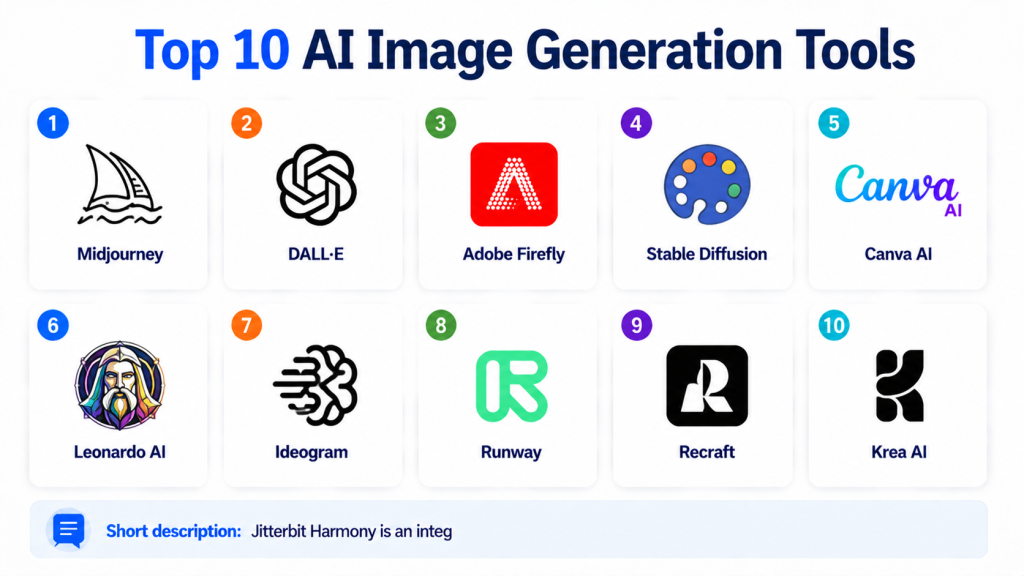
Top 10 AI Image Generation Tools
#1 — Midjourney
Short description: Midjourney is an AI image generation tool known for creating highly polished, artistic, and visually rich images from text prompts. It is widely used by designers, artists, marketers, storytellers, and creative teams that want strong visual style and composition. The platform is especially useful for concept art, editorial visuals, fantasy scenes, product inspiration, social media creatives, and mood boards. Midjourney is valued for its creative quality and ability to produce eye-catching results quickly. It works well for users who enjoy prompt crafting and visual exploration. It is less focused on enterprise workflow management than some design platforms. Midjourney is a strong choice when artistic output matters more than structured business controls.
Key Features
- Text-to-image generation
- Strong artistic style control
- High-quality visual composition
- Image variation and refinement options
- Reference image support
- Community-driven creative workflows
- Useful for concept and campaign ideation
Pros
- Excellent visual quality for creative work
- Strong for artistic, editorial, and concept visuals
- Good for fast creative exploration
Cons
- May require prompt practice for consistent results
- Enterprise governance features may be limited
- Not always ideal for precise brand-template workflows
Platforms / Deployment
Web / Cloud
Security & Compliance
Not publicly stated. Enterprise security and compliance details should be verified directly with the vendor.
Integrations & Ecosystem
Midjourney works mainly as a creative generation platform rather than a traditional enterprise integration tool.
- Web-based creative workflow
- Image reference workflows
- Community prompt exploration
- Design export workflows
- Creative ideation pipelines
- Manual design tool handoff
Support & Community
Midjourney has a strong creator community, learning resources, and active prompt-sharing culture. Formal enterprise support details may vary.
#2 — DALL·E
Short description: DALL·E is an AI image generation system used for creating images from natural language prompts. It is useful for creators, marketers, educators, product teams, developers, and general business users who want a simple way to generate visuals. The tool is strong for prompt understanding and can produce images across many styles and use cases. It is commonly used for blog visuals, concept mockups, illustrations, brainstorming, and AI-assisted creative work. DALL·E can fit into broader AI workflows where text and image generation are used together. It is practical for users who want easy interaction rather than complex setup. It is a strong option for general-purpose AI image creation.
Key Features
- Text-to-image generation
- Natural language prompt handling
- Image editing and variation capabilities
- Broad visual style support
- Useful for creative brainstorming
- API-based usage may be available depending on implementation
- Works well in multimodal AI workflows
Pros
- Easy to use for non-technical users
- Good prompt understanding
- Useful for many general creative use cases
Cons
- Advanced control may be less detailed than specialist tools
- Commercial terms should be reviewed for business use
- Output consistency can vary by prompt and style
Platforms / Deployment
Web / Cloud / API-based workflows
Security & Compliance
Security and compliance depend on the product or platform used to access it. Specific certifications should be verified directly with the provider.
Integrations & Ecosystem
DALL·E can support creative and developer workflows depending on access method.
- AI assistants
- API-based applications
- Content workflows
- Marketing workflows
- Education use cases
- Product ideation pipelines
Support & Community
Documentation, product support, and community resources vary by access method and platform.
#3 — Adobe Firefly
Short description: Adobe Firefly is an AI image generation and creative AI platform built for designers, marketers, agencies, and enterprise creative teams. It focuses on generating images, editing visuals, creating design variations, and supporting commercial creative workflows. Firefly is especially useful for teams already using Adobe Creative Cloud tools. It can help with social media assets, marketing visuals, background generation, image edits, and creative concept development. The platform is designed to fit into professional design workflows rather than only standalone image generation. It is relevant for businesses that care about brand safety, creative review, and production design. Adobe Firefly is a strong option for commercial creative teams.
Key Features
- Text-to-image generation
- Generative fill and image editing
- Background generation and replacement
- Creative style controls
- Integration with Adobe design tools
- Brand and creative workflow support
- Content transparency features may be available
Pros
- Strong fit for professional design workflows
- Useful for Adobe Creative Cloud users
- Good for marketing and brand teams
Cons
- Best value comes inside Adobe ecosystem
- Usage may depend on credits or plan limits
- Advanced creative control still needs designer review
Platforms / Deployment
Web / Cloud / Adobe application integrations
Security & Compliance
Enterprise controls may be available through Adobe business plans. Specific compliance details should be verified directly with Adobe.
Integrations & Ecosystem
Adobe Firefly fits naturally into design and creative production workflows.
- Photoshop
- Illustrator
- Adobe Express
- Creative Cloud workflows
- Marketing design processes
- Brand asset workflows
Support & Community
Strong documentation, Adobe learning resources, enterprise support options, and a large creative professional community.
#4 — Stable Diffusion
Short description: Stable Diffusion is a widely used AI image generation model ecosystem known for flexibility, customization, and self-hosted possibilities. It is useful for developers, artists, researchers, AI teams, and businesses that want more control over image generation workflows. Stable Diffusion can be used through many interfaces, apps, APIs, and local deployments. It supports custom models, fine-tuning, LoRA workflows, image-to-image generation, inpainting, and advanced creative control. It is especially valuable for technical users who want to build custom pipelines or control infrastructure. It can be cost-effective but requires more skill than simple web-based tools. Stable Diffusion is a strong choice for open and customizable image generation.
Key Features
- Text-to-image generation
- Image-to-image workflows
- Inpainting and outpainting support
- Custom model and fine-tuning options
- Local and self-hosted deployment options
- Large open model ecosystem
- Advanced workflow customization
Pros
- Highly flexible and customizable
- Good for technical users and developers
- Can support private or self-hosted workflows
Cons
- Requires technical setup for advanced use
- Output quality depends on model and configuration
- Governance and safety depend on implementation
Platforms / Deployment
Windows / macOS / Linux / Cloud / Self-hosted / Hybrid
Security & Compliance
Not publicly stated for open model usage. Security depends on deployment environment, access controls, model source, and infrastructure configuration.
Integrations & Ecosystem
Stable Diffusion has a broad ecosystem of tools and workflows.
- Local interfaces
- Python workflows
- APIs
- Custom model training
- Creative pipelines
- Developer applications
Support & Community
Large open-source community, many tutorials, active model ecosystem, and third-party commercial support options.
#5 — Canva AI
Short description: Canva AI image generation is part of Canva’s broader design platform for creating social media graphics, presentations, posters, ads, banners, and brand assets. It is useful for marketers, small businesses, educators, creators, and non-designers who want AI visuals inside an easy drag-and-drop workspace. Canva is especially practical when image generation is only one part of a larger design workflow. Users can generate visuals, edit layouts, add text, use templates, and collaborate with teams. It is less technical than developer-first AI image tools. Canva AI is a strong choice for users who need quick, polished, template-based content rather than deep model control.
Key Features
- AI image generation inside design workflows
- Drag-and-drop editor
- Templates for marketing and social content
- Brand kit and team collaboration options
- Text, graphics, and layout editing
- Export options for different content formats
- Useful for non-designers and business teams
Pros
- Very easy to use
- Strong for marketing and social content
- Good collaboration and template workflow
Cons
- Less control than advanced AI art tools
- Not ideal for custom model training
- Output quality depends on prompt and design editing
Platforms / Deployment
Web / iOS / Android / Cloud
Security & Compliance
Enterprise and team security features may vary by plan. Specific compliance details should be verified directly with the vendor.
Integrations & Ecosystem
Canva works well in content and marketing workflows.
- Social media publishing workflows
- Brand kits
- Presentation design
- Marketing templates
- Team collaboration
- Content export workflows
Support & Community
Strong help resources, templates, tutorials, business support options, and a large creator community.
#6 — Leonardo AI
Short description: Leonardo AI is an AI image generation platform used by creators, designers, game artists, marketers, and product teams. It is known for creative asset generation, style control, image refinement, and workflows useful for gaming, concept art, and marketing visuals. The platform supports prompt-based generation, image editing, and asset creation workflows. It is practical for users who want more creative control than basic generators but do not want to fully manage open-source infrastructure. Leonardo AI can be useful for game assets, product concepts, character ideas, and branded creative experiments. It fits both individual creators and teams. It is a strong option for visual asset production.
Key Features
- Text-to-image generation
- Creative asset generation
- Image editing and refinement
- Style and model options
- Useful for game and product visuals
- Team and workflow features may be available
- API or integration options may vary
Pros
- Strong for creative and game asset workflows
- Good balance of usability and control
- Useful for visual experimentation
Cons
- Advanced use may require learning the workflow
- Usage limits may apply depending on plan
- Enterprise governance details may vary
Platforms / Deployment
Web / Cloud
Security & Compliance
Security and compliance details are not publicly stated here. Enterprise buyers should verify directly with the vendor.
Integrations & Ecosystem
Leonardo AI supports creative production and asset workflows.
- Design workflows
- Game asset ideation
- Product mockups
- Creative campaigns
- Image editing workflows
- Team creative pipelines
Support & Community
Provides learning resources, product support, and a growing creator community.
#7 — Ideogram
Short description: Ideogram is an AI image generation platform known for handling text inside images better than many general-purpose image tools. It is useful for creators, marketers, designers, and small businesses that need posters, logos, social posts, thumbnails, product graphics, and text-heavy visuals. Ideogram helps users generate images where words, typography, and layout matter. It is especially practical for campaign concepts, quote graphics, simple branding ideas, and promotional visuals. The platform is easy to use and focused on visual creativity. It may not provide the same deep technical control as open-source workflows. Ideogram is a strong choice when text accuracy in images is important.
Key Features
- Text-to-image generation
- Strong text rendering focus
- Style and layout controls
- Image remix and variation workflows
- Useful for posters and social graphics
- Web-based creative workflow
- Fast creative ideation
Pros
- Strong for text-heavy image generation
- Easy for creators and marketers
- Good for posters, thumbnails, and branding concepts
Cons
- May be less flexible than self-hosted tools
- Advanced brand governance may be limited
- Output still needs human review for final use
Platforms / Deployment
Web / Cloud
Security & Compliance
Not publicly stated. Enterprise security and compliance details should be verified with the vendor.
Integrations & Ecosystem
Ideogram works well in lightweight creative workflows.
- Social media design
- Poster creation
- Thumbnail concepts
- Brand idea generation
- Marketing visuals
- Manual design handoff
Support & Community
Offers product resources and creator community support. Enterprise support details may vary.
#8 — Runway
Short description: Runway is a creative AI platform that supports image generation, video generation, editing, and visual storytelling workflows. It is useful for creators, filmmakers, marketers, agencies, designers, and media teams. While Runway is often associated with AI video, it also supports image and creative generation workflows. The platform is practical for teams building visual campaigns, storyboards, social content, and multimedia assets. It combines generative AI with editing tools, making it suitable for creative production rather than only static image creation. Runway is a strong option for teams that want image and video AI in one creative environment. It is especially useful for content teams working across multiple formats.
Key Features
- AI image and video generation workflows
- Creative editing tools
- Text-to-image and visual generation features
- Storyboard and concept development support
- Background and object editing capabilities
- Collaboration features may be available
- Useful for multimedia production
Pros
- Strong for creative teams working with video and images
- Useful for campaign and storytelling workflows
- Good fit for modern media production
Cons
- May be more than needed for simple image generation
- Usage costs may increase with video workflows
- Advanced controls require creative testing
Platforms / Deployment
Web / Cloud
Security & Compliance
Security and compliance details may vary by plan and enterprise arrangement. Specific details should be verified directly with the vendor.
Integrations & Ecosystem
Runway fits into creative and media workflows.
- Video production
- Social media content
- Creative campaigns
- Storyboarding
- Editing workflows
- Agency production pipelines
Support & Community
Provides learning resources, product documentation, creative examples, and community support.
#9 — Recraft
Short description: Recraft is an AI design and image generation platform focused on creating polished graphics, illustrations, icons, vector-style visuals, and brand-friendly assets. It is useful for designers, marketers, product teams, and businesses that need consistent design outputs. Recraft is especially relevant when users need graphics with clean layouts, reusable styles, and visual identity control. It supports creative workflows beyond simple art generation, including design-oriented outputs. The platform can be helpful for brand assets, social posts, product visuals, and interface-related graphics. It is a strong option for teams that need design consistency. Recraft is practical for business visual production rather than only artistic experimentation.
Key Features
- AI image and graphic generation
- Vector-style and illustration support
- Brand-friendly design workflows
- Style consistency controls
- Image editing and refinement features
- Useful for icons and product visuals
- Design-oriented creative interface
Pros
- Strong for design assets and graphics
- Useful for brand-consistent visuals
- Good for product and marketing teams
Cons
- May not fit all artistic image styles
- Enterprise security details may vary
- Advanced workflows may need design judgment
Platforms / Deployment
Web / Cloud
Security & Compliance
Not publicly stated. Enterprise buyers should verify security and compliance details directly with the vendor.
Integrations & Ecosystem
Recraft fits into design and brand production workflows.
- Brand asset creation
- Marketing graphics
- Product illustrations
- Icon workflows
- Social visuals
- Design handoff processes
Support & Community
Provides product resources and support channels. Community strength is growing among designers and AI creative users.
#10 — Krea AI
Short description: Krea AI is an AI creative platform focused on image generation, real-time visual creation, enhancement, and design experimentation. It is useful for designers, artists, creators, and product teams that want fast visual iteration. Krea supports prompt-based generation and creative refinement workflows. It is especially useful when users want to explore ideas quickly and adjust visual direction in a more interactive way. The platform can support marketing concepts, product visuals, mood boards, and creative drafts. It is less enterprise-heavy than some business platforms but strong for creative exploration. Krea AI is a good option for users who value speed, experimentation, and real-time visual feedback.
Key Features
- AI image generation
- Real-time creative workflows
- Image enhancement and refinement
- Style exploration
- Visual concept development
- Web-based interface
- Useful for fast design iteration
Pros
- Good for quick creative exploration
- Useful for designers and visual creators
- Strong real-time workflow appeal
Cons
- Enterprise governance details may be limited
- May require experimentation for consistent results
- Not ideal for highly regulated creative workflows
Platforms / Deployment
Web / Cloud
Security & Compliance
Not publicly stated. Security and compliance details should be verified directly with the vendor.
Integrations & Ecosystem
Krea AI fits into fast creative and design workflows.
- Mood board creation
- Design concepting
- Product visuals
- Marketing drafts
- Image refinement workflows
- Creative review processes
Support & Community
Provides product resources and creator-focused support. Community adoption is strongest among designers and AI creative users.
Comparison Table
| Tool Name | Best For | Platform(s) Supported | Deployment | Standout Feature | Public Rating |
|---|---|---|---|---|---|
| Midjourney | Artistic and editorial visuals | Web | Cloud | High-quality artistic output | N/A |
| DALL·E | General-purpose AI image creation | Web / API-based workflows | Cloud | Strong natural language image generation | N/A |
| Adobe Firefly | Professional design and brand workflows | Web / Adobe apps | Cloud | Creative Cloud integration | N/A |
| Stable Diffusion | Custom and self-hosted image generation | Windows / macOS / Linux | Cloud / Self-hosted / Hybrid | Flexible open model ecosystem | N/A |
| Canva AI | Marketing and social content design | Web / iOS / Android | Cloud | AI generation inside templates | N/A |
| Leonardo AI | Game assets and creative production | Web | Cloud | Creative asset generation | N/A |
| Ideogram | Text-heavy visuals and posters | Web | Cloud | Strong text rendering focus | N/A |
| Runway | Multimedia creative production | Web | Cloud | Image and video AI workflows | N/A |
| Recraft | Brand graphics and design assets | Web | Cloud | Vector-style and consistent graphics | N/A |
| Krea AI | Fast creative experimentation | Web | Cloud | Real-time visual generation workflow | N/A |
Evaluation & Scoring of AI Image Generation Tools
| Tool Name | Core (25%) | Ease (15%) | Integrations (15%) | Security (10%) | Performance (10%) | Support (10%) | Value (15%) | Weighted Total (0–10) |
|---|---|---|---|---|---|---|---|---|
| Midjourney | 9 | 8 | 6 | 6 | 9 | 7 | 8 | 7.85 |
| DALL·E | 9 | 9 | 8 | 8 | 8 | 8 | 8 | 8.40 |
| Adobe Firefly | 9 | 9 | 9 | 8 | 8 | 9 | 8 | 8.60 |
| Stable Diffusion | 9 | 6 | 9 | 6 | 8 | 8 | 9 | 7.95 |
| Canva AI | 8 | 10 | 8 | 7 | 8 | 8 | 9 | 8.35 |
| Leonardo AI | 8 | 8 | 7 | 6 | 8 | 7 | 8 | 7.55 |
| Ideogram | 8 | 9 | 6 | 6 | 8 | 7 | 8 | 7.55 |
| Runway | 8 | 8 | 8 | 7 | 8 | 8 | 7 | 7.75 |
| Recraft | 8 | 8 | 7 | 6 | 8 | 7 | 8 | 7.55 |
| Krea AI | 7 | 8 | 6 | 6 | 8 | 7 | 8 | 7.20 |
These scores are comparative and should be used as a practical guide, not a universal ranking. Tools with higher creative quality may not always offer the strongest governance or integrations. Design-focused tools are often easier for business teams, while open and self-hosted tools provide more technical control. The best option depends on your content type, brand needs, legal review process, budget, and workflow maturity.
Which AI Image Generation Tool Is Right for You?
Solo / Freelancer
Solo users should choose tools based on ease, budget, and creative style. Midjourney, DALL·E, Canva AI, Ideogram, Leonardo AI, and Krea AI are practical choices for creators, freelancers, and small design projects. Canva AI is especially useful if the final output needs layout, text, and publishing formats.
If you are technically skilled and want more control, Stable Diffusion is a strong choice. It allows deeper customization, but it also requires more setup and learning.
SMB
SMBs usually need speed, usability, and brand-friendly workflows. Canva AI, Adobe Firefly, DALL·E, Recraft, and Ideogram are good options for marketing visuals, social posts, blog graphics, ads, and internal content.
For SMBs building visual-heavy products or games, Leonardo AI and Stable Diffusion can be useful. Teams should review commercial usage terms and create a simple approval process before publishing AI-generated visuals.
Mid-Market
Mid-market companies often need collaboration, brand consistency, creative review, and repeatable asset production. Adobe Firefly, Canva AI, DALL·E, Runway, Recraft, and Midjourney are strong candidates depending on the creative workflow.
At this stage, teams should evaluate asset ownership, brand controls, content review, user permissions, export quality, and workflow integration with design and marketing tools.
Enterprise
Enterprises should prioritize governance, commercial usage terms, security controls, access management, auditability, and brand safety. Adobe Firefly, Canva AI enterprise plans, DALL·E through enterprise-ready access, and self-hosted Stable Diffusion workflows may be considered depending on internal policy.
Large organizations should involve legal, security, marketing, brand, and compliance teams. AI image tools can create strong productivity gains, but enterprise usage needs clear rules around prompts, uploads, outputs, approvals, and public use.
Budget vs Premium
Budget-conscious users may prefer Canva AI, open-source Stable Diffusion workflows, or lower-cost creator platforms depending on usage needs. However, free or low-cost tools may have limits on resolution, credits, commercial terms, or privacy controls.
Premium tools can provide better image quality, creative workflow features, support, team controls, and brand-ready outputs. The premium choice is often worth it when visual content directly affects customer perception or revenue.
Feature Depth vs Ease of Use
Canva AI and DALL·E are easier for general users. Midjourney provides strong artistic results but may require prompt practice. Adobe Firefly is strong for professional design workflows. Stable Diffusion gives the deepest control but requires technical comfort.
Ideogram is practical for text-heavy visuals. Runway is better for teams working across image and video. Recraft is strong for brand graphics, while Krea AI is useful for fast experimentation.
Integrations & Scalability
Integration matters when teams generate visuals regularly. Buyers should check whether the tool works with design apps, marketing platforms, content workflows, APIs, asset libraries, and team review processes.
For scalable production, teams should evaluate generation speed, credit limits, batch workflows, brand presets, file export options, and collaboration controls.
Security & Compliance Needs
Security-sensitive teams should check SSO, MFA, role-based access, data retention, prompt privacy, uploaded image handling, audit logs, and commercial usage terms. They should also check whether uploaded brand assets or customer images are used for model training.
For regulated industries, AI-generated images should go through human review before publication. Teams should create policies for brand safety, copyright risk, privacy, and disclosure where needed.
Frequently Asked Questions
1. What is an AI image generation tool?
An AI image generation tool creates images from text prompts, reference images, sketches, or design instructions. It can help users create illustrations, ads, social media graphics, concept art, and product visuals.
2. How are AI image generation tools priced?
Pricing varies by platform. Many tools use subscriptions, generation credits, API usage, team seats, or premium model access. Some self-hosted options may reduce license cost but require infrastructure and technical setup.
3. How long does onboarding take?
Simple tools can be used within minutes. Enterprise onboarding may take longer because teams need brand rules, user permissions, legal review, security checks, content approval workflows, and training.
4. What are common mistakes when using AI image tools?
Common mistakes include using vague prompts, skipping human review, ignoring brand consistency, publishing images with poor text, not checking usage rights, and uploading sensitive assets without reviewing privacy terms.
5. Can AI image tools create text inside images?
Some tools handle text better than others. Ideogram is known for text-heavy visuals, while design platforms like Canva and Adobe tools may help refine text after image generation. Human review is still important.
6. Are AI-generated images safe for commercial use?
Commercial use depends on the platform’s terms, the prompt, the source materials, and the final output. Teams should review vendor terms and use human approval before using images in campaigns or products.
7. Can these tools maintain brand consistency?
Some tools support style references, brand kits, templates, or reusable visual settings. Canva AI, Adobe Firefly, Recraft, and some advanced workflows can help, but brand teams should still review final assets.
8. What security features should buyers check?
Buyers should check SSO, MFA, RBAC, data retention, prompt privacy, file upload handling, audit logs, and whether customer data is used for training. Enterprise teams should include legal and security review.
9. Are open-source image generation tools better?
Open-source tools like Stable Diffusion are better for control, customization, and self-hosting. Managed tools are usually easier for non-technical users and teams that need faster creative workflows.
10. What integrations matter most?
Important integrations include design tools, content management systems, marketing platforms, asset libraries, APIs, cloud storage, and collaboration workflows. The right integrations depend on how often your team creates visual content.
Conclusion
AI image generation tools are now practical creative systems for marketers, designers, developers, creators, and businesses that need visual content quickly. The best tool depends on your goals, not only image quality. Midjourney is strong for artistic visuals, DALL·E is useful for general-purpose generation, Adobe Firefly fits professional design workflows, and Stable Diffusion offers deep customization. Canva AI is excellent for business-friendly content creation, while Leonardo AI, Ideogram, Runway, Recraft, and Krea AI serve more specialized creative needs.
