Upgrade & Secure Your Future with DevOps, SRE, DevSecOps, MLOps!
We spend hours scrolling social media and waste money on things we forget, but won’t spend 30 minutes a day earning certifications that can change our lives.
Master in DevOps, SRE, DevSecOps & MLOps by DevOps School!
Learn from Guru Rajesh Kumar and double your salary in just one year.
Introduction
Industrial Automation SCADA (Supervisory Control and Data Acquisition) systems are software platforms used to monitor, control, and automate industrial processes. These toolkits provide real-time data collection, process visualization, and remote control capabilities for critical infrastructure, manufacturing plants, energy grids, and production lines. By simulating, monitoring, and controlling operations digitally, SCADA systems improve efficiency, reduce downtime, and enhance safety.
In , SCADA systems have become increasingly relevant due to the integration of AI, IoT sensors, cloud-based monitoring, and cybersecurity requirements. Modern platforms offer predictive analytics, edge computing support, and interoperability across devices, making them essential for businesses seeking operational excellence.
Real-world use cases:
- Monitoring and controlling manufacturing assembly lines in real-time.
- Supervising water treatment plants and distribution networks.
- Managing electrical grids and energy production facilities.
- Automating process controls in chemical, pharmaceutical, and food industries.
- Remote diagnostics and predictive maintenance using sensor data.
Evaluation criteria buyers should consider:
- Real-time monitoring and alerts
- Ease of HMI (Human-Machine Interface) configuration
- Scalability across multiple sites
- Integration with IoT devices and sensors
- Security and compliance (ISO 27001, SOC 2)
- Cloud vs on-premises deployment
- Vendor support and training resources
- Historical data analytics and reporting
- AI-driven process optimization
- Cost and licensing flexibility
Best for: Industrial engineers, process control teams, utility companies, manufacturing firms, and large-scale operations. Suitable for SMBs to large enterprises.
Not ideal for: Small workshops with minimal automation needs, or teams requiring only basic monitoring dashboards without complex process control.
Key Trends in Industrial Automation SCADA Systems Toolkits
- AI-powered predictive maintenance and anomaly detection.
- Cloud-based SCADA platforms enabling remote monitoring and collaboration.
- Edge computing integration to reduce latency and support real-time analytics.
- Enhanced cybersecurity, including encryption, SSO, and RBAC.
- Interoperability with modern IoT sensors and industrial protocols.
- Modular HMI dashboards for customizable visualizations.
- Hybrid deployment models (on-premises + cloud) for flexibility.
- Subscription-based licensing alongside perpetual licenses.
- Integration with ERP, MES, and other enterprise systems.
- Support for digital twin technology for virtual process modeling.
How We Selected These Tools (Methodology)
- Market adoption and industrial mindshare.
- Completeness of automation and monitoring features.
- Reliability and uptime performance signals.
- Security posture and compliance certifications.
- Integration capabilities with IoT devices and enterprise systems.
- Support for multiple deployment models (cloud, on-premises, hybrid).
- Quality of documentation, onboarding, and community engagement.
- Scalability for SMBs to large enterprises.
- AI and predictive analytics support.
- User feedback, testimonials, and use-case relevance.
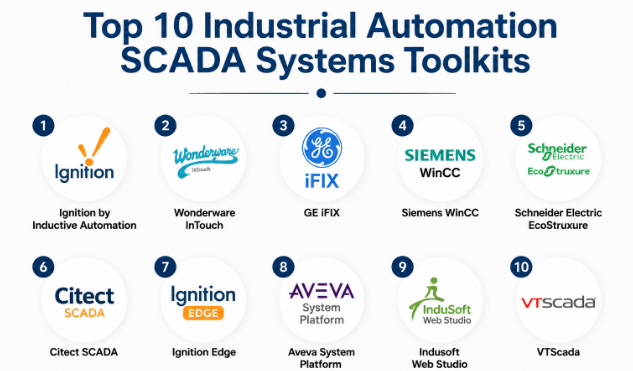
Top 10 Industrial Automation SCADA Systems Toolkits
#1 — Ignition by Inductive Automation
Short description: Ignition is a versatile SCADA platform offering real-time monitoring, reporting, and industrial automation solutions. It supports unlimited tags, web-based visualization, and integration with numerous PLCs, making it ideal for manufacturing and utilities.
Key Features
- Unlimited tag and client licensing
- Web-based HMI and dashboards
- SQL database integration for historical data
- Modular architecture with add-ons
- Cross-platform support (Windows, Linux, macOS)
- API support for custom extensions
Pros
- Highly scalable for large deployments
- Flexible licensing model
- Strong integration capabilities
Cons
- Learning curve for new users
- Initial configuration requires expertise
- Some advanced modules are add-on cost
Platforms / Deployment
- Windows / Linux / macOS
- Cloud / Self-hosted / Hybrid
Security & Compliance
- SSO/SAML, encryption, RBAC
- Not publicly stated for certifications
Integrations & Ecosystem
Supports integration with SQL databases, ERP systems, and IoT devices.
- Modbus, OPC UA, BACnet protocols
- Python scripting for automation
- REST API for web services
- MQTT support for IoT integration
Support & Community
- Comprehensive documentation and tutorials
- Online community and forums
- Professional support tiers available
#2 — Wonderware InTouch
Short description: Wonderware InTouch provides robust HMI and SCADA capabilities for industrial automation, focusing on intuitive visualization, real-time data monitoring, and easy connectivity with PLCs.
Key Features
- Drag-and-drop HMI design
- Real-time data visualization
- Alarming and event management
- Historical data logging
- Extensive PLC connectivity
- Remote monitoring capabilities
Pros
- User-friendly interface
- Strong market adoption
- Extensive device support
Cons
- Licensing cost can be high
- Advanced analytics may require add-ons
- Complex for small deployments
Platforms / Deployment
- Windows
- Self-hosted / Hybrid
Security & Compliance
- Not publicly stated
Integrations & Ecosystem
Integrates with ERP, MES, and third-party analytics platforms.
- OPC DA/UA
- Modbus
- SQL database connectivity
Support & Community
- Vendor-provided support
- Online knowledge base
- Community forums
#3 — GE iFIX
Short description: GE iFIX is a SCADA platform designed for process industries, offering real-time visualization, analytics, and industrial automation tools. Suitable for manufacturing, utilities, and energy sectors.
Key Features
- Real-time visualization and reporting
- Alarm management
- Historian and trending tools
- Integration with PLCs and sensors
- Remote web access
- Security management features
Pros
- Enterprise-grade stability
- Strong analytics capabilities
- Flexible integration options
Cons
- Complex initial setup
- Windows-only platform
- Higher cost for small deployments
Platforms / Deployment
- Windows
- Self-hosted / Hybrid
Security & Compliance
- Not publicly stated
Integrations & Ecosystem
- OPC connectivity
- ERP and MES integration
- SQL database support
Support & Community
- Vendor documentation and training
- Support tiers available
- Community forums
#4 — Siemens WinCC
Short description: Siemens WinCC offers industrial automation monitoring, visualization, and process control, ideal for manufacturing, utilities, and large-scale industrial operations.
Key Features
- Centralized SCADA control
- Process visualization and reporting
- Alarm and event management
- Multi-site deployment
- Redundant server support
- Historical data logging
Pros
- High reliability for critical processes
- Enterprise-grade scalability
- Strong industrial reputation
Cons
- Steep learning curve
- Proprietary platform
- Licensing complexity
Platforms / Deployment
- Windows
- Self-hosted / Hybrid
Security & Compliance
- Not publicly stated
Integrations & Ecosystem
- PLC connectivity via Siemens protocols
- OPC and database support
- Integration with MES and ERP
Support & Community
- Comprehensive vendor support
- Industrial forums and training resources
#5 — Schneider Electric EcoStruxure
Short description: EcoStruxure SCADA by Schneider Electric is a modern automation and monitoring platform with cloud and edge capabilities. It enables real-time control, analytics, and predictive maintenance for industrial environments.
Key Features
- Cloud and edge-enabled SCADA
- Real-time monitoring dashboards
- Predictive maintenance analytics
- Alarm and event management
- Multi-site deployment
- IoT device integration
Pros
- Cloud-ready platform
- Strong industrial IoT integration
- Predictive analytics support
Cons
- Licensing may be expensive
- Requires training for full utilization
- Enterprise-focused
Platforms / Deployment
- Windows / Linux
- Cloud / Self-hosted / Hybrid
Security & Compliance
- SSO, encryption, RBAC
- Not publicly stated
Integrations & Ecosystem
- OPC UA/DA protocols
- ERP and MES systems
- IoT sensors and devices
Support & Community
- Vendor support packages
- Documentation and training
- Industrial community resources
#6 — Citect SCADA
Short description: Citect SCADA provides real-time visualization, process control, and industrial monitoring solutions. It is widely used in manufacturing and process industries for high-reliability operations.
Key Features
- High-speed data acquisition
- Real-time visualization
- Alarm and event handling
- Historical data logging
- Redundancy and failover support
Pros
- Reliable for critical industrial processes
- Scalable for large operations
- Strong PLC integration
Cons
- Windows-only deployment
- Limited cloud-native features
- Licensing complexity
Platforms / Deployment
- Windows
- Self-hosted / Hybrid
Security & Compliance
- Not publicly stated
Integrations & Ecosystem
- OPC connectivity
- MES/ERP integration
- Vendor-specific PLC protocols
Support & Community
- Vendor support available
- Training and documentation
- Industrial user community
#7 — Ignition Edge
Short description: Ignition Edge is a lightweight SCADA and industrial automation gateway designed for edge computing environments. Ideal for remote monitoring and IIoT integrations.
Key Features
- Edge device connectivity
- Data aggregation and preprocessing
- Lightweight HMI dashboards
- MQTT and OPC UA support
- Remote monitoring capabilities
Pros
- Efficient for edge deployment
- IoT-friendly
- Cost-effective for small sites
Cons
- Limited advanced analytics
- Requires Ignition platform for full features
- Learning curve for edge deployment
Platforms / Deployment
- Windows / Linux / macOS
- Edge / Self-hosted / Cloud
Security & Compliance
- Not publicly stated
Integrations & Ecosystem
- MQTT and OPC UA
- Cloud and enterprise SCADA
- IoT sensors and devices
Support & Community
- Documentation and community
- Vendor support tiers
- Tutorials for edge deployment
#8 — Aveva System Platform
Short description: Aveva System Platform provides SCADA and industrial automation capabilities with real-time control, process visualization, and analytics. Suited for utilities and large manufacturing facilities.
Key Features
- Centralized control and monitoring
- Real-time dashboards and alarms
- Historian and reporting tools
- Multi-site deployment
- Redundancy and failover
Pros
- Enterprise-grade reliability
- Strong integration with MES/ERP
- Scalable for large industrial sites
Cons
- Costly licensing
- Complex setup and configuration
- Windows-only platform
Platforms / Deployment
- Windows
- Self-hosted / Hybrid
Security & Compliance
- Not publicly stated
Integrations & Ecosystem
- OPC UA/DA
- ERP and MES integration
- Industrial device connectivity
Support & Community
- Vendor support packages
- Training and documentation
- Community forums
#9 — Indusoft Web Studio
Short description: Indusoft Web Studio is a SCADA platform with web-based visualization, real-time data monitoring, and industrial automation capabilities suitable for manufacturing and process industries.
Key Features
- Web-based HMI and dashboards
- Real-time monitoring and alarms
- Historian and data logging
- Redundant server support
- PLC and sensor integration
Pros
- Web-enabled platform
- Scalable and reliable
- Multi-device access
Cons
- Windows-only deployment
- Licensing complexity
- Limited cloud-native features
Platforms / Deployment
- Windows
- Self-hosted / Hybrid
Security & Compliance
- Not publicly stated
Integrations & Ecosystem
- OPC and PLC protocols
- ERP and MES integration
- Web HMI support
Support & Community
- Vendor documentation
- Support tiers available
- Community resources
#10 — VTScada
Short description: VTScada is a SCADA system offering real-time monitoring, process control, and visualization. It supports multi-site industrial environments and is optimized for critical infrastructure management.
Key Features
- Centralized real-time dashboards
- Alarm and event management
- Historical data and reporting
- Redundancy and failover support
- PLC and sensor integration
Pros
- Easy-to-use interface
- Suitable for utilities and manufacturing
- Reliable and stable
Cons
- Windows-only deployment
- Licensing may be expensive
- Limited cloud-native options
Platforms / Deployment
- Windows
- Self-hosted / Hybrid
Security & Compliance
- Not publicly stated
Integrations & Ecosystem
- OPC protocols
- ERP and MES integration
- Industrial device connectivity
Support & Community
- Vendor support available
- Documentation and tutorials
- Community forums
Comparison Table (Top 10)
| Tool Name | Best For | Platform(s) Supported | Deployment | Standout Feature | Public Rating |
|---|---|---|---|---|---|
| Ignition | Manufacturing, utilities | Windows / Linux / macOS | Cloud / Self-hosted / Hybrid | Unlimited tags, modular add-ons | N/A |
| Wonderware InTouch | Industrial visualization | Windows | Self-hosted / Hybrid | Drag-and-drop HMI design | N/A |
| GE iFIX | Process industries | Windows | Self-hosted / Hybrid | Enterprise-grade analytics | N/A |
| Siemens WinCC | Large-scale manufacturing | Windows | Self-hosted / Hybrid | Centralized SCADA control | N/A |
| Schneider EcoStruxure | Energy, utilities | Windows / Linux | Cloud / Self-hosted / Hybrid | Edge and cloud integration | N/A |
| Citect SCADA | Process control | Windows | Self-hosted / Hybrid | High-speed data acquisition | N/A |
| Ignition Edge | Edge IIoT applications | Windows / Linux / macOS | Edge / Cloud / Self-hosted | Lightweight edge deployment | N/A |
| Aveva System Platform | Utilities, large plants | Windows | Self-hosted / Hybrid | Enterprise-grade reliability | N/A |
| Indusoft Web Studio | Web-based industrial monitoring | Windows | Self-hosted / Hybrid | Web-enabled HMI | N/A |
| VTScada | Critical infrastructure | Windows | Self-hosted / Hybrid | Multi-site monitoring | N/A |
Evaluation & Scoring of Industrial Automation SCADA Systems
| Tool Name | Core (25%) | Ease (15%) | Integrations (15%) | Security (10%) | Performance (10%) | Support (10%) | Value (15%) | Weighted Total (0–10) |
|---|---|---|---|---|---|---|---|---|
| Ignition | 9 | 7 | 9 | 7 | 9 | 8 | 8 | 8.3 |
| Wonderware InTouch | 8 | 8 | 7 | 7 | 8 | 8 | 7 | 7.7 |
| GE iFIX | 8 | 7 | 7 | 7 | 8 | 7 | 7 | 7.6 |
| Siemens WinCC | 9 | 6 | 8 | 7 | 9 | 7 | 6 | 7.5 |
| Schneider EcoStruxure | 9 | 7 | 8 | 8 | 8 | 7 | 6 | 7.6 |
| Citect SCADA | 8 | 7 | 7 | 7 | 8 | 7 | 7 | 7.4 |
| Ignition Edge | 7 | 8 | 7 | 7 | 7 | 7 | 8 | 7.3 |
| Aveva System Platform | 9 | 6 | 8 | 7 | 9 | 7 | 6 | 7.4 |
| Indusoft Web Studio | 8 | 7 | 7 | 7 | 8 | 7 | 7 | 7.3 |
| VTScada | 8 | 7 | 7 | 7 | 8 | 7 | 7 | 7.3 |
Interpretation: Weighted totals represent comparative capability considering core SCADA features, ease of use, integrations, security, performance, support, and value. Higher scores indicate more comprehensive platforms for industrial automation.
Which Industrial Automation SCADA System Is Right for You?
Solo / Freelancer
- Lightweight or edge-oriented platforms like Ignition Edge or Indusoft Web Studio are suitable for small deployments or pilot projects.
SMB
- Platforms like Ignition, Wonderware InTouch, or Citect SCADA offer scalable features with manageable licensing costs.
Mid-Market
- Schneider EcoStruxure or GE iFIX provide advanced analytics, remote monitoring, and multi-site integration capabilities.
Enterprise
- Siemens WinCC, Aveva System Platform, or VTScada are ideal for large-scale operations requiring enterprise reliability and multi-site control.
Budget vs Premium
- Open-source or lightweight options (Ignition Edge) suit tight budgets.
- Premium platforms (Siemens WinCC, Aveva, EcoStruxure) offer enhanced features and support for higher investments.
Feature Depth vs Ease of Use
- Beginner-friendly interfaces: Wonderware InTouch, Indusoft Web Studio
- Advanced functionality: GE iFIX, Siemens WinCC, EcoStruxure
Integrations & Scalability
- Evaluate support for IoT sensors, PLCs, MES, ERP, and cloud platforms.
- Consider future growth and multi-site deployment capabilities.
Security & Compliance Needs
- Ensure robust access controls, encryption, and compliance with industry standards.
- Enterprise deployments may require SOC 2, ISO 27001 alignment.
Frequently Asked Questions (FAQs)
1. What are the pricing models for SCADA platforms?
Most platforms offer perpetual licenses, subscription models, or a combination. Costs vary by deployment size, number of clients, and advanced features.
2. How long does it take to implement a SCADA system?
Implementation depends on system complexity, number of sites, and customizations. Small setups may take a few weeks, while enterprise systems require months.
3. Can SCADA integrate with IoT devices?
Yes, modern SCADA systems support IoT protocols like MQTT, OPC UA, Modbus, and sensor integrations for real-time monitoring.
4. Are cloud deployments secure?
Leading SCADA platforms implement encryption, SSO, and RBAC. Enterprise deployments may require additional network and data security measures.
5. Which industries benefit most from SCADA?
Manufacturing, utilities, energy, water treatment, chemical processing, and food production benefit from process control, monitoring, and automation.
6. Can SCADA systems provide predictive maintenance?
Yes, platforms like Schneider EcoStruxure and Ignition support AI-driven analytics for predictive maintenance.
7. Are SCADA systems difficult to learn?
Ease of use varies. Platforms like Wonderware InTouch and Indusoft Web Studio are beginner-friendly, while Siemens WinCC and GE iFIX may require specialized training.
8. What happens if a SCADA server fails?
Enterprise SCADA platforms include redundancy, failover, and backup systems to ensure continuity in critical operations.
9. Can SCADA support multi-site operations?
Yes, platforms like Siemens WinCC, Aveva System Platform, and VTScada provide centralized control for multi-site deployments.
10. Are there alternatives to SCADA systems?
For small-scale or simple monitoring, industrial dashboards, PLC software, or IoT platforms may serve as lightweight alternatives.
Conclusion
Industrial Automation SCADA systems are critical for monitoring, controlling, and optimizing industrial processes. Selecting the right platform depends on operational scale, complexity, budget, and integration needs. Open-source or lightweight tools like Ignition Edge and Indusoft Web Studio are suitable for smaller deployments or pilot projects, whereas enterprise-grade solutions like Siemens WinCC, Aveva System Platform, and Schneider EcoStruxure offer advanced features, reliability, and multi-site capabilities. Evaluate real-time monitoring, integration options, AI analytics, and deployment flexibility before shortlisting 2–3 tools. Running a pilot or proof-of-concept can validate security, performance, and integration requirements to ensure the chosen system aligns with organizational objectives.
