Upgrade & Secure Your Future with DevOps, SRE, DevSecOps, MLOps!
We spend hours scrolling social media and waste money on things we forget, but won’t spend 30 minutes a day earning certifications that can change our lives.
Master in DevOps, SRE, DevSecOps & MLOps by DevOps School!
Learn from Guru Rajesh Kumar and double your salary in just one year.
Introduction
Business Plan Software helps entrepreneurs, startups, and small businesses create, manage, and share professional business plans. In simple terms, it provides structured templates, financial modeling, and collaboration features to turn ideas into actionable strategies. These tools eliminate the complexity of manual planning, ensuring accurate projections and clear reporting to stakeholders.
As competition intensifies and investor expectations grow, having an effective business plan is essential for securing funding, aligning teams, and navigating growth. Manual spreadsheets or text documents are often inadequate, particularly for businesses that need dynamic financial modeling, scenario planning, and real-time collaboration.
Real-world use cases include:
- Creating investor-ready business plans for funding rounds
- Structuring detailed financial forecasts and cash flow projections
- Tracking goals, milestones, and KPIs for internal teams
- Conducting market analysis and competitive research
- Collaborating with advisors, partners, and board members
Key buyer evaluation criteria:
- Pre-built templates for different business types
- Financial modeling and forecasting tools
- Scenario planning and sensitivity analysis
- Collaboration features for team and advisor input
- Presentation-ready outputs for investors
- Ease of use and learning curve
- Cloud-based accessibility
- Integration with accounting and CRM tools
- Data security, encryption, and user access controls
- Customer support and community resources
Best for: Entrepreneurs, startup founders, small business owners, and business consultants needing structured planning and professional outputs.
Not ideal for: Individuals or companies with simple plans who prefer spreadsheets or manual templates; light tools may suffice.
Key Trends in Business Plan Software
- AI-powered financial forecasting and market analysis
- Automated scenario planning for funding and growth projections
- Cloud-native platforms enabling real-time team collaboration
- Integration with accounting, CRM, and project management tools
- Mobile and tablet accessibility for on-the-go updates
- Pre-built templates for multiple industries and business models
- Interactive dashboards for investor and board reporting
- Enhanced visualization with charts, graphs, and KPIs
- Data encryption and multi-factor authentication for security
- Flexible subscription models catering to startups, SMBs, and enterprises
How We Selected These Tools (Methodology)
- Assessed market adoption and recognition among startups and SMBs
- Evaluated feature completeness, including financial modeling and scenario planning
- Reviewed reliability, platform performance, and uptime
- Checked security, compliance certifications, and data protection measures
- Examined integration capabilities with accounting, CRM, and collaboration tools
- Analyzed suitability for different business sizes and industries
- Evaluated user experience, onboarding, and collaboration features
- Considered reporting, presentation outputs, and investor readiness
- Reviewed support quality and community engagement
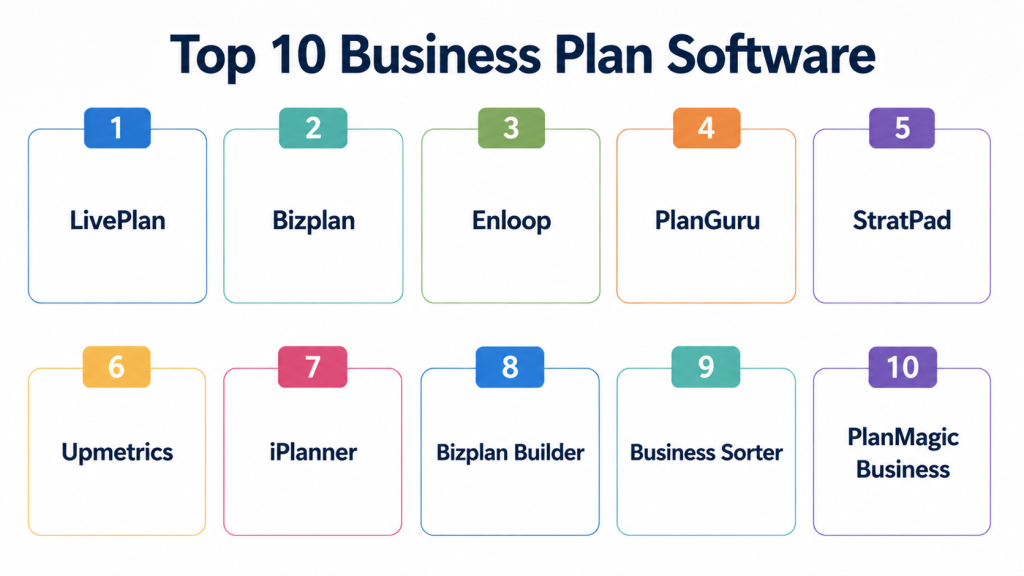
Top 10 Business Plan Software
#1 — LivePlan
Short description: LivePlan is a cloud-based platform that guides users through the business plan creation process. It offers financial forecasting, scenario planning, and investor-ready outputs. Ideal for startups and small businesses looking for structured planning.
Key Features
- Step-by-step business plan templates
- Financial forecasting and projections
- Interactive scenario modeling
- Collaboration with team members
- Investor-ready reports
- Cloud-based accessibility
- Dashboard KPIs and metrics
Pros
- Easy-to-use interface for beginners
- Comprehensive financial tools
Cons
- Subscription may be costly for very small teams
- Limited customization of templates
Platforms / Deployment
- Web / iOS / Android
- Cloud
Security & Compliance
- Not publicly stated
Integrations & Ecosystem
- QuickBooks, Xero, and accounting integrations
- API access for data import/export
- Collaboration with cloud storage tools
Support & Community
- Knowledge base and tutorials
- Customer support via chat and email
- Active community forum
#2 — Bizplan
Short description: Bizplan offers modular business planning with drag-and-drop functionality, enabling users to create, update, and present plans efficiently. Designed for startups seeking a modern planning experience.
Key Features
- Drag-and-drop plan builder
- Financial modeling and forecasting
- Goal tracking and milestones
- Investor presentation templates
- Collaborative team features
- Dashboard metrics
- Step-by-step guidance
Pros
- Intuitive design for non-experts
- Integration with crowdfunding platforms
Cons
- Limited advanced scenario analysis
- May require additional tools for complex financials
Platforms / Deployment
- Web
- Cloud
Security & Compliance
- Not publicly stated
Integrations & Ecosystem
- Accounting software connectors
- Export to PDF and PowerPoint
- Collaboration APIs
Support & Community
- Email and chat support
- Help articles and tutorials
#3 — Enloop
Short description: Enloop provides automated business plan generation, financial forecasts, and performance scoring to streamline planning. Best for founders needing quick, data-driven plans.
Key Features
- Automated plan generation
- Financial ratios and scoring
- Forecasting and budgeting tools
- Real-time updates
- Customizable templates
- Export options for investors
- Multi-user collaboration
Pros
- Automated scoring simplifies plan evaluation
- Quick setup for first-time users
Cons
- Design and formatting customization is limited
- Advanced financial tools may require upgrades
Platforms / Deployment
- Web
- Cloud
Security & Compliance
- Not publicly stated
Integrations & Ecosystem
- Accounting software connectors
- Cloud storage integrations
- API support for custom workflows
Support & Community
- Online tutorials and guides
- Email support
- Varies / Not publicly stated
#4 — PlanGuru
Short description: PlanGuru focuses on financial planning, budgeting, and forecasting for business plans. It is ideal for startups and SMBs that prioritize numerical analysis.
Key Features
- Forecasting and budgeting tools
- Multi-year financial projections
- Scenario and sensitivity analysis
- KPI dashboards
- Goal tracking
- Integration with Excel and QuickBooks
- Reporting and presentation templates
Pros
- Strong numerical and analytical features
- Ideal for finance-driven planning
Cons
- Less visual design options
- Steeper learning curve for beginners
Platforms / Deployment
- Windows / Web
- Cloud / Desktop
Security & Compliance
- Not publicly stated
Integrations & Ecosystem
- QuickBooks, Excel
- Accounting and finance APIs
- Export to presentation formats
Support & Community
- Email and phone support
- Knowledge base
- Online tutorials
#5 — StratPad
Short description: StratPad offers business planning software with step-by-step guidance, financial modeling, and investor reporting. Designed for SMBs and early-stage companies.
Key Features
- Plan templates and guidance
- Financial projections and modeling
- Dashboard KPIs
- Export to investor-ready formats
- Scenario planning
- Collaboration tools
- Multi-device access
Pros
- Stepwise guidance is beginner-friendly
- Affordable for small businesses
Cons
- Limited advanced scenario modeling
- Design options are basic
Platforms / Deployment
- Web / iOS / Android
- Cloud
Security & Compliance
- Not publicly stated
Integrations & Ecosystem
- Accounting software connectors
- Cloud storage integration
- API support for collaboration
Support & Community
- Email support
- Online tutorials
- Knowledge base
#6 — Upmetrics
Short description: Upmetrics is a business plan platform with drag-and-drop plan creation, financial modeling, and collaborative features. Ideal for startups and small teams needing quick setup.
Key Features
- Drag-and-drop plan builder
- Financial forecasting and KPIs
- Collaboration and team editing
- Export options for investors
- Templates for multiple industries
- Scenario modeling
- Real-time dashboards
Pros
- Simple interface for beginners
- Affordable startup-friendly pricing
Cons
- Limited advanced financial modeling
- Collaboration features may be basic
Platforms / Deployment
- Web
- Cloud
Security & Compliance
- Not publicly stated
Integrations & Ecosystem
- Accounting and CRM connectors
- API for data import/export
- Cloud storage support
Support & Community
- Tutorials and guides
- Email support
#7 — iPlanner
Short description: iPlanner provides structured business plan templates, financial modeling, and KPI tracking for startups and SMBs. Designed for simplicity and quick plan creation.
Key Features
- Template-based plan creation
- Financial projections
- KPI dashboards
- Scenario modeling
- Investor reporting
- Collaboration tools
- Export functionality
Pros
- Easy to use for beginners
- Fast plan creation
Cons
- Limited advanced forecasting tools
- Less customization for presentations
Platforms / Deployment
- Web
- Cloud
Security & Compliance
- Not publicly stated
Integrations & Ecosystem
- Accounting and cloud storage integrations
- API support
Support & Community
- Knowledge base
- Email support
#8 — Bizplan Builder
Short description: Bizplan Builder is a business plan software with structured templates, financial modeling, and investor-ready outputs. Best suited for startups and consultants.
Key Features
- Step-by-step templates
- Financial modeling
- Scenario planning
- KPI dashboards
- Export to investor formats
- Multi-user collaboration
- Cloud access
Pros
- Structured templates reduce errors
- Investor-ready outputs
Cons
- Limited mobile support
- Learning curve for advanced features
Platforms / Deployment
- Web
- Cloud
Security & Compliance
- Not publicly stated
Integrations & Ecosystem
- Accounting software connectors
- API access
Support & Community
- Tutorials and email support
#9 — Business Sorter
Short description: Business Sorter provides business plan templates, financial projections, and visual dashboards. Designed for startups and small businesses seeking quick, clear plans.
Key Features
- Templates and plan guidance
- Financial modeling
- Dashboard visualization
- Export to investor-ready formats
- Collaboration features
- KPI tracking
Pros
- Quick setup and user-friendly
- Affordable
Cons
- Limited scenario modeling
- Fewer integration options
Platforms / Deployment
- Web
- Cloud
Security & Compliance
- Not publicly stated
Integrations & Ecosystem
- Accounting and cloud storage integration
- API for custom workflows
Support & Community
- Email support
- Online documentation
#10 — PlanMagic Business
Short description: PlanMagic Business provides a complete business plan suite with templates, financial projections, and reporting tools. Designed for SMBs and consultants needing comprehensive planning solutions.
Key Features
- Business plan templates
- Financial modeling and cash flow
- KPI dashboards and metrics
- Scenario planning
- Investor-ready reports
- Collaboration and export tools
- Multi-device access
Pros
- Comprehensive planning features
- Supports multiple industries
Cons
- Interface may be outdated for some users
- Limited cloud collaboration options
Platforms / Deployment
- Windows / Web
- Cloud / Desktop
Security & Compliance
- Not publicly stated
Integrations & Ecosystem
- Accounting and CRM connectors
- Export to Excel and PDF
Support & Community
- Email support
- Knowledge base
Comparison Table (Top 10)
| Tool Name | Best For | Platform(s) Supported | Deployment | Standout Feature | Public Rating |
|---|---|---|---|---|---|
| LivePlan | Startups & SMBs | Web / iOS / Android | Cloud | Real-time dashboards | N/A |
| Bizplan | Startups | Web | Cloud | Drag-and-drop builder | N/A |
| Enloop | Startups | Web | Cloud | Automated scoring & modeling | N/A |
| PlanGuru | SMBs | Windows / Web | Cloud / Desktop | Multi-year financial projections | N/A |
| StratPad | SMBs & startups | Web / iOS / Android | Cloud | Step-by-step guidance | N/A |
| Upmetrics | Startups | Web | Cloud | Drag-and-drop creation | N/A |
| iPlanner | SMBs | Web | Cloud | Template-based plans | N/A |
| Bizplan Builder | Startups & consultants | Web | Cloud | Structured templates | N/A |
| Business Sorter | Startups & SMBs | Web | Cloud | Quick setup and dashboards | N/A |
| PlanMagic Business | SMBs | Windows / Web | Cloud / Desktop | Comprehensive suite | N/A |
Evaluation & Scoring of Business Plan Software
| Tool Name | Core (25%) | Ease (15%) | Integrations (15%) | Security (10%) | Performance (10%) | Support (10%) | Value (15%) | Weighted Total (0–10) |
|---|---|---|---|---|---|---|---|---|
| LivePlan | 9 | 8 | 8 | 7 | 8 | 8 | 7 | 8.1 |
| Bizplan | 8 | 8 | 7 | 7 | 8 | 7 | 7 | 7.6 |
| Enloop | 8 | 7 | 6 | 7 | 7 | 6 | 8 | 7.2 |
| PlanGuru | 9 | 6 | 7 | 7 | 8 | 7 | 6 | 7.6 |
| StratPad | 8 | 8 | 6 | 7 | 7 | 7 | 7 | 7.5 |
| Upmetrics | 8 | 8 | 7 | 7 | 7 | 7 | 7 | 7.4 |
| iPlanner | 7 | 8 | 6 | 7 | 7 | 6 | 7 | 7.0 |
| Bizplan Builder | 8 | 7 | 7 | 7 | 7 | 6 | 7 | 7.3 |
| Business Sorter | 7 | 8 | 6 | 7 | 7 | 6 | 7 | 7.0 |
| PlanMagic Business | 8 | 7 | 7 | 7 | 7 | 6 | 7 | 7.2 |
Interpretation: Scores are comparative across features, usability, integrations, security, performance, support, and value. Higher weighted totals indicate stronger suitability for structured business planning.
Which Business Plan Software Is Right for You?
Solo / Freelancer
- LivePlan or Enloop for simple, quick plans
SMB
- Upmetrics, StratPad, or Bizplan for financial modeling and collaboration
Mid-Market
- PlanGuru or Bizplan Builder for more complex projections
Enterprise
- PlanMagic Business or LivePlan for comprehensive suite and multi-user support
Budget vs Premium
- Startups: Enloop or StratPad
- High-growth/enterprise: LivePlan or PlanMagic Business
Feature Depth vs Ease of Use
- Balance simplicity and advanced modeling; LivePlan provides a good middle ground
Integrations & Scalability
- Choose software with APIs and accounting/CRM connectors for growth
Security & Compliance Needs
- Prioritize cloud security and access controls for sensitive business data
Frequently Asked Questions (FAQs)
1. What pricing models do business plan software offer?
Most platforms offer subscription plans; some provide free trials or tiered pricing based on features.
2. How quickly can a plan be created?
Templates allow most users to draft a plan within hours; more complex plans may require days.
3. Are these tools suitable for startups?
Yes, several are designed specifically for startups needing professional, investor-ready outputs.
4. Can financial projections be automated?
Yes, most provide automated forecasts, cash flow modeling, and scenario planning.
5. Do these tools integrate with accounting software?
Yes, common integrations include QuickBooks, Xero, and cloud-based payroll solutions.
6. How do I share plans with investors?
Export to PDF, PowerPoint, or provide secure online access via dashboards.
7. Can teams collaborate in real-time?
Yes, most cloud-native tools allow multi-user editing, comments, and permissions control.
8. Are AI features relevant in business planning?
AI assists with financial forecasts, market research insights, and scenario simulations.
9. Do templates cater to different industries?
Yes, leading tools provide industry-specific templates and examples.
10. How secure is cloud-based business plan software?
Top platforms use encryption, access controls, and cloud security measures to protect sensitive data.
Conclusion
The best business plan software depends on team size, planning complexity, and investor requirements. Startups may benefit from Enloop or StratPad, while SMBs and mid-market companies may prefer LivePlan or PlanGuru for comprehensive forecasting. The practical next step is to shortlist platforms, test templates and financial modeling features, and validate integrations and security before adoption.
