Upgrade & Secure Your Future with DevOps, SRE, DevSecOps, MLOps!
We spend hours scrolling social media and waste money on things we forget, but won’t spend 30 minutes a day earning certifications that can change our lives.
Master in DevOps, SRE, DevSecOps & MLOps by DevOps School!
Learn from Guru Rajesh Kumar and double your salary in just one year.
Introduction
Smart Lighting Apps are mobile or web-based applications that help users control smart bulbs, LED strips, lamps, panels, switches, dimmers, and lighting scenes from one place. In simple terms, these apps let users turn lights on or off, adjust brightness, change colors, create schedules, automate rooms, sync lights with music, and connect lighting with voice assistants or smart home platforms.
Smart lighting matters more now because homes, offices, retail spaces, studios, hotels, and rental properties are becoming more automation-driven. Users want lighting that saves energy, improves comfort, supports security, creates mood-based scenes, and works with other connected devices.
Common use cases include home mood lighting, office lighting schedules, security lighting automation, entertainment lighting, sleep and wake routines, energy-saving controls, and retail ambience management.
Buyers should evaluate device compatibility, app stability, automation depth, voice assistant support, Matter support, local control, color accuracy, scheduling, multi-room control, security settings, and long-term ecosystem support.
Best for: Homeowners, renters, smart home users, interior designers, gamers, streamers, hospitality teams, retail store owners, small offices, and property managers who want flexible lighting control.
Not ideal for: Users who only need basic wall switches, people who do not want connected devices, or businesses that need full commercial building lighting management instead of consumer smart lighting apps.
Key Trends in Smart Lighting Apps
- Matter support is becoming more important: Users want smart lights from different brands to work smoothly across Apple Home, Google Home, Alexa, SmartThings, and other platforms.
- AI-assisted lighting routines are growing: Apps are becoming smarter at suggesting scenes, schedules, energy-saving routines, and mood-based lighting based on user behavior.
- Music and entertainment sync is now mainstream: Smart lighting is increasingly used for gaming, movies, parties, streaming rooms, and immersive entertainment spaces.
- Energy awareness is becoming a buying factor: Users want apps that help reduce wasted lighting through schedules, motion triggers, dimming, and automation.
- Local control is gaining attention: Privacy-conscious users prefer smart lighting systems that can work locally or remain usable during internet issues.
- More focus on wellness lighting: Circadian lighting, wake-up routines, warm evening tones, and focus modes are becoming common smart lighting features.
- Multi-room automation is becoming easier: Apps are improving room grouping, scene management, device naming, and whole-home controls.
- Voice assistant integration remains essential: Alexa, Google Assistant, Siri, and other assistant integrations are still major buying factors.
- DIY and professional use cases are separating: Simple homes need easy apps, while larger spaces may need hubs, advanced automations, or smart home platform integration.
- Subscription-based services may increase: Some ecosystems may add paid features for cloud storage, advanced scenes, AI features, remote access, or premium automation tools.
How We Selected These Tools
The following smart lighting apps were selected using a practical product and ecosystem evaluation approach:
- Market recognition and adoption in smart lighting or smart home categories
- Strength of lighting control features such as dimming, color, scenes, schedules, and grouping
- Compatibility with smart bulbs, LED strips, lamps, switches, panels, and accessories
- Fit for different user types, including beginners, smart home enthusiasts, gamers, renters, and larger households
- Integration options with Alexa, Google Assistant, Apple Home, SmartThings, Matter, and other platforms
- Reliability signals such as app maturity, ecosystem depth, and device support
- Security posture signals such as account controls, permissions, device access, and cloud dependency
- Automation capabilities such as routines, motion triggers, time schedules, and scene control
- Support resources, documentation, onboarding, and user community strength
- Practical value for users building simple, advanced, or entertainment-focused lighting setups
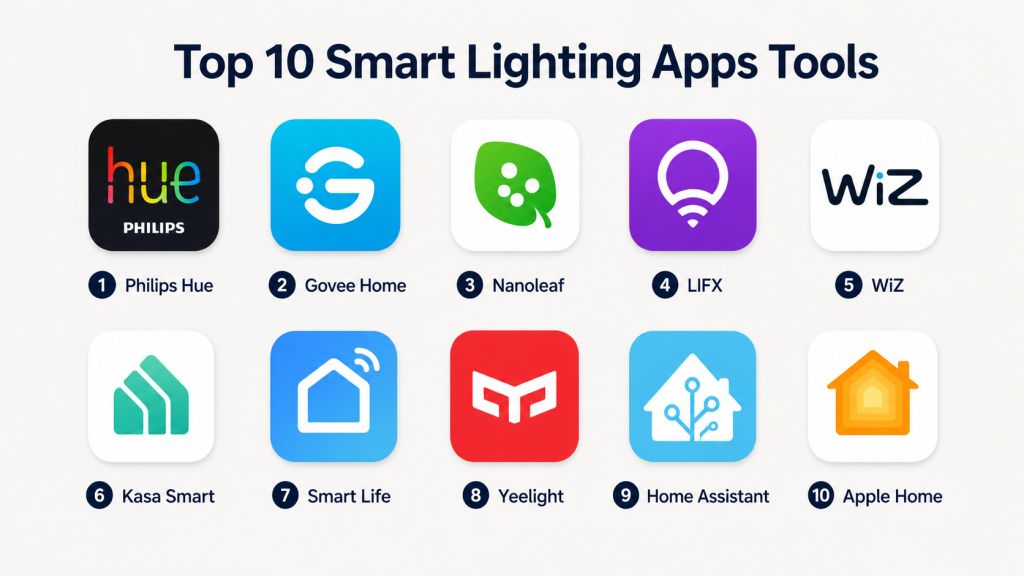
Top 10 Smart Lighting Apps Tools
#1 — Philips Hue
Short description:
Philips Hue is one of the most recognized smart lighting apps and ecosystems for controlling smart bulbs, light strips, lamps, outdoor lights, switches, sensors, and accessories. It is best suited for users who want reliable lighting control, polished scenes, multi-room management, and strong smart home compatibility. The app supports color scenes, schedules, routines, entertainment sync, and smart home integrations. Philips Hue works especially well for homeowners, apartments, living rooms, bedrooms, gaming rooms, and premium lighting setups. It is a strong choice for users who want an established lighting ecosystem with broad accessory support.
Key Features
- Smart bulb, strip, lamp, and accessory control
- Room and zone-based lighting management
- Color scenes and mood lighting presets
- Schedules, routines, and automation support
- Entertainment and music sync options
- Voice assistant and smart home integrations
- Hub-based and Bluetooth options depending on device setup
Pros
- Mature and reliable smart lighting ecosystem
- Strong scene and room management
- Broad device and accessory support
Cons
- Can be more expensive than budget lighting options
- Best experience may require a Hue Bridge
- Some advanced features may depend on specific hardware
Platforms / Deployment
iOS / Android
Cloud / Hub-based / Local support may vary
Security & Compliance
Account security and device access controls may be available. Specific certifications such as SOC 2, ISO 27001, GDPR, or HIPAA should be verified directly with the vendor. If not confirmed, use Not publicly stated.
Integrations & Ecosystem
Philips Hue has a strong integration ecosystem and works well with many smart home platforms and entertainment setups.
- Apple Home support may vary by setup
- Google Assistant integration
- Amazon Alexa integration
- Samsung SmartThings integration
- Matter support may vary by device and bridge setup
- Entertainment sync with compatible systems
Support & Community
Philips Hue has strong documentation, setup guides, customer support resources, and a large user community. Third-party accessory support may vary depending on device compatibility.
#2 — Govee Home
Short description:
Govee Home is a popular smart lighting app for controlling Govee LED strips, bulbs, lamps, light bars, panels, TV backlights, and decorative lighting products. It is especially useful for users who want colorful lighting, music sync, gaming room setups, party lighting, and budget-friendly smart lighting options. The app includes scene controls, DIY lighting effects, schedules, automation, and device grouping. Govee Home is popular among streamers, gamers, renters, and users who want creative lighting without a complex setup. It is a practical option for expressive and entertainment-focused lighting setups.
Key Features
- LED strip, bulb, lamp, and panel control
- Dynamic scenes and color effects
- Music sync and entertainment lighting
- DIY scene creation
- Device grouping and schedules
- Smart home voice assistant integrations
- Support for many decorative lighting products
Pros
- Strong value for colorful and creative lighting
- Good fit for gaming and entertainment spaces
- Large range of lighting products
Cons
- Advanced smart home integration depth may vary by device
- App can feel feature-heavy for basic users
- Local control options may be limited depending on product
Platforms / Deployment
iOS / Android
Cloud / Local support may vary by device
Security & Compliance
Account security and app permission settings may be available. Specific certifications such as SOC 2, ISO 27001, GDPR, or HIPAA are Not publicly stated unless verified directly.
Integrations & Ecosystem
Govee Home works best inside the Govee ecosystem, especially for decorative and entertainment lighting.
- Amazon Alexa integration may vary by device
- Google Assistant integration may vary by device
- Matter support may vary by product
- Music sync and entertainment features
- Smart lighting scenes and schedules
- Device grouping across Govee products
Support & Community
Govee provides product guides, app support, customer service resources, and an active user community. Support experience may vary by region, product category, and purchase channel.
#3 — Nanoleaf
Short description:
Nanoleaf is a smart lighting app and ecosystem known for modular light panels, light strips, bulbs, lines, and decorative lighting products. It is a strong choice for users who want design-focused lighting, wall art lighting, gaming ambience, music visualization, and creative room setups. The app supports scenes, schedules, touch controls on some products, screen mirroring, and smart home integrations. Nanoleaf is especially useful for gamers, creators, home office users, and design-conscious households. It works well when lighting is both functional and decorative.
Key Features
- Modular lighting panel control
- Smart bulbs, strips, and decorative lights
- Dynamic scenes and color animations
- Music visualization on compatible products
- Screen mirroring features may vary by device
- Touch-based interaction on selected products
- Smart home and voice assistant integrations
Pros
- Strong design and ambience-focused ecosystem
- Good for gaming, streaming, and creative spaces
- Supports decorative lighting experiences
Cons
- Premium products can be costly
- Some features depend on specific Nanoleaf hardware
- Advanced setup may require patience for larger layouts
Platforms / Deployment
iOS / Android / Desktop support may vary
Cloud / Local support may vary by device
Security & Compliance
Security features depend on account settings, device configuration, and platform integrations. Specific certifications such as SOC 2, ISO 27001, GDPR, or HIPAA should be treated as Not publicly stated.
Integrations & Ecosystem
Nanoleaf integrates with major smart home ecosystems and works well for users who want decorative lighting tied into routines and entertainment setups.
- Apple Home compatibility may vary by device
- Google Assistant integration
- Amazon Alexa integration
- Matter and Thread support may vary by product
- SmartThings integration may vary
- Screen and music sync features
Support & Community
Nanoleaf provides setup guides, product documentation, support resources, and a strong community of creative users. Community inspiration is especially useful for layout ideas and scene design.
#4 — LIFX
Short description:
LIFX is a smart lighting app for controlling Wi-Fi smart bulbs, strips, panels, and lighting products without always requiring a separate hub. It is best suited for users who want bright colors, direct Wi-Fi lighting control, and simple app-based management. The app supports scenes, schedules, effects, grouping, and voice assistant integrations. LIFX is useful for homes, apartments, studios, bedrooms, and creative lighting environments. It works well for users who prefer smart bulbs that connect directly to Wi-Fi instead of using a bridge.
Key Features
- Wi-Fi smart lighting control
- Color, brightness, and white temperature adjustment
- Scenes, schedules, and effects
- Room and group management
- Voice assistant integrations
- No dedicated hub required for many products
- Support for bulbs, strips, and decorative lights
Pros
- No separate hub required for many setups
- Strong color and brightness control
- Good option for simple Wi-Fi lighting setups
Cons
- Wi-Fi reliability depends on home network quality
- Large installations may need careful network planning
- Product availability and ecosystem depth may vary by region
Platforms / Deployment
iOS / Android
Cloud / Local support may vary by device
Security & Compliance
Account and device security settings may be available. Specific compliance certifications such as SOC 2, ISO 27001, GDPR, or HIPAA are Not publicly stated unless confirmed directly.
Integrations & Ecosystem
LIFX works with major smart home platforms and is useful for users who want direct Wi-Fi smart lighting.
- Amazon Alexa integration
- Google Assistant integration
- Apple Home compatibility may vary by device
- SmartThings support may vary
- Scene and automation workflows
- Wi-Fi-based lighting ecosystem
Support & Community
LIFX provides product documentation, app support resources, and customer assistance. Community support and troubleshooting are also available through user discussions and smart home groups.
#5 — WiZ
Short description:
WiZ is a smart lighting app designed for Wi-Fi-based smart bulbs, lamps, strips, and lighting accessories. It is suitable for users who want affordable smart lighting without a dedicated hub. The app supports rooms, scenes, schedules, rhythms, automation, and voice assistant integrations. WiZ is useful for renters, homeowners, small offices, and users who want simple lighting control at a practical price point. It offers a good balance of ease of use, smart lighting features, and broad consumer appeal.
Key Features
- Wi-Fi smart light control
- Room and group management
- Scenes, schedules, and rhythms
- White temperature and color control
- Voice assistant integrations
- Motion and automation support may vary by device
- No dedicated hub required for many setups
Pros
- Good value for everyday smart lighting
- Simple setup for Wi-Fi lighting users
- Suitable for renters and small homes
Cons
- Advanced automation may be limited compared with enthusiast platforms
- Large Wi-Fi lighting setups may require strong network quality
- Device features may vary across products
Platforms / Deployment
iOS / Android
Cloud / Local support may vary by device
Security & Compliance
Account security and device controls may be available. Specific certifications such as SOC 2, ISO 27001, GDPR, or HIPAA should be verified directly. If not confirmed, use Not publicly stated.
Integrations & Ecosystem
WiZ integrates with major smart home ecosystems and is practical for users who want affordable connected lighting.
- Amazon Alexa integration
- Google Assistant integration
- Matter support may vary by product
- Smart home routines
- Wi-Fi lighting ecosystem
- Scene and schedule-based automation
Support & Community
WiZ provides help resources, setup guidance, and customer support options. Support experience may vary by region, product model, and retail channel.
#6 — Kasa Smart
Short description:
Kasa Smart is an app for managing smart plugs, bulbs, switches, cameras, and other connected home devices from TP-Link’s Kasa ecosystem. For smart lighting, it is useful for controlling bulbs, switches, dimmers, and schedules. Kasa Smart is best suited for users who want practical and affordable smart lighting controls with simple setup. It works well for homes, apartments, small offices, and users who want lighting automation without a complex hub-based ecosystem. The app is easy to understand and suitable for everyday smart home users.
Key Features
- Smart bulb and switch control
- Schedules, timers, and scenes
- Remote control through mobile app
- Grouping for rooms and devices
- Voice assistant integrations
- Smart plug and lighting ecosystem
- Device sharing and basic automation features
Pros
- Simple and practical for everyday users
- Good fit for smart bulbs, switches, and plugs
- Affordable ecosystem for basic smart lighting
Cons
- Less advanced than dedicated lighting ecosystems
- Device compatibility is strongest within Kasa products
- Advanced automation depth may be limited
Platforms / Deployment
iOS / Android
Cloud / Local support may vary by device
Security & Compliance
Account security and device permission settings may be available. Specific certifications such as SOC 2, ISO 27001, GDPR, or HIPAA should be treated as Not publicly stated unless verified directly.
Integrations & Ecosystem
Kasa Smart works well for users who want lighting and plug control in one simple app.
- Amazon Alexa integration
- Google Assistant integration
- Kasa smart bulbs and switches
- Kasa smart plugs
- Basic scenes and schedules
- Smart home routines may vary by ecosystem
Support & Community
TP-Link provides product documentation, setup guides, customer support, and troubleshooting resources. Community knowledge is also available through smart home user groups.
#7 — Smart Life
Short description:
Smart Life is a widely used smart home app often associated with Tuya-powered smart devices, including bulbs, switches, LED strips, plugs, sensors, and other connected products. It is useful for users who buy smart lighting products from different brands that use the same underlying ecosystem. The app supports scenes, schedules, automations, groups, and voice assistant integrations. Smart Life is popular among budget-conscious users and users with mixed-brand smart home devices. It is a practical option when device affordability and broad availability are important.
Key Features
- Smart bulb, strip, switch, and plug control
- Scenes and automation rules
- Schedules and timers
- Device grouping and room management
- Voice assistant integrations
- Support for many Tuya-compatible devices
- Multi-category smart home device management
Pros
- Broad device availability across many brands
- Useful for budget smart lighting setups
- Supports many smart home device categories
Cons
- Device quality varies by manufacturer
- App experience can depend on product implementation
- Privacy and data settings should be reviewed carefully
Platforms / Deployment
iOS / Android
Cloud / Local support may vary by device
Security & Compliance
Security features may include account controls and device permissions. Specific certifications such as SOC 2, ISO 27001, GDPR, or HIPAA should be verified directly. If not confirmed, write Not publicly stated.
Integrations & Ecosystem
Smart Life works across many Tuya-compatible products and is useful for mixed-budget smart lighting environments.
- Amazon Alexa integration
- Google Assistant integration
- Tuya-compatible devices
- Bulbs, switches, plugs, and strips
- Scene and schedule automation
- Multi-device smart home workflows
Support & Community
Support may vary because many devices are sold by different brands using the Smart Life ecosystem. Users should check device manufacturer support, app documentation, and product-specific help resources.
#8 — Yeelight
Short description:
Yeelight is a smart lighting app and ecosystem for controlling smart bulbs, light strips, lamps, ceiling lights, and decorative lighting products. It is suitable for users who want affordable smart lighting with color control, scenes, schedules, and voice assistant compatibility. Yeelight is often used in homes, bedrooms, offices, gaming setups, and simple smart lighting projects. The app provides controls for brightness, color temperature, RGB lighting, and automation. It is a good option for users who want smart lighting features without moving into premium pricing.
Key Features
- Smart bulb, strip, lamp, and ceiling light control
- Color and white temperature adjustment
- Scenes and schedules
- Room and device grouping
- Voice assistant integrations
- Music and ambience features may vary by device
- Smart home ecosystem compatibility may vary
Pros
- Good value for smart lighting features
- Useful for simple home lighting automation
- Supports many lighting form factors
Cons
- Regional product availability may vary
- Integration depth depends on device model
- Advanced automation may require another smart home platform
Platforms / Deployment
iOS / Android
Cloud / Local support may vary by device
Security & Compliance
Account and device security settings may be available. Specific compliance certifications should be verified directly. If not confirmed, use Not publicly stated.
Integrations & Ecosystem
Yeelight can connect with common smart home ecosystems depending on device model and region.
- Amazon Alexa integration may vary
- Google Assistant integration may vary
- Apple Home compatibility may vary by device
- SmartThings support may vary
- Scene and schedule controls
- Xiaomi ecosystem compatibility may vary
Support & Community
Yeelight provides product documentation and app support resources. Community support may be helpful for setup, integrations, and regional device compatibility.
#9 — Home Assistant
Short description:
Home Assistant is an open-source smart home platform that can be used as a powerful smart lighting control system. It is best suited for users who want deep automation, local control, custom dashboards, and integration across many lighting brands. Home Assistant can control Philips Hue, Nanoleaf, LIFX, WiZ, IKEA lighting, Zigbee bulbs, Z-Wave switches, and many other devices depending on setup. It is ideal for technical users and smart home enthusiasts who want lighting automation beyond what brand-specific apps provide. It is especially useful for mixed-device homes.
Key Features
- Cross-brand smart lighting control
- Local automation and custom rules
- Custom dashboards for lighting control
- Support for Zigbee, Z-Wave, Wi-Fi, Matter, and other protocols depending on hardware
- Advanced scenes and scripts
- Sensor-based lighting automation
- Large community integration ecosystem
Pros
- Very powerful for advanced lighting automation
- Strong local-control and privacy appeal
- Excellent for mixed-brand smart homes
Cons
- Requires more technical setup
- Maintenance and troubleshooting may be needed
- Not ideal for users wanting a simple plug-and-play app
Platforms / Deployment
Web / iOS / Android / Linux-based deployment options
Self-hosted / Local / Cloud features may vary
Security & Compliance
Security depends on deployment, remote access configuration, user settings, and network setup. Specific certifications such as SOC 2, ISO 27001, GDPR, or HIPAA should be treated as Not publicly stated.
Integrations & Ecosystem
Home Assistant has one of the strongest integration ecosystems for smart lighting control across brands.
- Philips Hue integration
- LIFX, WiZ, Nanoleaf, and other lighting integrations
- Zigbee and Z-Wave support through compatible hardware
- Motion sensor and presence-based automation
- Custom dashboards and scripts
- Voice assistant integrations
Support & Community
Home Assistant has strong documentation and a large community. Formal support depends on hardware choice, cloud service use, and community resources.
#10 — Apple Home
Short description:
Apple Home is a smart home app that can also act as a smart lighting control platform for compatible bulbs, switches, lamps, sensors, and scenes. It is best suited for iPhone, iPad, Apple Watch, Apple TV, and HomePod users who want simple lighting control inside the Apple ecosystem. The app supports rooms, scenes, automations, Siri voice commands, and compatible smart lighting devices. Apple Home is useful for users who value privacy, clean design, and easy access from Apple devices. It is a good option for households using Matter or HomeKit-compatible lighting products.
Key Features
- Smart lighting control through Apple Home app
- Room, zone, and scene management
- Siri voice control
- Automations based on time, location, sensors, and device state
- Compatible lighting device control
- Remote access through supported Apple home hubs
- Matter and HomeKit lighting support may vary by device
Pros
- Clean and easy interface for Apple users
- Good privacy-focused ecosystem design
- Works well with compatible lighting products
Cons
- Best experience requires Apple devices
- Device compatibility should be checked before purchase
- Advanced automation is less flexible than Home Assistant
Platforms / Deployment
iOS / iPadOS / macOS / watchOS
Cloud / Local and hub-based control may vary
Security & Compliance
Apple account security and device privacy controls may be available. Specific enterprise certifications for Apple Home as a smart lighting platform should be treated as Not publicly stated unless verified directly.
Integrations & Ecosystem
Apple Home works best with compatible HomeKit and Matter-enabled lighting devices.
- Siri voice control
- HomePod and Apple TV as home hubs
- Matter-compatible smart lights
- HomeKit lighting products
- Automation with Apple devices
- Scenes and room-based control
Support & Community
Apple provides official documentation, customer support, and device setup guidance. Third-party lighting support depends on the accessory manufacturer and compatibility status.
Comparison Table
| Tool Name | Best For | Platform(s) Supported | Deployment | Standout Feature | Public Rating |
|---|---|---|---|---|---|
| Philips Hue | Premium smart lighting homes | iOS, Android | Cloud / Hub-based / Local varies | Mature lighting scenes and ecosystem | N/A |
| Govee Home | Gaming and decorative lighting | iOS, Android | Cloud / Local varies | Dynamic lighting effects and music sync | N/A |
| Nanoleaf | Design-focused lighting setups | iOS, Android, desktop support varies | Cloud / Local varies | Modular panels and creative scenes | N/A |
| LIFX | Wi-Fi smart lighting users | iOS, Android | Cloud / Local varies | Hub-free color lighting control | N/A |
| WiZ | Affordable everyday smart lighting | iOS, Android | Cloud / Local varies | Simple Wi-Fi lighting automation | N/A |
| Kasa Smart | Bulbs, switches, and plugs | iOS, Android | Cloud / Local varies | Practical lighting and plug control | N/A |
| Smart Life | Budget mixed-brand lighting | iOS, Android | Cloud / Local varies | Broad Tuya-compatible device support | N/A |
| Yeelight | Affordable color lighting | iOS, Android | Cloud / Local varies | Value-focused smart lighting control | N/A |
| Home Assistant | Advanced lighting automation | Web, iOS, Android, Linux-based options | Self-hosted / Local / Hybrid | Cross-brand local automation | N/A |
| Apple Home | Apple ecosystem lighting control | iOS, iPadOS, macOS, watchOS | Cloud / Local varies | Privacy-focused lighting scenes | N/A |
Evaluation & Scoring of Smart Lighting Apps
| Tool Name | Core (25%) | Ease (15%) | Integrations (15%) | Security (10%) | Performance (10%) | Support (10%) | Value (15%) | Weighted Total (0–10) |
|---|---|---|---|---|---|---|---|---|
| Philips Hue | 9.2 | 8.6 | 9.0 | 8.0 | 9.0 | 8.5 | 7.5 | 8.57 |
| Govee Home | 8.5 | 8.3 | 8.0 | 7.2 | 8.2 | 7.8 | 8.8 | 8.19 |
| Nanoleaf | 8.8 | 8.0 | 8.4 | 7.5 | 8.3 | 8.0 | 7.6 | 8.17 |
| LIFX | 8.2 | 8.4 | 8.0 | 7.4 | 8.0 | 7.7 | 8.0 | 8.01 |
| WiZ | 7.8 | 8.5 | 7.8 | 7.3 | 7.8 | 7.6 | 8.6 | 7.94 |
| Kasa Smart | 7.5 | 8.6 | 7.5 | 7.4 | 7.8 | 7.8 | 8.6 | 7.85 |
| Smart Life | 7.8 | 8.0 | 8.2 | 7.0 | 7.7 | 7.0 | 8.7 | 7.82 |
| Yeelight | 7.6 | 8.2 | 7.5 | 7.2 | 7.8 | 7.3 | 8.5 | 7.76 |
| Home Assistant | 9.5 | 6.8 | 9.5 | 8.0 | 8.8 | 8.8 | 9.0 | 8.75 |
| Apple Home | 8.2 | 9.0 | 7.8 | 8.8 | 8.5 | 8.5 | 8.0 | 8.36 |
These scores are comparative and should not be treated as public ratings. They are designed to compare smart lighting apps across lighting control, ease of use, integrations, security, reliability, support, and value. A higher score does not mean the app is best for everyone. For example, Home Assistant is excellent for advanced users, while Philips Hue, WiZ, Kasa Smart, or Apple Home may be better for simple daily use.
Which Smart Lighting App Tool Is Right for You?
Solo / Freelancer
Solo users, renters, students, creators, and people living in apartments should choose a smart lighting app that is simple, affordable, and easy to manage from a phone. They usually do not need complex hubs or advanced automation unless they are smart home enthusiasts.
Good options include:
- WiZ for affordable Wi-Fi smart lighting
- Kasa Smart for simple bulbs, switches, and plugs
- Govee Home for colorful room lighting
- Apple Home for iPhone users with compatible lights
- Yeelight for value-focused lighting control
For this segment, ease of setup and cost matter more than advanced automation depth.
SMB
Small businesses, studios, retail shops, salons, cafes, small offices, and service apartments may need lighting schedules, ambience scenes, remote control, and energy-saving routines. They should choose apps that are easy for staff to use and simple to maintain.
Good options include:
- Philips Hue for polished lighting scenes
- WiZ for practical business lighting
- Kasa Smart for switches and basic automation
- Govee Home for decorative spaces
- Apple Home or Google-compatible setups depending on the device ecosystem
SMBs should focus on reliability, user sharing, device grouping, and simple scheduling.
Mid-Market
Mid-market users may include multi-room homes, rental property owners, boutique hotels, gaming studios, content studios, and interior design projects. They often need better control over rooms, scenes, automation, and compatibility.
Good options include:
- Philips Hue for premium multi-room lighting
- Nanoleaf for creative and design-focused environments
- Home Assistant for mixed-device automation
- Govee Home for entertainment-focused lighting
- LIFX for hub-free Wi-Fi lighting setups
Mid-market buyers should create a lighting plan before buying devices across many brands.
Enterprise
Enterprise smart lighting needs are more common in hospitality, luxury real estate, serviced apartments, showrooms, wellness spaces, and professional automation projects. Consumer apps may still be useful, but larger deployments need better planning.
Good options include:
- Philips Hue for premium consumer smart lighting
- Home Assistant for customized control environments
- Apple Home for Apple-focused premium spaces
- Nanoleaf for visual environments and experience zones
- WiZ or Kasa Smart for practical light control at scale
Enterprise buyers should consider professional lighting systems if they need centralized building management, compliance-grade control, or commercial-grade lighting automation.
Budget vs Premium
Budget-focused users should choose apps that support affordable Wi-Fi lights, simple automations, and basic voice assistant control.
Budget-friendly options include:
- WiZ
- Kasa Smart
- Smart Life
- Yeelight
- Govee Home
Premium users should consider:
- Philips Hue
- Nanoleaf
- LIFX
- Apple Home with compatible premium lights
- Home Assistant for advanced mixed-brand control
Budget users should avoid buying too many brands without checking app compatibility and automation limits.
Feature Depth vs Ease of Use
If ease of use is more important, choose an app with simple controls, clean rooms, preset scenes, and easy scheduling.
Best for ease of use:
- Philips Hue
- WiZ
- Kasa Smart
- Apple Home
- Govee Home
Best for feature depth:
- Home Assistant
- Philips Hue
- Nanoleaf
- Govee Home
- Smart Life
Power users should choose automation depth, while casual users should choose simple daily control.
Integrations & Scalability
Smart lighting becomes more powerful when it connects with voice assistants, motion sensors, cameras, thermostats, entertainment systems, and smart home platforms.
Strong integration-focused options include:
- Home Assistant
- Philips Hue
- Apple Home
- Nanoleaf
- Smart Life
- LIFX
Before choosing a platform, buyers should check compatibility with Alexa, Google Assistant, Siri, Matter, Thread, Zigbee, Wi-Fi, and Bluetooth where relevant.
Security & Compliance Needs
Smart lighting may look simple, but it still connects to user accounts, Wi-Fi networks, mobile apps, cloud services, and home routines. Security matters, especially in homes with cameras, locks, sensors, and shared access.
Buyers should check:
- MFA availability
- Account sharing controls
- Device permissions
- Cloud dependency
- Firmware update process
- Local control options
- Data collection settings
- Guest access
- App privacy settings
- Network security practices
Privacy-focused users may prefer Apple Home, Home Assistant, or hub-based systems with stronger local control options.
Frequently Asked Questions (FAQs)
1. What is a smart lighting app?
A smart lighting app is a mobile or web app that controls smart bulbs, LED strips, lamps, switches, panels, and lighting accessories. It lets users adjust brightness, colors, schedules, scenes, and automations from one place.
2. Do smart lighting apps need a hub?
Some smart lighting apps need a hub or bridge, while others use Wi-Fi or Bluetooth directly. Philips Hue often works best with a bridge, while apps like WiZ, Kasa Smart, LIFX, and Govee Home commonly support hub-free setups depending on the device.
3. Are smart lighting apps expensive?
The app itself is often free, but users must buy compatible bulbs, strips, switches, lamps, or hubs. Premium ecosystems may cost more because of higher-quality hardware, accessories, and advanced features.
4. Which smart lighting app is best for beginners?
WiZ, Kasa Smart, Govee Home, Apple Home, and Philips Hue are good options for beginners. The best choice depends on the user’s phone, budget, lighting style, and smart home ecosystem.
5. Can smart lighting apps save energy?
Yes, smart lighting apps can help reduce energy waste through schedules, dimming, motion triggers, automation, and remote control. Actual savings depend on user habits, bulb efficiency, and how well automations are configured.
6. Can I use different smart lighting brands together?
Yes, but compatibility depends on the apps, devices, and smart home platforms involved. Home Assistant, Apple Home, SmartThings, Alexa, Google Home, and Matter-compatible products can help connect different brands.
7. What are common mistakes when choosing smart lighting apps?
Common mistakes include buying lights before checking compatibility, mixing too many ecosystems, ignoring Wi-Fi strength, choosing the cheapest bulbs without checking support, and skipping security settings.
8. Are smart lighting apps secure?
Smart lighting apps can be secure when users protect accounts, update firmware, use trusted devices, enable MFA where available, and secure the home network. Buyers should review app permissions and privacy settings carefully.
9. What is the difference between smart bulbs and smart switches?
Smart bulbs control the light source directly and are useful for color and brightness changes. Smart switches control lighting circuits and are better when users want wall-switch control for multiple lights.
10. Can smart lighting apps work without internet?
Some systems can support local control depending on the hub, app, and device type. Cloud-based systems may lose some features during internet outages, so buyers should check local control options before purchase.
Conclusion
Smart Lighting Apps make it easier to control brightness, colors, scenes, schedules, routines, and room-based lighting from a phone or smart home ecosystem. The best app depends on budget, device compatibility, automation needs, privacy expectations, and lighting style. Philips Hue is strong for premium smart lighting, Govee Home and Nanoleaf are excellent for creative and entertainment spaces, WiZ and Kasa Smart are practical for affordable everyday lighting, and LIFX is useful for hub-free Wi-Fi lighting. Smart Life and Yeelight can support budget-friendly setups, while Home Assistant is ideal for advanced cross-brand automation. Apple Home is a strong choice for users already invested in Apple devices.
