Upgrade & Secure Your Future with DevOps, SRE, DevSecOps, MLOps!
We spend hours scrolling social media and waste money on things we forget, but won’t spend 30 minutes a day earning certifications that can change our lives.
Master in DevOps, SRE, DevSecOps & MLOps by DevOps School!
Learn from Guru Rajesh Kumar and double your salary in just one year.
Introduction
Smart Thermostat Apps help users control heating, cooling, schedules, comfort settings, energy usage, and HVAC behavior from a phone, tablet, web dashboard, or smart home system. In simple words, these apps allow homeowners, renters, property managers, and facility teams to manage indoor temperature without manually adjusting the thermostat every time.
Smart thermostat apps matter now because energy costs, comfort expectations, remote work, smart home adoption, and sustainability goals are all increasing. Users want better control over HVAC usage, automated schedules, occupancy-based temperature changes, energy reports, alerts, and integrations with smart speakers or home automation hubs.
Real-world use cases include remote temperature control, energy-saving schedules, vacation mode, occupancy-based heating and cooling, HVAC maintenance alerts, multi-room comfort, rental property control, and smart home automation.
Buyers should evaluate compatibility, app usability, scheduling depth, energy reports, smart home integrations, privacy controls, sensor support, remote access, automation features, alerts, HVAC compatibility, and support quality.
Best for: Homeowners, renters, landlords, property managers, smart home users, energy-conscious families, small offices, hospitality spaces, and anyone who wants better comfort and HVAC control.
Not ideal for: Users with very simple heating or cooling needs, homes with incompatible HVAC systems, people who do not want cloud-connected devices, or those who only need a basic manual thermostat.
Key Trends in Smart Thermostat Apps
- AI-based comfort learning is becoming more useful as thermostat apps learn user habits, preferred temperatures, home occupancy, and energy-saving patterns.
- Energy intelligence is becoming a core feature because users want clear reports on HVAC usage, energy waste, estimated savings, and high-consumption periods.
- Occupancy-based automation is improving through sensors, geofencing, room detection, motion data, and smart home routines.
- Smart home interoperability matters more as users want thermostat apps to work with Apple Home, Google Home, Alexa, SmartThings, Home Assistant, Matter, and other ecosystems.
- Demand response and utility programs are becoming more common where supported, helping users reduce energy load during peak demand periods.
- Remote property control is growing for landlords, vacation rentals, serviced apartments, and small property managers who need temperature visibility from anywhere.
- Indoor air quality and HVAC health monitoring are becoming important as users look for filter reminders, humidity tracking, ventilation control, and system alerts.
- Privacy and account security are getting more attention because thermostat apps collect occupancy, location, routine, and home comfort data.
- Multi-room comfort control is expanding through remote sensors, zoning, and room-specific temperature balancing.
- Subscription and service-based features are growing in some ecosystems, especially for advanced monitoring, security bundles, cloud history, or professional support.
How We Selected These Tools
- We selected apps connected with widely recognized smart thermostat brands and smart home ecosystems.
- We considered HVAC control depth, including heating, cooling, scheduling, humidity, fan control, vacation modes, and energy-saving tools.
- We reviewed app usability because thermostat control should be simple for everyday users, not only technical users.
- We considered smart home integrations, including voice assistants, automation platforms, and connected home ecosystems.
- We looked at remote access, alerts, sensor support, and multi-room comfort capabilities.
- We considered fit for homeowners, renters, landlords, property managers, smart home enthusiasts, and small businesses.
- We included apps that support both simple everyday control and more advanced automation where relevant.
- We avoided guessing public ratings, certifications, pricing, or compliance claims where not clearly known.
- We considered reliability, update maturity, and ecosystem strength as practical buyer factors.
- We treated scoring as comparative, based on buyer fit and product capabilities, not as an official ranking.
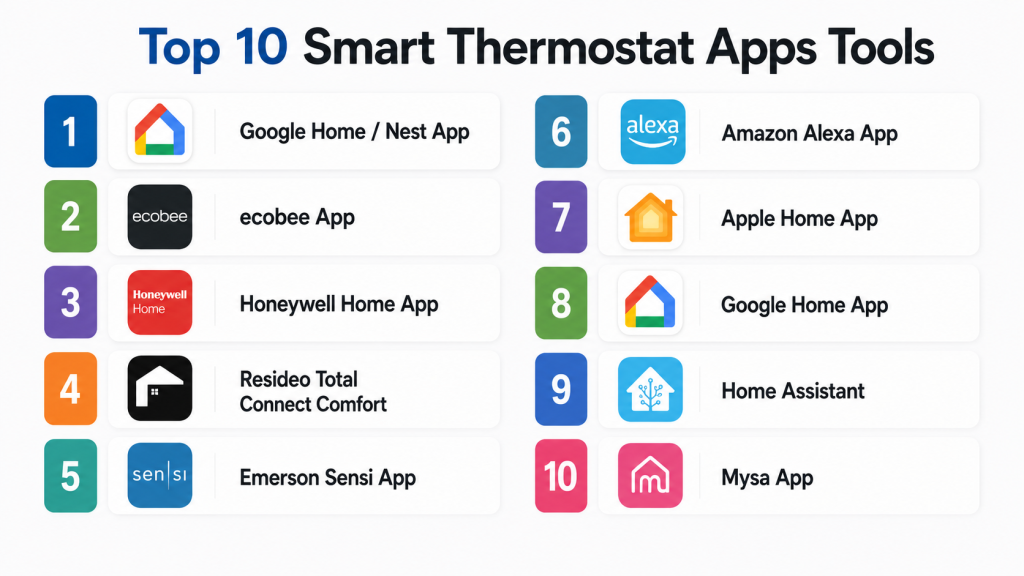
Top 10 Smart Thermostat Apps Tools
#1 — Google Home / Nest App
Short description:
Google Home and the Nest app are used to manage Nest thermostats and other Google smart home devices. These apps help users control temperature, set schedules, view energy history, manage home and away routines, and connect thermostats with Google Assistant. They are suitable for homeowners, renters, and families already using Google or Nest devices. The experience is simple for daily control and works well for users who want thermostat management inside a broader smart home app. It is a strong option for users who prefer Google’s ecosystem and voice control.
Key Features
- Remote heating and cooling control
- Scheduling and temperature presets
- Home and away routines
- Energy usage insights
- Google Assistant voice control
- Nest ecosystem integration
- Alerts and basic HVAC reminders
Pros
- Easy to use for Google and Nest users
- Good smart home integration with Google Home
- Useful energy insights and remote control
Cons
- Best experience is inside the Google ecosystem
- Some advanced controls depend on thermostat model
- Users who prefer local-first control may find it cloud-dependent
Platforms / Deployment
iOS / Android / Web access may vary
Cloud / Hybrid depending on device and setup
Security & Compliance
Google account security features such as two-step verification and account controls may be available. Specific certifications such as SOC 2, ISO 27001, GDPR, or HIPAA for general smart thermostat app usage are not publicly stated in this context.
Integrations & Ecosystem
Google Home and Nest work best with Google’s smart home ecosystem and compatible connected devices.
- Google Assistant
- Nest smart home devices
- Matter-compatible ecosystem support may vary
- Smart speakers and displays
- Home and away routines
- Third-party smart home integrations
Support & Community
Google provides help documentation, app support, device setup guides, and customer support resources. Community support is strong because Nest thermostats and Google Home devices are widely used.
#2 — ecobee App
Short description:
The ecobee app helps users control ecobee smart thermostats, room sensors, comfort settings, schedules, and smart home automations. It is suitable for homeowners who want better room-level comfort and energy-aware HVAC control. ecobee is especially useful for homes where one thermostat location does not represent the comfort of every room. The app supports remote access, temperature scheduling, occupancy-based comfort, and integrations with popular smart home platforms. It is a strong choice for users who want both comfort and energy visibility.
Key Features
- Remote thermostat control
- Smart schedules and comfort settings
- Room sensor support
- Occupancy-aware temperature adjustments
- Energy reports and insights
- Voice assistant and smart home integrations
- Alerts and HVAC reminders
Pros
- Strong room sensor ecosystem
- Good balance of comfort and energy savings
- Works well for larger homes and multi-room needs
Cons
- Best value may require additional sensors
- Some features may depend on model or plan
- Setup can be more involved than basic thermostats
Platforms / Deployment
iOS / Android / Web access may vary
Cloud / Hybrid depending on thermostat and integrations
Security & Compliance
Account security controls may be available. Specific certifications such as SOC 2, ISO 27001, GDPR, or HIPAA are not publicly stated unless confirmed directly by the vendor.
Integrations & Ecosystem
ecobee fits homes that use multiple smart home platforms and want stronger room-level HVAC intelligence.
- Apple Home compatibility may vary by model
- Alexa integration
- Google Assistant support
- SmartThings compatibility may vary
- Room sensors
- Smart home automation platforms
Support & Community
ecobee provides documentation, setup guides, support resources, and customer service. Community support is active among smart home users who focus on room sensors and HVAC comfort.
#3 — Honeywell Home App
Short description:
Honeywell Home is used to control compatible Honeywell smart thermostats, security devices, and connected home products. The app helps users adjust temperature, create schedules, manage alerts, and monitor comfort from anywhere. It is suitable for homeowners, renters, small offices, and users who prefer a trusted HVAC brand. Honeywell thermostats are often used in traditional home comfort setups, making the app practical for users who want familiar controls with smart access. It is a good option for users who want reliable thermostat control without overly complex automation.
Key Features
- Remote temperature control
- Heating and cooling schedules
- Geofencing support on selected models
- Alerts and notifications
- Humidity control on compatible devices
- Multi-device home management
- Voice assistant integrations may vary
Pros
- Familiar brand for HVAC users
- Good for practical thermostat control
- Suitable for many home and small office setups
Cons
- Feature depth varies by thermostat model
- App experience may differ across product generations
- Advanced smart home automation may be limited compared with specialist platforms
Platforms / Deployment
iOS / Android
Cloud / Hybrid depending on thermostat model
Security & Compliance
Account security and app-level controls may be available. Specific certifications such as SOC 2, ISO 27001, GDPR, or HIPAA are not publicly stated for general smart thermostat app usage.
Integrations & Ecosystem
Honeywell Home connects compatible thermostat and home comfort products with common smart home workflows.
- Honeywell thermostats
- Home comfort devices
- Alexa compatibility may vary
- Google Assistant compatibility may vary
- Smart home routines may vary
- Alerts and device notifications
Support & Community
Honeywell provides setup guides, product documentation, customer support, and device troubleshooting resources. Community support is available across HVAC and smart home user discussions.
#4 — Resideo Total Connect Comfort
Short description:
Resideo Total Connect Comfort is used with selected connected thermostats and home comfort devices. It helps users remotely control heating and cooling, adjust schedules, receive alerts, and manage multiple thermostat locations. The app is useful for homeowners, landlords, small offices, and users managing older compatible thermostat models. It is practical for people who want basic remote thermostat control without needing a full smart home ecosystem. It is also relevant for users with existing compatible Honeywell or Resideo thermostat hardware.
Key Features
- Remote thermostat access
- Temperature schedule management
- Multi-location thermostat control
- Alerts and notifications
- Heating and cooling mode control
- Basic energy and comfort management
- Support for compatible connected thermostats
Pros
- Useful for existing compatible thermostat users
- Supports remote access and multi-location control
- Practical for simple temperature management
Cons
- Interface may feel less modern than newer smart home apps
- Device compatibility depends on thermostat model
- Advanced automation features may be limited
Platforms / Deployment
iOS / Android / Web access may vary
Cloud
Security & Compliance
Account-based access controls may be available. Specific certifications such as SOC 2, ISO 27001, GDPR, or HIPAA are not publicly stated in this context.
Integrations & Ecosystem
Total Connect Comfort is most useful for users with compatible Resideo or Honeywell connected thermostats.
- Compatible thermostats
- Multi-location control
- Alerts and notifications
- Basic scheduling workflows
- Web and mobile access may vary
- Smart home integrations may vary by model
Support & Community
Support is available through Resideo and related product documentation. Community support exists among users of connected Honeywell and Resideo thermostats.
#5 — Emerson Sensi App
Short description:
The Emerson Sensi app helps users manage Sensi smart thermostats with remote control, scheduling, usage insights, and HVAC alerts. It is suitable for homeowners who want practical smart thermostat features without unnecessary complexity. Sensi is often appreciated by users who want broad HVAC compatibility and simple app-based control. The app supports flexible schedules, smart alerts, and voice assistant integrations depending on device and setup. It is a good fit for users who want reliable smart thermostat control at a practical price point.
Key Features
- Remote temperature adjustment
- Flexible scheduling
- Usage reports and energy insights
- HVAC alerts and reminders
- Geofencing support may vary
- Voice assistant integrations
- Multi-thermostat management
Pros
- Simple and practical user experience
- Good fit for standard home HVAC control
- Useful alerts and scheduling features
Cons
- Advanced automation may be limited compared with broader smart home platforms
- Feature availability depends on thermostat model
- May not be ideal for complex multi-zone homes
Platforms / Deployment
iOS / Android
Cloud / Hybrid depending on device setup
Security & Compliance
Account security controls may be available. Specific certifications such as SOC 2, ISO 27001, GDPR, or HIPAA are not publicly stated unless verified directly.
Integrations & Ecosystem
Sensi works with common smart home and voice assistant ecosystems depending on model and setup.
- Sensi thermostats
- Alexa support may vary
- Google Assistant support may vary
- Apple Home support may vary by model
- HVAC alerts and reports
- Multi-thermostat workflows
Support & Community
Emerson provides documentation, installation guides, support resources, and troubleshooting help. Community support exists among smart thermostat and HVAC users.
#6 — Amazon Alexa App
Short description:
The Amazon Alexa app can control compatible smart thermostats from different brands through Alexa smart home integration. It is not tied to one thermostat brand only, which makes it useful for users who already manage lights, plugs, cameras, and speakers through Alexa. The app allows voice control, routines, temperature adjustments, and automation with other Alexa-compatible devices. It is best for users who want thermostat control as part of a voice-first smart home. However, it may not provide the same deep thermostat-specific reports as the thermostat brand’s own app.
Key Features
- Voice-based thermostat control
- Alexa routines and automations
- Multi-device smart home control
- Temperature adjustment through app and voice
- Integration with many thermostat brands
- Smart speaker and display control
- Schedule support may depend on thermostat brand
Pros
- Excellent for voice-first smart homes
- Works with many compatible thermostat brands
- Useful for combining thermostat control with lighting, security, and scenes
Cons
- Thermostat-specific features may be limited
- Cloud dependency is high
- Advanced HVAC settings usually require the original thermostat app
Platforms / Deployment
iOS / Android / Echo devices / Smart displays
Cloud / Hybrid depending on connected thermostat
Security & Compliance
Amazon account security features and device privacy settings may be available. Specific certifications such as SOC 2, ISO 27001, GDPR, or HIPAA for general smart thermostat control are not publicly stated in this context.
Integrations & Ecosystem
Alexa works as a smart home control layer across many compatible thermostat brands and connected devices.
- Alexa-compatible thermostats
- Echo speakers and displays
- Smart home routines
- Lighting and device automation
- Voice commands
- Third-party smart home skills
Support & Community
Amazon provides app support, device help, setup documentation, and customer service. Community support is broad because Alexa is widely used for smart home control.
#7 — Apple Home App
Short description:
Apple Home can control compatible smart thermostats through the Apple Home ecosystem. It is ideal for iPhone, iPad, Apple Watch, HomePod, and Apple TV users who want thermostat control inside Apple’s smart home interface. The app supports scenes, automations, Siri voice control, and remote access when a home hub is available. Apple Home is useful for users who want a clean, privacy-focused smart home experience. It works best when the thermostat supports Apple Home, HomeKit, or Matter compatibility.
Key Features
- Thermostat control through Apple Home
- Siri voice commands
- Scenes and automations
- Remote access through Apple home hub
- Integration with HomePod and Apple TV
- Matter support depending on device
- Privacy-focused ecosystem positioning
Pros
- Excellent fit for Apple households
- Simple interface for scenes and routines
- Good privacy and ecosystem consistency
Cons
- Requires compatible thermostat hardware
- Less flexible than advanced automation platforms
- Best experience depends on Apple devices and home hub setup
Platforms / Deployment
iOS / iPadOS / macOS / watchOS / HomePod / Apple TV
Cloud / Local ecosystem features / Apple Home hub architecture
Security & Compliance
Apple account security and home access controls may be available. Specific certifications such as SOC 2, ISO 27001, GDPR, or HIPAA for general thermostat control are not publicly stated in this context.
Integrations & Ecosystem
Apple Home is best for users who want thermostat control as part of an Apple-centered smart home.
- Apple Home-compatible thermostats
- Siri voice control
- HomePod and Apple TV
- Matter-compatible devices may vary
- Scenes and automations
- Apple ecosystem devices
Support & Community
Apple provides official documentation, app support, device setup guides, and customer support. Community support is strong among Apple Home and smart home users.
#8 — Google Home App
Short description:
Google Home can control compatible smart thermostats from Google Nest and other supported brands. It is useful for users who want a single app for thermostats, lights, speakers, cameras, plugs, and smart home routines. Google Home works well for Android users and households already using Google Assistant or Nest devices. It provides simple temperature control, routines, voice commands, and smart home grouping. It is best for users who want broad smart home control rather than only thermostat-specific management.
Key Features
- Thermostat control from Google Home
- Google Assistant voice commands
- Smart home routines
- Device grouping by room
- Nest ecosystem support
- Matter-compatible device support may vary
- Remote app access
Pros
- Strong fit for Android and Google users
- Simple control for multiple smart home devices
- Good voice assistant experience
Cons
- Thermostat-specific features may require the brand app
- Some automation depth is limited
- Feature availability varies by device and region
Platforms / Deployment
iOS / Android / Google smart displays / Smart speakers
Cloud / Hybrid depending on device
Security & Compliance
Google account security, app permissions, and device controls may be available. Specific certifications such as SOC 2, ISO 27001, GDPR, or HIPAA for general smart thermostat control are not publicly stated in this context.
Integrations & Ecosystem
Google Home works as a central control layer for compatible thermostats and other smart devices.
- Nest thermostats
- Google Assistant
- Android ecosystem
- Smart speakers and displays
- Matter-compatible devices may vary
- Third-party thermostat integrations
Support & Community
Google provides help documentation, device setup guides, app support, and customer resources. Community support is broad because Google Home is widely used.
#9 — Home Assistant
Short description:
Home Assistant is a powerful local-first automation platform that can integrate many smart thermostats and HVAC devices into one dashboard. It is best for advanced users who want deep automation, privacy, custom dashboards, and cross-brand device control. Home Assistant is not a thermostat app in the traditional single-brand sense, but it can become a central smart thermostat control layer for compatible devices. It is especially useful for people who want temperature automation based on sensors, occupancy, weather, energy data, and smart home conditions. It is ideal for technical users who want full control.
Key Features
- Multi-brand thermostat integrations
- Local-first automation approach
- Custom climate dashboards
- Advanced rules and conditions
- Sensor-based temperature automation
- Energy monitoring integrations
- Support for many smart home protocols and devices
Pros
- Extremely flexible and customizable
- Strong privacy and local-control orientation
- Excellent for advanced automations across brands
Cons
- Technical setup can be challenging for beginners
- Requires maintenance and configuration
- Compatibility varies by thermostat integration
Platforms / Deployment
Web / iOS / Android / Linux / Docker / Virtual machine / Dedicated hardware
Self-hosted / Hybrid / Local-first
Security & Compliance
Home Assistant supports user accounts, local control, and secure remote access options depending on setup. Enterprise certifications such as SOC 2, ISO 27001, GDPR, or HIPAA are not publicly stated for general self-hosted use.
Integrations & Ecosystem
Home Assistant can connect thermostat apps, HVAC devices, sensors, weather services, smart plugs, and energy monitoring tools.
- Smart thermostat integrations
- Zigbee, Z-Wave, Wi-Fi, Matter, and Thread support depending on hardware
- Occupancy and room sensors
- Weather-based automations
- Energy dashboards
- Community integrations and add-ons
Support & Community
Home Assistant has strong documentation, forums, community guides, add-ons, and developer participation. Official support depends on hardware or subscription services used.
#10 — Mysa App
Short description:
The Mysa app is designed for Mysa smart thermostats used with electric baseboard heaters, in-floor heating, mini-split heat pumps, and related HVAC systems depending on model. It is suitable for homes that use electric heating or room-specific heating zones. The app helps users schedule temperatures, monitor energy use, manage rooms, and control heating from anywhere. Mysa is especially useful where traditional smart thermostats may not support the heating system type. It is a strong option for users who want smart control over electric heating environments.
Key Features
- Remote heating and cooling control depending on device
- Scheduling and room-based control
- Energy usage insights
- Zone-based comfort management
- Smart home integrations may vary
- App-based temperature control
- Support for selected electric heating and cooling systems
Pros
- Strong fit for electric heating systems
- Useful for room-by-room comfort control
- Good option where standard smart thermostats may not work
Cons
- Best value depends on compatible Mysa hardware
- Not suitable for every HVAC system
- Advanced ecosystem features may vary by model
Platforms / Deployment
iOS / Android
Cloud / Hybrid depending on device and integrations
Security & Compliance
Account security controls may be available. Specific certifications such as SOC 2, ISO 27001, GDPR, or HIPAA are not publicly stated unless verified directly.
Integrations & Ecosystem
Mysa works well for users managing compatible electric heating and cooling systems.
- Mysa thermostats
- Electric baseboard heating
- In-floor heating systems
- Mini-split control depending on device
- Voice assistant support may vary
- Smart home ecosystem integrations may vary
Support & Community
Mysa provides documentation, installation guides, support resources, and customer service. Community support is smaller than major ecosystems but relevant among users with electric heating setups.
Comparison Table
| Tool Name | Best For | Platform(s) Supported | Deployment | Standout Feature | Public Rating |
|---|---|---|---|---|---|
| Google Home / Nest App | Nest thermostat users and Google households | iOS / Android / Web varies | Cloud / Hybrid | Nest thermostat control and energy insights | N/A |
| ecobee App | Room-level comfort and sensor-based control | iOS / Android / Web varies | Cloud / Hybrid | Remote sensors and comfort settings | N/A |
| Honeywell Home App | Traditional HVAC users and smart thermostat control | iOS / Android | Cloud / Hybrid | Practical thermostat control from a trusted HVAC brand | N/A |
| Resideo Total Connect Comfort | Existing compatible thermostat users | iOS / Android / Web varies | Cloud | Remote thermostat and multi-location access | N/A |
| Emerson Sensi App | Simple smart thermostat control | iOS / Android | Cloud / Hybrid | Practical scheduling and HVAC alerts | N/A |
| Amazon Alexa App | Voice-first smart home users | iOS / Android / Echo devices | Cloud / Hybrid | Thermostat control through Alexa routines | N/A |
| Apple Home App | Apple ecosystem households | iOS / iPadOS / macOS / watchOS | Apple Home / Cloud / Hybrid | Siri and Apple Home automation | N/A |
| Google Home App | Broad Google smart home control | iOS / Android / Google devices | Cloud / Hybrid | Central smart home control layer | N/A |
| Home Assistant | Advanced automation and local control | Web / iOS / Android / Linux / Docker | Self-hosted / Hybrid | Deep custom thermostat automation | N/A |
| Mysa App | Electric heating and room-level zones | iOS / Android | Cloud / Hybrid | Smart control for electric heating systems | N/A |
Evaluation & Scoring of Smart Thermostat Apps
| Tool Name | Core (25%) | Ease (15%) | Integrations (15%) | Security (10%) | Performance (10%) | Support (10%) | Value (15%) | Weighted Total (0–10) |
|---|---|---|---|---|---|---|---|---|
| Google Home / Nest App | 8 | 9 | 8 | 7 | 8 | 8 | 8 | 8.05 |
| ecobee App | 9 | 8 | 8 | 7 | 8 | 8 | 8 | 8.15 |
| Honeywell Home App | 8 | 8 | 7 | 7 | 8 | 8 | 8 | 7.75 |
| Resideo Total Connect Comfort | 7 | 7 | 6 | 7 | 7 | 7 | 7 | 6.90 |
| Emerson Sensi App | 8 | 8 | 7 | 7 | 8 | 8 | 8 | 7.75 |
| Amazon Alexa App | 7 | 9 | 8 | 7 | 7 | 8 | 8 | 7.70 |
| Apple Home App | 7 | 9 | 7 | 8 | 8 | 8 | 8 | 7.75 |
| Google Home App | 7 | 9 | 8 | 7 | 7 | 8 | 8 | 7.70 |
| Home Assistant | 9 | 6 | 10 | 8 | 8 | 9 | 9 | 8.40 |
| Mysa App | 8 | 8 | 7 | 7 | 8 | 7 | 8 | 7.65 |
The scoring is comparative and should be used as a practical buyer guide, not as an official product rating. Apps tied to thermostat hardware usually score higher in core HVAC controls. Broader smart home apps score higher in ecosystem automation and voice control. Home Assistant scores high for flexibility but lower in ease of use because it requires technical setup. Buyers should adjust the scores based on HVAC type, ecosystem preference, privacy needs, sensor requirements, and budget.
Which Smart Thermostat App Tool Is Right for You?
Solo / Freelancer
Solo users, renters, and individual homeowners usually need a simple app that offers remote temperature control, basic scheduling, and energy-saving features. They may not need advanced automation unless they already use smart home devices.
Good options include Google Home / Nest, Emerson Sensi, Honeywell Home, Apple Home, Google Home, and Alexa. These apps are practical for everyday comfort and easy remote access.
SMB
Small offices, clinics, shops, salons, cafés, and small rental properties need simple HVAC control, scheduling, remote access, and alerts. The goal is usually to reduce waste and avoid leaving heating or cooling running unnecessarily.
Good options include ecobee, Honeywell Home, Emerson Sensi, Google Home / Nest, and Mysa for electric heating environments. SMB buyers should focus on ease of use, user permissions, and HVAC compatibility.
Mid-Market
Mid-market buyers may manage multiple thermostats, multiple rooms, or several small properties. They need better visibility, multi-location access, alerts, usage insights, and integration with smart building or property workflows.
Good options include ecobee, Resideo Total Connect Comfort, Google Home / Nest, Honeywell Home, and Home Assistant for more advanced setups. Multi-location control should be validated before purchase.
Enterprise
Large organizations, hospitality groups, property operators, assisted living facilities, and managed residential portfolios need more structured control, security, and operational consistency. Consumer thermostat apps may work for smaller environments, but larger deployments may need professional building management systems.
Good options depend heavily on HVAC infrastructure. ecobee, Honeywell, Resideo, and Mysa may work for selected use cases. Home Assistant may support custom control, but enterprise buyers should carefully evaluate security, support, and maintenance responsibility.
Budget vs Premium
Budget buyers should focus on apps connected to affordable thermostats with strong basic features. Emerson Sensi, Google Home / Nest, Honeywell Home, and Alexa-compatible thermostat control may be practical options.
Premium buyers may prefer ecobee for room sensors, Apple Home for Apple ecosystem control, Home Assistant for advanced automation, or Mysa for specialized electric heating setups.
Feature Depth vs Ease of Use
If ease of use is most important, choose Google Home / Nest, ecobee, Honeywell Home, Sensi, Apple Home, Alexa, or Google Home. These are more beginner-friendly and require less technical setup.
If deep customization is important, Home Assistant is stronger. It allows advanced logic based on room sensors, weather, occupancy, energy data, time, and other smart home conditions.
Integrations & Scalability
If you already use Apple, Google, Alexa, or Home Assistant, choose a thermostat app and device that fits your ecosystem. This reduces complexity and improves automation options.
For multi-property or multi-room needs, check whether the app supports multiple thermostats, location grouping, user access, reporting, and alerts. Do not assume all thermostat apps scale well across many buildings.
Security & Compliance Needs
Smart thermostat apps can reveal occupancy patterns, location behavior, and home routines. Buyers should review account security, two-factor authentication, app permissions, data sharing, location tracking, and remote access settings.
For businesses and managed properties, security review is important. Do not assume SOC 2, ISO 27001, GDPR, HIPAA, or other compliance support unless the vendor clearly confirms it.
Frequently Asked Questions
1. What is a Smart Thermostat App?
A Smart Thermostat App lets users control heating and cooling from a phone, tablet, or smart home system. It can manage schedules, remote access, alerts, energy insights, and comfort settings.
2. Do smart thermostat apps save energy?
They can help save energy by using schedules, away modes, occupancy detection, and usage insights. Actual savings depend on HVAC system type, home insulation, weather, user habits, and proper setup.
3. Do I need Wi-Fi for a smart thermostat app?
Most smart thermostat apps need Wi-Fi for remote control, cloud access, updates, and integrations. Some thermostat functions may still work locally, but app-based remote access usually depends on internet connectivity.
4. Which app is best for beginners?
Google Home / Nest, ecobee, Honeywell Home, Emerson Sensi, Apple Home, and Alexa are generally easier for beginners. They provide simple controls, schedules, and voice assistant support.
5. Which app is best for advanced automation?
Home Assistant is strong for advanced automation because it can combine thermostat control with sensors, weather, occupancy, energy data, and other smart devices. It is best for users comfortable with technical setup.
6. Can one app control multiple thermostats?
Many smart thermostat apps support multiple thermostats, but the experience varies. Buyers should check whether the app supports multiple homes, rooms, zones, users, schedules, and alerts.
7. Are smart thermostat apps secure?
Security depends on the vendor, account settings, network security, and user behavior. Users should enable strong passwords, two-factor authentication where available, app updates, and careful location permission settings.
8. What mistakes should buyers avoid?
Common mistakes include buying a thermostat before checking HVAC compatibility, ignoring C-wire requirements, skipping sensor needs, relying only on voice control, and not reviewing privacy settings.
9. Can smart thermostat apps work with Alexa, Google, or Apple Home?
Many smart thermostat apps support Alexa, Google Home, or Apple Home, but compatibility varies by thermostat model. Buyers should confirm integration support before purchase.
10. Are smart thermostat apps useful for rental properties?
Yes, they can help landlords and property managers monitor temperature, reduce energy waste, and manage comfort remotely. However, user permissions, privacy rules, and tenant control should be handled carefully.
Conclusion
Smart Thermostat Apps make heating and cooling easier to control, more efficient, and better connected with modern smart homes. The best app depends on your thermostat hardware, HVAC system, smart home ecosystem, privacy preference, and automation needs. Google Home / Nest is strong for Google users, while ecobee is excellent for room sensors and comfort control. Honeywell Home, Resideo, and Sensi are practical for traditional HVAC users. Alexa, Apple Home, and Google Home are useful as broader smart home control layers. Home Assistant is best for advanced users who want deep automation and local control. Mysa is a strong option for compatible electric heating systems.
