Upgrade & Secure Your Future with DevOps, SRE, DevSecOps, MLOps!
We spend hours scrolling social media and waste money on things we forget, but won’t spend 30 minutes a day earning certifications that can change our lives.
Master in DevOps, SRE, DevSecOps & MLOps by DevOps School!
Learn from Guru Rajesh Kumar and double your salary in just one year.
Introduction
Visitor Management Software helps organizations manage people who enter their offices, campuses, warehouses, hospitals, schools, factories, coworking spaces, and other facilities. Instead of using a paper register, teams can use digital check-in, host notifications, badge printing, visitor logs, ID verification, document signing, and security workflows.
It matters now because workplaces need better safety, faster reception processes, stronger access control, and cleaner visitor records. Modern visitor management is not only about welcoming guests. It also helps security teams know who is inside the building, why they came, who invited them, and when they left.
Common use cases include guest check-in, contractor tracking, delivery visitor logs, interview visitor registration, compliance reporting, and emergency evacuation records.
Buyers should evaluate ease of use, kiosk experience, ID verification, badge printing, access control integrations, visitor logs, reporting, security controls, scalability, and pricing.
Best for: Facility managers, security teams, IT teams, HR teams, office admins, schools, hospitals, warehouses, factories, enterprises, and multi-location businesses.
Not ideal for: Very small offices with rare visitors or businesses that only need a simple manual register.
Key Trends in Visitor Management Software
- Contactless check-in is becoming more common through QR codes, mobile pre-registration, and self-service kiosks.
- AI-assisted visitor screening is growing for identity checks, visitor risk workflows, and faster approvals.
- Visitor systems are now integrating with access control, video surveillance, alarms, and workplace platforms.
- Hybrid workplaces need visitor tools connected with desk booking, room booking, employee directories, and workplace scheduling.
- Multi-location visitor management is becoming important for companies with offices in different cities or countries.
- Security teams are expecting stronger controls such as MFA, SSO, RBAC, audit logs, and visitor data retention rules.
- Compliance-focused visitor records are important for healthcare, education, finance, manufacturing, and government facilities.
- Emergency evacuation reporting is becoming a key feature for workplace safety.
- Cloud-based visitor platforms are preferred because they are easier to manage, update, and scale.
- Visitor experience is becoming more polished, with branded check-in screens, digital badges, and automated host alerts.
How We Selected These Tools
The tools were selected based on:
- Market adoption and recognition in visitor management.
- Core visitor features such as check-in, pre-registration, badges, and visitor logs.
- Support for different visitor types, including guests, contractors, vendors, and delivery staff.
- Ease of use for visitors, reception teams, hosts, and administrators.
- Security features such as user roles, access control, audit logs, and visitor records.
- Integrations with workplace, identity, communication, and access control systems.
- Suitability for SMBs, mid-market companies, enterprises, and regulated industries.
- Reporting, compliance, and emergency response capabilities.
- Scalability across multiple locations.
- Overall practical value for real workplace environments.
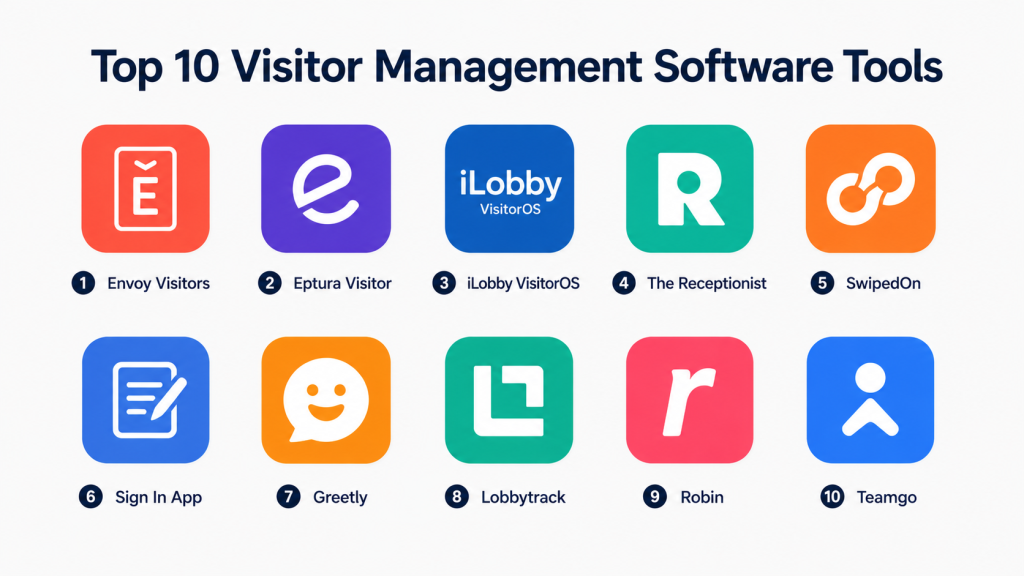
Top 10 Visitor Management Software Tools
1 — Envoy Visitors
Short description:
Envoy Visitors is a well-known visitor management platform for modern workplaces. It helps companies manage guest check-ins, host notifications, visitor logs, badge printing, and workplace security workflows. It is suitable for offices, enterprises, schools, and multi-location businesses. Envoy is especially useful for teams that want visitor management connected with broader workplace operations. It works well for companies that need a polished visitor experience and strong admin control.
Key Features
- Digital visitor check-in
- Pre-registration and visitor invitations
- Badge printing
- Host notifications
- Visitor logs and reporting
- Multi-location management
- Workplace integrations
Pros
- Clean and modern visitor experience
- Strong fit for office and enterprise environments
- Good ecosystem for workplace operations
Cons
- May cost more than basic visitor tools
- Some advanced features may need higher plans
- Best value comes when used with broader workplace workflows
Platforms / Deployment
Web / iOS / Android
Cloud
Security & Compliance
Supports user permissions, visitor logs, admin controls, and access-related workflows. Specific certifications: Not publicly stated.
Integrations & Ecosystem
Envoy connects visitor management with workplace and communication tools.
- Slack
- Microsoft Teams
- Google Workspace
- Access control systems
- Badge printers
- Employee directories
Support & Community
Envoy provides documentation, onboarding resources, and support options. It has strong awareness in workplace technology markets.
2 — Eptura Visitor
Short description:
Eptura Visitor is designed for workplaces that need better visitor visibility, security, and facility control. It helps teams manage visitor check-ins, host communication, visitor records, and workplace compliance workflows. It is useful for enterprises, corporate offices, facility teams, and multi-location organizations. The platform fits well for companies already managing workplace operations digitally. It is a strong option when visitor management must connect with office planning and facility workflows.
Key Features
- Visitor registration
- Digital check-in workflows
- Host notifications
- Visitor tracking
- Badge printing
- Reporting features
- Workplace ecosystem integration
Pros
- Good for enterprise workplace environments
- Strong fit with facility operations
- Useful for multi-location visitor visibility
Cons
- May be more than small offices need
- Setup may require planning
- Pricing details may vary
Platforms / Deployment
Web / iOS / Android
Cloud
Security & Compliance
Supports visitor records, access controls, and admin permissions. Specific certifications: Not publicly stated.
Integrations & Ecosystem
Eptura Visitor connects visitor management with facility and workplace tools.
- Workplace management tools
- Desk booking systems
- Room booking systems
- Access control systems
- Employee directories
- Reporting tools
Support & Community
Support and onboarding resources are available through vendor channels. Enterprise customers may need structured implementation support.
3 — iLobby VisitorOS
Short description:
iLobby VisitorOS is a visitor and facility access platform built for secure workplaces, regulated industries, and operational sites. It is suitable for manufacturing plants, warehouses, logistics hubs, healthcare facilities, enterprise offices, and industrial environments. The software helps manage visitors, contractors, safety documents, compliance forms, and check-in workflows. It is stronger than basic front-desk tools because it supports deeper operational control. It is best for companies where visitor safety, compliance, and site security are important.
Key Features
- Visitor and contractor check-in
- Custom visitor workflows
- Safety document collection
- Badge printing
- Host notifications
- Compliance reporting
- Multi-site management
Pros
- Strong for regulated and industrial environments
- Good contractor and compliance workflows
- Suitable for multi-location operations
Cons
- May feel complex for simple office needs
- Workflow setup may require planning
- Pricing may be higher than basic tools
Platforms / Deployment
Web / iOS / Android
Cloud
Security & Compliance
Supports visitor records, access controls, audit logs, and compliance workflows. Specific certifications: Not publicly stated.
Integrations & Ecosystem
iLobby connects visitor workflows with security and facility operations.
- Access control systems
- Contractor systems
- Badge printers
- Safety workflows
- Employee directories
- Reporting tools
Support & Community
Support and onboarding are generally available for business and enterprise customers. It is best suited for teams that need guided implementation.
4 — The Receptionist
Short description:
The Receptionist is a visitor management platform focused on simple and friendly front-desk check-in. It helps organizations welcome guests, notify hosts, collect visitor details, and maintain visitor records. It is useful for offices, clinics, schools, coworking spaces, and service-based businesses. The platform is easy for reception teams and visitors to understand. It is a good fit for small and mid-sized businesses that want a professional digital reception experience without heavy complexity.
Key Features
- Visitor check-in
- Host notifications
- Custom visitor workflows
- Badge printing
- Delivery management
- Visitor logs
- Multi-location support
Pros
- Simple and easy to use
- Good for SMBs and front-desk teams
- Friendly visitor experience
Cons
- May not suit complex enterprise security needs
- Advanced compliance features may be limited
- Integrations may vary by use case
Platforms / Deployment
Web / iPad
Cloud
Security & Compliance
Supports visitor records and user access controls. Specific certifications: Not publicly stated.
Integrations & Ecosystem
The Receptionist supports common front-desk and workplace communication workflows.
- Email notifications
- SMS notifications
- Slack
- Microsoft Teams
- Badge printers
- Visitor log exports
Support & Community
Support resources and onboarding help are available. It is practical for teams that want simple setup and easy daily use.
5 — SwipedOn
Short description:
SwipedOn is a visitor management system built for easy guest sign-in, employee sign-in, visitor badges, and workplace safety. It is popular among small and mid-sized businesses that want a clean kiosk-based check-in process. The software supports visitor records, host notifications, evacuation lists, and employee movement tracking. It is simple enough for reception teams but useful for growing workplaces. It is a practical choice for companies that want fast deployment and low complexity.
Key Features
- Visitor check-in
- Employee sign-in
- Badge printing
- Host notifications
- Evacuation management
- Visitor history
- Multi-location support
Pros
- Easy to deploy
- Good value for smaller teams
- Useful safety and evacuation features
Cons
- May not match enterprise workflow depth
- Advanced integrations may be limited
- Some features may depend on plan level
Platforms / Deployment
Web / iPad / iOS / Android
Cloud
Security & Compliance
Supports visitor logs, user permissions, and admin controls. Specific certifications: Not publicly stated.
Integrations & Ecosystem
SwipedOn supports practical visitor and workplace workflows.
- Badge printers
- Employee directories
- Email notifications
- SMS notifications
- Evacuation lists
- Visitor reporting
Support & Community
Documentation and support resources are available. It is a strong fit for teams that want a simple and practical visitor system.
6 — Sign In App
Short description:
Sign In App is a visitor management and sign-in platform for offices, schools, healthcare sites, construction locations, and multi-site workplaces. It helps manage visitors, staff, contractors, and evacuation records. The platform is known for flexible visitor workflows and customizable sign-in processes. It is useful for organizations that need both front-desk check-in and safety visibility. It works well for businesses that want a simple but configurable visitor system.
Key Features
- Visitor sign-in
- Staff and contractor sign-in
- Custom questionnaires
- Badge printing
- Evacuation reporting
- Multi-site management
- Visitor records and reporting
Pros
- Flexible visitor workflows
- Good for safety and evacuation needs
- Suitable for many industries
Cons
- Custom workflows may need setup time
- Advanced enterprise integrations may vary
- Pricing should be checked based on location needs
Platforms / Deployment
Web / iOS / Android
Cloud
Security & Compliance
Supports visitor records, access permissions, and safety reporting. Specific certifications: Not publicly stated.
Integrations & Ecosystem
Sign In App supports visitor, staff, and safety workflows.
- Badge printers
- Employee directories
- Access control options
- Evacuation reporting
- Notifications
- Custom forms
Support & Community
Support resources, documentation, and onboarding help are available. It is suitable for both SMB and multi-site organizations.
7 — Greetly
Short description:
Greetly is a visitor management solution focused on self-service check-in, host notifications, and reception automation. It is suitable for offices, coworking spaces, schools, clinics, warehouses, and small to mid-sized businesses. The platform helps reduce manual reception work by allowing visitors to check in through a tablet or kiosk. It supports custom workflows and visitor communication. It is best for teams that want a simple, customizable, and affordable visitor check-in experience.
Key Features
- Self-service visitor check-in
- Host notifications
- Custom visitor workflows
- Visitor logs
- Badge printing support
- Delivery notifications
- Multi-location options
Pros
- Simple and customizable
- Good for SMBs and reception automation
- Useful for different visitor types
Cons
- May not be ideal for complex enterprise security
- Advanced compliance features may be limited
- Integrations may depend on configuration
Platforms / Deployment
Web / iOS / Android
Cloud
Security & Compliance
Supports visitor logs and user access controls. Specific certifications: Not publicly stated.
Integrations & Ecosystem
Greetly supports visitor communication and front-desk workflows.
- Email alerts
- SMS alerts
- Slack
- Microsoft Teams
- Badge printers
- Visitor reports
Support & Community
Support and setup guidance are available. It is best for teams that want practical front-desk automation.
8 — Lobbytrack
Short description:
Lobbytrack is a visitor management system for organizations that need visitor registration, badge printing, ID scanning, and security-focused tracking. It is used by offices, schools, government buildings, healthcare facilities, and businesses that require stronger visitor identity control. The platform supports visitor logs, watchlists, pre-registration, and reporting. It is useful for organizations that want more control over visitor entry. It is a good fit for security-conscious workplaces.
Key Features
- Visitor registration
- ID scanning
- Badge printing
- Watchlist screening
- Pre-registration
- Visitor logs
- Reporting tools
Pros
- Strong focus on visitor identity and tracking
- Useful for security-focused environments
- Good badge and registration features
Cons
- Interface may feel more traditional than newer tools
- Setup may require admin planning
- Some modern integrations may vary
Platforms / Deployment
Web / Windows
Cloud / Self-hosted / Hybrid
Security & Compliance
Supports visitor records, ID scanning, watchlists, and user permissions. Specific certifications: Not publicly stated.
Integrations & Ecosystem
Lobbytrack supports security and reception workflows.
- ID scanners
- Badge printers
- Watchlists
- Access control options
- Visitor reporting
- Pre-registration systems
Support & Community
Support and documentation are available. It is practical for organizations with stronger visitor screening requirements.
9 — Robin
Short description:
Robin is a workplace experience platform that includes visitor management as part of broader office operations. It is useful for companies managing hybrid work, meeting rooms, desks, visitors, and workplace analytics. The visitor management features help teams welcome guests, notify hosts, and connect visitor activity with office workflows. Robin is best for companies that want visitor management inside a wider workplace platform. It is especially useful for offices focused on hybrid workplace planning.
Key Features
- Visitor check-in
- Host notifications
- Workplace scheduling
- Room booking
- Desk booking
- Employee directory support
- Workplace analytics
Pros
- Strong fit for hybrid workplaces
- Combines visitor management with office planning
- Useful for workplace experience teams
Cons
- May be more than needed for simple visitor check-in
- Visitor management is not the only core focus
- Pricing and feature access may vary
Platforms / Deployment
Web / iOS / Android
Cloud
Security & Compliance
Supports admin controls and workplace access permissions. Specific certifications: Not publicly stated.
Integrations & Ecosystem
Robin connects visitor management with scheduling and collaboration tools.
- Calendar systems
- Room booking
- Desk booking
- Employee directories
- Workplace analytics
- Communication tools
Support & Community
Support resources and onboarding are available. It is best for teams already investing in workplace experience platforms.
10 — Teamgo
Short description:
Teamgo is a visitor management system built for visitor check-in, contractor management, employee sign-in, and workplace safety. It is suitable for offices, schools, construction sites, healthcare facilities, and industrial workplaces. The platform helps organizations collect visitor details, issue badges, notify hosts, and maintain visitor records. It also supports safety questions and compliance-style workflows. It is practical for organizations that need both visitor management and contractor tracking.
Key Features
- Visitor check-in
- Contractor management
- Employee sign-in
- Badge printing
- Host notifications
- Safety questionnaires
- Evacuation reporting
Pros
- Useful for contractors and safety workflows
- Good for workplaces beyond office environments
- Supports visitor and employee movement tracking
Cons
- Advanced enterprise integrations may vary
- Setup may require workflow planning
- Public compliance details may be limited
Platforms / Deployment
Web / iOS / Android
Cloud
Security & Compliance
Supports visitor records, safety workflows, and admin controls. Specific certifications: Not publicly stated.
Integrations & Ecosystem
Teamgo supports workplace safety and visitor operations.
- Badge printers
- Notifications
- Employee directories
- Contractor workflows
- Safety forms
- Visitor reporting
Support & Community
Support and onboarding resources are available. It is useful for companies that need practical visitor and contractor management.
Comparison Table
| Tool Name | Best For | Platform(s) Supported | Deployment | Standout Feature | Public Rating |
|---|---|---|---|---|---|
| Envoy Visitors | Modern offices and enterprises | Web, iOS, Android | Cloud | Workplace visitor experience | N/A |
| Eptura Visitor | Enterprise facility teams | Web, iOS, Android | Cloud | Workplace ecosystem integration | N/A |
| iLobby VisitorOS | Regulated and industrial sites | Web, iOS, Android | Cloud | Compliance-focused visitor workflows | N/A |
| The Receptionist | SMB front-desk teams | Web, iPad | Cloud | Simple reception automation | N/A |
| SwipedOn | SMBs and growing workplaces | Web, iPad, iOS, Android | Cloud | Easy visitor and employee sign-in | N/A |
| Sign In App | Multi-site visitor and staff sign-in | Web, iOS, Android | Cloud | Flexible sign-in workflows | N/A |
| Greetly | Reception automation | Web, iOS, Android | Cloud | Custom self-service check-in | N/A |
| Lobbytrack | Security-focused visitor tracking | Web, Windows | Cloud / Self-hosted / Hybrid | ID scanning and watchlists | N/A |
| Robin | Hybrid workplace teams | Web, iOS, Android | Cloud | Visitor management with office planning | N/A |
| Teamgo | Contractors and workplace safety | Web, iOS, Android | Cloud | Safety and contractor workflows | N/A |
Evaluation & Scoring of Visitor Management Software
| Tool Name | Core (25%) | Ease (15%) | Integrations (15%) | Security (10%) | Performance (10%) | Support (10%) | Value (15%) | Weighted Total |
|---|---|---|---|---|---|---|---|---|
| Envoy Visitors | 9 | 9 | 9 | 8 | 8 | 8 | 8 | 8.55 |
| Eptura Visitor | 8 | 8 | 8 | 8 | 8 | 8 | 7 | 7.85 |
| iLobby VisitorOS | 9 | 7 | 8 | 9 | 8 | 8 | 7 | 8.05 |
| The Receptionist | 8 | 9 | 7 | 7 | 8 | 8 | 8 | 7.90 |
| SwipedOn | 8 | 9 | 7 | 7 | 8 | 8 | 9 | 8.05 |
| Sign In App | 8 | 8 | 7 | 8 | 8 | 8 | 8 | 7.90 |
| Greetly | 7 | 9 | 7 | 7 | 8 | 7 | 8 | 7.55 |
| Lobbytrack | 8 | 7 | 7 | 8 | 8 | 7 | 7 | 7.45 |
| Robin | 8 | 8 | 8 | 8 | 8 | 8 | 7 | 7.85 |
| Teamgo | 8 | 8 | 7 | 8 | 8 | 7 | 8 | 7.80 |
These scores are comparative and should be used as a starting point. A higher score means the tool performs strongly across multiple evaluation areas. However, the best tool depends on your workplace size, visitor volume, compliance needs, integrations, and budget. A small office may value simplicity, while an enterprise may prioritize security, integrations, and multi-location control.
Which Visitor Management Software Tool Is Right for You?
Solo / Freelancer
Solo professionals and very small offices may not need a full visitor management system unless they receive regular clients, vendors, deliveries, or interview candidates. For a simple and professional check-in flow, Greetly, SwipedOn, or The Receptionist can work well.
Focus on low cost, simple setup, host notifications, and visitor logs.
SMB
Small and medium businesses should consider SwipedOn, The Receptionist, Greetly, Sign In App, or Teamgo. These tools are easy to use and practical for everyday visitor check-in.
SMBs should prioritize badge printing, visitor history, host alerts, simple admin controls, and emergency reporting.
Mid-Market
Mid-market organizations often need visitor tracking across multiple offices, stronger reporting, employee directory sync, and integration with workplace tools. Envoy Visitors, Eptura Visitor, Robin, and Sign In App are strong choices.
Teams should validate calendar integrations, access control compatibility, reporting, and role-based permissions.
Enterprise
Enterprises should consider Envoy Visitors, iLobby VisitorOS, Eptura Visitor, Lobbytrack, and Robin. These tools are more suitable for multi-location control, compliance workflows, access control integrations, and governance.
Enterprise buyers should involve IT, security, facilities, HR, legal, and compliance teams before choosing a platform.
Budget vs Premium
For budget-conscious teams, SwipedOn, Greetly, and The Receptionist are practical options. For premium environments, Envoy Visitors, iLobby VisitorOS, Eptura Visitor, and Robin offer stronger workflow depth and scalability.
The right choice should match your visitor volume and security requirements.
Feature Depth vs Ease of Use
For ease of use, The Receptionist, SwipedOn, and Greetly are strong. For deeper workflows, Envoy Visitors, iLobby VisitorOS, Eptura Visitor, and Lobbytrack are better.
Simple tools are better for quick adoption, while advanced platforms are better for complex operations.
Integrations & Scalability
For workplace integrations, Envoy Visitors, Robin, and Eptura Visitor are strong. For security and compliance workflows, iLobby VisitorOS and Lobbytrack are useful.
Scalability matters if your organization manages many offices, visitor types, contractors, and approval workflows.
Security & Compliance Needs
Security-focused buyers should check MFA, SSO, RBAC, visitor logs, audit trails, access control integration, ID scanning, watchlists, and data retention settings.
Regulated industries should validate compliance needs directly before purchase.
Frequently Asked Questions
1. What is Visitor Management Software?
Visitor Management Software is a digital system that manages guests, contractors, vendors, delivery staff, and other visitors entering a workplace. It replaces paper sign-in books with digital check-in, badges, host alerts, visitor logs, and reporting.
2. How does Visitor Management Software work?
A visitor checks in through a tablet, kiosk, QR code, or web form. The system records visitor details, notifies the host, prints a badge if needed, and stores the visit record for security and reporting.
3. What are the main benefits of Visitor Management Software?
The main benefits include faster check-in, better visitor records, improved workplace security, professional reception experience, host notifications, and easier compliance reporting.
4. Is Visitor Management Software only for large companies?
No. Small offices, schools, clinics, coworking spaces, factories, and warehouses can also use it. Larger companies may need more advanced workflows, while smaller teams may only need basic check-in.
5. What pricing model is common for Visitor Management Software?
Pricing may be based on location, users, kiosks, visitor volume, features, or subscription tiers. Some platforms offer simple monthly pricing, while enterprise platforms may use custom pricing.
6. What is the biggest mistake buyers make?
The biggest mistake is choosing a tool only because it looks simple. Buyers should also check security, integrations, reporting, badge printing, visitor data controls, scalability, and support quality.
7. Can Visitor Management Software integrate with access control?
Yes, many visitor management tools can integrate with access control systems. This helps manage visitor entry, temporary access, restricted areas, and building security workflows.
8. Is Visitor Management Software secure?
It can be secure when configured properly. Buyers should look for MFA, SSO, role-based access, audit logs, encryption, visitor data controls, and clear admin permissions.
9. Can it manage contractors and vendors?
Yes, many platforms support contractors, vendors, delivery staff, and temporary workers. Some tools also support safety forms, document signing, training confirmation, and check-out tracking.
10. How long does implementation take?
Simple visitor systems can be set up quickly. Larger implementations may take longer if they involve multiple locations, badge printers, access control, legal documents, and custom workflows.
Conclusion
Visitor Management Software is now much more than a digital guest book. It helps organizations improve reception experience, workplace security, visitor visibility, compliance records, emergency response, and daily operations. Envoy Visitors is strong for modern offices and workplace integrations. iLobby VisitorOS is useful for regulated and industrial environments. SwipedOn, The Receptionist, and Greetly are practical for SMBs. Eptura Visitor, Robin, Lobbytrack, and Teamgo serve more specific needs around facilities, hybrid work, identity tracking, and contractor management.There is no single best tool for every organization. The right choice depends on visitor volume, office size, security needs, integrations, compliance requirements, and budget.
