Upgrade & Secure Your Future with DevOps, SRE, DevSecOps, MLOps!
We spend hours scrolling social media and waste money on things we forget, but won’t spend 30 minutes a day earning certifications that can change our lives.
Master in DevOps, SRE, DevSecOps & MLOps by DevOps School!
Learn from Guru Rajesh Kumar and double your salary in just one year.
Introduction
Legal time and billing software helps law firms, solo attorneys, legal departments, and legal finance teams track billable time, create invoices, manage expenses, handle retainers, process payments, and monitor matter profitability. In simple words, it helps legal professionals record the work they do and turn that work into accurate, professional, and compliant bills.
This software matters now because law firms need better billing accuracy, faster collections, clearer client communication, and stronger control over trust accounting, expenses, and revenue. Manual time tracking and spreadsheet-based billing often lead to missed billable hours, delayed invoices, billing disputes, and cash flow problems.
Common use cases include billable time tracking, fixed-fee billing, invoice generation, retainer management, online payments, trust accounting, matter-based billing, expense tracking, and financial reporting.
Buyers should evaluate:
- Time tracking accuracy
- Legal invoice customization
- Trust accounting support
- Payment processing
- Matter and client billing workflows
- Expense tracking
- Accounting integrations
- Mobile access
- Reporting and profitability insights
- Security and user permissions
Best for: Solo lawyers, small law firms, mid-sized firms, legal operations teams, billing administrators, paralegals, legal bookkeepers, and law firms that need accurate time capture, faster invoicing, and better collections.
Not ideal for: Businesses outside the legal industry, firms that only need basic accounting software, or teams that do not need legal-specific billing, trust accounting, matter management, or client invoice workflows.
Key Trends in Legal Time & Billing Software
- AI-assisted time capture is becoming more useful as law firms try to reduce missed billable hours and automatically suggest time entries from emails, documents, calls, and matter activity.
- Online payments are now expected because clients increasingly prefer paying invoices through secure payment links, cards, bank transfers, or client portals.
- Trust accounting compliance is a major priority as firms must separate client funds, operating funds, retainers, and matter-level accounting records carefully.
- Mobile time tracking is becoming essential because lawyers often work from court, client sites, home offices, and mobile devices.
- Flat-fee and alternative billing models are growing as clients ask for predictable costs and better billing transparency.
- Matter profitability reporting is becoming more important because firms want to understand which clients, matters, practice areas, and attorneys are most profitable.
- Billing automation is reducing administrative work through recurring invoices, approval workflows, billing reminders, batch invoicing, and automatic payment collection.
- Integration with accounting tools is critical because legal billing must connect with bookkeeping, bank reconciliation, payments, taxes, payroll, and financial reporting.
- Client portals are improving billing transparency by allowing clients to view invoices, pay bills, share documents, and communicate securely.
- Security and access control expectations are rising because legal billing systems store client details, matter records, payment information, trust data, and confidential legal work.
How We Selected These Tools
The tools in this list were selected using practical legal software evaluation factors, including:
- Market recognition in legal time tracking, billing, practice management, and law firm finance
- Feature completeness across time capture, invoicing, payments, expenses, retainers, and reporting
- Suitability for solo attorneys, small law firms, mid-sized firms, and growing legal teams
- Ability to support legal-specific billing needs instead of generic invoicing only
- Trust accounting, matter billing, and client payment workflow support
- Integration potential with accounting, payment, document, email, calendar, and practice management systems
- Ease of use for attorneys, paralegals, billing teams, and legal bookkeepers
- Reporting depth for collections, profitability, receivables, and productivity
- Vendor maturity and legal industry focus
- Practical fit across budget-conscious, full-suite, and accounting-heavy law firm needs
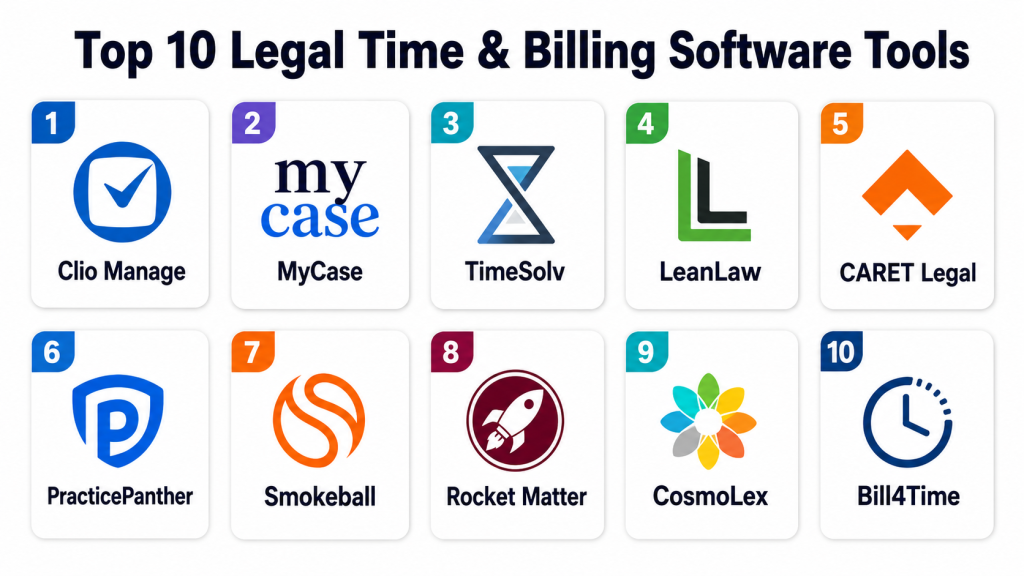
Top 10 Legal Time & Billing Software Tools
1 — Clio Manage
Short description:
Clio Manage is a cloud-based legal practice management platform with strong time tracking, billing, invoicing, payment, matter management, and client communication features. It is widely used by solo attorneys, small firms, and growing law firms that want one system for client, matter, billing, and operational workflows. The platform helps firms capture billable time, generate invoices, manage payments, and track matter activity. It is especially useful for firms that want billing connected with case management and client portals. Clio Manage is best for law firms that need an all-in-one legal operations platform with strong billing functionality.
Key Features
- Time tracking and expense capture
- Matter-based billing
- Invoice creation and approval workflows
- Online payment support
- Client portal and communication tools
- Reporting for revenue and collections
- Integrations with accounting and productivity tools
Pros
- Strong all-in-one practice management experience
- Good fit for solo and small law firms
- Helpful client portal and payment workflows
Cons
- May include more features than firms needing billing only require
- Advanced reporting needs should be tested during demo
- Pricing varies by plan and is not covered here
Platforms / Deployment
Web / iOS / Android / Cloud
Security & Compliance
SSO/SAML, MFA, encryption, audit logs, RBAC, SOC 2, ISO 27001, GDPR, HIPAA: Not publicly stated.
Integrations & Ecosystem
Clio Manage connects legal billing with practice management, accounting, client communication, and productivity workflows.
- Accounting tools
- Payment processing tools
- Email and calendar platforms
- Document management systems
- Legal intake tools
- Client communication tools
Support & Community
Clio provides documentation, training, customer support, onboarding resources, and a large legal software ecosystem. Support options may vary by plan and firm size.
2 — MyCase
Short description:
MyCase is a legal practice management platform that includes time tracking, billing, invoicing, online payments, client communication, document management, and matter management. It is useful for small and mid-sized law firms that want a user-friendly platform to manage daily legal work and billing from one place. The software helps firms track billable time, send invoices, accept payments, and communicate with clients through a portal. MyCase is especially practical for firms that want simple workflows and faster payment collection. It is best for law firms that value ease of use and client-facing billing transparency.
Key Features
- Time and expense tracking
- Legal invoicing
- Online payment collection
- Client portal
- Matter and case management
- Document and communication tools
- Billing and revenue reporting
Pros
- Easy to use for smaller firms
- Strong client portal experience
- Good for billing, payments, and matter workflows together
Cons
- May not fit highly complex enterprise billing requirements
- Some advanced customization needs should be validated
- Pricing details vary by plan
Platforms / Deployment
Web / iOS / Android / Cloud
Security & Compliance
SSO/SAML, MFA, encryption, audit logs, RBAC, SOC 2, ISO 27001, GDPR, HIPAA: Not publicly stated.
Integrations & Ecosystem
MyCase connects time billing with client communication, payment collection, documents, and law firm operations.
- Accounting systems
- Payment tools
- Email and calendar tools
- Document storage platforms
- Client communication workflows
- Practice management tools
Support & Community
MyCase provides support, help resources, onboarding guidance, and training materials. Support availability may depend on subscription type and firm requirements.
3 — TimeSolv
Short description:
TimeSolv is legal time tracking and billing software designed for law firms that need accurate time capture, flexible billing, project budgeting, invoicing, and reporting. It is especially useful for firms that want dedicated legal billing functionality rather than a broad practice management suite. The platform supports hourly billing, fixed-fee billing, expense tracking, budgets, and payment workflows. TimeSolv is practical for law firms, consultants, and professional service businesses with detailed billing needs. It is best for teams that want strong time and billing control with matter-level financial visibility.
Key Features
- Time tracking and timers
- Legal invoice generation
- Expense tracking
- Fixed-fee and hourly billing
- Budget and project tracking
- Payment processing support
- Billing and productivity reports
Pros
- Strong dedicated time and billing focus
- Useful for firms needing flexible billing models
- Good reporting for time, expenses, and invoices
Cons
- Not as broad as full practice management suites
- Firms may need separate case management tools
- Integration needs should be reviewed before purchase
Platforms / Deployment
Web / Windows / macOS / iOS / Android / Cloud / Varies
Security & Compliance
SSO/SAML, MFA, encryption, audit logs, RBAC, SOC 2, ISO 27001, GDPR, HIPAA: Not publicly stated.
Integrations & Ecosystem
TimeSolv works well when paired with accounting, payment, and legal workflow systems.
- Accounting platforms
- Payment processors
- Document tools
- Practice management systems
- Productivity tools
- Reporting exports
Support & Community
TimeSolv provides customer support, training resources, documentation, and onboarding assistance. Support quality may depend on customer plan and implementation needs.
4 — LeanLaw
Short description:
LeanLaw is legal billing software built closely around QuickBooks-based law firm accounting workflows. It helps firms track time, create invoices, manage trust accounting workflows, and connect billing with accounting records. The platform is especially useful for law firms that rely on QuickBooks and want cleaner legal billing without maintaining disconnected systems. LeanLaw helps attorneys and bookkeepers reduce duplicate work and improve invoice accuracy. It is best for small and mid-sized law firms that want strong accounting alignment and simple legal billing workflows.
Key Features
- Legal time tracking
- QuickBooks-focused billing workflows
- Trust accounting support
- Invoice generation
- Matter-based billing
- Expense tracking
- Revenue and productivity reporting
Pros
- Strong fit for firms using QuickBooks
- Helps align legal billing and bookkeeping
- Practical for small and mid-sized firms
Cons
- Best value depends on QuickBooks usage
- Not as broad as full practice management suites
- Advanced case management features may require another tool
Platforms / Deployment
Web / Cloud / Varies
Security & Compliance
SSO/SAML, MFA, encryption, audit logs, RBAC, SOC 2, ISO 27001, GDPR, HIPAA: Not publicly stated.
Integrations & Ecosystem
LeanLaw is designed to connect legal billing with accounting workflows, especially for firms that want billing and bookkeeping alignment.
- QuickBooks
- Payment tools
- Law firm accounting workflows
- Matter billing systems
- Reporting tools
- Time tracking workflows
Support & Community
LeanLaw provides onboarding, customer support, documentation, and accounting-focused guidance. Support is especially useful for firms that need help connecting billing and bookkeeping processes.
5 — CARET Legal
Short description:
CARET Legal is a legal practice management platform that includes time tracking, billing, invoicing, payments, matter management, document management, workflows, and reporting. It is designed for law firms that want a connected platform for legal operations and financial workflows. The software helps teams capture time, manage matters, produce invoices, and organize client work in one place. CARET Legal is useful for firms that need stronger operational structure beyond standalone billing. It is best for law firms that want time and billing connected with case management and firm productivity tools.
Key Features
- Time and expense tracking
- Legal invoicing and billing workflows
- Matter and case management
- Payment processing support
- Document management
- Workflow automation
- Reporting and dashboards
Pros
- Strong practice management and billing combination
- Useful for firms needing structured workflows
- Supports matter, document, and billing visibility
Cons
- May require onboarding for best results
- Some firms may not need the full platform
- Pricing is not publicly stated here
Platforms / Deployment
Web / Cloud / Varies
Security & Compliance
SSO/SAML, MFA, encryption, audit logs, RBAC, SOC 2, ISO 27001, GDPR, HIPAA: Not publicly stated.
Integrations & Ecosystem
CARET Legal connects billing, matter management, documents, productivity, and payment workflows.
- Accounting platforms
- Document management tools
- Email and calendar tools
- Payment processors
- Client communication tools
- Reporting and analytics systems
Support & Community
CARET Legal provides support, onboarding resources, documentation, and customer guidance. Support experience may vary by subscription and implementation scope.
6 — PracticePanther
Short description:
PracticePanther is legal practice management software with time tracking, billing, invoicing, payments, client management, task management, and workflow automation. It is useful for solo attorneys and small firms that want an easy way to manage matters and billing together. The platform helps firms record time, generate invoices, accept payments, automate reminders, and track client activity. PracticePanther is especially practical for firms that want a clean interface and simple billing workflows. It is best for small legal teams that want time, billing, tasks, and client communication in one system.
Key Features
- Time tracking and timers
- Invoice creation
- Online payment support
- Matter and contact management
- Task and workflow automation
- Client communication tools
- Reporting dashboards
Pros
- User-friendly for small firms
- Good balance of billing and practice management
- Helpful automation for reminders and workflows
Cons
- May not fit complex enterprise billing needs
- Advanced reporting should be tested before purchase
- Integration requirements should be reviewed
Platforms / Deployment
Web / iOS / Android / Cloud / Varies
Security & Compliance
SSO/SAML, MFA, encryption, audit logs, RBAC, SOC 2, ISO 27001, GDPR, HIPAA: Not publicly stated.
Integrations & Ecosystem
PracticePanther fits legal workflows where billing, client management, matter tracking, and daily tasks need to work together.
- Accounting tools
- Payment systems
- Email and calendar tools
- Document platforms
- Client communication tools
- Productivity systems
Support & Community
PracticePanther provides help resources, training materials, onboarding support, and customer assistance. Support may vary by plan and customer requirements.
7 — Smokeball
Short description:
Smokeball is legal practice management software with time tracking, automatic activity tracking, billing, document automation, matter management, and productivity features. It is especially useful for small and mid-sized law firms that want to capture more billable time from daily work. Smokeball can help firms track activity across matters and reduce missed billable entries. The platform also supports document automation and workflow management. It is best for firms that want billing connected with productivity, documents, and matter activity.
Key Features
- Time tracking and automatic activity tracking
- Billing and invoice workflows
- Matter management
- Document automation
- Task and workflow tools
- Client communication support
- Reporting and productivity insights
Pros
- Helps capture missed billable time
- Strong document automation features
- Good fit for productivity-focused law firms
Cons
- May require training to use automation well
- Some firms may not need the full feature set
- Pricing details vary by plan
Platforms / Deployment
Web / Windows / iOS / Android / Cloud / Varies
Security & Compliance
SSO/SAML, MFA, encryption, audit logs, RBAC, SOC 2, ISO 27001, GDPR, HIPAA: Not publicly stated.
Integrations & Ecosystem
Smokeball connects time tracking with documents, matters, billing, communication, and productivity workflows.
- Accounting tools
- Email and calendar systems
- Document automation workflows
- Payment tools
- Matter management systems
- Productivity tools
Support & Community
Smokeball provides onboarding, training, customer support, product education, and law firm workflow guidance. Support may depend on plan and firm size.
8 — Rocket Matter
Short description:
Rocket Matter is legal practice management software with time tracking, billing, payments, matter management, calendar tools, document management, and reporting. It is designed for law firms that want to manage legal work and billing from a cloud-based platform. The software helps attorneys record time, create invoices, track matters, manage clients, and improve payment collection. Rocket Matter is useful for firms that want a balance between billing functionality and practice management. It is best for small and mid-sized firms looking for a practical legal operations platform.
Key Features
- Time and expense tracking
- Legal billing and invoicing
- Online payment support
- Matter and client management
- Calendar and task tools
- Document management
- Financial and productivity reporting
Pros
- Good combination of billing and matter management
- Useful for small and mid-sized firms
- Supports online payments and reporting
Cons
- Advanced customization should be reviewed
- May not fit large enterprise billing complexity
- Public security certification details are limited
Platforms / Deployment
Web / iOS / Android / Cloud / Varies
Security & Compliance
SSO/SAML, MFA, encryption, audit logs, RBAC, SOC 2, ISO 27001, GDPR, HIPAA: Not publicly stated.
Integrations & Ecosystem
Rocket Matter supports connected legal workflows across billing, matters, calendars, documents, and payments.
- Accounting systems
- Payment processors
- Email and calendar tools
- Document systems
- Client communication workflows
- Reporting tools
Support & Community
Rocket Matter provides customer support, onboarding resources, documentation, and training materials. Support levels may vary by plan and firm needs.
9 — CosmoLex
Short description:
CosmoLex is legal practice management software with built-in legal accounting, time tracking, billing, trust accounting, matter management, and payment workflows. It is especially useful for law firms that want billing and accounting in one legal-specific platform. The software helps firms manage invoices, retainers, trust accounts, operating accounts, and financial reports without relying fully on separate accounting systems. CosmoLex is practical for firms that need stronger financial control and compliance-aware workflows. It is best for law firms that want legal billing and accounting combined.
Key Features
- Time and expense tracking
- Legal billing and invoicing
- Built-in legal accounting
- Trust accounting support
- Matter management
- Payment processing
- Financial and compliance reporting
Pros
- Strong legal accounting and billing combination
- Useful for trust accounting workflows
- Reduces need for separate accounting software
Cons
- Firms already committed to external accounting tools should evaluate fit
- Learning curve may exist for accounting features
- Pricing varies by plan
Platforms / Deployment
Web / Cloud / Varies
Security & Compliance
SSO/SAML, MFA, encryption, audit logs, RBAC, SOC 2, ISO 27001, GDPR, HIPAA: Not publicly stated.
Integrations & Ecosystem
CosmoLex connects billing, legal accounting, trust management, matter workflows, and payment collection.
- Payment processing tools
- Bank reconciliation workflows
- Matter management systems
- Document tools
- Client communication workflows
- Reporting and accounting workflows
Support & Community
CosmoLex provides onboarding, training, documentation, customer support, and legal accounting guidance. Support is important for firms using built-in accounting and trust workflows.
10 — Bill4Time
Short description:
Bill4Time is time tracking and billing software used by law firms, consultants, and professional service teams. For legal users, it supports matter-based time tracking, invoicing, expense tracking, payments, reporting, and client management. It is useful for firms that want a focused billing platform without a heavy practice management suite. Bill4Time helps teams track work, bill clients accurately, and monitor productivity. It is best for small firms and professional teams that need flexible time and billing workflows.
Key Features
- Time tracking and timers
- Legal billing and invoicing
- Expense tracking
- Client and matter management
- Payment support
- Reporting and productivity tracking
- Mobile time capture
Pros
- Practical time and billing focus
- Useful for small firms and professional services
- Flexible billing and reporting options
Cons
- Not as broad as full legal practice management suites
- Advanced legal accounting may require separate tools
- Security certification details are not clearly stated
Platforms / Deployment
Web / iOS / Android / Cloud / Varies
Security & Compliance
SSO/SAML, MFA, encryption, audit logs, RBAC, SOC 2, ISO 27001, GDPR, HIPAA: Not publicly stated.
Integrations & Ecosystem
Bill4Time works well for firms that need time, billing, reporting, and payment workflows connected to accounting and productivity systems.
- Accounting tools
- Payment processors
- Productivity systems
- Client management workflows
- Reporting exports
- Mobile time tracking workflows
Support & Community
Bill4Time provides customer support, documentation, training resources, and onboarding assistance. Support levels may vary by subscription and customer needs.
Comparison Table
| Tool Name | Best For | Platform(s) Supported | Deployment | Standout Feature | Public Rating |
|---|---|---|---|---|---|
| Clio Manage | Solo and small law firm practice management | Web / iOS / Android | Cloud | All-in-one legal billing and matter management | N/A |
| MyCase | Small firms needing client portal and billing | Web / iOS / Android | Cloud | Client communication with billing and payments | N/A |
| TimeSolv | Dedicated legal time and billing | Web / Windows / macOS / iOS / Android | Cloud / Varies | Flexible time tracking and billing control | N/A |
| LeanLaw | QuickBooks-based law firm billing | Web | Cloud | Legal billing aligned with QuickBooks workflows | N/A |
| CARET Legal | Firms needing billing plus structured operations | Web | Cloud / Varies | Practice management with billing workflows | N/A |
| PracticePanther | Small firms wanting easy billing automation | Web / iOS / Android | Cloud | Simple billing, tasks, and matter workflows | N/A |
| Smokeball | Productivity-focused small and mid-sized firms | Web / Windows / iOS / Android | Cloud / Varies | Automatic activity and time tracking | N/A |
| Rocket Matter | Small and mid-sized legal operations | Web / iOS / Android | Cloud | Billing, matters, calendars, and payments | N/A |
| CosmoLex | Firms needing billing with legal accounting | Web | Cloud | Built-in legal accounting and trust workflows | N/A |
| Bill4Time | Focused time tracking and billing | Web / iOS / Android | Cloud | Flexible time, expense, and invoice management | N/A |
Evaluation & Scoring of Legal Time & Billing Software
| Tool Name | Core (25%) | Ease (15%) | Integrations (15%) | Security (10%) | Performance (10%) | Support (10%) | Value (15%) | Weighted Total (0–10) |
|---|---|---|---|---|---|---|---|---|
| Clio Manage | 9 | 9 | 9 | 7 | 9 | 9 | 8 | 8.65 |
| MyCase | 8 | 9 | 8 | 7 | 8 | 8 | 8 | 8.10 |
| TimeSolv | 9 | 8 | 8 | 6 | 8 | 8 | 8 | 8.00 |
| LeanLaw | 8 | 8 | 9 | 6 | 8 | 8 | 8 | 7.95 |
| CARET Legal | 8 | 8 | 8 | 6 | 8 | 8 | 7 | 7.70 |
| PracticePanther | 8 | 9 | 8 | 6 | 8 | 8 | 8 | 7.95 |
| Smokeball | 8 | 8 | 8 | 6 | 8 | 8 | 8 | 7.80 |
| Rocket Matter | 8 | 8 | 8 | 6 | 8 | 8 | 8 | 7.80 |
| CosmoLex | 9 | 7 | 7 | 6 | 8 | 8 | 8 | 7.80 |
| Bill4Time | 8 | 8 | 7 | 6 | 8 | 7 | 8 | 7.55 |
These scores are comparative and should be used as a shortlist guide, not as a final buying decision. A higher score does not automatically mean the software is best for every law firm. Firms that need full practice management may prefer Clio, MyCase, CARET Legal, Smokeball, PracticePanther, or Rocket Matter. Firms that need stronger accounting or billing depth may prefer CosmoLex, LeanLaw, TimeSolv, or Bill4Time. Buyers should validate security, trust accounting workflows, payment processing, invoice customization, and accounting integrations before choosing.
Which Legal Time & Billing Software Tool Is Right for You?
Solo / Freelancer
Solo attorneys and freelance legal professionals usually need simple time tracking, fast invoicing, online payments, and basic matter billing. They often do not need a large enterprise platform with complex workflows.
Clio Manage, MyCase, PracticePanther, Bill4Time, and TimeSolv can be practical options. Solo lawyers should prioritize ease of use, mobile time capture, invoice clarity, online payments, and predictable pricing.
SMB
Small law firms usually need time tracking, billing, payments, client communication, matter management, trust accounting support, and basic reporting. They need software that reduces admin work without requiring too much training.
Clio Manage, MyCase, PracticePanther, Rocket Matter, Smokeball, LeanLaw, and CosmoLex can be good options depending on whether the firm wants full practice management, QuickBooks alignment, or built-in legal accounting.
Mid-Market
Mid-sized law firms usually need stronger workflows, billing approvals, user permissions, productivity reporting, trust accounting, payment collection, and integrations with accounting or document systems.
Clio Manage, CARET Legal, Smokeball, TimeSolv, CosmoLex, and Rocket Matter can be suitable depending on the firm’s billing model, reporting needs, practice areas, and accounting setup.
Enterprise
Large law firms and legal organizations often require advanced permissions, matter profitability reporting, billing governance, complex invoice formats, accounting integrations, and administrative controls. Some may also need e-billing, client-specific billing rules, or custom workflows.
Enterprise buyers should evaluate Clio Manage, TimeSolv, CARET Legal, Smokeball, and specialized legal finance systems depending on scale. Large firms should carefully test invoice workflows, audit trails, access control, reporting, and integration readiness.
Budget vs Premium
Budget-focused firms should avoid paying for a full practice management suite if they only need time tracking and billing. Bill4Time, TimeSolv, or LeanLaw may be practical depending on accounting needs.
Premium buyers should consider Clio Manage, MyCase, Smokeball, CARET Legal, or CosmoLex when they want billing connected with matter management, documents, client portals, workflow automation, and payment tools.
Feature Depth vs Ease of Use
Feature-rich platforms can save time but may need more setup and training. Clio Manage, Smokeball, CARET Legal, and CosmoLex provide broader functionality beyond billing.
For simpler time and billing workflows, Bill4Time, TimeSolv, LeanLaw, MyCase, and PracticePanther may be easier to evaluate depending on firm size and accounting preferences.
Integrations & Scalability
Legal billing software often needs to connect with accounting tools, payment processors, document systems, email, calendar tools, client portals, and practice management platforms. Integration should be reviewed before rollout.
Scalability should be judged by:
- Number of attorneys
- Number of matters
- Billing volume
- Trust accounting needs
- Invoice approval workflows
- Payment collection requirements
- Reporting complexity
- Accounting system dependency
- Client billing requirements
Security & Compliance Needs
Legal billing software may store sensitive client data, matter details, billing narratives, payment records, trust accounting information, and attorney work history. Security review is important before purchase.
Important questions include:
- Does the platform support MFA?
- Can user access be controlled by role?
- Are audit logs available?
- Is data encrypted?
- How are payment details protected?
- Can trust accounting records be tracked clearly?
- Where is firm data hosted?
- What backup and recovery options exist?
If security certifications are not publicly stated, buyers should request official documentation directly from the vendor.
Frequently Asked Questions
1. What is legal time and billing software?
Legal time and billing software helps law firms track billable hours, record expenses, create invoices, manage retainers, accept payments, and monitor firm revenue. It is designed around legal matters, clients, and billing workflows.
2. Who uses legal billing software?
Legal billing software is used by solo attorneys, law firms, paralegals, billing administrators, legal bookkeepers, legal operations teams, and finance teams that manage legal invoices and client payments.
3. How much does legal time and billing software cost?
Pricing varies by vendor, plan, number of users, features, payment tools, accounting needs, and support level. Many vendors offer subscription pricing, but exact costs should be confirmed directly with the software provider.
4. What are common mistakes when choosing legal billing software?
Common mistakes include ignoring trust accounting needs, choosing software without testing invoices, not checking accounting integrations, skipping mobile time tracking, and failing to train attorneys on consistent time entry.
5. Can legal billing software help capture more billable time?
Yes, legal billing software can help capture more time through timers, mobile time entry, automatic activity tracking, reminders, and matter-based time records. Good adoption by attorneys is still required.
6. Does legal billing software support trust accounting?
Some tools support trust accounting directly, while others integrate with accounting systems that handle trust workflows. Firms should verify trust accounting features carefully before purchase.
7. Can clients pay invoices online?
Many modern legal billing platforms support online payments through secure payment links or integrated payment processors. Payment options vary by vendor and region.
8. Is legal time tracking software secure?
Legal billing software can be secure when it includes encryption, MFA, access controls, backups, audit logs, and secure payment handling. Firms should request vendor security documentation before final selection.
9. Can legal billing software integrate with accounting tools?
Yes, many platforms integrate with accounting tools such as general bookkeeping systems or legal accounting workflows. Integration depth varies, so firms should test sync accuracy before relying on it.
10. What is the best alternative to legal billing software?
For very small firms, spreadsheets or generic invoicing tools may work temporarily. However, dedicated legal billing software becomes more useful when firms need matter billing, retainers, trust accounting, time tracking, payment collection, and reporting.
Conclusion
Legal time and billing software helps law firms improve time capture, invoice accuracy, payment collection, trust accounting control, client transparency, and financial reporting. The best platform depends on firm size, billing model, accounting setup, trust accounting needs, workflow complexity, and budget. Clio Manage, MyCase, PracticePanther, CARET Legal, Smokeball, and Rocket Matter are strong options for firms that want billing connected with practice management. TimeSolv, LeanLaw, CosmoLex, and Bill4Time are practical choices for firms that want dedicated billing, accounting alignment, or legal financial control. A smart is to shortlist two or three tools, test real billing workflows, create sample invoices, validate accounting integrations, review security controls, and run a pilot before making the final decision.
