Upgrade & Secure Your Future with DevOps, SRE, DevSecOps, MLOps!
We spend hours scrolling social media and waste money on things we forget, but won’t spend 30 minutes a day earning certifications that can change our lives.
Master in DevOps, SRE, DevSecOps & MLOps by DevOps School!
Learn from Guru Rajesh Kumar and double your salary in just one year.
Introduction
Workplace Safety or EHS software helps organizations manage environment, health, and safety activities in a structured digital system. In simple words, it helps safety teams record incidents, complete inspections, manage audits, track risks, assign corrective actions, store safety documents, monitor compliance, and improve workplace safety performance.
This software matters now because organizations need stronger safety visibility, faster incident response, better compliance tracking, and more proactive risk management. Manual spreadsheets, paper forms, and disconnected reports often lead to missed hazards, delayed corrective actions, poor audit readiness, and weak safety culture.
Common use cases include incident reporting, hazard management, workplace inspections, safety audits, corrective action tracking, employee training records, environmental compliance, chemical safety, risk assessments, and safety dashboards.
Buyers should evaluate:
- Incident and near-miss reporting
- Inspection and audit workflows
- Corrective and preventive action tracking
- Risk assessment tools
- Mobile access and offline forms
- Training and compliance tracking
- Environmental reporting support
- Analytics and dashboards
- Integrations with HR and operations systems
- Security and role-based access
Best for: EHS managers, safety officers, compliance teams, HR leaders, operations teams, manufacturing plants, construction companies, logistics firms, healthcare facilities, energy companies, utilities, mining companies, and enterprises with safety-critical workplaces.
Not ideal for: Very small teams with simple safety needs, companies that only need basic task management, or organizations without formal safety, compliance, audit, or incident reporting requirements.
Key Trends in Workplace Safety Software
- Mobile-first safety reporting is becoming standard because frontline workers need to report hazards, incidents, observations, and inspections directly from the field.
- AI-assisted risk detection is growing as organizations look for patterns in incidents, near misses, inspection failures, and corrective action delays.
- Predictive safety analytics are becoming more important because EHS teams want to prevent incidents instead of only reacting after they happen.
- Connected EHS and ESG workflows are increasing as companies link workplace safety, environmental reporting, sustainability metrics, and corporate governance.
- Digital inspections are replacing paper checklists with mobile forms, photos, signatures, scoring, automated reminders, and corrective action workflows.
- Contractor safety management is becoming a bigger priority because many organizations rely on third-party workers in high-risk environments.
- Training and competency tracking are moving into EHS platforms so safety teams can connect incidents, roles, certifications, and required learning.
- Cloud-based EHS platforms are growing because distributed teams need centralized safety data across sites, regions, and business units.
- Regulatory reporting and audit readiness are becoming key buying factors for companies in manufacturing, energy, chemicals, construction, healthcare, logistics, and utilities.
- Security expectations are rising because EHS systems store employee data, injury records, operational risks, audit evidence, and compliance documentation.
How We Selected These Tools
The tools in this list were selected using practical EHS software evaluation factors, including:
- Market recognition in workplace safety, EHS, compliance, incident management, and risk management
- Feature completeness across incidents, audits, inspections, corrective actions, risk, training, and reporting
- Suitability for SMBs, mid-market companies, enterprises, and high-risk industries
- Ability to support frontline safety teams through mobile and offline workflows
- Strength of analytics, dashboards, alerts, and compliance reporting
- Support for environmental, health, safety, quality, and operational risk workflows
- Integration potential with HR, ERP, learning management, asset management, and business intelligence tools
- Usability for safety leaders, frontline workers, site managers, auditors, and executives
- Vendor maturity and EHS domain experience
- Practical fit across simple safety programs and complex enterprise EHS operations
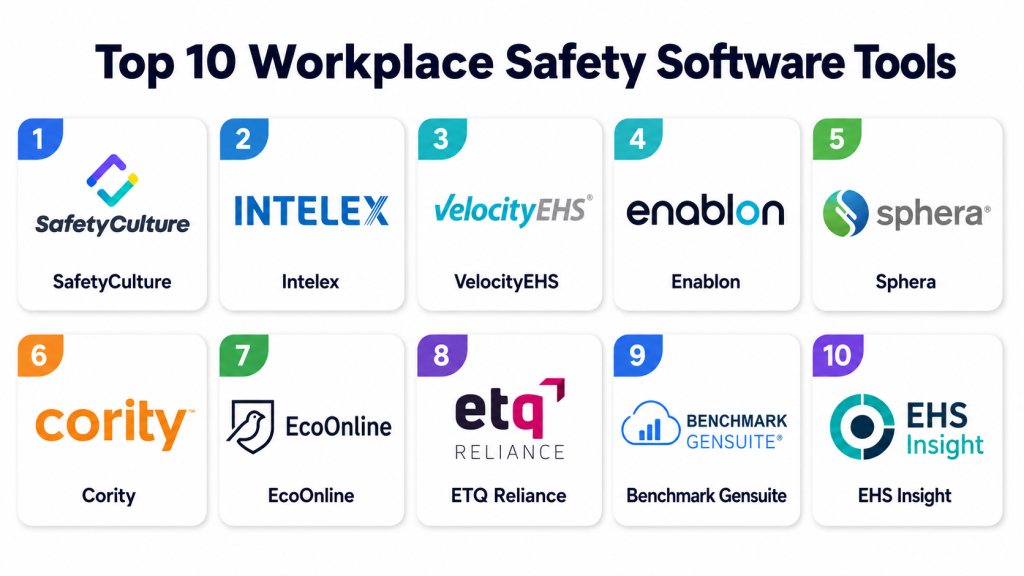
Top 10 Workplace Safety Software Tools
1 — SafetyCulture
Short description:
SafetyCulture is a workplace safety and operations platform known for digital inspections, checklists, issue reporting, corrective actions, and mobile-first field workflows. It is useful for companies that want to move away from paper forms and improve frontline safety visibility. Teams can create inspection templates, capture photos, assign actions, and track safety performance across locations. The platform is especially practical for construction, manufacturing, logistics, retail, hospitality, and field service teams. SafetyCulture is best for organizations that need fast adoption and easy mobile safety reporting.
Key Features
- Digital inspections and checklists
- Incident and issue reporting
- Corrective action tracking
- Mobile forms and photo capture
- Safety observations
- Analytics dashboards
- Team and site-level reporting
Pros
- Easy to use for frontline teams
- Strong mobile inspection experience
- Good fit for fast digitization of paper safety processes
Cons
- May not cover every advanced enterprise EHS requirement
- Complex regulatory workflows may need additional configuration
- Pricing details vary by plan
Platforms / Deployment
Web / iOS / Android / Cloud
Security & Compliance
SSO/SAML, MFA, encryption, audit logs, RBAC, SOC 2, ISO 27001, GDPR, HIPAA: Not publicly stated.
Integrations & Ecosystem
SafetyCulture connects inspection and safety data with operational workflows, reporting tools, and business systems.
- Business intelligence tools
- Communication platforms
- Workflow automation tools
- File storage systems
- HR and operations workflows
- Reporting dashboards
Support & Community
SafetyCulture provides documentation, onboarding resources, templates, customer support, and a large user community around inspections and operational checklists.
2 — Intelex
Short description:
Intelex is an enterprise EHSQ platform that supports environment, health, safety, quality, risk, compliance, audits, incidents, training, and reporting workflows. It is suitable for organizations that need a structured and scalable platform across multiple sites and departments. The software helps teams manage incidents, corrective actions, audits, permits, environmental data, and safety performance. Intelex is especially useful for companies with complex EHS and quality requirements. It is best for mid-market and enterprise organizations that need broad EHSQ program management.
Key Features
- Incident and near-miss management
- Audit and inspection workflows
- Corrective action tracking
- Environmental compliance management
- Quality and risk management modules
- Training and document control support
- Dashboards and reporting
Pros
- Broad EHSQ platform coverage
- Suitable for multi-site organizations
- Strong for compliance and corrective action workflows
Cons
- Implementation may require planning and configuration
- Can be more than small companies need
- Pricing is not publicly stated
Platforms / Deployment
Web / Cloud / Varies
Security & Compliance
SSO/SAML, MFA, encryption, audit logs, RBAC, SOC 2, ISO 27001, GDPR, HIPAA: Not publicly stated.
Integrations & Ecosystem
Intelex can connect EHSQ workflows with enterprise systems, reporting platforms, and operational data sources.
- ERP systems
- HR platforms
- Learning management systems
- Business intelligence tools
- Document management systems
- Asset and maintenance systems
Support & Community
Intelex provides enterprise support, implementation services, documentation, training, and customer success resources. Support depends on modules selected and contract scope.
3 — VelocityEHS
Short description:
VelocityEHS is an EHS and ESG platform used for safety, chemical management, environmental compliance, operational risk, training, incident reporting, and sustainability workflows. It is suitable for companies that need strong compliance support and practical safety management tools. The platform is especially relevant for organizations managing chemicals, SDS libraries, workplace incidents, audits, and environmental reporting. VelocityEHS supports both operational safety teams and compliance leaders. It is best for organizations that need EHS compliance, chemical safety, and risk visibility in one platform.
Key Features
- Incident management
- Chemical and SDS management
- Audit and inspection workflows
- Corrective action tracking
- Environmental compliance support
- Training and learning tools
- ESG and reporting capabilities
Pros
- Strong chemical and compliance management focus
- Useful for EHS and ESG workflows
- Good fit for regulated industries
Cons
- Module selection should be reviewed carefully
- Some advanced workflows may require implementation support
- Pricing is not publicly stated
Platforms / Deployment
Web / Cloud / Varies
Security & Compliance
SSO/SAML, MFA, encryption, audit logs, RBAC, SOC 2, ISO 27001, GDPR, HIPAA: Not publicly stated.
Integrations & Ecosystem
VelocityEHS supports EHS compliance workflows across safety, chemicals, training, environmental data, and ESG reporting.
- HR systems
- Learning management tools
- ERP systems
- Chemical inventory systems
- Reporting platforms
- Operational risk workflows
Support & Community
VelocityEHS provides customer support, onboarding, documentation, training resources, and EHS domain guidance. Support levels depend on products and agreement scope.
4 — Enablon
Short description:
Enablon is an enterprise platform for EHS, operational risk, sustainability, ESG, compliance, audits, incidents, and risk management. It is designed for large organizations that need global EHS visibility and governance across many sites. The platform helps teams manage incidents, risk assessments, audits, environmental data, controls, and performance reporting. Enablon is especially useful for complex industries such as energy, chemicals, manufacturing, utilities, and heavy industry. It is best for enterprises needing deep EHS, risk, and sustainability program control.
Key Features
- Incident and safety management
- Operational risk management
- Audit and compliance workflows
- Environmental and sustainability reporting
- Risk assessments and controls
- Enterprise dashboards
- Governance and workflow automation
Pros
- Strong enterprise EHS and risk depth
- Suitable for complex global organizations
- Good for linking EHS, ESG, and operational risk
Cons
- May be too complex for smaller teams
- Implementation can be resource-intensive
- Pricing is not publicly stated
Platforms / Deployment
Web / Cloud / Hybrid / Varies
Security & Compliance
SSO/SAML, MFA, encryption, audit logs, RBAC, SOC 2, ISO 27001, GDPR, HIPAA: Not publicly stated.
Integrations & Ecosystem
Enablon fits enterprise environments where EHS, ESG, risk, compliance, and operations data must connect.
- ERP systems
- GRC tools
- Sustainability reporting systems
- HR platforms
- Asset management systems
- BI and analytics tools
Support & Community
Enablon provides enterprise implementation, support, documentation, consulting, and customer success resources. Support depends on project size and selected modules.
5 — Sphera
Short description:
Sphera is an EHS, operational risk, product stewardship, sustainability, and ESG platform used by companies with complex safety, environmental, chemical, and risk requirements. It helps organizations manage incidents, compliance obligations, risk assessments, environmental performance, and operational resilience. The platform is especially relevant for chemicals, manufacturing, energy, industrial, and asset-heavy businesses. Sphera supports enterprise-level visibility across safety, environmental, and product compliance programs. It is best for organizations that need EHS connected with operational risk and sustainability.
Key Features
- Incident and safety management
- Operational risk management
- Environmental compliance support
- Product stewardship tools
- Chemical and regulatory data workflows
- Sustainability and ESG reporting
- Risk analytics and dashboards
Pros
- Strong for complex industrial and regulated environments
- Broad EHS, risk, and sustainability coverage
- Useful for chemical and product compliance workflows
Cons
- May require significant implementation planning
- Not ideal for simple safety-only needs
- Pricing is not publicly stated
Platforms / Deployment
Web / Cloud / Hybrid / Varies
Security & Compliance
SSO/SAML, MFA, encryption, audit logs, RBAC, SOC 2, ISO 27001, GDPR, HIPAA: Not publicly stated.
Integrations & Ecosystem
Sphera connects EHS, product compliance, operational risk, and sustainability data across enterprise workflows.
- ERP systems
- Product compliance systems
- Chemical data sources
- Asset management platforms
- Sustainability reporting tools
- Business intelligence platforms
Support & Community
Sphera provides enterprise support, implementation services, documentation, and consulting support. Support levels depend on selected modules and customer needs.
6 — Cority
Short description:
Cority is an EHS and sustainability platform used for occupational health, safety, environmental compliance, quality, risk, and ESG workflows. It is suitable for organizations that need structured EHS programs across multiple locations. The platform supports incident management, audits, inspections, occupational health, industrial hygiene, environmental data, and reporting. Cority is especially useful for organizations that need health and safety workflows connected with environmental and sustainability programs. It is best for enterprises and mid-market companies with mature EHS requirements.
Key Features
- Incident and safety management
- Occupational health workflows
- Audit and inspection management
- Environmental compliance tracking
- Industrial hygiene support
- ESG and sustainability reporting
- Analytics and dashboards
Pros
- Strong occupational health and EHS coverage
- Suitable for multi-site organizations
- Useful for combining safety, health, and environmental data
Cons
- May require configuration for complex workflows
- Smaller teams may need simpler tools
- Pricing is not publicly stated
Platforms / Deployment
Web / Cloud / Varies
Security & Compliance
SSO/SAML, MFA, encryption, audit logs, RBAC, SOC 2, ISO 27001, GDPR, HIPAA: Not publicly stated.
Integrations & Ecosystem
Cority connects occupational health, safety, environmental, and sustainability workflows with enterprise reporting.
- HR systems
- Medical and occupational health workflows
- ERP platforms
- Environmental data systems
- Learning management systems
- Reporting tools
Support & Community
Cority provides support, implementation services, training, documentation, and customer success resources. Support depends on deployment scope and modules.
7 — EcoOnline
Short description:
EcoOnline is an EHS and chemical safety platform designed to help organizations manage workplace safety, chemical compliance, incidents, risk assessments, audits, and employee safety workflows. It is useful for companies that need better visibility into safety risks, hazardous substances, and compliance obligations. The platform supports mobile reporting, chemical management, document access, and risk workflows. EcoOnline is especially practical for organizations looking to improve safety culture and chemical safety management. It is best for SMBs, mid-market companies, and enterprises needing approachable EHS tools.
Key Features
- Incident reporting
- Risk assessments
- Chemical management
- Safety data sheet management
- Audit and inspection workflows
- Corrective action tracking
- Mobile safety reporting
Pros
- Strong chemical safety and EHS usability
- Practical for distributed teams
- Good fit for companies improving safety culture
Cons
- Advanced enterprise customization should be reviewed
- Some integrations may depend on selected modules
- Pricing is not publicly stated
Platforms / Deployment
Web / iOS / Android / Cloud / Varies
Security & Compliance
SSO/SAML, MFA, encryption, audit logs, RBAC, SOC 2, ISO 27001, GDPR, HIPAA: Not publicly stated.
Integrations & Ecosystem
EcoOnline fits EHS workflows where safety reporting, chemical compliance, and risk assessments need to be connected.
- HR systems
- Chemical inventory systems
- Document management tools
- Training systems
- Reporting dashboards
- Operations workflows
Support & Community
EcoOnline provides onboarding, support, documentation, training resources, and safety program guidance. Support depends on product package and customer needs.
8 — ETQ Reliance
Short description:
ETQ Reliance is a quality and EHS management platform used by organizations that need compliance, safety, quality, risk, audit, and corrective action workflows. It is especially useful for regulated industries where quality and safety processes overlap. The platform supports incidents, audits, CAPA, document control, risk management, and compliance workflows. ETQ Reliance is suitable for manufacturing, life sciences, food, aerospace, and industrial companies. It is best for organizations that need safety and quality processes managed together.
Key Features
- Incident and event management
- Audit management
- Corrective and preventive actions
- Risk management
- Document control
- Quality and compliance workflows
- Reporting and analytics
Pros
- Strong quality and compliance workflow support
- Useful where EHS and quality overlap
- Good CAPA and audit management capabilities
Cons
- May be more quality-focused than safety-first teams need
- Configuration may require planning
- Pricing is not publicly stated
Platforms / Deployment
Web / Cloud / Varies
Security & Compliance
SSO/SAML, MFA, encryption, audit logs, RBAC, SOC 2, ISO 27001, GDPR, HIPAA: Not publicly stated.
Integrations & Ecosystem
ETQ Reliance connects EHS, quality, compliance, risk, and document workflows across regulated environments.
- ERP systems
- Quality management systems
- Document management platforms
- Training tools
- Manufacturing systems
- Reporting platforms
Support & Community
ETQ provides implementation services, support, training, documentation, and customer success resources. Support depends on modules and customer agreement.
9 — Benchmark Gensuite
Short description:
Benchmark Gensuite is an EHS, sustainability, quality, security, and risk management platform used by organizations managing complex operational programs. It supports incident management, audits, inspections, corrective actions, compliance tasks, environmental reporting, and sustainability workflows. The platform is useful for companies that need scalable EHS tools across multiple facilities and regions. Benchmark Gensuite helps organizations standardize safety processes and improve visibility into performance trends. It is best for mid-market and enterprise companies with multi-site EHS programs.
Key Features
- Incident and observation management
- Audit and inspection workflows
- Corrective action tracking
- Compliance task management
- Environmental reporting
- Sustainability workflows
- Dashboards and analytics
Pros
- Broad EHS and sustainability workflow coverage
- Suitable for multi-site organizations
- Useful for standardizing safety programs
Cons
- Setup may require workflow planning
- Smaller teams may need simpler options
- Pricing is not publicly stated
Platforms / Deployment
Web / Cloud / Mobile / Varies
Security & Compliance
SSO/SAML, MFA, encryption, audit logs, RBAC, SOC 2, ISO 27001, GDPR, HIPAA: Not publicly stated.
Integrations & Ecosystem
Benchmark Gensuite connects EHS, sustainability, risk, audit, and compliance workflows across operations.
- HR systems
- ERP systems
- Reporting tools
- Sustainability platforms
- Training systems
- Operational data sources
Support & Community
Benchmark Gensuite provides onboarding, customer support, training resources, and implementation guidance. Support levels depend on modules and customer scope.
10 — EHS Insight
Short description:
EHS Insight is workplace safety and EHS management software designed for incident reporting, audits, inspections, corrective actions, training, compliance, and safety analytics. It is suitable for organizations that want practical EHS management without the complexity of the largest enterprise platforms. The platform supports mobile reporting, task tracking, risk management, and safety dashboards. EHS Insight is useful for manufacturing, energy, construction, transportation, and service-based companies. It is best for SMB and mid-market teams that need structured EHS workflows with flexible implementation.
Key Features
- Incident and near-miss reporting
- Audit and inspection management
- Corrective action tracking
- Training management
- Risk assessment workflows
- Compliance tracking
- Safety dashboards and reports
Pros
- Practical EHS feature set
- Good fit for SMB and mid-market organizations
- Supports core safety workflows without unnecessary complexity
Cons
- May not match the depth of large enterprise EHS suites
- Advanced integrations should be validated
- Pricing is not publicly stated
Platforms / Deployment
Web / iOS / Android / Cloud / Varies
Security & Compliance
SSO/SAML, MFA, encryption, audit logs, RBAC, SOC 2, ISO 27001, GDPR, HIPAA: Not publicly stated.
Integrations & Ecosystem
EHS Insight connects safety workflows with reporting, training, compliance, and operational systems.
- HR systems
- Training platforms
- Reporting tools
- Document management systems
- Maintenance workflows
- Operations systems
Support & Community
EHS Insight provides support, onboarding resources, documentation, and customer guidance. Support levels vary by plan and implementation scope.
Comparison Table
| Tool Name | Best For | Platform(s) Supported | Deployment | Standout Feature | Public Rating |
|---|---|---|---|---|---|
| SafetyCulture | Mobile inspections and frontline safety | Web / iOS / Android | Cloud | Easy digital checklists and issue reporting | N/A |
| Intelex | Enterprise EHSQ management | Web / Varies | Cloud | Broad EHS, quality, and compliance workflows | N/A |
| VelocityEHS | Chemical safety and EHS compliance | Web / Varies | Cloud | SDS, chemical, safety, and ESG capabilities | N/A |
| Enablon | Enterprise EHS, ESG, and operational risk | Web / Varies | Cloud / Hybrid | Deep risk and compliance governance | N/A |
| Sphera | Industrial EHS and operational risk | Web / Varies | Cloud / Hybrid | EHS, product stewardship, and sustainability depth | N/A |
| Cority | Occupational health and EHS management | Web / Varies | Cloud | Health, safety, environmental, and ESG workflows | N/A |
| EcoOnline | Chemical safety and practical EHS workflows | Web / iOS / Android | Cloud | Chemical management and safety reporting | N/A |
| ETQ Reliance | EHS with quality and compliance | Web / Varies | Cloud | CAPA, audit, quality, and safety workflows | N/A |
| Benchmark Gensuite | Multi-site EHS and sustainability programs | Web / Mobile / Varies | Cloud | Standardized EHS and ESG workflows | N/A |
| EHS Insight | SMB and mid-market EHS management | Web / iOS / Android | Cloud | Practical incident, audit, and compliance tracking | N/A |
Evaluation & Scoring of Workplace Safety Software
| Tool Name | Core (25%) | Ease (15%) | Integrations (15%) | Security (10%) | Performance (10%) | Support (10%) | Value (15%) | Weighted Total (0–10) |
|---|---|---|---|---|---|---|---|---|
| SafetyCulture | 8 | 10 | 8 | 7 | 9 | 8 | 9 | 8.45 |
| Intelex | 9 | 7 | 9 | 7 | 9 | 9 | 7 | 8.25 |
| VelocityEHS | 9 | 8 | 8 | 7 | 9 | 8 | 8 | 8.35 |
| Enablon | 10 | 7 | 9 | 7 | 9 | 9 | 7 | 8.50 |
| Sphera | 9 | 7 | 9 | 7 | 9 | 9 | 7 | 8.25 |
| Cority | 9 | 8 | 8 | 7 | 9 | 8 | 8 | 8.35 |
| EcoOnline | 8 | 9 | 7 | 6 | 8 | 8 | 8 | 7.85 |
| ETQ Reliance | 8 | 7 | 8 | 7 | 8 | 8 | 8 | 7.75 |
| Benchmark Gensuite | 9 | 8 | 8 | 7 | 8 | 8 | 8 | 8.10 |
| EHS Insight | 8 | 8 | 7 | 6 | 8 | 8 | 8 | 7.60 |
These scores are comparative and should be used as a shortlist guide, not as a final buying decision. A higher score does not automatically mean the tool is best for every workplace. Enterprise teams may value risk, ESG, compliance, and integration depth, while smaller teams may value fast setup and mobile reporting. Security scores are conservative where public certification details are not clearly stated. Buyers should validate workflows, mobile usability, reporting, integrations, and support quality before choosing.
Which Workplace Safety Software Tool Is Right for You?
Solo / Freelancer
Solo safety consultants, auditors, trainers, and freelance compliance advisors usually need simple inspection tools, checklists, reports, and corrective action tracking. They may not need a large enterprise EHS platform.
SafetyCulture, EHS Insight, and EcoOnline can be practical depending on the type of client work. Safety consultants should prioritize mobile inspections, exportable reports, template libraries, and easy client collaboration.
SMB
Small and mid-sized businesses need workplace safety software that is easy to adopt, affordable, and strong enough to manage incidents, inspections, risks, and corrective actions. They may not need enterprise ESG or complex environmental modules at the start.
SafetyCulture, EHS Insight, EcoOnline, VelocityEHS, and Benchmark Gensuite can be suitable depending on industry risk level. SMB buyers should focus on mobile access, simple dashboards, training support, and fast rollout.
Mid-Market
Mid-market organizations usually need stronger safety workflows, multi-site reporting, audit management, contractor safety, training tracking, and environmental compliance. They need tools that can scale beyond one location.
Intelex, VelocityEHS, Cority, Benchmark Gensuite, ETQ Reliance, and EcoOnline can be good options depending on safety maturity and compliance needs. Mid-market buyers should evaluate workflow automation, integration depth, and reporting flexibility.
Enterprise
Large enterprises need scalable EHS platforms that support global sites, complex regulations, environmental reporting, operational risk, ESG, audit management, and executive dashboards.
Enablon, Sphera, Intelex, Cority, VelocityEHS, and Benchmark Gensuite are strong enterprise candidates. Enterprise buyers should prioritize governance, role-based access, data quality, implementation resources, global support, and integration strategy.
Budget vs Premium
Budget-focused teams should avoid buying a large EHS suite if they only need inspections, incidents, and corrective actions. SafetyCulture, EHS Insight, and EcoOnline may be more practical for focused safety needs.
Premium buyers should consider Enablon, Sphera, Intelex, Cority, VelocityEHS, and Benchmark Gensuite when they need enterprise compliance, ESG, operational risk, environmental reporting, and multi-site governance.
Feature Depth vs Ease of Use
Feature-rich platforms provide deeper reporting, compliance, governance, and enterprise workflows, but they may require more planning. Enablon, Sphera, Intelex, Cority, and VelocityEHS fit this category.
For faster adoption, SafetyCulture, EHS Insight, EcoOnline, and Benchmark Gensuite may be easier to roll out depending on team size and use case.
Integrations & Scalability
Workplace safety software may need to connect with HR, ERP, learning management, maintenance, asset management, contractor management, business intelligence, and document management systems.
Scalability should be evaluated by:
- Number of sites
- Number of employees
- Number of contractors
- Incident volume
- Inspection frequency
- Audit complexity
- Environmental reporting needs
- Training requirements
- Mobile workforce size
- Regional compliance requirements
Security & Compliance Needs
EHS software may store employee injury records, incident reports, medical-related safety details, audit findings, corrective actions, environmental data, and compliance evidence. Security review is important before purchase.
Important questions include:
- Does the platform support SSO and MFA?
- Are role-based permissions available?
- Are audit logs maintained?
- Is sensitive data encrypted?
- Can access be limited by site or region?
- Where is data hosted?
- Are backups and recovery processes available?
- Can the vendor provide security documentation?
If security certifications are not publicly stated, buyers should request official documentation directly from the vendor.
Frequently Asked Questions
1. What is Workplace Safety or EHS software?
Workplace Safety or EHS software helps organizations manage incidents, hazards, inspections, audits, corrective actions, safety training, compliance tasks, and environmental reporting. It creates a structured system for improving safety performance.
2. Who uses EHS software?
EHS software is used by safety managers, EHS directors, compliance teams, HR departments, operations leaders, site managers, auditors, contractors, and frontline employees in safety-sensitive industries.
3. How much does Workplace Safety software cost?
Pricing is usually not publicly stated because it depends on number of users, sites, modules, integrations, support level, and implementation scope. Most vendors provide custom pricing based on company needs.
4. What are common mistakes when choosing EHS software?
Common mistakes include choosing software without involving frontline workers, ignoring mobile usability, skipping workflow mapping, underestimating data migration, and not defining reporting needs before implementation.
5. Can EHS software reduce workplace incidents?
EHS software can help reduce incidents by improving hazard reporting, inspections, corrective actions, training visibility, and safety analytics. Results depend on leadership commitment, employee adoption, and consistent follow-up.
6. Does EHS software support mobile inspections?
Many modern EHS tools support mobile inspections, checklists, photos, signatures, offline forms, and field reporting. Buyers should test mobile usability before choosing a platform.
7. Can EHS software manage corrective actions?
Yes, most EHS platforms support corrective and preventive action workflows. These features help assign owners, set deadlines, track completion, document evidence, and monitor recurring safety issues.
8. Can Workplace Safety software integrate with HR systems?
Many EHS tools can integrate with HR systems to sync employee data, roles, departments, training records, and reporting structures. Integration depth varies, so buyers should confirm technical options before purchase.
9. Is cloud-based EHS software secure?
Cloud-based EHS software can be secure when it includes encryption, access controls, MFA, audit logs, backups, and role-based permissions. Buyers should request vendor security documentation before final selection.
10. What is the best alternative to EHS software?
For very small teams, spreadsheets, paper forms, or simple task tools may work temporarily. However, dedicated EHS software becomes more reliable when incident volume, compliance requirements, inspection frequency, and reporting complexity increase.
Conclusion
Workplace Safety software helps organizations move from reactive safety management to proactive risk control, stronger compliance, better incident visibility, and improved safety culture. The best platform depends on company size, industry risk, number of sites, mobile workforce needs, compliance requirements, and budget. SafetyCulture, EHS Insight, and EcoOnline are practical options for teams that want fast adoption and strong frontline workflows. Intelex, VelocityEHS, Cority, Benchmark Gensuite, ETQ Reliance, Enablon, and Sphera are stronger fits for organizations needing deeper EHS, ESG, quality, chemical safety, environmental reporting, and operational risk capabilities. A smart is to shortlist two or three tools, test real inspection and incident workflows, validate reporting needs, review integrations, check security controls, and run a pilot before making the final decision.
