Upgrade & Secure Your Future with DevOps, SRE, DevSecOps, MLOps!
We spend hours scrolling social media and waste money on things we forget, but won’t spend 30 minutes a day earning certifications that can change our lives.
Master in DevOps, SRE, DevSecOps & MLOps by DevOps School!
Learn from Guru Rajesh Kumar and double your salary in just one year.
Introduction
Emergency notification systems help organizations send urgent alerts to employees, students, residents, customers, contractors, and response teams during critical situations. In simple words, these tools make sure the right people receive the right message quickly through SMS, voice calls, email, mobile push, desktop alerts, sirens, digital signage, or collaboration apps.
These systems matter now because organizations face more complex risks, including severe weather, cyber incidents, workplace violence, facility closures, IT outages, health emergencies, supply chain disruptions, and public safety events. A strong emergency notification platform helps teams communicate faster, confirm message delivery, collect responses, coordinate action, and reduce confusion during high-pressure moments.
Common use cases include severe weather alerts, employee safety check-ins, IT outage notifications, campus alerts, emergency evacuations, business continuity updates, incident response coordination, and crisis communication.
Buyers should evaluate:
- Multi-channel alert delivery
- SMS, voice, email, and mobile push support
- Contact database management
- Two-way communication
- Geo-targeted alerts
- Delivery tracking and confirmations
- Incident templates and workflows
- Integration with HR, ITSM, and security tools
- Mobile app usability
- Security, permissions, and audit logs
Best for: Enterprises, schools, universities, healthcare systems, government agencies, manufacturing plants, IT teams, HR departments, facilities teams, security teams, public safety teams, and organizations with distributed employees or high-risk operations.
Not ideal for: Very small teams that only need basic group messaging, organizations without formal emergency planning, or businesses that do not need multi-channel alerting, escalation, delivery tracking, or incident coordination.
Key Trends in Emergency Notification Systems
- Multi-channel alerting is now essential because relying only on email or SMS is not enough during fast-moving emergencies.
- Two-way communication is becoming standard as organizations need employees or stakeholders to confirm safety, request help, or share location updates.
- Geo-targeted alerts are gaining importance because organizations want to notify only affected people in specific offices, campuses, regions, or field locations.
- Mobile-first emergency communication is growing as employees, contractors, students, and field workers increasingly depend on mobile devices.
- Integration with HR and identity systems is becoming critical because emergency contact lists must stay accurate as employees join, leave, or move locations.
- Business continuity workflows are being built into notification systems so teams can launch predefined response plans during outages, disasters, or security incidents.
- AI-assisted message drafting and incident routing are emerging as teams look for faster ways to prepare clear alerts and prioritize urgent events.
- Cyber incident communication is becoming a major use case because organizations need alternate communication channels when email, network systems, or internal tools are unavailable.
- Audit trails and compliance reporting are becoming more important for regulated industries, public agencies, schools, and enterprises.
- Resilience and uptime are major buying factors because emergency platforms must work reliably when normal business systems are disrupted.
How We Selected These Tools
The tools in this list were selected using practical emergency communication and crisis management evaluation factors, including:
- Market recognition in emergency notification, mass communication, crisis response, IT alerting, and public safety workflows
- Feature completeness across SMS, voice, email, mobile push, desktop alerts, and multi-channel communication
- Support for two-way messaging, safety check-ins, escalation, and delivery confirmations
- Suitability for enterprises, schools, government agencies, healthcare organizations, IT teams, and public safety teams
- Ability to support geo-targeting, contact management, groups, templates, and response workflows
- Integration potential with HR, identity, ITSM, security, collaboration, and public alerting systems
- Reliability and performance signals for urgent communication use cases
- Administrative controls, permissions, reporting, and audit trail support
- Practical usability for crisis teams, security teams, HR teams, IT teams, and non-technical administrators
- Fit across SMB, mid-market, enterprise, campus, government, and operational environments
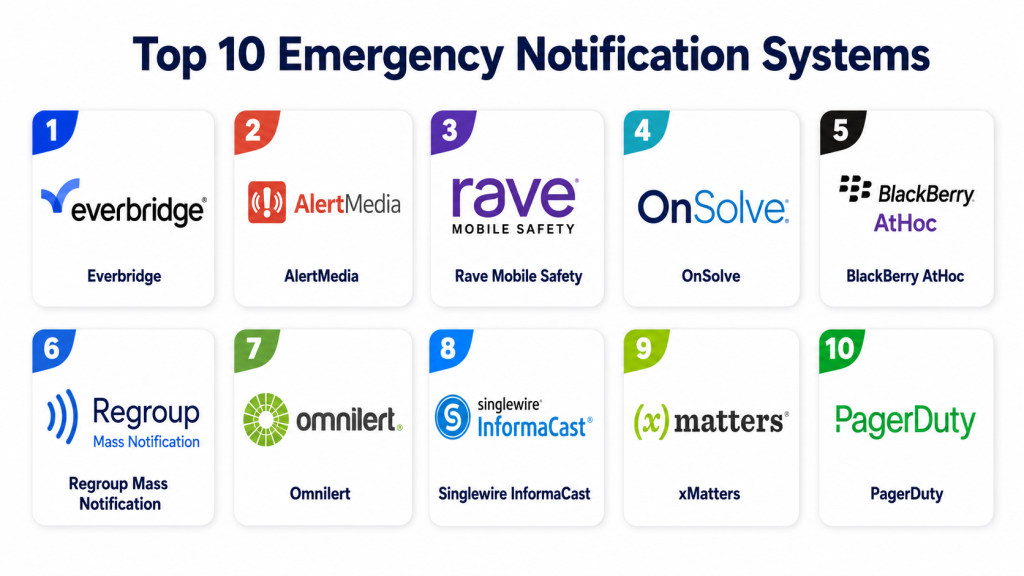
Top 10 Emergency Notification Systems
1 — Everbridge
Short description:
Everbridge is a widely recognized critical event management and emergency notification platform used by enterprises, governments, healthcare systems, universities, and public safety teams. It supports mass notifications, crisis communication, incident workflows, employee safety check-ins, and operational resilience. The platform is suitable for organizations that need alerts across SMS, voice, email, mobile apps, and other communication channels. Everbridge is especially useful for global organizations with complex risk, location, and stakeholder communication needs. It is best for enterprises that need emergency notification connected with broader crisis management.
Key Features
- Multi-channel emergency notifications
- Critical event management workflows
- Geo-targeted alerts
- Two-way communication and safety check-ins
- Incident templates and escalation workflows
- Delivery tracking and reporting
- Contact and group management
Pros
- Strong enterprise-grade emergency communication capability
- Suitable for global and complex organizations
- Supports broad crisis and operational resilience workflows
Cons
- May be more than smaller teams need
- Implementation can require planning and data cleanup
- Pricing is not publicly stated
Platforms / Deployment
Web / iOS / Android / Cloud / Varies
Security & Compliance
SSO/SAML, MFA, encryption, audit logs, RBAC, SOC 2, ISO 27001, GDPR, HIPAA: Not publicly stated.
Integrations & Ecosystem
Everbridge can connect emergency communication with business continuity, HR, IT, security, and public safety workflows.
- HR and employee directory systems
- Identity management tools
- ITSM platforms
- Security operations tools
- Collaboration systems
- Public safety and crisis workflows
Support & Community
Everbridge provides enterprise support, onboarding, implementation services, documentation, training, and customer success resources. Support levels depend on contract scope and organizational needs.
2 — AlertMedia
Short description:
AlertMedia is an emergency communication platform designed to help organizations send urgent alerts, check employee safety, manage events, and communicate during disruptions. It supports SMS, voice, email, mobile app alerts, two-way messaging, and audience targeting. The platform is useful for companies that need fast emergency communication without heavy technical complexity. AlertMedia is especially practical for HR, security, operations, business continuity, and employee safety teams. It is best for organizations that want a user-friendly emergency notification system with strong employee communication workflows.
Key Features
- Multi-channel emergency alerts
- Two-way messaging
- Employee safety monitoring
- Audience segmentation
- Event and threat intelligence support
- Mobile app communication
- Reporting and delivery tracking
Pros
- User-friendly for non-technical administrators
- Strong employee safety communication workflows
- Good fit for mid-market and enterprise organizations
Cons
- Advanced enterprise customization should be tested
- Pricing is not publicly stated
- Some integrations may depend on package and setup
Platforms / Deployment
Web / iOS / Android / Cloud / Varies
Security & Compliance
SSO/SAML, MFA, encryption, audit logs, RBAC, SOC 2, ISO 27001, GDPR, HIPAA: Not publicly stated.
Integrations & Ecosystem
AlertMedia supports emergency communication workflows across HR, business continuity, security, and operations teams.
- HR systems
- Employee directories
- Identity management platforms
- Collaboration tools
- Business continuity workflows
- Reporting dashboards
Support & Community
AlertMedia provides customer support, onboarding, training, documentation, and emergency communication guidance. Support levels vary by plan and organization size.
3 — Rave Mobile Safety
Short description:
Rave Mobile Safety provides emergency notification and public safety communication tools for schools, universities, governments, public safety agencies, healthcare systems, and enterprises. It supports mass notifications, panic buttons, campus safety communication, community alerts, and emergency response coordination. The platform is especially useful where public safety, student safety, or community-wide communication is important. Rave helps organizations quickly send urgent messages and improve emergency awareness. It is best for public-sector, education, healthcare, and safety-focused organizations.
Key Features
- Mass emergency notifications
- Campus and public safety alerts
- Panic button and emergency communication tools
- SMS, voice, email, and mobile alerts
- Geo-targeted messaging
- Community notification support
- Reporting and communication logs
Pros
- Strong public safety and education focus
- Useful for campus and community alerts
- Supports urgent communication across multiple channels
Cons
- May be more specialized for public safety use cases
- Commercial business users should validate fit
- Pricing is not publicly stated
Platforms / Deployment
Web / iOS / Android / Cloud / Varies
Security & Compliance
SSO/SAML, MFA, encryption, audit logs, RBAC, SOC 2, ISO 27001, GDPR, HIPAA: Not publicly stated.
Integrations & Ecosystem
Rave Mobile Safety fits emergency workflows where public safety, campus security, and community communication are priorities.
- Public safety systems
- School and campus systems
- Emergency response workflows
- Directory systems
- Mobile alerting tools
- Reporting platforms
Support & Community
Rave provides customer support, onboarding, emergency planning guidance, and implementation assistance. Support depends on sector, deployment size, and selected tools.
4 — OnSolve
Short description:
OnSolve is a critical communications and emergency notification platform used by businesses, government agencies, healthcare organizations, and public safety teams. It helps organizations send mass alerts, manage incidents, automate communications, and improve operational resilience. The platform supports multi-channel alerts, contact targeting, incident workflows, and reporting. OnSolve is especially useful for organizations that need reliable communication during severe weather, IT outages, public safety events, and business disruptions. It is best for teams looking for enterprise notification and incident communication capabilities.
Key Features
- Mass notification delivery
- Multi-channel communication
- Incident communication workflows
- Geo-targeted alerts
- Contact group management
- Delivery confirmation and reporting
- Business continuity communication support
Pros
- Strong emergency communication and incident response capability
- Useful for enterprise and public-sector communication
- Supports broad crisis communication scenarios
Cons
- May require structured setup for complex organizations
- Pricing is not publicly stated
- Smaller teams may need simpler tools
Platforms / Deployment
Web / Cloud / Mobile / Varies
Security & Compliance
SSO/SAML, MFA, encryption, audit logs, RBAC, SOC 2, ISO 27001, GDPR, HIPAA: Not publicly stated.
Integrations & Ecosystem
OnSolve can connect emergency communications with operational, government, business continuity, and public safety workflows.
- HR and directory systems
- Public alerting workflows
- Business continuity tools
- Incident response processes
- Collaboration systems
- Reporting dashboards
Support & Community
OnSolve provides customer support, onboarding, training, and implementation resources. Support levels depend on organization size, communication scope, and selected services.
5 — BlackBerry AtHoc
Short description:
BlackBerry AtHoc is a critical event communication platform designed for enterprises, government agencies, defense-related organizations, public safety teams, and highly regulated environments. It supports emergency alerts, personnel accountability, crisis communication, and secure collaboration during critical events. The platform is useful for organizations that need resilient and secure communication across distributed teams. AtHoc is especially relevant where security, governance, and mission-critical communication are priorities. It is best for large organizations with formal emergency operations and accountability needs.
Key Features
- Emergency mass notifications
- Personnel accountability
- Secure crisis communication
- Multi-channel alerting
- Response tracking
- Incident collaboration workflows
- Enterprise administration controls
Pros
- Strong fit for security-sensitive organizations
- Useful for personnel accountability and crisis communication
- Suitable for government and enterprise environments
Cons
- May be too advanced for small businesses
- Implementation may require IT and security involvement
- Pricing is not publicly stated
Platforms / Deployment
Web / Mobile / Cloud / Hybrid / Varies
Security & Compliance
SSO/SAML, MFA, encryption, audit logs, RBAC, SOC 2, ISO 27001, GDPR, HIPAA: Not publicly stated.
Integrations & Ecosystem
BlackBerry AtHoc supports emergency communication in environments where identity, security, operations, and resilience workflows must connect.
- Identity management systems
- Security operations workflows
- HR and directory systems
- Enterprise communication tools
- Crisis management systems
- Reporting and accountability dashboards
Support & Community
BlackBerry provides enterprise support, technical documentation, implementation services, and security-focused customer assistance. Support depends on deployment type and contract scope.
6 — Regroup Mass Notification
Short description:
Regroup Mass Notification is an emergency notification platform used by schools, businesses, healthcare organizations, government agencies, and nonprofits. It supports SMS, voice, email, desktop alerts, mobile push, social media posting, and other communication channels. The platform is useful for teams that need fast mass messaging with group targeting and alert templates. Regroup is especially practical for education, healthcare, public sector, and business continuity use cases. It is best for organizations that need flexible communication options and easy emergency alert administration.
Key Features
- SMS, voice, email, and mobile alerts
- Group-based messaging
- Desktop and digital communication support
- Alert templates
- Geo-targeted notifications
- Delivery tracking
- Reporting and analytics
Pros
- Flexible channel coverage
- Useful for education, healthcare, and business alerts
- Practical group targeting and templates
Cons
- Advanced incident management depth should be validated
- Integration needs may vary by organization
- Pricing is not publicly stated
Platforms / Deployment
Web / iOS / Android / Cloud / Varies
Security & Compliance
SSO/SAML, MFA, encryption, audit logs, RBAC, SOC 2, ISO 27001, GDPR, HIPAA: Not publicly stated.
Integrations & Ecosystem
Regroup supports emergency communication workflows that require group targeting, multi-channel delivery, and alert tracking.
- Directory systems
- School and campus systems
- HR systems
- Social media workflows
- Digital signage or desktop alerting workflows
- Reporting platforms
Support & Community
Regroup provides onboarding, customer support, training resources, and emergency notification guidance. Support depends on customer agreement and selected features.
7 — Omnilert
Short description:
Omnilert is an emergency notification and active safety platform used by schools, businesses, healthcare organizations, public agencies, and safety teams. It supports mass notifications, mobile alerts, desktop alerts, visual alerts, panic buttons, and safety communication workflows. The platform is especially useful for organizations that need rapid alerts for campus safety, workplace incidents, severe weather, and emergency response. Omnilert helps teams send messages quickly and coordinate safety communication across channels. It is best for organizations focused on fast emergency awareness and safety response.
Key Features
- Emergency mass notifications
- SMS, email, voice, and mobile alerts
- Panic button workflows
- Desktop and visual alerts
- Group and location-based messaging
- Alert templates
- Reporting and delivery tracking
Pros
- Strong fit for schools, campuses, and workplace safety
- Supports rapid multi-channel alerts
- Useful for emergency response communication
Cons
- Advanced enterprise crisis management should be tested
- Pricing is not publicly stated
- Some features may depend on selected package
Platforms / Deployment
Web / iOS / Android / Cloud / Varies
Security & Compliance
SSO/SAML, MFA, encryption, audit logs, RBAC, SOC 2, ISO 27001, GDPR, HIPAA: Not publicly stated.
Integrations & Ecosystem
Omnilert connects emergency alerts with campus safety, workplace safety, and response workflows.
- Directory systems
- Campus safety workflows
- Desktop alert systems
- Public address and visual alert systems
- Mobile app workflows
- Reporting dashboards
Support & Community
Omnilert provides support, onboarding, documentation, training, and emergency communication guidance. Support levels vary by deployment and customer agreement.
8 — Singlewire InformaCast
Short description:
Singlewire InformaCast is a mass notification and emergency communication platform focused on reaching people through phones, speakers, desktop alerts, mobile devices, digital signage, and collaboration tools. It is widely used by schools, healthcare facilities, enterprises, and organizations with facility-based alerting needs. The platform is especially useful where physical spaces, overhead paging, IP speakers, and building communication systems matter. InformaCast helps organizations deliver alerts across both digital and on-premise communication channels. It is best for facilities, campuses, hospitals, and organizations needing integrated physical alerting.
Key Features
- Mass notification and alerting
- IP speaker and paging integration
- Desktop and mobile alerts
- Digital signage support
- Panic button and incident triggers
- Teams and communication tool integrations
- Alert templates and automation
Pros
- Strong facility and campus alerting capability
- Useful for physical notification systems
- Good fit for schools, hospitals, and enterprises
Cons
- May require technical setup for physical systems
- Best value depends on infrastructure needs
- Pricing is not publicly stated
Platforms / Deployment
Web / Windows / iOS / Android / Cloud / Hybrid / Varies
Security & Compliance
SSO/SAML, MFA, encryption, audit logs, RBAC, SOC 2, ISO 27001, GDPR, HIPAA: Not publicly stated.
Integrations & Ecosystem
InformaCast fits environments where emergency notifications must reach people through physical and digital channels.
- IP phone systems
- Paging systems
- Digital signage
- Collaboration platforms
- Desktop alerting tools
- Building communication systems
Support & Community
Singlewire provides technical support, documentation, onboarding, training, and implementation guidance. Support may depend on deployment complexity and integrations.
9 — xMatters
Short description:
xMatters is an incident communication and alerting platform often used by IT operations, DevOps, SRE, security teams, and business continuity teams. It supports automated notifications, escalations, on-call workflows, incident response, and service reliability communication. While it is not a traditional public emergency alert system, it is highly useful for IT outages, cyber incidents, system failures, and operational disruptions. xMatters helps teams notify the right people quickly and coordinate response. It is best for technical teams needing automated incident alerting and response workflows.
Key Features
- Incident alerting and escalation
- On-call scheduling support
- Automated notification workflows
- Multi-channel alerts
- ITSM and monitoring integrations
- Response tracking
- Incident collaboration support
Pros
- Strong for IT and operational incident response
- Useful integrations with technical systems
- Helps automate escalations and reduce response time
Cons
- Not mainly designed for public safety or campus alerts
- May need another tool for broad employee emergency notifications
- Pricing is not publicly stated
Platforms / Deployment
Web / iOS / Android / Cloud / Varies
Security & Compliance
SSO/SAML, MFA, encryption, audit logs, RBAC, SOC 2, ISO 27001, GDPR, HIPAA: Not publicly stated.
Integrations & Ecosystem
xMatters connects alerting with IT operations, DevOps, security, monitoring, and service management workflows.
- ITSM platforms
- Monitoring tools
- DevOps systems
- Security tools
- Collaboration platforms
- Incident management workflows
Support & Community
xMatters provides support, documentation, onboarding resources, and technical guidance. Support levels depend on plan, integration complexity, and customer agreement.
10 — PagerDuty
Short description:
PagerDuty is a digital operations and incident response platform used by IT, DevOps, SRE, security, and business operations teams. It supports alerting, escalation, on-call scheduling, incident response automation, and operational communication. Although it is not a traditional mass emergency notification system for all employees, it is highly valuable for technology-related emergencies and business-critical service disruptions. PagerDuty helps technical teams detect issues, notify responders, and coordinate resolution. It is best for organizations that need reliable incident alerting for digital services and operational resilience.
Key Features
- Incident alerting and response
- On-call scheduling
- Escalation policies
- Automation workflows
- Monitoring and ITSM integrations
- Service dependency visibility
- Response analytics
Pros
- Strong for IT and digital operations incidents
- Large integration ecosystem
- Useful for reducing response delays
Cons
- Not a full employee mass notification platform
- Emergency use is strongest for technical incidents
- Pricing varies by plan and is not covered here
Platforms / Deployment
Web / iOS / Android / Cloud / Varies
Security & Compliance
SSO/SAML, MFA, encryption, audit logs, RBAC, SOC 2, ISO 27001, GDPR, HIPAA: Not publicly stated.
Integrations & Ecosystem
PagerDuty fits technical emergency workflows where monitoring, alerts, escalation, and incident response need to connect.
- Monitoring systems
- ITSM tools
- DevOps platforms
- Security tools
- Collaboration systems
- Status page and automation workflows
Support & Community
PagerDuty provides documentation, customer support, onboarding resources, training, and a strong operations-focused ecosystem. Support varies by plan and organization needs.
Comparison Table
| Tool Name | Best For | Platform(s) Supported | Deployment | Standout Feature | Public Rating |
|---|---|---|---|---|---|
| Everbridge | Enterprise crisis communication and critical events | Web / iOS / Android | Cloud / Varies | Critical event management and mass alerts | N/A |
| AlertMedia | Employee safety and business emergency communication | Web / iOS / Android | Cloud | Easy multi-channel alerts and safety check-ins | N/A |
| Rave Mobile Safety | Campus, public safety, and community alerts | Web / iOS / Android | Cloud | Public safety and campus emergency communication | N/A |
| OnSolve | Enterprise and public-sector mass notification | Web / Mobile / Varies | Cloud | Critical communication and incident alerts | N/A |
| BlackBerry AtHoc | Secure crisis communication and accountability | Web / Mobile / Varies | Cloud / Hybrid | Personnel accountability and secure alerts | N/A |
| Regroup Mass Notification | Education, healthcare, and business alerts | Web / iOS / Android | Cloud | Flexible group-based mass messaging | N/A |
| Omnilert | Campus and workplace safety alerts | Web / iOS / Android | Cloud | Rapid alerts and safety response communication | N/A |
| Singlewire InformaCast | Facility, campus, and physical alerting | Web / Windows / iOS / Android | Cloud / Hybrid | IP speakers, paging, and digital alerts | N/A |
| xMatters | IT incident communication and escalation | Web / iOS / Android | Cloud | Automated technical incident alerts | N/A |
| PagerDuty | Digital operations and incident response | Web / iOS / Android | Cloud | On-call escalation and service incident response | N/A |
Evaluation & Scoring of Emergency Notification Systems
| Tool Name | Core (25%) | Ease (15%) | Integrations (15%) | Security (10%) | Performance (10%) | Support (10%) | Value (15%) | Weighted Total (0–10) |
|---|---|---|---|---|---|---|---|---|
| Everbridge | 10 | 7 | 9 | 7 | 9 | 9 | 7 | 8.45 |
| AlertMedia | 9 | 9 | 8 | 7 | 9 | 9 | 8 | 8.55 |
| Rave Mobile Safety | 9 | 8 | 8 | 7 | 9 | 8 | 8 | 8.25 |
| OnSolve | 9 | 8 | 8 | 7 | 9 | 8 | 7 | 8.10 |
| BlackBerry AtHoc | 9 | 7 | 8 | 8 | 9 | 8 | 7 | 8.10 |
| Regroup Mass Notification | 8 | 8 | 7 | 6 | 8 | 8 | 8 | 7.60 |
| Omnilert | 8 | 8 | 7 | 6 | 8 | 8 | 8 | 7.60 |
| Singlewire InformaCast | 8 | 7 | 9 | 7 | 8 | 8 | 7 | 7.80 |
| xMatters | 8 | 8 | 10 | 7 | 9 | 8 | 8 | 8.35 |
| PagerDuty | 8 | 8 | 10 | 7 | 9 | 8 | 8 | 8.35 |
These scores are comparative and should be used as a shortlist guide, not as a final buying decision. A higher score does not mean the platform is best for every emergency use case. Organizations needing employee safety alerts may prefer AlertMedia, Everbridge, or OnSolve, while IT teams may prefer xMatters or PagerDuty. Schools and campuses may value Rave, Omnilert, Regroup, or InformaCast. Buyers should validate delivery reliability, channel coverage, integrations, data security, and emergency workflow fit before choosing.
Which Emergency Notification System Is Right for You?
Solo / Freelancer
Solo consultants, safety advisors, IT consultants, and business continuity planners usually do not need a full enterprise emergency notification system for their own operations. However, they may need tools to help clients design alert workflows, test crisis plans, and manage small stakeholder groups.
For solo or advisory use, simpler platforms like Regroup, Omnilert, or AlertMedia may be easier to evaluate. IT-focused consultants may consider xMatters or PagerDuty when the main need is technical incident alerting rather than broad employee emergency messaging.
SMB
Small and mid-sized businesses need emergency notification systems that are easy to deploy, simple to manage, and reliable during urgent situations. They often need SMS, email, voice, mobile alerts, contact groups, templates, and delivery confirmations.
AlertMedia, Regroup Mass Notification, Omnilert, and OnSolve can be practical options depending on company size and risk level. SMB buyers should focus on ease of use, fast message sending, contact list management, mobile access, and support quality.
Mid-Market
Mid-market organizations usually need more structured emergency communication. They may have multiple offices, field workers, security teams, HR teams, business continuity plans, and IT incident response workflows.
AlertMedia, OnSolve, Rave Mobile Safety, Regroup, Omnilert, Singlewire InformaCast, xMatters, and PagerDuty may be suitable depending on whether the focus is employee safety, facility alerts, campus communication, or technical incident response.
Enterprise
Large enterprises, government agencies, universities, healthcare systems, and global companies need scalable emergency notification systems with role-based access, multi-region support, high delivery reliability, contact automation, reporting, and integration with HR, IT, security, and crisis management systems.
Everbridge, AlertMedia, OnSolve, BlackBerry AtHoc, Rave Mobile Safety, Singlewire InformaCast, xMatters, and PagerDuty are strong enterprise candidates depending on the use case. Enterprise buyers should prioritize governance, data security, uptime, integrations, and global communication workflows.
Budget vs Premium
Budget-focused organizations should avoid overbuying a full critical event management suite if they only need basic mass alerts. Regroup, Omnilert, or selected SMB-friendly tools may be practical starting points.
Premium buyers should consider Everbridge, AlertMedia, OnSolve, BlackBerry AtHoc, Rave Mobile Safety, or Singlewire InformaCast when the need includes large-scale communication, safety check-ins, crisis workflows, physical alerting, or high-risk operations.
Feature Depth vs Ease of Use
Feature-rich tools provide deeper crisis workflows, reporting, integrations, and governance, but they may require more setup. Everbridge, OnSolve, BlackBerry AtHoc, Singlewire InformaCast, and Rave Mobile Safety fit this category.
For easier adoption, AlertMedia, Regroup, Omnilert, xMatters, and PagerDuty may be more approachable depending on the target users and alerting scenario.
Integrations & Scalability
Emergency notification systems often need to connect with HR systems, identity providers, IT monitoring tools, collaboration platforms, security systems, access control tools, public safety systems, and business continuity workflows.
Scalability should be evaluated by:
- Number of recipients
- Number of locations
- Number of alert channels
- Contact database update frequency
- Mobile workforce size
- Language and region requirements
- IT incident response needs
- Physical alerting requirements
- Delivery confirmation needs
- Reporting and audit requirements
Security & Compliance Needs
Emergency notification systems may store employee contact details, location data, incident records, safety responses, escalation rules, and business continuity plans. Security review is important before purchase.
Important questions include:
- Does the platform support SSO and MFA?
- Are role-based permissions available?
- Are audit logs maintained?
- Is contact data encrypted?
- How are mobile safety check-ins protected?
- Where is data hosted?
- Can administrators control message permissions?
- Can the vendor provide security documentation?
If security certifications are not publicly stated, buyers should request official documentation directly from the vendor.
Frequently Asked Questions
1. What is an emergency notification system?
An emergency notification system is software that sends urgent alerts through SMS, voice calls, email, mobile push, desktop alerts, or other channels. It helps organizations communicate quickly during emergencies, outages, threats, or disruptions.
2. Who uses emergency notification systems?
These systems are used by enterprises, schools, universities, government agencies, healthcare organizations, manufacturers, IT teams, HR teams, security departments, public safety teams, and business continuity teams.
3. How much do emergency notification systems cost?
Pricing is usually not publicly stated because it depends on number of users, alert volume, channels, integrations, support level, regions, and selected features. Most vendors provide custom pricing.
4. What are common mistakes when choosing an emergency notification system?
Common mistakes include relying only on one channel, ignoring contact data accuracy, skipping message testing, not defining alert ownership, failing to train administrators, and not testing delivery during real scenarios.
5. Can emergency notification systems send SMS and voice alerts?
Yes, most modern platforms support SMS and voice alerts, along with email, mobile push, desktop alerts, and sometimes paging, digital signage, collaboration apps, or public address systems.
6. Can these systems confirm whether people are safe?
Many platforms support two-way messaging or safety check-ins. Recipients can confirm they are safe, request help, or respond with status updates depending on the tool and configuration.
7. Can emergency notification tools integrate with HR systems?
Yes, many platforms can integrate with HR or directory systems to keep contact lists updated. Integration depth varies, so buyers should confirm sync frequency, data mapping, and user group rules.
8. Are emergency notification systems useful for IT outages?
Yes, but the best tool depends on the use case. Platforms like xMatters and PagerDuty are strong for IT incident response, while broader tools like Everbridge or AlertMedia are better for employee-wide communication.
9. Is cloud-based emergency notification software reliable?
Cloud-based systems can be reliable when vendors provide strong infrastructure, redundancy, monitoring, and delivery options. Buyers should review uptime, channel redundancy, escalation workflows, and support commitments.
10. What is the best alternative to emergency notification software?
For very small teams, group messaging apps may work temporarily. However, dedicated emergency notification software becomes important when organizations need multi-channel alerts, delivery tracking, contact groups, templates, escalation, audit trails, and safety check-ins.
Conclusion
Emergency notification systems help organizations communicate quickly, reduce confusion, confirm safety, coordinate response, and maintain operations during critical events. The best platform depends on organization size, risk profile, communication channels, workforce distribution, integration needs, security expectations, and emergency planning maturity. Everbridge, AlertMedia, OnSolve, BlackBerry AtHoc, and Rave Mobile Safety are strong choices for enterprise, public safety, and critical event communication. Regroup, Omnilert, and Singlewire InformaCast are practical for schools, campuses, healthcare facilities, and facility-based alerts. xMatters and PagerDuty are better suited for IT and digital operations incidents. A smart is to shortlist two or three systems, test real emergency scenarios, validate delivery channels, review integrations, check security controls, and run a pilot before making the final decision.
