Upgrade & Secure Your Future with DevOps, SRE, DevSecOps, MLOps!
We spend hours scrolling social media and waste money on things we forget, but won’t spend 30 minutes a day earning certifications that can change our lives.
Master in DevOps, SRE, DevSecOps & MLOps by DevOps School!
Learn from Guru Rajesh Kumar and double your salary in just one year.
Introduction
Crisis management platforms help organizations prepare for, respond to, communicate during, and recover from disruptive events. In simple words, these tools help teams manage emergencies such as natural disasters, cyber incidents, workplace violence, facility outages, public safety threats, travel disruption, supply chain disruption, and operational crises.
Crisis management matters because organizations now face faster-moving risks, distributed workforces, global operations, social media pressure, cyber threats, climate-related disruptions, and higher expectations for employee safety. A strong platform helps teams detect threats, alert people, coordinate response, assign tasks, track decisions, document actions, and maintain business continuity.
Common use cases include emergency notification, critical event management, crisis team activation, incident command, business continuity response, travel risk alerts, employee safety check-ins, executive communications, and post-incident reporting.
Buyers should evaluate mass notification, risk intelligence, incident workflows, mobile access, two-way communication, integrations, automation, reporting, scalability, security, compliance, and support quality.
Best for: Enterprise security teams, business continuity teams, emergency management teams, HR leaders, facilities teams, government agencies, healthcare systems, universities, manufacturing companies, logistics firms, and global organizations.
Not ideal for: Very small teams that only need simple group messaging, companies without formal crisis plans, or organizations that only need basic incident tickets without emergency communication or response coordination.
Key Trends in Crisis Management Platforms
- AI-powered threat detection: Crisis platforms are increasingly using AI to monitor public signals, news, weather, cyber risk, travel disruption, and operational threats faster than manual monitoring.
- Critical event management expansion: Organizations want one platform to detect risks, assess impact, notify people, coordinate response, and document recovery actions.
- Two-way communication: Crisis response is no longer only about sending alerts. Teams need employee check-ins, confirmation responses, help requests, and real-time status updates.
- Mobile-first emergency response: Crisis teams and employees need access from mobile devices because emergencies often happen outside office environments.
- Integrated business continuity: Crisis management is becoming more connected with continuity planning, disaster recovery, operational resilience, risk management, and compliance reporting.
- Geo-targeted alerts: Organizations need to notify only affected people based on location, site, travel route, office, region, or operational role.
- Automation and playbooks: Modern tools support pre-built response plans, automatic escalation, task assignment, call trees, role activation, and incident templates.
- Cyber and physical risk convergence: Security teams increasingly manage cyber incidents, physical threats, facility outages, and employee safety risks through connected workflows.
- Audit-ready incident records: Leaders need clear logs showing who was notified, what decisions were made, what actions were taken, and how the organization recovered.
- Resilience analytics: Crisis platforms are adding dashboards to help teams learn from past events, measure response times, test plans, and improve readiness.
How We Selected These Tools
The crisis management market includes critical event management platforms, mass notification systems, emergency management tools, risk intelligence platforms, business continuity systems, and incident response platforms. The tools below were selected using practical buyer-focused criteria.
- Market recognition in crisis management, emergency communication, and critical event management
- Strength of mass notification, incident coordination, and response workflows
- Risk intelligence, threat monitoring, and situational awareness capabilities
- Suitability for enterprises, government, healthcare, education, public safety, and high-risk industries
- Integration readiness with HRIS, identity, collaboration, security, travel, IT, and business continuity systems
- Mobile access, two-way communication, and employee check-in support
- Reporting, audit trails, dashboards, and post-incident review features
- Security posture signals and access-control expectations
- Scalability for global, multi-site, and high-volume emergency communication
- Vendor support, implementation assistance, and resilience expertise
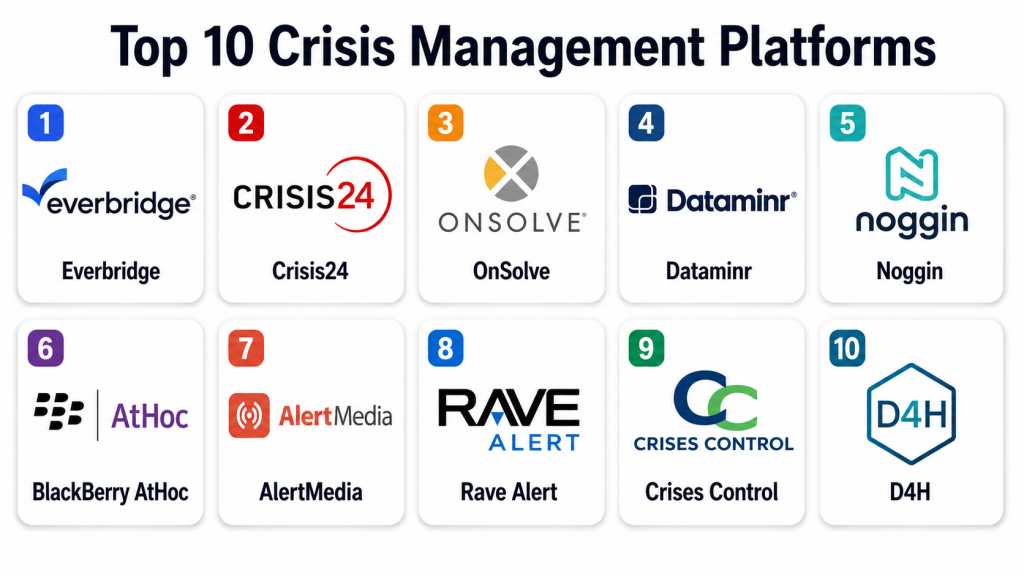
Top 10 Crisis Management Platforms
#1 — Everbridge
Short description:
Everbridge is a critical event management platform designed to help organizations detect threats, communicate during emergencies, coordinate response, and protect people and operations. It supports mass notification, risk intelligence, incident management, business continuity, travel risk, and operational resilience workflows. The platform is especially suitable for large enterprises, public sector bodies, healthcare systems, universities, and global organizations. It is best for teams that need scalable emergency communication and coordinated crisis response across many locations.
Key Features
- Critical event management workflows
- Mass notification and emergency alerts
- Risk intelligence and situational awareness
- Employee safety check-ins
- Incident response coordination
- Business continuity and resilience support
- Reporting and audit trail visibility
Pros
- Strong fit for enterprise-scale crisis management
- Useful for both communication and response coordination
- Good option for organizations with distributed teams and global risk exposure
Cons
- May be more complex than small teams need
- Implementation can require planning and stakeholder training
- Pricing is not publicly stated
Platforms / Deployment
Web / Cloud / iOS / Android / Mobile access may vary by module
Security & Compliance
Security details should be confirmed directly with the vendor. Buyers should ask about SSO, MFA, RBAC, encryption, audit logs, data privacy, data residency, and compliance documentation.
SOC 2, ISO 27001, GDPR, HIPAA: Not publicly stated for every implementation.
Integrations & Ecosystem
Everbridge fits organizations that need emergency communication connected with risk, HR, operations, security, and business continuity systems.
- HRIS and employee directories
- Identity providers
- Security operations tools
- Travel risk systems
- Business continuity tools
- Collaboration and communication platforms
Support & Community
Everbridge provides enterprise support, implementation services, training, customer success, and crisis management guidance. Support depth depends on contract scope, modules, and deployment size.
#2 — Crisis24
Short description:
Crisis24 is a global risk management and crisis response platform focused on threat intelligence, travel risk, critical event management, emergency communication, and operational support. It is useful for organizations that need global monitoring, employee safety, executive protection, crisis response, and intelligence-driven decision support. The platform is especially relevant for multinational businesses, security teams, travel risk teams, and high-risk operations. It is best for organizations that need crisis management supported by expert risk intelligence.
Key Features
- Global threat intelligence
- Critical event and crisis response support
- Travel risk management
- Emergency communication workflows
- Security monitoring and alerts
- Employee safety and duty-of-care support
- Operational resilience support
Pros
- Strong fit for global risk and travel security teams
- Useful for intelligence-led crisis response
- Supports organizations with international operations
Cons
- May be more advanced than basic notification needs
- Pricing is not publicly stated
- Buyers should validate coverage by region and risk type
Platforms / Deployment
Web / Cloud / Mobile access may vary
Security & Compliance
Security capabilities should be validated directly with the vendor. Buyers should ask about access controls, encryption, audit logs, authentication, data privacy, and compliance documentation.
SOC 2, ISO 27001, GDPR, HIPAA: Not publicly stated.
Integrations & Ecosystem
Crisis24 works well where crisis response needs to connect with global risk, travel, executive protection, and security workflows.
- Travel risk systems
- HR and employee data systems
- Security operations platforms
- Communication tools
- Location and intelligence feeds
- Incident management workflows
Support & Community
Crisis24 provides expert-led support, crisis response services, intelligence support, and customer assistance. Support quality depends on service package and operational requirements.
#3 — OnSolve
Short description:
OnSolve is a critical communication and mass notification platform used by enterprises, government agencies, healthcare systems, and public safety organizations. It helps organizations send emergency alerts, automate notifications, manage contacts, and coordinate response during disruptive events. The platform is useful for teams that need reliable emergency communication, escalation workflows, and notification automation. It is best for organizations that prioritize rapid communication during crises, outages, severe weather, and operational incidents.
Key Features
- Mass notification and emergency alerts
- Automated communication workflows
- Contact management and audience targeting
- Two-way communication support
- Incident escalation workflows
- Weather and event alerting support
- Reporting and notification tracking
Pros
- Strong focus on emergency communication
- Useful for public sector and enterprise notification needs
- Supports rapid alerting during critical events
Cons
- Broader crisis orchestration features may depend on package
- Full value requires accurate contact data
- Pricing is not publicly stated
Platforms / Deployment
Web / Cloud / Mobile access may vary
Security & Compliance
Security details should be confirmed directly with the vendor. Buyers should ask about SSO, MFA, RBAC, encryption, audit logs, data privacy, and compliance documentation.
SOC 2, ISO 27001, GDPR, HIPAA: Not publicly stated.
Integrations & Ecosystem
OnSolve supports emergency communication workflows connected with business, public safety, and operational systems.
- HRIS systems
- Employee directories
- Public alerting systems
- Collaboration tools
- Security operations systems
- Reporting dashboards
Support & Community
OnSolve provides support, onboarding, training, and emergency communication guidance. Support depth depends on organization size, notification volume, and selected capabilities.
#4 — Dataminr
Short description:
Dataminr is a real-time event, threat, and risk intelligence platform that helps organizations detect emerging risks from public data signals. It is used by corporate security teams, public sector agencies, newsrooms, cyber risk teams, and business resilience teams. While it is not only a crisis workflow tool, it is highly relevant for crisis management because it helps teams know about threats earlier. It is best for organizations that need real-time intelligence to support faster crisis awareness and decision-making.
Key Features
- Real-time event and risk intelligence
- AI-supported public signal detection
- Threat monitoring and alerting
- Corporate security use cases
- Cyber and physical risk insights
- Geospatial and event-based awareness
- Situational intelligence for crisis teams
Pros
- Strong fit for early threat detection
- Useful for security and resilience intelligence teams
- Helps organizations improve situational awareness
Cons
- Not a full incident response workflow platform by itself
- Requires trained users to interpret alerts effectively
- Pricing is not publicly stated
Platforms / Deployment
Web / Cloud / Mobile access may vary
Security & Compliance
Security information should be validated directly with the vendor. Buyers should ask about SSO, MFA, RBAC, encryption, audit logs, data privacy, and compliance documentation.
SOC 2, ISO 27001, GDPR, HIPAA: Not publicly stated.
Integrations & Ecosystem
Dataminr fits crisis programs where intelligence feeds need to connect with response, security, communication, and operational workflows.
- Security operations centers
- Risk intelligence workflows
- Crisis communication tools
- Cyber risk platforms
- Business continuity systems
- Reporting dashboards
Support & Community
Dataminr provides enterprise support, onboarding, training, and intelligence workflow assistance. Support needs depend on use case, team maturity, and monitoring scope.
#5 — Noggin
Short description:
Noggin is a crisis, incident, safety, security, and business continuity management platform designed to help organizations coordinate response, manage incidents, activate plans, track tasks, and improve resilience. It is suitable for organizations that need structured crisis and incident workflows rather than only notification tools. Noggin is especially useful for emergency management, public safety, corporate security, and resilience teams. It is best for organizations that want crisis management connected with incident management and operational resilience.
Key Features
- Crisis and incident management workflows
- Emergency response coordination
- Business continuity support
- Task assignment and action tracking
- Situation reports and dashboards
- Safety and security workflow support
- Plan activation and response playbooks
Pros
- Strong fit for structured crisis coordination
- Useful for incident response and business continuity workflows
- Good option for emergency management teams
Cons
- May require configuration for organization-specific workflows
- Smaller teams may not need full platform depth
- Pricing is not publicly stated
Platforms / Deployment
Web / Cloud / Mobile access may vary
Security & Compliance
Security details should be confirmed directly with the vendor. Buyers should ask about access controls, encryption, audit logs, RBAC, data privacy, backup, and compliance documentation.
SOC 2, ISO 27001, GDPR, HIPAA: Not publicly stated.
Integrations & Ecosystem
Noggin connects crisis response with incident, continuity, safety, and security workflows.
- Emergency communication tools
- Business continuity systems
- Security operations systems
- Safety management tools
- Reporting platforms
- Collaboration systems
Support & Community
Noggin provides support, onboarding, implementation assistance, and resilience-focused guidance. Support quality depends on deployment scope and workflow complexity.
#6 — BlackBerry AtHoc
Short description:
BlackBerry AtHoc is a critical event management and emergency notification platform used by government agencies, enterprises, defense-related organizations, healthcare systems, and public safety teams. It supports mass notification, secure communication, personnel accountability, emergency response, and crisis coordination. The platform is especially useful for organizations that need secure communication and reliable alerting in high-risk environments. It is best for teams that require strong emergency communication, response coordination, and operational accountability.
Key Features
- Emergency mass notification
- Critical event management workflows
- Personnel accountability and check-ins
- Secure communication support
- Multi-channel alerts
- Incident response coordination
- Enterprise and public sector readiness support
Pros
- Strong fit for secure emergency communication
- Useful for public sector and regulated environments
- Supports personnel accountability during crisis events
Cons
- May require structured implementation and training
- Best value depends on emergency response process maturity
- Pricing is not publicly stated
Platforms / Deployment
Web / Cloud / Mobile access may vary / Hybrid options may vary
Security & Compliance
Security details should be validated directly with the vendor. Buyers should ask about SSO, MFA, RBAC, encryption, audit logs, secure communication controls, and compliance documentation.
SOC 2, ISO 27001, GDPR, HIPAA: Not publicly stated for every implementation.
Integrations & Ecosystem
BlackBerry AtHoc fits emergency response environments where alerting, accountability, and secure communication must connect with operational systems.
- HR and personnel systems
- Identity providers
- Emergency operations systems
- Security platforms
- Communication channels
- Reporting systems
Support & Community
BlackBerry provides enterprise support, onboarding, training, and public-sector-focused assistance. Support depth depends on contract, region, and deployment type.
#7 — AlertMedia
Short description:
AlertMedia is an emergency communication and threat intelligence platform that helps organizations send alerts, monitor threats, check employee safety, and coordinate during emergencies. It is useful for companies that need simple but reliable crisis communication with employees, remote teams, field workers, and travelers. The platform supports multi-channel messaging, audience targeting, two-way communication, and threat monitoring. It is best for organizations that want a practical emergency communication solution without unnecessary complexity.
Key Features
- Emergency mass notification
- Threat intelligence alerts
- Two-way communication
- Employee safety check-ins
- Audience targeting and groups
- Mobile-friendly communication
- Reporting and message tracking
Pros
- Easy to use for emergency communication
- Good fit for employee safety and alerting workflows
- Useful for distributed and mobile workforces
Cons
- Broader crisis planning features may require additional tools
- Full value depends on accurate employee contact data
- Pricing is not publicly stated
Platforms / Deployment
Web / Cloud / iOS / Android
Security & Compliance
Security details should be confirmed directly with the vendor. Buyers should ask about SSO, MFA, encryption, RBAC, audit logs, data privacy, and compliance documentation.
SOC 2, ISO 27001, GDPR, HIPAA: Not publicly stated.
Integrations & Ecosystem
AlertMedia works well in communication-first crisis programs where alerts and employee check-ins are the main need.
- HRIS systems
- Employee directories
- Collaboration tools
- Travel risk workflows
- Security operations tools
- Reporting systems
Support & Community
AlertMedia provides customer support, onboarding resources, emergency communication guidance, and implementation assistance. Support depth depends on organization size and use case.
#8 — Rave Alert
Short description:
Rave Alert is an emergency notification system used by organizations such as schools, universities, healthcare systems, government agencies, and enterprises to send urgent alerts through multiple communication channels. It helps teams notify people quickly during weather events, safety threats, closures, facility issues, and emergency situations. Rave Alert is especially useful for organizations with large populations that need fast mass communication. It is best for education, public sector, healthcare, and campus-style environments.
Key Features
- Emergency mass notification
- Multi-channel alert delivery
- Audience segmentation
- Weather and safety communication support
- Templates and emergency message workflows
- Reporting and delivery tracking
- Public safety and campus communication support
Pros
- Strong fit for campuses and public-sector communication
- Useful for fast emergency alerting
- Supports large population notification needs
Cons
- More focused on notification than full crisis orchestration
- Contact data quality is important for effectiveness
- Pricing is not publicly stated
Platforms / Deployment
Web / Cloud / Mobile access may vary
Security & Compliance
Security information should be validated directly with the vendor. Buyers should ask about authentication, encryption, RBAC, audit logs, data protection, and compliance documentation.
SOC 2, ISO 27001, GDPR, HIPAA: Not publicly stated.
Integrations & Ecosystem
Rave Alert fits environments where emergency notification needs to connect with public safety, campus, and organizational communication workflows.
- Student information systems
- HR systems
- Public safety platforms
- Communication systems
- Weather alerting workflows
- Reporting dashboards
Support & Community
Rave provides customer support, implementation guidance, training resources, and public safety communication assistance. Support needs vary by user population and emergency communication model.
#9 — Crises Control
Short description:
Crises Control is a crisis communication and incident management platform designed to help organizations send alerts, activate response plans, manage incidents, and coordinate crisis teams. It supports emergency messaging, task management, response workflows, and reporting. The platform is useful for businesses that need structured response coordination without building a full enterprise resilience suite. It is best suited for organizations that want practical crisis communication, team activation, and incident response workflow support.
Key Features
- Crisis communication workflows
- Incident activation and response plans
- Mass notification and alerts
- Task management and escalation
- Team coordination tools
- Reporting and audit trails
- Mobile access for crisis teams
Pros
- Practical fit for crisis communication and response coordination
- Useful for activating teams and tracking actions
- Good option for organizations needing structured crisis workflows
Cons
- May not have the same ecosystem depth as larger enterprise platforms
- Advanced risk intelligence may require separate tools
- Pricing is not publicly stated
Platforms / Deployment
Web / Cloud / iOS / Android
Security & Compliance
Security details should be confirmed directly with the vendor. Buyers should ask about authentication, access controls, encryption, audit logs, data retention, and compliance documentation.
SOC 2, ISO 27001, GDPR, HIPAA: Not publicly stated.
Integrations & Ecosystem
Crises Control works well when crisis communication and incident tasks need to connect with operational response processes.
- HR contact data
- Communication tools
- Incident response workflows
- Business continuity plans
- Reporting systems
- Mobile response workflows
Support & Community
Crises Control provides support, onboarding help, documentation, and crisis communication guidance. Buyers should review support options based on response criticality.
#10 — D4H
Short description:
D4H is an emergency response and incident management platform used by response teams, emergency services, public safety organizations, and crisis teams to manage incidents, resources, readiness, and operations. It supports incident command-style workflows, team availability, equipment readiness, response coordination, and reporting. D4H is especially useful for emergency response organizations and operational teams that need structured response management. It is best for public safety, emergency services, industrial response teams, and organizations with active response functions.
Key Features
- Incident and response management
- Team availability and readiness tracking
- Equipment and resource management
- Operational dashboards
- Response reporting and logs
- Emergency team coordination
- Mobile-friendly response workflows
Pros
- Strong fit for emergency response teams
- Useful for readiness, resources, and incident coordination
- Good option for public safety and operational response teams
Cons
- May be more response-team focused than corporate crisis communication focused
- Not a pure mass notification platform
- Pricing is not publicly stated
Platforms / Deployment
Web / Cloud / iOS / Android
Security & Compliance
Security details should be validated directly with the vendor. Buyers should ask about user access, encryption, audit logs, data protection, backup, and compliance documentation.
SOC 2, ISO 27001, GDPR, HIPAA: Not publicly stated.
Integrations & Ecosystem
D4H fits emergency and operational response environments where readiness, resources, and incident coordination matter.
- Emergency operations workflows
- Resource management tools
- Team communication systems
- Reporting platforms
- Mobile response tools
- Operational dashboards
Support & Community
D4H provides support, onboarding resources, training content, and emergency response workflow guidance. Its user community is especially relevant for response-focused organizations.
Comparison Table
| Tool Name | Best For | Platform(s) Supported | Deployment | Standout Feature | Public Rating |
|---|---|---|---|---|---|
| Everbridge | Enterprise critical event management | Web / iOS / Android varies | Cloud | End-to-end crisis detection, communication, and response | N/A |
| Crisis24 | Global risk and travel security teams | Web / Mobile varies | Cloud | Intelligence-led global risk and crisis support | N/A |
| OnSolve | Emergency notification and critical communication | Web / Mobile varies | Cloud | Rapid mass notification and escalation workflows | N/A |
| Dataminr | Real-time threat intelligence | Web / Mobile varies | Cloud | AI-supported event and risk detection | N/A |
| Noggin | Crisis, incident, and resilience workflows | Web / Mobile varies | Cloud | Structured crisis and incident response management | N/A |
| BlackBerry AtHoc | Secure emergency communication | Web / Mobile varies | Cloud / Hybrid varies | Personnel accountability and secure alerting | N/A |
| AlertMedia | Employee safety and emergency communication | Web / iOS / Android | Cloud | Simple two-way emergency communication | N/A |
| Rave Alert | Campus, healthcare, and public sector alerts | Web / Mobile varies | Cloud | Large-population emergency notification | N/A |
| Crises Control | Crisis team activation and response workflows | Web / iOS / Android | Cloud | Crisis communication with action tracking | N/A |
| D4H | Emergency response and operational teams | Web / iOS / Android | Cloud | Incident response, readiness, and resource coordination | N/A |
Evaluation & Scoring of Crisis Management Platforms
| Tool Name | Core (25%) | Ease (15%) | Integrations (15%) | Security (10%) | Performance (10%) | Support (10%) | Value (15%) | Weighted Total (0–10) |
|---|---|---|---|---|---|---|---|---|
| Everbridge | 9 | 7 | 9 | 8 | 9 | 9 | 7 | 8.35 |
| Crisis24 | 9 | 7 | 8 | 8 | 9 | 9 | 7 | 8.20 |
| OnSolve | 8 | 8 | 8 | 8 | 9 | 8 | 8 | 8.15 |
| Dataminr | 8 | 7 | 8 | 8 | 9 | 8 | 7 | 7.85 |
| Noggin | 9 | 8 | 8 | 7 | 8 | 8 | 8 | 8.15 |
| BlackBerry AtHoc | 8 | 7 | 8 | 8 | 9 | 8 | 7 | 7.95 |
| AlertMedia | 8 | 9 | 8 | 8 | 8 | 8 | 8 | 8.20 |
| Rave Alert | 8 | 8 | 7 | 7 | 8 | 8 | 8 | 7.75 |
| Crises Control | 8 | 8 | 7 | 7 | 8 | 7 | 8 | 7.65 |
| D4H | 8 | 8 | 7 | 7 | 8 | 8 | 8 | 7.75 |
These scores are comparative and should be used as a shortlist guide, not as a final buying decision. A global enterprise may prioritize Everbridge, Crisis24, OnSolve, or BlackBerry AtHoc. A communication-first team may prefer AlertMedia or Rave Alert. A response-focused team may prefer Noggin, Crises Control, or D4H. Buyers should validate real crisis workflows, contact data, mobile access, integrations, security documentation, and support before selecting a platform.
Which Crisis Management Platform Tool Is Right for You?
Solo / Freelancer
A solo consultant, resilience advisor, emergency planning specialist, or security consultant usually does not need a full enterprise crisis platform for personal use. However, understanding Everbridge, Noggin, AlertMedia, D4H, and Crises Control can help when advising clients.
For individual professionals, the main focus should be crisis plan design, stakeholder mapping, communication templates, incident roles, response checklists, and post-incident review structure.
SMB
Small and medium businesses should focus on easy emergency communication, simple contact management, mobile alerts, basic crisis playbooks, and employee check-ins. AlertMedia, Crises Control, Rave Alert, and D4H may be practical depending on the use case.
SMBs should avoid overbuying a complex global platform if they only need reliable alerts and simple response coordination. The first priority should be accurate contact data and clear emergency procedures.
Mid-Market
Mid-market organizations usually need stronger notification workflows, incident response tasks, risk monitoring, reporting, and integration with HR or collaboration systems. OnSolve, AlertMedia, Noggin, Crises Control, D4H, and BlackBerry AtHoc can be strong options.
This segment should focus on building repeatable response plans. A good crisis platform should help activate the right team, notify the right people, track actions, and document decisions.
Enterprise
Large enterprises need scalable, secure, and integrated crisis management with global alerting, risk intelligence, employee safety, business continuity, travel risk, role-based access, and reporting. Everbridge, Crisis24, OnSolve, BlackBerry AtHoc, Dataminr, and Noggin are strong enterprise candidates.
Enterprise buyers should evaluate global support, multi-channel alerting, location-based targeting, HRIS sync, risk intelligence quality, audit trails, data privacy, and integration with security operations and continuity systems.
Budget vs Premium
Budget-conscious teams should start with essential communication: contact lists, emergency templates, mobile alerts, two-way responses, and basic reporting. AlertMedia, Rave Alert, Crises Control, and D4H may be practical starting points.
Premium buyers should invest in real-time risk intelligence, automated playbooks, global support, business continuity workflows, travel risk, employee safety check-ins, and advanced analytics. Everbridge, Crisis24, OnSolve, Dataminr, and BlackBerry AtHoc are stronger options for complex environments.
Feature Depth vs Ease of Use
Feature-rich platforms offer stronger governance, intelligence, automation, reporting, and integration, but they may require more implementation planning. Everbridge, Crisis24, Noggin, OnSolve, and BlackBerry AtHoc are better suited for mature resilience teams.
Ease-focused teams may prefer AlertMedia, Rave Alert, Crises Control, or D4H. During a real crisis, simplicity matters because users must act quickly under pressure.
Integrations & Scalability
Crisis management platforms should connect with HRIS, employee directories, identity providers, collaboration tools, travel systems, security systems, IT service management, business continuity platforms, weather feeds, and risk intelligence sources.
For scalability, buyers should evaluate global contact management, audience segmentation, geo-targeting, automated escalation, API support, multi-language communication, mobile performance, and high-volume alert delivery.
Security & Compliance Needs
Crisis platforms may store employee contact data, location data, travel details, emergency responses, health or safety notes, incident records, and confidential business continuity plans. Security should be evaluated before rollout.
Buyers should ask vendors about SSO, MFA, RBAC, encryption, audit logs, data residency, retention policies, privacy controls, mobile security, backup, disaster recovery, API security, and incident response. If certifications are not publicly stated, request official documentation.
Frequently Asked Questions
1. What is a crisis management platform?
A crisis management platform is software that helps organizations prepare for, communicate during, coordinate, and recover from disruptive events. It can support alerts, response plans, team activation, employee safety checks, incident tracking, and reporting.
2. How is crisis management software different from mass notification software?
Mass notification software mainly sends alerts to people quickly. Crisis management software is broader because it can include response workflows, incident coordination, playbooks, task tracking, risk intelligence, and post-incident reporting.
3. How much does crisis management software cost?
Pricing varies based on users, contacts, locations, modules, integrations, support, alert volume, and enterprise requirements. Most vendors do not publish fixed pricing for every use case, so buyers usually need a custom quote.
4. What features are most important in a crisis management platform?
Important features include mass notification, two-way communication, employee check-ins, risk intelligence, playbooks, task tracking, escalation workflows, mobile access, reporting, integrations, security controls, and audit trails.
5. Can crisis management platforms prevent crises?
No platform can prevent every crisis, but the right tool can help organizations detect risks earlier, communicate faster, coordinate response, reduce confusion, document actions, and recover more effectively.
6. What mistakes should buyers avoid?
Common mistakes include buying software without a crisis plan, not updating contact data, failing to test alerts, ignoring mobile access, not assigning response roles, skipping training, and not running drills.
7. Are crisis management platforms secure?
They can be secure when vendors provide authentication, encryption, role-based access, audit logs, backup, and privacy controls. Buyers should request security documentation because crisis platforms often contain sensitive employee and operational data.
8. Can small businesses use crisis management platforms?
Yes, small businesses can use simpler crisis communication tools to alert employees and coordinate basic response. They should start with essential features such as contact lists, alert templates, two-way responses, and mobile access.
9. Do these platforms support employee safety check-ins?
Many crisis platforms support check-ins, response confirmations, help requests, and status updates. This helps organizations understand who is safe, who needs assistance, and where response teams should focus.
10. Can crisis tools integrate with HR systems?
Yes, many platforms integrate with HRIS or employee directories so contact lists stay updated. This is important because outdated contact data can reduce alert effectiveness during emergencies.
Conclusion
Crisis management platforms help organizations respond faster, communicate clearly, protect people, coordinate actions, and maintain operational resilience during disruptive events. The right platform depends on company size, risk exposure, workforce distribution, communication needs, industry requirements, and crisis maturity. Large enterprises may prefer Everbridge, Crisis24, OnSolve, BlackBerry AtHoc, Dataminr, or Noggin for critical event management and global response. Mid-sized teams may find AlertMedia, Rave Alert, Crises Control, or D4H easier to adopt for communication and response coordination.
