Upgrade & Secure Your Future with DevOps, SRE, DevSecOps, MLOps!
We spend hours scrolling social media and waste money on things we forget, but won’t spend 30 minutes a day earning certifications that can change our lives.
Master in DevOps, SRE, DevSecOps & MLOps by DevOps School!
Learn from Guru Rajesh Kumar and double your salary in just one year.
Introduction
Business Continuity Planning (BCP) tools help organizations prepare for disruptions and keep critical operations running during emergencies. In simple words, these tools help teams identify business risks, document recovery plans, run business impact analysis, assign response roles, test continuity plans, track recovery tasks, and communicate during incidents.
BCP tools matter more now because organizations face cyberattacks, cloud outages, supply chain disruptions, severe weather, workplace emergencies, geopolitical risks, system failures, and vendor dependency issues. A strong BCP platform helps businesses reduce downtime, protect revenue, support employees, meet compliance expectations, and recover faster.
Common use cases include business impact analysis, disaster recovery planning, crisis response planning, recovery testing, vendor risk continuity, IT outage planning, workforce continuity, and executive reporting.
Buyers should evaluate:
- Business impact analysis capability
- Recovery plan templates
- Crisis and incident workflows
- Plan testing and exercise tracking
- Risk assessment features
- Emergency communication support
- Dependency mapping
- Reporting and dashboards
- Integrations with IT, HR, and GRC systems
- Security and access controls
Best for: Business continuity managers, risk teams, compliance leaders, IT resilience teams, crisis management teams, operations leaders, security teams, internal audit teams, financial services firms, healthcare organizations, manufacturers, public sector agencies, and large enterprises.
Not ideal for: Very small teams with simple operations, businesses that only need basic document storage, or organizations without formal recovery planning, incident response, compliance, or risk management requirements.
Key Trends in Business Continuity Planning Tools
- Operational resilience is replacing static continuity planning as organizations want living plans that connect risks, people, systems, vendors, and recovery actions.
- Cyber resilience is now a major BCP priority because ransomware, data loss, identity compromise, and cloud outages can disrupt core business processes.
- Business impact analysis is becoming more data-driven with dependency mapping, recovery time objectives, recovery point objectives, and process-level criticality scoring.
- Automated plan testing is gaining importance because businesses need proof that recovery plans are current, assigned, reviewed, and tested regularly.
- Cloud-based BCP platforms are becoming common as continuity teams need remote access during disruptions when offices or internal systems may be unavailable.
- Emergency notification integration is becoming essential because a continuity plan is only useful if teams can communicate quickly during a crisis.
- Third-party and supply chain continuity is now a board-level concern as vendor failures, logistics delays, and outsourced service disruptions can stop business operations.
- AI-assisted risk and plan review is emerging as teams look for faster ways to identify missing steps, outdated contacts, duplicate dependencies, and weak recovery assumptions.
- Regulatory and audit readiness are influencing buying decisions because many industries must show continuity planning, testing, risk controls, and recovery evidence.
- Dashboards are replacing static documents as leaders want real-time visibility into plan status, critical functions, recovery gaps, and resilience metrics.
How We Selected These Tools
The tools in this list were selected using practical BCP and resilience software evaluation factors, including:
- Market recognition in business continuity, crisis management, operational resilience, disaster recovery, and GRC software
- Feature completeness across BIA, recovery planning, plan testing, incident response, risk, and reporting
- Suitability for SMBs, mid-market companies, enterprises, public agencies, and regulated industries
- Ability to support structured business continuity lifecycle management
- Support for recovery time objectives, recovery point objectives, dependencies, and critical process mapping
- Integration potential with emergency notification, ITSM, HR, GRC, security, and risk management tools
- Ease of use for continuity managers, executives, department owners, and crisis teams
- Reporting depth for audits, board reviews, compliance, and resilience maturity
- Vendor experience in continuity, resilience, crisis communication, or risk management
- Practical fit across simple continuity planning and complex enterprise resilience programs
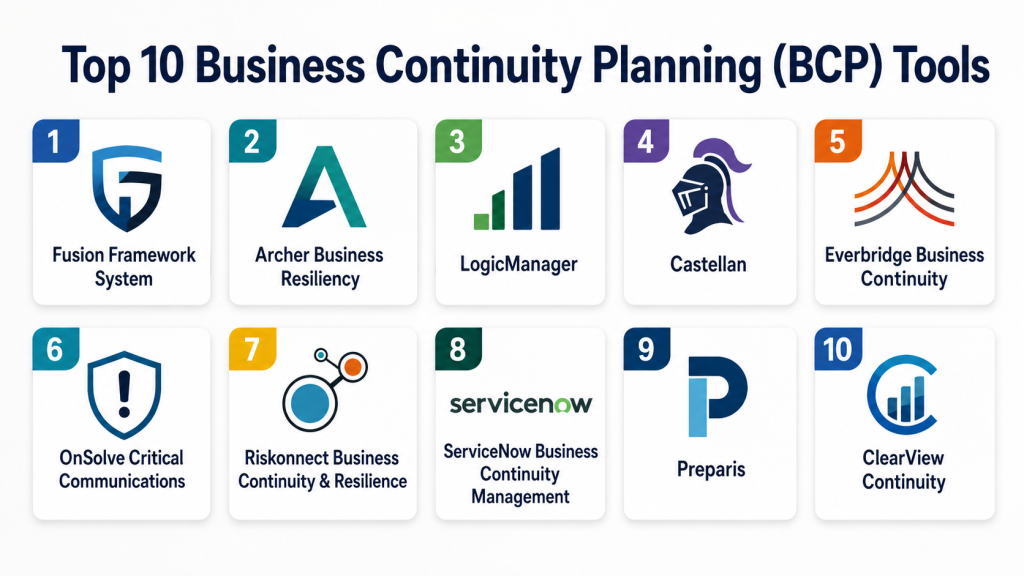
Top 10 Business Continuity Planning (BCP) Tools
1 — Fusion Framework System
Short description:
Fusion Framework System is a business continuity and operational resilience platform designed for organizations that need structured continuity planning, risk mapping, dependency analysis, incident response, and recovery program management. It helps teams document business processes, identify critical dependencies, run business impact analysis, maintain recovery plans, and test resilience programs. The platform is suitable for enterprises, financial services firms, healthcare organizations, utilities, and regulated businesses. Fusion is especially useful for organizations that want continuity planning connected with operational resilience and risk intelligence. It is best for mature teams managing complex continuity programs across departments and locations.
Key Features
- Business impact analysis
- Continuity and recovery plan management
- Dependency mapping
- Risk and operational resilience workflows
- Exercise and testing management
- Incident and crisis response support
- Reporting dashboards and analytics
Pros
- Strong operational resilience and BCP depth
- Suitable for complex enterprise programs
- Useful for dependency mapping and executive reporting
Cons
- May be more than small organizations need
- Implementation may require process maturity
- Pricing is not publicly stated
Platforms / Deployment
Web / Cloud / Varies
Security & Compliance
SSO/SAML, MFA, encryption, audit logs, RBAC, SOC 2, ISO 27001, GDPR, HIPAA: Not publicly stated.
Integrations & Ecosystem
Fusion Framework System fits enterprise resilience workflows where continuity data must connect with risks, incidents, dependencies, and business functions.
- GRC platforms
- Emergency notification systems
- ITSM tools
- HR systems
- Risk management systems
- Reporting and analytics platforms
Support & Community
Fusion provides onboarding, implementation support, customer success, documentation, training, and resilience program guidance. Support levels depend on contract scope and program complexity.
2 — Archer Business Resiliency
Short description:
Archer Business Resiliency supports business continuity, disaster recovery, crisis management, operational resilience, risk management, and compliance workflows. It is designed for organizations that need BCP integrated with enterprise risk and governance programs. The platform helps teams manage business impact analysis, recovery strategies, crisis plans, testing, and reporting. Archer is especially useful for regulated industries where continuity planning must connect with risk controls and audit evidence. It is best for enterprises already managing risk and compliance through structured GRC processes.
Key Features
- Business impact analysis
- Business continuity plan management
- Disaster recovery planning
- Crisis management workflows
- Plan testing and exercise tracking
- Risk and compliance integration
- Dashboards and audit reporting
Pros
- Strong fit for GRC-focused enterprises
- Useful for regulated industries
- Connects continuity planning with risk management
Cons
- Can be complex for smaller teams
- Requires careful configuration and governance
- Pricing is not publicly stated
Platforms / Deployment
Web / Cloud / Hybrid / Varies
Security & Compliance
SSO/SAML, MFA, encryption, audit logs, RBAC, SOC 2, ISO 27001, GDPR, HIPAA: Not publicly stated.
Integrations & Ecosystem
Archer Business Resiliency connects continuity planning with enterprise risk, compliance, audit, and IT resilience workflows.
- GRC systems
- IT risk tools
- Audit management platforms
- HR and organization data
- ITSM tools
- Reporting systems
Support & Community
Archer provides enterprise support, implementation services, documentation, training, and partner resources. Support depends on deployment scope, modules, and customer agreement.
3 — LogicManager
Short description:
LogicManager is an enterprise risk management platform with business continuity planning capabilities, risk assessment workflows, compliance tracking, incident management, and reporting. It helps organizations connect continuity planning with risk ownership, controls, and operational accountability. The platform is useful for companies that want BCP tied to broader risk management rather than isolated documents. LogicManager supports business impact analysis, recovery planning, task tracking, and executive dashboards. It is best for mid-market and enterprise organizations building a risk-based continuity program.
Key Features
- Business continuity planning
- Risk assessment workflows
- Business impact analysis support
- Incident and issue tracking
- Task and control management
- Compliance and audit reporting
- Executive dashboards
Pros
- Strong risk-based continuity approach
- Useful for governance and accountability
- Good fit for mid-market and enterprise risk teams
Cons
- May be broader than BCP-only needs
- Configuration depends on risk program maturity
- Pricing is not publicly stated
Platforms / Deployment
Web / Cloud / Varies
Security & Compliance
SSO/SAML, MFA, encryption, audit logs, RBAC, SOC 2, ISO 27001, GDPR, HIPAA: Not publicly stated.
Integrations & Ecosystem
LogicManager supports continuity workflows that connect with enterprise risk, compliance, audit, and operations data.
- Risk management systems
- Compliance workflows
- Audit platforms
- HR systems
- Reporting tools
- Incident management workflows
Support & Community
LogicManager provides onboarding, customer success, training, documentation, and risk management guidance. Support depends on package and implementation scope.
4 — Castellan
Short description:
Castellan is a business continuity and operational resilience platform designed to help organizations build, maintain, test, and improve continuity programs. It supports business impact analysis, plan management, exercise management, incident response, and resilience reporting. The platform is useful for teams that want a dedicated BCP solution rather than generic document storage. Castellan helps continuity leaders keep plans current, assign responsibilities, and demonstrate program readiness. It is best for organizations seeking a focused continuity management platform with structured program governance.
Key Features
- Business impact analysis
- Continuity plan management
- Exercise and test management
- Incident response workflows
- Recovery strategy tracking
- Program dashboards
- Resilience and readiness reporting
Pros
- Focused business continuity platform
- Useful for plan testing and program management
- Good fit for dedicated BCP teams
Cons
- May require process cleanup before migration
- Integration needs should be validated
- Pricing is not publicly stated
Platforms / Deployment
Web / Cloud / Varies
Security & Compliance
SSO/SAML, MFA, encryption, audit logs, RBAC, SOC 2, ISO 27001, GDPR, HIPAA: Not publicly stated.
Integrations & Ecosystem
Castellan fits continuity programs where BIA, plan maintenance, testing, and readiness reporting are central.
- Emergency notification tools
- HR systems
- Risk management systems
- IT disaster recovery systems
- Reporting dashboards
- Incident response workflows
Support & Community
Castellan provides onboarding, implementation guidance, customer support, documentation, and continuity program expertise. Support depends on customer needs and contract scope.
5 — Everbridge Business Continuity
Short description:
Everbridge Business Continuity is part of the Everbridge critical event management ecosystem and supports continuity planning, crisis communication, incident response, and operational resilience. It is useful for organizations that want BCP connected with emergency notification and critical event workflows. The platform helps teams activate plans, communicate with stakeholders, track response actions, and coordinate during disruptions. Everbridge is especially relevant for large organizations with distributed teams and high communication needs. It is best for enterprises that need continuity planning and crisis communication together.
Key Features
- Business continuity plan activation
- Crisis communication workflows
- Incident response coordination
- Emergency notification integration
- Team and stakeholder communication
- Response tracking
- Reporting and readiness dashboards
Pros
- Strong connection with emergency notification
- Useful for crisis response and communication-heavy continuity programs
- Suitable for large and distributed organizations
Cons
- May be more than smaller teams need
- Best value comes with broader Everbridge ecosystem
- Pricing is not publicly stated
Platforms / Deployment
Web / iOS / Android / Cloud / Varies
Security & Compliance
SSO/SAML, MFA, encryption, audit logs, RBAC, SOC 2, ISO 27001, GDPR, HIPAA: Not publicly stated.
Integrations & Ecosystem
Everbridge Business Continuity connects continuity planning with emergency communication, critical event management, and resilience workflows.
- Emergency notification systems
- HR directories
- ITSM tools
- Security operations systems
- Crisis management workflows
- Reporting platforms
Support & Community
Everbridge provides enterprise support, implementation services, training, documentation, and crisis communication guidance. Support levels depend on modules selected and customer agreement.
6 — OnSolve Critical Communications
Short description:
OnSolve Critical Communications supports emergency notification, incident communication, crisis response, and continuity workflows for businesses, government agencies, healthcare organizations, and public sector teams. It helps organizations send alerts, coordinate response teams, communicate during disruptions, and manage operational resilience communications. While it is often known for mass notification, it can support BCP programs where communication and response coordination are key. OnSolve is useful for teams that need reliable stakeholder communication during outages, weather events, facility closures, or public safety incidents. It is best for organizations that want continuity communication connected with incident response.
Key Features
- Mass notification and emergency alerts
- Crisis communication workflows
- Incident response communication
- Geo-targeted alerts
- Contact group management
- Delivery tracking and reporting
- Business continuity communication support
Pros
- Strong crisis communication capability
- Useful for public sector and enterprise continuity programs
- Supports multi-channel alerting and response coordination
Cons
- Not always a full BIA and plan management platform by itself
- May need another tool for detailed BCP documentation
- Pricing is not publicly stated
Platforms / Deployment
Web / Cloud / Mobile / Varies
Security & Compliance
SSO/SAML, MFA, encryption, audit logs, RBAC, SOC 2, ISO 27001, GDPR, HIPAA: Not publicly stated.
Integrations & Ecosystem
OnSolve connects continuity communication with emergency response, contact management, and operational communication workflows.
- HR systems
- Emergency response workflows
- Public alerting systems
- Incident management processes
- Business continuity tools
- Reporting dashboards
Support & Community
OnSolve provides onboarding, training, customer support, and implementation resources. Support depends on communication scope and selected services.
7 — Riskonnect Business Continuity & Resilience
Short description:
Riskonnect Business Continuity & Resilience helps organizations manage business continuity, operational resilience, risk, compliance, and incident workflows. It is designed for companies that want continuity planning connected with enterprise risk and integrated risk management. The platform supports business impact analysis, plan development, testing, incident management, and reporting. Riskonnect is especially useful for organizations that need visibility across risks, controls, incidents, third parties, and continuity plans. It is best for mid-market and enterprise companies building integrated risk and resilience programs.
Key Features
- Business continuity planning
- Business impact analysis
- Incident and crisis management
- Plan testing and exercise tracking
- Risk and control mapping
- Third-party risk visibility
- Dashboards and reporting
Pros
- Strong connection between BCP and risk management
- Useful for operational resilience programs
- Suitable for multi-site and regulated organizations
Cons
- May be broad for BCP-only teams
- Implementation can require risk process alignment
- Pricing is not publicly stated
Platforms / Deployment
Web / Cloud / Varies
Security & Compliance
SSO/SAML, MFA, encryption, audit logs, RBAC, SOC 2, ISO 27001, GDPR, HIPAA: Not publicly stated.
Integrations & Ecosystem
Riskonnect connects BCP with integrated risk, third-party risk, incidents, compliance, and reporting workflows.
- GRC platforms
- Third-party risk systems
- ITSM tools
- HR systems
- Incident management tools
- Business intelligence platforms
Support & Community
Riskonnect provides onboarding, implementation services, customer support, documentation, and risk program guidance. Support depends on selected modules and contract scope.
8 — ServiceNow Business Continuity Management
Short description:
ServiceNow Business Continuity Management helps organizations manage continuity planning, business impact analysis, plan development, disaster recovery workflows, and operational resilience from the ServiceNow platform. It is especially useful for companies already using ServiceNow for ITSM, risk, security, HR, or operations workflows. The platform helps teams connect continuity planning with incidents, technology services, business processes, and recovery tasks. It is suitable for enterprises that want BCP connected with IT and operational workflows. ServiceNow is best for organizations that want continuity embedded into a broader digital workflow platform.
Key Features
- Business impact analysis
- Continuity and recovery plan management
- Disaster recovery workflow support
- IT and service dependency mapping
- Incident and task workflow integration
- Reporting and dashboards
- ServiceNow ecosystem alignment
Pros
- Strong fit for existing ServiceNow customers
- Connects BCP with ITSM and operational workflows
- Useful for enterprise workflow automation
Cons
- Best value depends on ServiceNow ecosystem fit
- Configuration may require platform expertise
- Pricing is not publicly stated
Platforms / Deployment
Web / Cloud / Varies
Security & Compliance
SSO/SAML, MFA, encryption, audit logs, RBAC, SOC 2, ISO 27001, GDPR, HIPAA: Not publicly stated.
Integrations & Ecosystem
ServiceNow BCM connects continuity planning with enterprise workflows, IT services, incidents, risk, HR, and operations data.
- ITSM tools
- CMDB and service maps
- Risk management workflows
- HR systems
- Security operations tools
- Reporting dashboards
Support & Community
ServiceNow provides enterprise support, documentation, training, partner implementation services, and a large platform ecosystem. Support depends on subscription and customer agreement.
9 — Preparis
Short description:
Preparis is a business continuity, emergency preparedness, and crisis management platform designed to help organizations prepare for and respond to disruptions. It supports continuity planning, emergency communication, incident response, plan management, and readiness activities. The platform is useful for organizations that want a practical solution for preparedness and response without unnecessary complexity. Preparis can help teams organize plans, communicate during incidents, and improve response readiness. It is best for organizations that need accessible BCP and crisis preparedness workflows.
Key Features
- Business continuity planning
- Emergency preparedness workflows
- Crisis communication support
- Incident response management
- Plan storage and maintenance
- Exercise and readiness tracking
- Reporting and dashboards
Pros
- Practical for preparedness and continuity programs
- Useful for crisis communication and response
- Easier for teams that need focused continuity workflows
Cons
- May not match deep enterprise GRC platforms
- Advanced integrations should be validated
- Pricing is not publicly stated
Platforms / Deployment
Web / Cloud / Mobile / Varies
Security & Compliance
SSO/SAML, MFA, encryption, audit logs, RBAC, SOC 2, ISO 27001, GDPR, HIPAA: Not publicly stated.
Integrations & Ecosystem
Preparis supports workflows where continuity planning, emergency preparedness, communication, and incident response need to work together.
- Emergency notification workflows
- HR and contact systems
- Incident response processes
- Document management tools
- Reporting systems
- Crisis team workflows
Support & Community
Preparis provides onboarding, customer support, documentation, and preparedness program guidance. Support levels depend on selected services and organization size.
10 — ClearView Continuity
Short description:
ClearView Continuity is a business continuity management platform designed to support business impact analysis, continuity plans, crisis management, plan testing, reporting, and program governance. It is useful for organizations that want a dedicated BCP system to replace spreadsheets and static documents. The platform helps teams maintain accurate plans, assign ownership, track exercises, and report resilience status. ClearView is suitable for mid-market and enterprise organizations with structured continuity requirements. It is best for teams seeking focused BCP functionality with clear plan management workflows.
Key Features
- Business impact analysis
- Continuity plan management
- Crisis management workflows
- Exercise and test tracking
- Dependency and recovery planning
- Program reporting
- Plan ownership and review workflows
Pros
- Focused BCP platform
- Useful for plan governance and testing
- Good fit for structured continuity teams
Cons
- May need integration with separate notification tools
- Smaller teams may prefer lighter options
- Pricing is not publicly stated
Platforms / Deployment
Web / Cloud / Varies
Security & Compliance
SSO/SAML, MFA, encryption, audit logs, RBAC, SOC 2, ISO 27001, GDPR, HIPAA: Not publicly stated.
Integrations & Ecosystem
ClearView Continuity fits programs where BIA, recovery planning, plan ownership, and test management are important.
- Emergency notification systems
- HR systems
- Risk management tools
- IT disaster recovery workflows
- Reporting dashboards
- Document management systems
Support & Community
ClearView provides onboarding, customer support, documentation, training, and continuity program guidance. Support depends on implementation scope and customer agreement.
Comparison Table
| Tool Name | Best For | Platform(s) Supported | Deployment | Standout Feature | Public Rating |
|---|---|---|---|---|---|
| Fusion Framework System | Enterprise operational resilience | Web / Varies | Cloud | Dependency mapping and resilience program management | N/A |
| Archer Business Resiliency | GRC-focused enterprise BCP | Web / Varies | Cloud / Hybrid | BCP connected with risk and compliance governance | N/A |
| LogicManager | Risk-based continuity planning | Web / Varies | Cloud | BCP tied to enterprise risk ownership | N/A |
| Castellan | Dedicated BCP program management | Web / Varies | Cloud | BIA, plan testing, and readiness reporting | N/A |
| Everbridge Business Continuity | Crisis communication and BCP | Web / iOS / Android | Cloud | Continuity planning with emergency notification | N/A |
| OnSolve Critical Communications | Continuity communication and incident alerts | Web / Mobile / Varies | Cloud | Multi-channel crisis communication | N/A |
| Riskonnect Business Continuity & Resilience | Integrated risk and resilience | Web / Varies | Cloud | BCP connected with risk, incidents, and third parties | N/A |
| ServiceNow Business Continuity Management | ServiceNow-centered enterprise workflows | Web / Varies | Cloud | BCP connected with ITSM and operational workflows | N/A |
| Preparis | Practical emergency preparedness and BCP | Web / Mobile / Varies | Cloud | Continuity with crisis preparedness workflows | N/A |
| ClearView Continuity | Focused continuity planning and testing | Web / Varies | Cloud | Structured BIA and continuity plan governance | N/A |
Evaluation & Scoring of Business Continuity Planning Tools
| Tool Name | Core (25%) | Ease (15%) | Integrations (15%) | Security (10%) | Performance (10%) | Support (10%) | Value (15%) | Weighted Total (0–10) |
|---|---|---|---|---|---|---|---|---|
| Fusion Framework System | 10 | 7 | 9 | 7 | 9 | 9 | 7 | 8.45 |
| Archer Business Resiliency | 9 | 7 | 9 | 7 | 9 | 8 | 7 | 8.25 |
| LogicManager | 8 | 8 | 8 | 7 | 8 | 8 | 8 | 7.95 |
| Castellan | 9 | 8 | 8 | 7 | 8 | 8 | 8 | 8.15 |
| Everbridge Business Continuity | 8 | 8 | 9 | 7 | 9 | 9 | 7 | 8.20 |
| OnSolve Critical Communications | 7 | 8 | 8 | 7 | 9 | 8 | 8 | 7.85 |
| Riskonnect Business Continuity & Resilience | 9 | 7 | 9 | 7 | 8 | 8 | 7 | 8.10 |
| ServiceNow Business Continuity Management | 9 | 7 | 10 | 7 | 9 | 8 | 7 | 8.40 |
| Preparis | 7 | 8 | 7 | 6 | 8 | 8 | 8 | 7.35 |
| ClearView Continuity | 8 | 8 | 7 | 6 | 8 | 8 | 8 | 7.60 |
These scores are comparative and should be used as a shortlist guide, not as a final buying decision. A higher score does not automatically mean the tool is best for every organization. Enterprises may value integrations, risk governance, and resilience dashboards, while smaller organizations may value ease of use and fast plan creation. Security scores are conservative where public certification details are not clearly stated. Buyers should validate BIA workflows, plan testing, communication integrations, reporting, and data security before choosing.
Which Business Continuity Planning Tool Is Right for You?
Solo / Freelancer
Solo consultants, business continuity advisors, risk consultants, and independent crisis planners usually need tools that help them build plans, conduct BIA workshops, organize recovery strategies, and produce client-ready reports. They may not need a full enterprise resilience suite for personal use.
Preparis, ClearView Continuity, Castellan, or LogicManager may be useful depending on project depth. Consultants working with large enterprise clients may also evaluate Fusion, Archer, Riskonnect, or ServiceNow when client environments require governance and integrations.
SMB
Small and mid-sized businesses need BCP tools that are simple to implement, affordable, and practical for maintaining recovery plans. They usually need plan templates, contact lists, emergency procedures, business impact analysis, and basic testing records.
Preparis, ClearView Continuity, Castellan, LogicManager, and OnSolve may be suitable depending on the organization’s maturity. SMB buyers should focus on ease of use, plan ownership, emergency communication, and clear reporting.
Mid-Market
Mid-market organizations usually need more structured continuity planning, BIA workflows, recovery testing, incident response, dependency tracking, and reporting. They may also have multiple sites, business units, and regulatory requirements.
Castellan, LogicManager, Riskonnect, Fusion Framework System, ClearView Continuity, and Everbridge Business Continuity can be strong options. Mid-market buyers should evaluate workflow automation, role-based access, plan review cycles, and integration with notification systems.
Enterprise
Large enterprises need BCP platforms that support operational resilience, global plan ownership, risk mapping, IT dependencies, executive reporting, regulatory requirements, and crisis response. They often need integrations with HR, ITSM, GRC, emergency notification, and risk systems.
Fusion Framework System, Archer Business Resiliency, Riskonnect, ServiceNow Business Continuity Management, Everbridge, and Castellan are strong enterprise candidates. Enterprise buyers should prioritize scalability, governance, reporting, data security, and implementation support.
Budget vs Premium
Budget-focused teams should avoid enterprise GRC platforms if they only need plan management and basic testing. Preparis, ClearView Continuity, or focused BCP tools may be more practical.
Premium buyers should consider Fusion, Archer, Riskonnect, ServiceNow, Everbridge, or Castellan when the goal is operational resilience, enterprise risk integration, crisis communication, and executive-level reporting.
Feature Depth vs Ease of Use
Feature-rich platforms provide stronger risk mapping, workflows, reporting, and integration depth, but they may require more setup. Fusion, Archer, Riskonnect, ServiceNow, and Everbridge fit this category.
For faster adoption, Preparis, ClearView Continuity, Castellan, and LogicManager may be easier to evaluate depending on program maturity and team size.
Integrations & Scalability
BCP tools often need to connect with HR systems, emergency notification platforms, ITSM tools, GRC systems, vendor risk tools, identity providers, document management systems, and business intelligence platforms.
Scalability should be evaluated by:
- Number of business units
- Number of locations
- Number of recovery plans
- Number of critical processes
- IT dependency complexity
- Supplier and third-party dependencies
- Incident response requirements
- Regulatory reporting needs
- Plan testing frequency
- Executive reporting expectations
Security & Compliance Needs
Business continuity platforms may store sensitive recovery strategies, crisis roles, employee contacts, technology dependencies, vendor weaknesses, facility risks, and business impact data. Security review is important before purchase.
Important questions include:
- Does the platform support SSO and MFA?
- Are role-based permissions available?
- Are audit logs maintained?
- Is sensitive continuity data encrypted?
- Can access be restricted by department or region?
- Where is data hosted?
- How are backups and recovery handled?
- Can the vendor provide security documentation?
If security certifications are not publicly stated, buyers should request official documentation directly from the vendor.
Frequently Asked Questions
1. What are Business Continuity Planning tools?
Business Continuity Planning tools help organizations prepare for disruptions by managing business impact analysis, recovery plans, response teams, dependencies, testing, crisis workflows, and reporting. They help ensure critical operations can continue during incidents.
2. Who uses BCP software?
BCP software is used by business continuity managers, risk teams, compliance leaders, IT resilience teams, crisis managers, operations leaders, internal audit teams, security teams, and executive leadership.
3. How much do Business Continuity Planning tools cost?
Pricing is usually not publicly stated because it depends on number of users, modules, business units, integrations, support needs, and implementation scope. Most vendors provide custom pricing based on organizational requirements.
4. What are common mistakes when choosing BCP software?
Common mistakes include treating BCP as document storage only, skipping business impact analysis, ignoring plan testing, failing to map dependencies, and not integrating communication workflows into recovery plans.
5. Can BCP tools help with disaster recovery?
Yes, many BCP tools support disaster recovery planning by connecting business processes, technology dependencies, recovery objectives, recovery tasks, and testing records. IT disaster recovery depth varies by platform.
6. Do BCP tools support business impact analysis?
Most dedicated BCP platforms support business impact analysis. They help identify critical functions, recovery time objectives, recovery point objectives, dependencies, financial impact, operational impact, and prioritization.
7. Can BCP tools integrate with emergency notification systems?
Many BCP tools can integrate with or work alongside emergency notification systems. This is important because recovery plans must be activated and communicated quickly during real disruptions.
8. Are cloud-based BCP tools safe?
Cloud-based BCP tools can be safe when they include encryption, access controls, MFA, audit logs, backups, and secure hosting. Buyers should request security documentation before final selection.
9. How often should continuity plans be tested?
Continuity plans should be tested regularly through tabletop exercises, simulation drills, technical recovery tests, and department-level reviews. The frequency depends on risk level, regulatory expectations, and business complexity.
10. What is the best alternative to BCP software?
For very small organizations, spreadsheets and document templates may work temporarily. However, dedicated BCP software becomes more valuable when plan ownership, testing, dependencies, audit evidence, crisis communication, and executive reporting become important.
Conclusion
Business Continuity Planning tools help organizations prepare for disruptions, reduce downtime, protect critical operations, and improve resilience. The best platform depends on company size, risk profile, compliance needs, IT dependency complexity, communication requirements, and program maturity. Fusion Framework System, Archer, Riskonnect, ServiceNow, Everbridge, and Castellan are strong choices for enterprise resilience and structured continuity programs. LogicManager, ClearView Continuity, Preparis, and OnSolve can be practical options for risk-based planning, focused BCP workflows, and crisis communication support. A smart is to shortlist two or three tools, test a real business impact analysis, map critical dependencies, validate emergency communication workflows, review security controls, and run a pilot before making the final decision.
