Upgrade & Secure Your Future with DevOps, SRE, DevSecOps, MLOps!
We spend hours scrolling social media and waste money on things we forget, but won’t spend 30 minutes a day earning certifications that can change our lives.
Master in DevOps, SRE, DevSecOps & MLOps by DevOps School!
Learn from Guru Rajesh Kumar and double your salary in just one year.
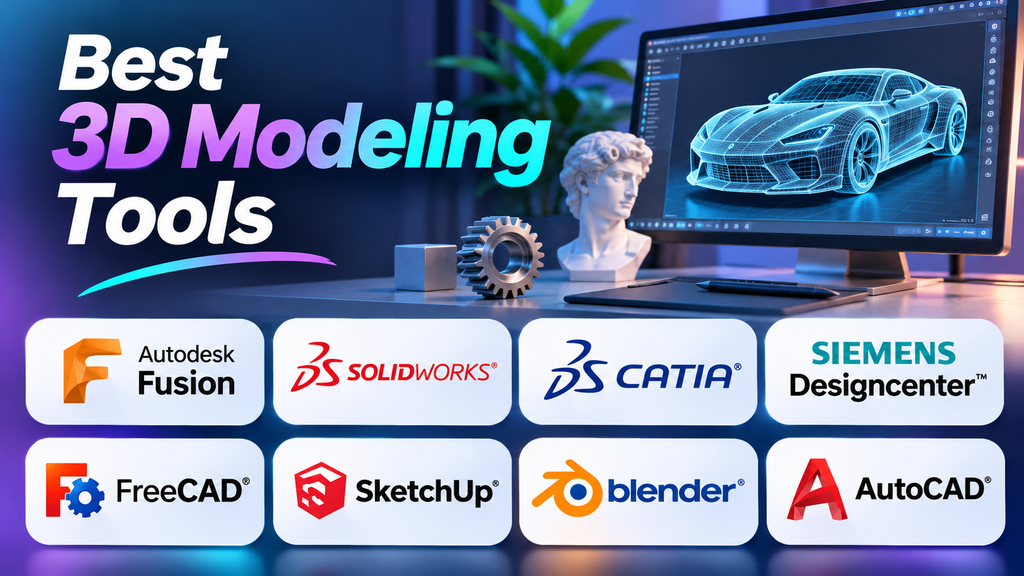
A 3D model created for a video game has different requirements from one intended for mechanical engineering, architectural visualization, or manufacturing. Although many applications can create three-dimensional objects, they differ significantly in how they handle geometry, precision, editing, rendering, and collaboration.
Choosing the right 3D modeling software starts with understanding the work you need to produce. A creative application may offer excellent sculpting and animation tools but lack the parametric design capabilities required for engineering. Conversely, a CAD platform may provide precise dimensions and editable features without offering the artistic flexibility needed for character modeling.
This guide compares established 3D modeling tools by their strengths, practical applications, limitations, and suitability for different workflows.
Understanding the Different Types of 3D Modeling Software
Before comparing products, it helps to understand the main modeling approaches.
- Polygonal modeling: Creates objects from vertices, edges, and faces. It is widely used in games, animation, visual effects, and general 3D design.
- Digital sculpting: Allows artists to shape detailed surfaces using brush-based techniques. It is particularly useful for characters, creatures, and organic objects.
- Parametric modeling: Builds geometry through dimensions, constraints, sketches, and features that can be edited later. It is common in mechanical engineering and product design.
- Direct modeling: Allows users to manipulate geometry directly without relying entirely on a feature history.
- Procedural modeling: Generates or modifies geometry through rules, algorithms, or node-based systems.
- Surface modeling: Focuses on creating and controlling complex curved surfaces, particularly in industrial and product design.
Some applications combine multiple approaches, while others specialize in a particular workflow. This distinction is important because software designed for artistic modeling is not necessarily suitable for engineering documentation or manufacturing.
3D Modeling Tools to Consider
1. Blender
Website: Blender
Blender is a free, open-source 3D creation application that combines modeling, sculpting, materials, animation, visual effects, and rendering. Its broad capabilities make it suitable for independent creators, students, game developers, animators, and small production teams.
Blender’s polygon modeling tools support everything from simple props to complex environments. Its sculpting capabilities help artists develop organic shapes, while its procedural tools support repeatable geometry and node-based workflows.
One of Blender’s strongest advantages is that users can explore a substantial creative workflow without paying for a commercial software license. Its active community and extensive learning resources also make it accessible to people developing their 3D skills.
The main trade-off is complexity. Its wide range of tools can make the interface challenging for beginners, and engineering workflows that depend on robust parametric design histories may be better served by dedicated CAD applications.
Best suited to: Animation, visual effects, game assets, product visualization, digital art, and general-purpose 3D creation.
2. Autodesk Fusion
Website: Autodesk Fusion
Autodesk Fusion combines CAD design with manufacturing-related capabilities in an integrated product-development environment. It is particularly relevant to mechanical engineers, product designers, makers, and small businesses developing physical products.
Its parametric modeling workflow allows users to build geometry from sketches and features, then revise dimensions as a design evolves. The application also supports assemblies and workflows connecting design with manufacturing.
This makes Fusion useful when a model must function as more than a visual representation. Designers can work toward a physical component while maintaining relationships between important features.
However, Fusion is not a universal replacement for every engineering or creative application. Access to particular features depends on the applicable license, and organizations should verify their collaboration, manufacturing, data-management, and file-exchange requirements before committing.
Best suited to: Product development, mechanical parts, prototyping, and CAD-to-manufacturing workflows.
3. SOLIDWORKS
Website: SOLIDWORKS
SOLIDWORKS is a mechanical CAD platform focused on parametric parts, assemblies, engineering drawings, and product development.
Its feature-based modeling approach allows engineers to construct a design from sketches and operations. Changes to dimensions or design features can then update related geometry, helping teams manage revisions without rebuilding every component manually.
SOLIDWORKS is particularly useful when engineering intent matters. An assembly is not simply a collection of attractive shapes; it must represent how components relate to one another and support the technical documentation needed for the project.
The main considerations are commercial licensing, training, hardware requirements, and compatibility with the systems used by suppliers or collaborators. The appropriate configuration depends on the specific engineering tasks involved.
Best suited to: Mechanical engineering, detailed assemblies, manufacturing-oriented design, and engineering documentation.
4. SketchUp
Website: SketchUp
SketchUp is widely used for architectural concepts, interior design, landscape planning, and spatial visualization. Its direct modeling approach makes it practical for creating buildings, rooms, furniture layouts, and other objects that need to communicate spatial relationships clearly.
Rather than requiring a complex engineering workflow for every object, SketchUp emphasizes straightforward geometry creation and manipulation. This can be especially useful during early design stages, when speed and clear visual communication matter more than advanced engineering analysis.
Extensions and model libraries can expand its usefulness, although users should assess individual extensions for compatibility and suitability.
SketchUp is less appropriate for sophisticated mechanical assemblies, advanced character animation, or workflows requiring specialized engineering simulation. Available features also vary by product edition and license.
Best suited to: Architecture, interiors, landscaping, conceptual layouts, and spatial presentations.
5. Autodesk AutoCAD
Website: Autodesk AutoCAD
AutoCAD is best known for technical drafting, but it also supports 3D geometry. It is useful when a project combines precise 2D drawings with three-dimensional representations.
Its drafting tools support dimensions, layers, annotations, and drawing organization. Depending on the task, users can also create and modify solid, surface, and mesh geometry.
This combination can be valuable in technical environments where drawing-based documentation remains central to the workflow. However, AutoCAD’s role differs from that of a dedicated parametric mechanical CAD system. Complex assemblies and feature-driven product design may be more efficiently handled by software built specifically for those purposes.
Best suited to: Technical drafting, architectural documentation, engineering drawings, and projects combining 2D and 3D geometry.
6. FreeCAD
Website: FreeCAD
FreeCAD is an open-source parametric CAD application designed for technical modeling and engineering-related work. It is an attractive option for students, hobbyists, independent designers, and organizations seeking an alternative to proprietary CAD software.
Its workbench-based structure provides tools for different modeling tasks. Parametric workflows allow users to build parts from sketches and features, then revise dimensions while retaining design relationships.
FreeCAD’s open-source licensing avoids a mandatory commercial software subscription, but the overall cost of a workflow can still include training, setup, support, and compatibility work.
Users should test important project files before adopting it for a production workflow, particularly when exchanging models with other CAD applications or relying on specialized features.
Best suited to: Parametric mechanical design, technical modeling, education, and budget-conscious CAD workflows.
7. Autodesk Maya
Website: Autodesk Maya
Maya is a professional 3D application used in animation, visual effects, and digital production. Its modeling tools operate within a broader environment that includes rigging, animation, simulation, and rendering workflows.
This integration matters when a model must move through several stages of a production pipeline. A character or environment asset may need to be prepared for deformation, animation, lighting, and final output rather than delivered as a static object.
Maya is particularly relevant to studios and artists working with established animation pipelines. However, its breadth and commercial licensing may be excessive for people who only need basic modeling or simple product visualization.
It is also not primarily an engineering CAD platform, so projects requiring dimension-driven mechanical design may need a different application.
Best suited to: Character modeling, animation, visual effects, and professional digital-content production.
8. ZBrush
Website: Maxon
ZBrush specializes in digital sculpting. It is used to create detailed organic models, characters, creatures, collectibles, and intricate surface forms.
Its sculpting workflow allows artists to shape digital surfaces using brushes and other tools that resemble working with physical clay. This makes it particularly useful when anatomy, silhouette, surface detail, and artistic expression are central to the project.
ZBrush can also complement other 3D applications. For example, an artist might create a base mesh in one tool, add detailed sculpting in ZBrush, and prepare the resulting asset for animation or rendering elsewhere.
The specialized workflow may be unnecessary for architectural layouts or conventional mechanical components, and users should consider the learning effort and licensing requirements.
Best suited to: Organic modeling, character art, detailed sculpting, and digital collectibles.
9. CATIA
Website: CATIA
CATIA is an engineering and product-design platform used in complex industrial workflows. Its capabilities include advanced surface design and tools for developing products with demanding geometric and engineering requirements.
It is relevant when modeling must fit into a broader product-development process involving coordinated design work, component relationships, and technical constraints. Projects with complex surfaces or extensive engineering dependencies may require capabilities beyond those offered by lightweight modeling applications.
CATIA’s complexity, licensing, and implementation requirements make it less suitable for casual modeling. Organizations should assess the specific capabilities they need, the availability of trained users, and compatibility with their existing engineering environment.
Best suited to: Advanced industrial design, complex engineering, and demanding surface-modeling workflows.
Comparing the Main 3D Modeling Applications
| Software | Primary modeling approach | Common applications | Main consideration |
|---|---|---|---|
| Blender | Polygonal, sculpting, procedural | Animation, games, visual effects | Broad feature set requires learning |
| Autodesk Fusion | Parametric and direct CAD | Product design and manufacturing | Licensing and workflow requirements |
| SOLIDWORKS | Parametric mechanical CAD | Parts, assemblies, engineering drawings | Commercial licensing and training |
| SketchUp | Direct geometric modeling | Architecture and interiors | Limited suitability for specialized engineering workflows |
| AutoCAD | Drafting and 3D geometry | Technical drawings and 3D representations | Different focus from dedicated parametric CAD |
| FreeCAD | Parametric CAD | Engineering and technical models | Verify compatibility with required workflows |
| Autodesk Maya | Polygonal and production-oriented modeling | Animation and visual effects | Specialized professional workflow |
| ZBrush | Digital sculpting | Organic forms and detailed characters | Not designed primarily for mechanical CAD |
| CATIA | Advanced CAD and surface modeling | Industrial product development | Higher complexity and implementation demands |
This comparison describes the applications’ broad roles rather than assigning a universal winner. Product editions, licensing terms, and available capabilities should be verified against the requirements of each project.
Which 3D Modeling Software Fits Your Needs?
For beginners
If you want to learn creative 3D modeling, Blender provides a broad set of tools without requiring a commercial license. For engineering-focused learning, FreeCAD offers a way to explore parametric modeling. SketchUp is worth considering if your primary interest is architectural spaces and interior layouts.
Choose one application that aligns with your goal rather than attempting to learn several tools at the same time. Once you understand the underlying modeling concepts, learning another application becomes easier.
For mechanical engineers
Focus on parametric CAD, assemblies, dimensional accuracy, technical drawings, and the ability to revise designs reliably.
Autodesk Fusion and SOLIDWORKS are relevant options for many product-development workflows. FreeCAD provides an open-source alternative, while CATIA may be appropriate for complex industrial environments.
Before committing, model a representative part, change a critical dimension, assemble several components, and export the result into a format required by your manufacturing partners. This reveals practical limitations that may not be obvious from feature lists.
For architects and interior designers
SketchUp is a useful candidate for quickly communicating layouts, proportions, and spatial concepts. AutoCAD is relevant when technical drafting and drawing-based documentation are important.
The right choice also depends on downstream requirements. Detailed documentation, visualization, and coordination with other disciplines may require additional applications or specific file-exchange workflows.
A visually convincing model should not automatically be treated as a construction-ready information model.
For game developers and animators
Blender and Maya support creative production workflows, while ZBrush is valuable when highly detailed sculpting is required.
Consider the model’s destination before deciding how to create it. Real-time assets may need efficient topology, UV mapping, suitable polygon counts, and reliable export. Animated characters may require geometry that deforms correctly. Detailed sculpts may need retopology or texture baking before they can be used in a game engine.
Selecting software without considering these requirements can create unnecessary rework.
For users seeking free or open-source software
Blender and FreeCAD are important options, but they serve different purposes. Blender focuses on creative 3D production, while FreeCAD focuses on parametric CAD.
Both can reduce software licensing costs, although training, configuration, hardware, maintenance, and support still require consideration. If you collaborate with a commercial organization, check whether the software’s output and file formats fit the organization’s existing workflow.
What to Evaluate Before Choosing a Tool
Modeling capabilities
Determine whether your work requires polygon editing, digital sculpting, parametric features, complex surfaces, or procedural geometry. A tool that excels at one approach may not support another workflow efficiently.
File formats and interoperability
A model often needs to move into another application for rendering, animation, manufacturing, or review.
Formats such as OBJ, STL, and glTF are commonly used in mesh-based workflows, while STEP and IGES are used for exchanging CAD geometry. Native project formats may retain additional information that is not preserved by a neutral export.
Test the actual file exchange before adopting a tool. Check units, scale, geometry, materials, hierarchy, and editability wherever these matter.
Hardware requirements
Dense meshes, large assemblies, complex materials, and high-resolution rendering can place significant demands on a computer.
Compare the software’s current system requirements with your available processor, graphics hardware, memory, storage, and operating system. Test a project of realistic complexity rather than relying on a simple sample model.
Learning resources and support
Documentation, tutorials, community resources, and professional support can affect how quickly you become productive.
For teams, consider training requirements and the effort needed to standardize workflows. Advanced capabilities provide limited value if users cannot apply them efficiently.
Licensing and total cost
Compare the full cost of using the software, not just the initial license price.
Consider subscriptions, required modules, training, hardware upgrades, support, and additional applications. Verify whether the applicable license supports your intended commercial use and whether collaboration features are included.
A Practical Way to Test Your Shortlist
Before investing in a modeling platform, evaluate it using a realistic project.
- Create a representative model. Select an object similar to the work you expect to perform regularly.
- Revise the design. Change an important dimension, modify a surface, or update a component.
- Export the model. Test the format required by the next application, client, production pipeline, or manufacturer.
- Check performance. Work with realistic scene complexity and model size.
- Assess the learning curve. Identify which tasks are straightforward and which require repeated troubleshooting.
- Calculate the ongoing cost. Include software, training, hardware, support, and workflow setup.
- Verify collaboration. If other people will use the files, test the exchange process with their actual software.
For a team, use a pilot project that reflects real production requirements. A small evaluation can reveal compatibility issues or unnecessary complexity before the organization commits to a platform.
Common Mistakes When Selecting 3D Modeling Software
- Choosing by popularity: A popular animation application may not meet the requirements of engineering design.
- Confusing different types of geometry: Polygon meshes and parametric CAD models can represent similar objects while preserving different information.
- Ignoring downstream workflows: Manufacturing, animation, rendering, and technical documentation may require different outputs.
- Underestimating training: The most feature-rich tool is not necessarily the most productive choice for a particular team.
- Assuming free software has no operating costs: Training, setup, maintenance, and support may still require investment.
- Paying for unnecessary capabilities: A simple project may not justify an advanced engineering or enterprise-oriented platform.
Making the Final Choice
The right 3D modeling tool is the one that supports your actual workflow, not simply the one with the longest feature list.
Blender is a strong option for creative 3D production, Autodesk Fusion and SOLIDWORKS serve many product-design and mechanical CAD needs, and SketchUp is useful for architectural and spatial modeling. AutoCAD supports technical drafting alongside 3D geometry, while FreeCAD provides open-source parametric CAD. Maya and ZBrush address animation and sculpting workflows, and CATIA is relevant to complex industrial engineering.
These applications are not interchangeable, and the best choice depends on the finished deliverable, required precision, file compatibility, budget, and skills available.
Before committing, build a representative model, revise it, and test the exported file in the next stage of your workflow. That practical evaluation is one of the most reliable ways to determine whether a 3D modeling application is suitable for your needs.
