Upgrade & Secure Your Future with DevOps, SRE, DevSecOps, MLOps!
We spend hours scrolling social media and waste money on things we forget, but won’t spend 30 minutes a day earning certifications that can change our lives.
Master in DevOps, SRE, DevSecOps & MLOps by DevOps School!
Learn from Guru Rajesh Kumar and double your salary in just one year.
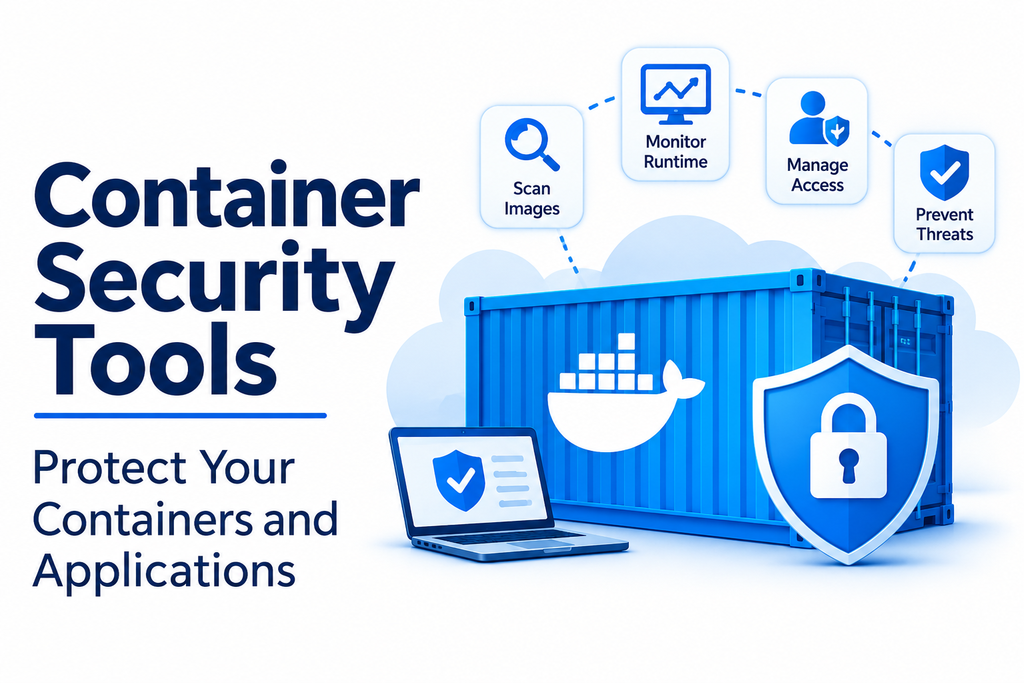
Container technology has become a fundamental part of modern application development and cloud infrastructure. Organizations use containers to package applications, simplify deployment, and maintain consistent environments across development, testing, and production. However, containerized environments also introduce security challenges that require specialized protection.
Container security tools help organizations identify vulnerabilities, protect container images, monitor running workloads, enforce security policies, and detect suspicious activities. They provide visibility into container environments and help development and security teams reduce risks throughout the application lifecycle.
From image scanning to runtime threat detection, these solutions support a more secure approach to building, deploying, and operating containerized applications.
What Are Container Security Tools?
Container security tools are software solutions designed to protect containerized applications and their supporting infrastructure. They help identify security weaknesses in container images, registries, orchestration platforms, host systems, and running workloads.
Unlike traditional application security solutions, container security tools address risks associated with the entire container lifecycle.
Common capabilities include:
- Image vulnerability scanning: Identify known vulnerabilities in container images and software dependencies.
- Configuration assessment: Detect insecure container settings and infrastructure configurations.
- Runtime protection: Monitor running containers for suspicious processes and activities.
- Access control: Restrict permissions and control access to container resources.
- Compliance monitoring: Evaluate environments against security policies and standards.
- Threat detection: Identify unusual behavior and potential security incidents.
- Secrets protection: Help prevent credentials, API keys, and sensitive information from being exposed.
Popular Container Security Tools
1. Aqua Security
Aqua Security provides cloud-native application protection capabilities, including container and Kubernetes security. Its platform helps organizations identify vulnerabilities, manage risks, and protect workloads throughout the application lifecycle.
Key capabilities:
- Container image vulnerability scanning.
- Runtime threat detection and protection.
- Kubernetes security monitoring.
- Risk assessment and policy enforcement.
- Software supply chain security capabilities.
Best suited for: Organizations that need security coverage across container development, deployment, and runtime environments.
2. Prisma Cloud
Prisma Cloud by Palo Alto Networks is a cloud-native security platform that includes capabilities for protecting containers, Kubernetes environments, cloud infrastructure, and applications.
It helps security teams identify risks across development pipelines and deployed workloads.
Key capabilities:
- Container image scanning.
- Kubernetes configuration assessment.
- Cloud workload protection.
- Compliance monitoring.
- Runtime security and threat detection.
Best suited for: Enterprises that need integrated security visibility across cloud infrastructure and container environments.
3. Sysdig Secure
Sysdig Secure focuses on cloud-native security, including container and Kubernetes workload protection. It provides tools for vulnerability management, runtime threat detection, and cloud infrastructure security.
Key capabilities:
- Container image vulnerability scanning.
- Runtime activity monitoring.
- Kubernetes threat detection.
- Security investigations and incident analysis.
- Compliance and policy management.
Best suited for: DevSecOps teams that need visibility into container behavior and runtime security risks.
4. Snyk Container
Snyk Container is part of the Snyk developer security platform. It helps development teams identify vulnerabilities in container images and dependencies while integrating security checks into development workflows.
Key capabilities:
- Container image vulnerability scanning.
- Identification of vulnerable software packages.
- Base image recommendations.
- Developer workflow integrations.
- Prioritization of remediation actions.
Best suited for: Development teams that want to identify and fix container vulnerabilities early in the software development lifecycle.
5. Trivy
Trivy is an open-source security scanner maintained by Aqua Security. It can scan container images, file systems, repositories, and infrastructure configuration files for different types of security issues.
Key capabilities:
- Container image vulnerability scanning.
- Misconfiguration detection.
- Software dependency analysis.
- Secret detection.
- Integration with CI/CD pipelines.
Best suited for: Developers and DevSecOps teams looking for an accessible security scanner that integrates into automated workflows.
6. Anchore
Anchore provides container security and software supply chain security solutions. Its tools help organizations analyze container images, identify vulnerabilities, and enforce security policies before deployment.
Key capabilities:
- Container image analysis.
- Vulnerability identification.
- Software bill of materials generation.
- Policy-based image evaluation.
- CI/CD security integrations.
Best suited for: Organizations that need image analysis, vulnerability management, and software supply chain visibility.
7. NeuVector
NeuVector, now part of SUSE, provides container and Kubernetes security capabilities. It focuses on protecting cloud-native applications through vulnerability scanning, network security, and runtime protection.
Key capabilities:
- Container and Kubernetes vulnerability scanning.
- Network traffic monitoring.
- Runtime threat detection.
- Security policy enforcement.
- Container workload protection.
Best suited for: Organizations that require integrated network and runtime security for Kubernetes environments.
Container Security Tools Comparison
| Tool | Main strength | Best suited for |
|---|---|---|
| Aqua Security | Full-lifecycle cloud-native security | Enterprise container environments |
| Prisma Cloud | Integrated cloud and workload security | Large cloud-based organizations |
| Sysdig Secure | Runtime threat detection | Kubernetes and DevSecOps teams |
| Snyk Container | Developer-focused vulnerability management | Software development teams |
| Trivy | Open-source security scanning | Developers and automated pipelines |
| Anchore | Image analysis and supply chain security | Security and platform teams |
| NeuVector | Container network and runtime security | Kubernetes environments |
The right solution depends on the organization’s infrastructure, security maturity, development processes, and compliance requirements.
Important Features to Look For
Selecting a container security platform requires evaluating its protection capabilities across the entire application lifecycle.
1. Vulnerability Scanning
The tool should identify known vulnerabilities in container images, operating system packages, libraries, and application dependencies. Clear severity ratings and remediation guidance can help teams prioritize important issues.
2. Runtime Protection
Security solutions should monitor running containers and identify unusual behavior, unauthorized processes, suspicious network connections, and potential attacks.
3. Kubernetes Security
Organizations using Kubernetes should evaluate tools that can inspect cluster configurations, workload permissions, network policies, and orchestration-related risks.
4. Image and Registry Security
Container images should be scanned before they are deployed. Security tools should help detect vulnerable packages, exposed secrets, and insecure image configurations.
5. Access Control and Policy Enforcement
Role-based access control, least-privilege permissions, and automated policy enforcement help prevent unauthorized access and reduce security exposure.
6. CI/CD Integration
Security checks integrated into build and deployment pipelines help developers identify problems before vulnerable containers reach production.
7. Compliance and Reporting
Reporting capabilities help organizations track vulnerabilities, document security controls, and evaluate compliance with internal policies and relevant industry requirements.
Business Applications of Container Security Tools
Container security solutions support organizations across multiple industries and operational environments.
- Financial services: Protect containerized applications that process sensitive financial information.
- Healthcare technology: Help secure application infrastructure that handles confidential data.
- E-commerce: Reduce security risks across online stores, payment services, and customer-facing applications.
- SaaS platforms: Protect multi-tenant application infrastructure and cloud-native workloads.
- Enterprise IT: Monitor container environments and enforce organizational security policies.
- DevSecOps: Integrate automated security checks into software development and deployment pipelines.
- Cloud infrastructure: Improve visibility and protection across containerized workloads running in cloud environments.
Container Security vs. Traditional Application Security
Traditional application security focuses on protecting software from vulnerabilities such as insecure coding practices, authentication weaknesses, and application-level attacks.
Container security extends protection to the technologies used to package and operate applications. It addresses container images, dependencies, registries, runtime behavior, host systems, and orchestration configurations.
For example, an application may pass traditional security testing but still contain a vulnerable operating system package inside its container image. Container security scanning can help identify that additional risk.
Both approaches complement one another and should be included in a comprehensive security strategy.
Common Container Security Challenges
Containerized environments can introduce several security concerns.
- Vulnerable images: Outdated base images and dependencies can contain known security weaknesses.
- Misconfigurations: Excessive privileges and insecure settings can increase the attack surface.
- Exposed secrets: Credentials and API keys may accidentally become part of container images or configuration files.
- Runtime threats: Attackers may exploit vulnerabilities in running containers or attempt unauthorized activities.
- Limited visibility: Large environments can make it difficult to track security risks across workloads.
- Supply chain risks: Untrusted images and compromised dependencies can introduce malicious components.
- Complex permissions: Managing access across containers, clusters, and cloud infrastructure can become difficult.
Regular scanning, least-privilege configurations, trusted image sources, and continuous monitoring can help reduce these risks.
How to Choose the Right Container Security Tool
Before selecting a solution, organizations should evaluate their security requirements and technical environment.
- Assess your container environment: Identify whether you use Docker, Kubernetes, managed cloud services, or multiple platforms.
- Identify security priorities: Determine whether vulnerability scanning, runtime protection, compliance, or supply chain security is most important.
- Evaluate development integrations: Check whether the tool fits existing CI/CD pipelines and developer workflows.
- Review monitoring capabilities: Ensure it provides suitable visibility into container and cluster activities.
- Check policy controls: Evaluate access management, configuration enforcement, and reporting features.
- Consider scalability: Confirm that the platform can support current workloads and future infrastructure growth.
- Compare total costs: Review licensing, implementation, training, support, and maintenance expenses.
- Run a practical evaluation: Test shortlisted tools with representative container images and workloads before making a final decision.
Conclusion
Container security tools are essential for organizations that rely on containerized applications and cloud-native infrastructure. They help identify vulnerabilities, protect images, monitor runtime behavior, enforce security policies, and reduce risks across the container lifecycle.
Solutions such as Aqua Security, Prisma Cloud, Sysdig Secure, Snyk Container, Trivy, Anchore, and NeuVector offer different approaches to container protection.
The best choice depends on the organization’s infrastructure, security requirements, development workflows, and budget. By combining vulnerability scanning, runtime monitoring, secure configurations, and automated security practices, businesses can build more resilient container environments and protect their applications against evolving threats.
