Upgrade & Secure Your Future with DevOps, SRE, DevSecOps, MLOps!
We spend hours scrolling social media and waste money on things we forget, but won’t spend 30 minutes a day earning certifications that can change our lives.
Master in DevOps, SRE, DevSecOps & MLOps by DevOps School!
Learn from Guru Rajesh Kumar and double your salary in just one year.
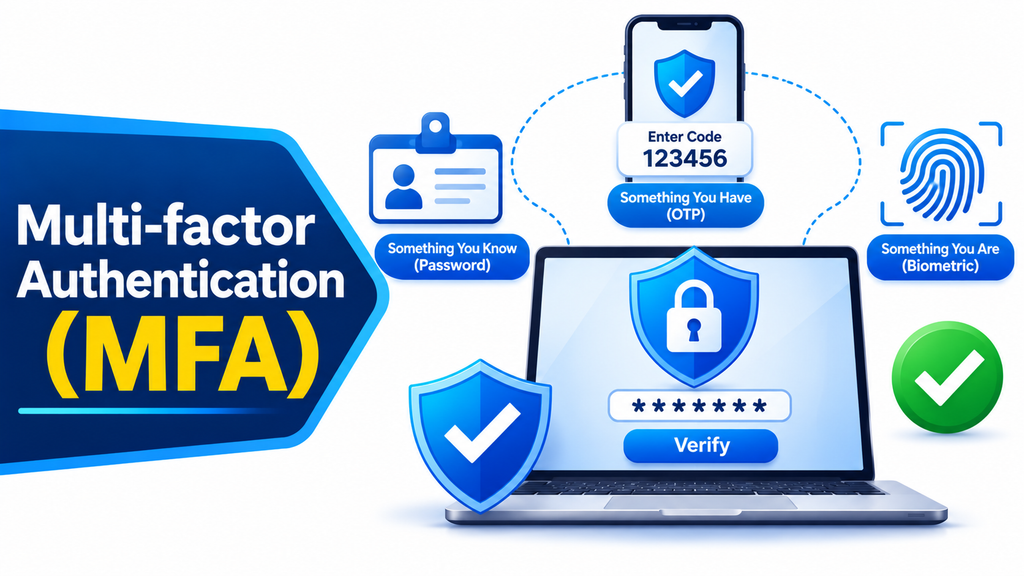
Multi-factor Authentication (MFA) is an essential cybersecurity technology that adds additional layers of protection to user accounts, applications, and digital systems. Instead of relying only on a password, MFA requires users to verify their identity through two or more independent authentication factors before gaining access.
As cyberattacks involving stolen passwords, phishing, and account takeovers continue to threaten organizations, MFA has become an important security measure. It helps businesses protect sensitive information, prevent unauthorized access, and strengthen their overall identity security strategy.
How Multi-factor Authentication Tools Work
MFA solutions verify user identities using multiple authentication factors. These factors generally fall into three categories: something a user knows, such as a password or PIN; something a user has, such as a smartphone, security key, or authentication token; and something a user is, such as a fingerprint or facial recognition.
When someone attempts to sign in, the MFA platform requests additional verification after the initial authentication step. Depending on the configured security policy, this may involve a time-based one-time password, push notification, hardware security key, biometric verification, or another approved authentication method.
Popular Multi-factor Authentication Tools
Several established cybersecurity providers offer MFA solutions for businesses and individual users:
- Microsoft Authenticator: Supports multi-factor authentication through push notifications, one-time codes, and passwordless sign-in options.
- Google Authenticator: Generates time-based one-time passwords for securing compatible online accounts.
- Cisco Duo: Provides adaptive MFA, device trust checks, and secure authentication for workforce applications.
- Okta Adaptive MFA: Offers contextual authentication policies based on user behavior, device information, and access conditions.
- RSA SecurID: Provides enterprise authentication using software tokens, hardware tokens, and risk-based security capabilities.
- Yubico YubiKey: Offers hardware-based authentication through phishing-resistant security keys.
- PingID: Supports multi-factor authentication with push notifications, biometrics, and other verification methods.
Key Features to Consider
When evaluating MFA software, organizations should examine authentication methods, security standards, integration capabilities, and administrative controls.
Support for phishing-resistant authentication, such as FIDO2 security keys and passkeys, is especially valuable. Other important features include adaptive authentication, device recognition, centralized policy management, user enrollment controls, recovery procedures, audit logs, and compatibility with existing IAM and SSO platforms.
Benefits of Multi-factor Authentication Tools
MFA solutions significantly improve account security by requiring additional identity verification beyond passwords. This makes it more difficult for attackers to access accounts using stolen or reused credentials.
Organizations can also use MFA to strengthen regulatory compliance, protect remote workers, secure cloud applications, and reduce the risk of unauthorized access to business-critical systems.
For financial institutions, healthcare organizations, educational institutions, and enterprises handling sensitive data, MFA provides an important additional layer of protection.
How to Choose the Right Solution
The right MFA platform depends on organizational security requirements, workforce size, application environment, and user experience expectations.
Businesses should evaluate supported authentication methods, deployment complexity, integration with identity providers, scalability, reporting capabilities, and overall cost. Organizations with higher security requirements should prioritize phishing-resistant authentication and strong account recovery controls.
Conclusion
Multi-factor Authentication Tools help organizations protect digital accounts by requiring multiple forms of identity verification. Solutions from Microsoft, Google, Cisco Duo, Okta, RSA, Yubico, and Ping Identity provide different approaches to strengthening authentication security. Implementing an appropriate MFA solution helps reduce account compromise risks, protect sensitive information, and create a stronger cybersecurity environment.
