Upgrade & Secure Your Future with DevOps, SRE, DevSecOps, MLOps!
We spend hours scrolling social media and waste money on things we forget, but won’t spend 30 minutes a day earning certifications that can change our lives.
Master in DevOps, SRE, DevSecOps & MLOps by DevOps School!
Learn from Guru Rajesh Kumar and double your salary in just one year.
Introduction
The Domain Name System (DNS) is a fundamental part of the internet. It translates human-readable domain names into IP addresses and helps users reach websites, applications, email services, and other network resources.
For businesses, DNS problems can lead to website downtime, email delivery failures, security risks, and poor application performance. Managing DNS manually across many domains and environments can also become complicated as infrastructure grows.
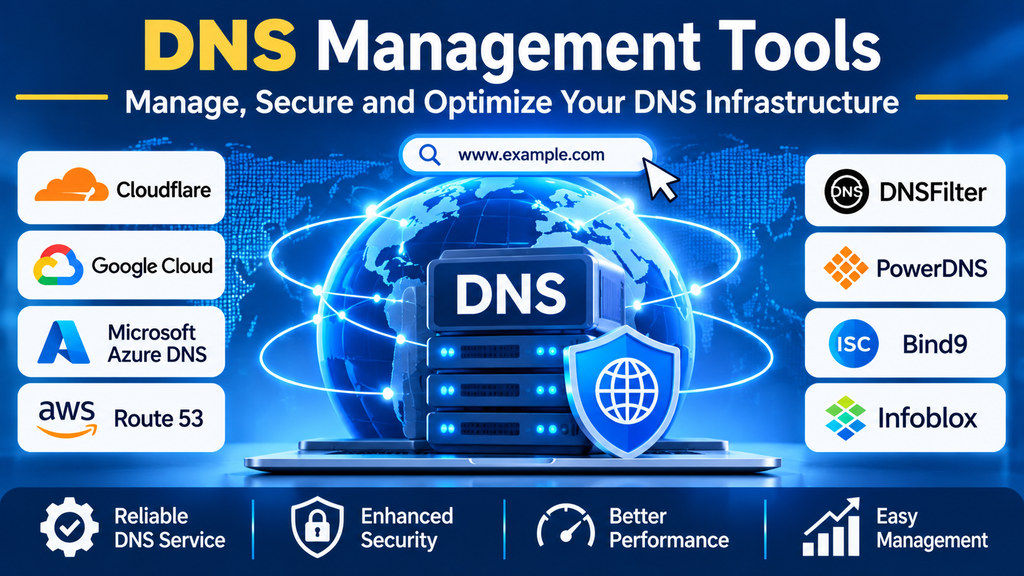
DNS management tools help administrators create and maintain DNS records, control domain configurations, monitor availability, automate changes, and strengthen security. Depending on the product, they may also provide traffic steering, DNS filtering, analytics, and integration with cloud infrastructure.
This guide explains DNS management tools, their key features, popular options, and the best practices organizations can follow to operate DNS reliably.
What Are DNS Management Tools?
DNS management tools are software platforms or services used to configure, maintain, monitor, and secure DNS zones and records.
A DNS zone contains records that define how a domain behaves. Common record types include:
- A: Maps a hostname to an IPv4 address.
- AAAA: Maps a hostname to an IPv6 address.
- CNAME: Points one hostname to another hostname.
- MX: Identifies mail servers for a domain.
- TXT: Stores text-based information, often used for domain verification and email authentication.
- NS: Identifies authoritative name servers for a zone.
- SRV: Specifies the location of services using defined parameters.
- CAA: Specifies which certificate authorities are permitted to issue certificates for a domain.
DNS management solutions vary widely. Some provide authoritative DNS hosting, while others focus on internal DNS and IP address management, filtering malicious domains, monitoring DNS behavior, or managing records across multiple providers.
Why Are DNS Management Tools Important?
1. Centralized Administration
Administrators can manage records and zones through a control panel or API instead of making every change manually across multiple systems.
2. Improved Availability
Reliable DNS hosting, redundant name servers, and appropriate health-check or failover capabilities can help reduce the impact of infrastructure failures. Availability features vary by provider and configuration.
3. Better Performance
DNS infrastructure with suitable geographic distribution, caching behavior, and efficient resolution can reduce lookup delays and improve access to services.
4. Enhanced Security
DNS tools can support access controls, DNSSEC, audit logs, threat filtering, and monitoring. Correct configuration is essential because no single feature protects against every DNS-related threat.
5. Automation and Consistency
APIs, infrastructure-as-code workflows, and integrations with deployment systems help teams update records consistently and reduce manual errors.
6. Easier Troubleshooting
Query logs, analytics, alerts, and diagnostic tools help administrators investigate resolution failures, unexpected changes, and suspicious DNS activity.
Popular DNS Management Tools and Platforms
1. Cloudflare DNS
Cloudflare provides authoritative DNS hosting and domain management, with performance and security capabilities that vary by plan.
Key capabilities:
- DNS record management
- API-based automation
- DNSSEC support
- Integration with Cloudflare’s broader web performance and security services
- Analytics and operational visibility
Best suited for: Businesses, developers, and website owners seeking accessible DNS management with additional web security and performance options.
2. Amazon Route 53
Amazon Route 53 is a managed DNS service within Amazon Web Services (AWS). It supports DNS hosting and routing capabilities for applications and infrastructure.
Key capabilities:
- Hosted zones and record management
- Health checks and supported routing policies
- Integration with AWS services
- DNS query logging options
- API-based administration
Best suited for: Organizations running workloads on AWS or managing cloud-connected applications.
3. Google Cloud DNS
Google Cloud DNS provides managed DNS hosting for public and private zones within Google Cloud.
Key capabilities:
- Managed DNS zones
- Public and private DNS support
- Programmatic record management
- Integration with Google Cloud networking
- DNSSEC support for applicable public-zone configurations
Best suited for: Teams using Google Cloud that want managed DNS integrated with their cloud environment.
4. Microsoft Azure DNS
Azure DNS allows organizations to host and manage DNS zones through Microsoft Azure. Azure also provides private DNS capabilities for supported virtual network environments.
Key capabilities:
- Public DNS zone hosting
- Private DNS zones
- Role-based access controls
- Integration with Azure resources
- Automation through APIs and infrastructure tools
Best suited for: Organizations using Microsoft Azure and its identity, networking, and management ecosystem.
5. Infoblox
Infoblox offers enterprise DNS, DHCP, and IP address management capabilities, commonly grouped under DDI (DNS, DHCP, and IPAM). Its portfolio includes tools for managing large and complex network environments.
Key capabilities:
- Centralized DDI administration
- Internal DNS and DHCP management
- IP address management
- Automation and integrations
- Enterprise visibility and security-related capabilities, depending on the solution
Best suited for: Enterprises managing extensive internal networks, multiple sites, or complex address and DNS environments.
6. BIND 9
BIND 9 is an open-source DNS software implementation maintained by the Internet Systems Consortium. It can be used to operate authoritative DNS servers and recursive resolvers, depending on configuration.
Key capabilities:
- Flexible DNS server configuration
- Authoritative DNS service
- Recursive resolution capabilities
- Support for standard DNS features
- Extensive configuration and operational control
Best suited for: Administrators who need a highly configurable, self-managed DNS solution and have the skills to operate it securely.
7. PowerDNS
PowerDNS is a DNS software portfolio that includes authoritative and recursive DNS components. Its suitability depends on which component and deployment model an organization selects.
Key capabilities:
- Authoritative DNS hosting options
- Recursive DNS options
- API support in applicable components
- Integration with different data backends
- Flexible deployment and automation choices
Best suited for: Hosting providers, infrastructure teams, and organizations that need configurable DNS software.
8. DNSFilter
DNSFilter focuses on DNS-layer security and content filtering rather than serving as a universal replacement for authoritative DNS hosting.
Key capabilities:
- Filtering access to malicious or unwanted domains
- Policy-based DNS protection
- Reporting and visibility into DNS activity
- Protection for supported user and network environments
- Centralized administration
Best suited for: Businesses and managed service providers seeking DNS-layer protection and filtering.
Comparison of DNS Management Tools
| Tool | Primary focus | Common use case |
|---|---|---|
| Cloudflare DNS | Authoritative DNS and web services | Public websites and domains |
| Amazon Route 53 | Managed cloud DNS | AWS applications and services |
| Google Cloud DNS | Managed public and private DNS | Google Cloud environments |
| Microsoft Azure DNS | Public and private DNS | Azure-based infrastructure |
| Infoblox | Enterprise DDI | Internal DNS, DHCP, and IPAM |
| BIND 9 | Self-managed DNS software | Custom authoritative or recursive DNS |
| PowerDNS | Flexible DNS software | Hosting and infrastructure environments |
| DNSFilter | DNS-layer security | Threat filtering and access policies |
These tools are not all direct substitutes for one another. Before comparing prices or capabilities, identify whether the requirement is public authoritative DNS, internal DNS, recursive resolution, security filtering, or combined DDI management.
Essential Features to Look For
DNS Zone and Record Management
The platform should support the record types and zone operations required by your environment. It should also make it easy to review, update, and validate records.
Automation and API Access
APIs, command-line interfaces, and infrastructure-as-code support can reduce manual work and integrate DNS changes with application deployments.
Access Controls and Audit Logs
Role-based permissions, multifactor authentication where supported, and detailed change histories help prevent unauthorized changes and improve accountability.
DNSSEC Support
Domain Name System Security Extensions (DNSSEC) use cryptographic signatures to help resolvers verify the authenticity and integrity of DNS data. DNSSEC requires correct configuration and key management; it does not encrypt DNS queries.
Monitoring and Alerting
Look for tools that help detect resolution failures, unexpected record changes, excessive query volumes, or other operational problems.
Traffic Management and Failover
Some managed providers support weighted, geographic, latency-based, or health-check-based routing. Confirm which routing policies are available and whether they meet your failover requirements.
Logging and Analytics
Query logs and reporting can help with troubleshooting, capacity planning, security investigations, and understanding how DNS infrastructure is being used.
Integration with Existing Systems
Consider compatibility with cloud platforms, CI/CD pipelines, identity systems, monitoring tools, IPAM systems, and configuration-management workflows.
How to Choose the Right DNS Management Tool
1. Define Your DNS Requirements
Determine whether you need public DNS hosting, internal name resolution, recursive DNS, DNS filtering, enterprise DDI, or a combination.
2. Evaluate Scale and Availability
Consider the number of domains, zones, records, users, sites, and queries. Review redundancy, service-level commitments, and recovery options for critical services.
3. Review Security Needs
Evaluate DNSSEC, access controls, logging, protection against unauthorized changes, and the security features relevant to your threat model.
4. Compare Automation Capabilities
If your team manages infrastructure as code, check API coverage, supported providers, change validation, and integration with deployment workflows.
5. Understand Pricing
Review subscription tiers, DNS query allowances, premium routing options, logging costs, support, and any additional security or monitoring charges.
6. Test Operational Workflows
Use a test domain or noncritical zone to assess record changes, access permissions, rollback procedures, alerting, and troubleshooting.
7. Plan for Portability
Understand how to export zones, transfer domains, migrate records, and update registrar or name-server settings. Document dependencies before changing providers.
DNS Management Best Practices
- Maintain accurate records: Remove obsolete entries carefully and document records that support critical services.
- Use least-privilege access: Give administrators only the permissions they need and review access periodically.
- Protect registrar accounts: Secure domain registrar accounts with strong authentication and appropriate account recovery controls.
- Automate carefully: Validate changes before deployment and use review processes for critical production zones.
- Monitor DNS health: Test important domains and resolution paths from relevant locations.
- Plan for redundancy: Avoid unnecessary single points of failure in authoritative DNS and critical internal resolution.
- Manage TTL values thoughtfully: Time to live (TTL) settings affect caching and how quickly many changes become visible. Lower TTLs can increase query volume, and cached records may not update immediately.
- Configure DNSSEC correctly: Follow the provider’s signing and key-management guidance and verify the resulting DNS chain.
- Review email authentication: Ensure SPF, DKIM, and DMARC records are correct for the organization’s email services.
- Keep documentation current: Record zone ownership, dependencies, change procedures, and recovery steps.
- Test migrations in advance: Validate records and dependencies before switching name servers or providers.
Common DNS Management Challenges
Misconfigured Records
Incorrect addresses, mail records, or name-server entries can make websites and email services unavailable. Change validation and documented procedures help reduce mistakes.
DNS Propagation Expectations
DNS updates are not always visible everywhere immediately. Resolver caches and TTL values affect when users see the new information, so migration plans should account for caching behavior.
Security Risks
Unauthorized record changes, compromised registrar accounts, and malicious domains can create serious problems. Strong access controls, monitoring, and incident-response procedures are important safeguards.
Complex Multi-Cloud Environments
Organizations using several cloud providers may need consistent management across different DNS services and naming systems. Automation and clear ownership help reduce configuration drift.
Limited Visibility
Without appropriate logging and monitoring, teams may struggle to identify whether an issue originates in DNS, the network, the application, or a remote service.
Conclusion
DNS management tools help organizations operate domain infrastructure reliably by simplifying record administration, supporting automation, improving visibility, and strengthening security. The right solution depends on whether the priority is public DNS hosting, cloud integration, internal DDI management, self-managed DNS, or DNS-layer filtering.
By defining requirements clearly, comparing tools within the correct category, protecting access, monitoring DNS health, and testing changes before production rollout, organizations can build a DNS environment that is easier to manage and more resilient.
