Upgrade & Secure Your Future with DevOps, SRE, DevSecOps, MLOps!
We spend hours scrolling social media and waste money on things we forget, but won’t spend 30 minutes a day earning certifications that can change our lives.
Master in DevOps, SRE, DevSecOps & MLOps by DevOps School!
Learn from Guru Rajesh Kumar and double your salary in just one year.
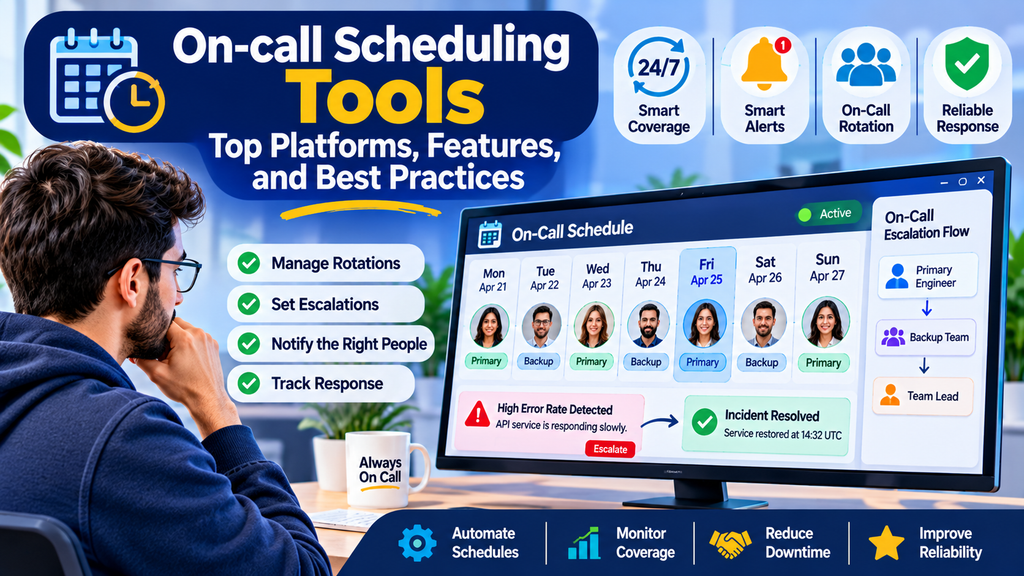
When a production system fails outside regular business hours, teams need a clear way to contact the right engineer quickly. On-call scheduling tools help organizations assign support responsibilities, manage rotations, notify the correct responders, and reduce confusion during urgent incidents. They are especially useful for DevOps, Site Reliability Engineering (SRE), IT operations, cloud infrastructure, and customer support teams that maintain services around the clock.
What Are On-call Scheduling Tools?
On-call scheduling tools are software platforms that organize which team member is responsible for responding to incidents at a particular time. They create schedules, coordinate shift handovers, manage escalation policies, and connect alerts to the people who can resolve them.
For example, a company may assign one engineer to primary on-call duty and another as a backup. If the primary engineer does not acknowledge an alert within the configured period, the system can escalate the notification to the backup or team lead.
These tools help organizations maintain reliable coverage without depending on informal messages, spreadsheets, or manually maintained calendars.
Why Are On-call Scheduling Tools Important?
Managing on-call duties manually can lead to missed alerts, overlapping shifts, unclear responsibilities, and burnout. Scheduling platforms make coverage more predictable and easier to manage.
Key benefits include:
- Clear ownership: Everyone knows who is responsible for responding to incidents.
- Reliable alert delivery: Notifications can be routed to the correct responder.
- Automated escalation: Unacknowledged alerts can be escalated according to predefined rules.
- Simplified handovers: Teams can coordinate shift changes and planned absences.
- Reduced administrative work: Rotations and recurring schedules can be automated.
- Better operational visibility: Managers can review coverage, response activity, and scheduling gaps.
- Improved work-life balance: Fair rotations help distribute on-call responsibilities across the team.
How Do On-call Scheduling Tools Work?
Most platforms support a workflow that connects schedules with incident response.
- Create teams: Define teams such as infrastructure, application support, security, or database operations.
- Build rotations: Assign primary and backup responders using daily, weekly, or custom schedules.
- Set escalation rules: Specify what happens when an alert is not acknowledged.
- Connect monitoring systems: Integrate with alerting, observability, ticketing, and incident-management tools.
- Notify responders: Send alerts through supported channels, such as mobile push notifications, phone calls, SMS, or email.
- Manage schedule changes: Account for holidays, leave, shift swaps, and temporary overrides.
- Review performance: Examine coverage gaps, escalation patterns, and response metrics to improve the process.
Popular On-call Scheduling Tools
1. PagerDuty
PagerDuty provides on-call scheduling, alert routing, escalation policies, and incident-response capabilities. It is commonly used by organizations that require structured incident handling across multiple teams and services.
Best for: Organizations needing mature alerting, escalation, and incident-response workflows.
2. Opsgenie
Opsgenie has been known for on-call schedules, alert management, and escalation capabilities. Teams evaluating it should verify current availability, support, and migration options because Atlassian announced its retirement timeline and migration plans.
Best for: Teams reviewing existing Opsgenie deployments or planning a transition to another supported platform.
3. incident.io
incident.io combines incident-management workflows with on-call scheduling, escalation, and collaboration features. It can help teams coordinate responders and keep incident communication organized.
Best for: Engineering teams seeking a connected incident-management and on-call workflow.
4. Rootly
Rootly supports incident-management automation and on-call workflows, helping teams coordinate response activities and connect incident processes with collaboration tools.
Best for: Teams that want incident automation alongside responder coordination.
5. Splunk On-Call
Splunk On-Call has offered alert routing, on-call scheduling, and incident-response coordination. Organizations considering it should check the current product roadmap, availability, and support arrangements before choosing it for a new deployment.
Best for: Teams evaluating established alerting and on-call workflows within a broader operations environment.
6. Grafana OnCall
Grafana OnCall has provided on-call scheduling and alert-routing functionality associated with the Grafana ecosystem. Before adopting it, verify the current maintenance and support status of the relevant edition, as product availability can change.
Best for: Teams investigating on-call workflows around Grafana-based monitoring environments.
7. Better Stack
Better Stack offers monitoring and incident-management capabilities, including on-call and alerting workflows depending on the product and plan. It can be useful for teams that want operational visibility and incident response in a connected environment.
Best for: Teams looking for an integrated monitoring and incident-response experience.
8. Jira Service Management
Jira Service Management supports IT service management and incident workflows. Its on-call capabilities and related functionality may depend on the current product configuration and integrations, so teams should verify that the required scheduling and escalation features are available in their chosen plan.
Best for: Organizations that want to connect service management, incident handling, and operational workflows.
Comparison of On-call Scheduling Tools
| Tool | Key strengths | Suitable use case |
|---|---|---|
| PagerDuty | Scheduling, escalation, alert routing | Complex operations and incident response |
| Opsgenie | Scheduling and alert management; verify current lifecycle | Existing deployments and migration planning |
| incident.io | On-call and incident coordination | Engineering teams |
| Rootly | Incident automation and coordination | Teams automating response workflows |
| Splunk On-Call | Alerting and responder coordination; verify current status | Organizations assessing established deployments |
| Grafana OnCall | Monitoring-oriented alert workflows; verify current status | Grafana ecosystem evaluations |
| Better Stack | Monitoring and incident workflows | Teams seeking connected operational tools |
| Jira Service Management | IT service and incident workflows; verify plan capabilities | IT service management environments |
Product features, licensing, integrations, and availability can change. Confirm current vendor documentation before making a purchasing or migration decision.
Essential Features to Look For
Flexible Scheduling
The platform should support recurring rotations, different time zones, holidays, overrides, and shift swaps. Flexible schedules are important for distributed teams and organizations operating across regions.
Escalation Policies
A reliable system should allow alerts to move to a backup responder, team lead, or another escalation level when the assigned person does not respond within the expected time.
Alert Integrations
Look for integrations with monitoring and observability tools, ticketing systems, chat platforms, and incident-management software. These integrations help avoid manual coordination between disconnected systems.
Multi-channel Notifications
Depending on the plan, the tool may support mobile push notifications, phone calls, SMS, email, or chat notifications. Choose channels that are appropriate for incident severity and your team’s response requirements.
Schedule Visibility
A shared schedule should make current and upcoming responsibilities easy to identify. Responders should be able to check who is on call without contacting a manager.
Reporting and Analytics
Useful reports can show schedule coverage, alert acknowledgement, escalation frequency, and response patterns. These measurements can reveal operational weaknesses and uneven workloads.
Access Controls and Auditability
Organizations should review permissions, change history, security controls, and audit records, especially when scheduling tools are used for critical production services.
How to Choose the Right On-call Scheduling Tool
Start by documenting how your organization handles incidents today. Identify the number of teams, time zones, services, escalation levels, and integrations required.
Then evaluate candidate platforms against these criteria:
- Team size and complexity: A small team may need simple rotations, while a large organization may require multiple schedules and escalation layers.
- Existing technology stack: Check compatibility with your monitoring, chat, ticketing, and incident-management systems.
- Ease of use: Responders should be able to understand their schedules and acknowledge alerts quickly.
- Coverage requirements: Verify support for holidays, leave, time-zone differences, and backup coverage.
- Reliability: Understand notification delivery behavior, service dependencies, and the vendor’s incident history and service commitments.
- Security: Review authentication, permissions, data handling, and audit requirements.
- Total cost: Consider licensing, required add-ons, integrations, and the cost of migrating existing schedules.
- Current product status: Confirm that the platform is actively supported and suitable for a new deployment.
A short pilot with one operational team can help validate the scheduling workflow before rolling it out organization-wide.
Best Practices for On-call Scheduling
1. Define Clear Ownership
Every critical service should have a clearly assigned primary responder and an appropriate backup arrangement. Avoid schedules that leave responsibility ambiguous.
2. Balance the Workload
Distribute shifts fairly and consider the number and severity of alerts received by each team member. Frequent interruptions can cause fatigue even when the schedule appears balanced.
3. Set Meaningful Escalation Timers
Escalation delays should reflect incident severity and the team’s service-level objectives. Critical production alerts may need faster escalation than low-priority notifications.
4. Test the Entire Alerting Process
Periodically test alert delivery, acknowledgement, escalation, and backup coverage. A schedule is only useful if notifications reliably reach an available responder.
5. Plan for Leave and Shift Changes
Document a clear process for requesting swaps, handling holidays, and arranging coverage during absences. Ensure that schedule changes are reflected in the system.
6. Reduce Alert Noise
Too many low-value notifications can cause responders to miss important alerts. Tune monitoring rules, consolidate duplicate alerts, and route notifications according to severity and ownership.
7. Review After Major Incidents
After significant incidents, review whether the right person was notified, whether escalation worked, and whether the schedule caused delays. Use the findings to improve future rotations.
8. Protect Rest and Recovery Time
Establish reasonable limits on consecutive shifts and create backup coverage for prolonged incidents. Where possible, track after-hours interruptions and compensate for exceptional workload according to organizational policy.
Common Challenges
Alert fatigue: Excessive notifications can overwhelm responders. Improve alert quality and prioritize notifications by severity.
Scheduling conflicts: Time-zone differences, holidays, and unplanned absences can create gaps. Use shared schedules and defined override procedures.
Missed notifications: Incorrect contact details or untested escalation rules may delay response. Periodically verify delivery channels and test the escalation chain.
Unequal workload: Some responders may receive more alerts than others. Review actual incident volume and adjust rotations or service ownership.
Tool sprawl: Separate monitoring, scheduling, and incident-management platforms can complicate workflows. Prefer integrations that preserve clear ownership and a reliable record of incident activity.
Product lifecycle changes: Vendors may retire, rename, or restructure products. Check current support commitments and maintain a documented migration plan for critical operational tools.
Conclusion
On-call scheduling tools help technical teams maintain dependable coverage, assign clear incident ownership, automate escalations, and coordinate responses outside normal working hours. The best choice depends on the organization’s size, monitoring stack, support requirements, and operational maturity.
Before selecting a platform, test the complete workflow—from schedule creation and alert delivery to escalation and handover. Combine the right tool with fair rotations, meaningful alerts, documented procedures, and regular reviews to improve incident response while protecting team well-being.
