Upgrade & Secure Your Future with DevOps, SRE, DevSecOps, MLOps!
We spend hours scrolling social media and waste money on things we forget, but won’t spend 30 minutes a day earning certifications that can change our lives.
Master in DevOps, SRE, DevSecOps & MLOps by DevOps School!
Learn from Guru Rajesh Kumar and double your salary in just one year.
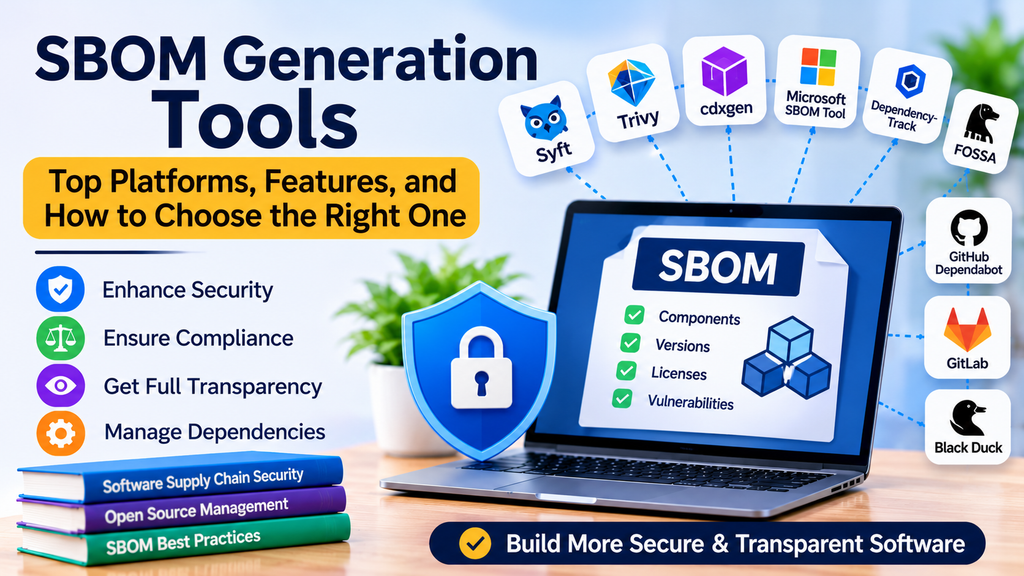
Software Bill of Materials (SBOM) generation tools help organizations identify, document, and manage the software components used in their applications. As modern applications rely heavily on open-source libraries, third-party packages, containers, and external dependencies, maintaining an accurate inventory of these components has become an essential software security practice.
An SBOM provides a structured record of software components, their versions, suppliers, relationships, and other relevant metadata. It helps development and security teams understand what is included in an application, investigate vulnerabilities, support license compliance, and improve software supply chain transparency.
This article explores popular SBOM generation tools, their key features, practical use cases, and the factors to consider when choosing a solution.
What Is an SBOM?
A Software Bill of Materials is a formal inventory of the components that make up a software product. It can include direct and transitive dependencies, package versions, component identifiers, licenses, supplier details, and dependency relationships.
Two widely used SBOM formats are:
- CycloneDX: A standard designed with a strong focus on software supply chain security and risk analysis.
- SPDX: An open standard that supports software component inventories and license compliance information.
The right format depends on your organization’s security requirements, compliance needs, and the systems that consume the SBOM.
Why Are SBOM Generation Tools Important?
SBOM generation tools automate the discovery and documentation of software components. Without automation, teams may struggle to maintain accurate inventories across multiple repositories, build pipelines, and deployment environments.
Key benefits include:
- Vulnerability management: Identify affected components when a new vulnerability is disclosed.
- License compliance: Understand the licenses associated with included software packages.
- Supply chain transparency: Maintain visibility into direct and indirect dependencies.
- Incident response: Determine whether applications contain a newly vulnerable library.
- Compliance support: Produce software inventories requested by customers or organizational policies.
- DevSecOps integration: Generate SBOMs as part of continuous integration and delivery workflows.
An SBOM does not automatically prove that software is secure. It provides inventory data that can be combined with vulnerability scanning, policy enforcement, and ongoing monitoring.
Top SBOM Generation Tools
1. Syft
Syft is an open-source tool for generating SBOMs from container images, filesystems, and other supported software artifacts. It is commonly used by teams that need a practical way to inventory packages in applications and containerized workloads.
Key features:
- Generates SBOMs in supported formats, including SPDX and CycloneDX.
- Scans container images and local filesystems.
- Identifies software packages across supported ecosystems.
- Integrates with automated security workflows.
- Works alongside vulnerability analysis tools such as Grype.
Best for: Development, platform engineering, and security teams that need an open-source SBOM generator for containers and filesystems.
2. Trivy
Trivy is an open-source security scanner that can discover software components and generate SBOMs alongside other security checks. It supports several scanning targets, including container images, filesystems, repositories, and other supported artifact types.
Key features:
- SBOM generation in supported CycloneDX and SPDX formats.
- Vulnerability and misconfiguration scanning.
- Integration into CI/CD pipelines.
- Container and repository scanning.
- Support for multiple software ecosystems.
Best for: Teams looking for a broader security scanner that combines software inventory with vulnerability detection.
3. cdxgen
cdxgen is an open-source SBOM generator focused on producing CycloneDX inventories for a wide range of software projects and build environments.
Key features:
- Generates CycloneDX SBOMs.
- Supports numerous programming languages and package ecosystems.
- Can be integrated into CI/CD workflows.
- Helps document software dependencies and component relationships.
- Supports workflows involving source repositories and build artifacts.
Best for: Organizations that use CycloneDX and need SBOM generation across diverse development stacks.
4. Microsoft SBOM Tool
Microsoft SBOM Tool is an open-source utility designed to generate and validate SBOMs for software artifacts. It can support organizations that want to incorporate SBOM production into their software release processes.
Key features:
- Generates SBOM documents using SPDX-based workflows.
- Supports automated software build and release processes.
- Helps teams create repeatable SBOM generation procedures.
- Can be incorporated into build pipelines.
- Supports software supply chain transparency initiatives.
Best for: Teams that need an SPDX-oriented approach to generating SBOMs during software builds.
5. OWASP Dependency-Track
OWASP Dependency-Track is an open-source component analysis platform that consumes SBOMs and helps organizations monitor component risk over time. It is important to distinguish it from a dedicated SBOM generator: it primarily manages and analyzes SBOM data rather than replacing every generation tool.
Key features:
- Imports SBOMs in supported formats.
- Monitors component vulnerabilities and risk.
- Supports policy and portfolio management workflows.
- Provides visibility across multiple applications and projects.
- Integrates with software supply chain security processes.
Best for: Organizations that need centralized SBOM analysis and continuous component risk monitoring.
6. ORT (OSS Review Toolkit)
ORT is an open-source toolkit for analyzing software dependencies and supporting open-source compliance processes. It can help organizations collect dependency information and create reports as part of a broader software composition analysis workflow.
Key features:
- Analyzes dependencies across supported package managers.
- Supports license compliance and policy review.
- Produces reports for software component analysis.
- Integrates with automated development workflows.
- Supports software supply chain transparency efforts.
Best for: Teams that combine SBOM-related inventory work with open-source license and policy analysis.
7. Tern
Tern is an open-source tool focused on inspecting container images and identifying software packages and related metadata. It can assist teams that need visibility into the contents of containerized applications.
Key features:
- Inspects container image contents.
- Collects package and metadata information.
- Supports container-focused software inventory workflows.
- Helps improve visibility into container layers and components.
- Can support documentation and supply chain analysis.
Best for: Container engineering teams that want to understand the software included in their images.
8. CycloneDX CLI
CycloneDX CLI provides command-line utilities for working with CycloneDX SBOM documents. It is useful for validating, transforming, merging, and processing SBOM data generated by other tools.
Key features:
- Processes CycloneDX SBOM documents.
- Supports validation and conversion workflows where applicable.
- Helps combine or manipulate SBOM data.
- Fits into scripted automation and CI/CD pipelines.
- Complements dedicated SBOM generation tools.
Best for: Teams that already generate CycloneDX SBOMs and need additional processing or automation capabilities.
9. FOSSA
FOSSA is a software composition analysis and open-source compliance platform that provides dependency and license visibility. Depending on the product capabilities and configuration, it can support SBOM-related workflows alongside policy enforcement and vulnerability management.
Key features:
- Software dependency analysis.
- Open-source license compliance management.
- Vulnerability identification and remediation workflows.
- Policy automation and reporting.
- Integration with development workflows.
Best for: Organizations that want SBOM-related capabilities within a broader commercial software composition analysis and compliance platform.
10. Black Duck
Black Duck is a commercial software composition analysis platform used to identify open-source components, assess vulnerabilities, and manage open-source license compliance. Its supported SBOM capabilities can help organizations document and manage software component inventories.
Key features:
- Software composition analysis.
- Open-source license and vulnerability assessment.
- Component identification and reporting.
- Support for enterprise governance workflows.
- Integration with software development and security processes.
Best for: Enterprises that require commercial software composition analysis, governance, and software supply chain risk management.
SBOM Tools Comparison
| Tool | Primary strength | Typical use case |
|---|---|---|
| Syft | Package inventory | Container and filesystem SBOMs |
| Trivy | Security scanning | SBOMs and vulnerability checks |
| cdxgen | CycloneDX generation | Multi-language projects |
| Microsoft SBOM Tool | SPDX-oriented generation | Build and release pipelines |
| OWASP Dependency-Track | SBOM analysis | Continuous component monitoring |
| ORT | Dependency and license analysis | Open-source governance |
| Tern | Container inspection | Container component inventory |
| CycloneDX CLI | SBOM processing | Validation and automation |
| FOSSA | SCA and compliance | Commercial dependency governance |
| Black Duck | Enterprise SCA | Large-scale component risk management |
Feature availability and output support may vary by version, configuration, and artifact type. Verify the current documentation before selecting a tool for a required format or integration.
How to Choose the Right SBOM Generation Tool
Choosing an SBOM tool requires more than comparing feature lists. Consider how your team builds, scans, releases, and maintains software.
1. Check SBOM Format Requirements
Confirm whether your consumers require SPDX, CycloneDX, or both. Consider compatibility with customer requirements, compliance processes, vulnerability platforms, and internal inventory systems.
2. Identify Your Software Ecosystems
Review the programming languages, package managers, repositories, container formats, and build artifacts used by your organization. Select tools that can reliably discover the components relevant to your applications.
3. Decide Where SBOMs Should Be Generated
SBOMs may be created from source repositories, build outputs, container images, or released binaries. Generating them at multiple stages can improve visibility, but the process should clearly identify which artifact each SBOM represents.
4. Evaluate CI/CD Integration
Choose a solution that fits your build platform and deployment workflow. Automated generation reduces manual effort and makes it easier to produce consistent SBOMs for every release.
5. Review Accuracy and Completeness
Test tools against representative projects. Check whether they detect direct and transitive dependencies, identify package versions correctly, and handle the ecosystems used in your environment.
6. Consider Security and Compliance Workflows
Determine whether you only need to generate inventories or also require vulnerability monitoring, license checks, policy enforcement, and centralized reporting.
7. Compare Operational Costs
Open-source tools can reduce licensing expenses but may require internal maintenance and integration work. Commercial platforms may offer centralized management and support, with costs depending on deployment scale and licensing terms.
Best Practices for SBOM Generation
Organizations should establish repeatable processes for producing and maintaining SBOMs.
- Automate generation: Produce SBOMs as part of build or release pipelines.
- Use recognized formats: Choose SPDX or CycloneDX based on downstream requirements.
- Track artifact identity: Link each SBOM to the exact application version, build, or container digest.
- Validate the output: Check for missing fields, malformed documents, and incomplete dependency information.
- Secure SBOM files: Treat them as potentially sensitive operational data because they may reveal internal components and versions.
- Retain release records: Store SBOMs alongside release metadata so teams can investigate older deployments.
- Rescan continuously: Regenerate or reassess component inventories when software changes, and monitor existing inventories for newly disclosed vulnerabilities.
- Combine tools where necessary: A generator, vulnerability scanner, and centralized SBOM management platform may provide complementary capabilities.
Integrating SBOM Generation into a CI/CD Pipeline
A practical workflow can be organized into the following stages:
- Source checkout: Retrieve the application source code and dependency definitions.
- Dependency resolution: Install or resolve packages according to the project’s build process.
- SBOM generation: Use a suitable tool to create an SBOM for the intended source or artifact.
- Validation: Verify that the SBOM is valid and contains the required metadata.
- Security analysis: Feed the inventory into a vulnerability or component analysis platform.
- Policy evaluation: Apply organizational rules for unacceptable vulnerabilities or license conditions.
- Artifact publication: Store the SBOM with the associated release or build metadata.
- Ongoing monitoring: Reassess known components as new vulnerabilities and policy changes emerge.
The exact implementation depends on the CI/CD platform, supported artifact types, and organizational security policies. Teams should also document whether the SBOM represents source dependencies, a built package, a container image, or another artifact.
Common Challenges in SBOM Generation
Incomplete Dependency Discovery
Some tools may miss components that are not declared in standard package manifests or that are bundled into compiled artifacts. Teams should evaluate coverage and use additional inspection methods where appropriate.
Outdated Inventories
An SBOM can become inaccurate when software changes. Generate new inventories for updated releases and clearly associate each SBOM with its artifact.
Inconsistent Formats
Different tools and downstream systems may interpret metadata differently. Standardize supported formats and validate documents before distribution.
Too Much Data Without Context
A list of components alone does not explain which risks are important. Combine SBOM data with vulnerability severity, exploitability information, deployment context, and remediation policies.
Tool Integration Complexity
Multiple scanners and repositories can create fragmented reporting. Establish consistent identifiers, automation standards, and a central workflow for inventory management.
Conclusion
SBOM generation tools help organizations understand the components inside their software and improve software supply chain transparency. Tools such as Syft, Trivy, cdxgen, and Microsoft SBOM Tool can support inventory creation, while platforms such as OWASP Dependency-Track, FOSSA, and Black Duck can contribute to broader component analysis and governance workflows.
The right solution depends on your software ecosystem, required SBOM format, CI/CD environment, security goals, and operational budget. Start by testing a small set of tools against real applications, validate the quality of their output, and automate SBOM generation for every relevant release.
A well-maintained SBOM program gives development, security, and compliance teams a stronger foundation for identifying component risks, responding to vulnerabilities, and managing software throughout its lifecycle.
