Upgrade & Secure Your Future with DevOps, SRE, DevSecOps, MLOps!
We spend hours scrolling social media and waste money on things we forget, but won’t spend 30 minutes a day earning certifications that can change our lives.
Master in DevOps, SRE, DevSecOps & MLOps by DevOps School!
Learn from Guru Rajesh Kumar and double your salary in just one year.
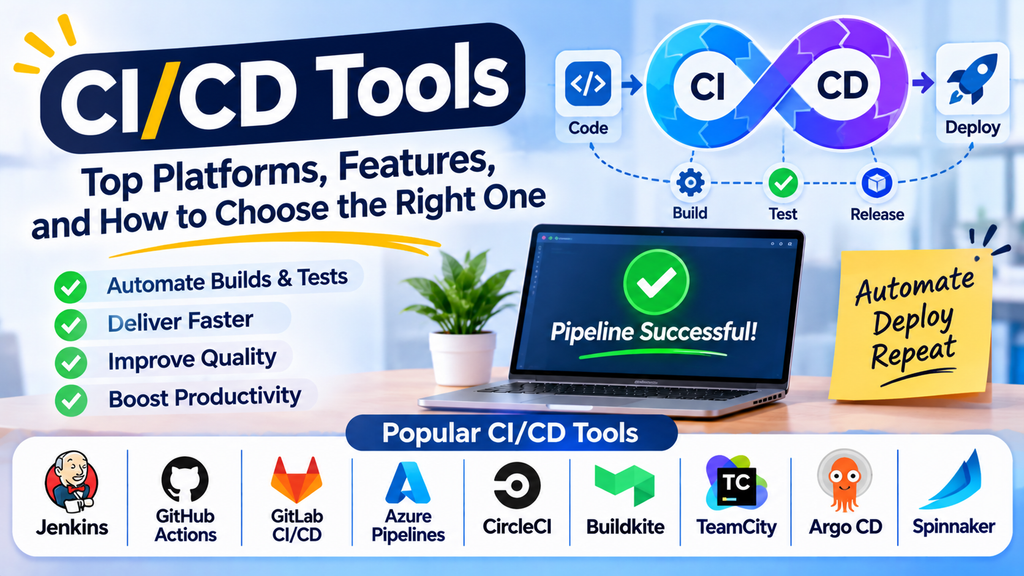
CI/CD tools are essential for modern software development. They help teams automate the process of integrating code changes, running tests, building applications, and deploying software to different environments. By reducing repetitive manual tasks, CI/CD tools improve delivery speed and consistency.
Continuous Integration (CI) focuses on frequently integrating code changes into a shared repository and validating them through automated builds and tests. Continuous Delivery (CD) keeps software ready for release, while Continuous Deployment automatically releases qualifying changes to production when the required checks pass.
What Are CI/CD Tools?
CI/CD tools coordinate the steps between code development and software delivery. They can connect source code repositories, build systems, automated tests, artifact registries, deployment platforms, and monitoring services.
Common capabilities include:
- Automated builds and test execution.
- Pipeline configuration and workflow orchestration.
- Deployment to development, staging, and production environments.
- Notifications and reports about pipeline failures.
- Artifact and release management.
- Approval gates and access controls.
- Integration with source control and cloud platforms.
Popular CI/CD Tools
1. Jenkins
Jenkins is an open-source automation server widely used to build, test, and deploy applications. Its plugin ecosystem supports integrations with many development tools and infrastructure platforms.
Best for: Teams that need customizable pipelines and control over their automation environment.
2. GitHub Actions
GitHub Actions enables teams to automate workflows directly within GitHub repositories. Workflows can run in response to code pushes, pull requests, releases, schedules, and other events.
Best for: Teams using GitHub for source code hosting and collaboration.
3. GitLab CI/CD
GitLab CI/CD provides pipeline automation integrated with GitLab repositories and its broader software development platform. Pipelines are commonly defined using a YAML configuration file.
Best for: Teams that want source control, code review, and pipeline automation in one platform.
4. Azure Pipelines
Azure Pipelines is part of Azure DevOps and supports automated builds, testing, and deployments for a range of application technologies.
Best for: Organizations using Azure DevOps or Microsoft-oriented development workflows.
5. CircleCI
CircleCI provides cloud-based and self-hosted CI/CD options for automating builds, tests, and deployments. It supports configurable workflows and parallel execution capabilities.
Best for: Teams seeking pipeline automation with flexible execution options.
6. Buildkite
Buildkite supports pipeline orchestration using agents that can run on infrastructure controlled by the organization. This provides flexibility over where build and test workloads execute.
Best for: Teams that want hosted pipeline management with control over build infrastructure.
7. TeamCity
TeamCity is a CI/CD platform from JetBrains that supports build automation, test execution, and pipeline management. It provides integrations for a range of development technologies.
Best for: Teams seeking a managed CI/CD platform with detailed build visibility.
8. Argo CD
Argo CD is a declarative GitOps continuous delivery tool for Kubernetes. It synchronizes the desired application state defined in Git with the state running in a Kubernetes cluster.
Best for: Teams deploying and managing Kubernetes applications using GitOps.
9. Spinnaker
Spinnaker is an open-source continuous delivery platform designed for complex, multi-cloud deployment workflows. Organizations should evaluate its operational requirements and current maintenance considerations before adopting it.
Best for: Organizations with sophisticated deployment and release orchestration needs.
CI/CD Tools Comparison
| Tool | Main strength | Suitable use |
|---|---|---|
| Jenkins | Extensible automation | Custom build and deployment pipelines |
| GitHub Actions | GitHub integration | Repository-driven automation |
| GitLab CI/CD | Integrated DevOps workflows | End-to-end software delivery |
| Azure Pipelines | Azure DevOps integration | Enterprise build and release workflows |
| CircleCI | Flexible pipeline execution | Automated testing and delivery |
| Buildkite | Infrastructure control | Custom build environments |
| TeamCity | Build and test visibility | Development teams using JetBrains tools |
| Argo CD | Kubernetes GitOps delivery | Kubernetes application deployment |
| Spinnaker | Release orchestration | Complex multi-cloud delivery |
Features, deployment options, and pricing vary by edition and hosting model. Check current vendor documentation before choosing a tool.
Key Features to Consider
When evaluating CI/CD platforms, look at the following capabilities:
- Source control integration: Compatibility with your Git hosting platform.
- Pipeline configuration: Support for reusable workflows and configuration as code.
- Automated testing: Ability to run unit, integration, and other quality checks.
- Deployment strategies: Support for rolling, blue-green, or canary deployments where needed.
- Secrets management: Secure handling of credentials, tokens, and deployment keys.
- Scalability: Ability to handle growing workloads and parallel jobs.
- Observability: Clear logs, test reports, and failure diagnostics.
- Security controls: Access permissions, audit logs, and appropriate supply-chain security measures.
- Cost: Licensing, build minutes, compute resources, maintenance, and support.
How to Choose the Right CI/CD Tool
Start by reviewing your existing development workflow, source control system, application architecture, and deployment targets. A team using GitHub may find GitHub Actions convenient, while a team standardized on GitLab or Azure DevOps may benefit from its built-in pipeline capabilities.
Consider whether you need a fully managed service or prefer to control the infrastructure. Self-managed tools can offer flexibility but may require additional work to maintain servers, agents, upgrades, and security. Managed platforms can reduce operational overhead but may introduce usage limits or hosting costs.
Build a small pilot pipeline that checks out code, runs tests, creates an artifact, and deploys it to a safe environment. Evaluate reliability, execution time, troubleshooting, permissions, and maintenance before expanding the pipeline.
CI/CD Best Practices
- Keep pipeline configuration in version control.
- Run automated tests before promoting changes to later environments.
- Keep build artifacts consistent across deployment stages.
- Store credentials in secure secrets-management systems.
- Use least-privilege permissions for pipelines and deployment identities.
- Make pipeline failures easy to diagnose with logs and test reports.
- Use caching and parallel execution where they improve performance.
- Add approval controls for sensitive production deployments when appropriate.
- Monitor deployed applications and provide a rollback strategy.
- Review pipeline reliability, security, and execution time regularly.
Common CI/CD Challenges
Pipelines can become slow when tests run inefficiently, dependencies are downloaded repeatedly, or jobs are not appropriately parallelized. Configuration drift, exposed secrets, unreliable tests, and inconsistent deployment environments can also cause failures.
Teams can address these issues by standardizing pipeline templates, keeping environments reproducible, improving test reliability, and reviewing permissions regularly. Deployment automation should include monitoring and recovery plans, not just a successful release command.
Conclusion
CI/CD tools help teams automate code integration, testing, builds, and software deployment. Jenkins, GitHub Actions, GitLab CI/CD, Azure Pipelines, CircleCI, Buildkite, TeamCity, Argo CD, and Spinnaker offer different approaches to software delivery automation.
The right tool depends on your source control platform, application architecture, infrastructure, security requirements, and budget. Well-designed pipelines and reliable automated tests are essential to making CI/CD effective and sustainable.
