Upgrade & Secure Your Future with DevOps, SRE, DevSecOps, MLOps!
We spend hours scrolling social media and waste money on things we forget, but won’t spend 30 minutes a day earning certifications that can change our lives.
Master in DevOps, SRE, DevSecOps & MLOps by DevOps School!
Learn from Guru Rajesh Kumar and double your salary in just one year.
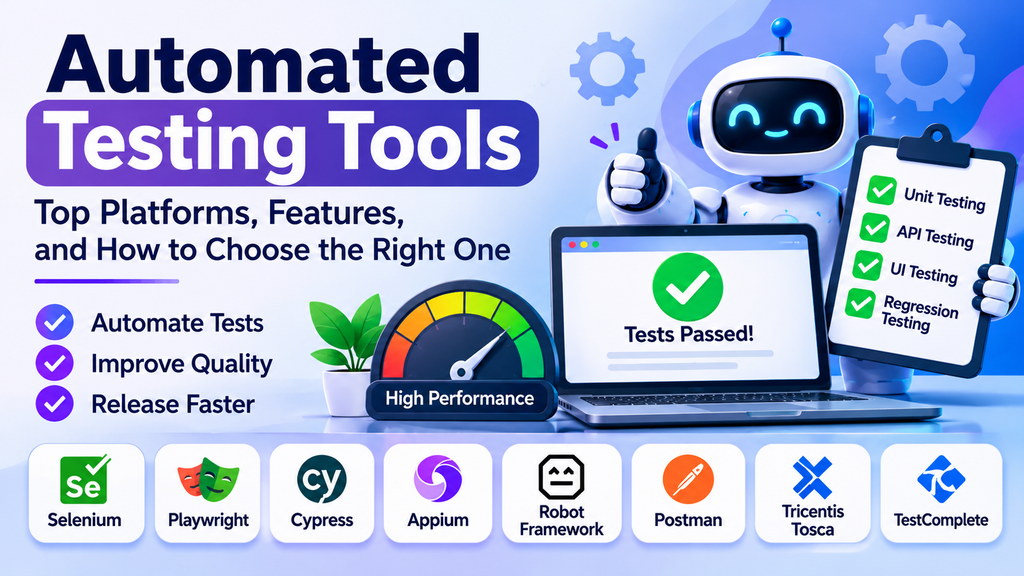
Automated testing tools help software teams execute tests with minimal manual intervention. They validate application functionality, detect regressions, improve test consistency, and support faster software releases. By automating repetitive checks, teams can spend more time investigating complex issues and improving product quality.
Automation is especially useful when applications change frequently and the same tests need to run across multiple releases, browsers, devices, or environments.
What Are Automated Testing Tools?
Automated testing tools execute predefined test cases, compare actual results with expected outcomes, and report failures for investigation. Depending on the tool, tests may cover user interfaces, APIs, mobile applications, databases, or individual software components.
Common forms of automated testing include:
- Unit testing: Validates individual functions, classes, or components.
- Integration testing: Checks whether software components work together correctly.
- API testing: Verifies endpoints, responses, authentication, and business rules.
- UI testing: Automates interactions with application interfaces.
- Regression testing: Confirms that existing functionality still works after changes.
- Mobile testing: Tests applications across devices, operating systems, and screen sizes.
Popular Automated Testing Tools
1. Selenium
Selenium is a widely used open-source framework for automating web browsers. It supports multiple programming languages and browser environments.
Best for: Teams that need flexible, cross-browser web automation.
2. Playwright
Playwright supports browser automation for Chromium, Firefox, and WebKit. It includes capabilities for handling modern web applications, browser contexts, and asynchronous interactions.
Best for: Developers who want reliable end-to-end tests for modern web applications.
3. Cypress
Cypress provides a developer-focused environment for testing web applications. Its test runner and debugging capabilities help teams investigate UI behavior and failures.
Best for: Front-end teams building and testing web applications.
4. Appium
Appium is an open-source automation framework for native, hybrid, and mobile web applications. It supports automated testing on Android and iOS.
Best for: Teams that need mobile application test automation.
5. Robot Framework
Robot Framework is an open-source, keyword-driven automation framework with an extensible library ecosystem. It can be used for acceptance testing and other automation tasks.
Best for: Teams that prefer readable, keyword-based test cases.
6. Postman
Postman supports API development and testing, including automated test scripts and collection runs. Teams can validate responses and integrate API checks into delivery workflows.
Best for: API testing and automated service validation.
7. Tricentis Tosca
Tricentis Tosca is a commercial test automation platform designed to support enterprise testing across different application types and technologies.
Best for: Organizations that need enterprise-level test management and automation capabilities.
8. TestComplete
TestComplete provides automated UI testing capabilities for desktop, web, and mobile applications. It supports both script-based and visual test creation approaches.
Best for: Teams testing applications across multiple interface types.
Key Features to Look For
When comparing automated testing tools, consider these important capabilities:
- Application coverage: Support for your web, mobile, desktop, API, or backend technologies.
- Programming language support: Compatibility with the languages your team uses.
- Test maintenance: Features that make tests easier to update when applications change.
- Reporting and debugging: Clear logs, screenshots, traces, and failure details.
- CI/CD integration: Ability to run tests automatically during builds and deployments.
- Parallel execution: Support for running tests concurrently when appropriate.
- Cross-browser and device coverage: Options for validating different environments.
- Cost and licensing: Total costs, including infrastructure, support, and maintenance.
Automated Testing Tools Comparison
| Tool | Main strength | Suitable use |
|---|---|---|
| Selenium | Flexible browser automation | Cross-browser web testing |
| Playwright | Modern browser automation | End-to-end web testing |
| Cypress | Developer-friendly test runner | Front-end testing |
| Appium | Mobile automation | Android and iOS testing |
| Robot Framework | Keyword-driven approach | Acceptance testing |
| Postman | API test automation | Service and API validation |
| Tricentis Tosca | Enterprise test automation | Complex enterprise environments |
| TestComplete | Multi-platform UI testing | Desktop, web, and mobile interfaces |
The best option depends on the application’s architecture, team skills, testing goals, and existing development workflow.
How to Choose the Right Tool
Start by identifying what you need to test. A web application may benefit from Playwright, Selenium, or Cypress, while a mobile application may require Appium. API-focused workflows can use Postman, while enterprise environments may need broader platform coverage.
Evaluate the team’s technical skills, integration requirements, test maintenance effort, and reporting needs. Then create a small proof of concept using representative test cases. Measure how easily the tool handles your application, how clearly it reports failures, and how well it fits into your development pipeline.
Avoid choosing a tool based only on popularity. A suitable tool should solve your actual testing problems without creating unnecessary complexity.
Best Practices for Test Automation
- Automate stable, repetitive, and high-value test cases first.
- Keep test scripts modular, readable, and reusable.
- Use reliable test data and isolate tests where possible.
- Avoid fragile selectors and unnecessary timing delays.
- Run appropriate tests during code reviews, builds, and deployments.
- Investigate flaky tests instead of repeatedly ignoring failures.
- Maintain test documentation and review coverage regularly.
- Combine automated checks with exploratory and manual testing when human judgment is valuable.
Automation is not a replacement for every form of testing. It is most effective when integrated into a balanced quality assurance strategy.
Common Challenges
Automated tests can become unreliable when user interfaces change frequently, test data is inconsistent, or environments are unstable. Poorly designed test suites can also take too long to run and become expensive to maintain.
Teams can reduce these challenges by using clear test architecture, stable test environments, reusable components, and meaningful assertions. Regularly review failures to distinguish genuine product defects from problems in the tests themselves.
Conclusion
Automated testing tools help teams improve consistency, reduce repetitive manual work, and detect software defects earlier in the development process. Selenium, Playwright, Cypress, Appium, Robot Framework, Postman, Tricentis Tosca, and TestComplete offer different capabilities for web, mobile, API, and enterprise testing.
