Upgrade & Secure Your Future with DevOps, SRE, DevSecOps, MLOps!
We spend hours scrolling social media and waste money on things we forget, but won’t spend 30 minutes a day earning certifications that can change our lives.
Master in DevOps, SRE, DevSecOps & MLOps by DevOps School!
Learn from Guru Rajesh Kumar and double your salary in just one year.
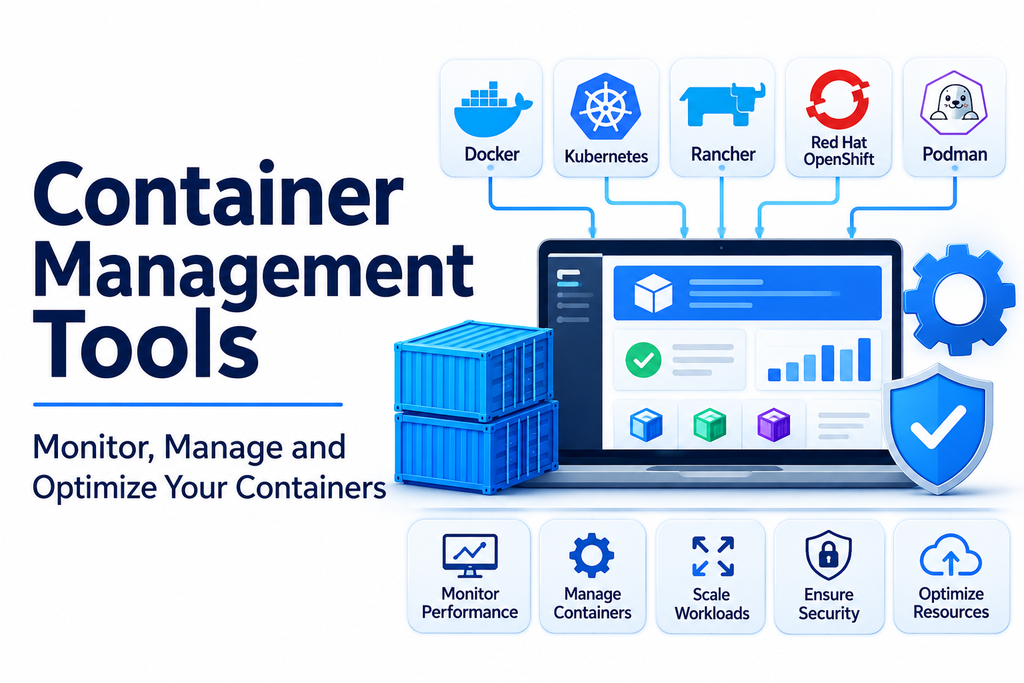
Containers have become an essential part of modern software development and IT infrastructure. They allow developers to package applications with their dependencies, making software easier to build, test, deploy, and run across different environments. However, as organizations adopt more containers, managing them efficiently becomes increasingly important.
Container management tools help development and operations teams create, run, monitor, organize, and maintain containerized applications. They provide centralized interfaces, automation capabilities, resource monitoring, security controls, and deployment features that simplify container operations.
Whether managing a few development containers or operating large enterprise environments, the right tools can improve productivity, reduce operational complexity, and support reliable application delivery.
What Are Container Management Tools?
Container management tools are software platforms and utilities designed to manage the lifecycle of containers. They help teams perform tasks such as creating containers, managing images, configuring environments, monitoring performance, and maintaining application availability.
These tools can support individual developers working on local machines as well as organizations operating containers across multiple servers and cloud environments.
Common capabilities include:
- Container creation and deployment: Build, configure, and launch containers.
- Lifecycle management: Start, stop, restart, and remove containers.
- Image management: Store, download, update, and organize container images.
- Performance monitoring: Track CPU, memory, network, and storage usage.
- Access management: Control who can create, modify, and manage containers.
- Security management: Identify vulnerabilities and apply security policies.
- Centralized administration: Manage multiple containers and environments through a unified interface.
Popular Container Management Tools
1. Docker
Docker is one of the most widely recognized containerization platforms. It provides tools for building, packaging, distributing, and running containerized applications.
Docker includes command-line utilities, image management features, and developer tools that simplify container workflows.
Key capabilities:
- Build and manage container images.
- Run and manage application containers.
- Create multi-container environments using Docker Compose.
- Store and distribute images through container registries.
- Support development and testing workflows.
Best suited for: Developers and teams building, testing, and running containerized applications.
2. Podman
Podman is an open-source container management tool that allows users to create, run, and manage containers without requiring a continuously running central daemon.
It supports many familiar container workflows and is designed with security and flexibility in mind.
Key capabilities:
- Run containers without a central daemon.
- Support rootless container operations.
- Manage images, pods, and container networks.
- Work with OCI-compatible container images.
- Provide command-line workflows familiar to Docker users.
Best suited for: Developers and administrators who need flexible container management with additional security options.
3. Portainer
Portainer is a container management platform that provides a graphical interface for managing container environments. It helps users administer containers, images, networks, volumes, and orchestration environments.
Its visual dashboard makes container operations more accessible to teams that prefer graphical management over command-line administration.
Key capabilities:
- Centralized container management dashboard.
- Manage Docker and Kubernetes environments.
- Deploy and monitor applications.
- Manage users and access permissions.
- Organize container resources through a graphical interface.
Best suited for: IT administrators and development teams that want simplified visual management of container infrastructure.
4. Rancher
Rancher is a Kubernetes management platform that helps organizations operate containerized workloads across multiple clusters and infrastructure environments.
It provides centralized administration, access control, and cluster management features for distributed container environments.
Key capabilities:
- Centralized Kubernetes cluster management.
- Cluster provisioning and administration.
- Role-based access control.
- Monitoring and security integrations.
- Support for cloud and on-premises environments.
Best suited for: Organizations managing multiple Kubernetes clusters across different infrastructure environments.
5. Red Hat OpenShift
Red Hat OpenShift is an enterprise application platform built around Kubernetes. It combines container management, application deployment, developer tools, and enterprise administration capabilities.
It helps organizations manage application workloads while supporting security, automation, and hybrid cloud operations.
Key capabilities:
- Kubernetes-based application management.
- Container deployment and lifecycle management.
- Integrated developer workflows.
- Enterprise security and access controls.
- Hybrid and multi-cloud deployment support.
Best suited for: Enterprises that require an integrated platform for managing containerized applications and development workflows.
6. Docker Desktop
Docker Desktop provides a convenient environment for developing and managing containers on desktop operating systems. It combines Docker Engine, command-line tools, and a graphical interface to support local development.
Key capabilities:
- Build and run containers locally.
- Manage images and container resources.
- Support Docker Compose workflows.
- Provide development environment integrations.
- Simplify container testing and troubleshooting.
Best suited for: Developers who need a local container environment for building and testing applications.
7. Mirantis Kubernetes Engine
Mirantis Kubernetes Engine is an enterprise container management and orchestration platform designed to support containerized workloads across infrastructure environments.
It is associated with enterprise container operations and infrastructure management, including environments that use Docker-based technologies.
Key capabilities:
- Enterprise container infrastructure management.
- Support for Kubernetes-based workloads.
- Cluster administration and deployment.
- Integration with enterprise infrastructure.
- Support for distributed application environments.
Best suited for: Enterprises looking for commercial solutions to manage containerized infrastructure and workloads.
Container Management Tools Comparison
| Tool | Main strength | Best suited for |
|---|---|---|
| Docker | Container development and lifecycle management | Developers and DevOps teams |
| Podman | Daemonless and rootless container management | Security-conscious teams |
| Portainer | Visual container administration | IT administrators |
| Rancher | Multi-cluster Kubernetes management | Enterprise infrastructure teams |
| Red Hat OpenShift | Enterprise container application platform | Large organizations |
| Docker Desktop | Local container development | Individual developers |
| Mirantis Kubernetes Engine | Enterprise container infrastructure | Enterprise IT teams |
Each platform serves different requirements. Some focus on local development, while others provide centralized management for enterprise container infrastructure.
Important Features to Look For
Selecting a container management tool requires understanding the features that matter most to your environment.
1. Easy Container Lifecycle Management
The platform should make it simple to create, start, stop, restart, and remove containers. Efficient lifecycle controls help reduce manual work and operational errors.
2. Container Image Management
Image management capabilities allow teams to build, store, retrieve, update, and organize container images. Integration with registries can simplify application distribution.
3. Monitoring and Performance Tracking
Monitoring features help administrators understand container resource consumption, application health, and operational performance.
4. Security and Access Controls
Look for user permissions, image vulnerability scanning integrations, secrets management, and secure configuration options.
5. Networking and Storage Management
Containers often require communication between services and persistent storage. Networking and volume management features help maintain reliable application environments.
6. Automation and Integration
Integration with CI/CD pipelines, configuration management systems, and deployment tools can improve consistency and speed up application delivery.
7. Centralized Administration
For organizations managing many containers, a centralized dashboard can simplify administration and provide better visibility across environments.
Business Applications of Container Management Tools
Container management tools support a variety of business and technology operations.
- Software development: Developers can create consistent environments for building and testing applications.
- DevOps automation: Teams can integrate container workflows into automated development and deployment pipelines.
- Microservices applications: Organizations can manage individual services that operate together as larger applications.
- Cloud infrastructure: Businesses can manage containerized workloads across cloud and hybrid environments.
- Enterprise IT: Administrators can monitor container resources and maintain operational standards.
- Testing environments: Teams can quickly create isolated environments for application testing.
- Application modernization: Organizations can move traditional applications toward container-based deployment models.
Container Management vs. Container Orchestration
Container management and container orchestration are closely related, but they are not identical.
Container management focuses on the lifecycle and administration of individual containers and their associated resources. It includes creating containers, managing images, configuring networks, and monitoring resource usage.
Container orchestration focuses on coordinating containers across multiple machines. It automates workload scheduling, scaling, service discovery, and recovery.
For example, Docker and Podman provide container creation and management capabilities, while Kubernetes coordinates containerized workloads across a cluster. Tools such as Portainer and Rancher provide management interfaces for container and Kubernetes environments.
Organizations often use several complementary tools rather than relying on one platform for every task.
Common Challenges
Although container management tools simplify many tasks, organizations may still encounter operational challenges.
- Complex environments: Managing large numbers of containers can require advanced configuration and administration.
- Security risks: Outdated images, weak access controls, and insecure configurations can expose applications.
- Resource consumption: Poorly managed containers can waste CPU, memory, and storage.
- Monitoring difficulties: Distributed applications can make troubleshooting more complicated.
- Compatibility issues: Different platforms may have varying capabilities and integration requirements.
- Skills gaps: Teams may need training to manage container infrastructure effectively.
Using standardized configurations, security policies, automation, and monitoring practices can help reduce these challenges.
How to Choose the Right Container Management Tool
Before adopting a platform, consider the following factors:
- Identify your requirements: Determine whether you need local development tools, centralized administration, or enterprise infrastructure management.
- Evaluate compatibility: Check support for your operating systems, container runtimes, cloud platforms, and existing infrastructure.
- Review security features: Assess access controls, image management, vulnerability scanning integrations, and security policies.
- Consider scalability: Choose a platform that can support your expected container workloads and future growth.
- Compare usability: Evaluate command-line tools, graphical interfaces, automation options, and administrative workflows.
- Check integrations: Ensure compatibility with your monitoring, CI/CD, storage, and deployment systems.
- Calculate total cost: Consider licensing, infrastructure, support, training, and ongoing maintenance.
Testing shortlisted tools in a small environment can help organizations understand their practical benefits and limitations before wider adoption.
Conclusion
Container management tools play an important role in modern software development and infrastructure operations. They help organizations manage container lifecycles, organize images, monitor performance, strengthen security, and simplify application deployment.
Docker and Podman provide essential container management capabilities, while Docker Desktop supports local development. Portainer offers visual administration, and platforms such as Rancher and Red Hat OpenShift support broader enterprise container environments.
The best solution depends on workload complexity, infrastructure, security requirements, team expertise, and budget. By selecting suitable tools and establishing consistent management practices, organizations can build more efficient, scalable, and reliable container-based environments.
