Upgrade & Secure Your Future with DevOps, SRE, DevSecOps, MLOps!
We spend hours scrolling social media and waste money on things we forget, but won’t spend 30 minutes a day earning certifications that can change our lives.
Master in DevOps, SRE, DevSecOps & MLOps by DevOps School!
Learn from Guru Rajesh Kumar and double your salary in just one year.
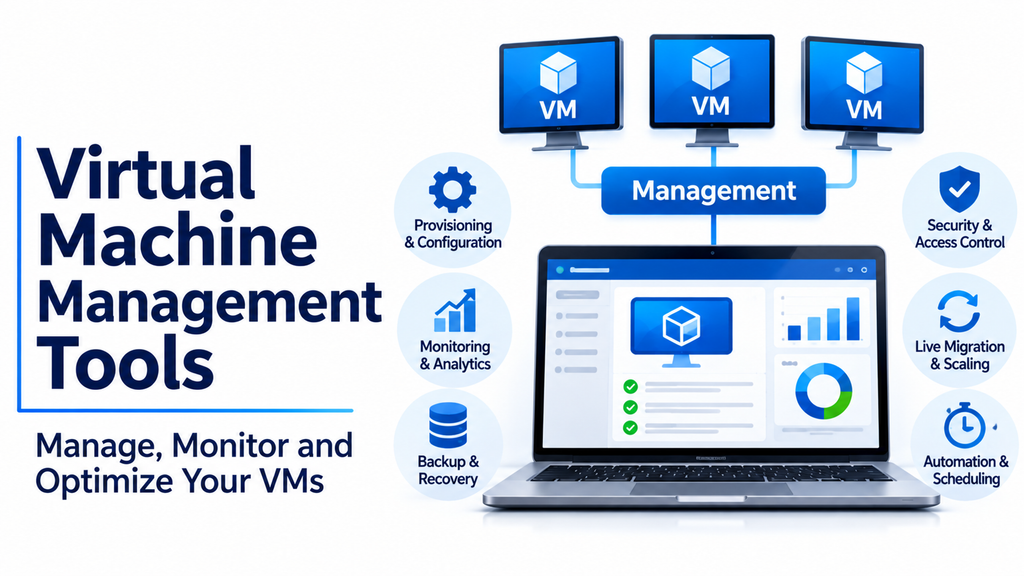
Virtual machine management tools play an important role in modern IT infrastructure by helping organizations create, configure, monitor, and maintain virtual machines across different computing environments. As businesses increasingly rely on virtualization, managing multiple virtual machines efficiently has become essential for maintaining performance, security, and operational stability.
Virtual machines allow multiple operating systems and applications to operate on shared physical hardware. However, managing these environments requires specialized software that provides centralized administration, resource allocation, monitoring, automation, and troubleshooting capabilities.
From small development laboratories to enterprise data centers, virtual machine management tools help IT teams simplify infrastructure operations and make better use of available computing resources.
What Are Virtual Machine Management Tools?
Virtual machine management tools are software applications or platforms that help administrators control virtual machines and their underlying infrastructure.
They provide interfaces for managing virtual machine lifecycles, allocating hardware resources, configuring virtual networks, monitoring performance, and performing maintenance operations.
Depending on the platform, administrators can manage individual virtual machines or oversee large environments containing multiple virtualization hosts.
Common capabilities include:
- Virtual machine provisioning: Create and deploy new virtual machines.
- Resource allocation: Assign CPU, memory, storage, and network resources.
- Performance monitoring: Track virtual machine and host performance.
- Snapshot management: Capture virtual machine states for testing and recovery.
- Migration: Move virtual machines between compatible hosts.
- Automation: Automate repetitive administration tasks.
- Backup management: Protect virtual machines and their data.
- Access control: Manage administrator permissions and user access.
- Lifecycle management: Start, stop, clone, update, and retire virtual machines.
These capabilities make virtual machine management software valuable for businesses operating virtualized servers, development environments, and private cloud infrastructure.
Popular Virtual Machine Management Tools
Different platforms provide different approaches to virtual machine administration. Some focus on enterprise virtualization, while others offer open-source management or specialized infrastructure control.
VMware vCenter Server: Centralized Enterprise VM Management
VMware vCenter Server is a centralized management platform for VMware vSphere environments.
It allows administrators to manage multiple ESXi hosts and their virtual machines through a common interface.
Instead of configuring every virtualization host independently, IT teams can manage infrastructure resources, monitor workloads, and perform administrative operations centrally.
vCenter is particularly useful in enterprise environments where numerous virtual machines operate across multiple physical servers.
Key capabilities:
- Centralized virtual machine administration.
- ESXi host management.
- Resource allocation and monitoring.
- Virtual machine migration management.
- Cluster administration.
- Role-based access control.
- Integration with VMware infrastructure.
Best suited for: Enterprise IT departments, data centers, and organizations operating VMware virtualization environments.
Consideration: Evaluate current VMware licensing, subscription requirements, infrastructure compatibility, and deployment costs.
Microsoft System Center Virtual Machine Manager (SCVMM): Windows-Based VM Administration
Microsoft System Center Virtual Machine Manager is designed to manage virtualized infrastructure within Microsoft environments.
It provides centralized administration for virtual machines, virtualization hosts, and related infrastructure resources.
SCVMM is particularly relevant to organizations that operate Hyper-V environments and need more advanced management capabilities than individual host-level administration.
Key capabilities:
- Virtual machine provisioning.
- Hyper-V host management.
- Virtual network configuration.
- Resource allocation.
- Template-based deployment.
- Infrastructure monitoring and administration.
- Management of supported virtualization environments.
Best suited for: Enterprises using Microsoft virtualization technologies and IT teams managing multiple Hyper-V hosts.
Consideration: Check compatibility with the organization’s System Center version, Windows Server environment, and licensing requirements.
Proxmox VE: Open-Source Virtual Machine Management
Proxmox Virtual Environment is an open-source platform that combines virtual machine and container management within a centralized interface.
It supports KVM-based virtual machines and Linux Containers, allowing administrators to manage different workloads from one environment.
Its web-based dashboard provides tools for creating virtual machines, configuring storage, managing networking, and monitoring infrastructure.
Proxmox VE also supports clustering and integrates with backup capabilities, making it useful for organizations that want flexible virtualization management.
Key capabilities:
- KVM virtual machine administration.
- Linux Container management.
- Centralized web interface.
- Cluster management.
- Storage configuration.
- Backup and restoration features.
- Virtual machine migration.
Best suited for: Small and medium-sized businesses, Linux administrators, developers, and organizations seeking open-source virtualization management.
Consideration: Production environments require appropriate Linux administration knowledge, hardware planning, and backup configuration.
Nutanix Prism: Hyperconverged Infrastructure Management
Nutanix Prism provides centralized management and monitoring capabilities for Nutanix infrastructure.
It helps administrators manage virtual machines, storage resources, clusters, and infrastructure performance through an integrated interface.
Prism is designed to simplify operations in hyperconverged environments, where computing, storage, and virtualization resources are managed together.
Key capabilities:
- Virtual machine management.
- Infrastructure monitoring.
- Cluster administration.
- Resource utilization insights.
- Storage management.
- Capacity planning.
- Integration with Nutanix infrastructure.
Best suited for: Enterprises, IT infrastructure teams, and businesses using Nutanix hyperconverged platforms.
Consideration: Its functionality is closely connected to the Nutanix ecosystem, so organizations should evaluate infrastructure dependencies and licensing.
OpenStack: Managing Large-Scale Virtualized Infrastructure
OpenStack is an open-source cloud computing platform that provides infrastructure management capabilities, including virtual machine provisioning.
Its Nova service handles compute resource management, allowing users to create and manage virtual machine instances across infrastructure environments.
OpenStack is commonly used for building private clouds and managing large-scale infrastructure.
Key capabilities:
- Virtual machine provisioning.
- Compute resource management.
- Networking integration.
- Storage service integration.
- Multi-tenant infrastructure.
- API-based administration.
- Automation and orchestration.
Best suited for: Cloud service providers, large enterprises, infrastructure engineers, and organizations building private cloud platforms.
Consideration: OpenStack offers considerable flexibility but requires expertise in networking, storage, deployment, and distributed infrastructure management.
virt-manager: Graphical Management for KVM Virtual Machines
virt-manager is a graphical desktop application for managing virtual machines through the libvirt virtualization management framework.
It is commonly used with KVM-based virtualization on Linux systems.
The application provides an interface for creating virtual machines, configuring hardware resources, connecting to virtual consoles, and managing virtual machine operations.
Key capabilities:
- Graphical virtual machine creation.
- CPU and memory configuration.
- Virtual storage management.
- Virtual network configuration.
- Remote hypervisor connections.
- Virtual machine console access.
Best suited for: Linux administrators, developers, and users managing local or remote KVM environments.
Consideration: It is primarily a virtualization management interface rather than a complete enterprise infrastructure management platform.
Cockpit: Web-Based Linux Server and VM Administration
Cockpit is a web-based management interface for Linux servers.
With its virtualization functionality and associated tools, administrators can manage supported virtual machines and monitor server resources through a browser.
It provides a convenient way to perform common server administration activities without relying exclusively on command-line operations.
Key capabilities:
- Browser-based server administration.
- Virtual machine management through supported components.
- Resource monitoring.
- Storage administration.
- Network management.
- Linux system administration.
Best suited for: Linux system administrators, small IT teams, and organizations managing Linux-based virtualization environments.
Consideration: Virtual machine functionality depends on the installed components and supported Linux distribution.
Comparing Popular Virtual Machine Management Tools
| Tool | Primary focus | Suitable environment |
|---|---|---|
| VMware vCenter Server | Enterprise VMware administration | VMware data centers |
| Microsoft SCVMM | Microsoft virtualization management | Hyper-V environments |
| Proxmox VE | Open-source VM and container management | Linux infrastructure |
| Nutanix Prism | Hyperconverged infrastructure | Nutanix environments |
| OpenStack | Cloud infrastructure management | Private and public cloud |
| virt-manager | Graphical KVM administration | Linux systems |
| Cockpit | Web-based server administration | Linux environments |
Each platform serves a different purpose. Organizations should compare the management capabilities with their existing virtualization infrastructure rather than selecting software based only on the number of features.
Important Features to Consider When Choosing VM Management Software
Selecting a suitable virtual machine management solution requires evaluating the technical and operational requirements of the environment.
Centralized Management
A centralized management interface helps administrators control multiple virtual machines and hosts without accessing every system individually.
It should make common tasks such as provisioning, configuration, monitoring, and maintenance easier to perform.
Resource Allocation and Optimization
Virtual machines share the resources of physical hosts.
Management software should provide visibility into CPU, memory, storage, and network consumption.
This helps administrators identify resource bottlenecks and distribute workloads more effectively.
Virtual Machine Migration
Migration capabilities allow administrators to move virtual machines between compatible hosts.
This is useful for hardware maintenance, workload balancing, and infrastructure upgrades.
For important business workloads, evaluate live migration support and any requirements involving shared storage, networking, or host compatibility.
Snapshot and Backup Management
Snapshots can capture the state of a virtual machine at a particular moment.
They are useful for testing changes and performing certain recovery operations, but they should not be treated as independent backups.
Look for backup integration, restoration options, retention policies, and recovery testing capabilities.
Automation and Scripting
Automation reduces repetitive administration tasks.
Useful features include automated provisioning, scheduled operations, configuration templates, and API access.
Platforms with scripting capabilities can help organizations maintain consistent virtual machine configurations across large environments.
Security and Access Management
Virtual machine management tools should provide administrative access controls and secure management interfaces.
Important features include:
- Role-based permissions.
- Multi-factor authentication where supported.
- Secure administrator connections.
- Activity logging.
- Access restrictions.
- Integration with organizational identity systems.
Scalability
As organizations expand, the management platform should support additional virtual machines, hosts, and infrastructure resources.
Evaluate its ability to manage larger environments without introducing excessive operational complexity.
Monitoring and Reporting
Performance monitoring helps administrators understand the health of virtual machines and their underlying hosts.
Useful monitoring information includes CPU utilization, memory consumption, disk performance, network traffic, and resource availability.
Reporting capabilities also help with capacity planning and infrastructure reviews.
Common Business Applications of Virtual Machine Management Tools
Virtual machine management software supports several important IT activities.
Data center administration: IT teams can manage virtual servers, allocate resources, and monitor workloads from centralized interfaces.
Software development: Developers can create and maintain isolated virtual environments for testing applications and operating systems.
Cloud infrastructure: Organizations can use VM management platforms to provision computing resources within private cloud environments.
Disaster recovery: Virtual machine backup and restoration workflows help organizations prepare for infrastructure failures.
Server consolidation: Businesses can manage multiple virtual servers running on shared physical hardware.
Testing environments: Teams can create temporary virtual machines for software validation and system experiments.
Infrastructure maintenance: Administrators can migrate workloads and perform maintenance on physical hosts with appropriate platform support.
VM Management Tools vs. Hypervisors
Virtual machine management tools and hypervisors are related technologies, but they perform different functions.
A hypervisor is the virtualization layer responsible for running and isolating virtual machines on physical hardware.
A virtual machine management tool provides an administrative interface for controlling those virtual machines and the infrastructure around them.
| Feature | Hypervisor | VM Management Tool |
|---|---|---|
| Main purpose | Run virtual machines | Administer virtual infrastructure |
| Hardware resource control | Core function | Configures and monitors allocation |
| VM creation | Supported by many hypervisors | Provides management workflows |
| Centralized administration | Depends on the product | Often a major capability |
| Monitoring | Varies | Often provides broader management |
| Automation | Platform-dependent | May provide scripting and orchestration |
For example, KVM is a virtualization technology, while virt-manager provides a graphical interface for managing KVM-based virtual machines.
Similarly, ESXi runs virtual machines, while vCenter Server provides centralized management for supported VMware environments.
Common Challenges in Virtual Machine Management
Managing virtual machines can become complicated as infrastructure grows.
Some common challenges include:
- Resource overcommitment: Excessive virtual machine allocation can affect host performance.
- Storage limitations: Insufficient storage performance can slow down multiple virtual machines.
- Configuration inconsistency: Manually configured virtual machines may develop differences over time.
- Security risks: Unrestricted administrative access can expose critical infrastructure.
- Backup complexity: Virtual machine backups require proper scheduling, retention, and recovery testing.
- Infrastructure visibility: Large environments can make performance monitoring more difficult.
- Licensing complexity: Different virtualization platforms have different commercial and subscription requirements.
Organizations can address these issues through standardized templates, resource monitoring, access policies, automated maintenance, and documented recovery procedures.
How to Choose the Right Virtual Machine Management Tool
The best management tool depends on the virtualization platform, number of virtual machines, infrastructure architecture, and technical capabilities of the IT team.
VMware vCenter Server is suitable for organizations operating VMware environments. Microsoft SCVMM is relevant to businesses managing Hyper-V infrastructure. Proxmox VE offers an integrated open-source approach, while Nutanix Prism is designed for Nutanix infrastructure.
OpenStack is worth evaluating for private cloud deployments, while virt-manager and Cockpit can be useful for Linux administration.
Before making a decision, consider:
- Existing hypervisor and server infrastructure.
- Number of virtual machines and physical hosts.
- Centralized management requirements.
- Storage and networking architecture.
- Automation and API capabilities.
- Backup and recovery integration.
- Security and access control requirements.
- Licensing and maintenance costs.
A practical evaluation should include virtual machine creation, resource allocation, migration, monitoring, backup, and restoration tests.
Building an Efficient Virtual Machine Management Environment
Virtual machine management tools help organizations maintain control over increasingly complex virtualized infrastructure.
They simplify administration, improve resource visibility, support automation, and provide centralized control over virtual machines and their underlying hosts.
VMware vCenter Server, Microsoft SCVMM, Proxmox VE, Nutanix Prism, OpenStack, virt-manager, and Cockpit offer different approaches to managing virtualized environments.
The right platform should match the organization’s virtualization technology, operational requirements, and long-term infrastructure strategy.
With appropriate monitoring, resource planning, automation, security policies, and backup practices, businesses can build a more reliable and manageable virtual machine environment.
