Upgrade & Secure Your Future with DevOps, SRE, DevSecOps, MLOps!
We spend hours scrolling social media and waste money on things we forget, but won’t spend 30 minutes a day earning certifications that can change our lives.
Master in DevOps, SRE, DevSecOps & MLOps by DevOps School!
Learn from Guru Rajesh Kumar and double your salary in just one year.
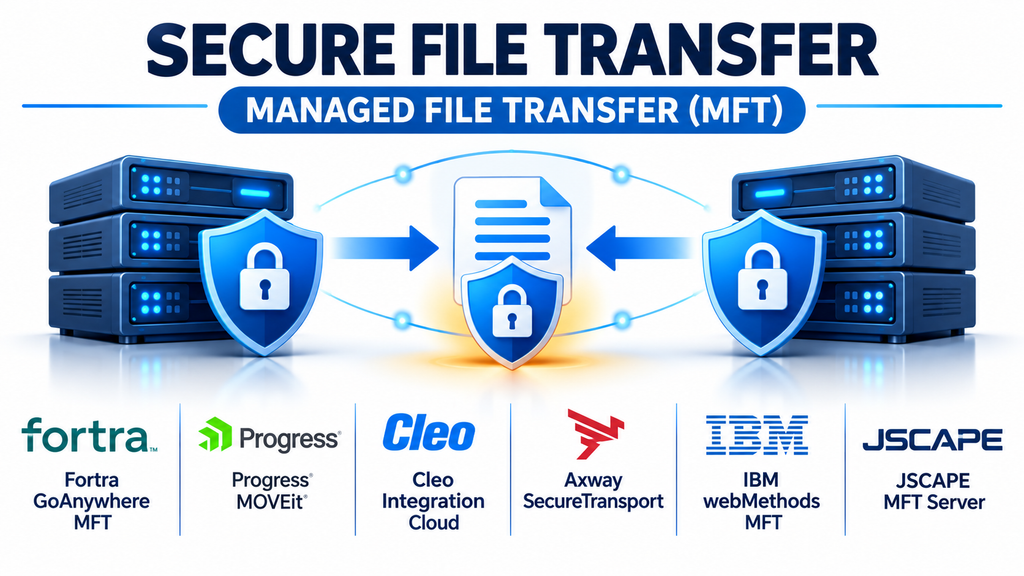
Managed File Transfer (MFT) software helps organizations exchange sensitive files between employees, customers, business partners, applications, and internal systems. Unlike basic file-transfer utilities, MFT platforms combine secure transmission with centralized administration, automated workflows, access controls, monitoring, and audit records.
Businesses frequently transfer payroll information, financial reports, customer records, invoices, healthcare documents, and operational data. These transfers often happen repeatedly and involve multiple systems. Managing them manually can introduce delays, inconsistent security practices, and unnecessary operational risks.
MFT tools address these challenges by providing a structured environment for controlling how files are sent, received, processed, and tracked.
What Is Managed File Transfer Software?
Managed File Transfer is a technology approach that centralizes and automates file exchange across an organization’s IT environment.
Traditional file transfer may rely on individual applications, scripts, or standalone protocols. MFT builds additional management capabilities around these transfers.
Common capabilities include:
- Encryption: Protecting information during transmission and, where supported, while stored.
- Authentication: Verifying the identity of users and connected systems.
- Workflow automation: Scheduling and triggering recurring transfers.
- Centralized monitoring: Tracking transfer progress and identifying failures.
- Audit logging: Recording file-transfer activity for operational reviews.
- Access management: Restricting file access to authorized users and systems.
- Protocol support: Connecting through SFTP, FTPS, HTTPS, AS2, and other supported methods.
- Error handling: Retrying failed transfers and notifying administrators.
These features make MFT particularly useful when file exchange is part of a critical business process rather than an occasional manual activity.
Leading Managed File Transfer Platforms
Different MFT applications target different organizational requirements. Some focus on automated workflows, while others emphasize enterprise integration, partner connectivity, or centralized governance.
GoAnywhere MFT: Automation and Centralized Transfer Management
<text weight=”medium” color=”default”>Fortra GoAnywhere MFT</text> is designed to manage secure file exchanges between internal systems, employees, customers, and external trading partners.
Its capabilities include workflow automation, scheduling, monitored folders, protocol connectivity, and centralized auditing. It also supports connections to cloud storage and business applications.
Organizations can use it to automate recurring exchanges rather than relying on separate scripts and manually operated transfer tools.
GoAnywhere supports on-premises, cloud, and hybrid deployment approaches, making it relevant to organizations with different infrastructure requirements. <Cite refs={[“turn263050search0″,”turn263050search1”]}/>
Suitable for: Businesses automating recurring transfers, organizations exchanging files with trading partners, and IT departments consolidating transfer workflows.
Consideration: Evaluate licensing, deployment requirements, integration availability, and the complexity of existing transfer processes.
Progress MOVEit: Secure Business File Exchange
<text weight=”medium” color=”default”>Progress MOVEit</text> is a managed file transfer platform used for controlled business file exchange.
It is designed to help organizations manage sensitive file transfers through security controls, transfer visibility, and administrative capabilities.
MOVEit is relevant to organizations that need to exchange information with customers, employees, suppliers, and business partners while maintaining oversight of file movement.
Its position in the MFT market makes it an option worth evaluating alongside other enterprise transfer platforms. <Cite refs={[“turn263050search2”]}/>
Suitable for: Enterprises, financial organizations, healthcare-related workflows, and businesses managing recurring external file exchanges.
Consideration: Compare the available deployment and automation options, including which capabilities require separate modules or subscriptions.
Cleo Integration Cloud: File Transfer and Business Integration
<text weight=”medium” color=”default”>Cleo Integration Cloud</text> combines managed file transfer with broader business integration capabilities.
This makes it relevant to organizations that need to exchange files while also coordinating data between business applications and external trading partners.
For example, supply chain organizations may need to exchange purchase orders, shipping information, invoices, and other operational documents across multiple business systems.
Cleo’s integration-oriented approach can help connect file movement with larger business processes. <Cite refs={[“turn263050search2”]}/>
Suitable for: Supply chain operations, B2B integration, organizations using EDI, and companies managing complex partner networks.
Consideration: Businesses should evaluate the integration features they actually need rather than purchasing a broader platform solely for basic file-transfer requirements.
Axway SecureTransport: Enterprise Transfer Infrastructure
<text weight=”medium” color=”default”>Axway SecureTransport</text> is an enterprise-oriented managed file transfer solution designed for controlled information exchange.
It is particularly relevant to organizations with complex partner networks, distributed systems, and demanding operational requirements.
Its position within Axway’s broader integration portfolio makes it worth considering when secure file exchange is part of a larger enterprise integration strategy. <Cite refs={[“turn263050search2”]}/>
Suitable for: Large enterprises, regulated organizations, and businesses managing extensive B2B transfer environments.
Consideration: Assess infrastructure complexity, integration requirements, operational support, and the total implementation cost.
IBM webMethods MFT: Automated and Monitored File Transfers
<text weight=”medium” color=”default”>IBM webMethods MFT</text> provides managed file transfer capabilities for organizations that need secure and automated file movement.
Its capabilities include encryption, multiple transfer protocols, virus scanning, configurable retries, transfer monitoring, and audit-oriented reporting.
The platform also connects file-transfer activities with broader integration capabilities, making it useful when organizations need to coordinate data movement across multiple applications. <Cite refs={[“turn263050search5”]}/>
Suitable for: Enterprises with complex integration environments and business processes dependent on reliable file delivery.
Consideration: Evaluate its fit with existing IBM and non-IBM infrastructure, implementation requirements, and the operational expertise needed to maintain it.
JSCAPE MFT Server: Flexible Secure Transfer Connectivity
<text weight=”medium” color=”default”>JSCAPE MFT Server</text> is another option in the enterprise managed file transfer market.
It is worth evaluating for organizations that require centralized transfer infrastructure and connectivity between different systems and external partners.
Its inclusion among established MFT solutions makes it a candidate for businesses comparing protocol support, deployment flexibility, and administrative capabilities. <Cite refs={[“turn263050search2″,”turn263050search12”]}/>
Suitable for: Organizations managing multiple transfer endpoints and businesses seeking a dedicated managed file transfer environment.
Consideration: Confirm the required protocol support, automation capabilities, deployment model, and integration compatibility during product evaluation.
Comparing Managed File Transfer Platforms
| Platform | Main focus | Potential application |
|---|---|---|
| GoAnywhere MFT | Workflow automation | Recurring business transfers |
| Progress MOVEit | Secure file exchange | Controlled partner communication |
| Cleo Integration Cloud | B2B integration | Supply chain and EDI workflows |
| Axway SecureTransport | Enterprise transfer infrastructure | Large distributed organizations |
| IBM webMethods MFT | Automated transfer and integration | Complex enterprise systems |
| JSCAPE MFT Server | Secure transfer connectivity | Multiple endpoints and partners |
The best platform depends on transfer volume, security requirements, integration needs, and the technical environment in which the solution will operate.
Important Features to Evaluate Before Selecting MFT Software
Encryption and Data Protection
File-transfer security should protect information while it travels between systems.
Look for support for secure protocols such as SFTP, FTPS, and HTTPS, along with suitable encryption options for stored files.
Some platforms also provide file-level encryption, such as OpenPGP, which can offer additional protection beyond the transfer connection.
Security requirements should be evaluated against organizational policies and applicable regulations.
Workflow Automation
Automation is one of the main advantages of managed file transfer.
A platform should allow administrators to schedule transfers, monitor designated folders, trigger processes when files arrive, and define actions for successful or unsuccessful transfers.
For example, an organization might automatically retrieve a supplier invoice, validate its arrival, and move it into a processing system.
Monitoring and Notifications
Transfer monitoring helps IT teams identify problems before they interrupt important business operations.
Useful capabilities include:
- Transfer status dashboards.
- Failure notifications.
- Retry mechanisms.
- Detailed activity logs.
- Transfer-duration monitoring.
- Searchable historical records.
These features help administrators investigate missing files and understand why a transfer did not complete successfully.
Integration and Protocol Compatibility
MFT systems often need to connect with a mixture of legacy applications, cloud services, databases, and external partner systems.
Check whether the platform supports the required protocols and integration methods.
A product may offer many connectors, but only a small subset may be necessary for a particular organization.
Scalability and Availability
Transfer workloads can increase as organizations add business partners, applications, and larger datasets.
Evaluate how the software handles concurrent transfers, large files, high transaction volumes, and infrastructure failures.
Clustering, load balancing, monitoring, and recovery capabilities can become important in environments where file exchange supports essential business operations.
Auditing and Compliance
Organizations handling regulated or confidential information may need detailed records of file movement.
Look for logs that identify transfer activity, relevant users or systems, timestamps, file information, and transfer outcomes.
These records can support internal investigations, compliance reviews, and operational reporting.
However, purchasing an MFT platform does not automatically make an organization compliant. Correct configuration, governance, and operating procedures remain necessary.
Managed File Transfer vs. Traditional FTP and SFTP
Traditional FTP, SFTP, and FTPS are methods for transferring files. MFT is a broader management solution that can use these protocols as part of an organized transfer environment.
| Capability | Traditional transfer tools | Managed file transfer |
|---|---|---|
| File transmission | Yes | Yes |
| Encryption | Depends on protocol | Configurable security controls |
| Centralized monitoring | Often limited | Commonly available |
| Workflow scheduling | Usually external | Often built in |
| Automated retries | Tool-dependent | Commonly supported |
| Audit reporting | May require additional tools | Typically integrated |
| Partner management | Often manual | Centralized capabilities |
| Enterprise integration | Variable | Designed for managed workflows |
SFTP and FTPS can provide secure file transmission, but using these protocols alone does not provide the complete monitoring, governance, and automation capabilities of an MFT platform.
Common Business Applications of MFT
Managed file transfer supports a variety of operational processes.
Financial services: Banks and financial institutions exchange statements, payment files, transaction reports, and other sensitive records.
Healthcare: Healthcare organizations may transfer administrative documents, claims information, and other protected records through appropriately configured systems.
Supply chain management: Manufacturers and distributors exchange purchase orders, shipping notices, inventory information, and invoices with trading partners.
Retail: Retailers may automate product information, inventory updates, sales reports, and supplier data exchanges.
Human resources: Organizations can securely move payroll files, employee records, and benefits-related information between authorized systems.
Enterprise IT: IT teams use MFT to move backup files, application data, reports, and operational datasets between servers and cloud environments.
Common Mistakes When Implementing Managed File Transfer
Even a capable platform can create operational problems if the implementation is poorly planned.
- Using weak access policies: Transfer accounts should have only the permissions necessary for their assigned responsibilities.
- Ignoring failed transfers: Automated processes should include notifications, retries, and clear escalation procedures.
- Overlooking partner requirements: Different partners may support different protocols, authentication methods, and file formats.
- Neglecting key management: Encryption keys and certificates need secure storage, rotation, and renewal procedures.
- Failing to monitor transfer activity: Administrators should review logs and investigate unusual or unexpected file movements.
- Relying entirely on automation: Automated workflows still need testing, exception handling, and human oversight.
- Skipping disaster recovery planning: Critical transfer systems should have documented recovery procedures and tested backups.
How to Choose the Right MFT Platform
Selecting an MFT solution should begin with a clear understanding of the organization’s file-transfer requirements.
Start by documenting the systems that send and receive files, the protocols required, expected transfer volumes, and the sensitivity of the information being exchanged.
Then evaluate potential platforms against the following criteria:
- Security and encryption capabilities.
- Supported file-transfer protocols.
- Workflow automation and scheduling.
- Integration with existing business systems.
- Monitoring and audit reporting.
- Scalability and availability.
- Deployment and maintenance requirements.
- Licensing and total ownership costs.
A pilot implementation is especially useful. Test representative transfers, including large files, interrupted connections, incorrect credentials, and failed processing workflows.
This helps determine whether the software can handle real operational conditions rather than only ideal demonstrations.
Building a More Secure File Transfer Environment
Managed file transfer tools provide organizations with a more structured approach to exchanging important information.
GoAnywhere MFT is worth evaluating for workflow automation, MOVEit for controlled file exchange, Cleo Integration Cloud for B2B integration, Axway SecureTransport for enterprise transfer infrastructure, IBM webMethods MFT for integrated automated transfers, and JSCAPE MFT Server for dedicated secure transfer connectivity.
The most suitable choice depends on how files move through the organization and what controls are required at each stage.
A well-planned MFT implementation can reduce manual work, improve transfer visibility, strengthen security practices, and make recurring business processes more reliable. The key is to select a platform that fits actual operational requirements and support it with appropriate monitoring, access management, and recovery procedures.
